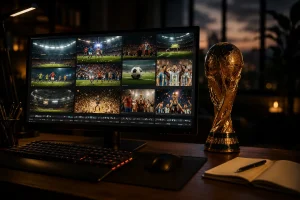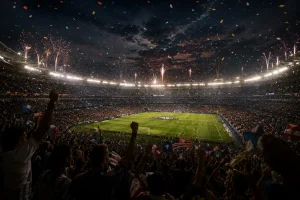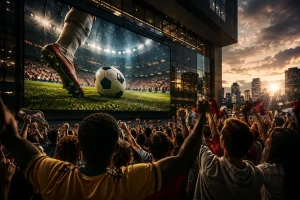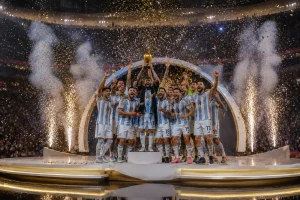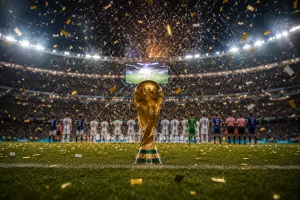
世界杯总有让人上头的瞬间,但想出新的视频点子并不轻松。你还需要一条清楚的路径,知道怎么做 AI 视频。Luma 世界杯提示词就是为此准备的:按步骤写清场景,少走弯路。Luma AI 不用你空想几个小时,这些提示词已经把球员情绪、球场庆祝这类现成概念写好了。
想更快做出内容,接着往下看,随便挑一条提示词去做 FIFA 视频。
第 1 部分. 给 AI 视频创作者的 15 条 Luma 世界杯提示词
这 15 条 Luma 世界杯提示词覆盖心碎落败、慢动作进球、球迷狂欢,还有更多:
比赛集锦向:好用的 Luma 世界杯提示词
提示词 1:把下面这段英文提示词原样粘贴: “Show a wide stadium view during a FIFA World Cup match kickoff, cheering crowd, players ready, dramatic lights, cinematic camera zoom in, realistic football atmosphere.”
提示词 2:把下面这段英文提示词原样粘贴: “Generate a video for a football player scoring the first goal in a World Cup match, slow-motion celebration, teammates running, crowd cheering loudly, flags waving, cinematic close-up shots.”
提示词 3:把下面这段英文提示词原样粘贴: “Make a video of a last-minute World Cup goal, dramatic stadium silence, then explosion of cheers, player scoring winning goal, teammates celebrating wildly, cinematic lighting.”
提示词 4:把下面这段英文提示词原样粘贴: “Goalkeeper making incredible diving save in World Cup match, slow motion action, grass flying, crowd shocked, zoom effect.”
提示词 5:把下面这段英文提示词原样粘贴: “A moment of clip when the whole football team is celebrating after a winning goal, hugging, jumping, waving national flags, stadium full of cheering fans, bright lights, emotional moment.”
球队和赛事向:Luma 世界杯提示词
提示词 1:把下面这段英文提示词原样粘贴: “Football team standing in line during national anthem, emotional faces, flag waving behind them, crowd silent, cinematic close-up and wide shots.”
提示词 2:把下面这段英文提示词原样粘贴: “Create a video for FIFA World Cup opening ceremony, fireworks in stadium sky, teams entering field, crowd cheering, colorful lights, big cinematic event.”
提示词 3:把下面这段英文提示词原样粘贴: “Show two strong national teams facing each other in a World Cup match, intense gameplay, aggressive tackles, dramatic camera angles, stadium tension.”
提示词 4:把下面这段英文提示词原样粘贴: “Visualize team lifting the World Cup trophy, fireworks, confetti falling, emotional celebration, players crying and hugging, cinematic close-up.”
提示词 5:把下面这段英文提示词原样粘贴: “Winning team celebrating on field after tournament victory, dancing, waving flags, joyful crowd, bright stadium lights, cinematic ending scene.”
社媒 Reels 和 Shorts 向:Luma 世界杯提示词
提示词 1:把下面这段英文提示词原样粘贴: “Quick FIFA World Cup goal moment, player shooting and scoring, fast cuts, slow motion finish, crowd cheering, energetic atmosphere.”
提示词 2:把下面这段英文提示词原样粘贴: “Show a famous FIFA player scoring a goal and running to celebrate, teammates jumping, fans cheering, confetti effect, slow motion celebration, social media reel style.”
提示词 3:把下面这段英文提示词原样粘贴: “Make an intense video of the final seconds of the match, player scoring winning goal, crowd explosion, players running in joy, dramatic slow motion, viral short video style.”
提示词 4:把下面这段英文提示词原样粘贴: “Stadium crowd reacting to big goal, fans screaming, waving flags, emotional faces, fast cuts, energetic World Cup atmosphere.”
提示词 5:把下面这段英文提示词原样粘贴: “Close-up of star player during World Cup match, intense focus, running with ball, shooting goal, cinematic lighting, short highlight format video.”
第 2 部分. 做世界杯叙事视频,还有更好的选择
如果 Luma 的成片不满意,可以换到 MagicLight AI,它对 Luma 世界杯提示词更吃得开。Story-to-Video 能把你的世界杯故事做成完整动画视频,球队和球员都能自定义。你可以塞进最长约 12,000 词的 FIFA 世界杯脚本,做长视频生成。成片最长可到 50 分钟,够讲完一场比赛故事。
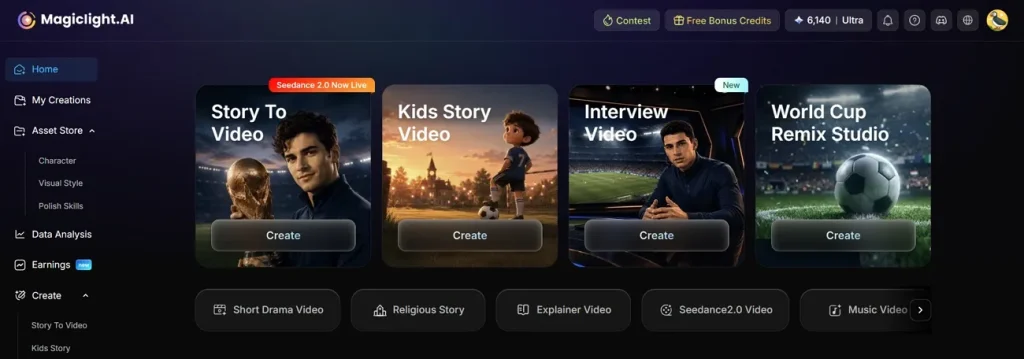
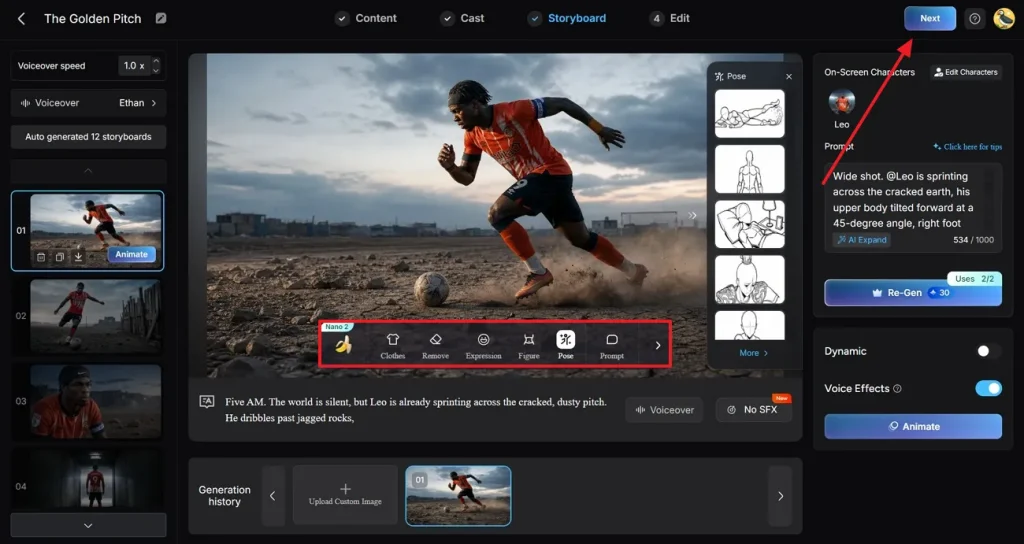
更方便的是,工具会按脚本自动出 storyboard,把故事拆成球员通道、进球这类场景。你还能改这些场景提示词,重新生成关键镜头。Nano 控件可以调服装、表情和姿势,有 50 种选项。每个镜头都是微步骤拼起来的,运镜和时序也能做成足球回放那种感觉。
核心功能
- 动画和运动选项:平台提供 16 种动画模型,方便选到贴合故事的运动风格。
- 音频、字幕和解说:37 种配音加 40 首背景音乐,可以做成解说风旁白。
- 成片画质和格式:可选画幅,并按需要导出 720p 或 1080p。
- 自定义球队或球员角色:创建或选择角色,设定名字、年龄和类型,对应特定球员或教练。
- 足球内容的视觉风格:多种风格模型可选,比如 3D cartoon 或 anime,做出你要的世界杯气质。
教程:做出专业的 FIFA 世界杯视频
想做专业的 FIFA 世界杯视频,按下面示范走,几分钟就能出片:
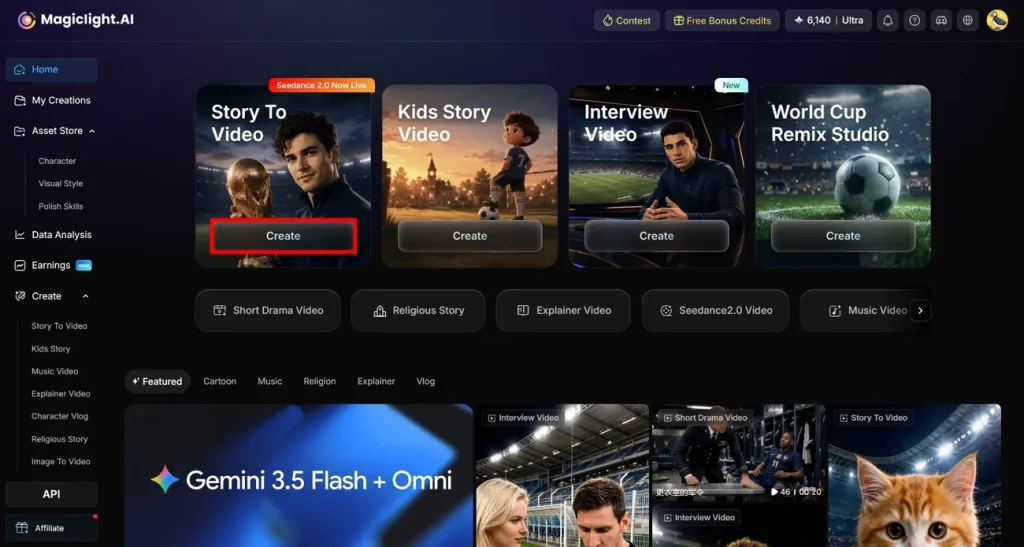
步骤 1. 选择 Story-to-Video 功能
先打开 MagicLight AI,再点 Create,进入 Story-to-Video。
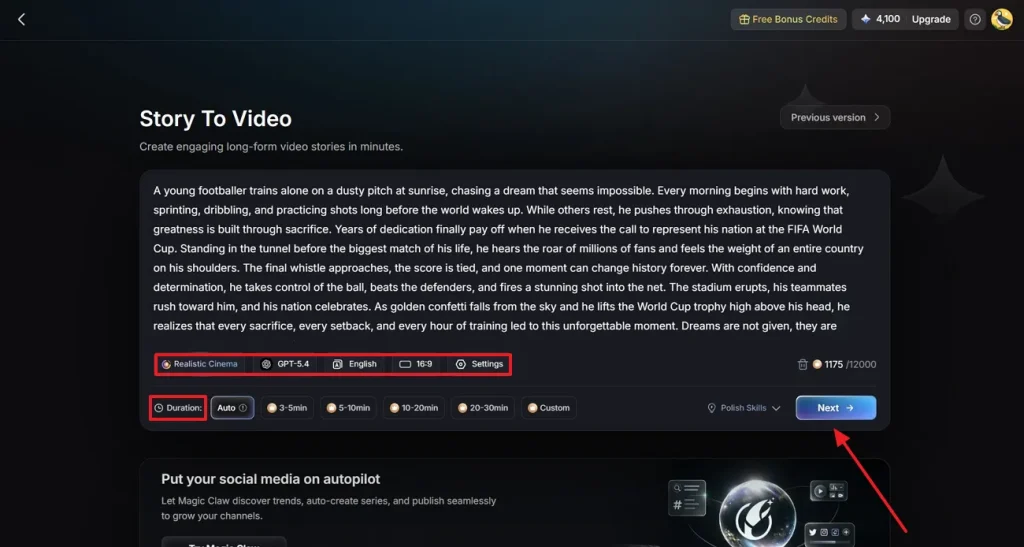
步骤 2. 粘贴世界杯脚本并设置视频参数
进去后,把复制好的 Luma 世界杯提示词贴进输入框,再设 Duration 等视频参数。继续指定 Language 或 AI Model 这类 Settings,然后点 Next。
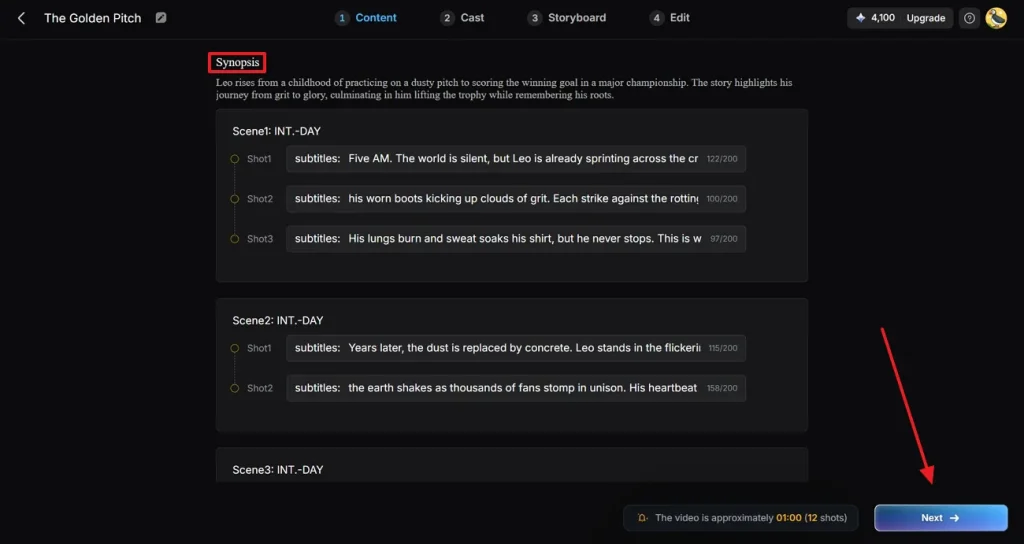
步骤 3. 阅读视频 Synopsis
现在查看生成的 Synopsis,需要就改。接着点 Next,继续做视频。
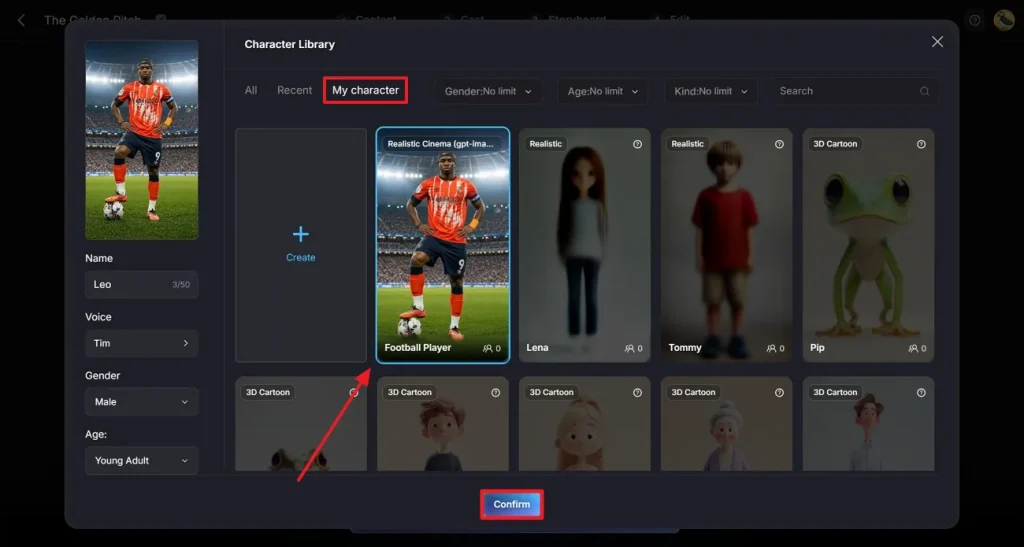
步骤 4. 为视频选合适角色
打开 Cast,点 More Character,从近期合集里选一个合适的 FIFA 球员。如果角色已经生成过,打开 My Character 文件夹,选一个,再点 Confirm。
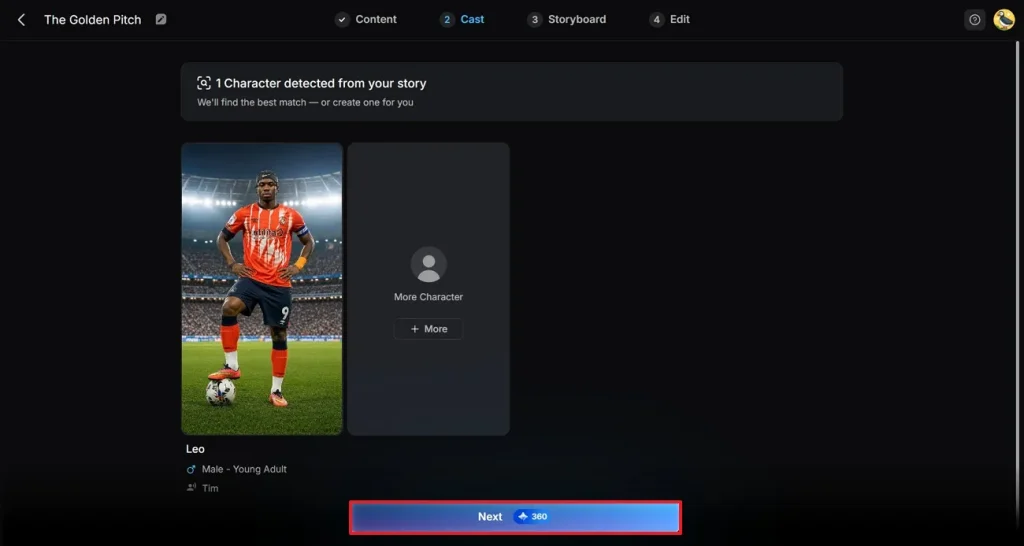
步骤 5. 完成 Cast 选择
Cast 选完后,点 Next,进入下一步生成视频。
步骤 6. 调整视频故事
视频生成后,用浮动工具栏改关键处。然后点右上角 Next,进入下一步。
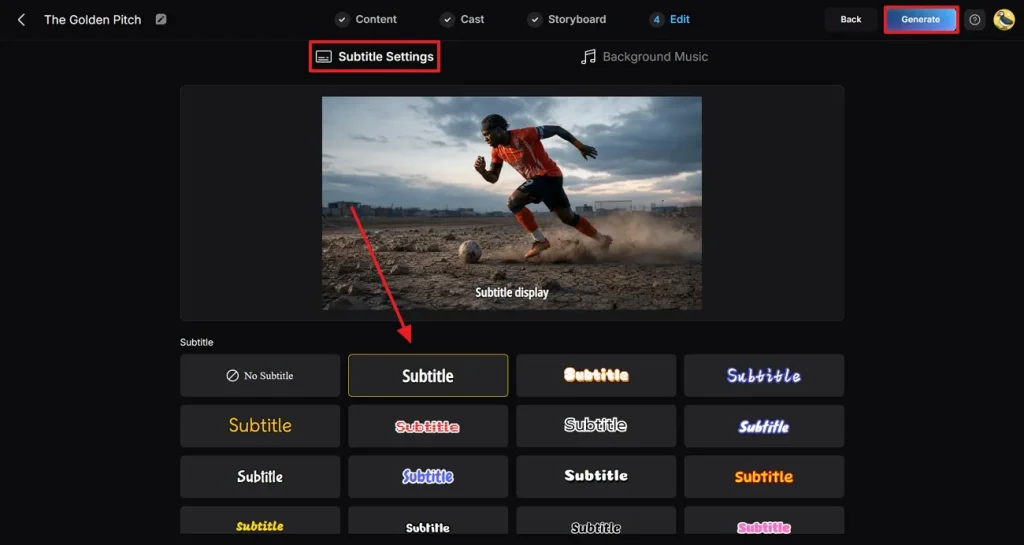
步骤 7. 给视频加字幕
最后一步,设置 Subtitle Settings,选字幕样式。最后点 Generate,生成专业世界杯视频。
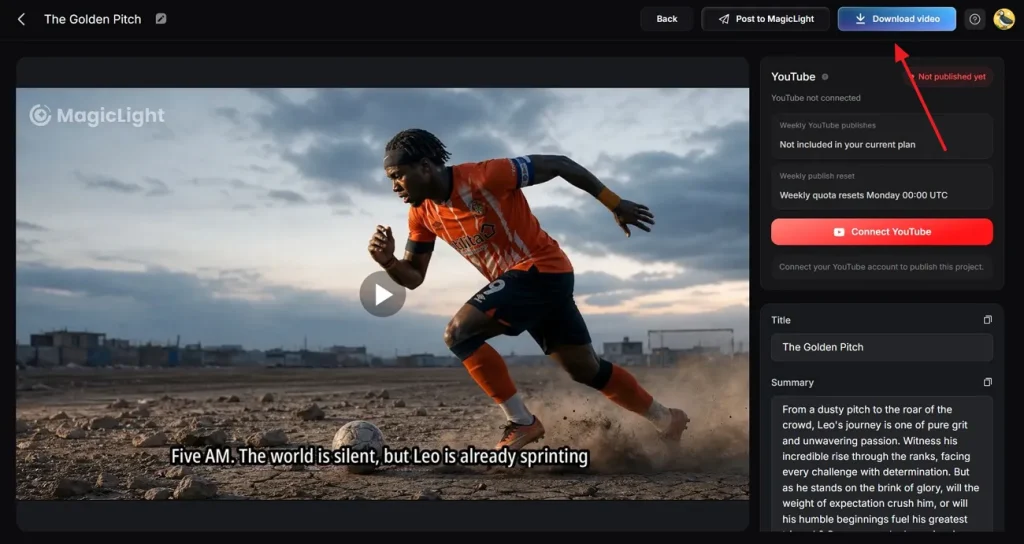
步骤 8. 预览并保存成片
最后仔细预览成片,再点 Download Video。也可以用合适设置,直接发到社媒。
结语
总结一下,Luma 世界杯提示词能把每个场景写清楚,FIFA 视频更好做。新手也能用,因为不用花太多时间空想。想更顺、更好看,用 MagicLight AI,靠风格模型和角色选择做 FIFA 世界杯视频。
Luma 世界杯提示词常见问题
1. Luma 怎么用提示词做足球视频?
Luma 会根据你的文字提示词,猜测场景和动作,做成短足球片段。脚本写得完整,模型就能理解 3D 空间或运动,并自动渲染几秒视频。
2. Luma 能生成逼真的足球比赛场景吗?
Luma 能做出自然的短片段,但每条提示词通常只是一个单场景。相比之下,MagicLight AI 的 Story to Video 提供多种写实、电影感模型,能把整场比赛故事做成角色更稳定的成片。
3. 怎么提高 Luma AI 视频质量?
提高 Luma 视频,通常要把提示词写得更清楚,补上运镜细节,并多试几次生成。用 MagicLight AI 还能靠 storyboard 预览和 Nano 控件改小细节。
4. Luma 能做哪些世界杯内容?
实际使用里,Luma 世界杯提示词适合集锦风短片、进球瞬间或情绪镜头。而 MagicLight AI 的 Story to Video 能吃下约 12,000 词的描述脚本,视频最长约 50 分钟。
5. Luma 适合做社媒足球视频吗?
适合。Luma 做短足球片段很方便,够在社媒上抓住注意力。想更省事,用 MagicLight AI 调画幅、分辨率和背景音乐,印象会更久。