Achieve True Photorealism with Magiclight.AI
Defined by our high-fidelity visual aesthetic, transform textual descriptions into footage that feels indistinguishable from reality.

Instantly render your stories with breathtaking photorealism using our latest visual style option. From subtle facial textures to natural lighting interactions, our tool captures the authentic essence of the real world without the need for live-action filming. Start creating lifelike moments.
Create Your First Story


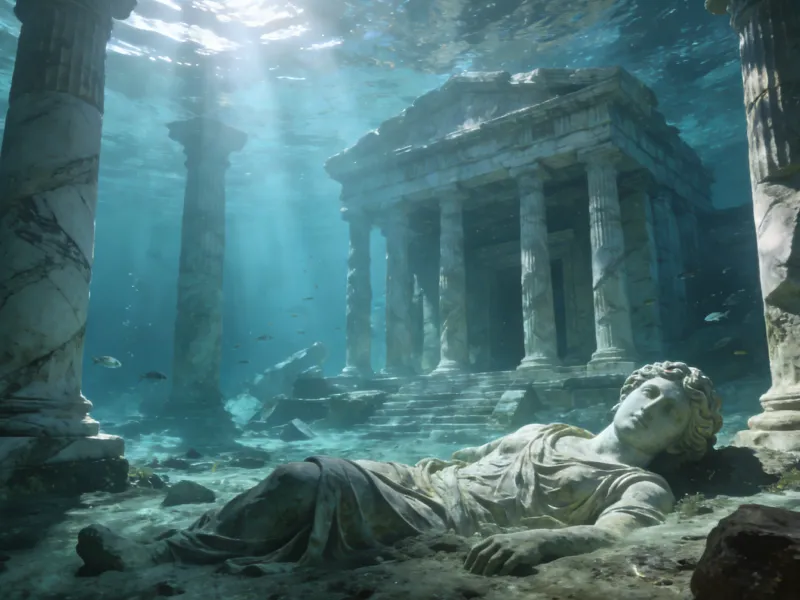
Defined by our high-fidelity visual aesthetic, transform textual descriptions into footage that feels indistinguishable from reality.




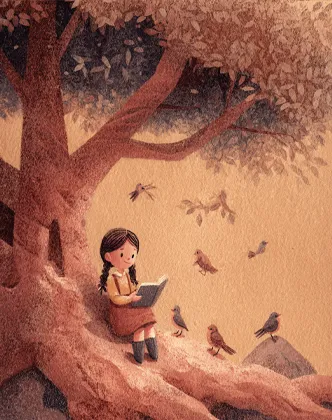
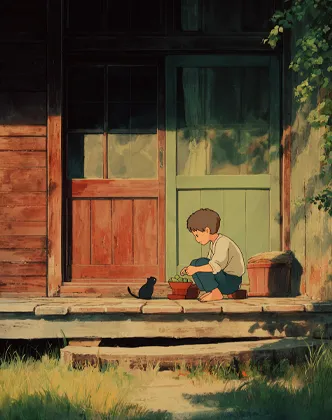



From script to storyboard, and finally to a photorealistic video masterpiece.
Paste your story into the Smart Script box. The AI analyzes your text to prepare for a grounded, logical visual translation.
Choose the "Realistic 2.0" model and define aspect ratios. This ensures the foundational tone aims for high fidelity and photographic detail.
Click "Next" to see your script split into visual storyboards. Finely tune the prompt and composition of each frame to ensure perfect realism before rendering.
Once satisfied with the storyboards, generate the video. Watch as your static shots are synthesized into a fluid, cinema-quality live-action sequence.

Keith
Luxury Real Estate Agent
"I've integrated many apps into our curriculum, but this is the first one my kids genuinely enjoy using daily. The characters are captivating, and the pacing is perfect for interactive learning. It has made our story time so much better!"
Sarah
Stay-at-home Mom
"I've explored countless storytelling tools, but this is the first one my children are truly obsessed with. The characters are so endearing, and the stories are just right for our nightly routine. A must-have for parents!"
David
Primary School Educator
"As a teacher, I've used many educational apps, but this is the first one my students genuinely engage with. The characters are delightful, and the narrative flow is perfect for classroom activities. Highly recommended for early learning!"
Leo
Animation Influencer
"I've reviewed dozens of storytelling apps, but this is the first one my community genuinely raves about. The character aesthetics are top-notch, and the storytelling structure is perfect for modern content. Highly recommended!"
Keith
Luxury Real Estate Agent
"I've integrated many apps into our curriculum, but this is the first one my kids genuinely enjoy using daily. The characters are captivating, and the pacing is perfect for interactive learning. It has made our story time so much better!"
Sarah
Stay-at-home Mom
"I've explored countless storytelling tools, but this is the first one my children are truly obsessed with. The characters are so endearing, and the stories are just right for our nightly routine. A must-have for parents!"
David
Primary School Educator
"As a teacher, I've used many educational apps, but this is the first one my students genuinely engage with. The characters are delightful, and the narrative flow is perfect for classroom activities. Highly recommended for early learning!"
Leo
Animation Influencer
"I've reviewed dozens of storytelling apps, but this is the first one my community genuinely raves about. The character aesthetics are top-notch, and the storytelling structure is perfect for modern content. Highly recommended!"
Elena
Digital Content Creator
"I've tested various creative platforms, but this is the first one my young audience genuinely connects with. The character designs are stunning, and the pacing is ideal for high-quality storytelling. Truly an impressive tool for creators!"
Michael
Working Dad
"We've experimented with many story apps, but this is the first one my kids genuinely ask for every night. The characters are adorable, and the atmosphere is perfect for calming them down before sleep. We love it!"
Jennifer
Kindergarten Teacher
"I've introduced many storytelling resources to my class, but this is the first one they genuinely fall in love with. The characters are so charming, and the pacing is perfect for keeping little ones focused. A fantastic educational resource!"
Elena
Digital Content Creator
"I've tested various creative platforms, but this is the first one my young audience genuinely connects with. The character designs are stunning, and the pacing is ideal for high-quality storytelling. Truly an impressive tool for creators!"
Michael
Working Dad
"We've experimented with many story apps, but this is the first one my kids genuinely ask for every night. The characters are adorable, and the atmosphere is perfect for calming them down before sleep. We love it!"
Jennifer
Kindergarten Teacher
"I've introduced many storytelling resources to my class, but this is the first one they genuinely fall in love with. The characters are so charming, and the pacing is perfect for keeping little ones focused. A fantastic educational resource!"
Magiclight.ai is an advanced Al-powered platform that transforms your stories into stunning animated videos,. Simply input your script or story concept, andour Al generates professional-quality storyboards, character animations, and complete video sequences with consistent visual style.
From quick social clips to full 50-minute episodes. MagicLight is optimized for long-form storytelling, maintaining character consistency across scenesso you can produce complete narratives without technical limits.
Yes! You own 100% of the content you create. Whether you are monetizing a YouTube channel, running ads, or selling courses, you have full commercial rights to every video generated with our paid plans.
Absolutely. We believe in creative freedom, not binding contracts. You can manage your subscription directly from your dashboard and cancel whenever you like — no hidden fees, no hard feelings.
Minutes, not months. While traditional animation takes weeks, MagicLight generates a high-quality 5-minute story in about the time it takes to grab a coffee. Our AI works fast so you can publish more often.
Yes, start creating immediately. We offer free credits so you can test our AI models, generate your first few scenes, and experience the quality of MagicLight before committing to a subscription.



Try MagicLight’s story to video AI for free. No credit card needed, just your imagination.