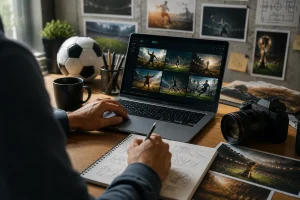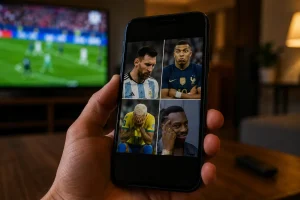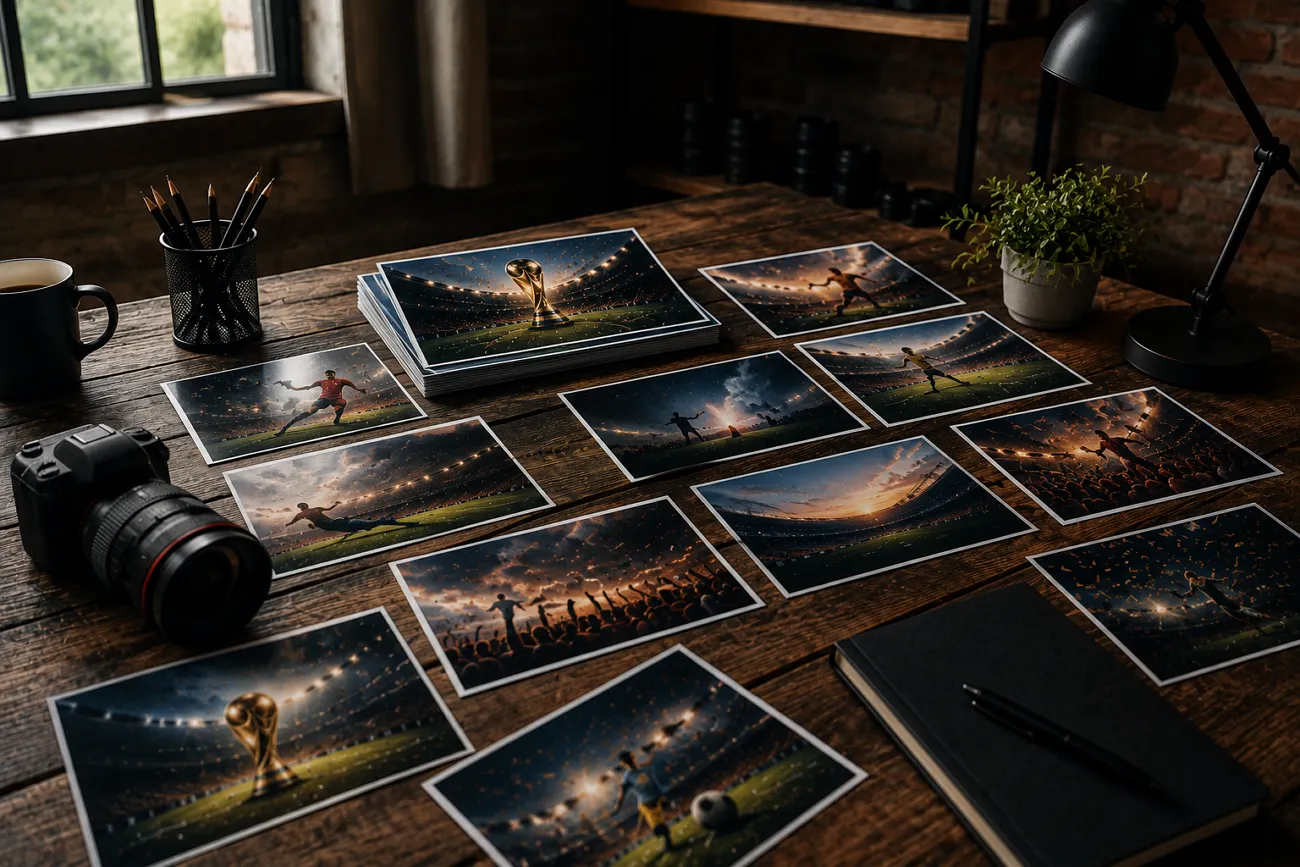
有人滑著足球比賽精華,一張超有衝擊力的照片突然跳出來。他們會想:這種畫面,是不是一定要請攝影師或設計師?其實不一定。有了 Midjourney,只要提示詞寫對,誰都能做出足球味十足的照片。
這篇文章會給你 20 則寫得很到位的 Midjourney 世界盃提示詞,專門用來生成足球畫面。建議看到最後,才能拿到最能用的原文提示詞。
第 1 部分. 5 則最適合足球海報的 Midjourney 世界盃提示詞
很多讓人記住的足球畫面,並不是比賽裡拍下來的。它們被設計成細節拉滿、又很容易產生共鳴的海報。下面這些 Midjourney 世界盃提示詞,重點是電影感、專業感的視覺:
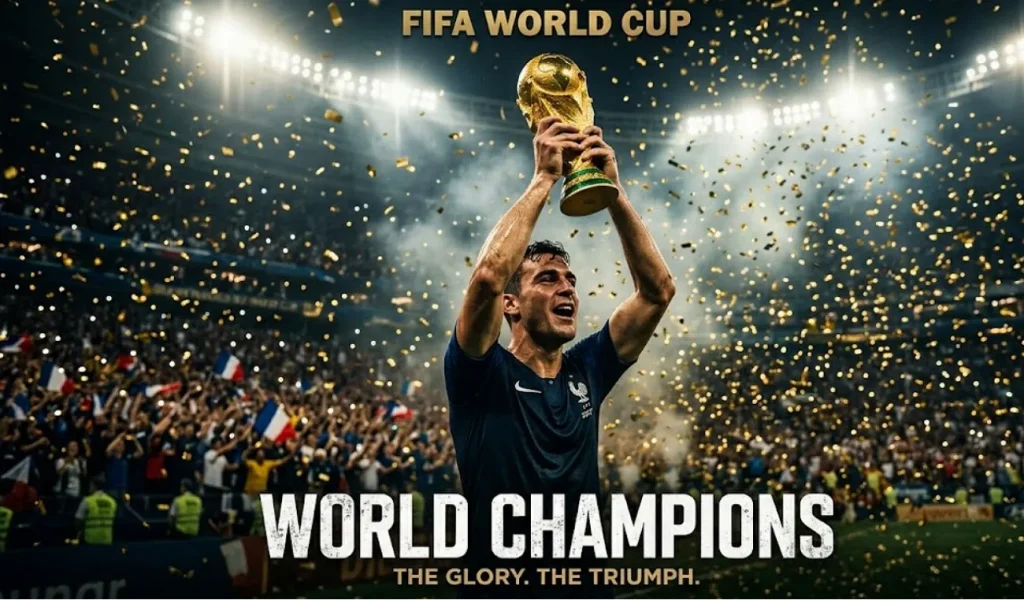
1. 冠軍舉盃瞬間
把下面這段英文提示詞原樣貼上: Create a cinematic football poster of a FIFA World Cup champion lifting the trophy high above their head. Fill the scene with golden confetti, packed stadium lights, dramatic shadows, and ultra-detailed sports photography.
2. 單刀突擊動作海報
把下面這段英文提示詞原樣貼上: Design a dynamic World Cup poster showing a star footballer sprinting toward the goal in a final match. Add roaring crowds, waving flags, motion blur effects, cinematic lighting, and intense stadium atmosphere.
3. 傳奇隊長海報
把下面這段英文提示詞原樣貼上: Craft a powerful football poster featuring a legendary captain standing before the glowing World Cup trophy. Include smoke effects, dramatic contrast, stadium floodlights, and premium editorial-style composition.
4. 絕殺進球慶祝海報
把下面這段英文提示詞原樣貼上: Create an emotional World Cup poster capturing a footballer celebrating a last-minute winning goal. Show rain, fireworks, cinematic color grading, and ultra-realistic stadium details.
5. 全隊同心世界盃海報
把下面這段英文提示詞原樣貼上: Design a cinematic poster of international football stars gathered around the World Cup trophy. Highlight unity, stadium lighting, detailed jerseys, expressive faces, and premium advertising style.
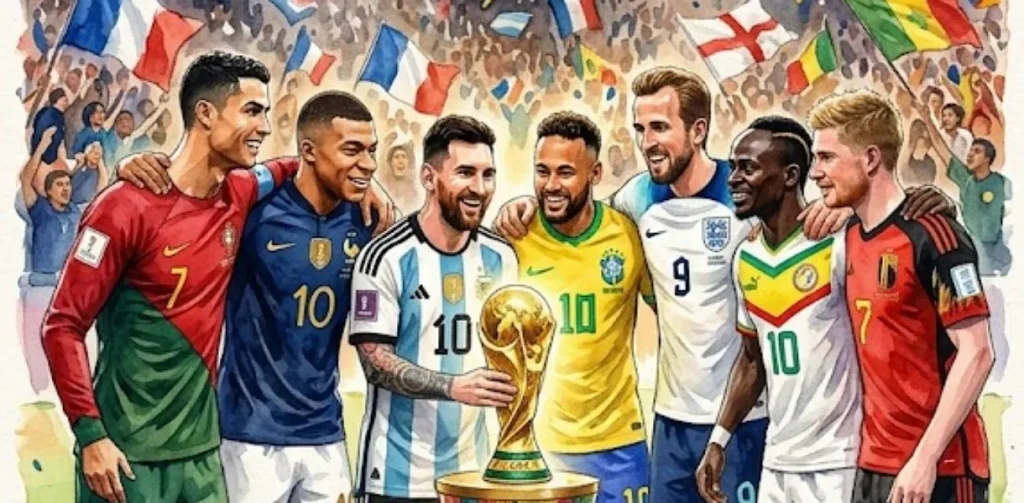
第 2 部分. 5 則 Midjourney 世界盃球員肖像提示詞
世界盃不只屬於看台和比賽本身。有時候,真正打動人的是球員。下面這些 Midjourney 世界盃提示詞,就是為了把球員拍得足夠有細節、足夠立體:
1. 英雄感世界盃球員肖像
把下面這段英文提示詞原樣貼上: Create a cinematic close-up portrait of a FIFA World Cup footballer looking directly into the camera with intense focus. Add stadium lights glowing behind, sweat details, shallow depth of field, and ultra-realistic skin texture.
2. 奪冠後的情緒肖像
把下面這段英文提示詞原樣貼上: Design a powerful World Cup portrait of a player after a big win, showing tears of joy and exhaustion. Use dramatic lighting, blurred stadium background, cinematic color grading, and high-detail facial expression.
3. 賽前通道裡的專注特寫
把下面這段英文提示詞原樣貼上: Craft a close-up portrait of a footballer in the tunnel before a World Cup match. Add moody lighting, smoke effects, sharp focus on eyes, and intense cinematic atmosphere.
4. 黃金時刻球場肖像
把下面這段英文提示詞原樣貼上: Create a warm golden-hour portrait of a World Cup player standing on the pitch during sunset. Include soft lens flare, realistic jersey textures, and a calm yet powerful expression.
5. 大雨中的比賽肖像
把下面這段英文提示詞原樣貼上: Design a cinematic portrait of a footballer under heavy rain during a World Cup game. Capture water droplets on face, dramatic stadium lights, and high-detail emotional intensity.
第 3 部分. 5 則 Midjourney 世界盃球場與比賽場面提示詞
接下來從單個球員拉到更大的畫面。球場本身,也決定了世界盃情緒能不能立住。下面這些 Midjourney 世界盃提示詞,盯的是看台能量、比賽戲劇性和電影感足球動作:
1. 電影感世界盃決賽球場對決
把下面這段英文提示詞原樣貼上: Create a packed FIFA World Cup final stadium filled with roaring fans under blazing floodlights. Show intense match action on the pitch with dramatic camera angles, ultra-realistic crowd detail, cinematic lighting, and high-energy sports atmosphere.
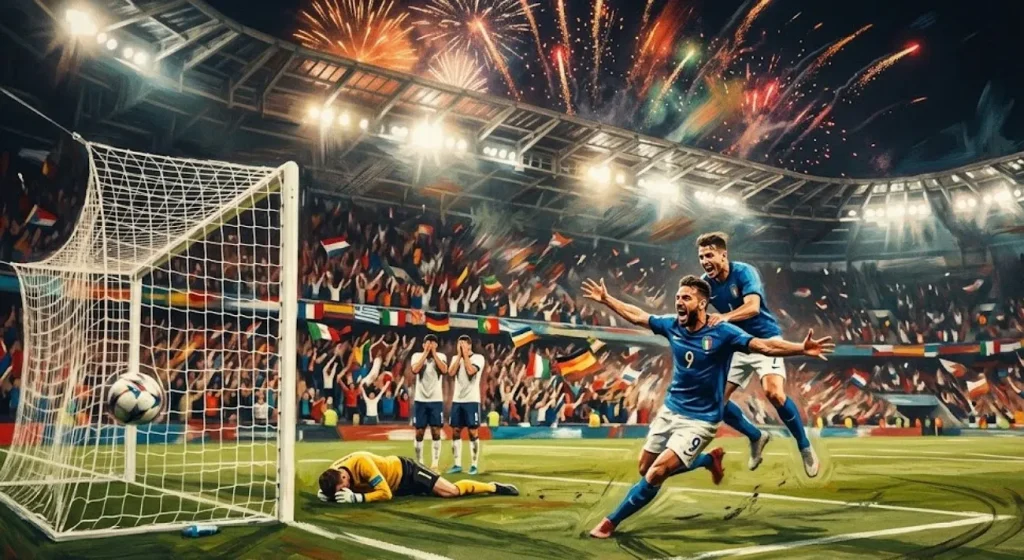
2. 絕殺進球的戲劇瞬間
把下面這段英文提示詞原樣貼上: Design a World Cup match scene capturing a last-minute winning goal with players reacting in explosive emotion. Add motion blur, cheering crowd waves, stadium fireworks, and cinematic color grading for maximum impact.
3. 高強度夜賽對決
把下面這段英文提示詞原樣貼上: Craft a high-energy World Cup night stadium scene with glowing lights and heavy atmosphere. Focus on fast-paced gameplay, flying turf particles, dynamic motion, and realistic cinematic sports photography style.
4. 高壓點球大戰場面
把下面這段英文提示詞原樣貼上: Create an intense World Cup penalty shootout moment with a striker preparing to take the shot and a goalkeeper ready to dive. Include spotlight focus, silent tension, dramatic shadows, and ultra-realistic stadium depth.
5. 雨戰史詩足球賽
把下面這段英文提示詞原樣貼上: Design a cinematic World Cup match played in heavy rain with players sliding on wet turf under glowing stadium lights. Capture reflections, emotional intensity, and dramatic sports realism for a powerful visual impact.
第 4 部分. 5 則 Midjourney 世界盃國家隊提示詞
肖像和比賽動作之後,該看集體力量了。下面這些 Midjourney 世界盃提示詞,展示國家隊,以及代表一個國家時那種情緒張力:
1. 國家隊奪冠巡遊海報
把下面這段英文提示詞原樣貼上: Create a FIFA World Cup national team celebrating victory while holding the trophy together on the pitch. Add confetti rain, stadium lights, cheering fans, and ultra-realistic cinematic sports photography.
2. 旗幟滿場的球隊入場
把下面這段英文提示詞原樣貼上: Design a World Cup national team walking onto the pitch holding their country's flags. Include dramatic tunnel lighting, smoky atmosphere, cinematic shadows, and intense pre-match energy.
3. 全隊圍成一圈的瞬間
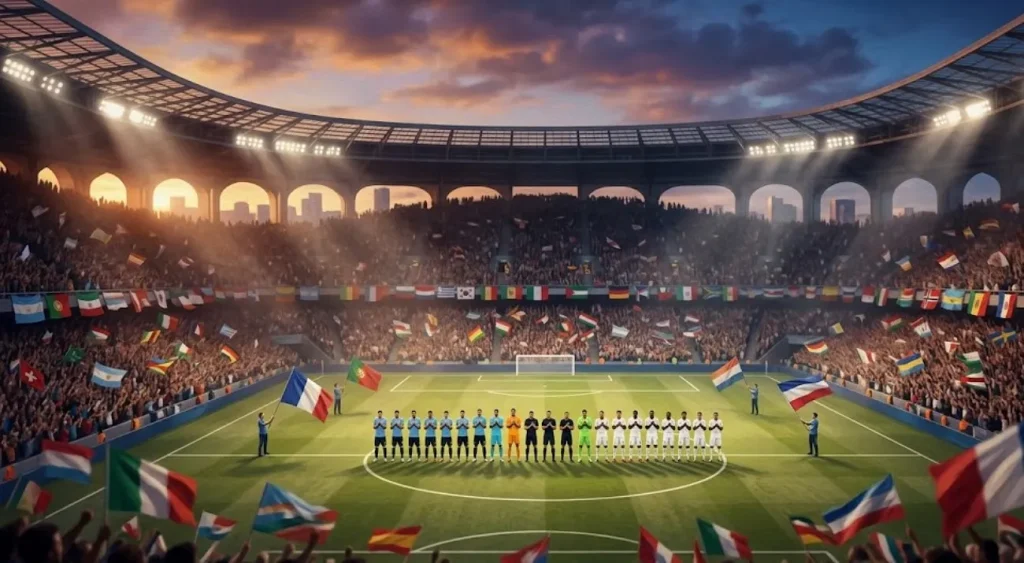
把下面這段英文提示詞原樣貼上: Create a World Cup stadium scene during the national anthem with players standing in formation. Add emotional lighting, waving flags, crowd silence, and cinematic depth.
4. 人牆任意球高壓瞬間
把下面這段英文提示詞原樣貼上: Create a tense World Cup scene of a national team forming a defensive wall during a free kick. Add stadium pressure, focused expressions, dramatic lighting, and cinematic realism.
5. 國歌響起的球場瞬間
把下面這段英文提示詞原樣貼上: Craft a cinematic bench scene of a national team reacting emotionally during a crucial World Cup match. Show cheering, frustration, and dramatic stadium depth with realistic detail.
第 5 部分. 把 Midjourney FIFA 世界盃圖片做成影片的最好方法
用 Midjourney 世界盃提示詞做出很能打的 FIFA 世界盃靜圖之後,很多人會問:這些定格畫面怎麼活起來?一張強的足球海報或球場場面,本身已經很電影。再加運動,就能再上一個臺階。MagicLight AI 就是把靜圖做成流暢動態影片的工具。
它的圖生影片功能,能給看台加上運動,再配電影感轉場,讓每個足球瞬間更沉浸。你還可以用它做最長 50 分鐘的長影片。而且你可以把做好的足球角色,放到任何你想要的場景裡。
核心功能
- AI Video Models: MagicLight AI 提供進階影片生成模型,保證成片品質,包括 Gemini Omni 和 Seedance 2.0。這些模型能做出流暢、真實、畫面更滿的足球影片。
- AI Character: 你可以按自己的想法生成角色。只需一條文本提示詞,就能做動畫風或寫實風角色。
- Character Customization: 生成的足球角色會自動存進 “My Characters” 庫,方便反覆用。你還可以繼續改球員細節。
- Story-to-Video: 平台能把簡單腳本和圖片,轉成好看的足球影片。它也支援多語言敘事,可在 30 多種語言裡生成影片。
- Video Editing: MagicLight AI 帶分鏡編輯,還有多種風格的 AI 配音。它也支援聲音克隆,讓成片更接近真人。
用 MagicLight AI 把 Midjourney FIFA 世界盃圖做成影片
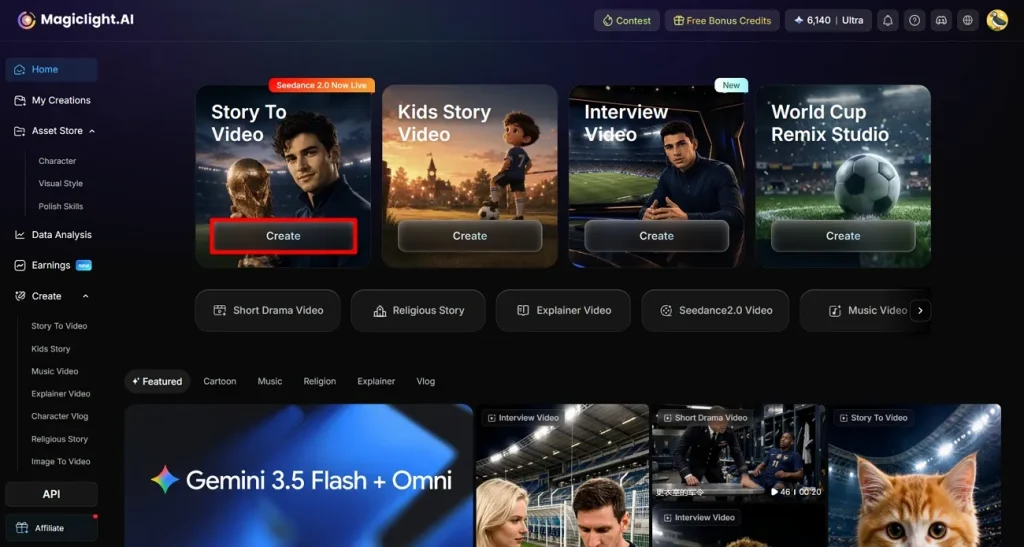
在 MagicLight AI 裡,用 Story to Video,很快就能把足球照片做成影片。想知道怎麼把 Midjourney 世界盃提示詞變成影片,按下面步驟走:
步驟 1. 先點 Create
在瀏覽器打開 MagicLight AI,選擇 Story to Video 功能。點擊介面裡的 Create 按鈕。
步驟 2. 設定你的 FIFA 影片
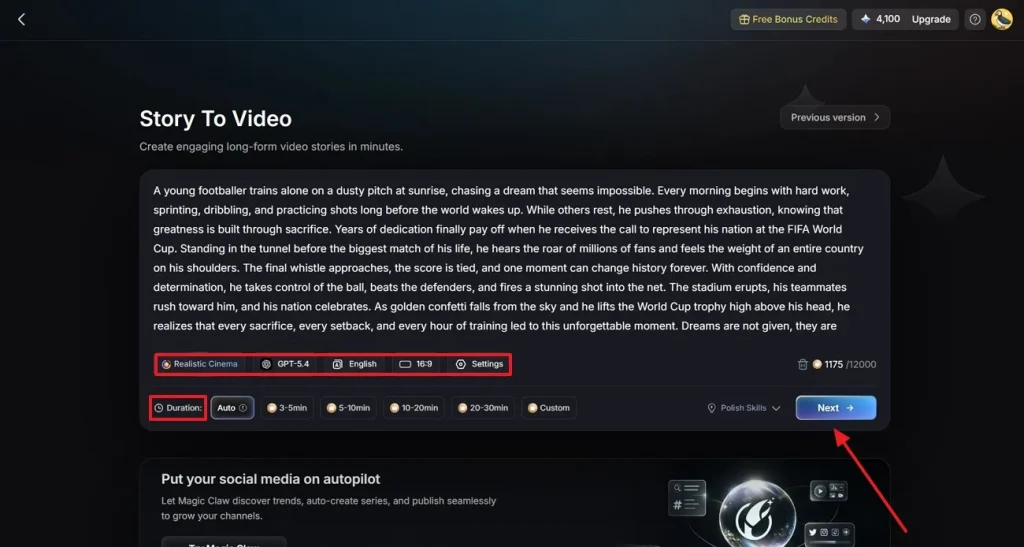
下一頁輸入 FIFA 影片腳本,並選擇你想做的影片類型。再選 AI 影片生成模型、故事模型,以及配音語言。選好畫幅和時長,以及其他必要選項,例如 Duration,然後點 Next。
步驟 3. 檢查並微調場景
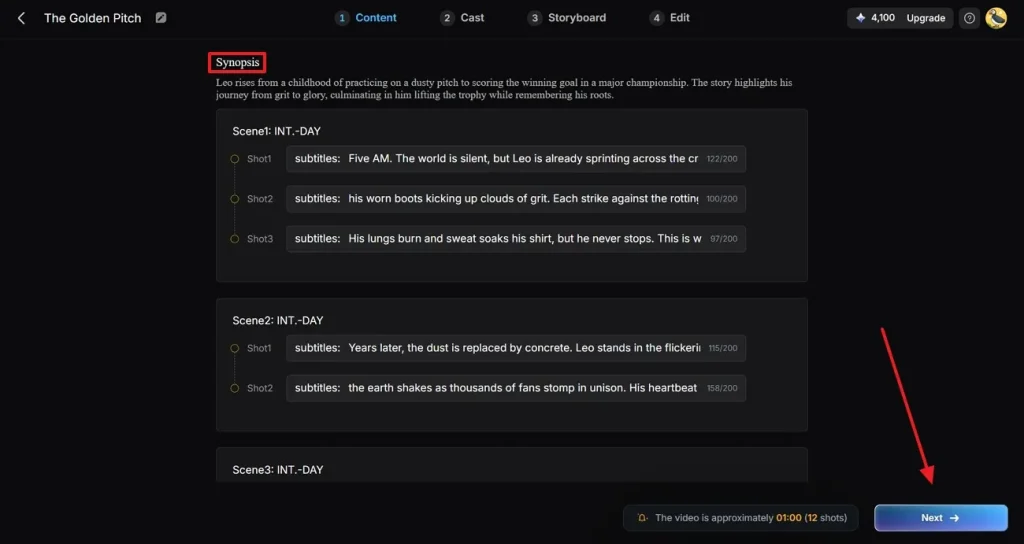
在接下來的介面裡,到 Synopsis 下檢查每個生成的場景。按需要改一改,讓敘事更順。點 Next,進入下一步。
步驟 4. 選擇足球運動員角色
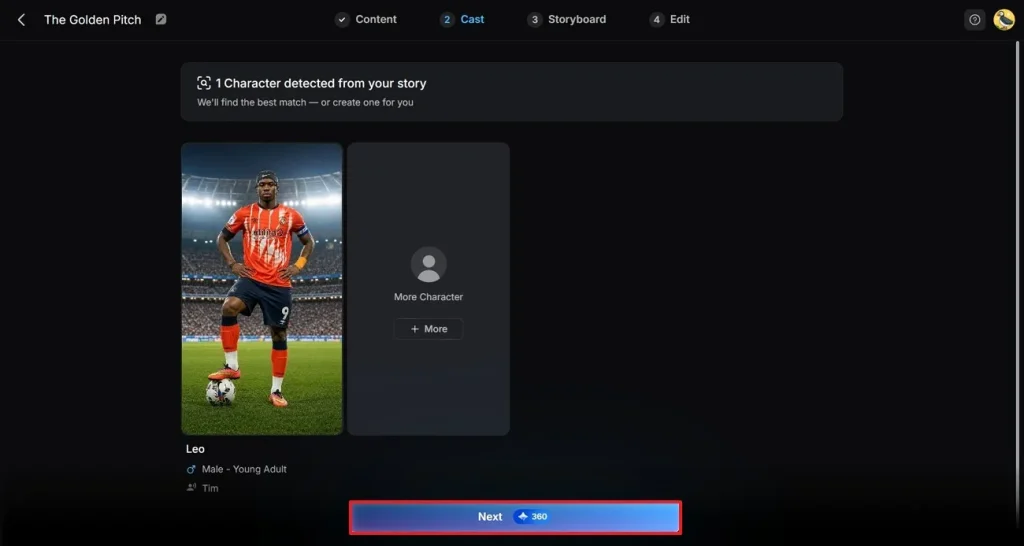
從給出的選項裡選影片角色,再點 Next。若要改角色或用自己的,點角色,到 My Character 裡找合適的。想給影片加更多角色,用 More Character 按鈕補充新選項。
步驟 5. 編輯和調整角色
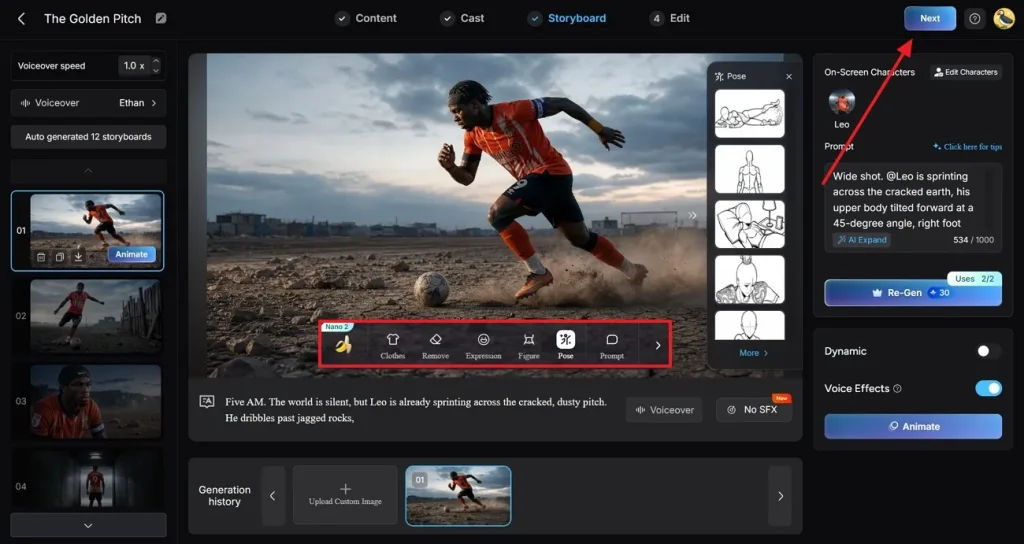
預覽生成的分鏡,並修改角色的衣服、姿勢等。在 Nano Storyboard 視窗裡,你還可以設定 Voiceover speed 和 Voiceover。確認各部分後,點右上角的 Next。
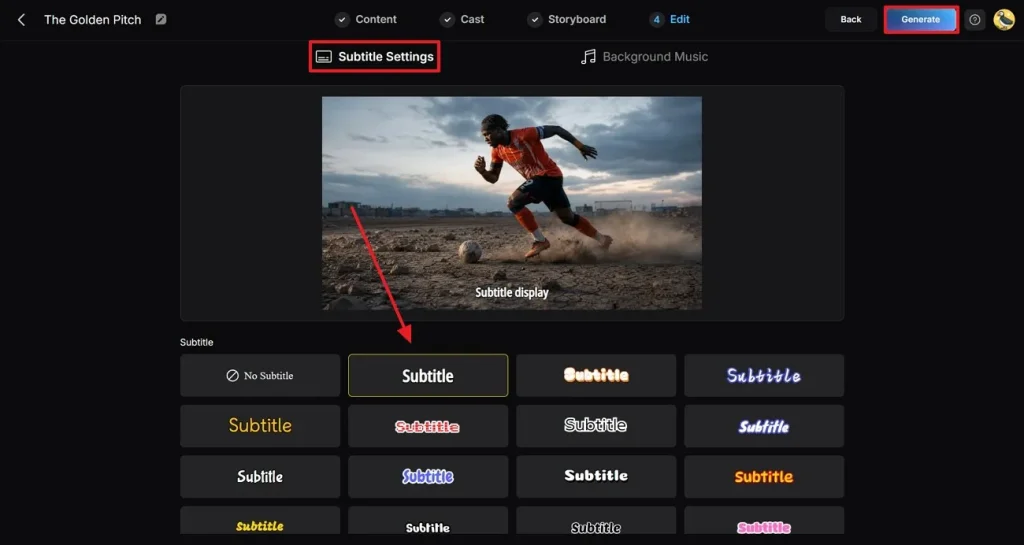
步驟 6. 加入字幕和背景音樂
按自己的喜好加入和修改字幕。也可以用 MagicLight AI 裡的選項加入背景音樂。點螢幕右上角的 Generate。
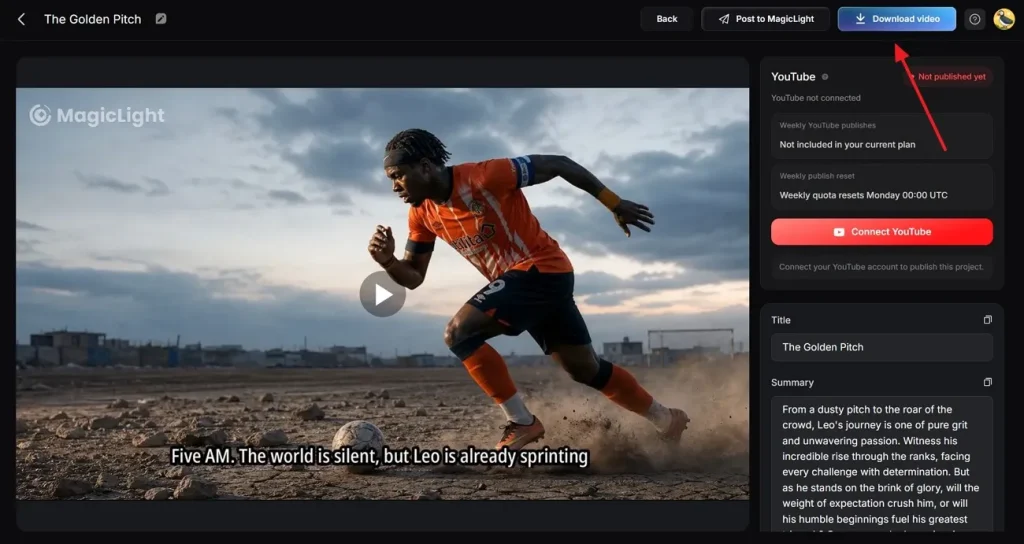
步驟 7. 預覽並下載生成的 FIFA 影片
在接下來的介面預覽成片,需要的話再改。滿意後點 Download。
結語
總結一下,這篇文章把最能用的 20 則 Midjourney 世界盃提示詞講清楚了。從戲劇性球場到情緒拉滿的球員肖像,這些文本提示詞都能做。你可以把簡單點子做成有電影感、看起來會呼吸的足球畫面。而要把足球照片做成影片,MagicLight AI 就是這樣的工具。
Midjourney FIFA 世界盃提示詞常見問題
1. 世界盃 AI 圖用什麼風格最好?
電影感體育攝影和戲劇性海報最受歡迎。這些風格更容易抓住比賽的能量和情緒。
2. Midjourney 生成的圖能商用嗎?
商用取決於 Midjourney 目前的授權條款,以及你使用的訂閱方案。若想把這些圖做成宣傳影片,MagicLight AI 可以幫你加上動畫。
3. MagicLight AI 怎麼把 Midjourney 圖做成影片?
MagicLight AI 透過加運動,把 Midjourney 圖片變成動態影片。它能把足球海報和比賽場面,做成更好看的視覺故事。
4. 用 MagicLight AI 能做哪些世界盃影片?
MagicLight AI 能做很多世界盃主題影片。你可以用它做比賽精華和足球敘事內容,也可以為不同觀眾生成多語言影片。
5. 在 Midjourney 裡怎麼做出更真實的世界盃圖?
提示詞寫細一點,帶上真實表情和體育攝影用語。你也可以先做出穩定的足球角色,再把他們放進影片裡演起來。