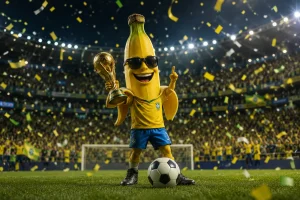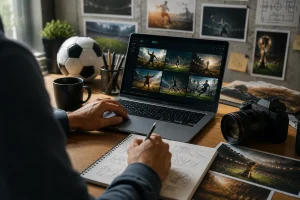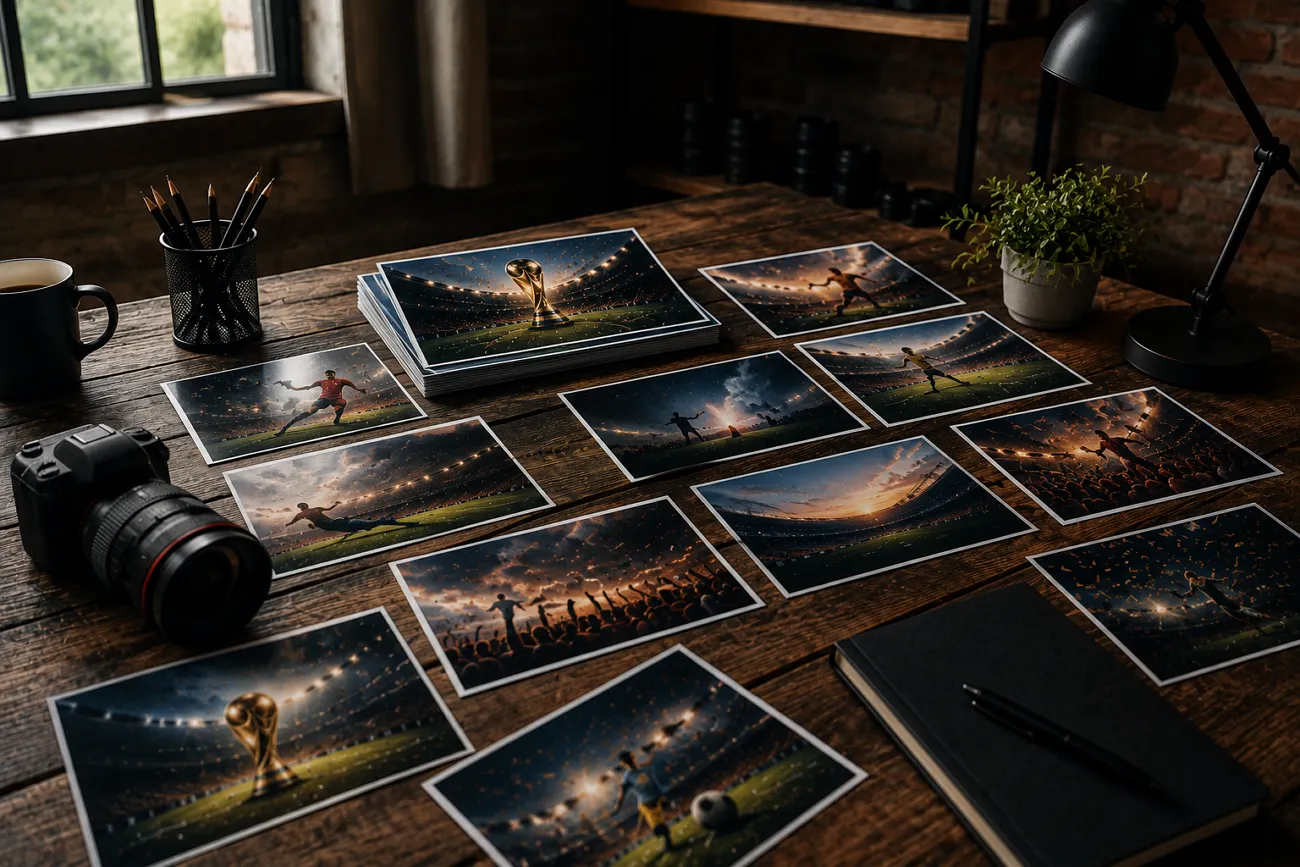
축구 경기 하이라이트를 넘기다가 강렬한 한 장에 눈이 멈출 때가 있어요. 저런 비주얼은 사진작가나 디자이너를 꼭 써야 하나 싶죠. 꼭 그렇진 않아요. Midjourney가 있으면 프롬프트만 잘 써도 누구나 축구 감성의 사진을 만들 수 있어요.
이 글에서는 축구 이미지를 만들기 위해 잘 다듬은 Midjourney 월드컵 프롬프트 20개를 알려 드려요. 끝까지 읽으면 바로 붙여 넣을 수 있는 원문 프롬프트를 가져갈 수 있어요.
1부. 축구 포스터에 가장 좋은 Midjourney 월드컵 프롬프트 5개
기억에 남는 축구 사진 중에는 경기 중에 찍힌 게 아닌 것도 많아요. 디테일이 살아 있고 공감하기 쉬운 포스터로 설계된 경우죠. 아래 Midjourney 월드컵 프롬프트는 영화 같고 프로처럼 보이는 비주얼에 초점을 맞춰요:
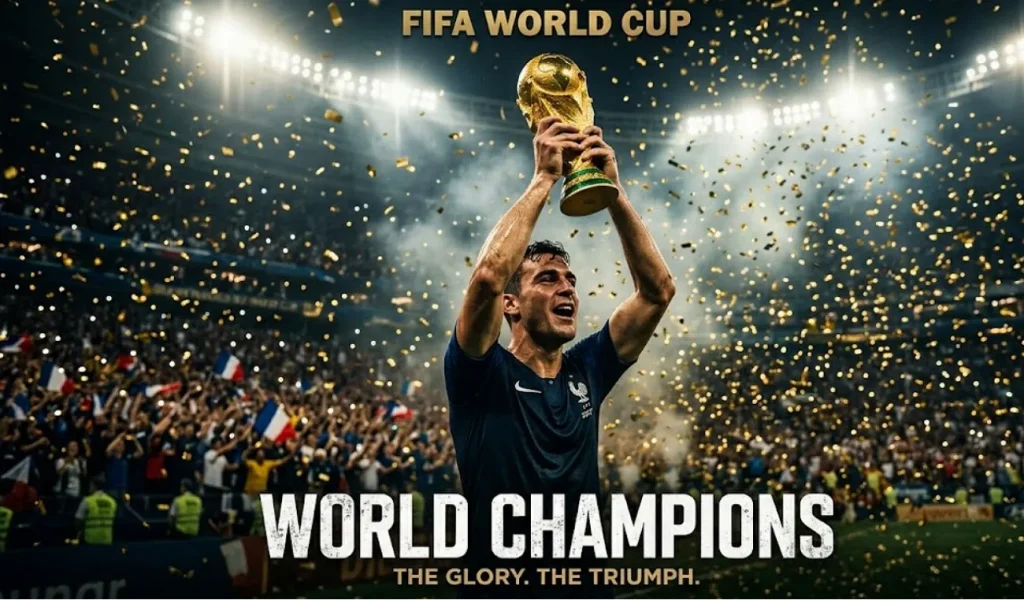
1. 트로피를 든 챔피언의 순간
아래 영어 프롬프트를 그대로 붙여넣으세요: Create a cinematic football poster of a FIFA World Cup champion lifting the trophy high above their head. Fill the scene with golden confetti, packed stadium lights, dramatic shadows, and ultra-detailed sports photography.
2. 돌파 공격 액션 포스터
아래 영어 프롬프트를 그대로 붙여넣으세요: Design a dynamic World Cup poster showing a star footballer sprinting toward the goal in a final match. Add roaring crowds, waving flags, motion blur effects, cinematic lighting, and intense stadium atmosphere.
3. 전설의 주장 포스터
아래 영어 프롬프트를 그대로 붙여넣으세요: Craft a powerful football poster featuring a legendary captain standing before the glowing World Cup trophy. Include smoke effects, dramatic contrast, stadium floodlights, and premium editorial-style composition.
4. 결승골 세리머니 포스터
아래 영어 프롬프트를 그대로 붙여넣으세요: Create an emotional World Cup poster capturing a footballer celebrating a last-minute winning goal. Show rain, fireworks, cinematic color grading, and ultra-realistic stadium details.
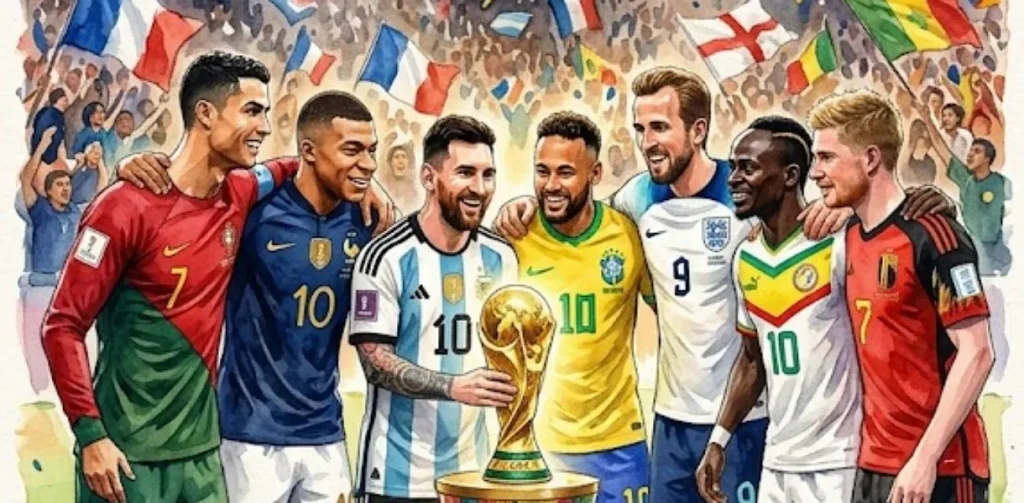
5. 팀의 하나 됨 월드컵 포스터
아래 영어 프롬프트를 그대로 붙여넣으세요: Design a cinematic poster of international football stars gathered around the World Cup trophy. Highlight unity, stadium lighting, detailed jerseys, expressive faces, and premium advertising style.
2부. 선수 초상을 위한 Midjourney 월드컵 프롬프트 5개
월드컵의 모든 순간이 관중이나 경기 자체만은 아니에요. 선수에게 초점을 맞출 때도 있죠. 아래 Midjourney 월드컵 프롬프트는 선수를 디테일 있게 살려 내기 위해 짜였어요:
1. 영웅적인 월드컵 선수 초상
아래 영어 프롬프트를 그대로 붙여넣으세요: Create a cinematic close-up portrait of a FIFA World Cup footballer looking directly into the camera with intense focus. Add stadium lights glowing behind, sweat details, shallow depth of field, and ultra-realistic skin texture.
2. 승리의 감정 초상
아래 영어 프롬프트를 그대로 붙여넣으세요: Design a powerful World Cup portrait of a player after a big win, showing tears of joy and exhaustion. Use dramatic lighting, blurred stadium background, cinematic color grading, and high-detail facial expression.
3. 경기 전 집중 초상
아래 영어 프롬프트를 그대로 붙여넣으세요: Craft a close-up portrait of a footballer in the tunnel before a World Cup match. Add moody lighting, smoke effects, sharp focus on eyes, and intense cinematic atmosphere.
4. 골든아워 경기장 초상
아래 영어 프롬프트를 그대로 붙여넣으세요: Create a warm golden-hour portrait of a World Cup player standing on the pitch during sunset. Include soft lens flare, realistic jersey textures, and a calm yet powerful expression.
5. 빗속의 경기 초상
아래 영어 프롬프트를 그대로 붙여넣으세요: Design a cinematic portrait of a footballer under heavy rain during a World Cup game. Capture water droplets on face, dramatic stadium lights, and high-detail emotional intensity.
3부. 경기장과 경기 장면을 위한 Midjourney 월드컵 프롬프트 5개
이제 개별 선수에서 더 큰 화면으로 넘어가요. 경기장 역시 월드컵의 진짜 감정을 담는 핵심이에요. 아래 Midjourney 월드컵 프롬프트는 관중 에너지, 경기의 드라마, 영화 같은 축구 액션에 초점을 맞춰요:
1. 영화 같은 월드컵 결승 경기장 대결
아래 영어 프롬프트를 그대로 붙여넣으세요: Create a packed FIFA World Cup final stadium filled with roaring fans under blazing floodlights. Show intense match action on the pitch with dramatic camera angles, ultra-realistic crowd detail, cinematic lighting, and high-energy sports atmosphere.
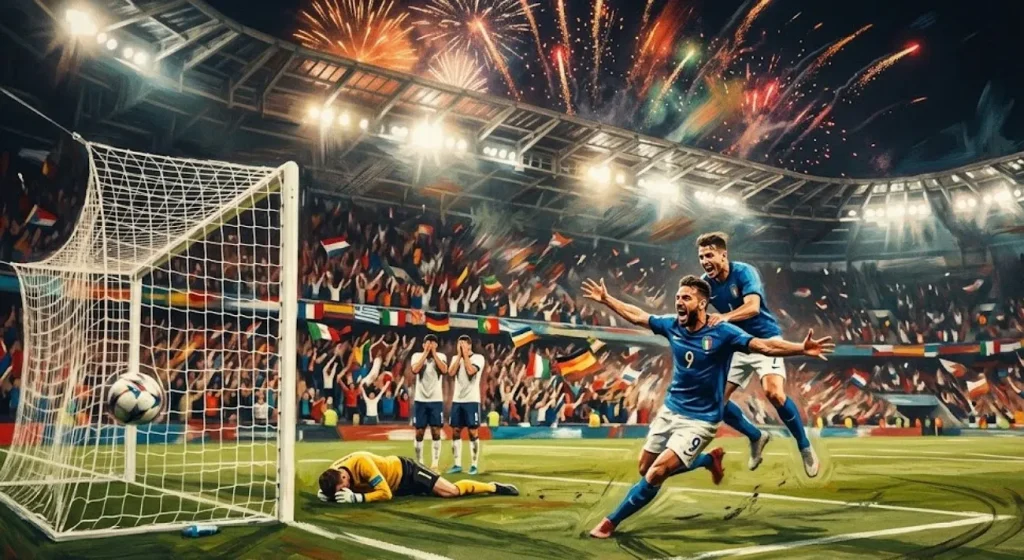
2. 극적인 막판 결승골 순간
아래 영어 프롬프트를 그대로 붙여넣으세요: Design a World Cup match scene capturing a last-minute winning goal with players reacting in explosive emotion. Add motion blur, cheering crowd waves, stadium fireworks, and cinematic color grading for maximum impact.
3. 강렬한 나이트 매치 쇼다운
아래 영어 프롬프트를 그대로 붙여넣으세요: Craft a high-energy World Cup night stadium scene with glowing lights and heavy atmosphere. Focus on fast-paced gameplay, flying turf particles, dynamic motion, and realistic cinematic sports photography style.
4. 긴장감 높은 승부차기 장면
아래 영어 프롬프트를 그대로 붙여넣으세요: Create an intense World Cup penalty shootout moment with a striker preparing to take the shot and a goalkeeper ready to dive. Include spotlight focus, silent tension, dramatic shadows, and ultra-realistic stadium depth.
5. 비에 젖은 서사적 축구 경기
아래 영어 프롬프트를 그대로 붙여넣으세요: Design a cinematic World Cup match played in heavy rain with players sliding on wet turf under glowing stadium lights. Capture reflections, emotional intensity, and dramatic sports realism for a powerful visual impact.
4부. 국가대표팀을 위한 Midjourney 월드컵 프롬프트 5개
개인 초상과 경기 액션 다음에는 집단의 힘이에요. 아래 Midjourney 월드컵 프롬프트는 국가대표와, 나라를 대표할 때의 감정 에너지를 보여 줘요:
1. 국가대표 우승 퍼레이드 포스터
아래 영어 프롬프트를 그대로 붙여넣으세요: Create a FIFA World Cup national team celebrating victory while holding the trophy together on the pitch. Add confetti rain, stadium lights, cheering fans, and ultra-realistic cinematic sports photography.
2. 깃발이 가득한 팀 입장 장면
아래 영어 프롬프트를 그대로 붙여넣으세요: Design a World Cup national team walking onto the pitch holding their country's flags. Include dramatic tunnel lighting, smoky atmosphere, cinematic shadows, and intense pre-match energy.
3. 하나가 된 팀 허들 순간
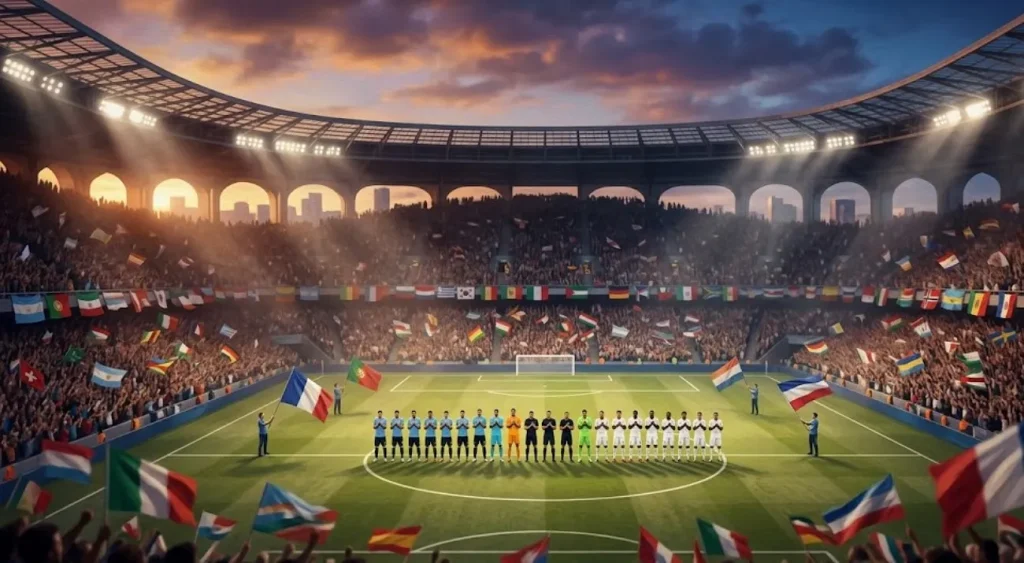
아래 영어 프롬프트를 그대로 붙여넣으세요: Create a World Cup stadium scene during the national anthem with players standing in formation. Add emotional lighting, waving flags, crowd silence, and cinematic depth.
4. 프리킥 수비 벽 순간
아래 영어 프롬프트를 그대로 붙여넣으세요: Create a tense World Cup scene of a national team forming a defensive wall during a free kick. Add stadium pressure, focused expressions, dramatic lighting, and cinematic realism.
5. 국가가 울리는 경기장 순간
아래 영어 프롬프트를 그대로 붙여넣으세요: Craft a cinematic bench scene of a national team reacting emotionally during a crucial World Cup match. Show cheering, frustration, and dramatic stadium depth with realistic detail.
5부. Midjourney FIFA 월드컵 이미지를 영상으로 바꾸는 가장 좋은 방법
Midjourney 월드컵 프롬프트로 멋진 FIFA 월드컵 이미지를 만든 뒤, 많은 크리에이터가 이 정지 화면을 어떻게 살릴지 고민해요. 강한 축구 포스터나 경기장 장면은 이미 영화 같죠. 움직임을 더하면 한 단계 올라가요. MagicLight AI는 정지 사진을 부드러운 모션의 영상으로 바꾸도록 만들어졌어요.
이미지 투 비디오 기능이 관중에 움직임을 더하고, 영화 같은 전환으로 축구 순간을 더 몰입감 있게 만들어요. 이 도구로 최대 50분의 롱폼 영상도 만들 수 있어요. 만든 축구 선수 캐릭터를 원하는 어떤 상황에도 넣을 수 있고요.
핵심 기능
- AI Video Models: MagicLight AI는 고품질 결과물을 위한 고급 영상 생성 모델을 제공하며, Gemini Omni와 Seedance 2.0 같은 강력한 옵션을 포함해요. 이 모델들로 부드럽고 사실적이며 비주얼이 풍부한 축구 영상을 만들 수 있어요.
- AI Character: 원하는 대로 캐릭터를 생성할 수 있어요. 텍스트 프롬프트 한 줄로 애니메이션 캐릭터와 리얼한 캐릭터를 모두 만들 수 있어요.
- Character Customization: 생성된 축구 캐릭터는 “My Characters” 라이브러리에 자동 저장되어 다시 쓰기 쉬워요. 선수 디테일도 취향대로 더 다듬을 수 있어요.
- Story-to-Video: 플랫폼이 간단한 스크립트와 이미지를 몰입감 있는 축구 영상으로 바꿔 줘요. 다국어 스토리텔링을 지원하고 30개 이상 언어로 영상을 만들 수 있어요.
- Video Editing: MagicLight AI에는 스토리보드 편집과 여러 보이스 스타일의 AI 보이스오버가 있어요. 보이스 클론도 지원해 더 사실적인 결과를 만들 수 있어요.
MagicLight AI로 Midjourney FIFA 월드컵 영상을 만드는 단계
MagicLight AI의 Story to Video로 축구 사진에서 영상을 바로 만들 수 있어요. Midjourney 월드컵 프롬프트로 영상을 만드는 방법은 아래 단계를 보세요:
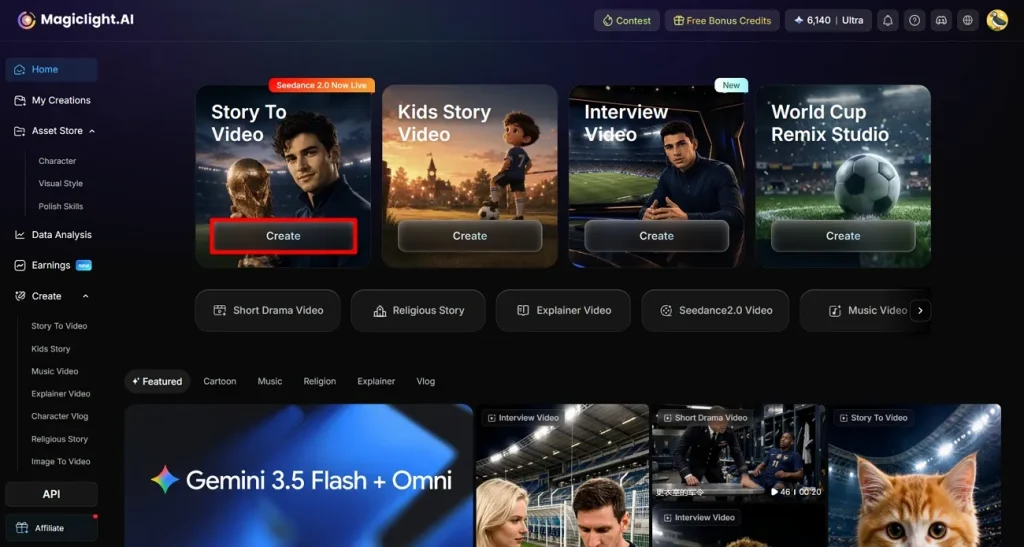
1단계. Create를 눌러 시작
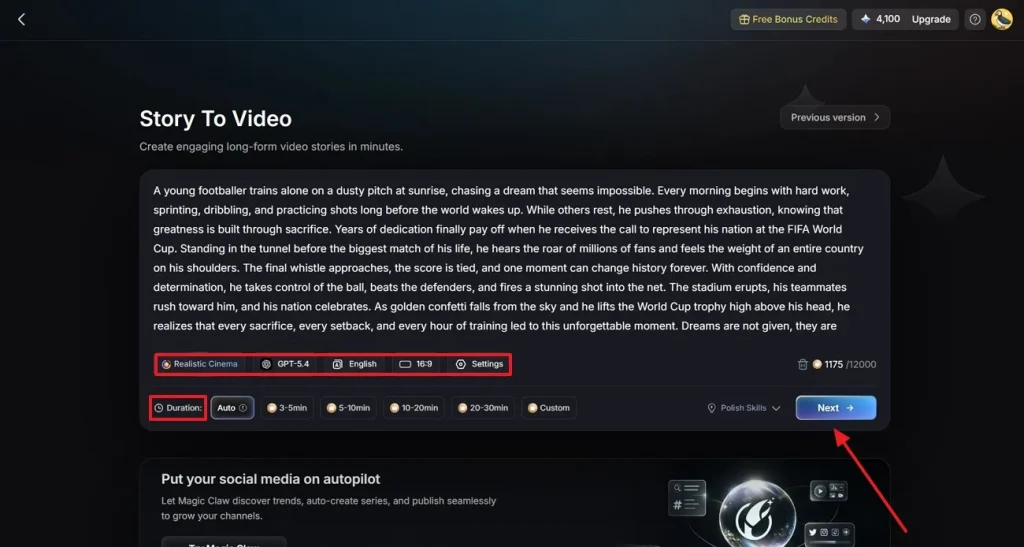
브라우저에서 MagicLight AI를 열고 Story to Video 기능을 고르세요. 화면 안의 Create 버튼을 클릭하세요.
2단계. FIFA 영상 설정
다음 페이지에서 FIFA 영상 스크립트를 입력하고 만들고 싶은 영상 유형을 고르세요. 선호하는 AI 영상 생성 모델, 스토리 모델, 보이스오버 언어를 선택하세요. 화면비와 길이, Duration 같은 필요한 옵션을 고른 뒤 Next를 누르세요.
3단계. 장면 검토하고 다듬기
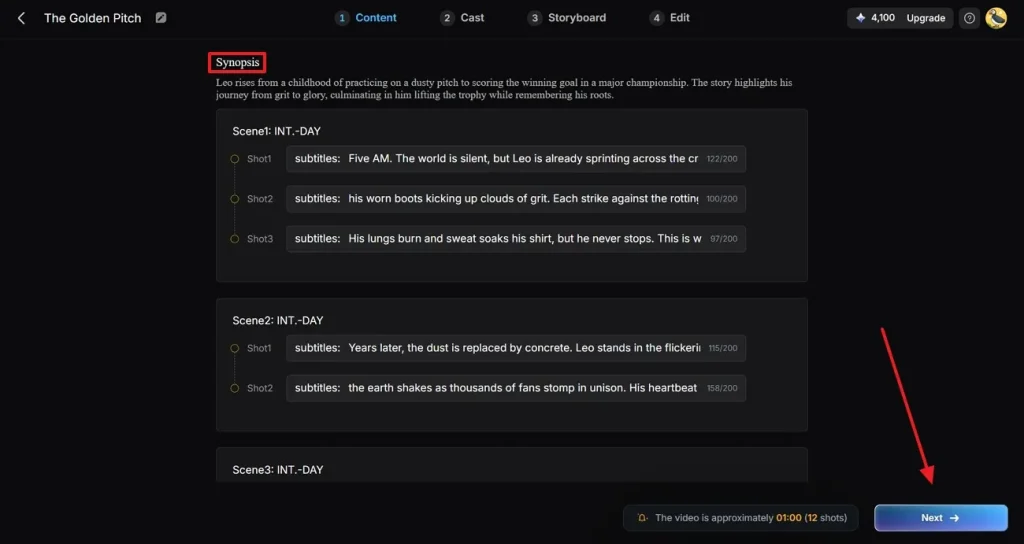
다음 화면의 Synopsis에서 생성된 각 장면을 검토하세요. 스토리텔링을 더 좋게 필요하면 수정하세요. Next를 눌러 다음 단계로 가세요.
4단계. 축구 선수 캐릭터 고르기
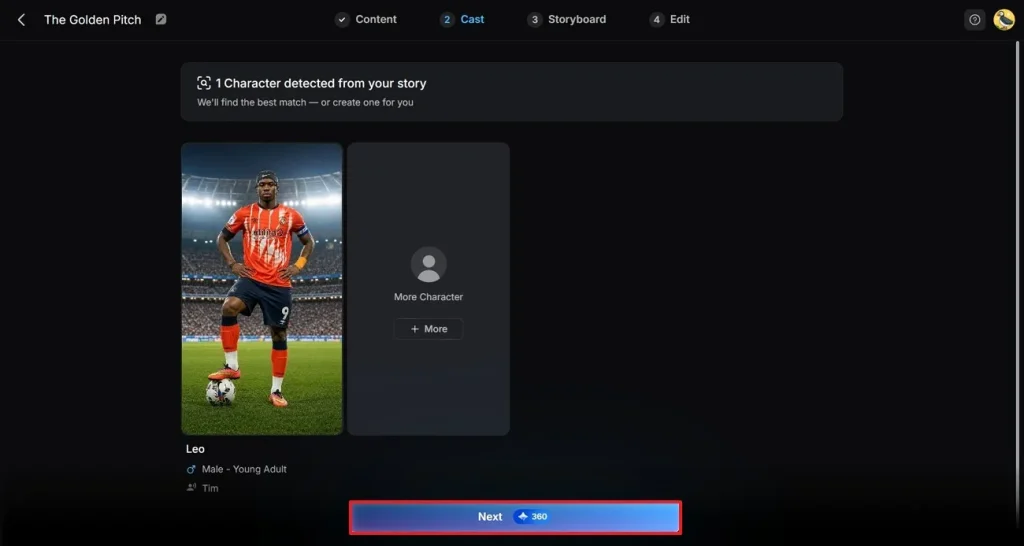
제공된 옵션에서 영상 캐릭터를 고르고 Next를 누르세요. 캐릭터를 바꾸거나 직접 고르려면 캐릭터를 탭한 뒤 My Character에서 맞는 옵션을 찾으세요. 캐릭터를 더 넣으려면 More Character 버튼으로 새 옵션을 추가하세요.
5단계. 캐릭터 편집과 수정
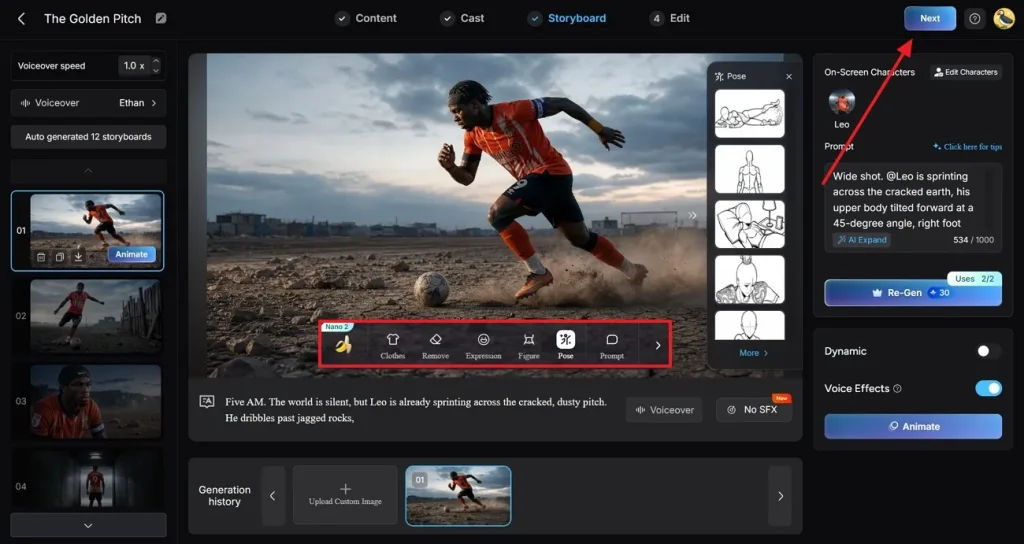
생성된 스토리보드를 미리 보고 옷과 포즈 같은 캐릭터를 수정하세요. Nano Storyboard 창에서 Voiceover speed와 Voiceover도 정할 수 있어요. 모든 항목을 확인한 뒤 오른쪽 위 Next를 누르세요.
6단계. 자막과 배경 음악 추가
취향에 맞게 자막을 넣고 수정하세요. MagicLight AI의 옵션으로 배경 음악도 넣을 수 있어요. 화면 오른쪽 위 Generate를 누르세요.
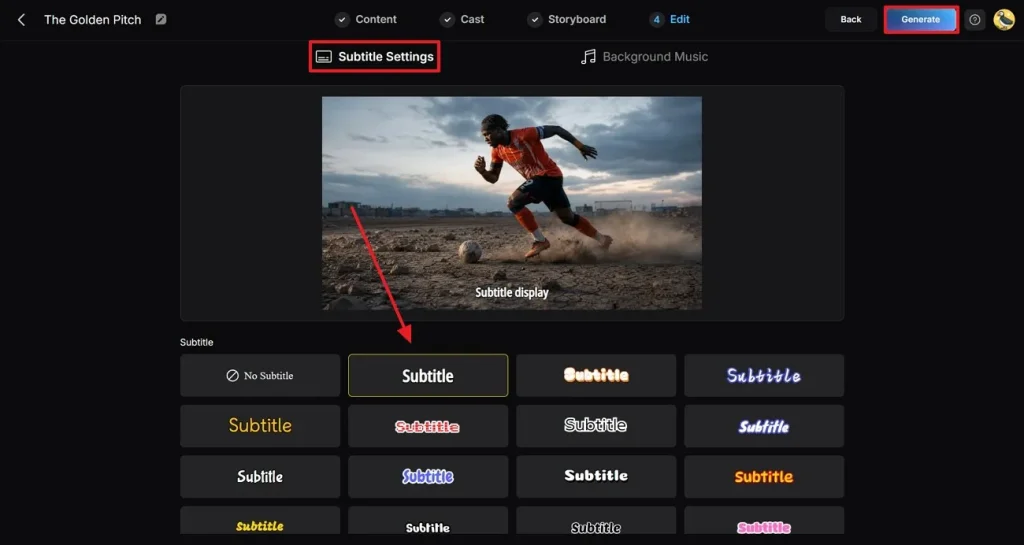
7단계. 생성된 FIFA 영상 미리 보고 다운로드
다음 화면에서 최종 영상을 미리 보고 필요하면 수정하세요. 결과에 만족하면 Download를 누르세요.
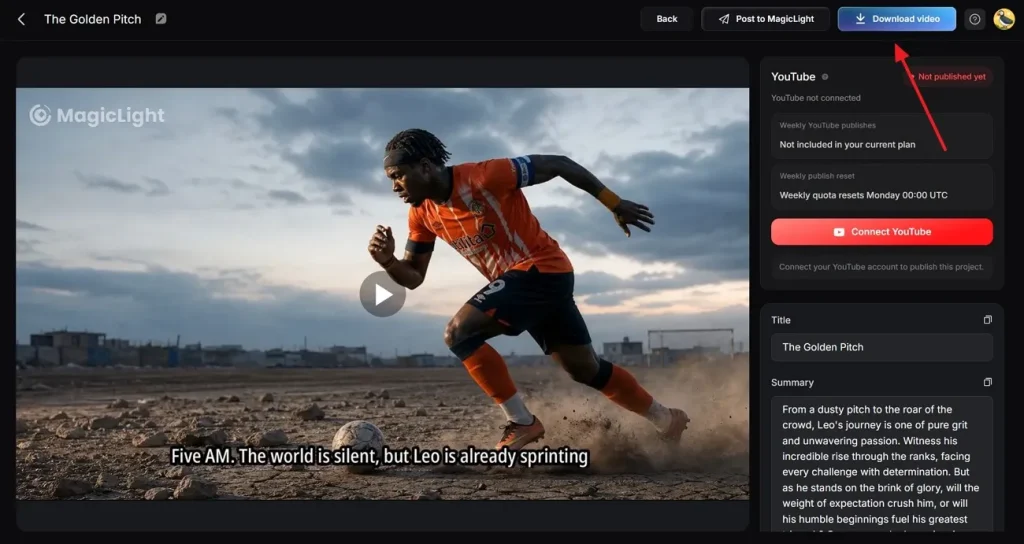
마무리
정리하면, 이 글은 잘 쓰는 Midjourney 월드컵 프롬프트 20개를 자세히 안내했어요. 드라마틱한 경기장부터 감정 가득한 선수 초상까지, 이 텍스트 프롬프트로 만들 수 있어요. 간단한 아이디어를 살아 숨 쉬는 영화 같은 축구 아트로 바꿀 수 있어요. 축구 사진을 영상으로 바꾸는 도구가 바로 MagicLight AI예요.
Midjourney FIFA 월드컵 프롬프트 FAQ
1. 월드컵 AI 이미지에 어떤 스타일이 잘 맞나요?
영화 같은 스포츠 사진과 드라마틱한 포스터가 가장 인기 있어요. 경기의 에너지와 감정을 담기에 좋아요.
2. Midjourney 이미지를 상업적으로 쓸 수 있나요?
상업적 사용은 Midjourney의 현재 라이선스 조건과 구독 플랜에 따라 달라요. 그 이미지를 홍보 영상으로 만들고 싶다면 MagicLight AI가 애니메이션을 더해 줄 수 있어요.
3. MagicLight AI는 Midjourney 이미지를 어떻게 영상으로 바꾸나요?
MagicLight AI는 모션을 더해 Midjourney 이미지를 역동적인 영상으로 바꿔요. 축구 포스터와 경기 장면을 몰입감 있는 시각 이야기로 만들 수 있어요.
4. MagicLight AI로 어떤 월드컵 영상을 만들 수 있나요?
MagicLight AI는 다양한 월드컵 테마 영상을 만들 수 있어요. 경기 하이라이트와 축구 스토리텔링 콘텐츠를 만들 수 있고, 다른 시청자를 위한 다국어 영상도 생성할 수 있어요.
5. Midjourney에서 사실적인 월드컵 이미지를 만들려면?
실제 같은 표정과 스포츠 사진 용어가 들어간 구체적인 프롬프트를 쓰세요. 일관된 축구 캐릭터를 만든 다음, 영상 속에서 살아 움직이게 할 수도 있어요.