About the Bella vlog
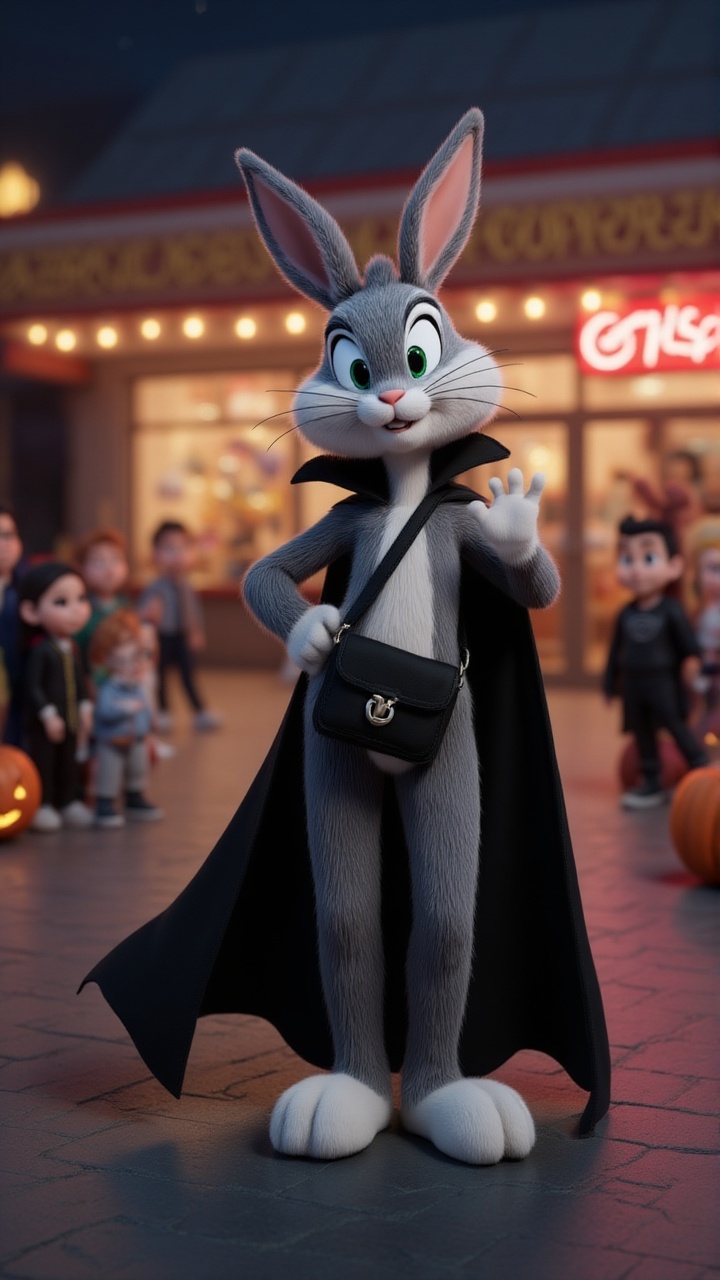
Bugs Bunny's Halloween night takes a wild turn! After a killer glow-up, he's ready to flex his vampire look, but the night throws non-stop scares his way—pumpkin heads, candy mobs, and a carrot chase?! From graveyard hideouts to surprise candy attacks and viral dance-offs, can Bugs survive the Halloween chaos? What spooky surprises await him next?
Video script prompt
It’s Halloween night, and Bugs Bunny is not ready—until a dramatic glow-up turns him into a vampire icon. He hits the streets to flex, only to be jump-scared by a pumpkin head, mobbed by candy-hungry kids, and chased after handing out... carrots? Chaos unfolds as Bugs hides in a graveyard, claps back with a surprise candy machine, and ends it all with a viral-worthy dance party. Fast cuts, meme zooms, and pure Halloween madness—this is the vlog you didn’t know you needed.
How to use this Vlog video template
Template Name: Bella vlog
Step 1
Click the "Use Template" button to load the "Bella vlog" preset.
Step 2
Review the default settings. This template is pre-configured with the magiclight 2.0 model and Disney 2.0 style. Click "Run Script" to generate your initial draft.
Step 3
Enter your scene description in the text box. The One-Click engine is powered by magiclight 2.0 to interpret complex prompts instantly. Toggle the Directing Modes if you need specific camera movements.
Step 4
Browse the Video Style carousel to pick a look. Ensure your Aspect Ratio is set correctly (9:16) for your target platform.
Step 5
Hit the "Create Video" button. The AI will process your script and style simultaneously to deliver a finished video.
Bella vlog Video Template
Start to use this template
Template Specifications
You might also like
these trending designs