About the Penguin Secrets
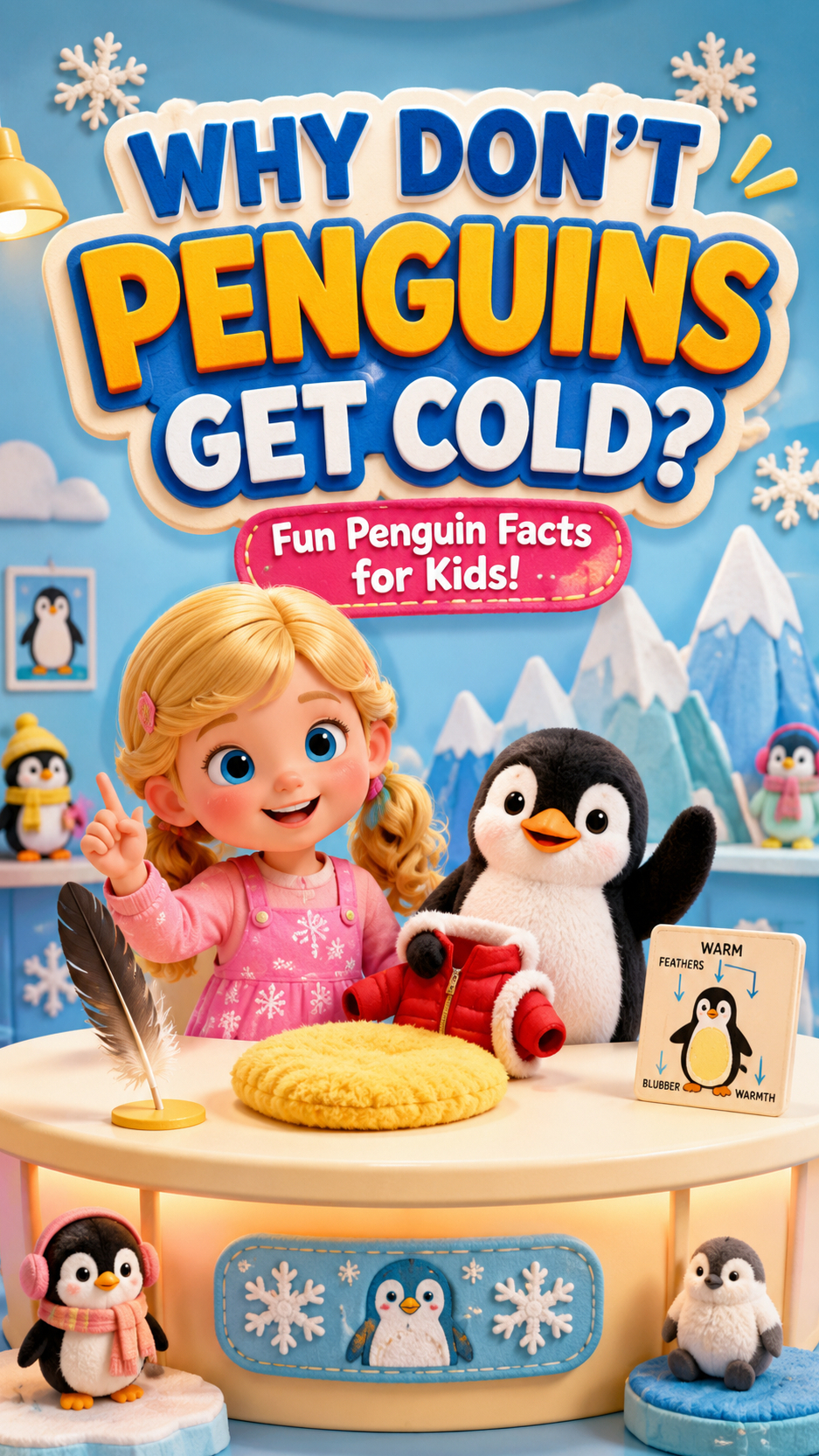
Ever wondered how penguins brave the freezing cold without turning into ice pops? Join Mia and her adorable penguin pal, Pingguo, as they dive into the fascinating science behind these birds' incredible survival skills. From special feathers to clever body tricks, discover the secrets that keep them toasty. But what's the most surprising way they stay warm? You won't believe it!
Video script prompt
# Kindergarten Animal Science: "Why Penguins Don't Fear the Cold?" **English Title:** *Why Don't Penguins Get Cold? * **Target Age Group:** 4 - 5 years old **Recommended Duration:** Approximately 60 seconds **Aspect Ratio:** 9:16 **Platforms for Release:** TikTok, YouTube Shorts **Visual Style:** Soft toy children's program, warm hosting desk **Language of Dialogue:** English, with Chinese translation **Key Knowledge Points:** Dense feathers, subcutaneous fat, huddling together for warmth **Production Tools:** Seedance 2.0 --- # 1. Project Positioning This is a pre-school animal science education video centered around interactive questioning and answering. The young host Mia invited the plush penguin Pingguo to come to the hosting table and answered through three simple experiments: Why do penguins live in cold places but never get easily frozen? Knowledge is not conveyed through lengthy explanations, but through: * Water droplets fall on the feather model. * The little penguin wraps itself in the soft insulation pad. * Three penguin toys are placed close together. Let young children understand it clearly. --- # 2. Host Desk Scene The entire video uses only one fixed space. ## Host Desk Structure * The background is a soft light blue and cream white. * In the middle is a round-cornered wooden hosting table. * On the left is a child host sitting. * On the right is a plush penguin toy standing. * At the back are fabric decorations in the shapes of snowflakes, icebergs and small fish. * On the table are three science education props: 1. Enlarged feather model 2. Yellow soft insulation pad 3. Three miniature penguin dolls Overall, it resembles a warm kindergarten TV program, without the cold and realistic atmosphere of a laboratory. --- # 3. Character Design 1. Young host: Mia * Age: Around 5 years old * Identity: Children's science program host * Appearance: Round face, short brown curly hair, brown eyes * Clothing: Yellow knitted vest, white long-sleeved shirt, light blue knee-length skirt * Signature accessory: Snowflake-shaped hairpin * Personality: Curious, friendly, likes to ask questions to the audience X. Sound and Music Music Mainly featuring xylophones, thumb pianos and gentle string plucking The rhythm is stable, without sudden drastic volume changes Leave about one second for answering after each question Add three light提示 sounds when the correct answer appears Key sound effects Penguin's trembling: Soft toy rubbing sound Water droplets falling: Clear "drip" and sliding sounds Yellow insulation pad: Soft "plop" sound Penguins coming together: Three gentle footsteps Final answer: Short chime sound Mute design Every time Mia asks a question to the audience, the music volume briefly decreases to allow time for children to answer.
How to use this Cartoon video template
Template Name: Penguin Secrets
Step 1
Click the "Use Template" button to load the "Penguin Secrets" preset.
Step 2
Review the default settings. This template is pre-configured with the seedance1_5pro model and 3D Cartoon 3.0 style. Click "Run Script" to generate your initial draft.
Step 3
Enter your scene description in the text box. The One-Click engine is powered by seedance1_5pro to interpret complex prompts instantly. Toggle the Directing Modes if you need specific camera movements.
Step 4
Browse the Video Style carousel to pick a look. Ensure your Aspect Ratio is set correctly (9:16) for your target platform.
Step 5
Hit the "Create Video" button. The AI will process your script and style simultaneously to deliver a finished video.
Penguin Secrets Video Template
Start to use this template
Template Specifications
Frequently Asked Questions
What kind of cartoons can I create with Magiclight?
You can create short animated stories, funny clips, and character-driven scenes using Magiclight's cartoon templates. Styles range from classic 2D animation to stylized digital cartoons.
Do I need animation experience to use these templates?
No experience is needed. Magiclight's cartoon templates are pre-built with animations, characters, and backgrounds, so you can create videos in minutes.
Can I customize characters and scenes in cartoon templates?
Yes! You can edit characters, change colors, add props, and adjust backgrounds to fit your story.
Are cartoon templates suitable for social media posts?
Absolutely. They are optimized for TikTok, Instagram Reels, YouTube Shorts, and more.
Can I add my own voiceovers to cartoon videos?
Yes. Magiclight allows you to add voiceovers, music, or sound effects to bring your cartoon to life.
You might also like
these trending designs