About the Puss in Boots
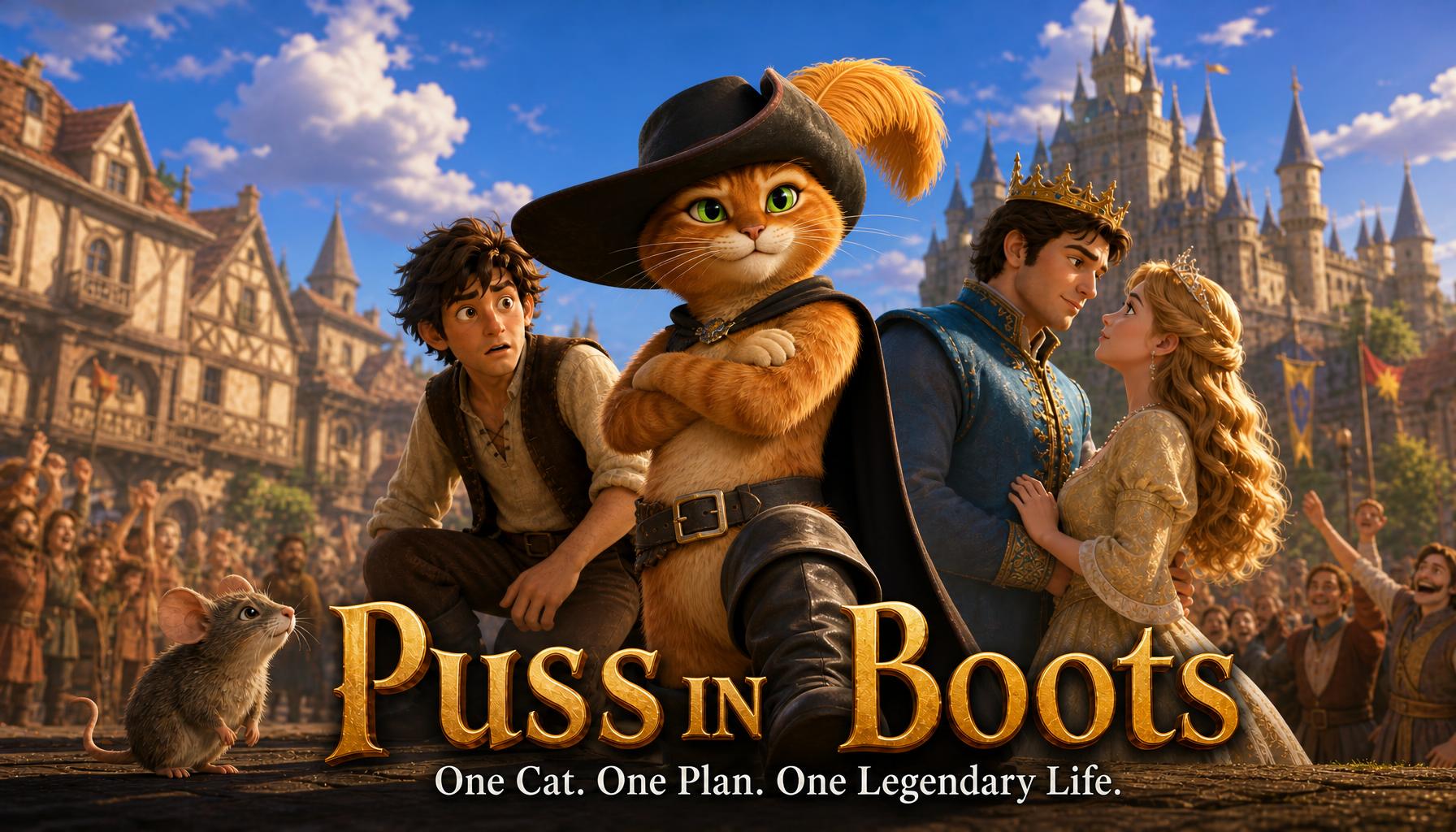
What if a stray cat—armed only with a pair of fancy boots and a sharp tongue—could lift his poor miller master from rags to royalty? Puss hatches a plan to trick the king, win the princess’s heart, and outwit a fearsome giant hiding in a magical castle. But when the giant transforms into a tiny mouse, will Puss’s quick wits be enough to secure a happy ending for everyone? Watch how one little cat turns an ordinary life into a legendary fairy tale.
Video script prompt
Once upon a time, a poor miller passed away, leaving his three sons his belongings. The eldest son inherited the mill, the second son received a donkey, but the youngest son was left with nothing but a cat. The young man sighed sadly. “What am I supposed to do with just a cat?” Suddenly, the cat stood up and spoke! “Don't worry, master! Just give me a pair of boots and a bag, and I will change your life!” The young man was surprised but agreed. Wearing his shiny boots, the clever cat went into the forest and caught a rabbit. He took it to the king, saying, “This is a gift from my master, the Marquis of Carabas!” Day after day, the cat brought gifts to the king and made his master famous. One day, the cat discovered a castle belonging to a powerful giant who could transform into any animal. The cat challenged him, “I heard you can turn into anything. Can you become a tiny mouse?” The giant laughed and magically turned into a little mouse. Quick as a flash, the cat pounced and swallowed him! The castle now belonged to the young man. The king was so impressed that he welcomed him into the royal family, and the young man eventually married the princess. As for the clever cat, he became the most famous cat in the kingdom!
How to use this Cartoon video template
Template Name: Puss in Boots
Step 1
Click the "Use Template" button to load the "Puss in Boots" preset.
Step 2
Review the default settings. This template is pre-configured with the gpt-image-2 model and Cartoon Story style. Click "Run Script" to generate your initial draft.
Step 3
Enter your scene description in the text box. The One-Click engine is powered by gpt-image-2 to interpret complex prompts instantly. Toggle the Directing Modes if you need specific camera movements.
Step 4
Browse the Video Style carousel to pick a look. Ensure your Aspect Ratio is set correctly (16:9) for your target platform.
Step 5
Hit the "Create Video" button. The AI will process your script and style simultaneously to deliver a finished video.
Puss in Boots Video Template
Start to use this template
Template Specifications
Frequently Asked Questions
What kind of cartoons can I create with Magiclight?
You can create short animated stories, funny clips, and character-driven scenes using Magiclight's cartoon templates. Styles range from classic 2D animation to stylized digital cartoons.
Do I need animation experience to use these templates?
No experience is needed. Magiclight's cartoon templates are pre-built with animations, characters, and backgrounds, so you can create videos in minutes.
Can I customize characters and scenes in cartoon templates?
Yes! You can edit characters, change colors, add props, and adjust backgrounds to fit your story.
Are cartoon templates suitable for social media posts?
Absolutely. They are optimized for TikTok, Instagram Reels, YouTube Shorts, and more.
Can I add my own voiceovers to cartoon videos?
Yes. Magiclight allows you to add voiceovers, music, or sound effects to bring your cartoon to life.
You might also like
these trending designs