About the The Boy Who Cried Wolf
A young shepherd, bored and alone, cries "Wolf!" to his village, only to laugh when they rush to his aid. He repeats the prank, enjoying the chaos. But what happens when a real wolf appears, and the villagers, tired of his deception, refuse to believe him? This classic tale explores the devastating consequences of broken trust. Will the shepherd learn his lesson before it's too late?
Video script prompt
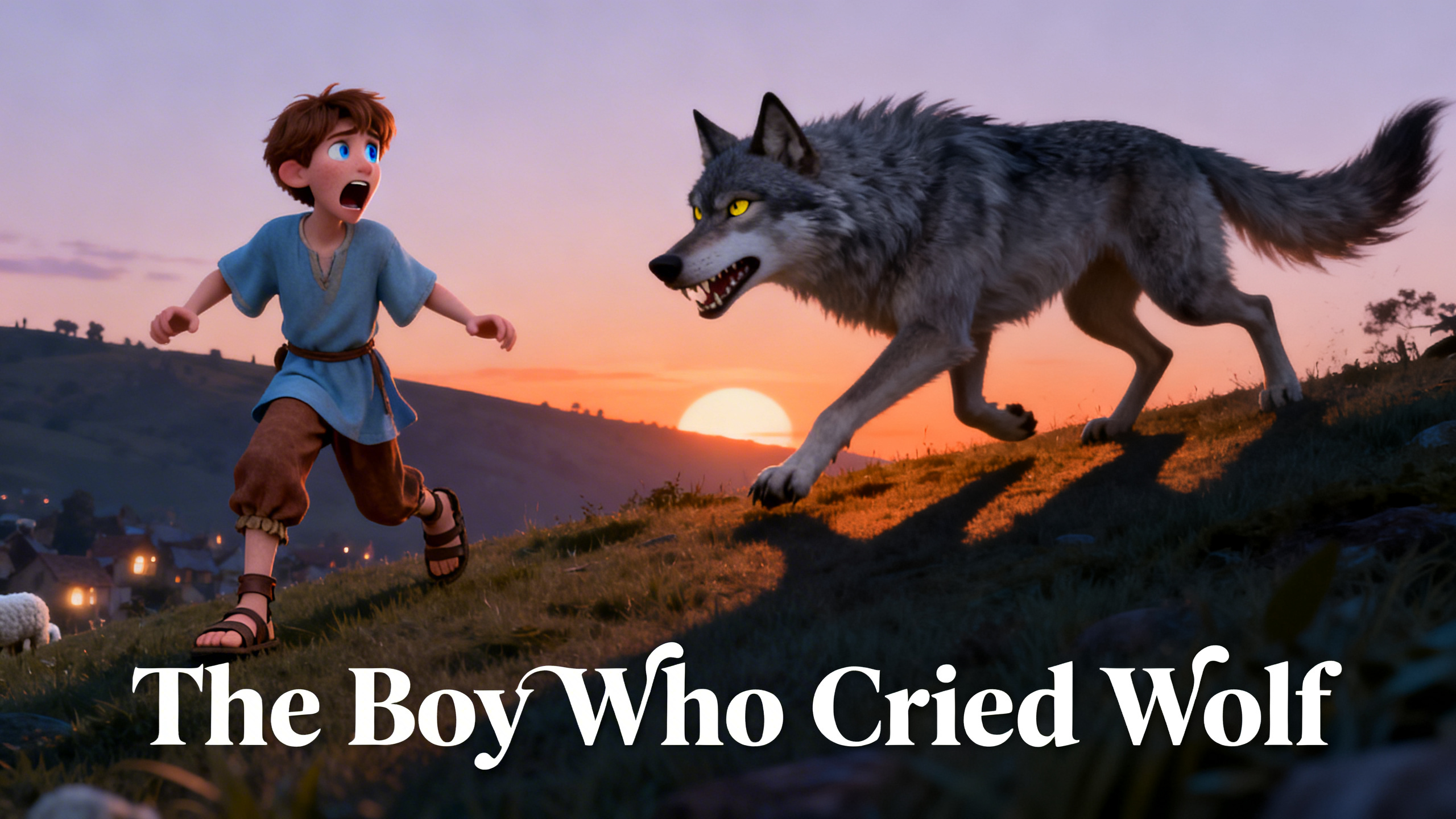
Once upon a time, in a small village nestled between gentle hills,there lived a young shepherd boy whose responsibility was to guard a flock of sheep. Each morning, he led the sheep up a grassy hillside overlooking the village. From there, he could see farmers working in the fields, women drawing water from the well, and children playing in the streets. But up on the hill, he was alone. The hours felt long and empty. At first, he tried singing to himself. Then he threw stones at distant trees.Eventually, boredom turned into mischief. One afternoon, he suddenly stood up and shouted toward the village, “Wolf! Wolf! A wolf is attacking the sheep!” The cry echoed across the hills. Farmers dropped their tools.Neighbors grabbed sticks and ran up the slope, breathing hard, ready to defend the flock. But when they arrived, they found the sheep calmly grazing—and the boy laughing uncontrollably. There was no wolf. The villagers were upset. An elder stepped forward and warned him that lying about danger was no small matter. The boy nodded, but deep down, he enjoyed the excitement he had caused A few days later, craving that same thrill, he did it again. He screamed even louder than before, pretending to be terrified. Once again, the villagers rushed to help. Once again, they found nothing. This time, they were angry. One farmer pointed at him and said they would not be deceived again.If he cried wolf a third time, they would stay in the village. The boy watched them leave, feeling both embarrassed and strangely powerful. He did not fully understand what he had lost. Then came the evening that changed everything. The sky turned orange, and long shadows stretched across the grass. As the boy sat quietly, he noticed something moving near the edge of the forest. A gray shape stepped into the open. It was a wolf. Unlike his false alarms, this one did not disappear. It moved slowly and deliberately toward the flock. The sheep began to bleat and scatter in panic. The boy’s heart pounded. Fear replaced every trace of mischief. He ran to the edge of the hill and shouted with all his strength, begging for help.Down in the village, people heard his cries. They paused—but then shook their heads. They remembered the laughter. They remembered being fooled. No one moved. On the hillside, the wolf attacked the flock.The boy tried to chase it away, throwing stones and shouting, but he was alone. By the time the wolf retreated into the forest, several sheep were gone. The next morning, the villagers climbed the hill and saw the damage. They found the boy sitting silently among the frightened sheep, his face pale and eyes swollen from tears. This time, he was not laughing. He had learned a painful lesson: when trust is broken again and again, it disappears. And when the moment comes that you truly need others to believe you, they may no longer listen. The story endures because its truth is simple:A lie may bring attention for a moment, but honesty is what protects us in the long run.
How to use this Cartoon video template
Template Name: The Boy Who Cried Wolf
Step 1
Click the "Use Template" button to load the "The Boy Who Cried Wolf" preset.
Step 2
Review the default settings. This template is pre-configured with the Midjourney V7 model and 3D Cartoon style. Click "Run Script" to generate your initial draft.
Step 3
Enter your scene description in the text box. The One-Click engine is powered by Midjourney V7 to interpret complex prompts instantly. Toggle the Directing Modes if you need specific camera movements.
Step 4
Browse the Video Style carousel to pick a look. Ensure your Aspect Ratio is set correctly (16:9) for your target platform.
Step 5
Hit the "Create Video" button. The AI will process your script and style simultaneously to deliver a finished video.
The Boy Who Cried Wolf Video Template
Start to use this template
Template Specifications
You might also like
these trending designs