About the The Golden Seed Inheritance
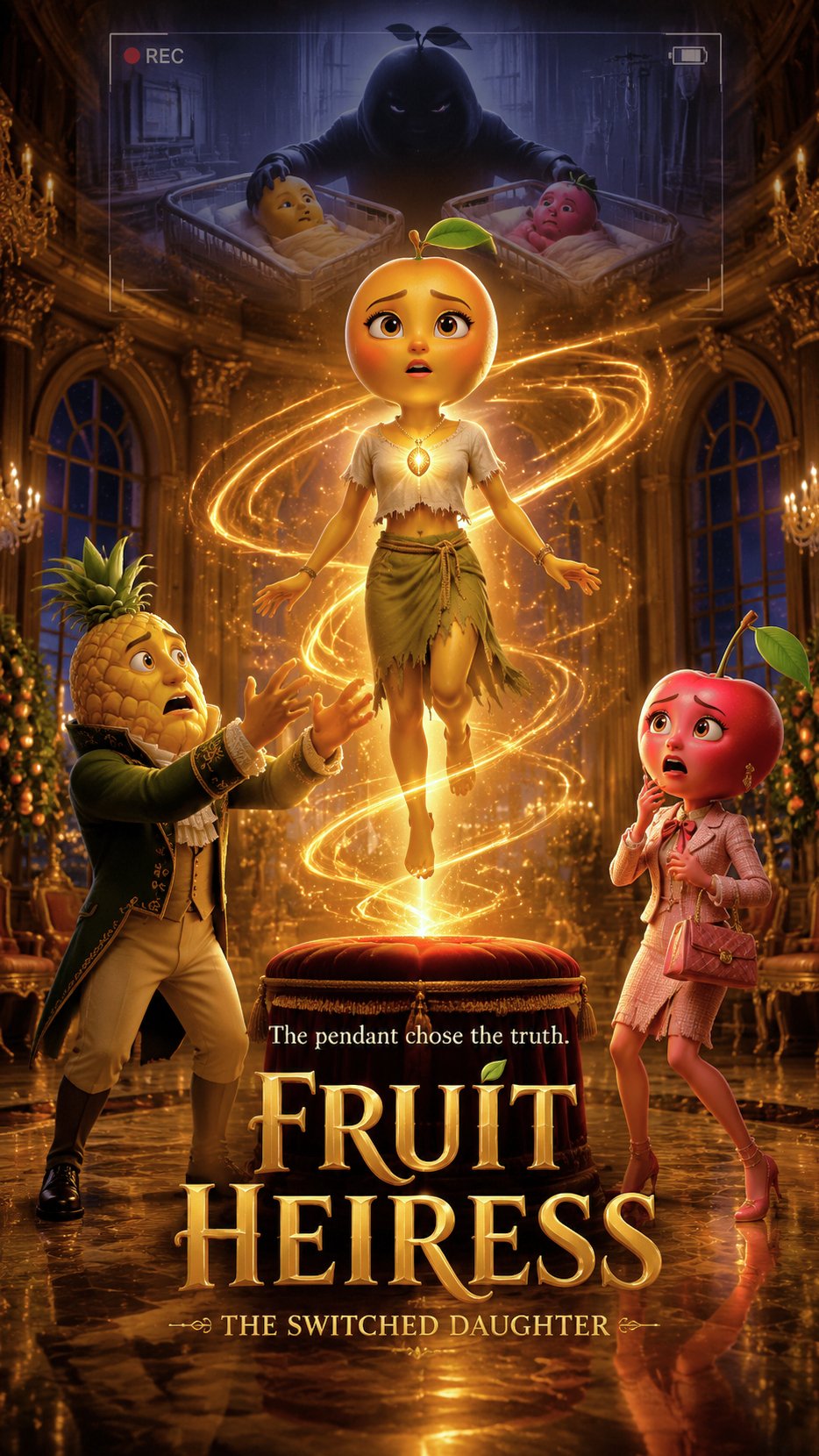
At a lavish high-society ball, a magical heirloom is meant to confirm the true heir. But when a humble servant girl is chosen instead of the expected noble, chaos erupts. This unexpected twist reveals a long-hidden secret and challenges everything they thought they knew. What ancient magic could be at play to expose such a deception?
Video script prompt
# Fruit Heiress: The Switched Daughter — 60s Shot List ## Shot 1|0–6s|Golden Orchard Mansion A luxurious fruit mansion at night, glowing with golden lights. Elegant fruit guests arrive for a rich family birthday ceremony. Camera: wide exterior-to-interior push-in. Mood: wealthy, dramatic, fairy-tale luxury. --- ## Shot 2|6–12s|Cherry Heiress Appears Cherry Heiress walks through the ballroom in a red dress, smiling proudly. Pineapple Father stands beside her near the golden seed pendant. Camera: slow elegant tracking shot. Mood: fake princess energy, public admiration. --- ## Shot 3|12–18s|The Heirloom Ceremony Pineapple Father presents the golden seed pendant on a velvet stand. He announces that it will choose the true family heir. Camera: close-up on pendant, then father and Cherry. Mood: formal, important, tense. --- ## Shot 4|18–24s|Mango Girl Enters Mango Girl enters from the side door carrying a drink tray. She wears a plain dress and an old woven bracelet. Camera: soft tracking shot from behind Mango entering the rich ballroom. Mood: outsider entering elite world. --- ## Shot 5|24–30s|The Accident Mango trips slightly near the ceremony table. The guests stare. Cherry looks annoyed and embarrassed. Camera: medium shot, quick reaction cuts to guests and Cherry. Mood: awkward, social pressure. --- ## Shot 6|30–36s|The Pendant Glows The golden seed pendant suddenly glows when Mango comes close. It does not react to Cherry. Camera: close-up on pendant lighting up, then rack focus to Mango’s shocked face. Mood: mystery reveal. --- ## Shot 7|36–43s|The Bracelet Pineapple Father notices Mango’s old woven bracelet. He slowly takes her wrist and recognizes it. Dialogue: “Where did you get this?” Mango: “I have had it since I was a baby.” Camera: emotional close-up on bracelet and father’s trembling face. Mood: truth rising. --- ## Shot 8|43–50s|The True Heiress The golden seed pendant floats toward Mango and shines in front of her heart. The guests gasp. Cherry steps back in fear. Camera: slow circular move around Mango as golden light surrounds her. Mood: public identity reversal. --- ## Shot 9|50–56s|Cherry Cracks Cherry’s perfect smile disappears. Pineapple Father whispers, “My daughter…” Mango stands frozen, overwhelmed. Camera: close-up on Cherry’s fear, then Mango’s stunned expression. Mood: emotional shock, status reversal. --- ## Shot 10|56–60s|The Dark Hook The mansion lights flicker. An old hospital recording appears: a shadowy fruit figure switches two baby baskets many years ago. Camera: slow push toward the dark recording screen. Mood: cliffhanger, conspiracy. Final hook: This was not a mistake. Someone stole the true heiress.
How to use this Cartoon video template
Template Name: The Golden Seed Inheritance
Step 1
Click the "Use Template" button to load the "The Golden Seed Inheritance" preset.
Step 2
Review the default settings. This template is pre-configured with the seedance1_5pro model and 3D Cartoon 3.0 style. Click "Run Script" to generate your initial draft.
Step 3
Enter your scene description in the text box. The One-Click engine is powered by seedance1_5pro to interpret complex prompts instantly. Toggle the Directing Modes if you need specific camera movements.
Step 4
Browse the Video Style carousel to pick a look. Ensure your Aspect Ratio is set correctly (9:16) for your target platform.
Step 5
Hit the "Create Video" button. The AI will process your script and style simultaneously to deliver a finished video.
The Golden Seed Inheritance Video Template
Start to use this template
Template Specifications
Frequently Asked Questions
What kind of cartoons can I create with Magiclight?
You can create short animated stories, funny clips, and character-driven scenes using Magiclight's cartoon templates. Styles range from classic 2D animation to stylized digital cartoons.
Do I need animation experience to use these templates?
No experience is needed. Magiclight's cartoon templates are pre-built with animations, characters, and backgrounds, so you can create videos in minutes.
Can I customize characters and scenes in cartoon templates?
Yes! You can edit characters, change colors, add props, and adjust backgrounds to fit your story.
Are cartoon templates suitable for social media posts?
Absolutely. They are optimized for TikTok, Instagram Reels, YouTube Shorts, and more.
Can I add my own voiceovers to cartoon videos?
Yes. Magiclight allows you to add voiceovers, music, or sound effects to bring your cartoon to life.
You might also like
these trending designs