About the The Tale of Peter Rabbit: A Narrow Escape
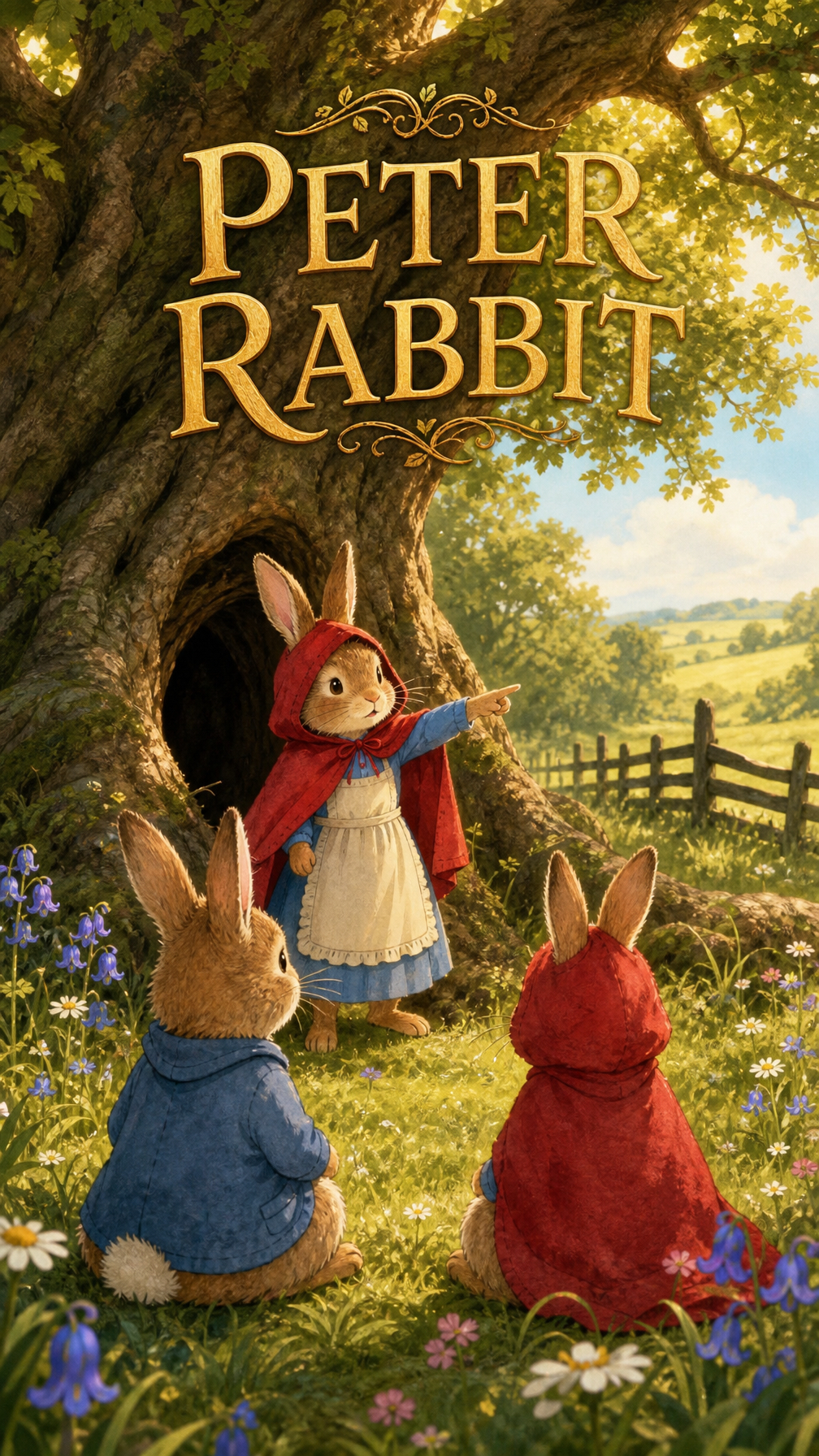
Defying his mother's strict warnings, Peter Rabbit can't resist the allure of Mr. McGregor's forbidden garden. What starts as a mischievous snack hunt quickly turns into a heart-pounding chase for survival! Will Peter escape the clutches of the grumpy gardener, or will his daring adventure lead to a dire end? Find out if this little rabbit learns his lesson the hard way!
Video script prompt
Peter Rabbit lives with his mother and three sisters, Flopsy, Mopsy, and Cottontail, in a cozy burrow beneath the roots of a large tree. One morning, Mother Rabbit warns the children not to enter Mr. McGregor's vegetable garden because it is dangerous. The three sisters listen to their mother and go to pick blackberries. Peter, however, secretly runs toward the garden. Peter squeezes under the garden gate and discovers rows of fresh vegetables. He eagerly eats a large piece of lettuce, then pulls a fresh carrot from the ground and begins eating it. Peter becomes so excited by the delicious vegetables that he completely forgets his mother's warning. Suddenly, Mr. McGregor sees him. “Stop, little rabbit!” Peter freezes for a moment, then turns and runs as fast as he can. Mr. McGregor chases him through the garden. Peter races between the vegetable beds, runs around flowerpots, and jumps over gardening tools. He desperately searches for the garden gate. While trying to escape through a fence, Peter's blue jacket gets caught. He pulls hard and finally escapes, leaving the jacket behind. Peter keeps running. Mr. McGregor gets closer and closer. Peter quickly hides inside a large watering can and stays completely still. Mr. McGregor searches nearby but cannot find him. After Mr. McGregor leaves, Peter carefully climbs out. He spots the garden gate and races toward it. Peter squeezes underneath the gate and finally escapes. He runs all the way home, covered in dirt and exhausted, without his blue jacket. Mother Rabbit sees him and immediately realizes what happened. Peter lowers his head in shame. He finally understands why his mother warned him to stay away from Mr. McGregor's garden. Peter learns an important lesson: **Being curious can lead to adventure, but ignoring good advice can lead to trouble.**
How to use this Cartoon video template
Template Name: The Tale of Peter Rabbit: A Narrow Escape
Step 1
Click the "Use Template" button to load the "The Tale of Peter Rabbit: A Narrow Escape" preset.
Step 2
Review the default settings. This template is pre-configured with the magiclight_3_lite model and illustration style. Click "Run Script" to generate your initial draft.
Step 3
Enter your scene description in the text box. The One-Click engine is powered by magiclight_3_lite to interpret complex prompts instantly. Toggle the Directing Modes if you need specific camera movements.
Step 4
Browse the Video Style carousel to pick a look. Ensure your Aspect Ratio is set correctly (9:16) for your target platform.
Step 5
Hit the "Create Video" button. The AI will process your script and style simultaneously to deliver a finished video.
The Tale of Peter Rabbit: A Narrow Escape Video Template
Start to use this template
Template Specifications
Frequently Asked Questions
What kind of cartoons can I create with Magiclight?
You can create short animated stories, funny clips, and character-driven scenes using Magiclight's cartoon templates. Styles range from classic 2D animation to stylized digital cartoons.
Do I need animation experience to use these templates?
No experience is needed. Magiclight's cartoon templates are pre-built with animations, characters, and backgrounds, so you can create videos in minutes.
Can I customize characters and scenes in cartoon templates?
Yes! You can edit characters, change colors, add props, and adjust backgrounds to fit your story.
Are cartoon templates suitable for social media posts?
Absolutely. They are optimized for TikTok, Instagram Reels, YouTube Shorts, and more.
Can I add my own voiceovers to cartoon videos?
Yes. Magiclight allows you to add voiceovers, music, or sound effects to bring your cartoon to life.
You might also like
these trending designs