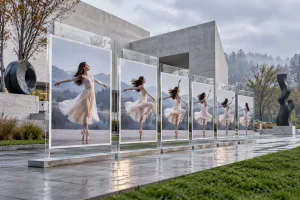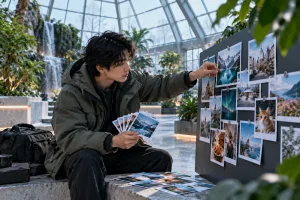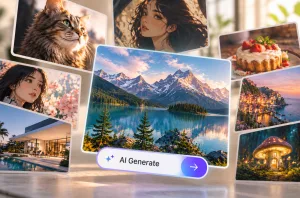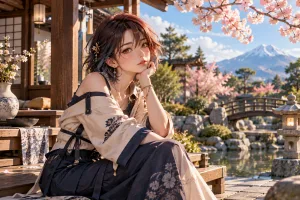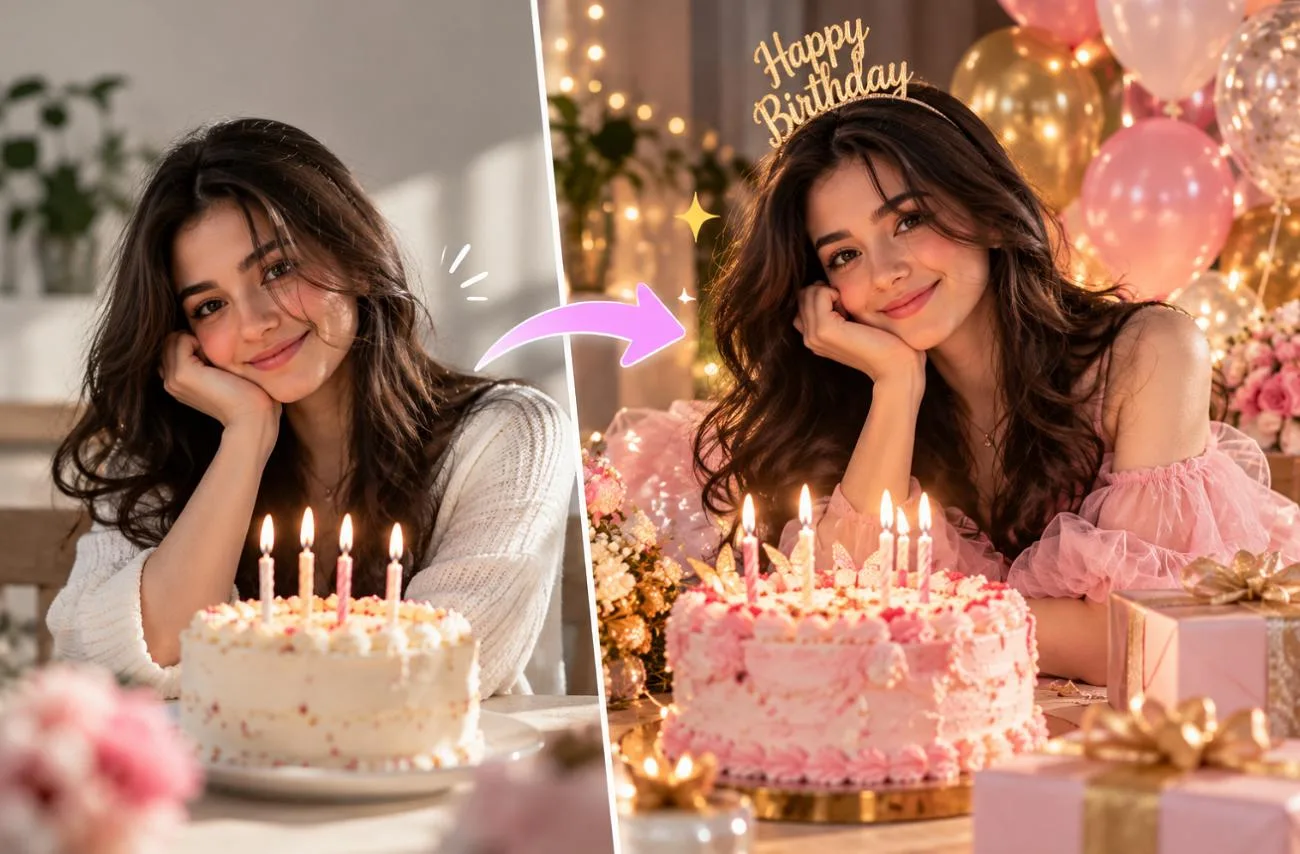
現在的生日貼文,早已不只是一張隨手拍的蛋糕照。Gemini 能在幾秒內,將普通自拍變成精心打造的生日寫真。提示詞的寫法會直接影響成果,因為過於簡短的要求,可能讓五官走樣,或讓畫面塞滿不相干的裝飾。
詳細的 Gemini AI 生日照提示詞,能在保留本人長相的同時,設定服裝、道具、光線與氛圍。女性、男性、情侶、好友合照,以及重要歲數的生日派對,各自適合不同的描述方式。
第 1 部分:如何使用 Gemini AI 製作生日照
要寫出好的 Gemini AI 生日照提示詞,先準備一張真實照片,讓壽星換到全新場景後,依然保有原本的模樣。Gemini 可以透過 Nano Banana 2編輯上傳的照片,而 Nano Banana Pro 則開放給符合資格的 Google AI 訂閱用戶使用。按照以下 5 個步驟,就能將你的照片與提示詞變成專屬生日照:
步驟 1:開始建立新圖片
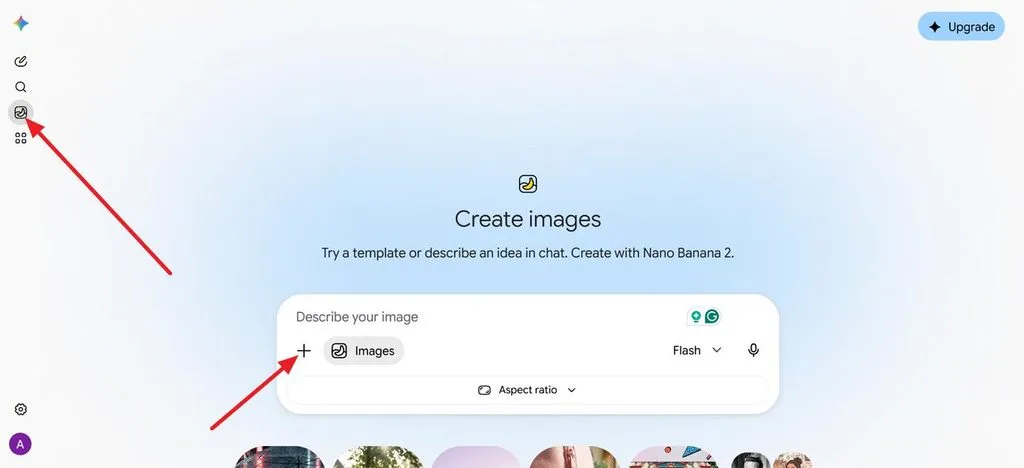
前往 gemini.google.com,開啟側邊欄,選擇 Images,即可開始圖片對話。
步驟 2:上傳你的照片
上傳一張清晰、光線充足的正面照,讓 Gemini 有更明確的參考,保留照片中人物的長相。
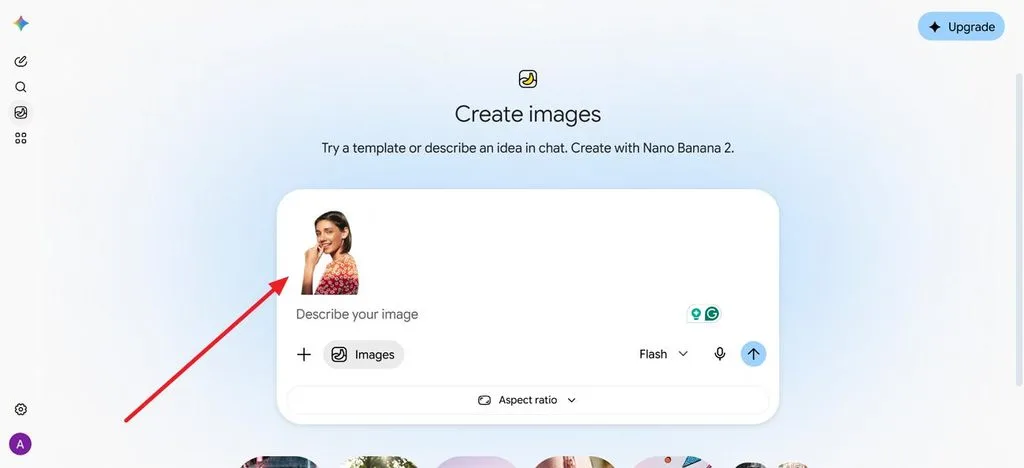
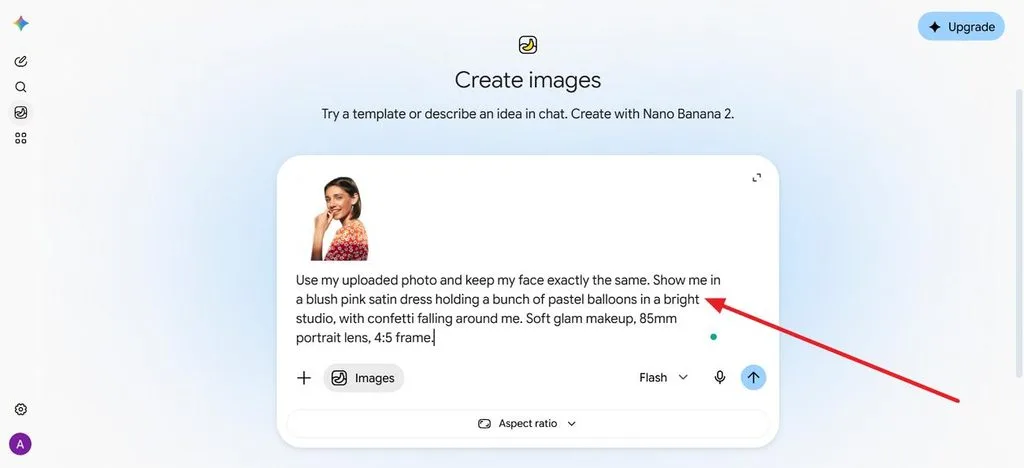
步驟 3:輸入生日照提示詞
描述服裝、場景、道具、光線與攝影風格,並要求 Gemini 保持臉部不變。
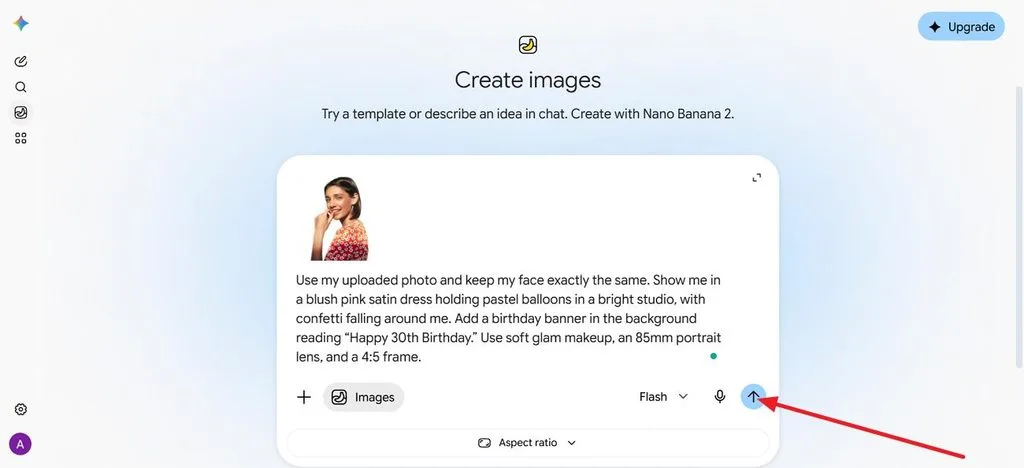
步驟 4:加入生日文字
將布條或蛋糕上要出現的文字放在引號內,例如「Happy 30th Birthday」,明確指定你想要的文字,然後按下 Generate 圖示。
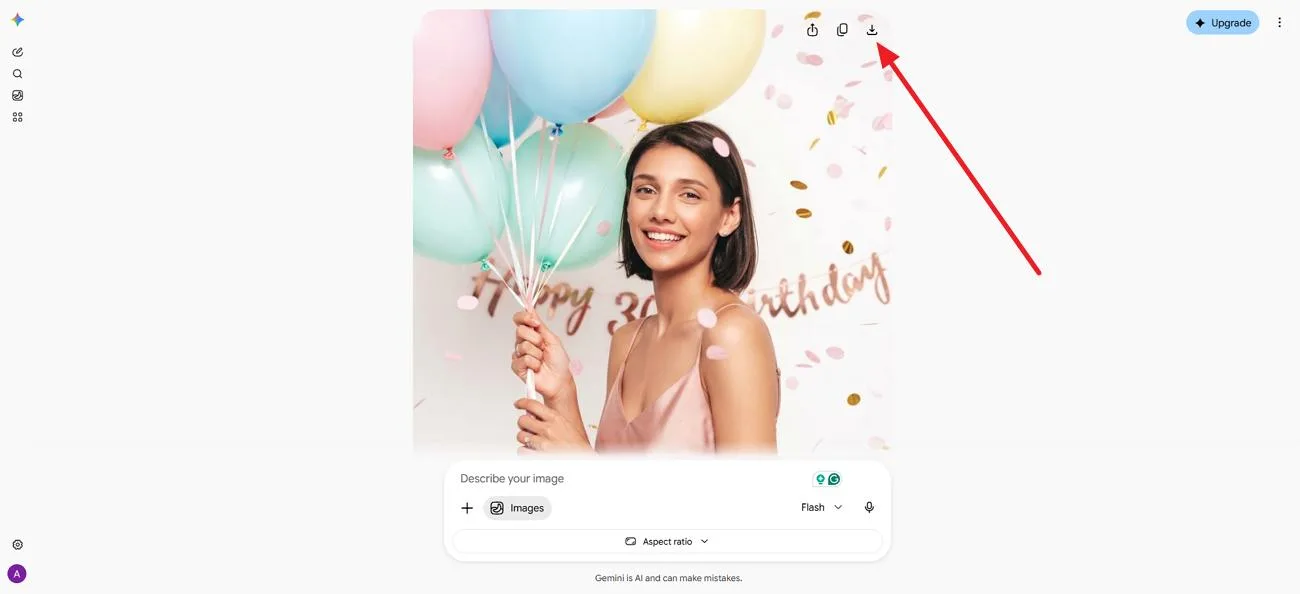
步驟 5:微調並儲存
提出小幅修改要求,例如更換蛋糕顏色或裁切成 9:16 比例,再下載你最喜歡的版本。
第 2 部分:15 個值得一試的 Gemini AI 生日照提示詞
使用可直接複製的 Gemini AI 生日照提示詞,只要上傳照片,再修改方括號內的姓名或年齡即可。每個提示詞也都要求 Gemini 在編輯時保留原本的臉部特徵。以下 15 個提示詞涵蓋不同的生日主題、服裝、場景與攝影風格,你可以依需求調整後試用:
女性生日照提示詞
為女性撰寫 Gemini 生日照提示詞時,讓服裝、場景與光線呼應慶祝氛圍,效果通常最好,無論是柔和的粉彩人像,還是華麗的夜間派對照都適用。明確指定配色,也能讓洋裝、氣球與裝飾更協調。
- 粉彩氣球人像: Use my uploaded photo and keep my face exactly the same. Show me in a blush pink satin dress holding a bunch of pastel balloons in a bright studio, with confetti falling around me. Soft glam makeup, 85mm portrait lens, 4:5 frame.
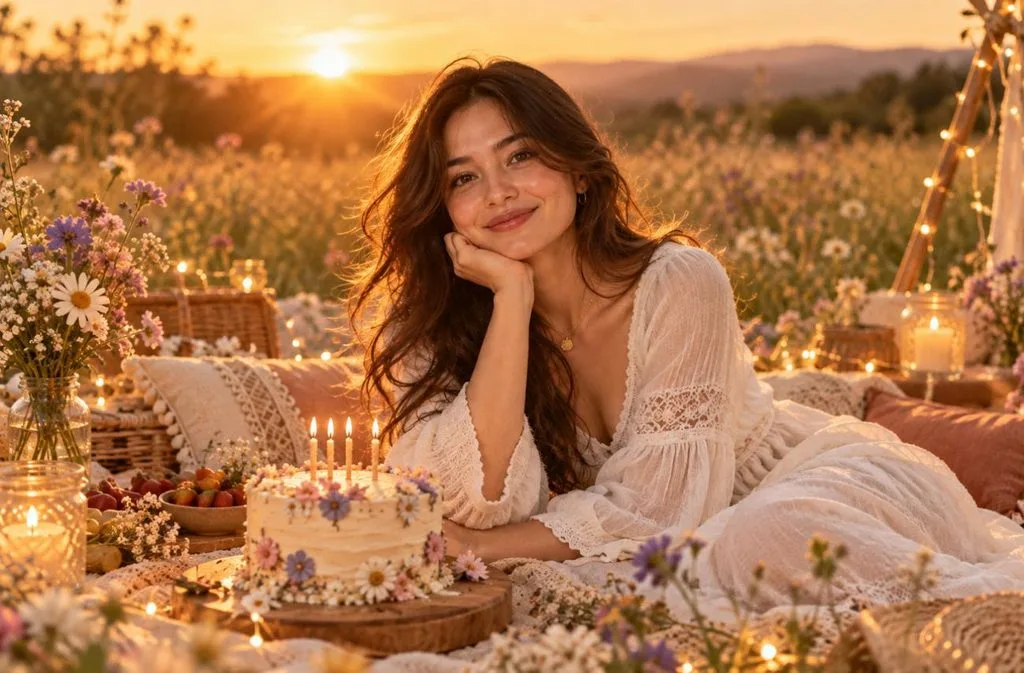
- 夕陽野餐: Keep my face and hair from the photo unchanged. I’m at a boho picnic in a wildflower meadow at sunset, in a flowy white dress, with a small cake and fairy lights. Warm backlight, candid smile, film photo look.
- 華麗夜間派對: Keep my facial features identical to my photo. Show me in a sequined black dress at a rooftop party, raising a glass beside a gold “[25]” balloon, city lights blurred behind. Direct flash, glossy magazine style.
男性生日照提示詞
男性的 Gemini 生日照提示詞,通常以造型與場景營造特色,例如合身西裝、運動主題,或遼闊的公路。清楚描述光線,能讓成果更像真實照片,避免變成插畫風格。
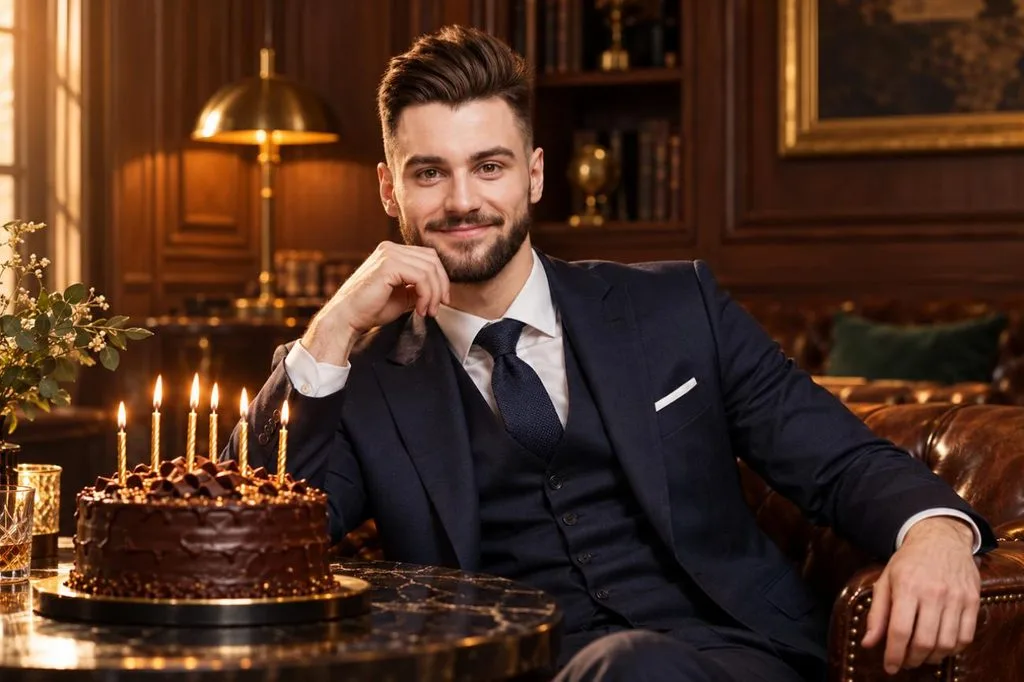
- 經典西裝人像: Keep my face exactly as it appears in the uploaded photo. Dress me in a navy three-piece suit beside a dark chocolate cake with gold candles in a wood-paneled lounge. Warm side light, confident expression, 50mm editorial portrait.
- 球場生日主角: Use my photo and keep my face unchanged. I’m walking out of a stadium tunnel in a jersey with the number “[30]” as teammates cheer and confetti falls. Bright floodlights, low angle, sports poster energy.
- 沙漠公路之旅: Keep my face identical to my photo. Show me leaning on a vintage convertible on a desert highway at sunset, with a cupcake and one lit candle on the hood. Denim jacket, cinematic wide shot, warm orange tones.
重要歲數生日照提示詞
慶祝重要歲數生日,適合使用更有視覺張力的 Gemini AI 生日照提示詞,搭配巨型數字氣球、優雅晚宴,或雜誌封面風格的人像。將數字與標題放在引號內,有助於 Nano Banana 2 正確呈現年齡。
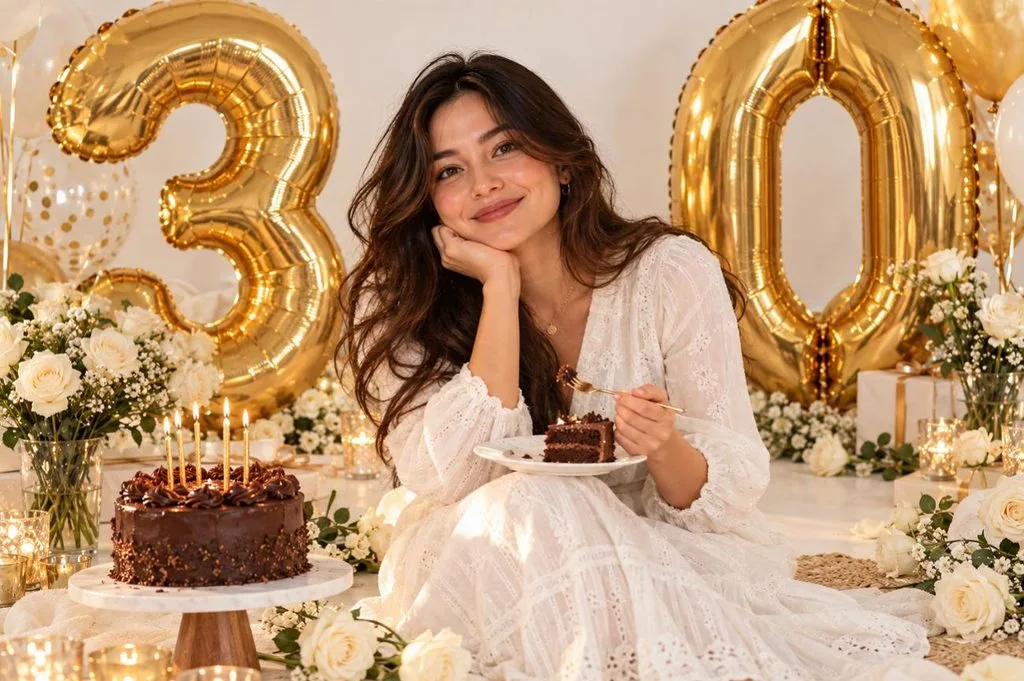
- 30 歲數字氣球: Keep my face the same as in my photo. I’m sitting on a white floor between giant gold “3” and “0” balloons and white roses, laughing with a slice of cake. Bright, even light, clean lifestyle photo style.
- 優雅的 40 歲生日晚宴: Preserve my face from the uploaded photo. Show me at the head of a candlelit dinner table with eucalyptus runners and a “40” cake topper, friends raising glasses around me. Warm golden light, shallow depth of field.
- 精彩 50 歲雜誌封面: Keep my face unchanged. Turn my photo into a glossy magazine cover with the headline “FABULOUS AT 50” in bold serif letters and a few small cover lines. Studio portrait lighting, confident pose, clean layout.
情侶、朋友與家人生日照提示詞
拍攝團體照時,Gemini AI 生日照提示詞需要同時保留每個人的臉部特徵。Gemini 可以將兩張上傳的照片合成一張,適合原本分開拍攝的人物。

- 情侶生日驚喜: Combine the two uploaded photos and keep both faces unchanged. One partner covers the other’s eyes as they step into a room full of fairy lights, balloons, and a “Happy Birthday [Name]” banner. Warm cinematic light, candid joy.
- 好友派對閃光照: Keep everyone’s faces from the uploaded group photo. Place us around a table blowing party horns under a canopy of streamers, with a tall rainbow cake in the center. Bright flash and a playful disposable-camera look.
- 奶奶的 70 歲生日: Keep every face from my family photo unchanged. Show us gathered around my grandmother as she blows out the candles on a “70” cake in a cozy living room. Soft window light and warm, heartfelt documentary style.
創意趣味生日照風格
想讓生日貼文與邀請卡更適合分享,可以試試 3D 卡通、復古底片風格,或 寵物派對寫真等特色風格。在提示詞的第一句就點明藝術風格,可以避免 Gemini 預設產生一般照片。

- 3D 卡通角色: Turn my photo into a 3D cartoon character in a party hat, holding a cupcake with a sparkler among colorful balloons. Keep my hairstyle and facial features recognizable in a glossy animated-film style.
- 1970 年代居家派對: Leave my face exactly as it is in the uploaded photo. Recreate me at a 1970s house party with wood paneling, a tiered cake, and a record player, dressed in retro flares. Faded film colors, light leaks, and slight grain.
- 寵物生日派對: Use my dog’s uploaded photo and keep its face and markings exact. It wears a tiny party hat beside a dog-friendly cake with one candle, surrounded by toys and balloons. Bright kitchen light, cheerful close-up.
如何使用 MagicLight AI 將生日照製作成影片
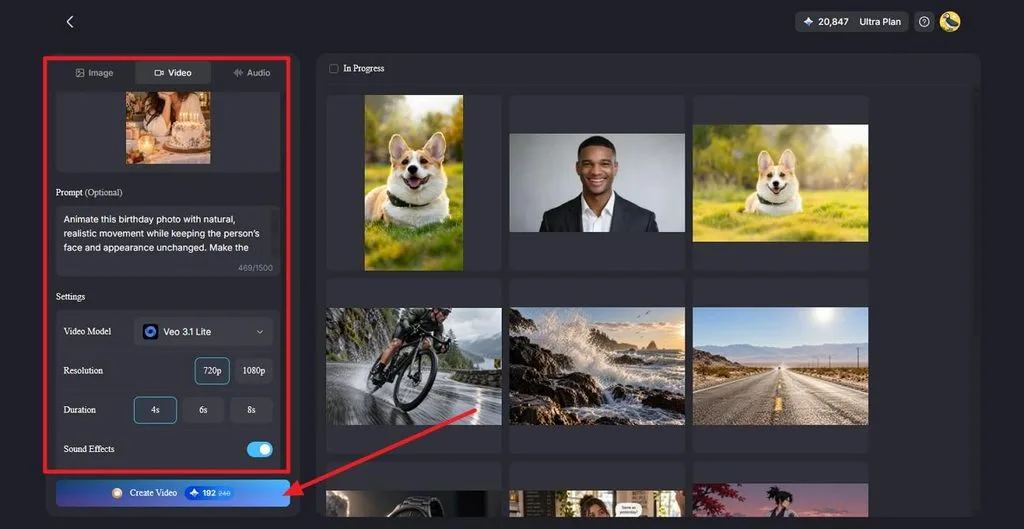
一張生日照,就能製作成具有自然動態、運鏡與創意特效的高品質影片。 MagicLight AI 支援最長 1,500 個字元的提示詞,讓你更精準地掌握每個場景。它的 Image 面板也內建 Nano Banana 2,方便你先製作生日圖片,再加入動態效果。按照以下步驟,就能將完成的圖片變成理想的影片:
步驟 1:上傳生日照
開啟 Image to Video ,並上傳已完成的生日照,支援 JPG、JPEG 或 PNG 格式。加入提示詞,描述紙花飄落、燭光搖曳、自然表情,或鏡頭緩緩推近等動態效果。
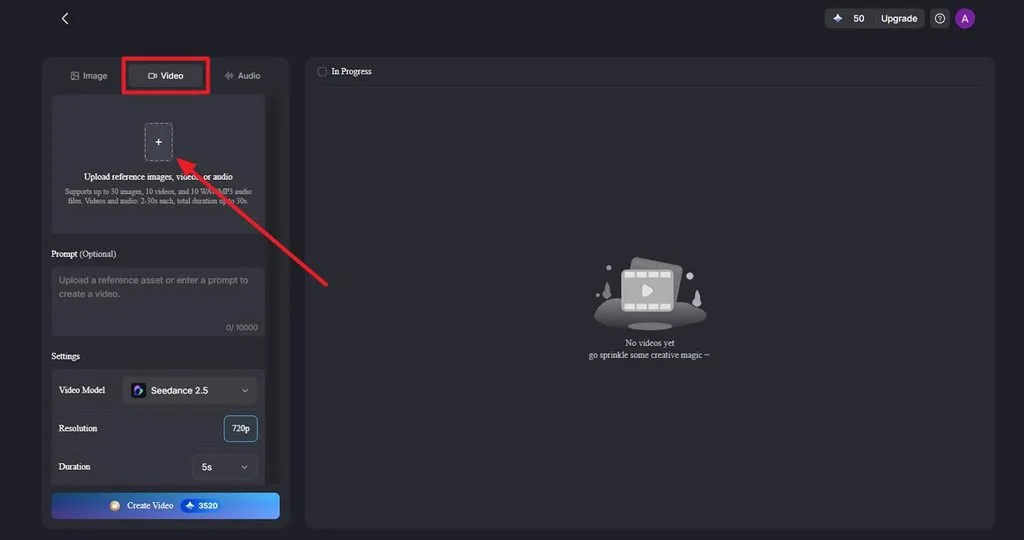
步驟 2:選擇影片設定並生成
先選擇 Video Model,接著設定生日短片所需的 Resolution 與 Duration 。視需要開啟 Sound Effects ,然後點選 Create Video ,即可生成動態影片。如果想製作開口說話的生日祝福, Lip Sync 可以讓照片中的人物動起來,說出祝福語。
步驟 3:預覽、下載並分享
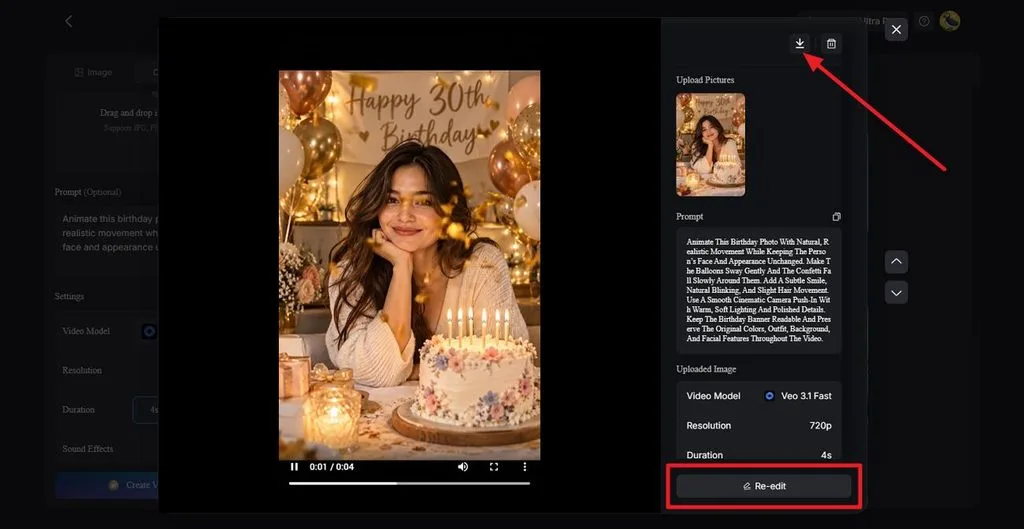
預覽生成的影片,檢查臉部、動態效果與整體畫面品質。需要調整時,可使用 Re-edit ,或點選 Download 儲存完成的短片。如果想製作音樂版生日影片, Music Video 可以將慶祝畫面製作成完整的音樂影片。
結語
好的 Gemini AI 生日照提示詞,會要求保留原本的臉部特徵,並清楚描述服裝、道具、光線與文字。針對女性、男性、重要歲數生日、團體合照與創意造型選用不同風格,就能滿足大多數慶祝需求。接著,還能用 MagicLight AI 將最喜歡的圖片製作成帶有動態、語音或音樂的生日影片。
常見問題
1. 最好的 Gemini AI 生日照提示詞是什麼?
最好的提示詞,應該符合壽星與派對的特色。實用的基本寫法,是要求保持臉部不變,並詳細描述單一場景。如果你正在找可直接複製貼上的 Gemini AI 女性生日照提示詞,可以先試試粉彩氣球人像。
2. 如何為 Gemini 寫出好的生日照提示詞?
先要求 Gemini 保持上傳照片中的臉部不變,再用簡單句子描述服裝、場景、道具、光線與攝影風格,並將蛋糕或布條上的文字放在引號內。Google 指出,提供更多細節有助於 Gemini 遵循指示。
3. Gemini 可以用我自己的照片製作生日照嗎?
Gemini 可以將上傳的照片編輯成生日場景,也能將 2 張照片合成一張,例如情侶合照。照片編輯功能僅限年滿 18 歲的使用者使用;提供清晰的正面照,最能忠實保留本人的長相。
4. 我可以免費製作 Gemini AI 生日照嗎?
所有 Gemini 方案,包括免費方案,都能在用量限制內使用 Nano Banana 2 生成圖片,但用量限制可能變動。若要使用 Nano Banana Pro 重新生成,則需要訂閱付費的 Google AI 方案,而且每張圖片都會帶有肉眼看不見的 SynthID 浮水印。