


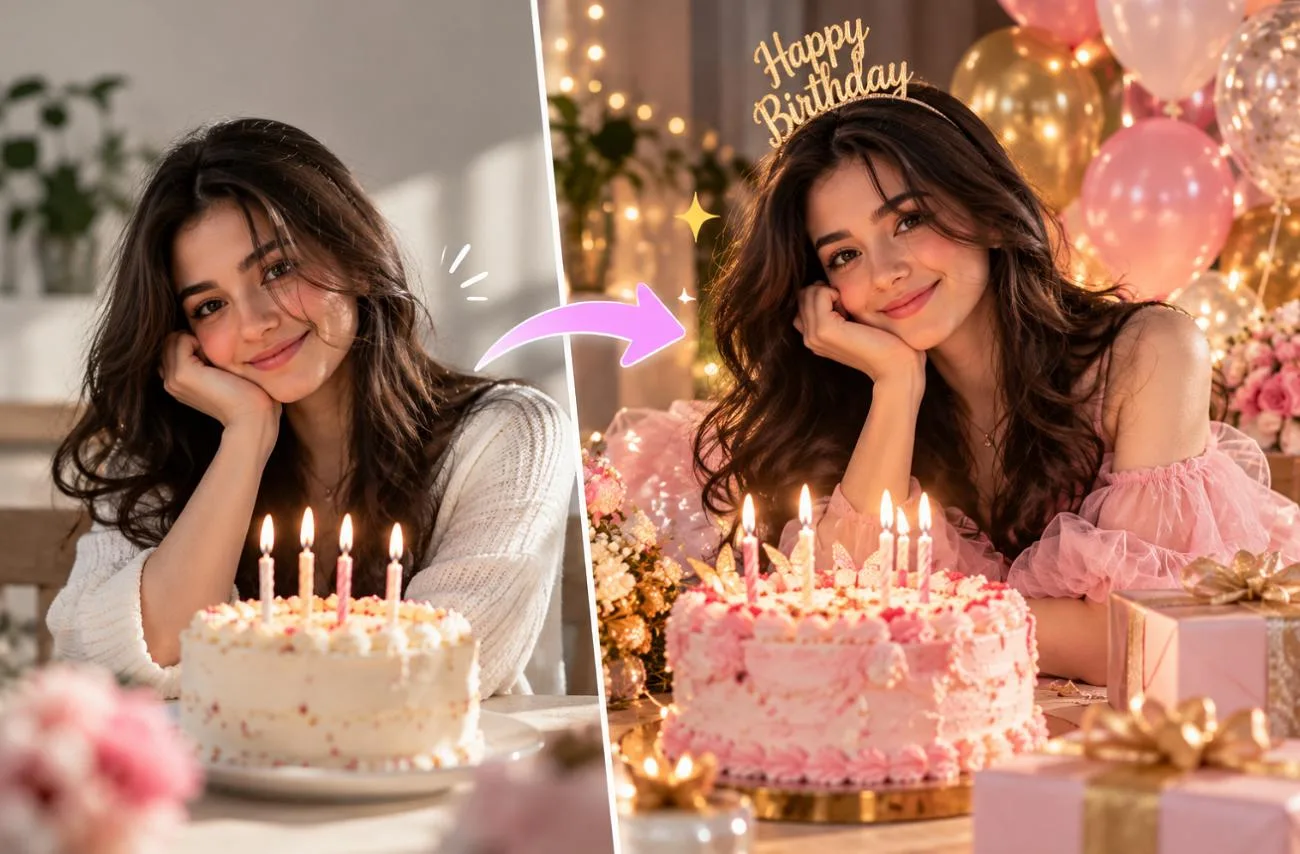
Birthday posts now go beyond a quick cake photo, and Gemini can turn an ordinary selfie into a styled celebration portrait in seconds. Wording decides the outcome, because a short request can alter the face or fill the frame with random decorations.
A detailed Gemini AI birthday photo prompt keeps the person recognizable while setting the outfit, props, light, and mood. Women, men, couples, friend groups, and milestone parties each call for a slightly different approach.
Part 1. How to Create Birthday Photos With Gemini AI
A good Gemini AI photo birthday prompt starts with a real photo, helping the birthday person remain recognizable in a completely new scene. Gemini can edit uploaded photos with Nano Banana 2, while Nano Banana Pro is available to eligible Google AI subscribers. Follow the 5 steps below to turn your photo and prompt into a personalized birthday image:
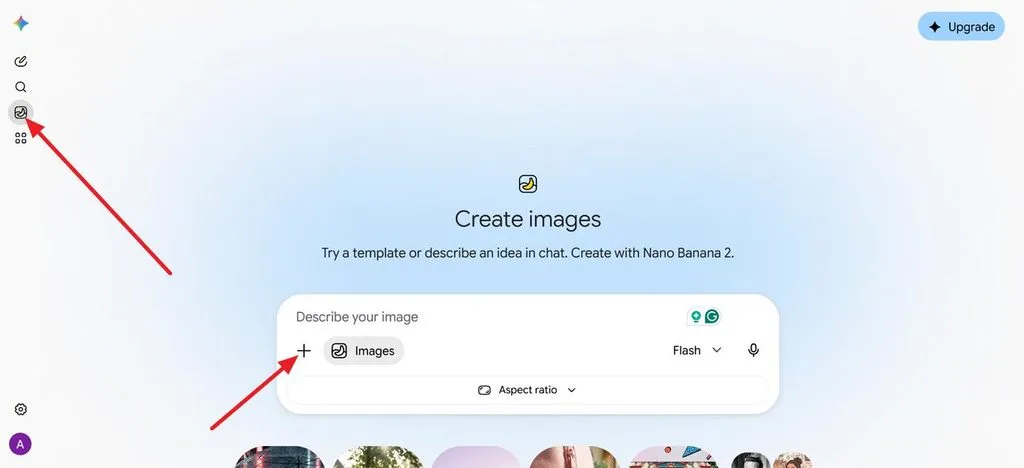
Step 1. Start a New Image
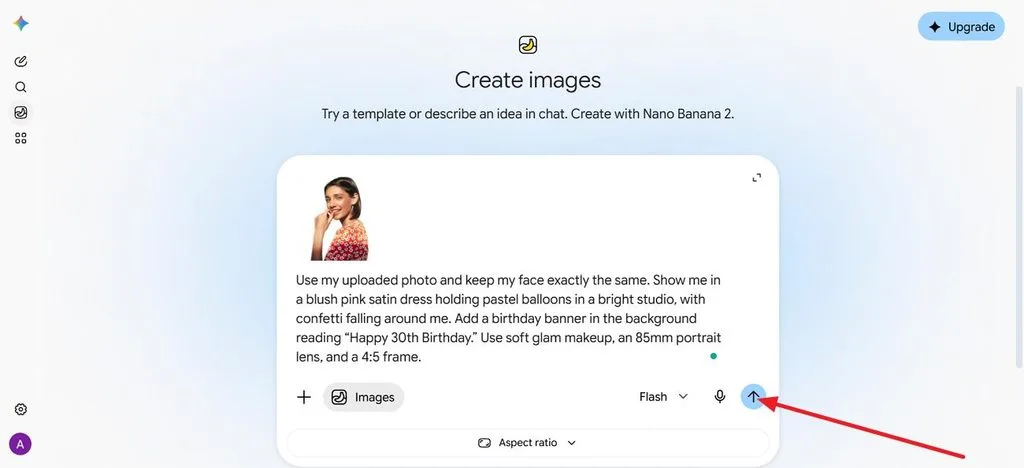
Visit gemini.google.com, open the sidebar, and choose Images to begin an image chat.
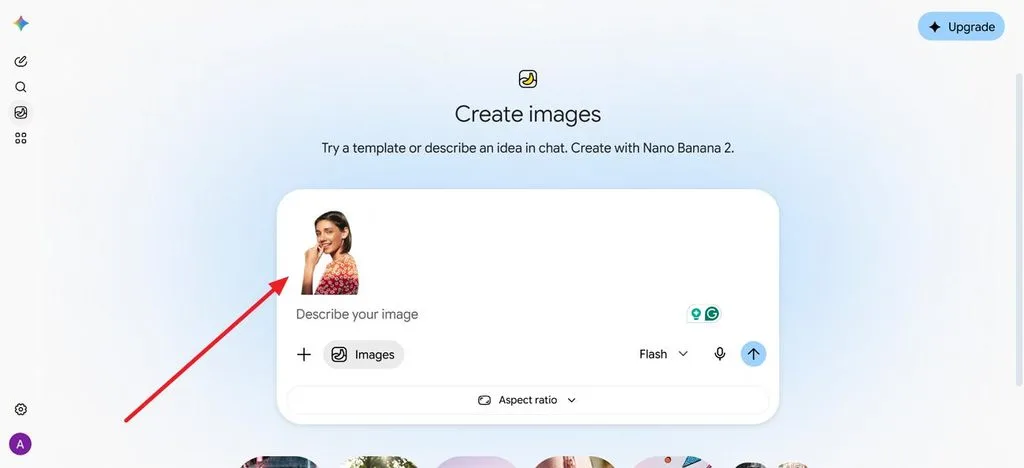
Step 2. Upload Your Photo
Add a clear, well-lit, front-facing picture to give Gemini a stronger reference for maintaining the person’s likeness.
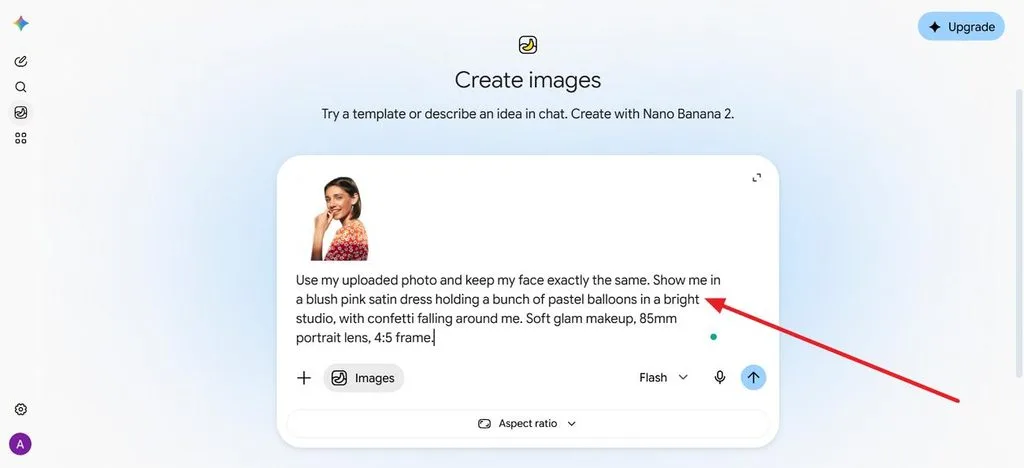
Step 3. Enter Your Birthday Prompt
Describe the outfit, setting, props, lighting, and camera style while asking Gemini to keep the face unchanged.
Step 4. Include Birthday Text
Put banner or cake wording in quotation marks, such as “Happy 30th Birthday,” to specify the exact text you want and press the Generate icon.
Step 5. Refine and Save
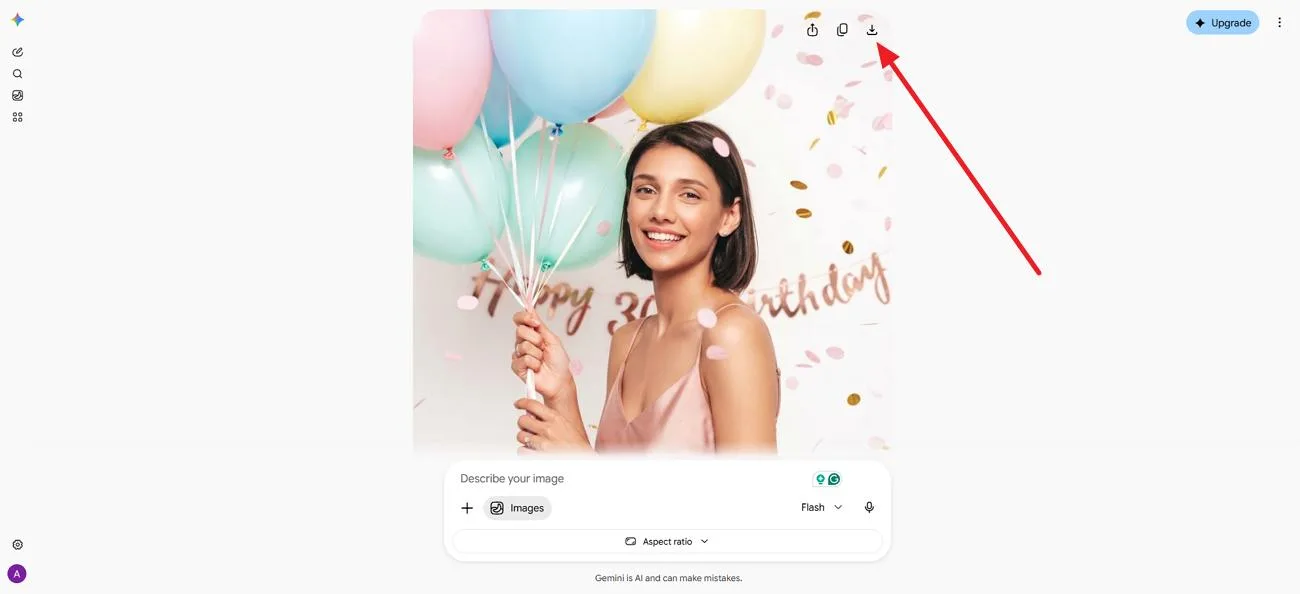
Request small changes, such as a different cake color or 9:16 crop, then download your preferred result.
Part 2. 15 Best Gemini AI Birthday Photo Prompt Ideas to Try
A copy-ready Gemini AI birthday photo prompt needs only a photo upload and a quick change to the bracketed name or age. Each prompt also tells Gemini to preserve the original face during editing. The 15 prompts below cover different birthday themes, outfits, settings, and photo styles you can customize and try:
Birthday Photo Prompts for Women
Gemini birthday prompts for women work best when outfit, setting, and light match the celebration, from soft pastel portraits to glam night-out shots. A named color palette keeps dresses, balloons, and decorations looking coordinated.
- Pastel Balloon Portrait: Use my uploaded photo and keep my face exactly the same. Show me in a blush pink satin dress holding a bunch of pastel balloons in a bright studio, with confetti falling around me. Soft glam makeup, 85mm portrait lens, 4:5 frame.
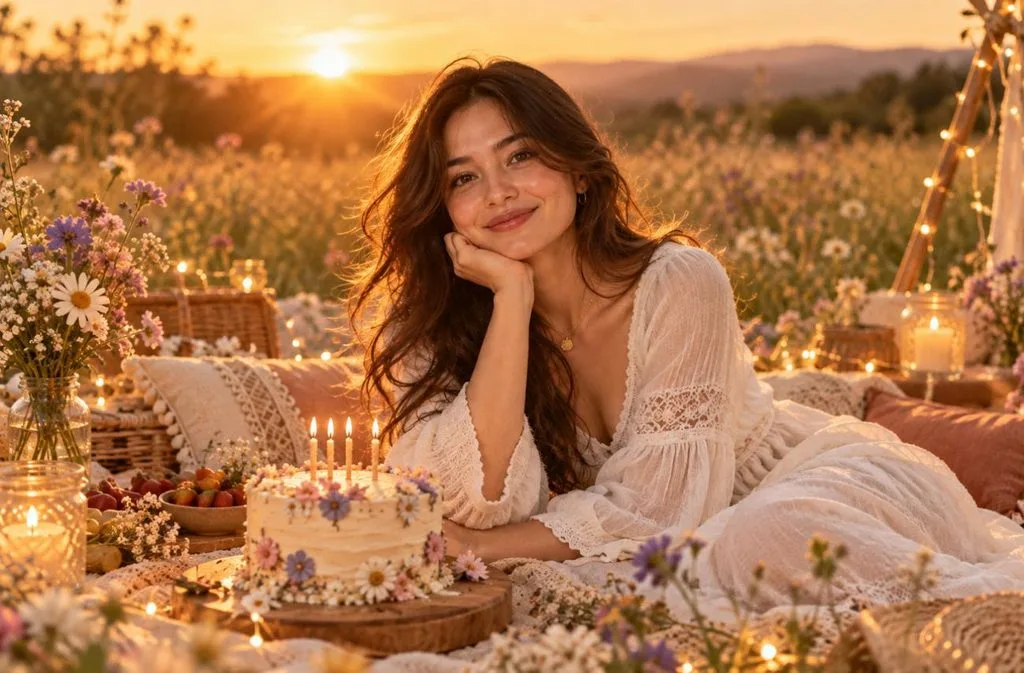
- Golden Hour Picnic: Keep my face and hair from the photo unchanged. I’m at a boho picnic in a wildflower meadow at sunset, in a flowy white dress, with a small cake and fairy lights. Warm backlight, candid smile, film photo look.
- Glam Night Out: Keep my facial features identical to my photo. Show me in a sequined black dress at a rooftop party, raising a glass beside a gold “[25]” balloon, city lights blurred behind. Direct flash, glossy magazine style.
Birthday Photo Prompts for Men
Gemini birthday prompts for men often rely on styling and setting, such as a tailored suit, a sports theme, or an open road. Clear lighting notes keep the result looking like a real photo rather than an illustration.
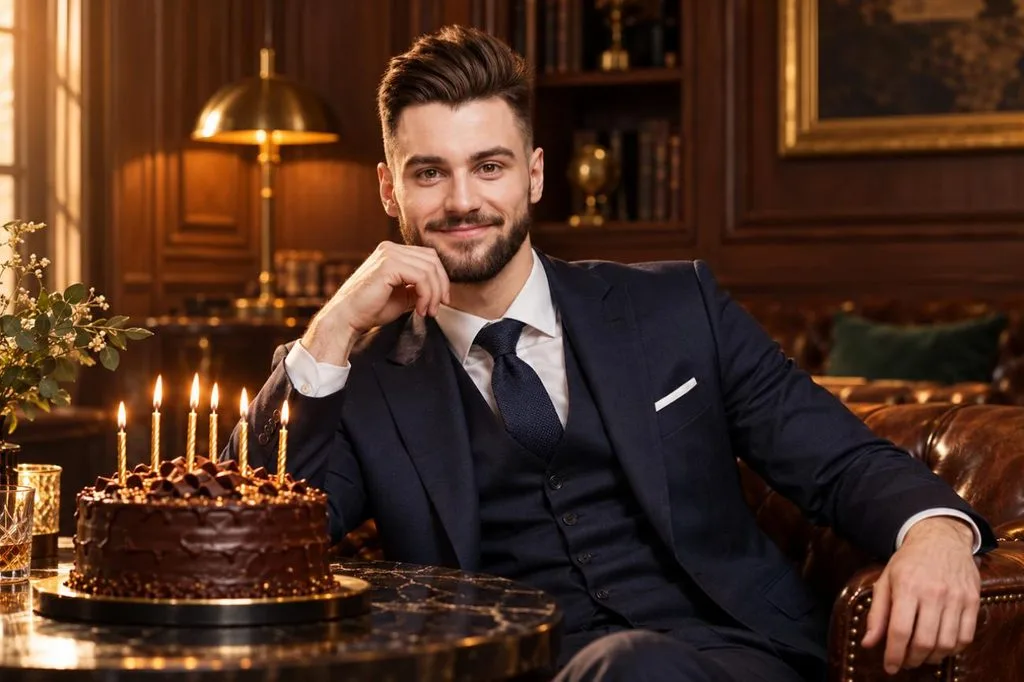
- Classic Suit Portrait: Keep my face exactly as it appears in the uploaded photo. Dress me in a navy three-piece suit beside a dark chocolate cake with gold candles in a wood-paneled lounge. Warm side light, confident expression, 50mm editorial portrait.
- Stadium Birthday Hero: Use my photo and keep my face unchanged. I’m walking out of a stadium tunnel in a jersey with the number “[30]” as teammates cheer and confetti falls. Bright floodlights, low angle, sports poster energy.
- Desert Road Trip: Keep my face identical to my photo. Show me leaning on a vintage convertible on a desert highway at sunset, with a cupcake and one lit candle on the hood. Denim jacket, cinematic wide shot, warm orange tones.
Milestone Birthday Photo Prompts
Milestone ages call for a bolder Gemini AI birthday prompt, with giant number balloons, elegant dinners, or a cover-style portrait. Quoted numbers and headlines help Nano Banana 2 render the age correctly.
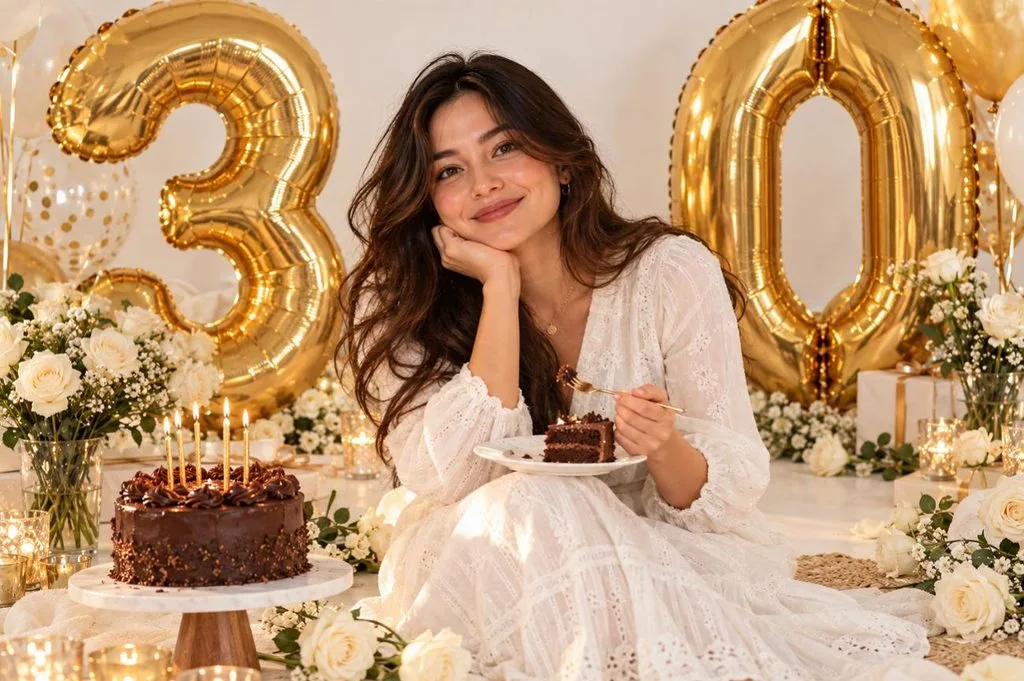
- 30th Balloon Numbers: Keep my face the same as in my photo. I’m sitting on a white floor between giant gold “3” and “0” balloons and white roses, laughing with a slice of cake. Bright, even light, clean lifestyle photo style.
- Elegant 40th Dinner: Preserve my face from the uploaded photo. Show me at the head of a candlelit dinner table with eucalyptus runners and a “40” cake topper, friends raising glasses around me. Warm golden light, shallow depth of field.
- Fabulous at 50 Cover: Keep my face unchanged. Turn my photo into a glossy magazine cover with the headline “FABULOUS AT 50” in bold serif letters and a few small cover lines. Studio portrait lighting, confident pose, clean layout.
Couples, Friends, and Family Birthday Prompts
Group shots need a “Gemini AI photo prompt birthday” request that protects every face at once. Gemini can combine two uploaded photos into one image, which helps when the people were photographed separately.
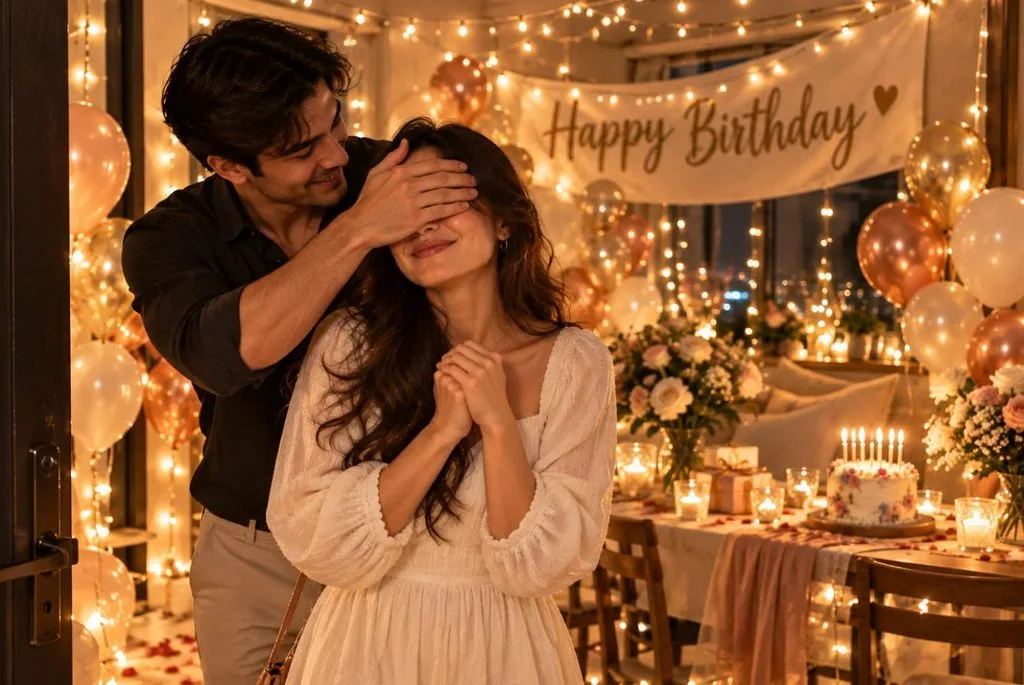
- Couple Surprise: Combine the two uploaded photos and keep both faces unchanged. One partner covers the other’s eyes as they step into a room full of fairy lights, balloons, and a “Happy Birthday [Name]” banner. Warm cinematic light, candid joy.
- Friends Party Flash: Keep everyone’s faces from the uploaded group photo. Place us around a table blowing party horns under a canopy of streamers, with a tall rainbow cake in the center. Bright flash and a playful disposable-camera look.
- Grandma’s 70th: Keep every face from my family photo unchanged. Show us gathered around my grandmother as she blows out the candles on a “70” cake in a cozy living room. Soft window light and warm, heartfelt documentary style.
Creative and Fun Birthday Photo Styles
Stylized looks, such as 3D cartoons, vintage film, or a pet’s party portrait, make shareable birthday posts and invitations. Naming the art style in the first line keeps Gemini from defaulting to a plain photo.
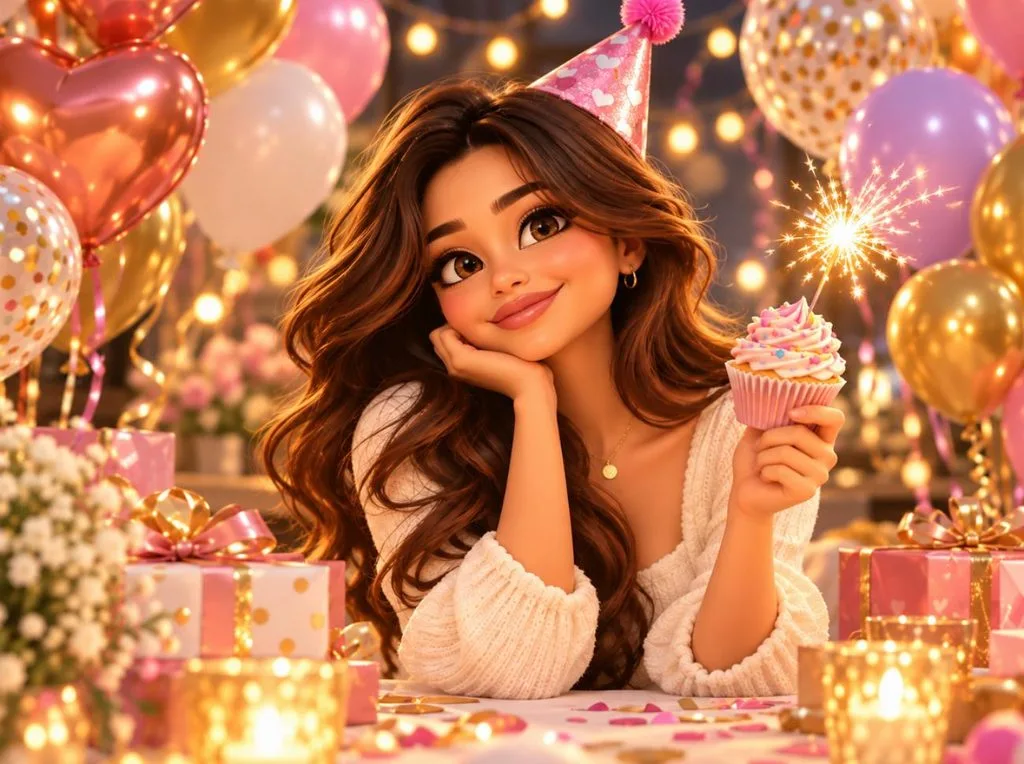
- 3D Cartoon Avatar: Turn my photo into a 3D cartoon character in a party hat, holding a cupcake with a sparkler among colorful balloons. Keep my hairstyle and facial features recognizable in a glossy animated-film style.
- 1970s House Party: Leave my face exactly as it is in the uploaded photo. Recreate me at a 1970s house party with wood paneling, a tiered cake, and a record player, dressed in retro flares. Faded film colors, light leaks, and slight grain.
- Pet Birthday Party: Use my dog’s uploaded photo and keep its face and markings exact. It wears a tiny party hat beside a dog-friendly cake with one candle, surrounded by toys and balloons. Bright kitchen light, cheerful close-up.
How to Turn Birthday Images Into Videos With MagicLight AI
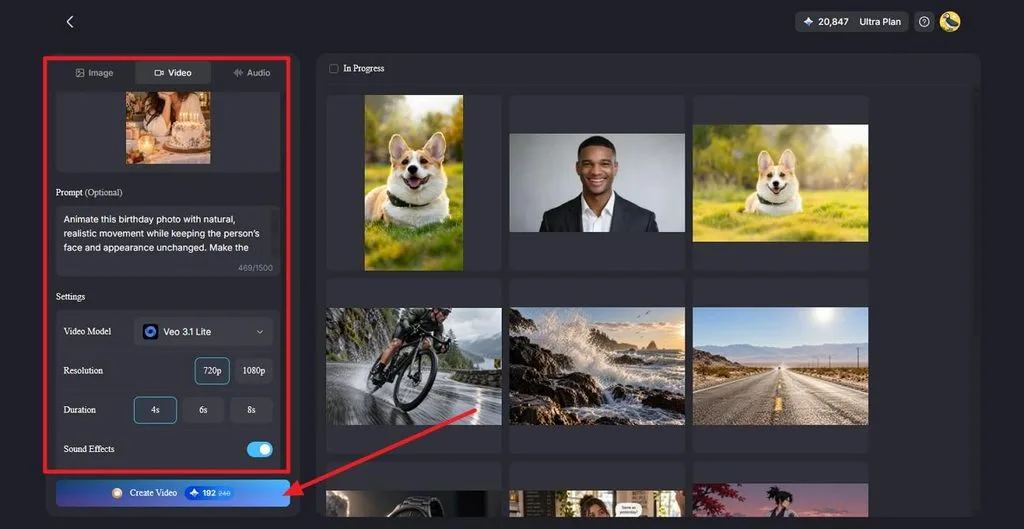
A birthday image can become a high-quality video with natural motion, camera movement, and creative effects. MagicLight AI supports prompts up to 1,500 characters, giving you more control over each scene. Its Image panel also includes Nano Banana 2 for creating birthday visuals before animation. Follow the steps below to turn your finished image into a perfect video:
Step 1. Upload the Birthday Photo
Open Image to Video and upload your finished birthday image in JPG, JPEG, or PNG format. Add a prompt describing movements such as falling confetti, flickering candles, natural expressions, or a gentle camera push-in.
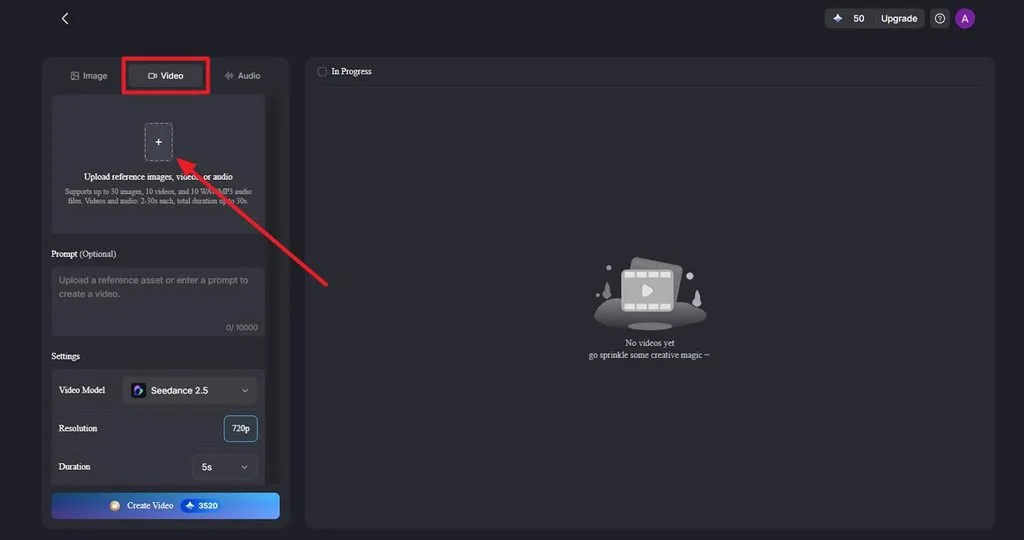
Step 2. Choose the Video Settings and Generate
Select a Video Model, then choose the preferred Resolution and Duration for your birthday clip. Turn on Sound Effects when needed, then click Create Video to generate the animation. For a speaking birthday message, Lip Sync can animate the portrait with a greeting.
Step 3. Preview, Download, and Share
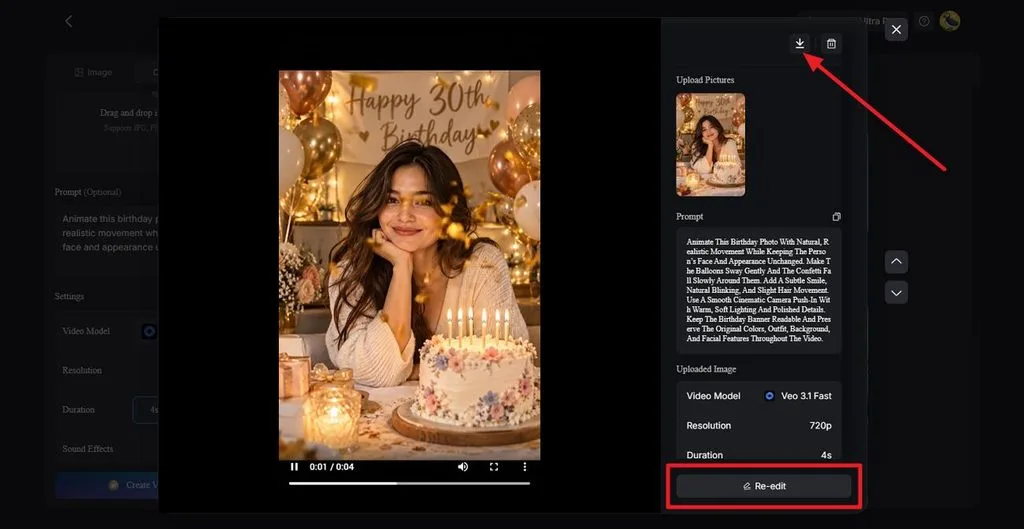
Preview the generated video and check the face, motion, and overall scene quality. Use Re-edit if adjustments are needed or click Download to save the finished clip. For a musical birthday version, Music Video can turn the celebration into a complete music-based video.
Conclusion
The best Gemini AI birthday photo prompt keeps the face unchanged and spells out the outfit, props, light, and text. Separate styles for women, men, milestones, groups, and creative looks cover most celebrations. MagicLight AI can then turn the favorite image into a moving, talking, or musical birthday video.
Frequently Asked Questions
1. What is the best Gemini AI birthday photo prompt?
The best one fits the person and the party, but a strong default keeps the face unchanged and describes one scene in detail. Anyone searching for a “Gemini AI photo prompt copy paste for birthday girl” can start with the pastel balloon portrait.
2. How do I write a good birthday photo prompt for Gemini?
Start by asking Gemini to keep the face from the uploaded photo unchanged. Then describe the outfit, setting, props, lighting, and camera style in plain sentences, and put any cake or banner text in quotation marks. Google notes that more detail helps Gemini follow instructions.
3. Can Gemini create birthday photos from my own picture?
Gemini can edit an uploaded photo into a birthday scene, and it can combine 2 photos, such as a couple, into one image. Photo editing is limited to users aged 18 or older, and a clear, front-facing picture gives the most faithful likeness.
4. Can I make Gemini AI birthday photos for free?
Image generation with Nano Banana 2 works on every Gemini plan, including the free one, within usage limits that may change. The Nano Banana Pro redo option requires a paid Google AI plan, and every image carries an invisible SynthID watermark.





