萬聖節有各種製作新視覺素材的需求,從派對邀請函、個人頭像,到桌布和應景商品照都有。不過,太簡單的指令往往只會生成千篇一律的橘黑場景,或是文字混亂的圖片。
詳細的萬聖節圖片提示詞,能讓生成工具更清楚掌握主體、風格、光線、構圖與文字內容。多補充這些細節,就能讓成果更有特色,無論你想做的是童趣貼紙,還是詭譎的變裝派對海報。
第 1 部分:20 個適用不同需求的最佳萬聖節圖片提示詞
萬聖節視覺素材的用途差異很大,從正方形個人頭像、可列印的著色圖,到寬版活動橫幅都有。每次撰寫萬聖節圖片提示詞時,先寫上長寬比與風格,第一次生成的成果就更容易符合實際用途。
社群貼文與個人頭像提示詞
動態貼文和個人頭像通常會以縮圖大小呈現,因此清楚的臉部與一個鮮明的重點色,比背景細節更重要。1:1 正方形適合大多數動態貼文,9:16 則適合限時動態。
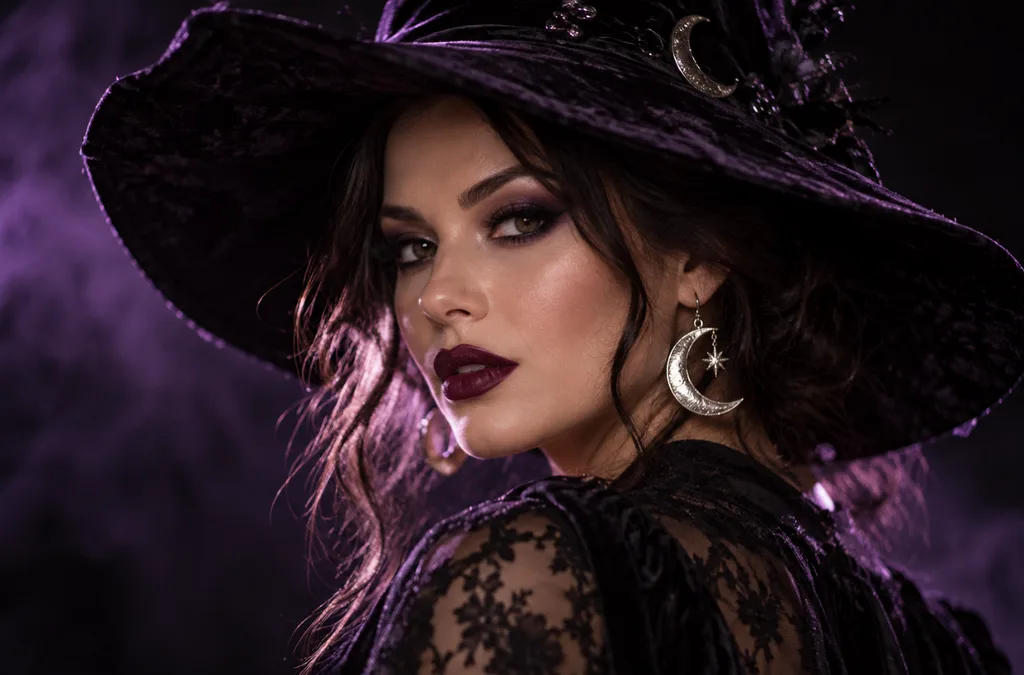
- 1:1 | Photoreal portrait. A woman in dramatic witch makeup with dark plum lipstick and a wide-brimmed velvet hat, silver moon earrings catching the light. Soft purple backlight, shallow depth of field, black background.
- 1:1 | 3D cartoon avatar. A cheerful vampire character with tiny fangs, slicked-back hair, and round glasses, smiling at the viewer. Clean studio lighting and a smooth orange gradient background for a profile picture.
- 4:3 | Candid film photo. Four friends in homemade costumes (a mummy, a scarecrow, a witch, and a skeleton) laugh on a porch strung with orange lights. Warm flash, slight grain, and autumn leaves on the steps.
- 9:16 | Story background. A moonlit window with lace curtains and a glowing jack-o’-lantern on the sill, rain streaking the glass. Dark blue tones and empty space at the top for text.
邀請函、海報與傳單提示詞
邀請函需要留出放文字的空間,因此用於印刷的萬聖節圖片提示詞,應指定一段加上引號的簡短標題,或要求保留空白區域。將圖片上的文字控制在幾個字以內,有助於減少拼字錯誤。
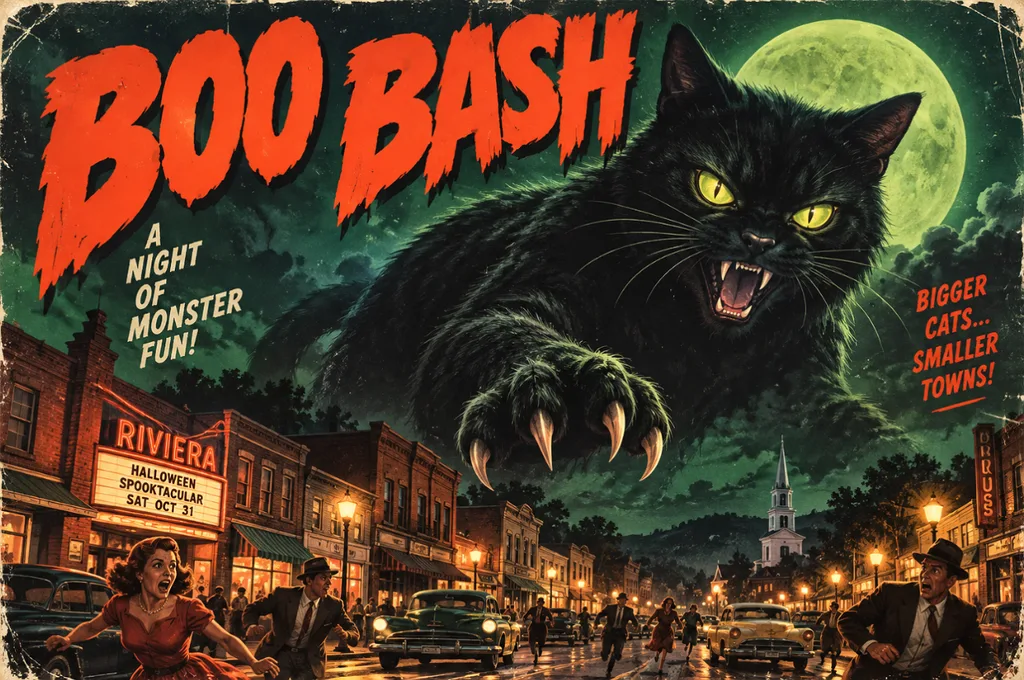
- 4:3 | Vintage horror poster. A giant black cat looms over a sleepy 1950s town under a green moon, in retro B-movie poster style. Bold headline text reading “BOO BASH” across the top.
- 9:16 | Elegant invitation. A black-and-gold party invitation framed by bats, lit candles, and ornate filigree corners. Calligraphy reading “Join Us” at the top, with blank space underneath for event details.
- 16:9 | Event banner. A pumpkin patch at golden hour with hay bales, string lights, and a red barn in the distance. Leave the left third of the frame empty for festival text.
- 4:3 | Kids’ flyer illustration. A bright cartoon haunted house with friendly ghosts waving from the windows and candy scattered on the path. Playful title text reading “Trick-or-Treat Trail” in bubbly orange letters.
桌布與背景提示詞
桌布會放在圖示與視窗後方,因此理想的設計是讓中央保持簡潔,將細節集中在邊緣。手機螢幕適合 9:16,電腦桌面與簡報投影片則適合 16:9。
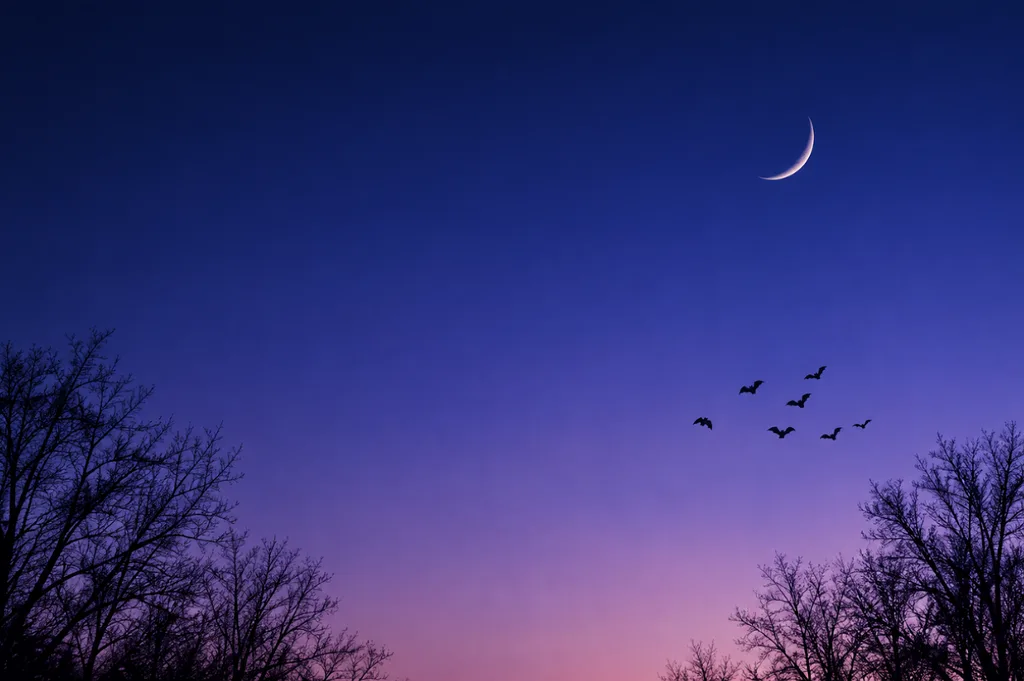
- 9:16 | Minimalist phone wallpaper. A thin crescent moon above silhouetted bare trees, with a small flock of bats crossing the sky. Smooth navy-to-violet gradient and plenty of empty space for app icons.
- 16:9 | Painterly desktop wallpaper. A cozy witch’s reading nook with potion shelves, stacked spell books, and a sleeping cat on a velvet chair. Warm candlelight inside, rain on the window, rich oil-painting texture.
- 1:1 | Repeating pattern. Tiny pumpkins, smiling ghosts, candy corn, and gold stars scattered evenly on a cream background. Flat vector style with a limited orange, black, and mint palette.
- 16:9 | Cinematic landscape. A foggy pumpkin field at blue hour with a crooked scarecrow and distant farmhouse windows glowing orange. Matte-painting style, low drifting mist, and a deep indigo sky.
可愛列印素材與兒童設計提示詞
列印素材和貼紙需要清楚的邊緣與簡單的造型,因為它們可能會被剪下、拿來著色,或縮小印在派對小禮物上。在提示詞中要求粗輪廓線與素色背景,能讓成果更適合列印。
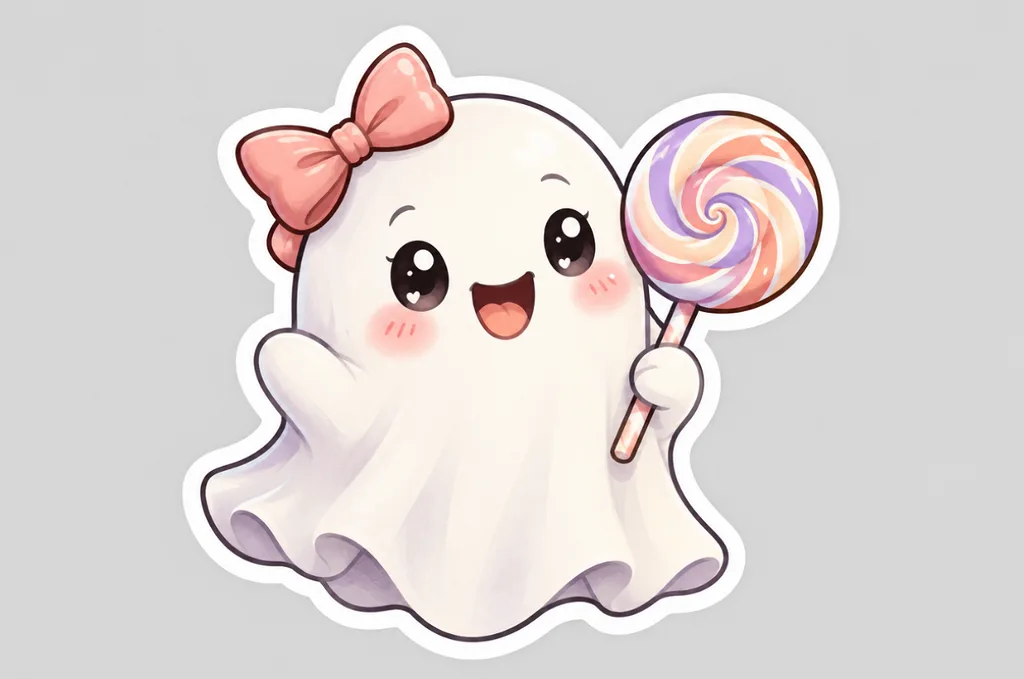
- 1:1 | Die-cut sticker. A kawaii ghost holding a striped lollipop, with rosy cheeks and a tiny bow. Thick white border, pastel colors, and a plain light gray background.
- 4:3 | Coloring page. Black-and-white line art of a friendly witch flying over a village of pumpkins on her broom. Clean, bold outlines, no shading, and large open areas for coloring.
- 1:1 | Storybook pet portrait. A corgi in a purple wizard hat and star-print cape sits beside a basket of candy. Soft watercolor style, warm lamplight, and gentle paper texture.
- 4:3 | Children’s book illustration. A small family of friendly monsters carves pumpkins together at a wooden kitchen table. Golden kitchen light, cozy colors, and a hand-painted gouache look.
品牌與商品視覺提示詞
製作 10 月行銷活動的商品圖片時,讓道具襯托商品、避免遮住商品,效果會更好。上傳真實商品照作為參考,有助於維持標籤、顏色與包裝的準確度。
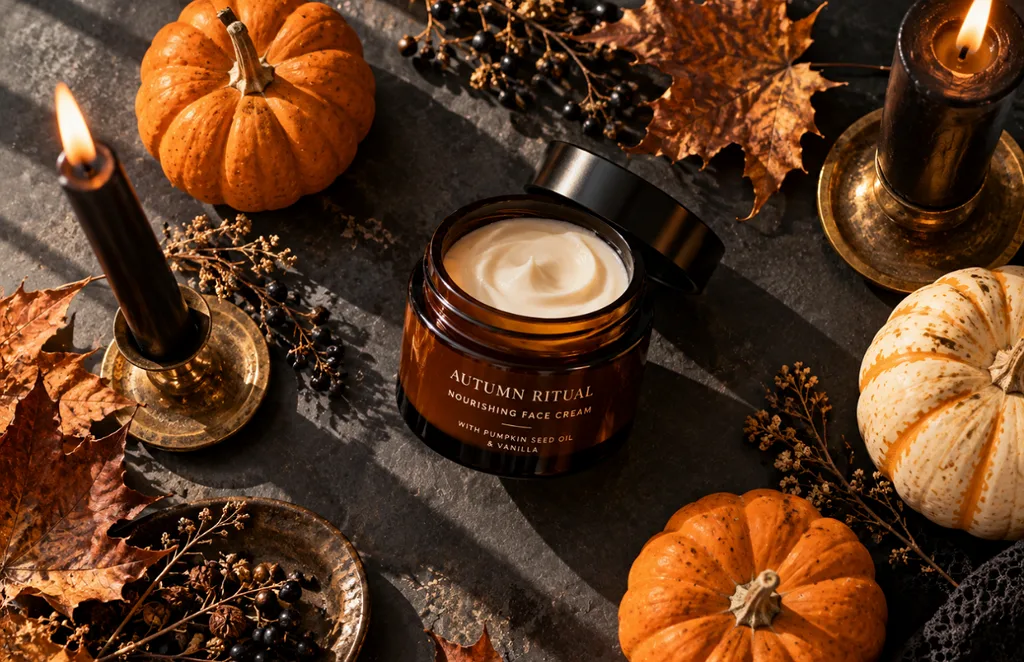
- 1:1 | Product flat lay. An amber skincare jar surrounded by mini pumpkins, dried leaves, and black taper candles on a slate surface. Overhead view, soft window light, and long gentle shadows.
- 4:3 | Moody food photo. Chocolate cupcakes topped with spiderweb frosting and candy eyes sit on a dark wooden board. Low side light, deep shadows, and a dusting of cocoa powder.
- 9:16 | Editorial fashion photo. A pair of black leather boots on a stone step covered in autumn leaves, a lantern glowing beside them. Soft fog in the background and muted, earthy colors.
- 16:9 | Interior design photo. A modern living room styled for Halloween with black candles, velvet pillows, and a pumpkin garland on the mantel. Soft evening light and a calm, upscale mood for a home brand.
第 2 部分:如何撰寫萬聖節圖片提示詞?
撰寫萬聖節圖片提示詞,就像向插畫家說明設計需求;你提供的每個細節,都能減少模型自行猜測的空間。大致依照以下順序,涵蓋這 7 個要素,就能讓生成成果更精準、更一致:
| 要素 | 需要說明的內容 | 萬聖節範例 |
| 主體 | 主要角色或物件,以及正在進行的動作 | 正在閱讀魔法書的女巫 |
| 場景 | 地點、時段與天氣 | 薄暮時分、霧氣瀰漫的南瓜田 |
| 風格 | 創作媒材或藝術風格 | 水彩、3D 卡通或 1950 年代恐怖電影海報 |
| 光線 | 光源及其顏色 | 燭光或冷冽的月光 |
| 構圖 | 取景方式、鏡頭角度與留白 | 低角度特寫,並留出標題空間 |
| 配色 | 2 到 4 種主要顏色 | 橘色、黑色與深紫色 |
| 文字 | 以引號標示簡短、明確的文字內容 | “Happy Haunting” |
英文提示詞以 30 到 60 個單字為宜,既能提供足夠細節,也比較不會出現互相矛盾的指令。看到第一次生成的成果後,每次只調整一個要素,例如光線或風格,就能看出是哪個改動帶來差異。
第 3 部分:使用最佳 AI 圖片生成工具,將萬聖節提示詞變成 AI 圖片
即使有了完整的萬聖節圖片提示詞,你仍需要一款能遵循細節、使用參考圖片,並提供合適畫面尺寸的生成工具。 MagicLight AI 在同一個操作面板中提供 5 款圖片模型,包括 Seedream 5.0 Pro、3 個 GPT Image 版本,以及 Nano Banana 2。你可以將同一組萬聖節提示詞分別套用到各個引擎,快速並排比較成果。
你可以上傳多張參考圖片,每張最大 20MB,用來引導服裝造型、寵物外觀或商品標籤的生成。圖片完成後, Image to Video 可以將它轉成充滿萬聖節氣氛的動畫短片,而 註冊贈送的免費點數,則讓你不用先付費就能試做第一批作品。
如何使用 MagicLight AI 將萬聖節提示詞變成圖片
在 MagicLight AI 製作萬聖節視覺素材,只要先輸入提示詞,再搭配參考圖片、模型設定與輸出選項,就能逐步調整成果。以下步驟會帶你走過完整流程,從輸入萬聖節創意,到儲存最終圖片:
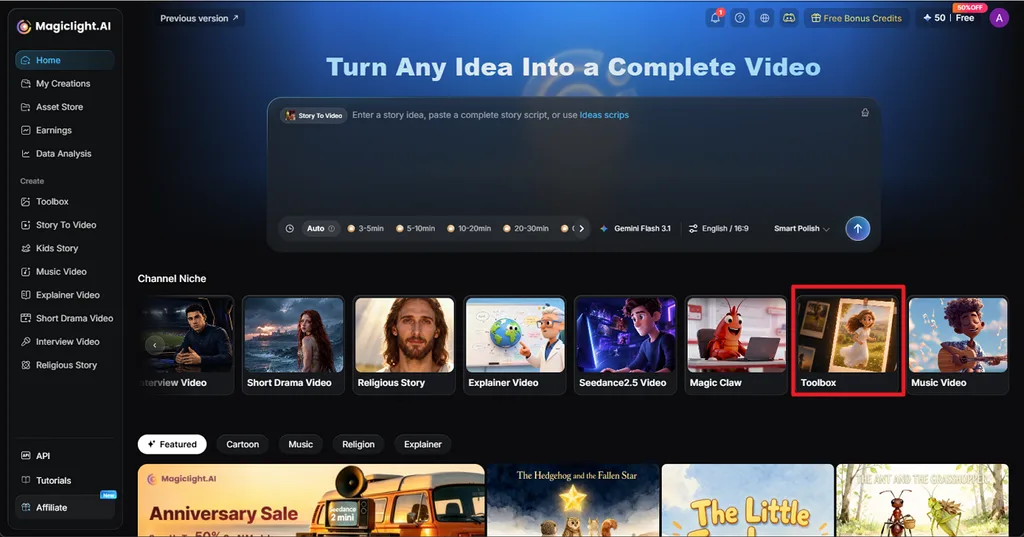
步驟 1:開啟圖片工具
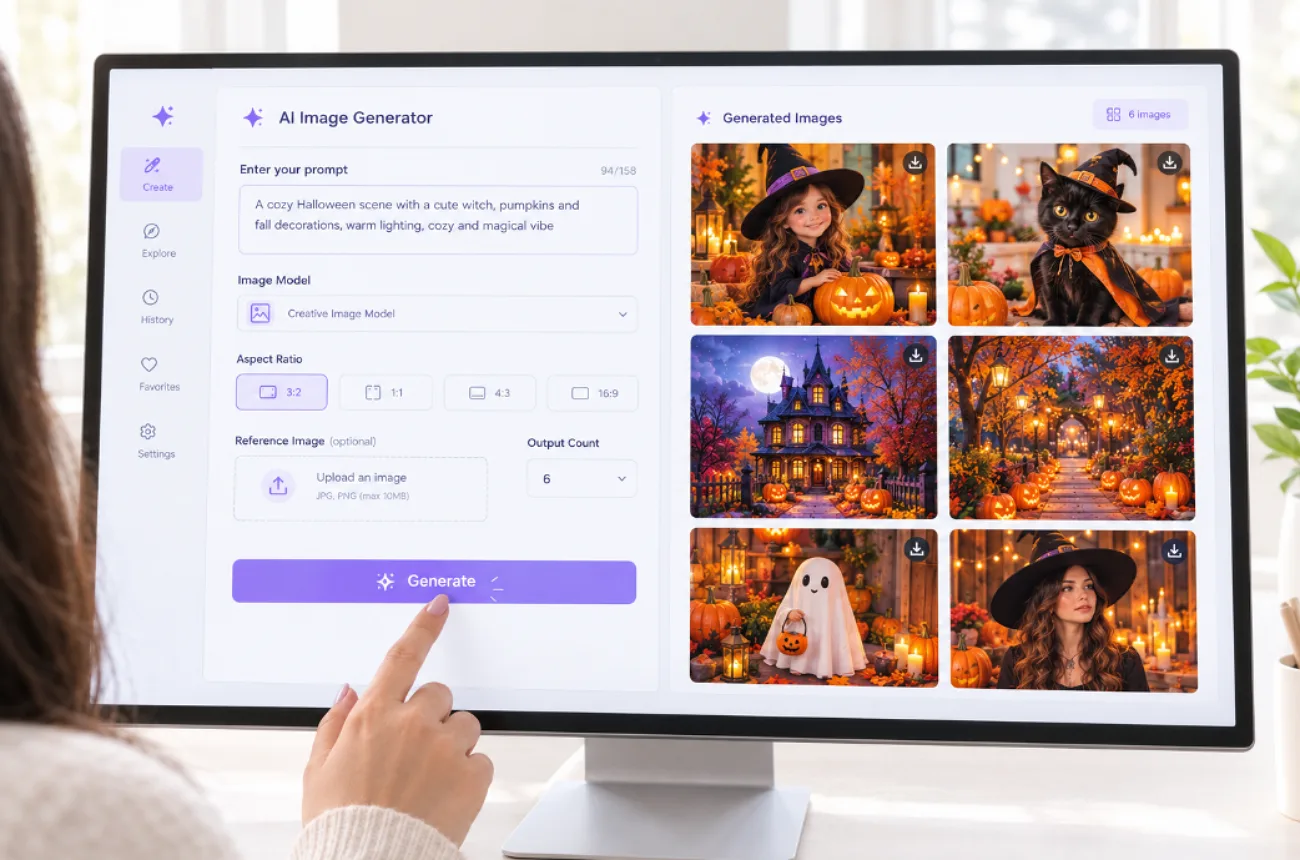
在 MagicLight AI 首頁選擇 Toolbox,接著切換至 Image 分頁。在提示詞輸入框中填入你的萬聖節圖片提示詞,並視需要加入參考圖片。
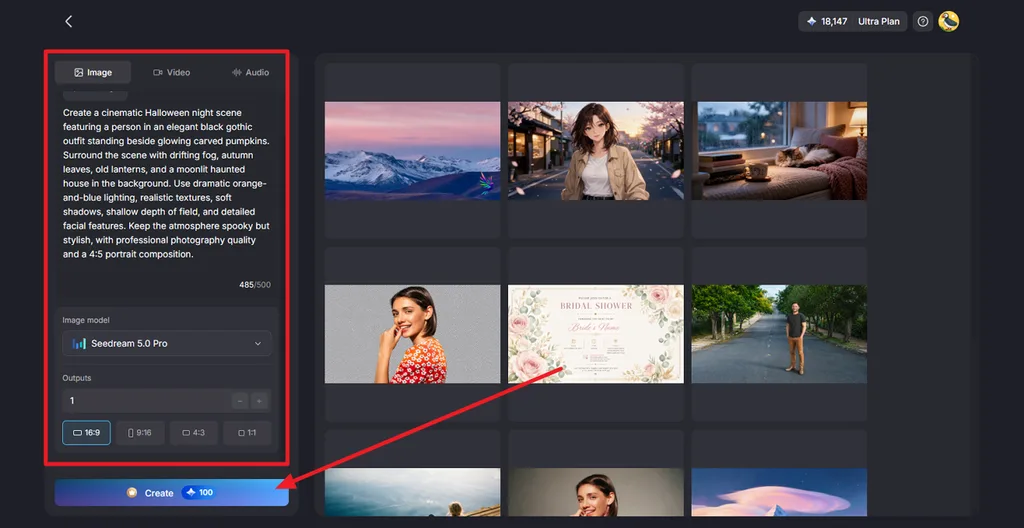
步驟 2:選擇圖片設定並生成
選擇 Image Model,設定 Outputs數量,並選擇 Aspect Ratio ,例如 16:9、9:16、4:3 或 1:1。點擊 Create ,即可生成萬聖節圖片。
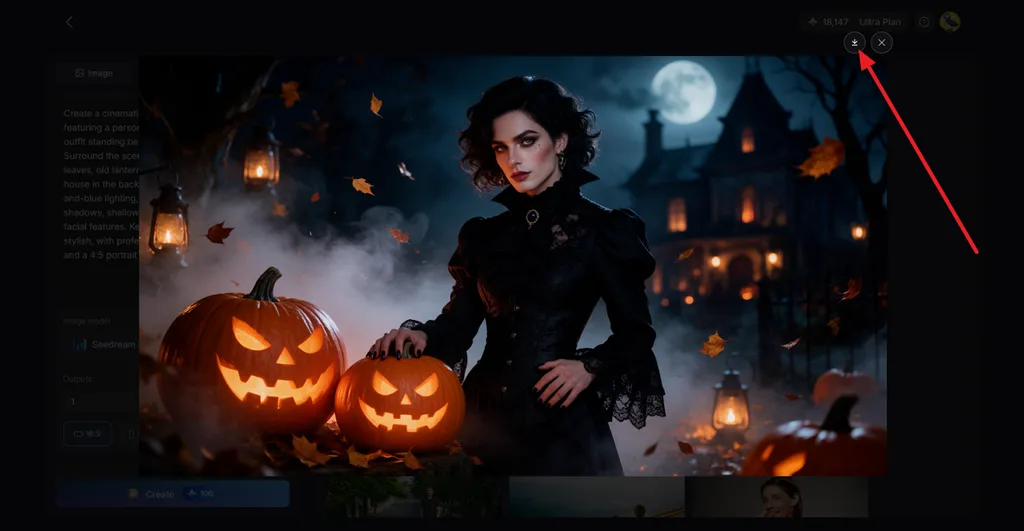
步驟 3:預覽並下載成果
開啟生成的圖片,檢查主體、光線、南瓜、背景與其他重要細節。確認成果符合需求後,點擊 Download 圖示即可儲存。你也可以將圖片轉成充滿萬聖節氣氛的影片,使用的功能是 Image to Video。
結語
好的萬聖節圖片提示詞,會先明確描述主體,再加入風格、光線、構圖、配色,以及需要呈現的簡短文字。 YouTube 個人頭像、邀請函、桌布、列印素材與商品照,各自需要不同的畫面比例與細節程度。MagicLight AI 提供 5 款模型,並支援多張參考圖片,能將這些提示詞轉成完整圖片,還能把最滿意的作品製作成動畫短片。
萬聖節圖片提示詞常見問題
1. 什麼是好的萬聖節圖片提示詞?
好的萬聖節圖片提示詞,就像一份精簡的美術需求說明,清楚交代主體、場景、風格、光源與長寬比。例如:一張 1:1 的水彩畫,以橘色和紫色描繪滿月下蹲坐在南瓜上的黑貓。
2. 如何撰寫萬聖節 AI 圖片提示詞?
先描述主體及其動作,再加入場景,以及水彩、寫實或 3D 卡通等藝術風格。接著說明光線與 2 到 3 種顏色,設定長寬比,並將需要呈現的簡短文字放在引號內。
3. 哪款 AI 工具可以製作萬聖節圖片?
MagicLight AI 在同一個操作面板中提供 5 款模型、支援上傳多張參考圖片,並有 4 種長寬比可選,讓你製作萬聖節圖片。完成的圖片可透過 Image to Video 轉成動畫短片,也可以製作成會說話的人像,使用的功能是 Lip Sync,很適合製作帶有驚悚氣氛的社群貼文。