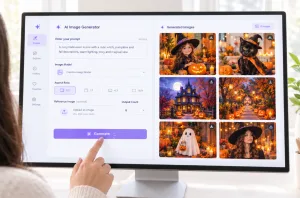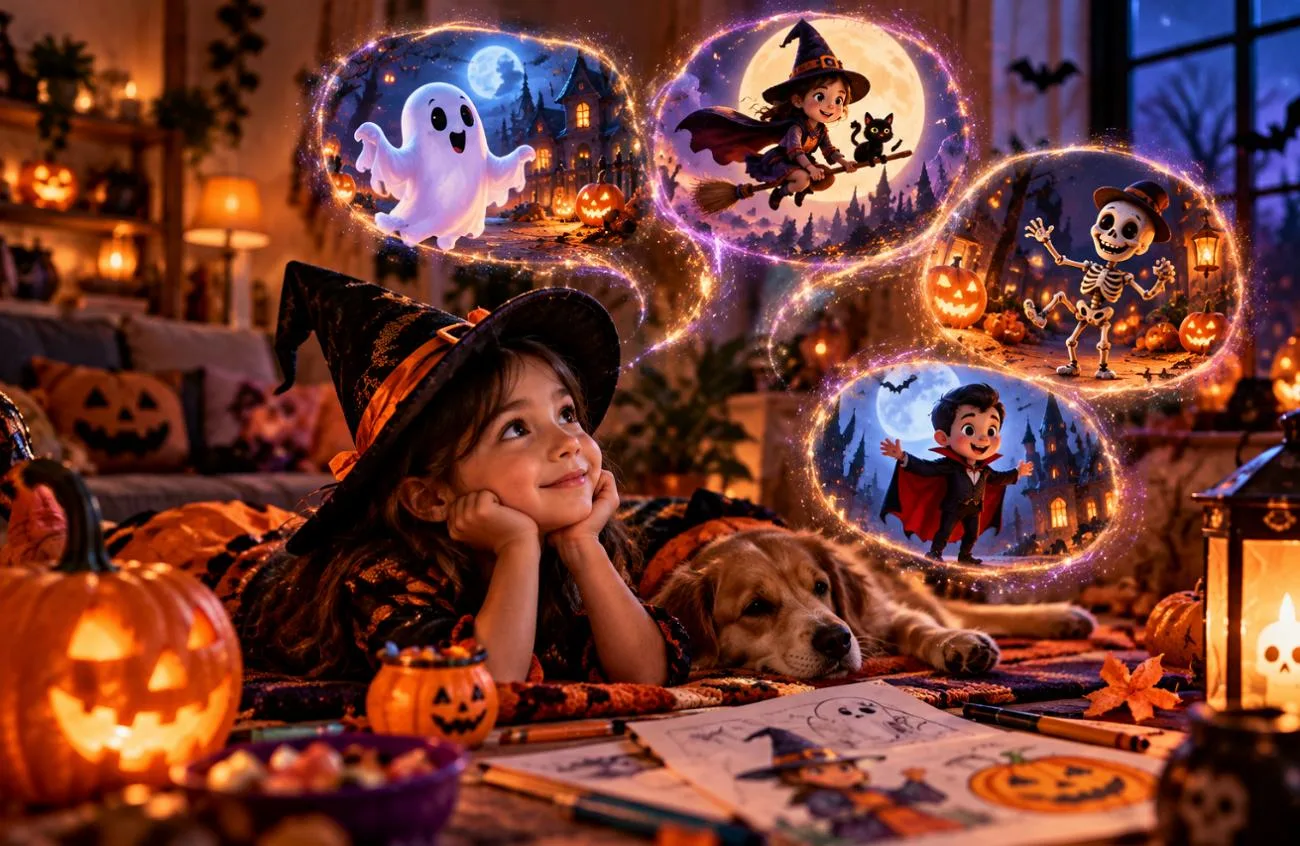
萬聖節很適合讓孩子透過繽紛的角色、有趣的裝扮和帶點神祕感的故事,發揮創造力。只要用對適合孩子的萬聖節 AI 提示詞,家長和老師不必使用複雜的設計工具,也能創作友善的小幽靈、卡通怪獸、著色圖和充滿節慶氣氛的插畫。
本指南分享 15 個萬聖節 AI 創意提示詞,適用於教室布置、繪本冒險等各種活動。你也會學到如何使用 MagicLight AI,將這些點子變成適合孩子的萬聖節圖片與動畫故事。
第 1 部分:15 個最適合孩子的萬聖節 AI 提示詞
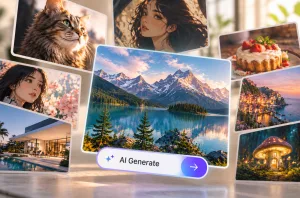
親切的表情搭配柔和的光線,讓這 15 個適合孩子的萬聖節 AI 提示詞保有神祕氣氛,又不會太嚇人。每個提示詞都符合 MagicLight AI的 Image Generator 輸入欄位 500 字元限制,並採用其提供的四種畫面比例之一。
友善幽靈與怪獸提示詞
圓滾滾的身形加上柔和的粉彩色調,即使還沒畫出五官,也能讓年幼的孩子覺得安心。再加上一個逗趣的小習慣,例如喜歡撿橡實的幽靈,就能賦予每個角色鮮明個性,又不會嚇到孩子。
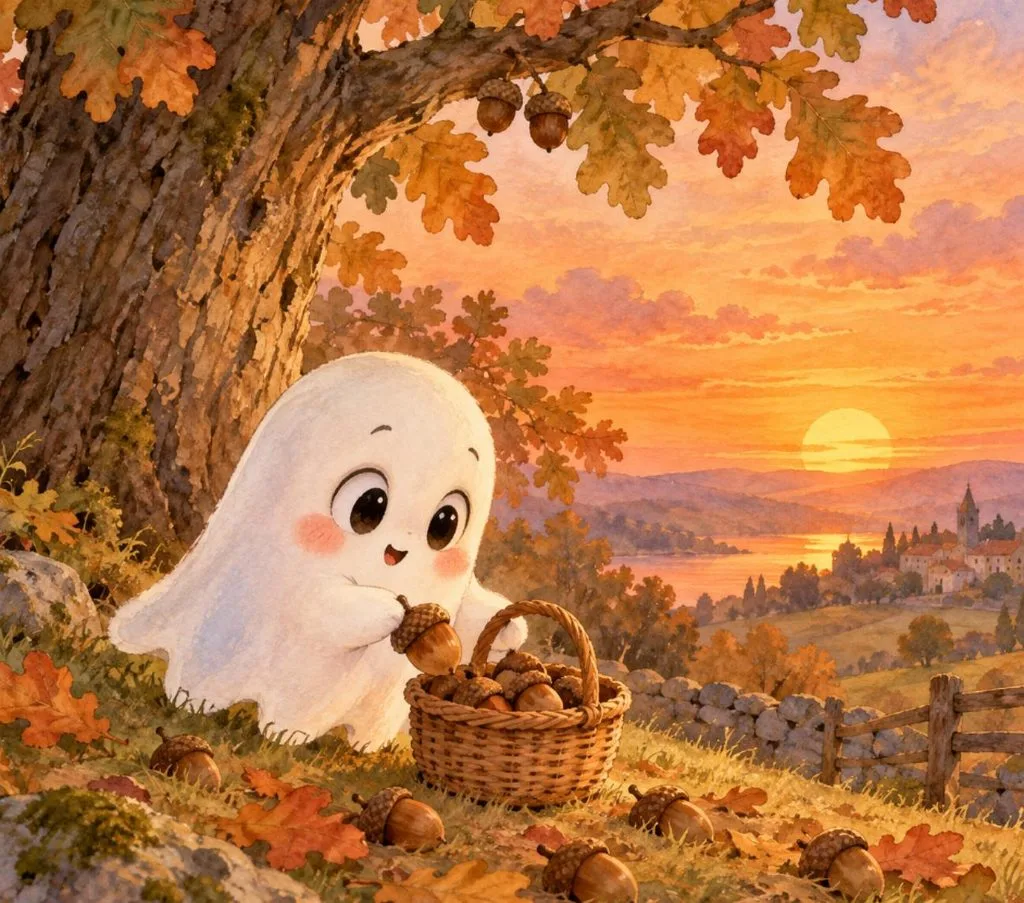
- 愛撿橡實的小幽靈: Draw a small round ghost with big curious eyes and rosy cheeks, gathering acorns into a wicker basket under an oak tree at sunset. Soft pastel watercolor, picture-book style, warm orange sky, 4:3.
- 怪獸行進樂隊: Fuzzy little monsters in purple, green, and orange march through a pumpkin patch, playing a drum, a tuba, and maracas. Round shapes, wide gummy smiles, bright 3D cartoon style, 16:9.
- 愛睏的蝙蝠寶寶: Show a sleepy baby bat hanging upside down from a moonlit branch, wrapped in a tiny striped scarf and mid-yawn. Big shiny eyes, soft blue night colors, a few twinkling stars, cozy children’s book style, 1:1.
變裝與不給糖就搗蛋提示詞
這組適合孩子的萬聖節 AI 提示詞,以虛構的 卡通角色 為主角。手作裝扮像是紙箱機器人服,能增添現成服裝往往少有的趣味與個人特色,創作時也不需要使用真實孩子的照片。
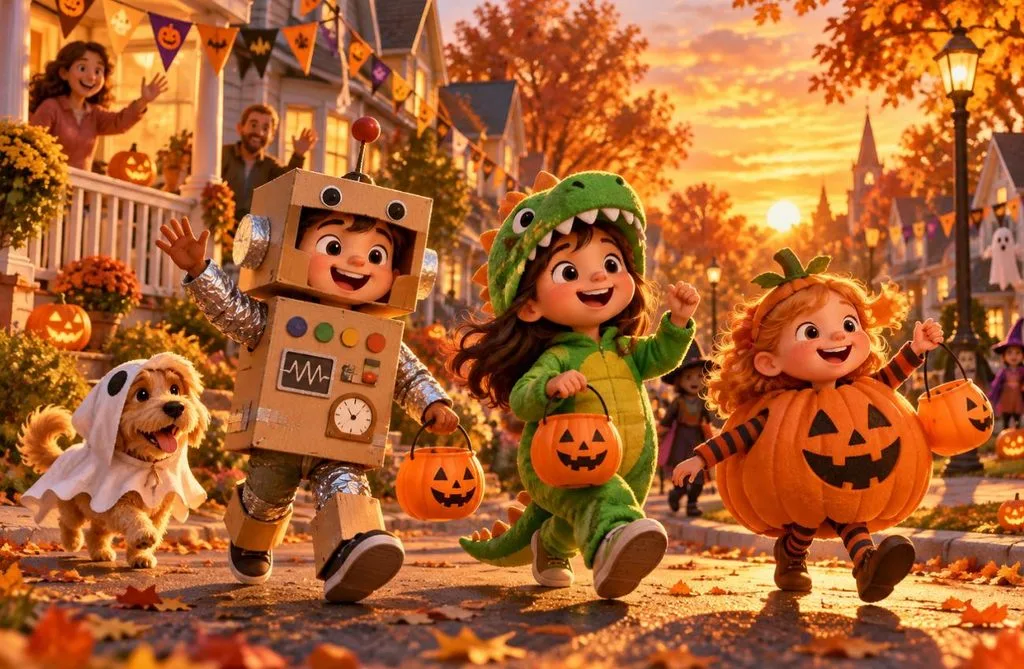
- 紙箱機器人遊行: Cartoon children in homemade costumes, a cardboard robot, a green dinosaur, and a walking pumpkin, parade down a leafy street at golden hour. Waving neighbors, paper bunting, warm 3D animated film style, 16:9.
- 門廊發糖趣: Picture a smiling grandmother in a witch hat handing candy to trick-or-treaters dressed as a mermaid and an astronaut on a lantern-lit porch. Storybook illustration, warm lamplight, 4:3.
- 變裝點子設計圖: Create a character sheet of one cartoon girl in four homemade costumes, labeled in neat letters as “Dragon,” “Lighthouse,” “Taco,” and “Superhero.” Clean white background, bright flat colors, 16:9.
著色圖與手作提示詞
如果要製作可列印的活動素材,適合孩子的萬聖節 AI 提示詞最好指定粗黑輪廓、白色背景,而且不要有灰階陰影。4:3 的版面也更容易配合紙張尺寸。你可以用以下提示詞製作萬聖節著色圖與簡單的手作圖案:
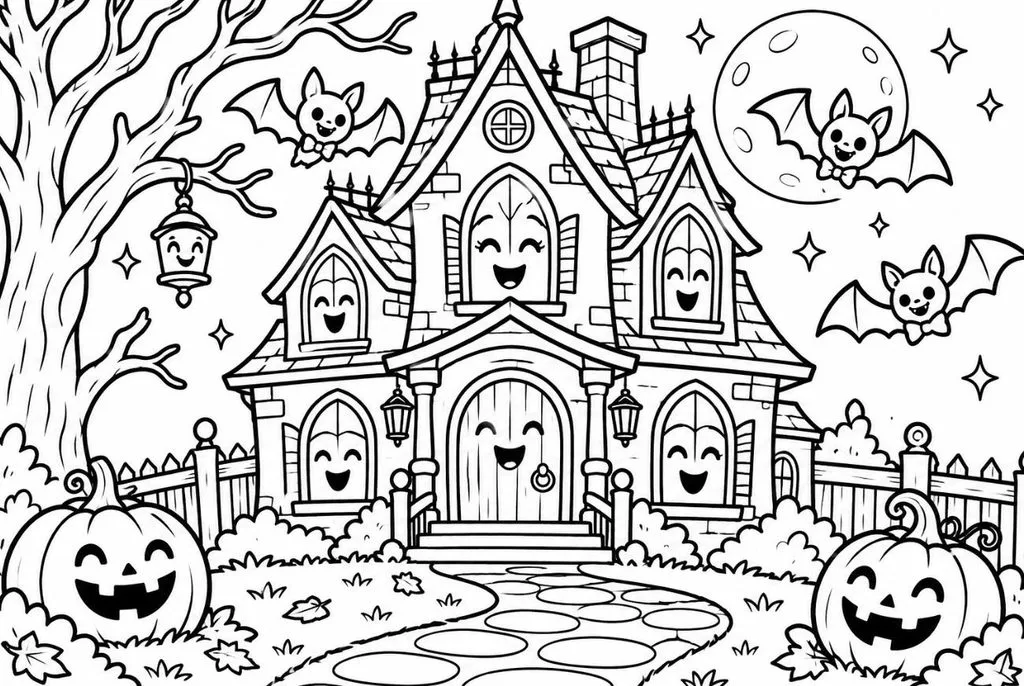
- 笑咪咪的鬼屋: Black-and-white coloring page of a cheerful haunted house with smiling windows, a winding path, and bats wearing bow ties. Thick clean outlines, large open spaces, no gray shading, white background, 4:3.
- 玉米糖貓頭鷹著色圖: Coloring page line art of a big-eyed owl perched on a heap of candy corn under a crescent moon. Bold black outlines, wide spaces for crayons, pure white background, 4:3.
- 南瓜雕刻表情圖: Design a printable sheet of six jack-o’-lantern faces, happy, silly, sleepy, surprised, winking, and singing. Solid black shapes on white for tracing onto real pumpkins, 1:1.
萬聖節繪本提示詞
好的萬聖節繪本插畫,會呈現角色遇到一個小難題,或努力達成某個目標的情節。以下適合孩子的萬聖節 AI 提示詞,能幫你創作角色與場景都清楚鮮明的畫面。第 2 部分也會再次以失去光芒的南瓜故事為例,示範如何製作有旁白的影片。
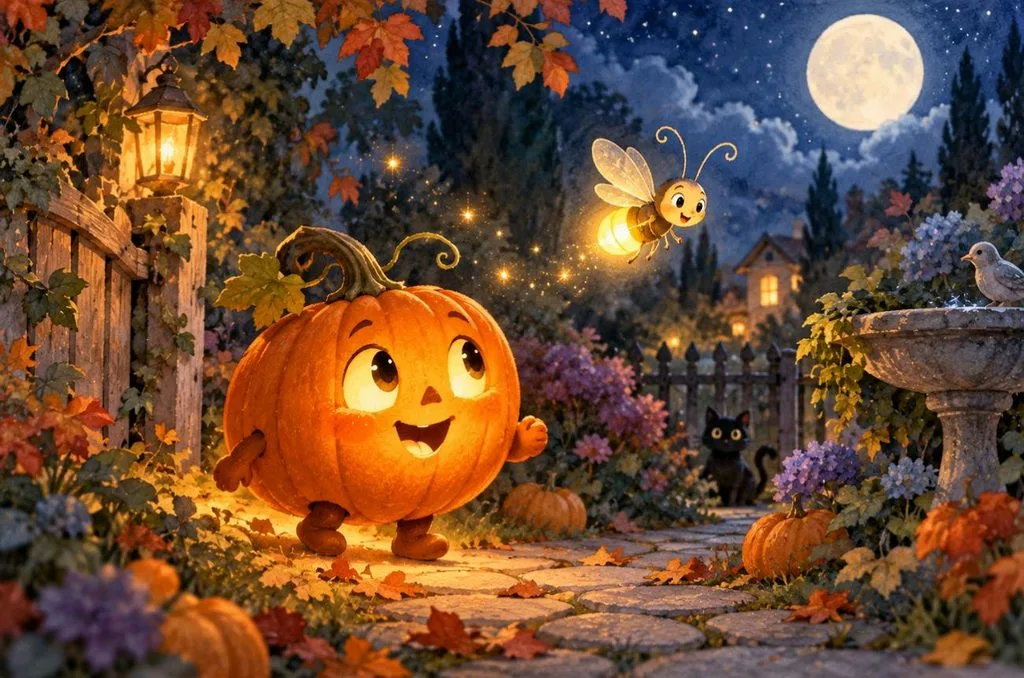
- 失去光芒的小南瓜: A little jack-o’-lantern with a flickering candle searches a moonlit garden for its lost glow, guided by a cheerful firefly. Gentle watercolor picture-book style, warm orange against deep blue, 16:9.
- 女巫學校的第一天: Show a young witch with a wobbly broom arriving for her first day at a cozy witch school. Her classmates, a black cat and a toad in tiny hats, wave hello from their desks. Bright classroom, round smiling faces, 16:9.
- 骷髏舞蹈老師: Imagine a cheerful cartoon skeleton in a polka-dot bow tie teaching a fox and a rabbit to dance under paper lanterns. Soft 2D animation style, warm evening colors, 16:9.
教室與派對提示詞
派對邀請卡和門牌都會用到文字,一旦印出來,拼字錯誤就特別顯眼。以下每個提示詞都將指定文字放在引號內,並盡量縮短字句,減少字母出錯的機會。
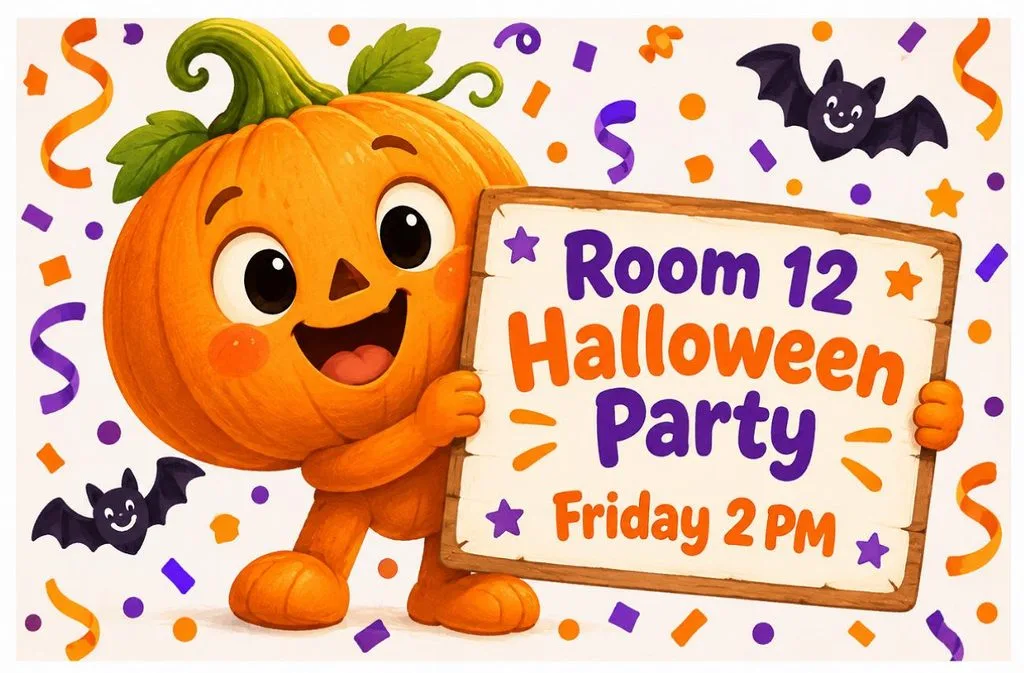
- 班級派對邀請卡: Illustrate a party invitation with a smiling cartoon pumpkin holding a sign that reads “Room 12 Halloween Party, Friday 2 PM” in rounded letters. Orange and purple confetti, white border, 4:3.
- 小怪獸教室門口布條: Make a wide classroom door banner reading “Welcome, Little Monsters!” with five cute monsters peeking over the letters. Bright primary colors, thick outlines, plain white wall behind, 16:9.
- 不給糖就搗蛋安全海報: Poster titled “Shine Bright on Halloween” showing cartoon kids with reflective tape on their costumes. Beside them, a grown-up with a flashlight guides the group across a crosswalk, 9:16.
第 2 部分:如何運用適合孩子的萬聖節 AI 提示詞,製作更好的影片
圖片能留住一個歡樂瞬間,派對影片則需要讓同樣可愛的角色,在多個場景中活動、說話。MagicLight AI 的 Story to Video 功能讓大人能在生成適合孩子的萬聖節故事前,先檢查角色、調整表情,並細修各個場景。
使用 MagicLight AI 製作適合孩子的萬聖節故事影片
MagicLight AI 能將簡單的文字提示詞轉成有旁白的故事影片。它的 兒童故事頁面 主打親切且適齡的兒童內容旁白。由於 MagicLight AI 規定使用者必須年滿 18 歲,家長和老師可以先製作並檢查影片,再分享給孩子觀看。
- 分鏡表情調整: 生成影片前,先調整角色的表情、姿勢和服裝,讓萬聖節場景保持親切有趣。
- 旁白聲音: 你可以從 37 種 AI 聲音中挑選,或使用 聲音複製 功能,以孩子熟悉的成人聲音為故事配上旁白。
- 儲存角色: 使用最多 1,000 字元的提示詞建立角色,再儲存下來,重複用於不同故事。
- 影片長度與語言: 可生成最長 50 分鐘的故事,並提供 11 種語言的配音,滿足不同的課堂需求。
如何使用 MagicLight AI 製作適合孩子的萬聖節故事影片
MagicLight AI 讓你輕鬆將萬聖節點子變成適合孩子的動畫故事影片。依照以下步驟製作影片、自訂角色,並在生成成品前檢查各個場景:
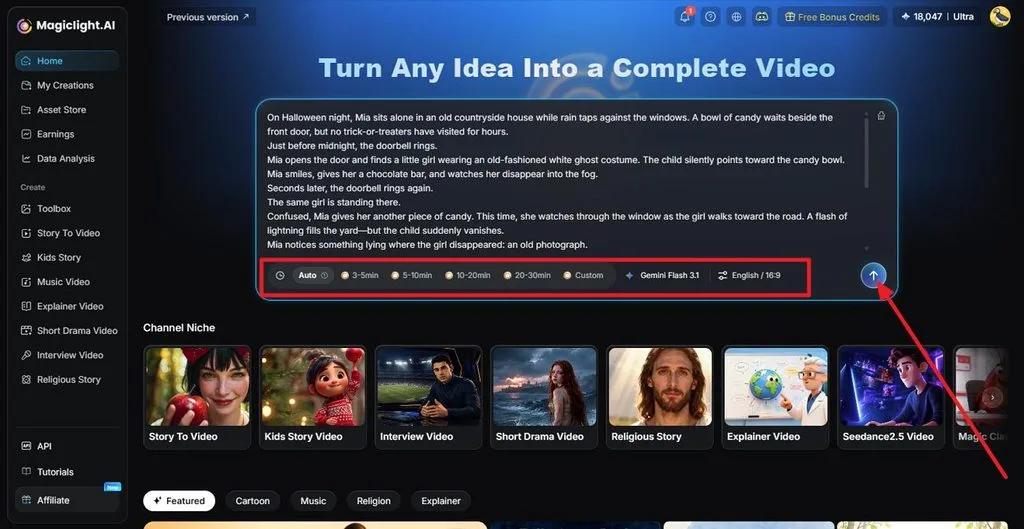
步驟 1:輸入你的萬聖節故事
開啟 Story to Video ,輸入不超過 12,000 字元的提示詞,完整說明故事方向。依需求設定影片長度、選擇語言,再點擊 箭頭 繼續。
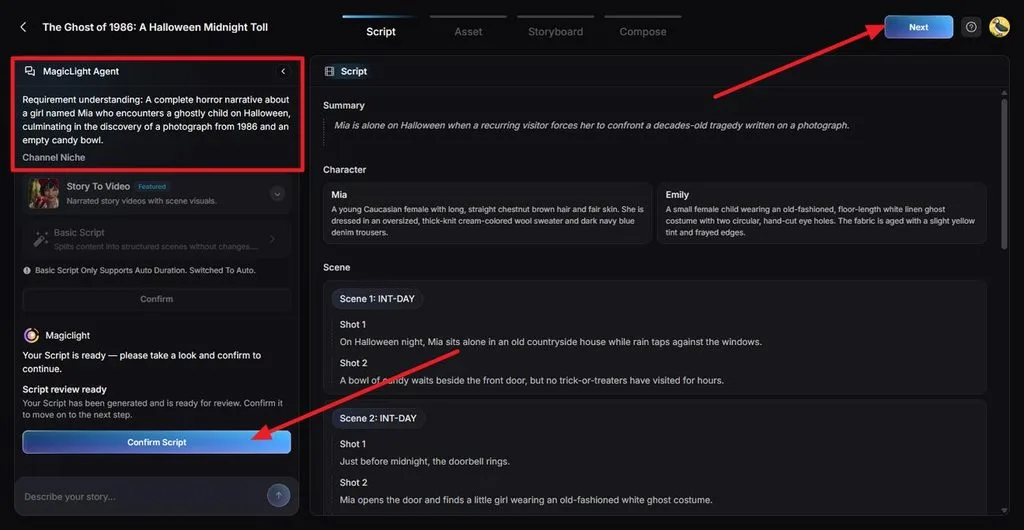
步驟 2:檢查並確認腳本
閱讀生成的 Summary、角色描述、場景和鏡頭內容。確認角色的冒險情節溫和,適合年幼的孩子。完成必要修改後,點擊 Confirm Script。
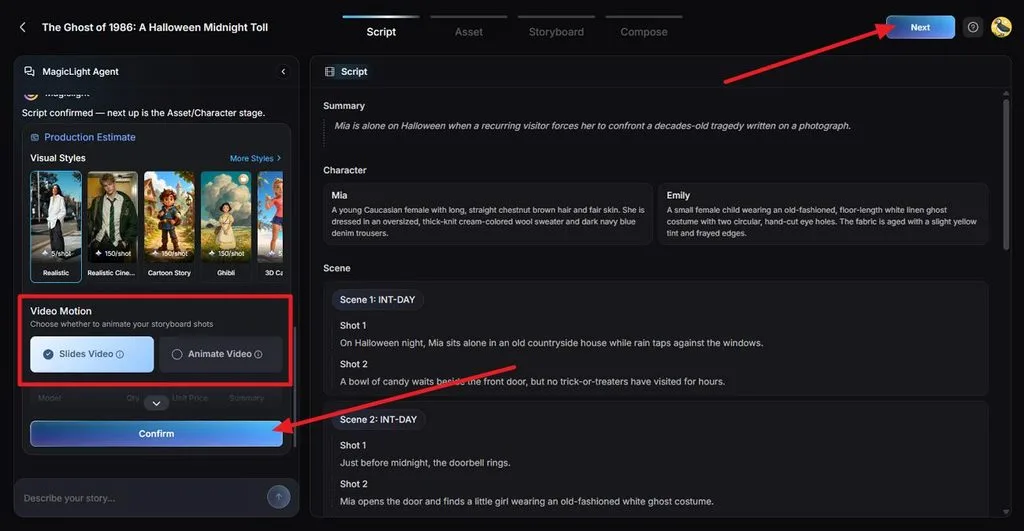
步驟 3:選擇視覺風格與動態呈現方式
在 Visual Style 中挑選適合兒童萬聖節故事的溫馨卡通風格。依照你希望的場景呈現方式,選擇 Slides Video 或 Animate Video。查看預估製作資訊後,點擊 Confirm。
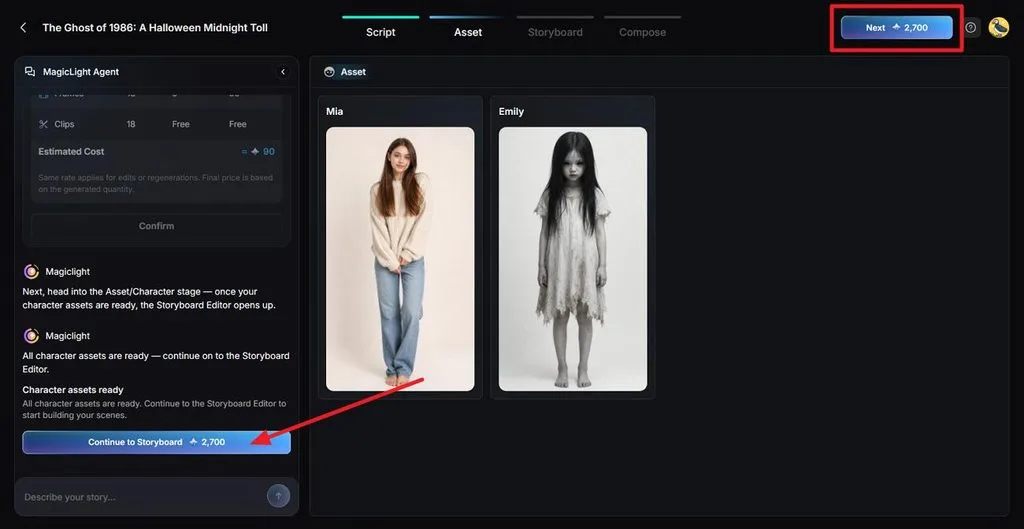
步驟 4:檢查角色素材
檢查生成的角色圖片,確認符合提供的腳本,並留意配色、臉部和整體外觀是否貼合故事。確認滿意後,選擇 Continue to Storyboard。
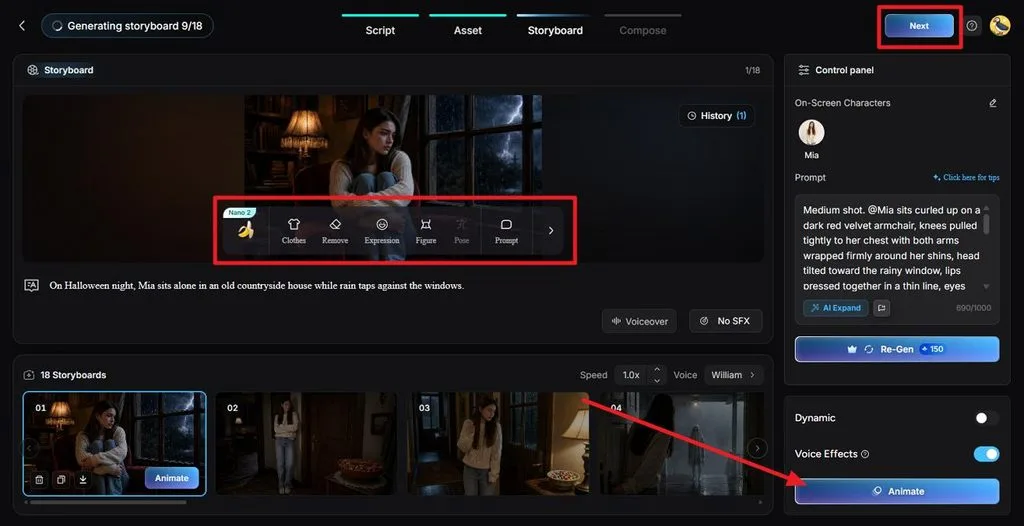
步驟 5:細修分鏡並製作動畫
逐一檢查鏡頭,並使用 Expression、 Clothes、 Pose或 Prompt ,讓角色看起來更親切。將嚇人的表情換掉,必要時重新生成鏡頭。分鏡準備好後,按下 Animate 。
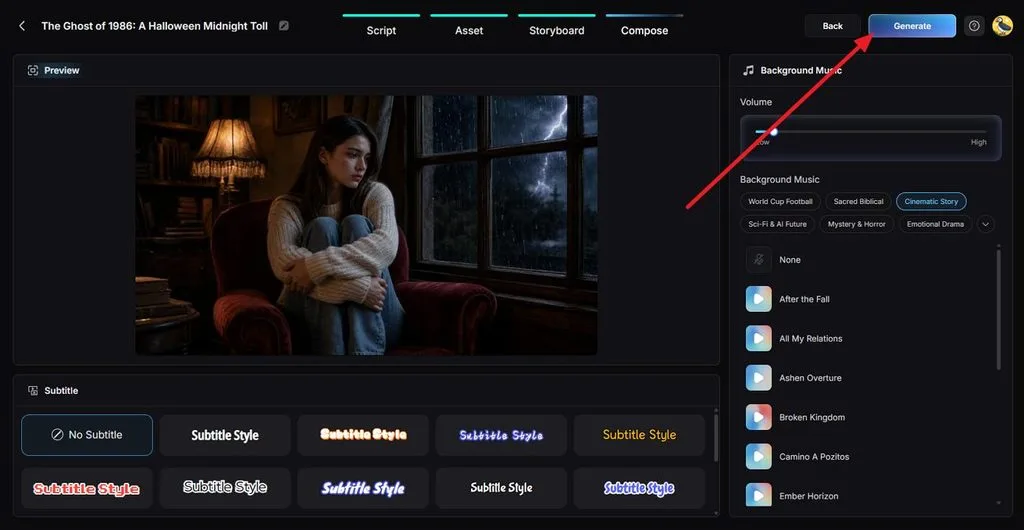
步驟 6:加入音樂與字幕
接著,預覽組合完成的故事。選擇柔和的 Background Music,並調低音量,讓旁白清楚易懂,再選擇容易閱讀的 Subtitle Style。點擊 Generate 繼續。
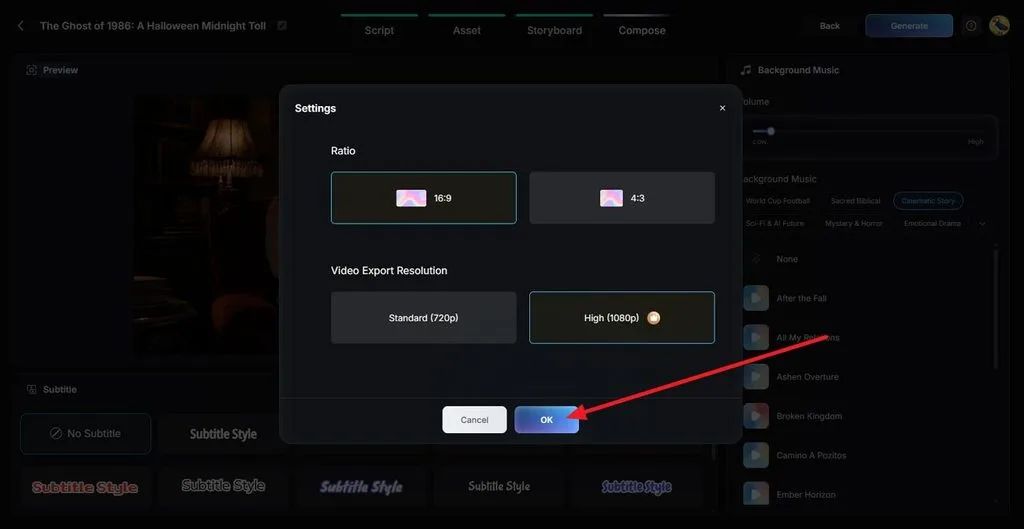
步驟 7:設定匯出畫質
將 Ratio 設為 16:9,以配合教室螢幕,並選擇 Video Export Resolution。選取 OK ,開始生成影片。
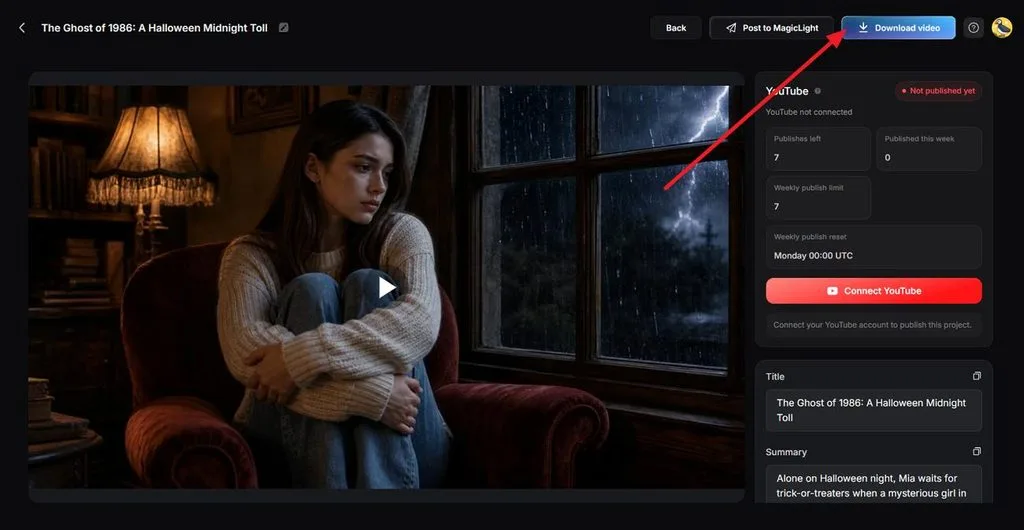
步驟 8:預覽並下載影片
觀看完成的故事,檢查南瓜的外觀、旁白、音樂與場景順序。確認一切都沒問題後,點擊 Download Video 儲存影片。
結語
適合孩子的萬聖節 AI 提示詞,能讓你輕鬆創作友善的怪獸、繽紛插畫、可列印的活動素材,以及充滿想像力的故事。這 15 個創意提示詞以適合年幼孩子的主題,幫助家長和老師規劃有趣的萬聖節活動。透過 MagicLight AI,你還能進一步將點子變成萬聖節動畫故事,自訂角色、旁白與吸引人的畫面。
常見問題
1. 哪些萬聖節 AI 提示詞點子最適合孩子?
溫和的主題很適合年幼的孩子,例如友善的小幽靈、南瓜角色、變裝遊行和著色圖。在提示詞中明確指定氣氛與美術風格,有助於避免生成嚇人的內容。加入南瓜尋找失去光芒這類故事片段,也能讓畫面更有情節。
2. 我可以免費製作適合孩子的萬聖節 AI 圖片嗎?
有些工具提供免費圖片生成服務,但各自有年齡規定。Google 的 Gemini 應用程式提供 Nano Banana 2,可在使用額度內免費使用;ChatGPT 的免費方案則允許青少年經家長同意後使用。MagicLight AI 會提供成人帳號免費點數,不必綁定信用卡。
3. 如何讓 AI 生成的萬聖節照片更逼真?
Google 的 Gemini 圖像模型指南建議:「想製作逼真的圖片,就要像攝影師一樣思考。」以萬聖節場景來說,可以指定使用 35mm 鏡頭,並讓一盞門廊燈的光線穿透霧氣。MagicLight AI 的 Image Generator 也支援上傳真實門廊或南瓜田的照片作為參考。