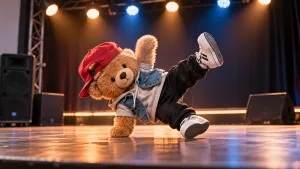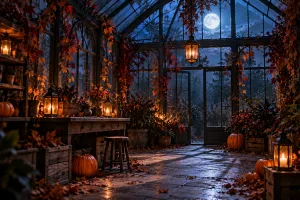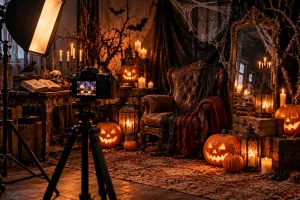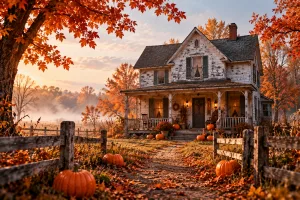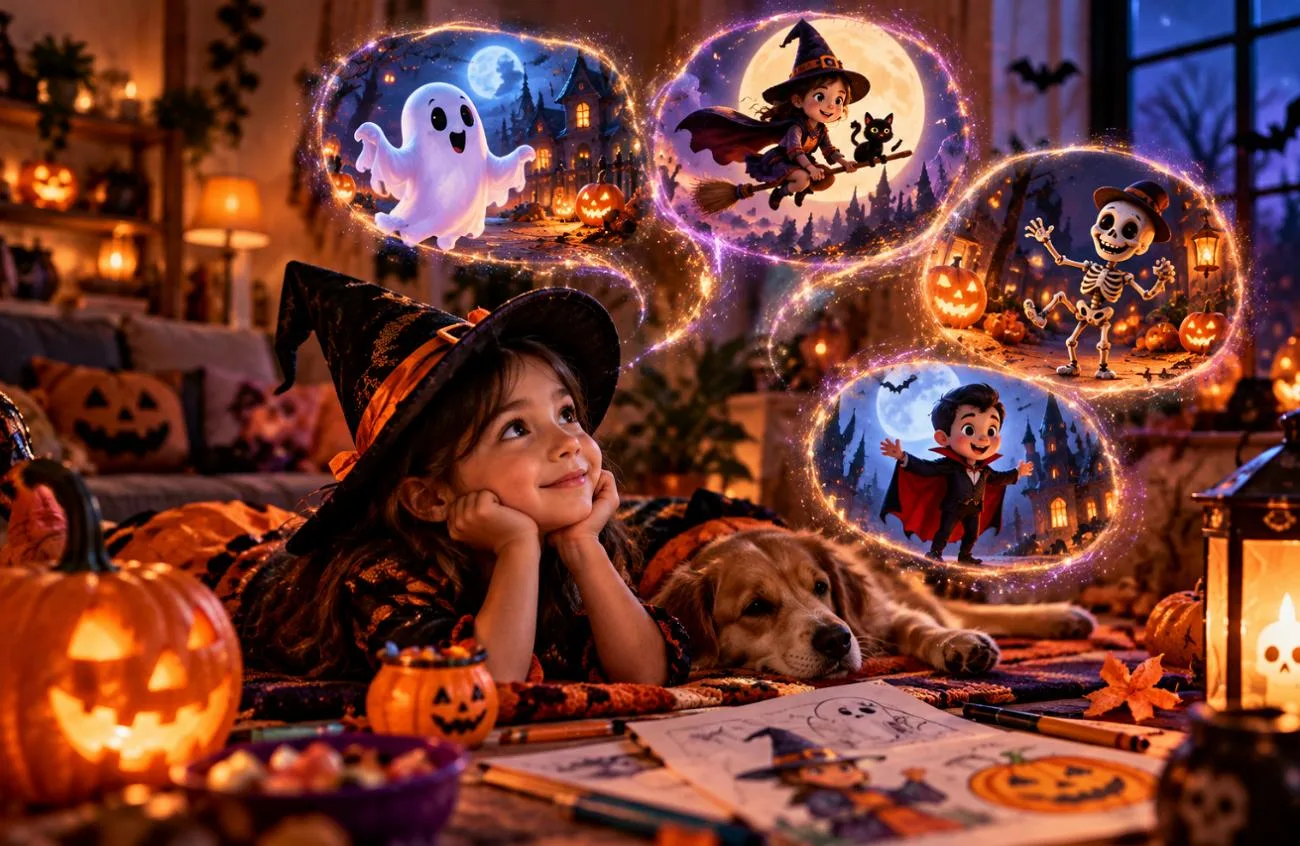
Halloween is a great opportunity for kids to explore their creativity through colorful characters, playful costumes, and spooky stories. With the right Halloween AI prompts for kids, parents and teachers can create friendly ghosts, cartoon monsters, coloring pages, and festive illustrations without complicated design tools.
This guide shares 15 creative Halloween AI prompts for different activities, from classroom decorations to storybook adventures. You'll also learn how MagicLight AI can turn these ideas into Halloween images and animated stories for children.
Part 1. 15 Best Halloween AI Prompts for Kids
Kind faces and soft light keep these 15 Halloween AI prompts for kids on the friendly side of spooky. Every prompt stays within the 500-character field of the Image Generator at MagicLight AI, using one of its four frame sizes.
Friendly Ghost and Monster Prompts
Rounded bodies and pastel colors read as harmless to young children before a single facial feature appears. A small, silly habit, such as a ghost who collects acorns, gives each creature a personality without any fright.
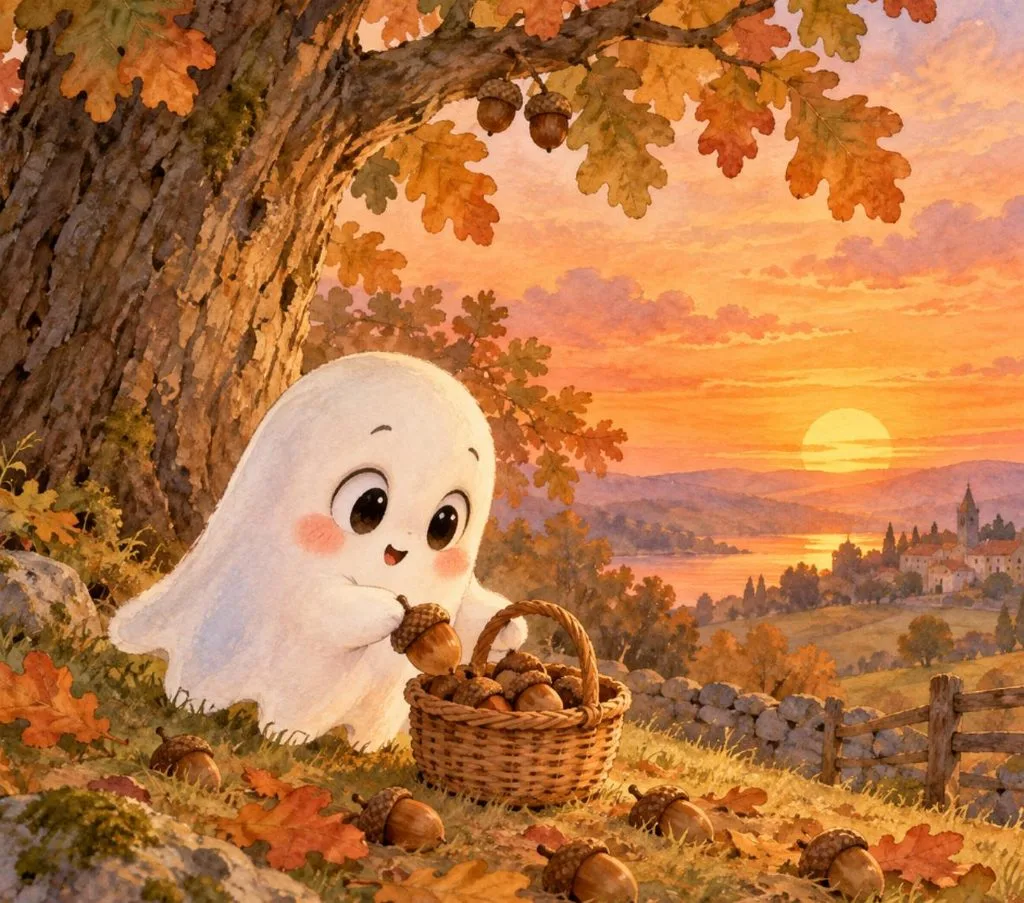
- Acorn-Collecting Ghost: Draw a small round ghost with big curious eyes and rosy cheeks, gathering acorns into a wicker basket under an oak tree at sunset. Soft pastel watercolor, picture-book style, warm orange sky, 4:3.
- Monster Marching Band: Fuzzy little monsters in purple, green, and orange march through a pumpkin patch, playing a drum, a tuba, and maracas. Round shapes, wide gummy smiles, bright 3D cartoon style, 16:9.
- Sleepy Baby Bat: Show a sleepy baby bat hanging upside down from a moonlit branch, wrapped in a tiny striped scarf and mid-yawn. Big shiny eyes, soft blue night colors, a few twinkling stars, cozy children’s book style, 1:1.
Costume and Trick-or-Treat Prompts
These Halloween AI prompts for kids focus on imaginary cartoon characters instead of real children's photos. Homemade costumes, like a cardboard robot suit, add a playful, personal touch that store-bought outfits often lack.
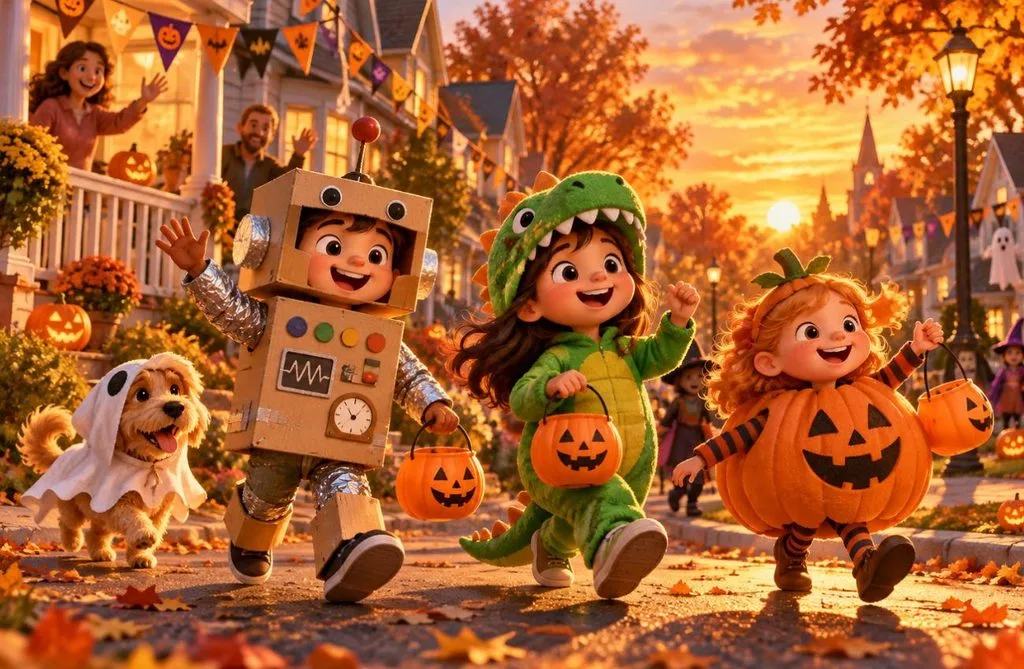
- Cardboard Robot Parade: Cartoon children in homemade costumes, a cardboard robot, a green dinosaur, and a walking pumpkin, parade down a leafy street at golden hour. Waving neighbors, paper bunting, warm 3D animated film style, 16:9.
- Porch Candy Swap: Picture a smiling grandmother in a witch hat handing candy to trick-or-treaters dressed as a mermaid and an astronaut on a lantern-lit porch. Storybook illustration, warm lamplight, 4:3.
- Costume Idea Sheet: Create a character sheet of one cartoon girl in four homemade costumes, labeled in neat letters as “Dragon,” “Lighthouse,” “Taco,” and “Superhero.” Clean white background, bright flat colors, 16:9.
Coloring Page and Craft Prompts
For printable activities, Halloween AI prompts for kids work best with thick black outlines, white backgrounds, and no gray shading. A 4:3 layout also helps fit the artwork onto paper. Use the following prompts to create Halloween coloring pages and simple craft designs:
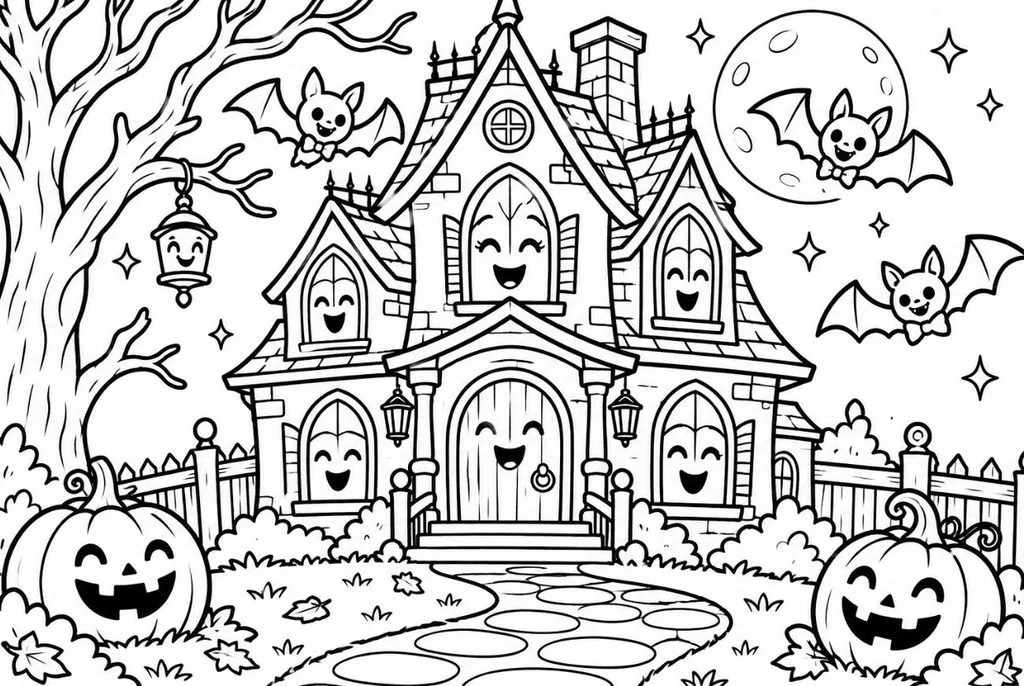
- Haunted House With a Smile: Black-and-white coloring page of a cheerful haunted house with smiling windows, a winding path, and bats wearing bow ties. Thick clean outlines, large open spaces, no gray shading, white background, 4:3.
- Candy Corn Owl Page: Coloring page line art of a big-eyed owl perched on a heap of candy corn under a crescent moon. Bold black outlines, wide spaces for crayons, pure white background, 4:3.
- Pumpkin Carving Faces: Design a printable sheet of six jack-o’-lantern faces, happy, silly, sleepy, surprised, winking, and singing. Solid black shapes on white for tracing onto real pumpkins, 1:1.
Halloween Storybook Prompts
A good Halloween storybook illustration shows a character facing a small problem or trying to reach a goal. The Halloween AI prompts for kids below help create these scenes with clear characters and settings. The dim pumpkin story also returns in Part 2 as an example for creating a narrated video.
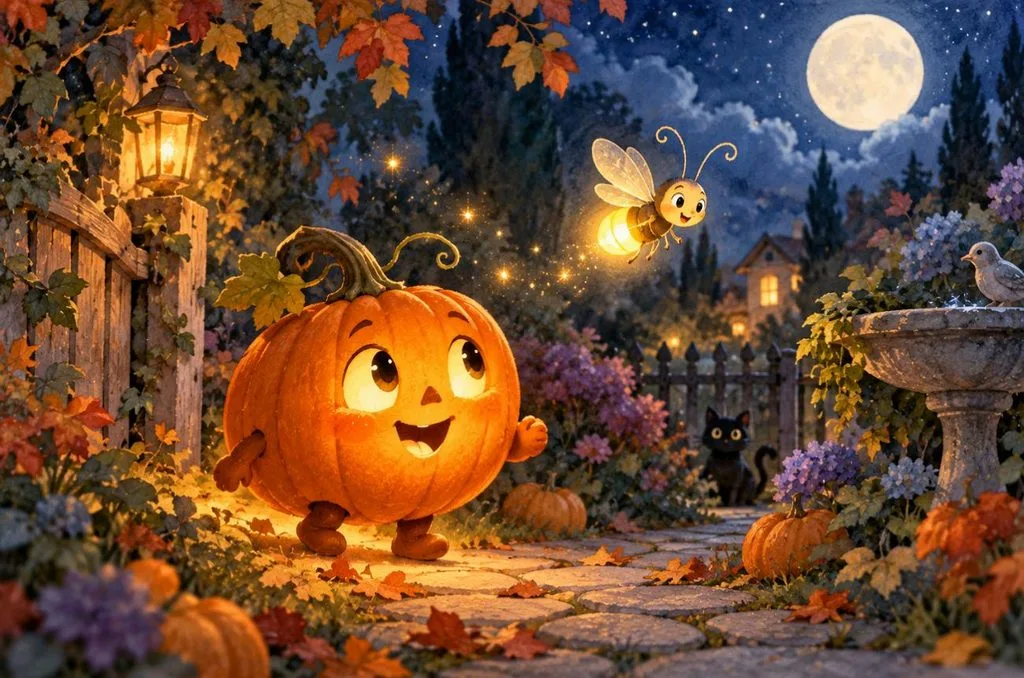
- The Pumpkin Who Lost Its Glow: A little jack-o’-lantern with a flickering candle searches a moonlit garden for its lost glow, guided by a cheerful firefly. Gentle watercolor picture-book style, warm orange against deep blue, 16:9.
- First Day at Witch School: Show a young witch with a wobbly broom arriving for her first day at a cozy witch school. Her classmates, a black cat and a toad in tiny hats, wave hello from their desks. Bright classroom, round smiling faces, 16:9.
- Skeleton Dance Teacher: Imagine a cheerful cartoon skeleton in a polka-dot bow tie teaching a fox and a rabbit to dance under paper lanterns. Soft 2D animation style, warm evening colors, 16:9.
Classroom and Party Prompts
Party invitations and door signs carry words, and spelling mistakes stand out on a printed sheet. Each prompt puts its exact text in quotation marks and keeps it short, leaving fewer letters to go wrong.
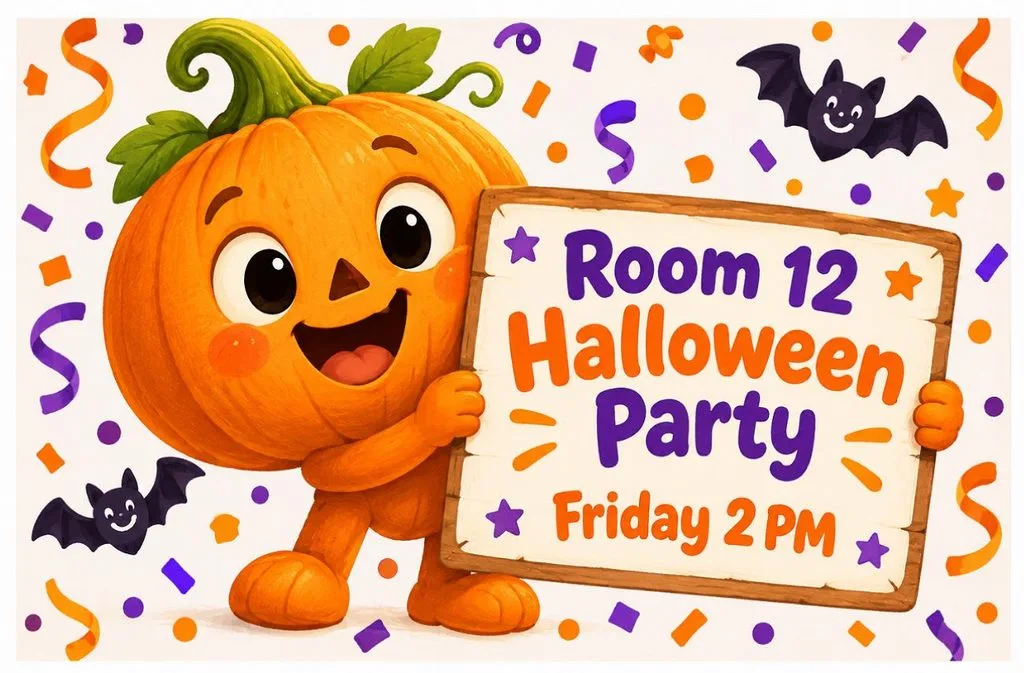
- Class Party Invitation: Illustrate a party invitation with a smiling cartoon pumpkin holding a sign that reads “Room 12 Halloween Party, Friday 2 PM” in rounded letters. Orange and purple confetti, white border, 4:3.
- Little Monsters Door Banner: Make a wide classroom door banner reading “Welcome, Little Monsters!” with five cute monsters peeking over the letters. Bright primary colors, thick outlines, plain white wall behind, 16:9.
- Trick-or-Treat Safety Poster: Poster titled “Shine Bright on Halloween” showing cartoon kids with reflective tape on their costumes. Beside them, a grown-up with a flashlight guides the group across a crosswalk, 9:16.
Part 2. How to Create Better Videos with Halloween AI Prompts for Kids
Pictures hold one cheerful moment, and a party video asks the same sweet characters to move and speak across several scenes. MagicLight AI's Story to Video lets adults review characters, adjust facial expressions, and refine scenes before generating a Halloween story for children.
MagicLight AI for Kids’ Halloween Story Videos
MagicLight AI lets users turn a simple text prompt into a narrated story video. Its kids story page highlights friendly, age-appropriate narration for children's content. Since MagicLight AI requires users to be at least 18 years old, parents and teachers can create and review these videos before sharing them with children.
- Storyboard Expressions: Adjust characters' facial expressions, poses, and clothing before generating the video to keep Halloween scenes friendly and fun.
- Narrator Voices: Choose from 37 AI voices or use voice cloning to narrate stories in a familiar adult's voice.
- Saved Characters: Create characters using prompts of up to 1,000 characters, then save and reuse them across multiple stories.
- Runtime and Languages: Generate stories up to 50 minutes long, with voiceovers available in 11 languages for different classroom needs.
How to Make a Kids’ Halloween Story Video With MagicLight AI
MagicLight AI makes it easy to turn Halloween ideas into animated story videos for kids. Follow the steps below to create your video, customize the characters, and review the scenes before generating the final result:
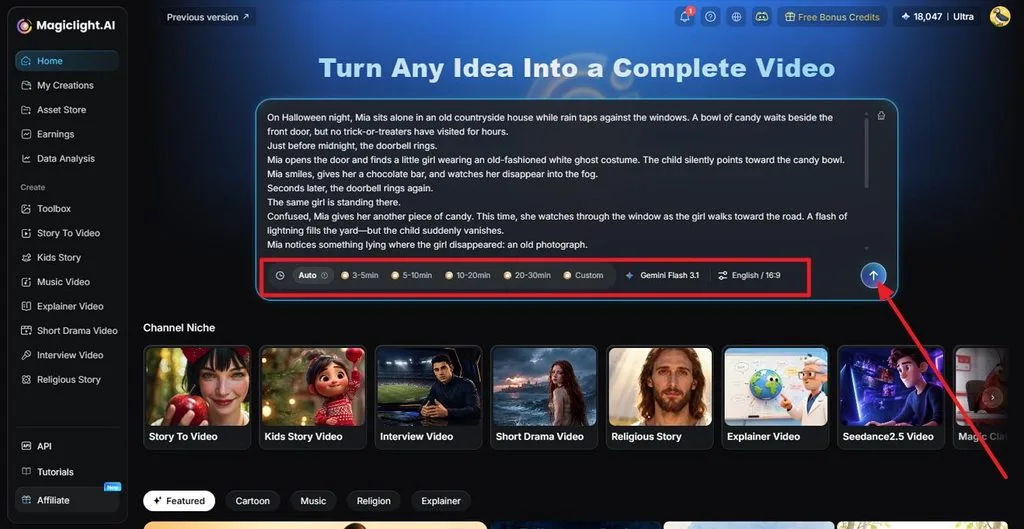
Step 1. Add Your Halloween Story
Open Story to Video and enter a prompt within 12,000 characters for a complete direction. Set the duration according to your requirements, choose your language, and click the Arrow to continue.
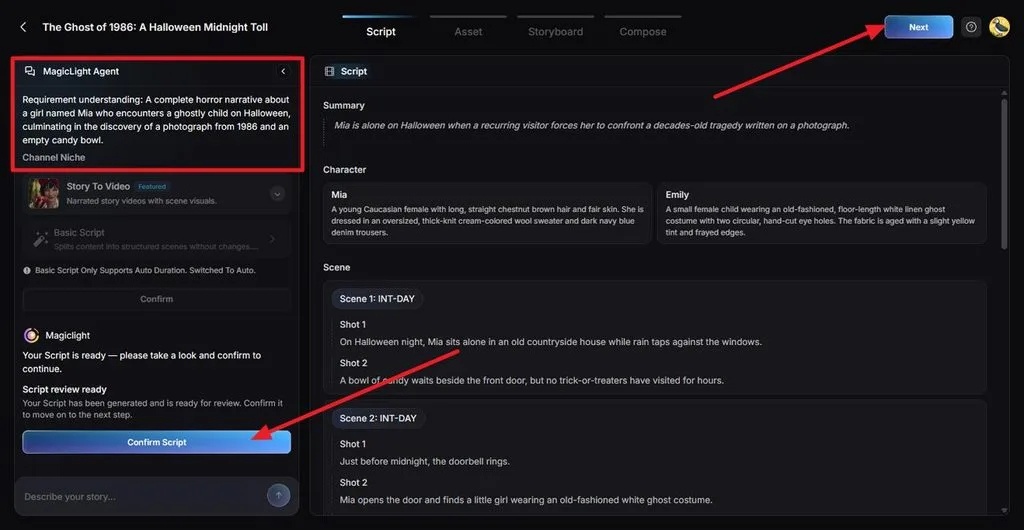
Step 2. Review and Confirm the Script
Read the generated Summary, character descriptions, scenes, and shots. Check that the character’s adventure stays gentle and suitable for small ages. Make any changes needed, then click Confirm Script.
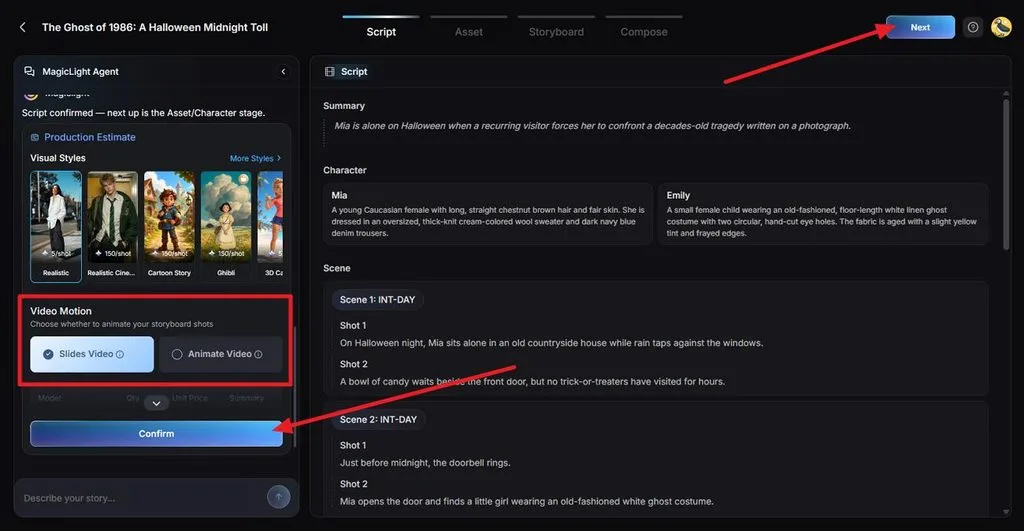
Step 3. Choose the Visual Style and Motion
Pick a warm cartoon Visual Style that suits a children's Halloween story. Choose Slides Video or Animate Video, depending on how you want the scenes presented. Review the production estimate and click Confirm.
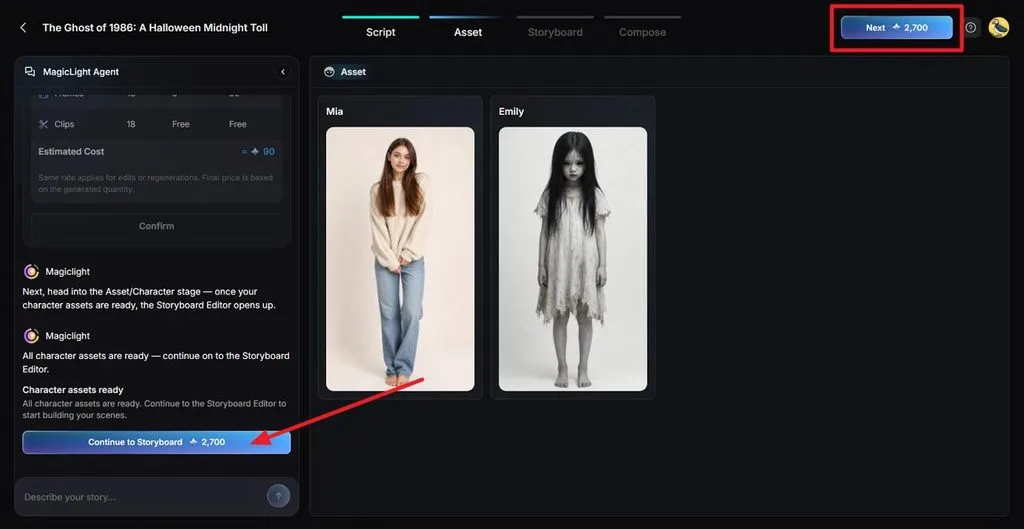
Step 4. Review the Character Assets
Check the generated character images and verify that they are according to the provided script. Make sure their colors, faces, and overall appearance match the story. Once satisfied, select Continue to Storyboard.
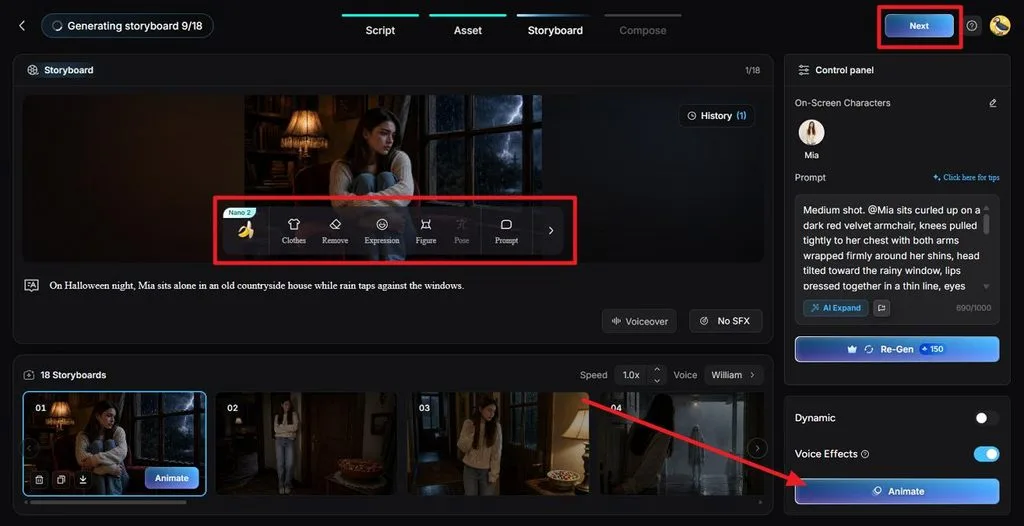
Step 5. Refine and Animate the Storyboard
Review each shot and use Expression, Clothes, Pose, or Prompt to make the characters look friendly. Replace any frightening expressions, regenerate shots if needed, and press Animate when the storyboard is ready.
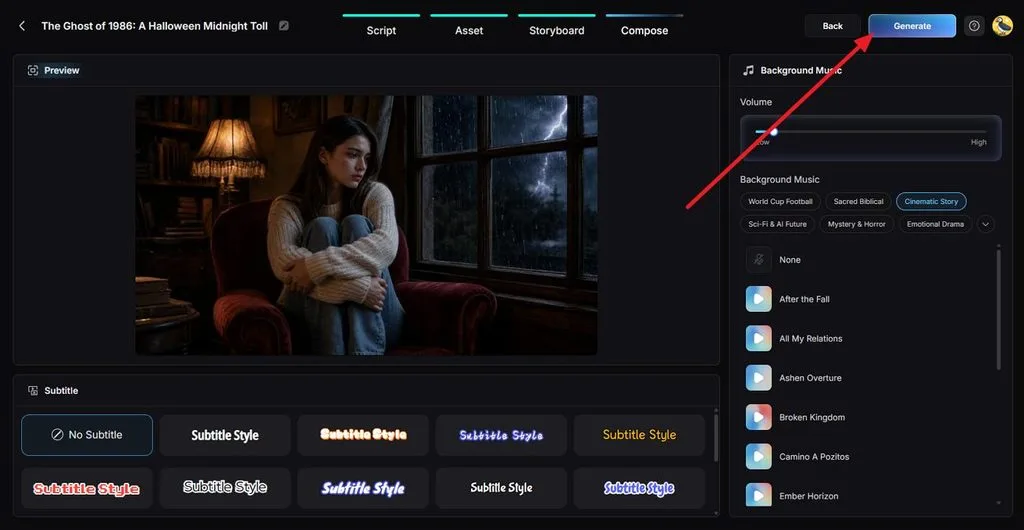
Step 6. Add Music and Subtitles
Next, preview the assembled story. Choose gentle Background Music, lower its volume so the narration stays clear, and select an easy-to-read Subtitle Style. Click Generate to continue.
Step 7. Set the Export Quality
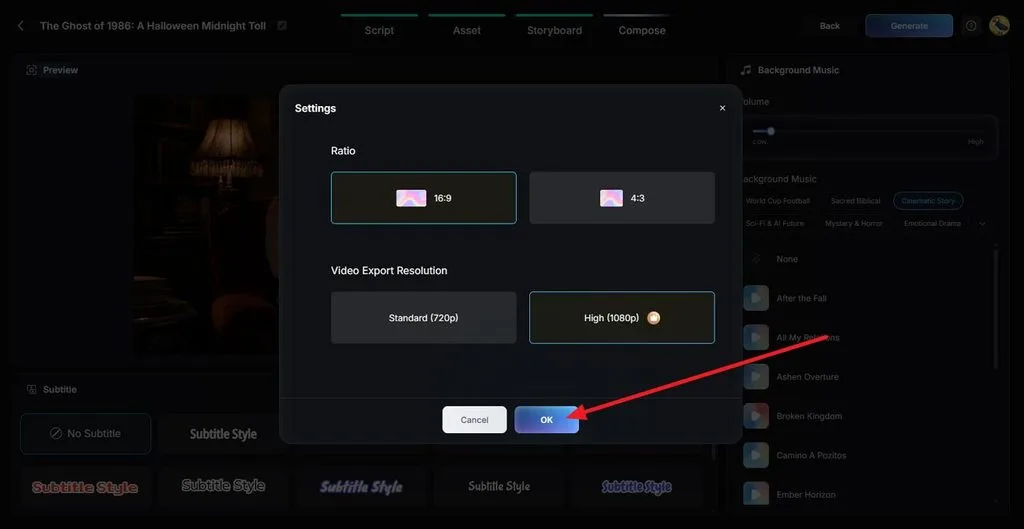
Choose a 16:9 Ratio for classroom screens and select the Video Export Resolution. Select OK to generate the video.
Step 8. Preview and Download the Video
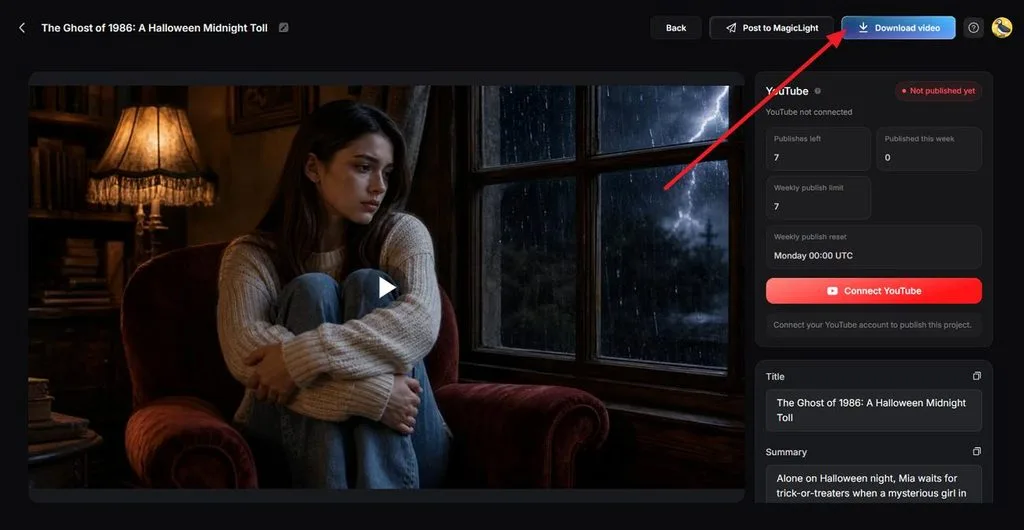
Watch the finished story to check the pumpkin's appearance, narration, music, and scene order. If everything looks right, click Download Video to save it.
Conclusion
Halloween AI prompts for kids make it easy to create friendly monsters, colorful illustrations, printable activities, and imaginative stories. These 15 creative prompts help parents and teachers plan fun Halloween activities with themes suitable for young children. With MagicLight AI, you can take these ideas further by creating animated Halloween stories with customizable characters, narration, and engaging visuals.
Frequently Asked Questions
1. What are the best Halloween AI prompt ideas for children?
Mild themes hold up well with young children, such as friendly ghosts, pumpkin characters, costume parades, and coloring pages. Naming the mood and an art style steers results away from fright. Story moments, like a pumpkin searching for its glow, add a plot.
2. Can I create Halloween AI images for kids for free?
Several tools generate images for free, with age rules attached. Google’s Gemini app includes Nano Banana 2 at no charge within usage limits, and ChatGPT’s free plan admits teens with a parent’s permission. MagicLight AI hands adult accounts free credits without a card on file.
3. How can I make AI-generated Halloween photos look more realistic?
Google’s guide for its Gemini image model advises, “For realistic images, think like a photographer.” For Halloween, that looks like a 35mm lens and one porch lamp glowing through fog. MagicLight AI’s Image Generator also accepts reference photos of a real porch or pumpkin patch.

![How to Make a Product Video for Marketing With AI [Guide 2026]](https://magiclight.ai/wp-2/wp-content/uploads/product-video-marketing-guide-1-300x198.webp)