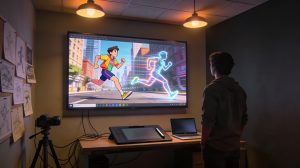
想開一個屬於自己的聖經 YouTube 頻道?只要工作流選對,一個簡單的聖經故事點子,就能做成帶電影感畫面、穩定角色、自然動態、旁白、字幕和背景音樂的完整影片。
本教學用 Magiclight 做一部挪亞方舟影片。同一套流程,也能改成寫實電影感、動畫聖經故事、短影片或長節目。
教學裡用到的提示詞都列在下面,你可以直接改,套到自己的聖經頻道上。
1. 選一個聖經故事
先選一個角色鮮明、有衝突、有情緒、也有畫面潛力的故事。你可以讓 ChatGPT 用下面這句幫你出點子:
Prompt — 請原樣貼上
Give me the 5 most epic Bible stories.
這次教學,我們選了挪亞方舟。
2. 生成最初的故事概念
打開 Magiclight,描述你想做的影片:
Prompt — 請原樣貼上
I want to create an amazing video about Noah’s Ark, with cinematic quality, powerful storytelling, and epic visuals.
選擇 Story to Video,再選一個故事模型。這個例子用的是 GPT-5.6,Gemini 和 Claude 也可以。
再選視覺風格。這個專案用的是 Sacred Realism。在 Settings 裡,把畫幅設為 16:9,語言設為 English,時長選自動,或 3 到 50 分鐘。
Magiclight 會分析這個點子,生成按場景、旁白和畫面內容組織好的完整腳本。
3. 審一遍,再改腳本
出畫面之前,先把完整腳本讀完。檢查旁白、聖經細節、節奏和情緒走向。任何一場戲、任何一句旁白,都可以改到符合你頻道的風格。
4. 做一個始終如一的挪亞角色
Magiclight 會自動辨識故事裡的角色。你可以選現成角色,也可以自訂一個挪亞。
Prompt — 請原樣貼上
Medium shot, eye-level. @Noah stands on the deck of the Ark, gripping a thick rough wooden railing with both hands. His knuckles are tense, his body leans slightly forward, and his head tilts upward as he stares into the stormy heavens with faith and determination. He has long silver-gray hair, a full white beard, and a deeply weathered face. He wears layered ancient robes in muted earth tones. The massive wooden deck around him is dark with pitch, with ropes, masts, and the towering Ark structure behind him. Above, an immense apocalyptic sky churns with bruised iron clouds, deep purple and leaden gray. Dim twilight and storm light create dramatic highlights, long shadows, and a sacred, foreboding atmosphere. Epic biblical cinematic realism, ultra-detailed, majestic, emotionally powerful.
套用並確認結果。同一個自訂挪亞,以後做續集或相關聖經故事都可以接著用。
5. 生成場景
Magiclight 會按腳本和視覺風格,為每個鏡頭生成一張圖。你可以繼續調挪亞的姿勢、視線、體型、表情、服裝、構圖或圖片提示詞。舊版本都會留著,方便對比。
6. 把圖做成動畫
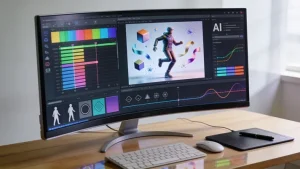
點 Animate,把場景圖變成影片片段。Magiclight 能接到很多主流 AI 影片模型。Seedance 2.5 效果很好,這裡選的是更省成本、適合長內容的 MiniMax H3。需要的話,也可以一次給所有場景出片。
7. 加字幕和音樂
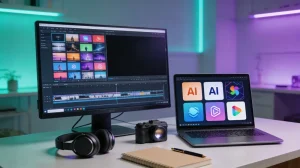
選字幕樣式和背景音樂。這次教學把音樂音量大約設在 40%。畫幅保持 16:9,解析度 1080p,然後點 Generate。
8. 預覽並發布
預覽成片,檢查旁白、轉場、角色一致性、字幕、音樂和節奏。這套工作流能把一個簡單的故事點子,做成適合發 YouTube 的完整聖經影片。
在 Magiclight 裡自己試一遍
選一個聖經故事,定一套有辨識度的視覺風格,讓 Magiclight 在同一條工作流裡幫你完成腳本、角色、場景、動畫、字幕和音樂。