할로윈에는 파티 초대장과 프로필 사진부터 배경화면, 시즌 제품 사진까지 새로운 이미지를 만들 일이 많아요. 하지만 단순한 요청만 입력하면 뻔한 주황색과 검은색 장면이 나오거나 이미지 속 글자가 어색하게 표현되기 쉬워요.
할로윈 이미지 프롬프트를 구체적으로 작성하면 생성 도구에 주제, 스타일, 조명, 구도, 넣을 문구를 더 명확하게 전달할 수 있어요. 이런 세부 사항을 더하면 장난기 넘치는 어린이용 스티커부터 으스스한 코스튬 파티 포스터까지 더 개성 있는 결과를 얻는 데 도움이 돼요.
1부. 용도별 최고의 할로윈 이미지 프롬프트 20가지
할로윈 이미지는 정사각형 프로필 사진, 인쇄용 색칠 도안, 가로로 긴 행사 배너 등 용도가 다양해요. 할로윈 이미지 프롬프트를 화면 비율과 스타일로 시작하면 첫 시도부터 용도에 맞는 결과를 얻기 쉬워요.
SNS 게시물과 프로필 사진용 프롬프트
피드 게시물과 프로필 사진은 작은 썸네일로 보이기 때문에 배경의 디테일보다는 또렷한 얼굴과 눈에 띄는 포인트 색상 하나가 더 중요해요. 대부분의 피드에는 정사각형인 1:1 비율이, 스토리에는 9:16 비율이 잘 맞아요.
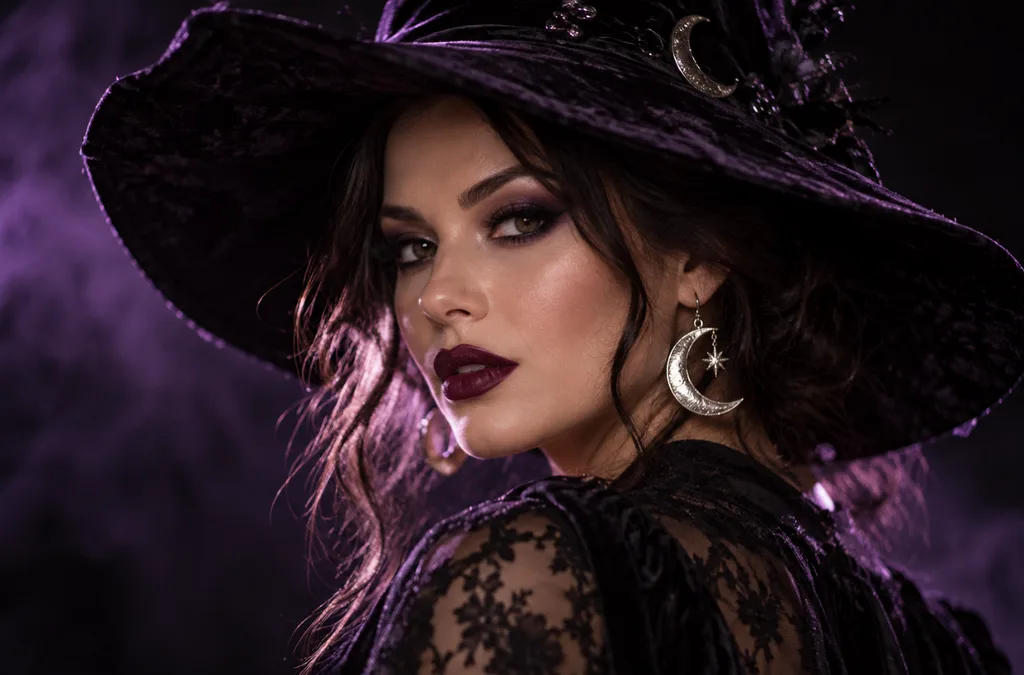
- 1:1 | Photoreal portrait. A woman in dramatic witch makeup with dark plum lipstick and a wide-brimmed velvet hat, silver moon earrings catching the light. Soft purple backlight, shallow depth of field, black background.
- 1:1 | 3D cartoon avatar. A cheerful vampire character with tiny fangs, slicked-back hair, and round glasses, smiling at the viewer. Clean studio lighting and a smooth orange gradient background for a profile picture.
- 4:3 | Candid film photo. Four friends in homemade costumes (a mummy, a scarecrow, a witch, and a skeleton) laugh on a porch strung with orange lights. Warm flash, slight grain, and autumn leaves on the steps.
- 9:16 | Story background. A moonlit window with lace curtains and a glowing jack-o’-lantern on the sill, rain streaking the glass. Dark blue tones and empty space at the top for text.
초대장, 포스터, 전단지용 프롬프트
초대장에는 글을 넣을 공간이 필요해요. 따라서 인쇄용 할로윈 이미지 프롬프트에는 따옴표로 묶은 짧은 제목을 요청하거나 빈 공간을 남겨 달라고 적어주세요. 이미지에 들어가는 문구를 몇 단어로 제한하면 철자 오류를 줄일 수 있어요.
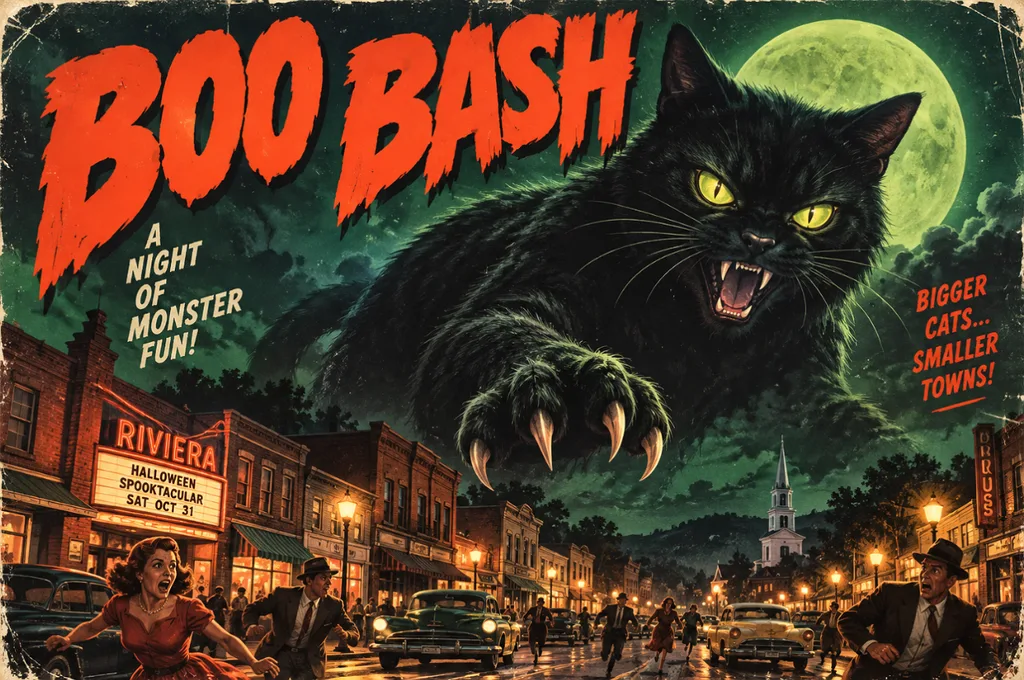
- 4:3 | Vintage horror poster. A giant black cat looms over a sleepy 1950s town under a green moon, in retro B-movie poster style. Bold headline text reading “BOO BASH” across the top.
- 9:16 | Elegant invitation. A black-and-gold party invitation framed by bats, lit candles, and ornate filigree corners. Calligraphy reading “Join Us” at the top, with blank space underneath for event details.
- 16:9 | Event banner. A pumpkin patch at golden hour with hay bales, string lights, and a red barn in the distance. Leave the left third of the frame empty for festival text.
- 4:3 | Kids’ flyer illustration. A bright cartoon haunted house with friendly ghosts waving from the windows and candy scattered on the path. Playful title text reading “Trick-or-Treat Trail” in bubbly orange letters.
배경화면과 배경 이미지용 프롬프트
배경화면은 아이콘과 창 뒤에 깔리기 때문에 중앙은 단순하게 유지하고 세부 요소를 가장자리에 배치하는 것이 좋아요. 휴대폰 화면에는 9:16 비율이, 데스크톱과 프레젠테이션 슬라이드에는 16:9 비율이 적합해요.
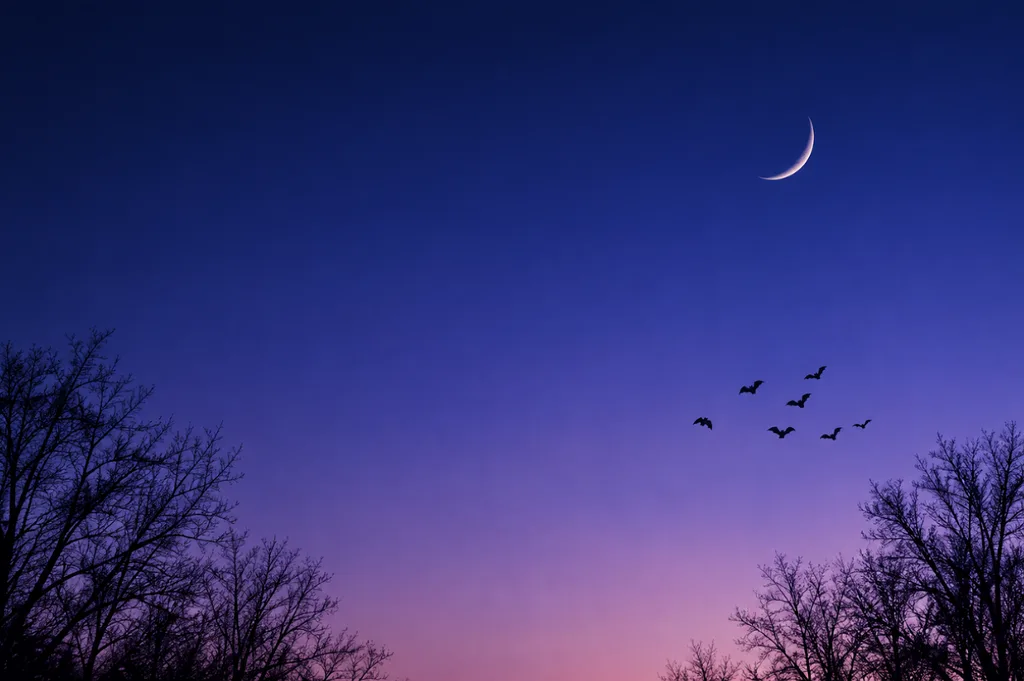
- 9:16 | Minimalist phone wallpaper. A thin crescent moon above silhouetted bare trees, with a small flock of bats crossing the sky. Smooth navy-to-violet gradient and plenty of empty space for app icons.
- 16:9 | Painterly desktop wallpaper. A cozy witch’s reading nook with potion shelves, stacked spell books, and a sleeping cat on a velvet chair. Warm candlelight inside, rain on the window, rich oil-painting texture.
- 1:1 | Repeating pattern. Tiny pumpkins, smiling ghosts, candy corn, and gold stars scattered evenly on a cream background. Flat vector style with a limited orange, black, and mint palette.
- 16:9 | Cinematic landscape. A foggy pumpkin field at blue hour with a crooked scarecrow and distant farmhouse windows glowing orange. Matte-painting style, low drifting mist, and a deep indigo sky.
귀여운 인쇄물과 어린이용 디자인 프롬프트
인쇄물과 스티커는 오려 쓰거나 색칠하기도 하고, 파티 답례품에 넣기 위해 작게 인쇄하기도 하므로 깔끔한 테두리와 단순한 형태가 필요해요. 굵은 외곽선과 단색 배경을 요청하면 인쇄하기 더 편한 결과를 얻을 수 있어요.
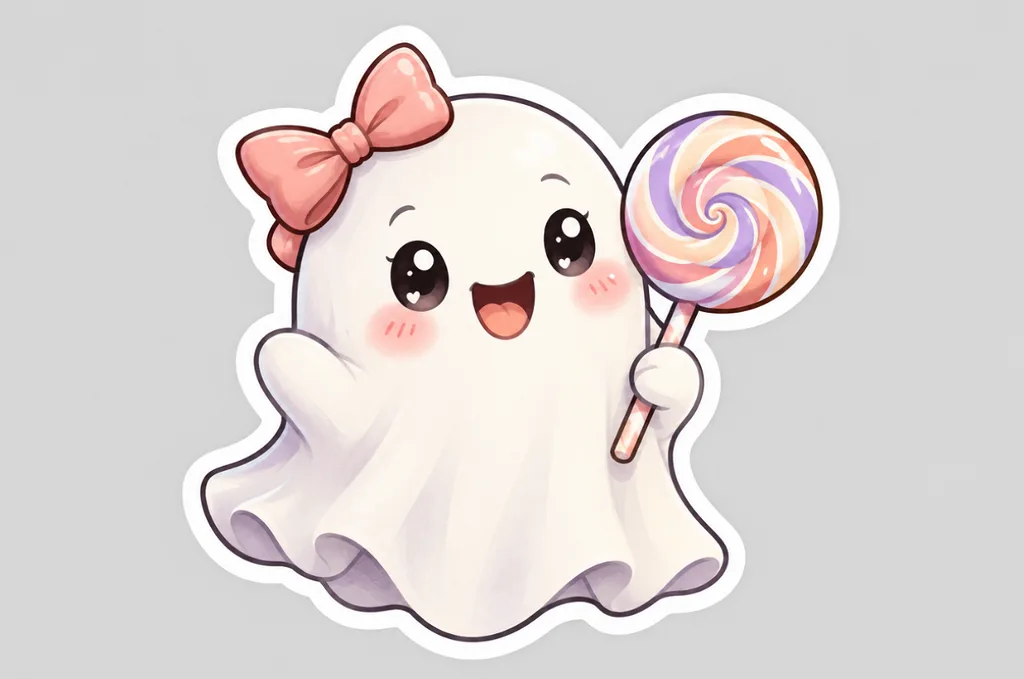
- 1:1 | Die-cut sticker. A kawaii ghost holding a striped lollipop, with rosy cheeks and a tiny bow. Thick white border, pastel colors, and a plain light gray background.
- 4:3 | Coloring page. Black-and-white line art of a friendly witch flying over a village of pumpkins on her broom. Clean, bold outlines, no shading, and large open areas for coloring.
- 1:1 | Storybook pet portrait. A corgi in a purple wizard hat and star-print cape sits beside a basket of candy. Soft watercolor style, warm lamplight, and gentle paper texture.
- 4:3 | Children’s book illustration. A small family of friendly monsters carves pumpkins together at a wooden kitchen table. Golden kitchen light, cozy colors, and a hand-painted gouache look.
브랜드 및 제품 이미지용 프롬프트
10월 캠페인용 제품 이미지에서는 소품이 제품을 가리지 않고 주변을 꾸며주도록 배치하는 것이 좋아요. 실제 제품 사진을 참고 이미지로 업로드하면 라벨, 색상, 패키지를 정확하게 표현하는 데 도움이 돼요.
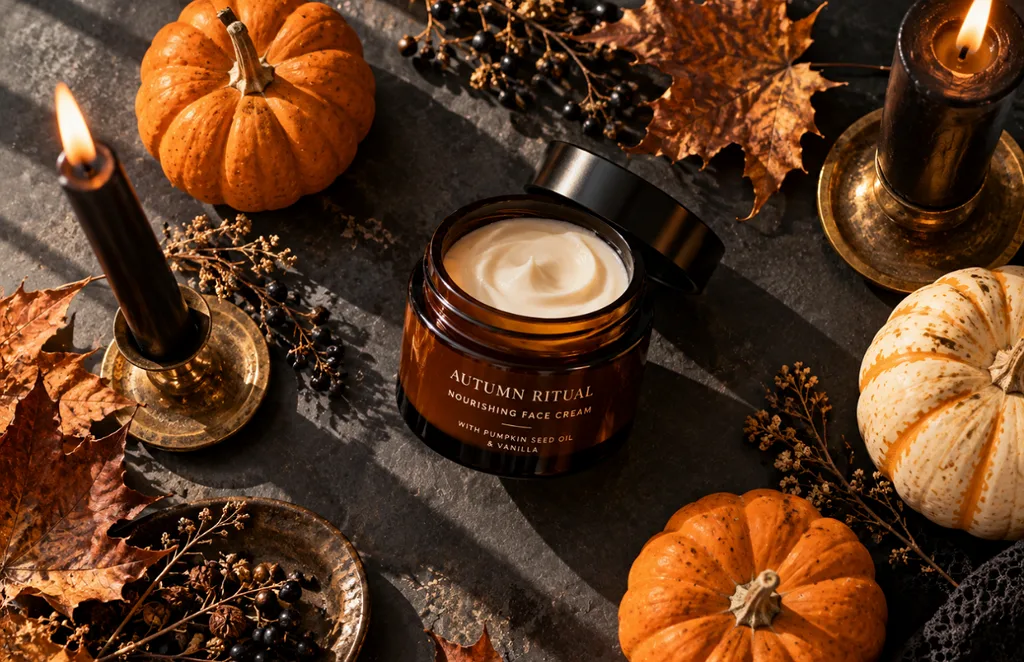
- 1:1 | Product flat lay. An amber skincare jar surrounded by mini pumpkins, dried leaves, and black taper candles on a slate surface. Overhead view, soft window light, and long gentle shadows.
- 4:3 | Moody food photo. Chocolate cupcakes topped with spiderweb frosting and candy eyes sit on a dark wooden board. Low side light, deep shadows, and a dusting of cocoa powder.
- 9:16 | Editorial fashion photo. A pair of black leather boots on a stone step covered in autumn leaves, a lantern glowing beside them. Soft fog in the background and muted, earthy colors.
- 16:9 | Interior design photo. A modern living room styled for Halloween with black candles, velvet pillows, and a pumpkin garland on the mantel. Soft evening light and a calm, upscale mood for a home brand.
2부. 할로윈 이미지 프롬프트는 어떻게 작성하나요?
할로윈 이미지 프롬프트를 쓰는 과정은 일러스트레이터에게 작업을 의뢰하는 것과 비슷해요. 세부 사항을 하나씩 정해주면 모델이 임의로 추측할 부분이 줄어들어요. 다음 7가지 요소를 대체로 이 순서대로 담으면 더 명확하고 일관된 결과를 얻을 수 있어요.
| 요소 | 구체적으로 적을 내용 | 할로윈 예시 |
| 주제 | 주인공이나 주요 사물과 그 행동 | 마법서를 읽는 마녀 |
| 배경 | 장소, 시간대, 날씨 | 해 질 무렵 안개가 낀 호박밭 |
| 스타일 | 표현 매체나 미술 스타일 | 수채화, 3D 카툰, 1950년대 공포 영화 포스터 |
| 조명 | 빛의 출처와 색상 | 촛불의 은은한 빛 또는 차가운 달빛 |
| 구도 | 화면 구성, 카메라 각도, 여백 | 제목을 넣을 공간이 있는 로우 앵글 클로즈업 |
| 색상 팔레트 | 주요 색상 2~4가지 | 주황색, 검은색, 짙은 보라색 |
| 텍스트 | 따옴표로 묶은 짧고 정확한 문구 | “Happy Haunting” |
30~60단어 길이의 프롬프트라면 지시가 서로 충돌하지 않으면서도 모델에 충분한 세부 정보를 전달할 수 있어요. 첫 결과를 확인한 뒤에는 조명이나 스타일처럼 한 번에 한 가지 요소만 바꿔보세요. 어떤 요소가 결과에 영향을 주었는지 파악하기 쉬워요.
3부. 최고의 AI 이미지 생성 도구로 할로윈 프롬프트를 이미지로 만들기
할로윈 이미지 프롬프트를 잘 작성했더라도 세부 지시를 따르고, 참고 이미지를 활용하며, 용도에 맞는 화면 비율을 제공하는 생성 도구가 필요해요. MagicLight AI 는 Seedream 5.0 Pro, GPT Image 3가지 버전, Nano Banana 2를 포함한 이미지 모델 5개를 하나의 패널에서 제공해요. 같은 할로윈 프롬프트를 각 모델로 실행해 결과를 빠르게 나란히 비교할 수 있어요.
각각 최대 20MB인 참고 이미지를 여러 장 업로드해 의상, 반려동물, 제품 라벨 등을 표현하는 데 활용할 수 있어요. 이미지가 완성되면 Image to Video 로 으스스한 분위기의 움직이는 영상으로 바꿀 수 있어요. 또 가입 시 제공되는 무료 크레딧으로 선결제 없이 첫 작품을 만들어볼 수 있어요.
MagicLight AI로 할로윈 프롬프트를 이미지로 만드는 방법
MagicLight AI에서는 프롬프트로 할로윈 이미지 제작을 시작하고 참고 이미지, 모델 설정, 출력 옵션으로 결과를 다듬을 수 있어요. 아래 단계에서 할로윈 아이디어를 입력하는 것부터 최종 이미지를 저장하는 것까지 전체 과정을 안내해요.
1단계. 이미지 도구 열기
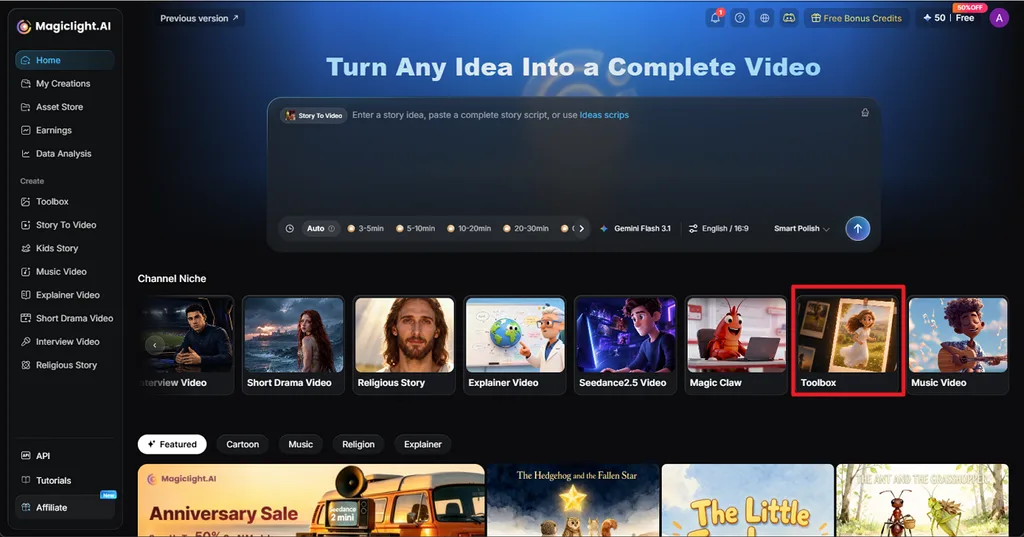
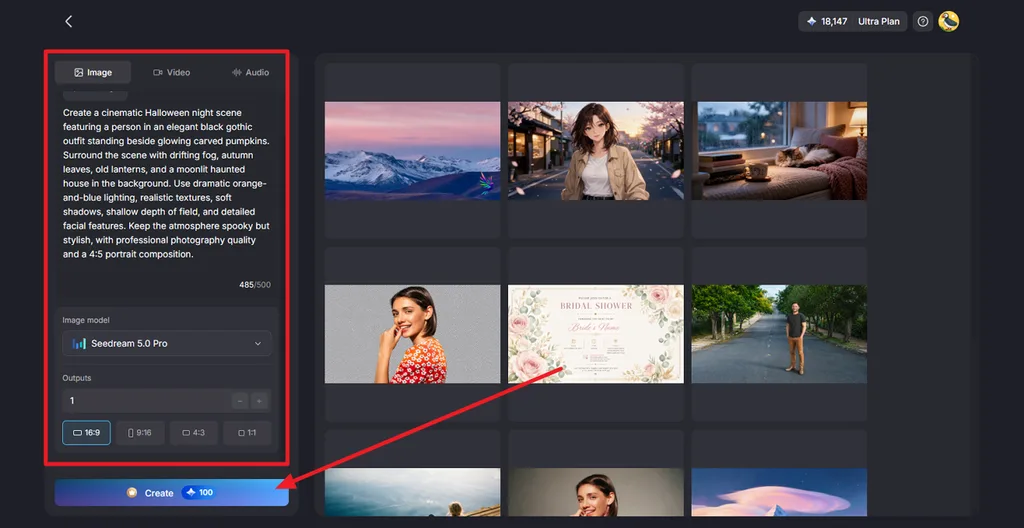
MagicLight AI 홈페이지에서 Toolbox를 선택한 다음 Image 탭을 선택하세요. 프롬프트 입력란에 할로윈 이미지 프롬프트를 입력하고, 필요하면 참고 이미지도 추가하세요.
2단계. 이미지 설정을 선택하고 생성하기
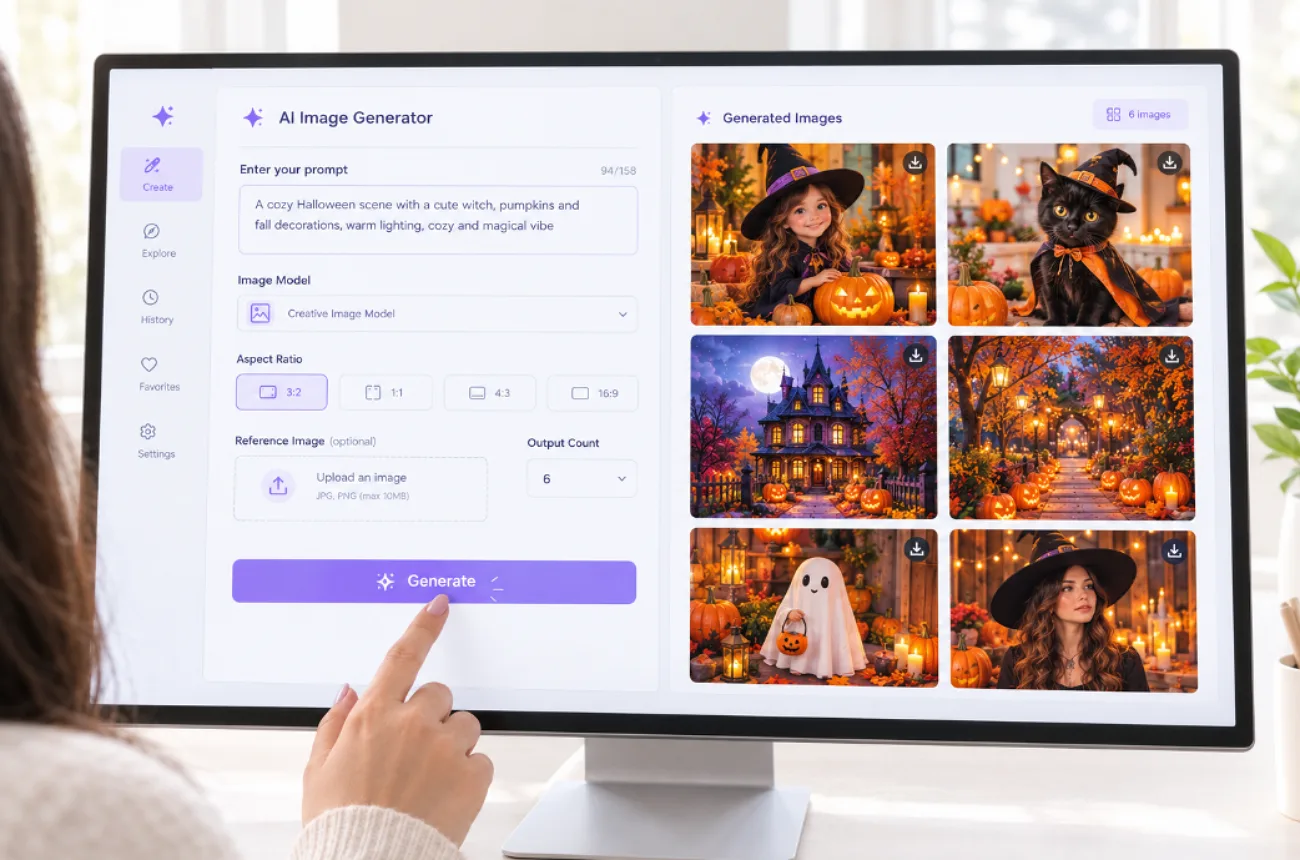
사용할 Image Model을 선택하고, 생성할 이미지 수를 Outputs에서 정한 뒤, Aspect Ratio 를 16:9, 9:16, 4:3, 1:1 등으로 설정하세요. Create 를 클릭하면 할로윈 이미지가 생성돼요.
3단계. 결과 미리 보고 다운로드하기
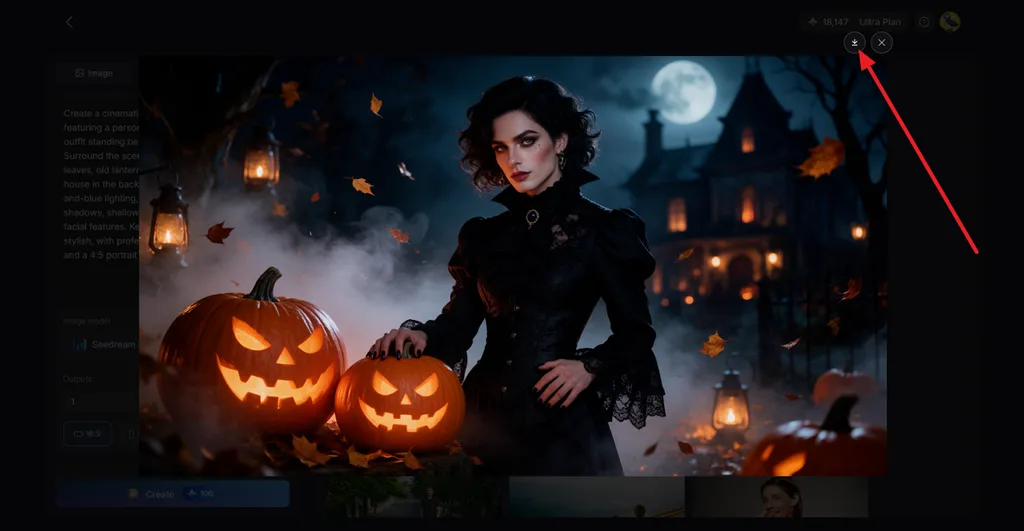
생성된 이미지를 열어 주제, 조명, 호박, 배경 등 중요한 세부 요소를 확인하세요. 결과가 마음에 들면 Download 아이콘을 클릭해 저장하세요. 이미지를 으스스한 영상으로 바꾸려면 Image to Video를 사용하세요.
마무리
좋은 할로윈 이미지 프롬프트는 명확한 주제로 시작해 스타일, 조명, 구도, 색상 팔레트, 필요한 짧은 문구를 더해 완성해요. YouTube 프로필 사진, 초대장, 배경화면, 인쇄물, 제품 사진은 각각 용도에 맞는 화면 비율과 디테일 수준이 필요해요. MagicLight AI는 모델 5개와 여러 참고 이미지를 활용해 이런 프롬프트를 완성된 이미지로 만들어주고, 마음에 드는 이미지를 짧은 애니메이션 영상으로 바꿔줄 수도 있어요.
할로윈 이미지 프롬프트 자주 묻는 질문
1. 좋은 할로윈 이미지 프롬프트란 무엇인가요?
좋은 할로윈 이미지 프롬프트는 주제, 배경, 스타일, 광원, 화면 비율을 담은 간결한 작업 의뢰서와 같아요. 예를 들어 보름달 아래 호박 위에 앉아 있는 검은 고양이를 주황색과 보라색으로 그린 1:1 비율의 수채화를 요청할 수 있어요.
2. 할로윈 AI 이미지 프롬프트는 어떻게 작성하나요?
주제와 그 대상의 행동부터 적고, 배경과 수채화, 실사, 3D 카툰 같은 미술 스타일을 더하세요. 빛과 두세 가지 색상을 묘사하고 화면 비율을 정한 다음, 넣고 싶은 짧은 문구를 따옴표로 묶어주세요.
3. 할로윈 이미지를 만들 수 있는 AI 도구는 무엇인가요?
MagicLight AI는 하나의 패널에서 모델 5개, 여러 참고 이미지 업로드, 화면 비율 4가지를 활용해 할로윈 이미지를 만들 수 있어요. 완성된 이미지는 Image to Video로 움직이는 영상으로 바꾸거나 Lip Sync로 말하는 인물 영상으로 만들 수 있어 으스스한 분위기의 SNS 게시물에 잘 어울려요.
![더 좋은 영상을 만드는 Kling AI 프롬프트 10선 [2026]](https://magiclight.ai/wp-2/wp-content/uploads/kling-ai-prompts-video-guide-300x200.webp)