


Halloween creates plenty of reasons to make fresh visuals, from party invitations and profile pictures to wallpapers and seasonal product photos. Yet basic requests often produce predictable orange-and-black scenes or messy text.
A detailed Halloween image prompt gives the generator clearer direction on the subject, style, lighting, composition, and wording. That extra detail helps create more distinctive results, whether you want a playful kids’ sticker or an eerie costume-party poster.
Part 1. 20 Best Halloween Image Prompts for Different Needs
Halloween visuals serve very different jobs, from square profile pictures and printable coloring pages to wide event banners. Starting every Halloween image prompt with an aspect ratio and a style keeps the result usable for its purpose from the first attempt.
Prompts for Social Posts and Profile Pictures
Feed posts and profile photos are seen at thumbnail size, so a clear face and one bold color accent matter more than background detail. Square 1:1 frames suit most feeds, while 9:16 fits Stories.
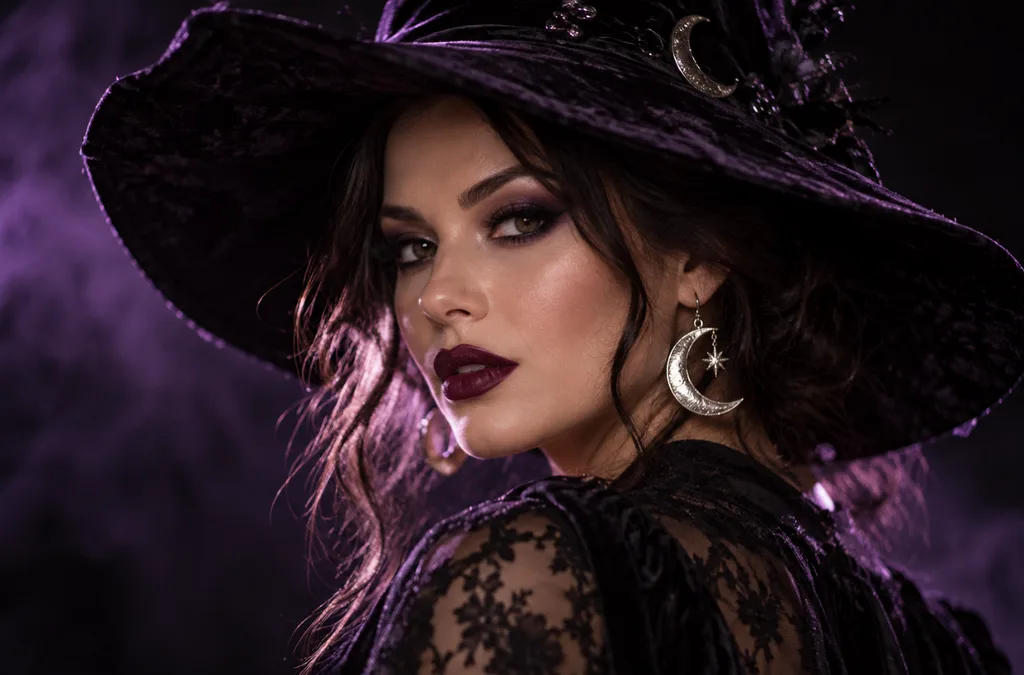
- 1:1 | Photoreal portrait. A woman in dramatic witch makeup with dark plum lipstick and a wide-brimmed velvet hat, silver moon earrings catching the light. Soft purple backlight, shallow depth of field, black background.
- 1:1 | 3D cartoon avatar. A cheerful vampire character with tiny fangs, slicked-back hair, and round glasses, smiling at the viewer. Clean studio lighting and a smooth orange gradient background for a profile picture.
- 4:3 | Candid film photo. Four friends in homemade costumes (a mummy, a scarecrow, a witch, and a skeleton) laugh on a porch strung with orange lights. Warm flash, slight grain, and autumn leaves on the steps.
- 9:16 | Story background. A moonlit window with lace curtains and a glowing jack-o’-lantern on the sill, rain streaking the glass. Dark blue tones and empty space at the top for text.
Prompts for Invitations, Posters, and Flyers
Invitations need room for words, so a Halloween image prompt for print should request a short quoted headline or leave empty space. Keeping on-image text to a few words reduces spelling errors.
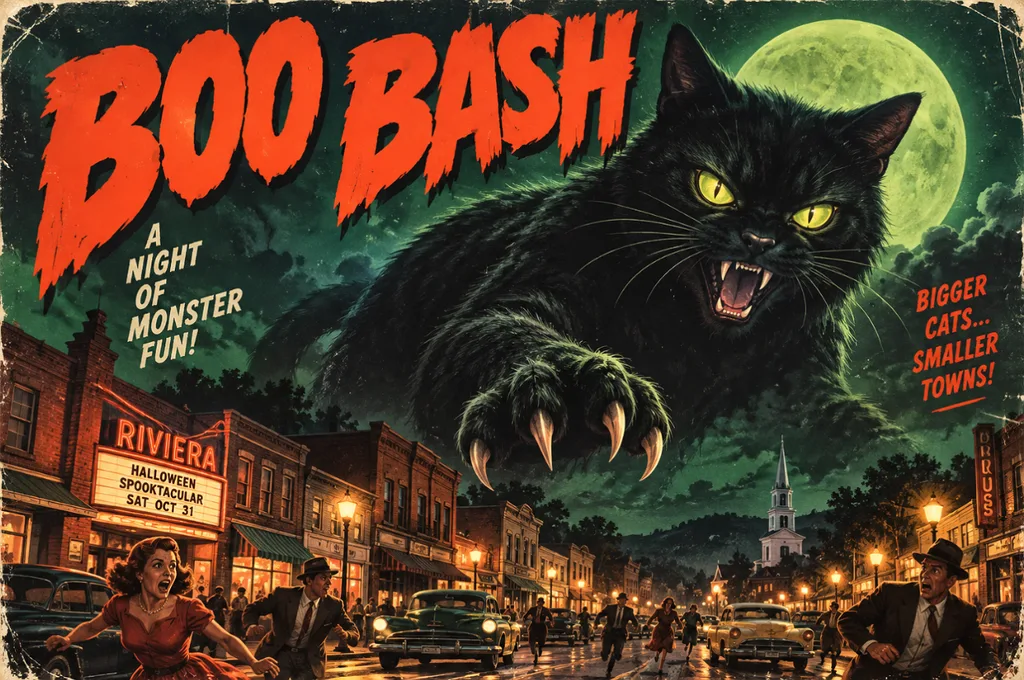
- 4:3 | Vintage horror poster. A giant black cat looms over a sleepy 1950s town under a green moon, in retro B-movie poster style. Bold headline text reading “BOO BASH” across the top.
- 9:16 | Elegant invitation. A black-and-gold party invitation framed by bats, lit candles, and ornate filigree corners. Calligraphy reading “Join Us” at the top, with blank space underneath for event details.
- 16:9 | Event banner. A pumpkin patch at golden hour with hay bales, string lights, and a red barn in the distance. Leave the left third of the frame empty for festival text.
- 4:3 | Kids’ flyer illustration. A bright cartoon haunted house with friendly ghosts waving from the windows and candy scattered on the path. Playful title text reading “Trick-or-Treat Trail” in bubbly orange letters.
Prompts for Wallpapers and Backgrounds
Wallpapers sit behind icons and windows, so the best ones keep the center calm and push detail toward the edges. Phone screens need 9:16, while desktops and presentation slides use 16:9.
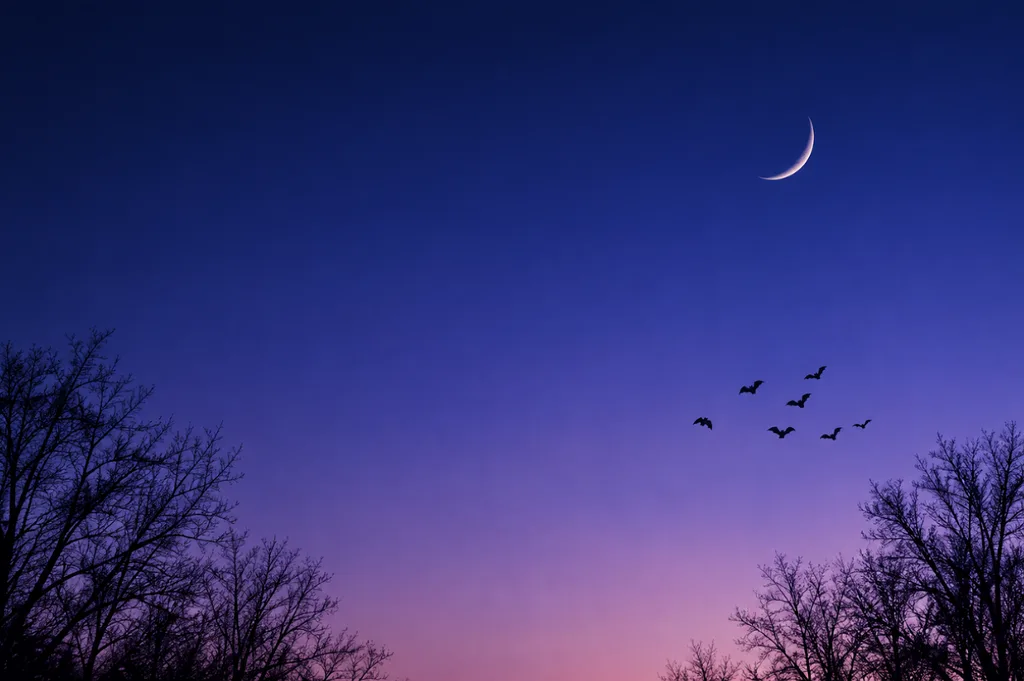
- 9:16 | Minimalist phone wallpaper. A thin crescent moon above silhouetted bare trees, with a small flock of bats crossing the sky. Smooth navy-to-violet gradient and plenty of empty space for app icons.
- 16:9 | Painterly desktop wallpaper. A cozy witch’s reading nook with potion shelves, stacked spell books, and a sleeping cat on a velvet chair. Warm candlelight inside, rain on the window, rich oil-painting texture.
- 1:1 | Repeating pattern. Tiny pumpkins, smiling ghosts, candy corn, and gold stars scattered evenly on a cream background. Flat vector style with a limited orange, black, and mint palette.
- 16:9 | Cinematic landscape. A foggy pumpkin field at blue hour with a crooked scarecrow and distant farmhouse windows glowing orange. Matte-painting style, low drifting mist, and a deep indigo sky.
Prompts for Cute Printables and Kids’ Designs
Printables and stickers need clean edges and simple shapes, since they are cut out, colored in, or shrunk onto party favors. Asking for thick outlines and a plain background makes the result easier to print.
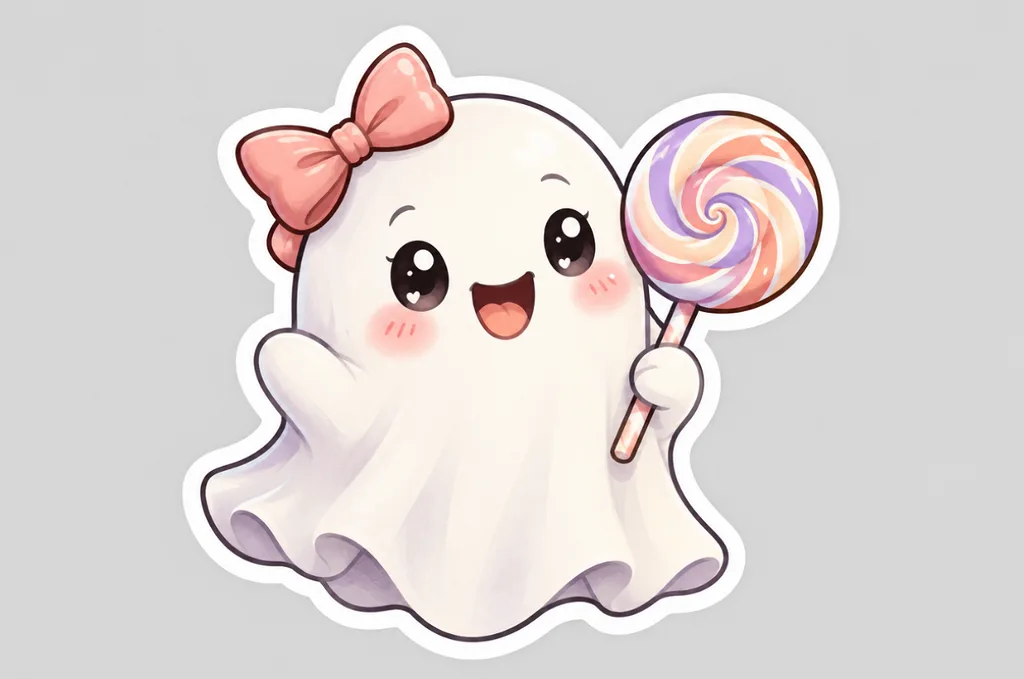
- 1:1 | Die-cut sticker. A kawaii ghost holding a striped lollipop, with rosy cheeks and a tiny bow. Thick white border, pastel colors, and a plain light gray background.
- 4:3 | Coloring page. Black-and-white line art of a friendly witch flying over a village of pumpkins on her broom. Clean, bold outlines, no shading, and large open areas for coloring.
- 1:1 | Storybook pet portrait. A corgi in a purple wizard hat and star-print cape sits beside a basket of candy. Soft watercolor style, warm lamplight, and gentle paper texture.
- 4:3 | Children’s book illustration. A small family of friendly monsters carves pumpkins together at a wooden kitchen table. Golden kitchen light, cozy colors, and a hand-painted gouache look.
Prompts for Brand and Product Visuals
Product images for October campaigns work when props frame the item instead of hiding it. A real product photo uploaded as a reference keeps labels, colors, and packaging accurate.
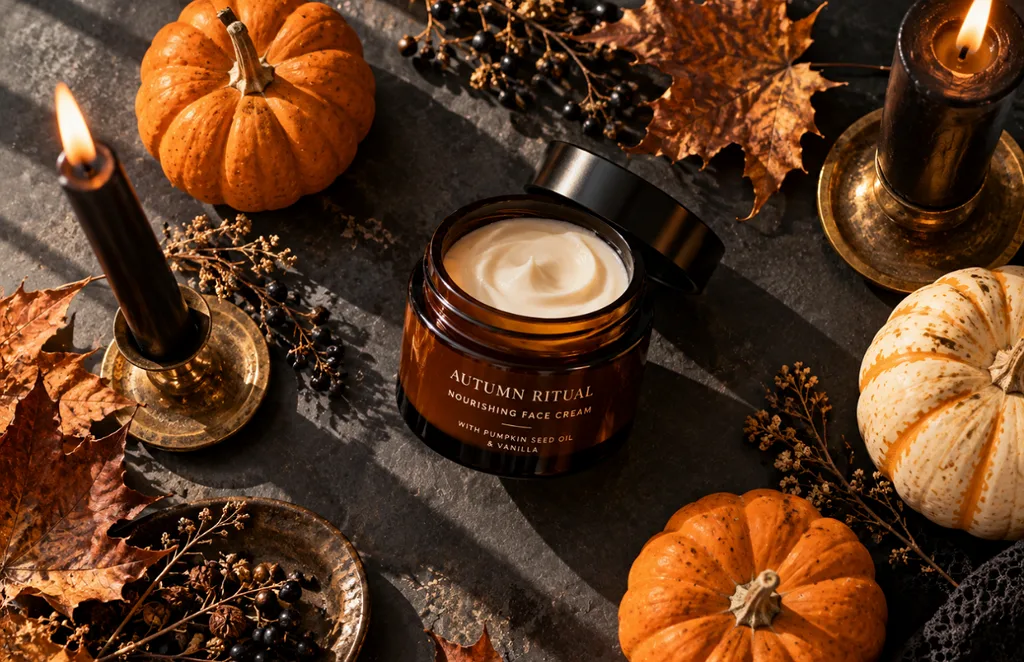
- 1:1 | Product flat lay. An amber skincare jar surrounded by mini pumpkins, dried leaves, and black taper candles on a slate surface. Overhead view, soft window light, and long gentle shadows.
- 4:3 | Moody food photo. Chocolate cupcakes topped with spiderweb frosting and candy eyes sit on a dark wooden board. Low side light, deep shadows, and a dusting of cocoa powder.
- 9:16 | Editorial fashion photo. A pair of black leather boots on a stone step covered in autumn leaves, a lantern glowing beside them. Soft fog in the background and muted, earthy colors.
- 16:9 | Interior design photo. A modern living room styled for Halloween with black candles, velvet pillows, and a pumpkin garland on the mantel. Soft evening light and a calm, upscale mood for a home brand.
Part 2. How to Write a Halloween Image Prompt?
Writing a Halloween image prompt works like briefing an illustrator, where each detail answers a question the model would otherwise guess. Covering these 7 elements, in roughly this order, produces sharper and more consistent results:
| Element | What to Specify | Halloween Example |
| Subject | The main character or object and its action | A witch reading a spell book |
| Setting | The place, time of day, and weather | A misty pumpkin patch at dusk |
| Style | The medium or art style | Watercolor, 3D cartoon, or 1950s horror poster |
| Lighting | The light source and its color | Candle glow or cold moonlight |
| Composition | Framing, camera angle, and empty space | Low-angle close-up with room for a headline |
| Color Palette | Two to four dominant colors | Orange, black, and deep purple |
| Text | Short, exact wording in quotes | “Happy Haunting” |
A 30- to 60-word prompt gives the model enough detail without conflicting instructions. After the first result, change one element at a time, such as lighting or style, to see what made the difference.
Part 3. Convert Halloween Image Prompts to AI Images With Best AI Image Generator
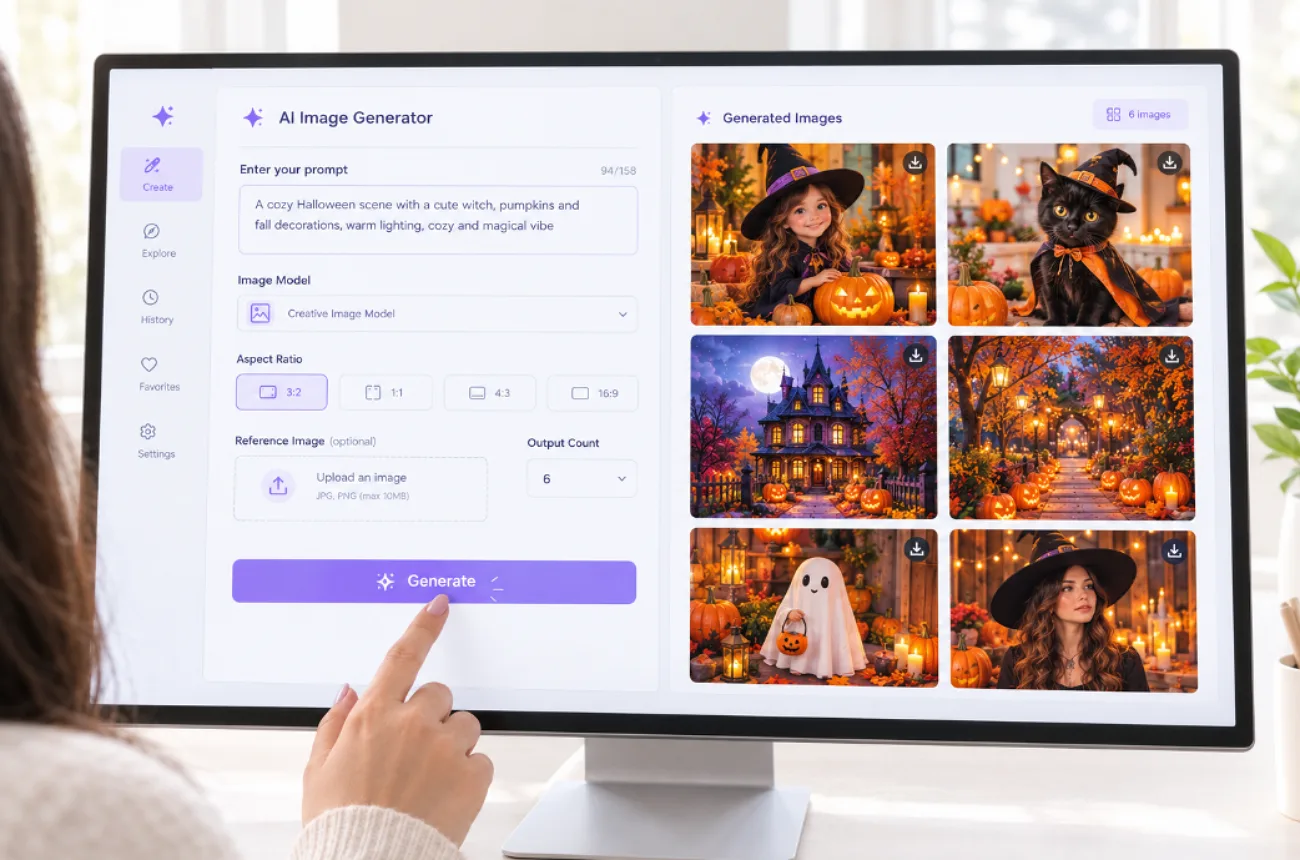
A strong Halloween image prompt still needs a generator that follows detail, handles references, and offers the right frame sizes. MagicLight AI places 5 image models in one panel, including Seedream 5.0 Pro, 3 GPT Image versions, and Nano Banana 2. The same Halloween prompt can run on each engine for a quick side-by-side comparison.
Several reference images, each up to 20MB, can guide a costume, pet, or product label. Once the image is ready, Image to Video can turn it into a spooky animated clip, while free sign-up credits let you test your first creations without paying upfront.
How to Turn a Halloween Prompt Into an Image With MagicLight AI
Creating a Halloween visual in MagicLight AI starts with a prompt and can be refined with reference images, model settings, and output controls. The steps below walk through the complete process, from entering your Halloween idea to saving the final image:
Step 1. Open the Image Tool
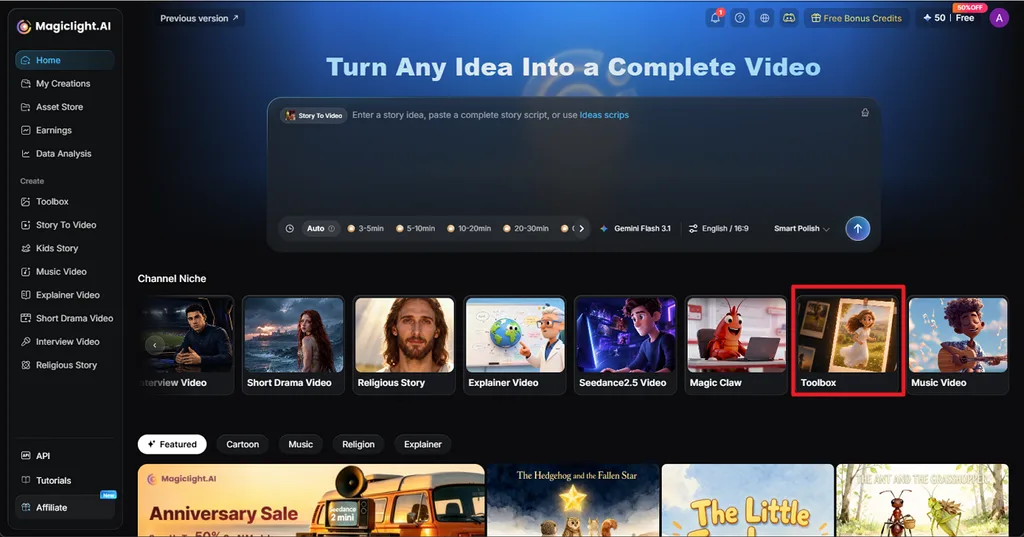
From the MagicLight AI homepage, choose Toolbox, then select the Image tab. Enter your Halloween image prompt in the prompt box and add reference images if needed.
Step 2. Choose the Image Settings and Generate
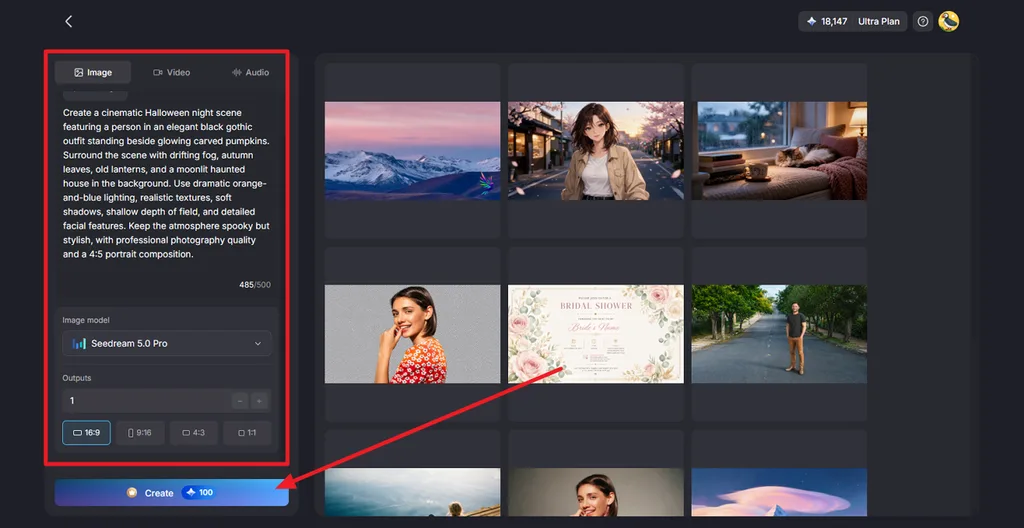
Select an Image Model, choose the number of Outputs, and set an Aspect Ratio such as 16:9, 9:16, 4:3, or 1:1. Click Create to generate the Halloween image.
Step 3. Preview and Download the Result
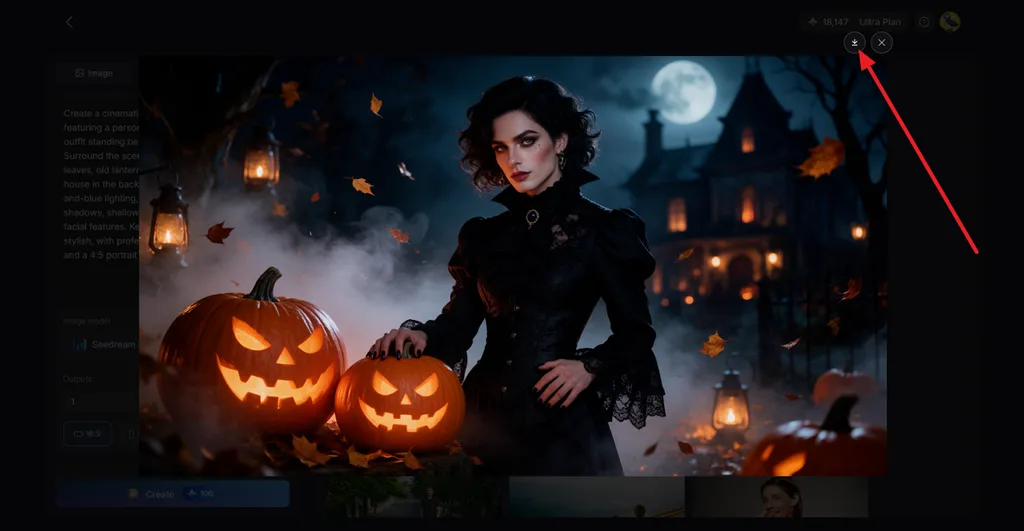
Open the generated image and check the subject, lighting, pumpkins, background, and other important details. If the result looks right, click the Download icon to save it. You can also turn the image into a spooky video with Image to Video.
Conclusion
Good Halloween image prompt ideas start with a clear subject, then add the style, lighting, composition, palette, and any short text. YouTube profile pictures, invitations, wallpapers, printables, and product shots each need their own frame and level of detail. MagicLight AI turns those prompts into finished images with five models and several references, and it can animate the best ones as short videos.
FAQs on Halloween Image Prompts
1. What is a good Halloween image prompt?
A good Halloween image prompt works like a compact art brief, naming the subject, setting, style, light source, and aspect ratio. One example is a 1:1 watercolor of a black cat perched on a pumpkin under a full moon, painted in orange and purple.
2. How do you write a Halloween AI image prompt?
Begin with the subject and what it is doing, then add the setting and an art style such as watercolor, photoreal, or 3D cartoon. Describe the light and two or three colors, set the aspect ratio, and put any short text in quotes.
3. What AI tool can create Halloween images?
MagicLight AI creates Halloween images with 5 models, several reference uploads, and four aspect ratios in one panel. Finished images can then become animated clips with Image to Video or talking portraits with Lip Sync, a good fit for spooky social posts.


![How to Write a Script for a Short Film in 2026 [Beginner’s Guide]](https://magiclight.ai/wp-2/wp-content/uploads/short-film-screenplay-writing-guide-300x169.webp)


