Hero background

High-Quality AI Video Generator

Turn any story idea into a perfect video with the best high-quality AI video generator, Magiclight AI. Add scenes, voiceovers, captions, and music without editing skills.

Create High-Quality Videos For Free
high-quality AI video generator
best high-quality AI video generator
best high quality AI video generator
best quality AI video generator
AI video generator of high quality
high-quality AI video generator
best high-quality AI video generator
best high quality AI video generator
best quality AI video generator
AI video generator of high quality
high-quality AI video generator
best high-quality AI video generator
best high quality AI video generator
best quality AI video generator
AI video generator of high quality

What You Get With Magiclight AI's High-Quality AI Video Generator

With Magiclight AI, you get an AI video generator of high quality enough for any creator. Go from a simple idea to a finished and shareable video in a few steps.

Explore the video generator
3D decoration

Dynamic Scripts For Detailed Scenes

Paste long stories or detailed scripts of up to 12,000 characters into Magiclight AI. The tool creates scenes, pacing, and narration from your text.

Visual Styles to Match Your Content

Pick from Disney, Pixar, cinematic, comic, Ghibli, and more styles. Every style works with Magiclight's image models for sharp results.

Top-Tier Advanced AI Models

Make your projects with elite engines like Seedance 2.0 and Gemini Omni. These tools ensure fluid human movement and deep realism.

Subtitles, Music, and Cover in One Place

Add 16 subtitle styles, pick from 40 background tracks, and set a cover. Export your finished video in 1080p for a social platform.

Who Is This High-Quality AI Video Generator Designed For
The best quality AI video generator should make professional videos simple for anyone. Magiclight AI keeps your content professional without any heavy editing.
 TikTok and Shorts Creators
For TikTok and Shorts Creators
Turn ideas into a short 15-second, vertical video.
Pick bold styles like comic, anime, or 3D cartoon for attractive clips.
Add auto captions so viewers can watch without sound.
 Kids Content Creators
For Kids Content Creators
Make clean, fun videos that children enjoy watching.
Make kind and safe stories that keep young viewers engaged.
Produce child-friendly videos that hold kids' attention.
Educators and Explainer Channels
For Educators and Explainer Channels
Make explainer videos from text scripts in minutes.
Use calm, clear voice-overs to keep your audience engaged.
Choose clean visual styles that work well for learning content.
 Storytellers and Fiction Creators
For Storytellers and Fiction Creators
Write your full story and let Magiclight create the video.
Keep your character's look the same across every scene.
Add music and subtitles to give your story a cinematic feel.
Why Magiclight AI
Is the Best Quality AI Video Generator
Many tools let you make videos, but the best high quality AI video generator makes them look great. Here are why creators keep coming back to Magiclight AI for perfect videos.
 Kids
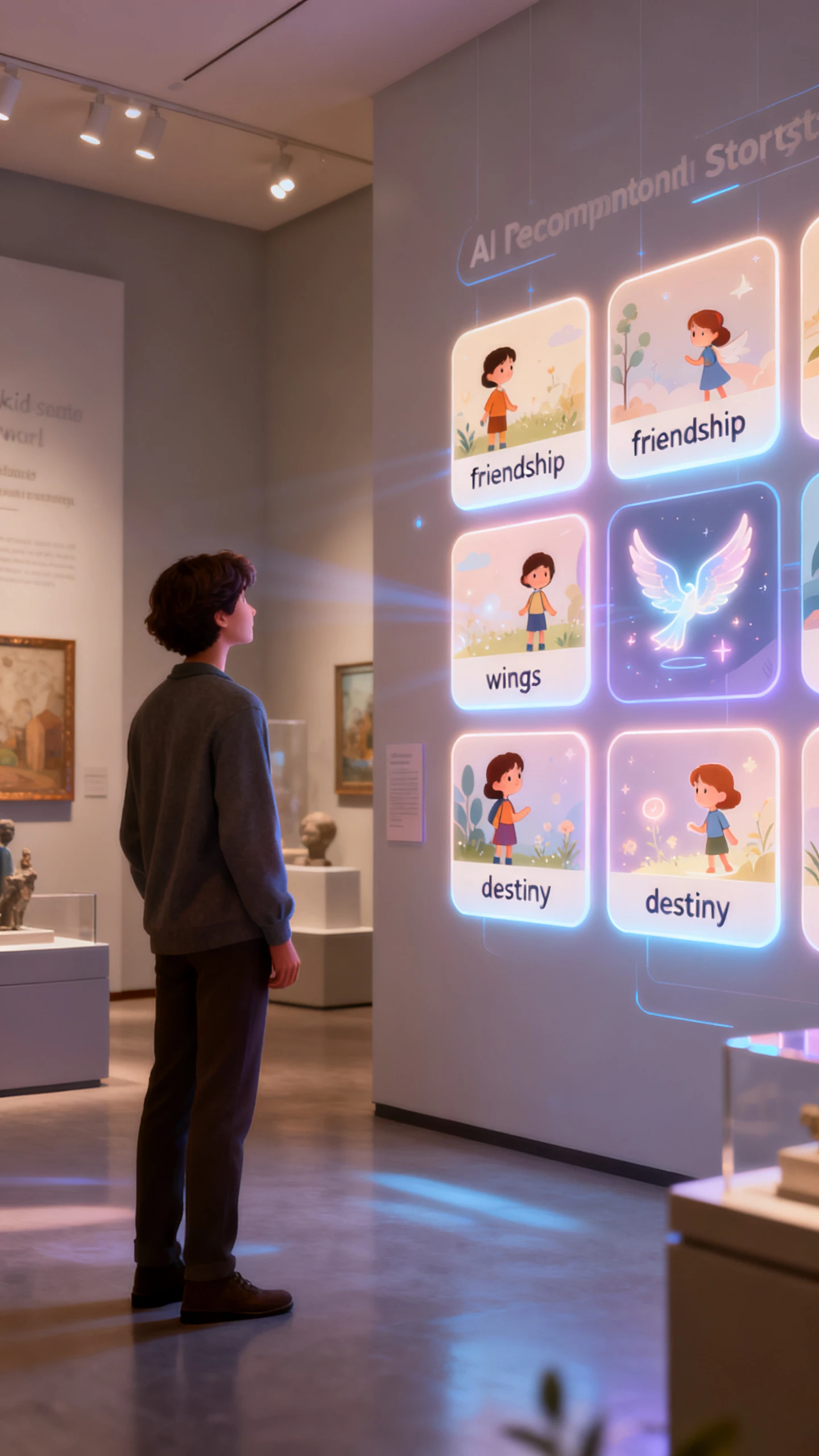
Built-In Story Starters for Kids
Magiclight AI gives you ready-made kid-friendly story topics to begin with. Pick a theme like friends, wings, or destiny and start creating right away.
Simple Tools for Global Audiences
Translate your full video into 11 languages without leaving the platform. Magiclight AI Reach kids and families around the world with localized narration and text.
One Idea Becomes a Full Episode
Type one short idea, and Magiclight AI makes the script, scenes, voices, and final cut. You can make complete long episodes without writing everything yourself.
Full Storyboard Control Before You Render
You can preview every scene in Magiclight AI before the final video is created and make quick changes. Swap visuals, fix timing, or adjust details until each scene looks just right.
Clear and Balanced Audio Every Time
Mix voice-overs with background music and adjust volume levels in one place. Your narration always stays clear and easy for young viewers to follow inside Magiclight AI.
Characters Kids Know and Trust
Magiclight AI keeps your characters looking the same in every scene and episode. Kids recognize familiar faces faster and stay engaged with your content longer.

How to Use  Magiclight Free High-Quality AI Video Generator

Follow these simple steps to go from a blank page to a finished video quickly. The free AI high-quality video generator option lets you test before you commit.

1.

Write or Paste Your Script

Open Magiclight AI and type your video idea or paste your full written script. You can write up to 12,000 characters for longer stories or keep it short and simple.

2.

Pick Your Style and Characters

Choose a visual style like Pixar or cinematic that fits your content best. Then create or pick a character with the right look, age, and personality for your video.

3.

Review Your Storyboard

Check the auto-generated storyboard and edit any scenes that need small changes. Adjust poses, expressions, or scene descriptions before the video starts generating.

4.

Export and Post Your Video

You can then use the Export feature to process your high-resolution video file. Save the clip to your device and share it directly from Magiclight AI across your social channels.

FAQs on High-Quality AI Video Generator

What is the high-quality AI video generator in Magiclight AI?

Magiclight AI's high-quality AI video generator turns scripts and ideas into full videos. It adds scenes, voiceovers, captions, and music from one simple workflow.

Is there a free AI high-quality video generator option in Magiclight AI?

Yes, Magiclight AI offers a free AI high-quality video generator option for new users. You can test the tool and explore styles before choosing a paid plan.

How long can videos be with the best high-quality AI video generator?

With Magiclight AI, videos can go up to 50 minutes long from a single script input. That makes it one of the few tools built for long-form video content.

Can I use an AI video generator high-quality tool without editing skills?

Yes, Magiclight AI is made for creators with no video editing background at all. The tool handles scenes, timing, captions, and music automatically for you.

What makes Magiclight AI a better quality AI video generator than others?

Magiclight AI stands out because it covers the full process from script to export. Consistent characters, top AI models, and multi-language support make it a strong choice.

Does the free high-quality AI video generator support multiple languages?

Yes, Magiclight AI supports 11 languages, including Spanish, Arabic, Hindi, and French. You can create and caption videos for a global audience from one platform.


Make Your First High-Quality AI Video With Magiclight AI

Start with a simple idea and turn it into a high quality and shareable video in Magiclight AI.