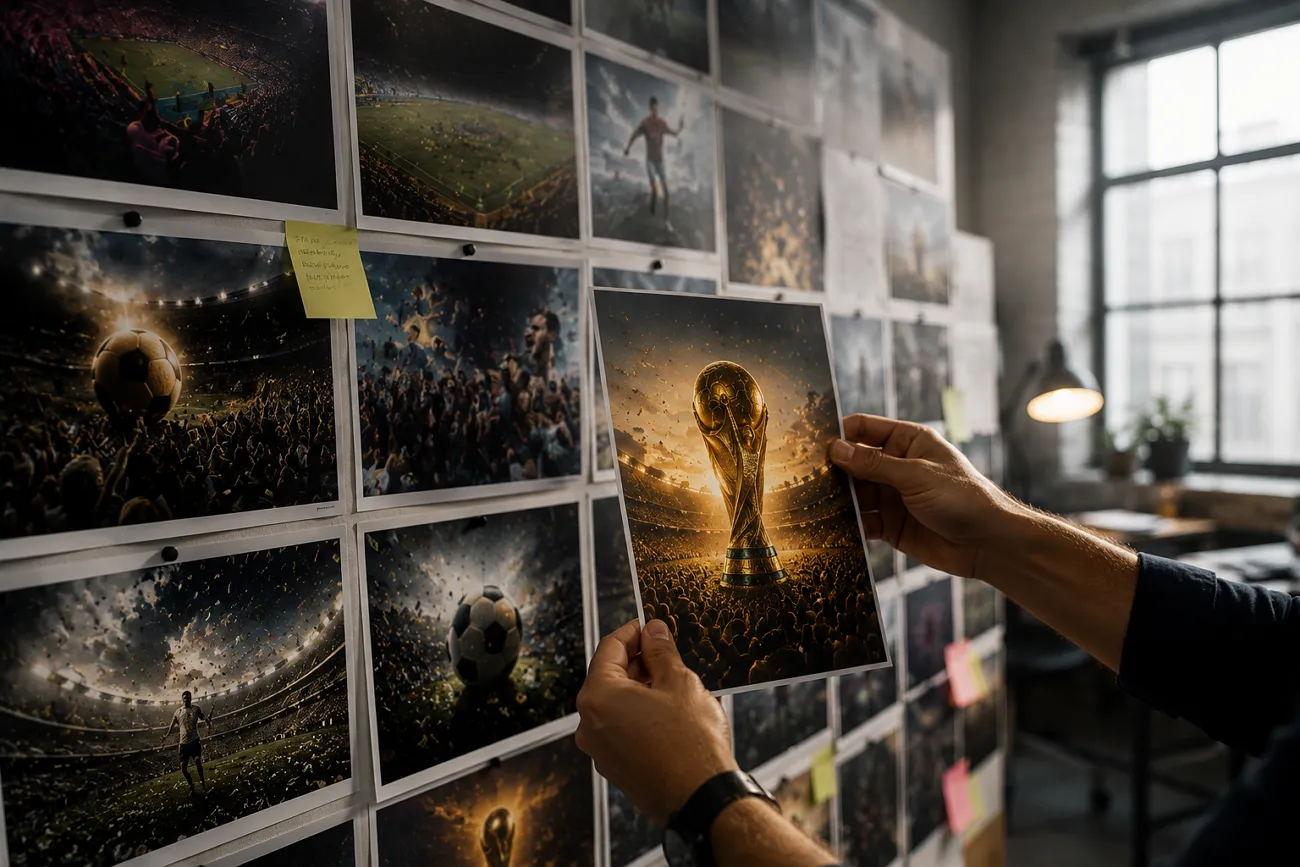
AI video generators have evolved the filmmaking scenario, letting creators make videos with minimal budgets. The quality of media generated relies strongly on the AI tool used and the prompts given. Gemini is a powerful AI-based generation platform that produces incredible visuals in seconds.
People are already creating viral soccer content through this tool as the FIFA World Cup is approaching. This article explores the top Gemini World Cup prompts to help you generate need-based content.
Part 1. FIFA World Cup Media Character Prompts
If the concept of AI video generation is new to you, you might not understand the types of prompts that will deliver high-quality results. Look into the following section to explore some comprehensive Gemini World Cup prompts:
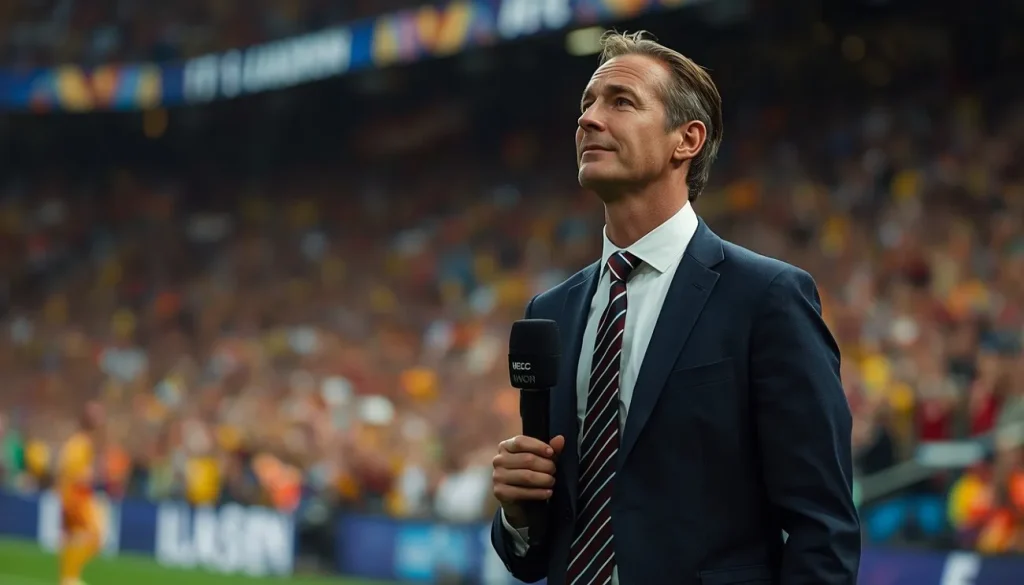
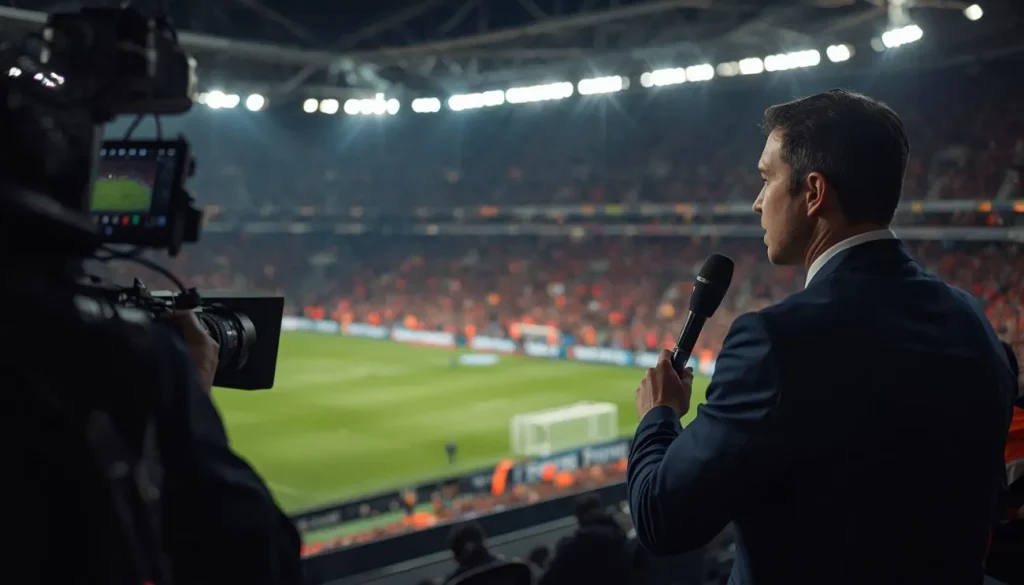
Football Commentator Prompts
- A passionate football commentator inside a FIFA World Cup broadcast booth, wearing a professional suit and headset, intense expression while calling a dramatic last-minute goal, glowing stadium lights in the background, cinematic sports photography, realistic facial details, ultra-detailed, energetic atmosphere.
- A multilingual football commentator discussing a World Cup semi-final, luxury broadcast studio with giant tactical screens, professional outfit, realistic facial expression, dramatic studio lighting, ultra-realistic TV production setting.
- A football commentator standing in disbelief after a historic FIFA World Cup winning goal, emotional expression, live stadium crowd behind him, microphone in hand, realistic sports journalism photography, cinematic depth.
Sports Analyst Prompts
- A professional FIFA World Cup sports analyst standing beside a digital tactics screen, explaining team formations and player movement, formal suit, realistic TV studio environment, cinematic lighting, highly detailed sports broadcast aesthetic.
- A football sports analyst reviewing player statistics before a FIFA World Cup match, giant LED screens showing heat maps and match data, modern newsroom setting, ultra-realistic lighting, professional sports journalism style.
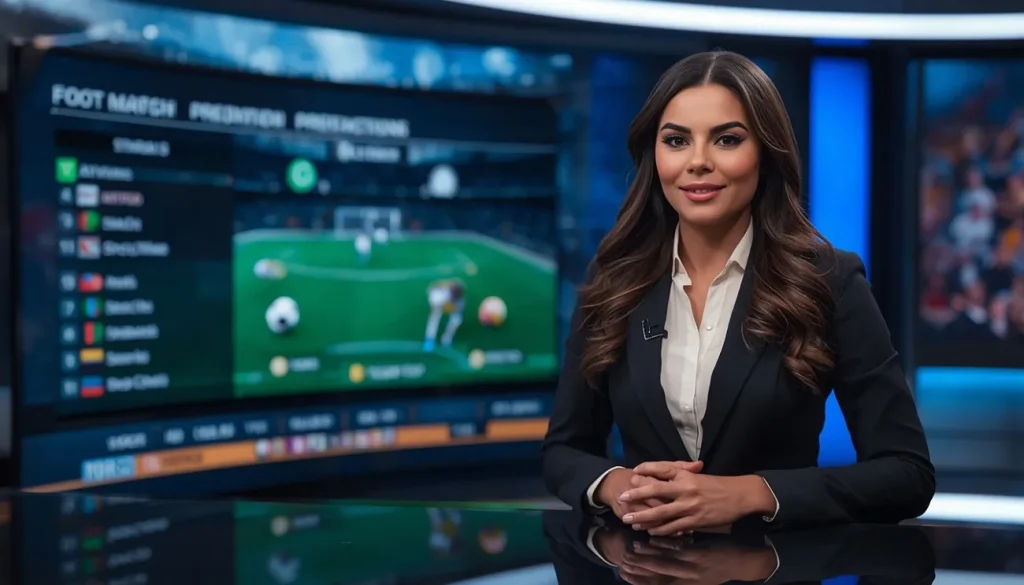
- A confident female football analyst discussing World Cup match predictions in a modern sports studio, professional attire, interactive digital football graphics, realistic television production setting, highly detailed cinematic look.
Stadium Presenter Prompts
- A FIFA World Cup stadium presenter hyping up fans before kickoff, holding a microphone on the pitch, giant crowd cheering, colorful lights and flags, cinematic sports event atmosphere, ultra-realistic details.
- A FIFA World Cup stadium presenter hosting the trophy ceremony after the final match, emotional players and confetti in the background, luxury event setup, cinematic lighting, ultra-detailed realism.
- A football stadium presenter reporting live from the pitch side during an intense FIFA World Cup game, broadcast camera crew nearby, glowing floodlights, realistic sports media atmosphere, high-detail photography.
Part 2. Try FIFA World Cup Fan Character Prompts
Football craze has a lot to do with the sport's legends and the competent players on the field. The following Gemini World Cup prompts can be used for making player-relevant character images:
Dedicated National Team Fan
- A devoted FIFA World Cup fan proudly waving a giant national team flag inside a packed stadium, wearing full team jersey, emotional expression, dramatic stadium lighting, cheering crowd, cinematic sports photography, ultra-realistic details.
- A loyal football fan traveling internationally to support their national team at the FIFA World Cup, airport and stadium visuals combined, team jersey, backpack with football stickers, documentary-style realism.
- A nervous but dedicated football supporter watching an intense FIFA World Cup penalty shootout, gripping team scarf tightly, emotional facial expression, dramatic stadium lights, ultra-detailed realism.
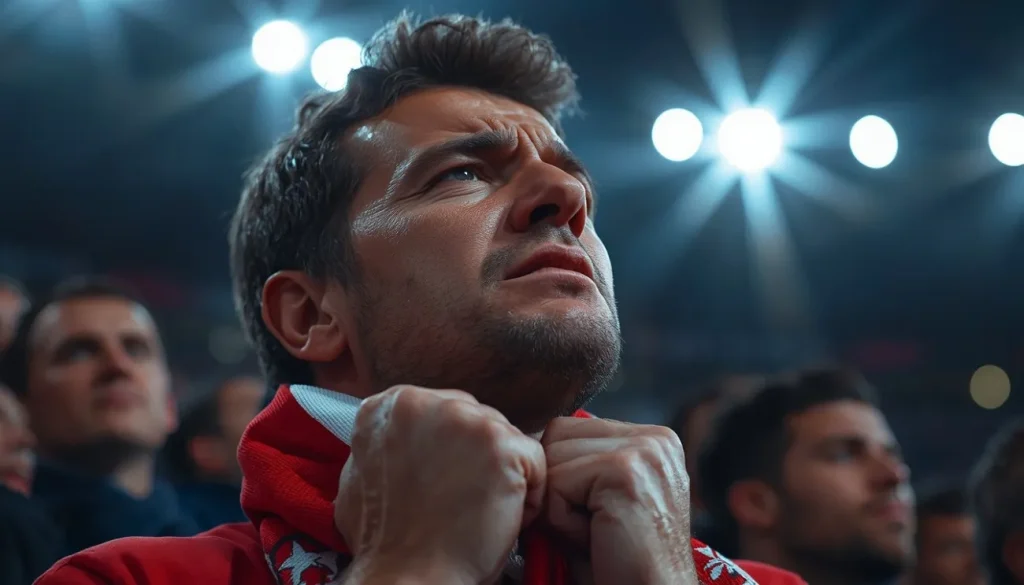
Face-Painted Stadium Superfan
- A FIFA World Cup superfan with full national flag face paint, colorful wig, oversized foam finger, screaming passionately in the crowd, dramatic stadium lights, hyper-realistic sports photography.
- A football superfan with painted face leading chants in a packed FIFA World Cup stadium, waving banners, emotional energy, cinematic crowd atmosphere, highly detailed realism.
- A painted FIFA World Cup fan celebrating a winning goal with fireworks and confetti around, massive crowd energy, vivid colors, cinematic sports event realism.
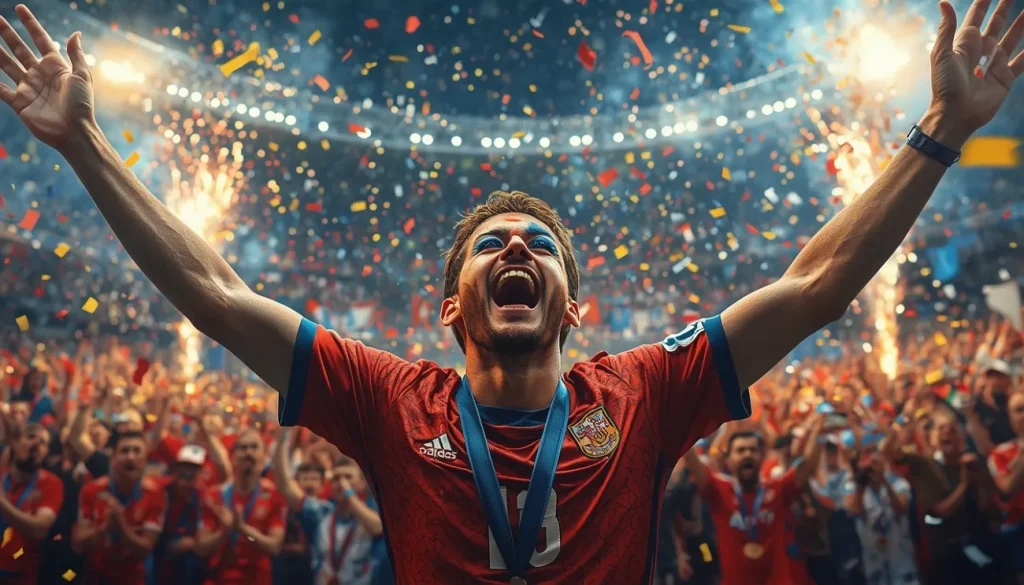
Football-Loving Family
- A joyful football-loving family celebrating a dramatic World Cup goal together, excited facial expressions, snacks and team scarves visible, realistic sports atmosphere, highly detailed.
- A football-loving family gathered around the TV watching a FIFA World Cup final, decorated the living room with flags and jerseys, emotional reactions, and cozy cinematic lighting.
- A happy football-loving family attending their first FIFA World Cup match, children holding mini flags, vibrant crowd atmosphere, realistic sports photography, emotional storytelling style.
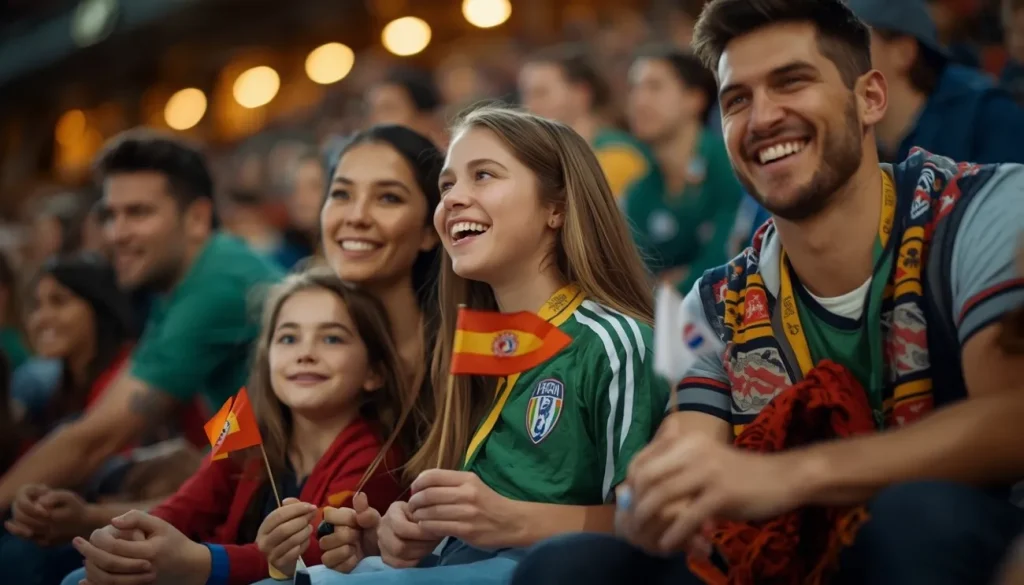
Part 3. Generate Interview-Ready Football Characters
The football season gives birth to lots of player interviews that everyone looks forward to. These Gemini World Cup prompts will help you make interview-ready football character images:
Post-Match Player Interview Character
- A young football star being interviewed after a breakout FIFA World Cup performance, confident smile, team jersey, media cameras flashing, realistic stadium tunnel setting, cinematic sports media realism.
- A football player emotionally reflecting on a heartbreaking FIFA World Cup loss during a post-match interview, disappointed expression, dim stadium background, realistic emotions, documentary-style sports photography.
- A FIFA World Cup striker discussing goal-scoring success after a match, surrounded by journalists and microphones, glowing stadium lights, realistic facial details, ultra-detailed sports realism.
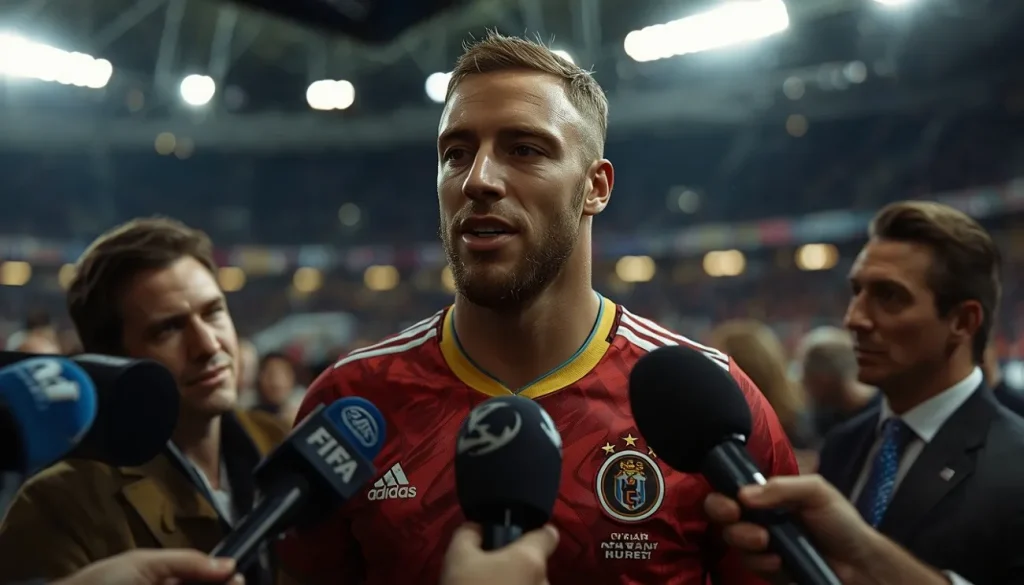
Championship Captain Interview Character
- A championship-winning football captain speaking emotionally to the press after the FIFA World Cup final, tears of joy, glowing floodlights, realistic sports documentary style.
- A FIFA World Cup captain answering media questions during the trophy ceremony, wearing a medal around neck, a giant crowd cheering behind, luxurious stadium lighting, and highly detailed realism.
- A legendary national team captain posing for a FIFA World Cup interview portrait, serious expression, trophy beside him, premium sports media setup, cinematic realism.
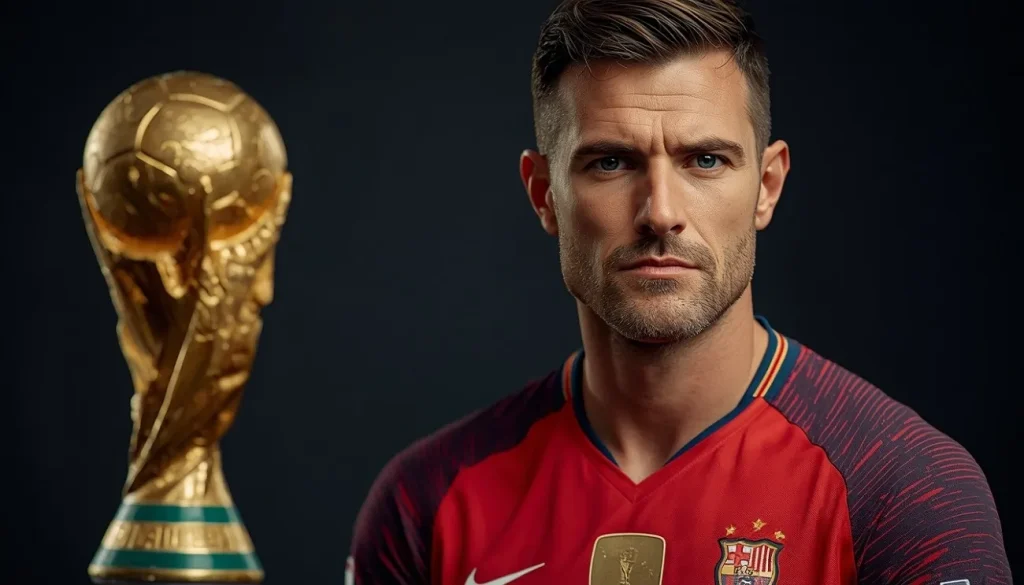
Press Conference Speaker Character
- A confident football superstar answering journalist questions before a FIFA World Cup final, stylish team tracksuit, professional media room, ultra-realistic details.
- A football player discussing team tactics during a FIFA World Cup press conference, focused facial expression, bright media cameras, realistic newsroom atmosphere.
- A victorious football player speaking confidently at a FIFA World Cup championship press conference, medal around neck, celebratory atmosphere, cinematic sports photography.
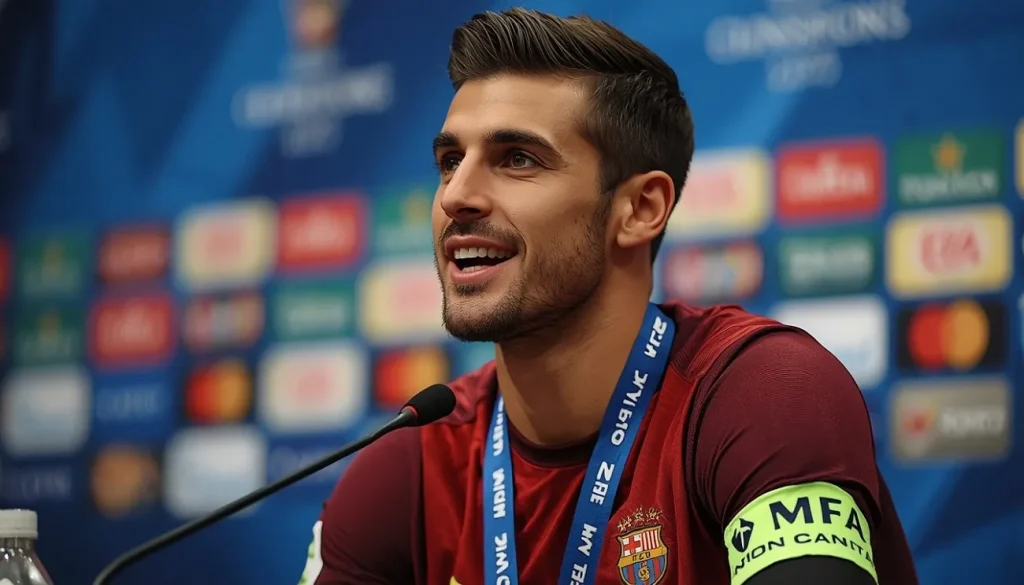
Part 4. Turn FIFA World Cup Characters Into Videos With MagicLight
Now that you know how to create effective Gemini World Cup prompts for FIFA-themed videos, the next step is turning those ideas into engaging visual stories. This is where MagicLight AI comes in, helping users transform text and images into story-driven videos designed for football content and beyond. To personalize videos, users can upload cast images directly from their devices or generate AI characters to appear throughout the story.
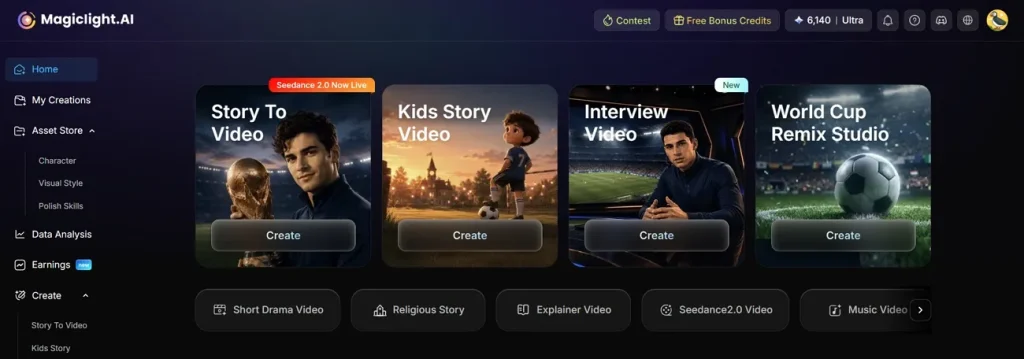
MagicLight AI caters to extended stories, with a maximum video length of 50 minutes and a maximum script length of 12,000 words. The Story to Video tool allows users to produce content in more than 30 languages and make it easier to produce World Cup videos that are localized for various audiences.
Key Features
- Storyboard Customization: It provides storyboard customization, enabling changes to scripts and character appearances post-production for enhanced creative control.
- Better Engagement and Accessibility: MagicLight has pre-loaded background music tracks and subtitle generation with customizable templates for better audience engagement and improved readability and visual appeal.
- Latest AI Models: MagicLight AI also includes several advanced video models, such as Gemini Omni and Seedance 2.0.
- Aspect Ratio Selection: Export videos in different aspect ratios optimized to popular video-sharing platforms, simplifying publishing on various channels.
- AI Voiceover Generation: Use the library of 37 AI voices to make voiceovers more accessible and engaging. Voice cloning enables users to create their own voice for scripts for more personalization.
A Quick Walkthrough Guide to Using Magiclight AI for Generating FIFA World Cup Videos
Magiclight AI lets users create personalized football characters and transform them into engaging stories. The guide below explains how this entire process can be executed using your Gemini World Cup prompts:
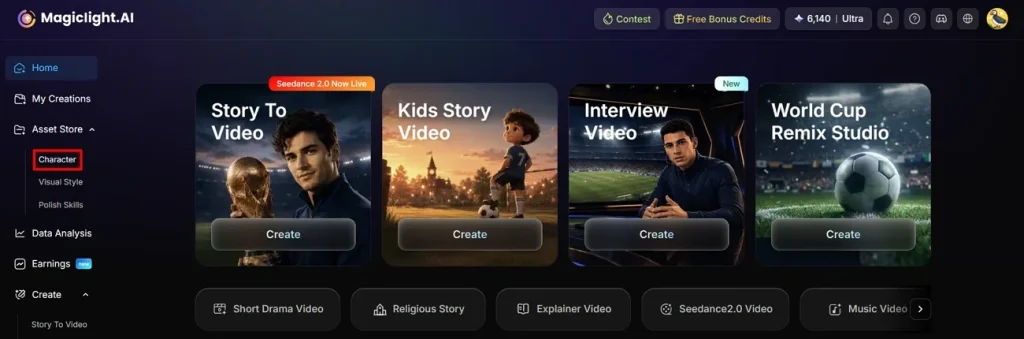
Step 1. Begin with the Character Creation Process
Start the process by entering the Character feature from the left sidebar, then let the next page load.
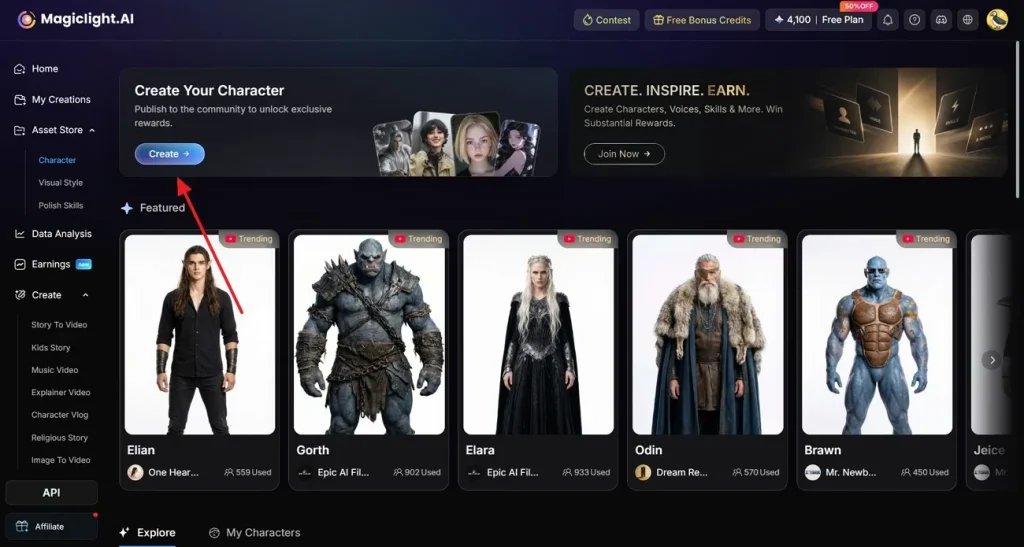
Step 2. Click the Character Generation Option
From the top of the next page, click the Create button and continue to the character-generating page.
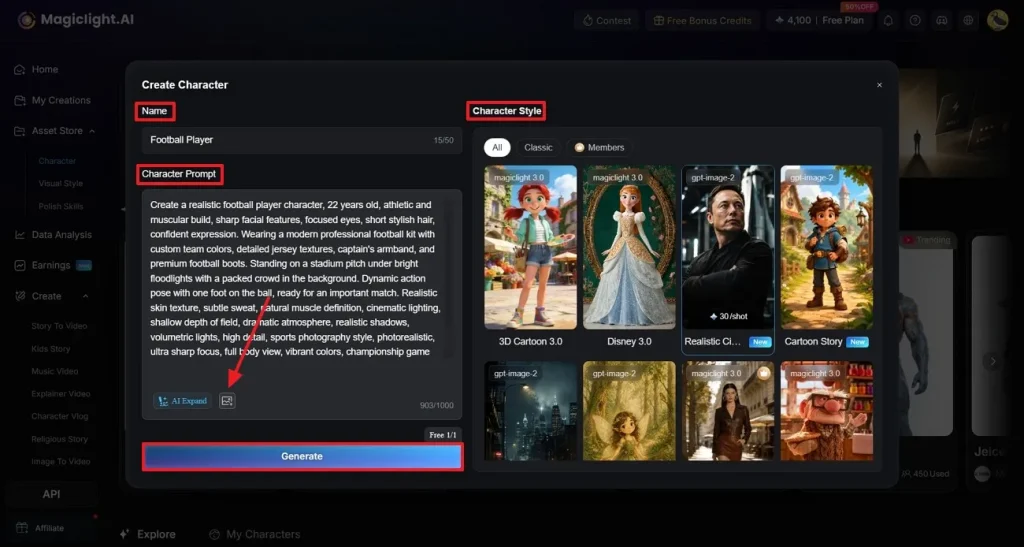
Step 3. Make a Personalized Football Character
In the next screen, enter the footballer’s Name and add the Character Prompt in their respective fields. Then, click the Upload button to add a reference image from your computer. From the Character Style panel on the right, choose the Realistic option to create a more lifelike football character. After adjusting all settings, press the Generate button to begin the creation process.
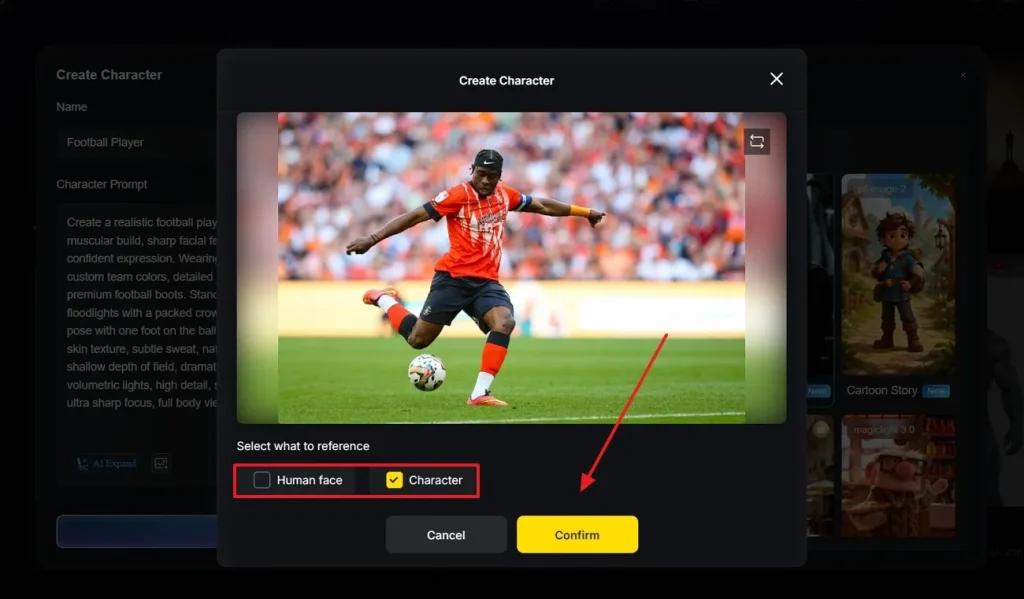
Step 4. Specify the Reference Image Details
When the next window opens, select what you want replicated from the previously uploaded reference image and Confirm your choice.
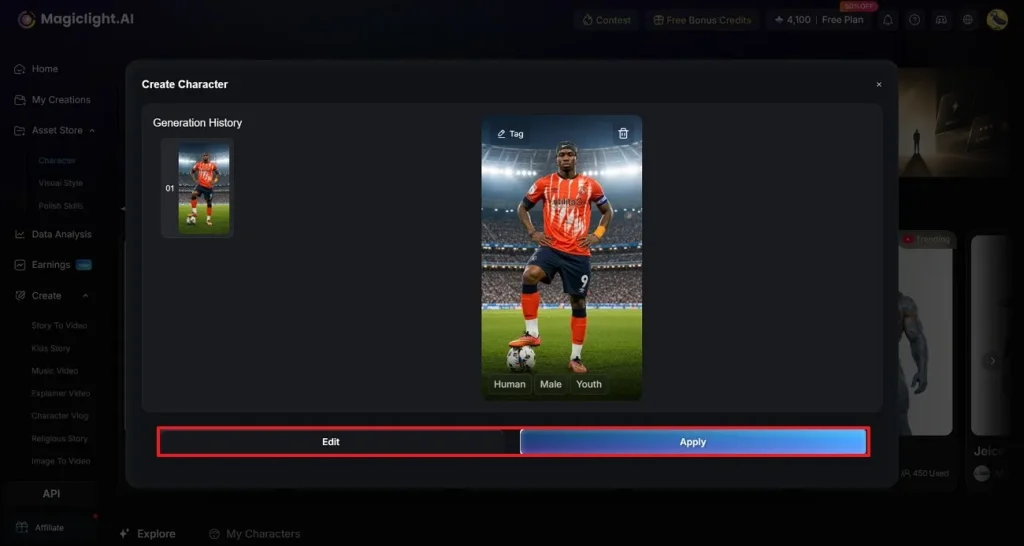
Step 5. Edit or Apply the Footballer Character Appearance
After the character image is generated and previewed, review it to see if it needs improvement. Click Edit to make changes and Apply to build the character using this appearance.
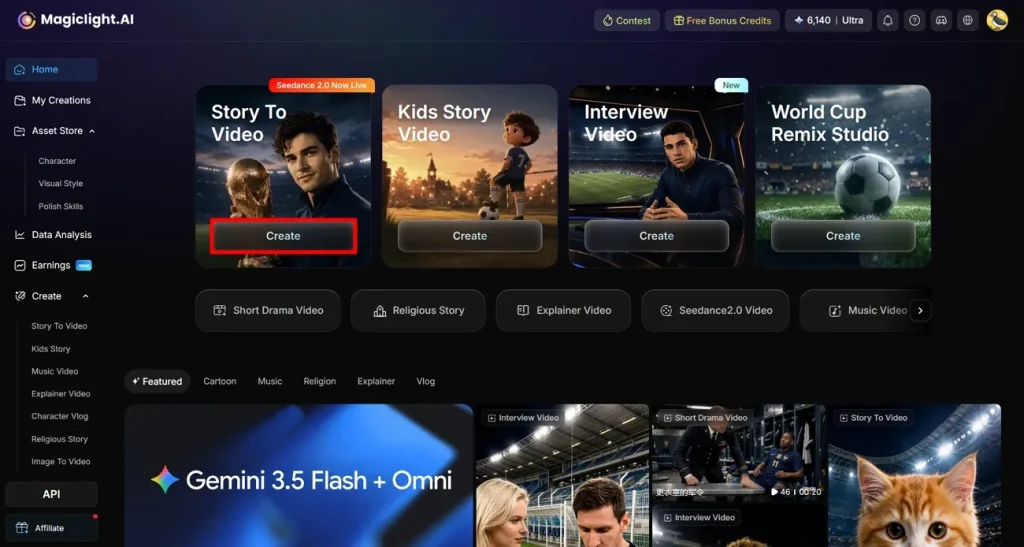
Step 6. Choose the Story-Making Feature From the Main Page
After creating the football character, enter Magiclight AI’s main page and click the Story to Video tab.
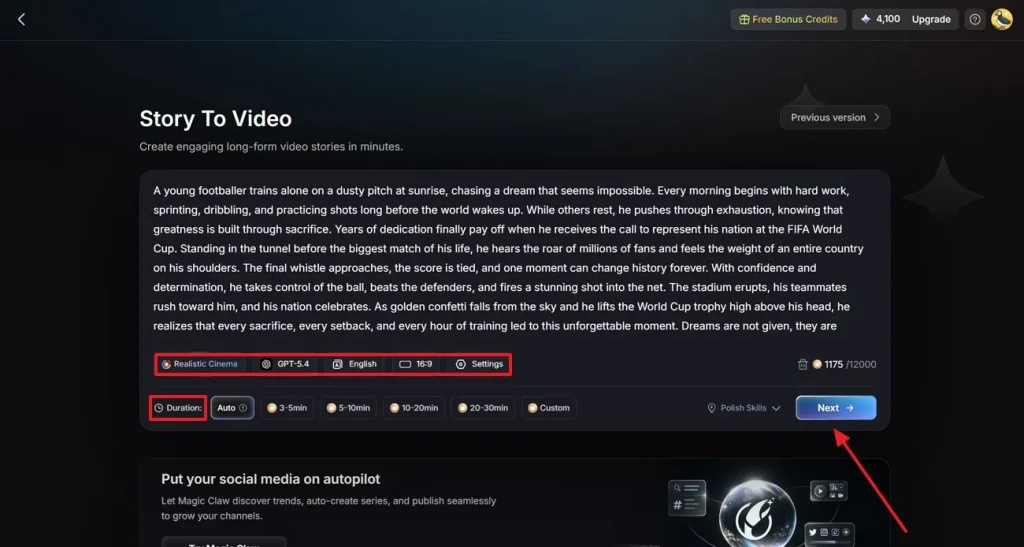
Step 7. Specify Story to Video Details
In the script field, add your story and then choose the preferred style, AI model, language, and aspect ratio for the video. If you want to include a previously generated AI character, make sure your script aligns with that character for consistency. You can also adjust advanced Settings such as video Duration before proceeding by clicking Next.
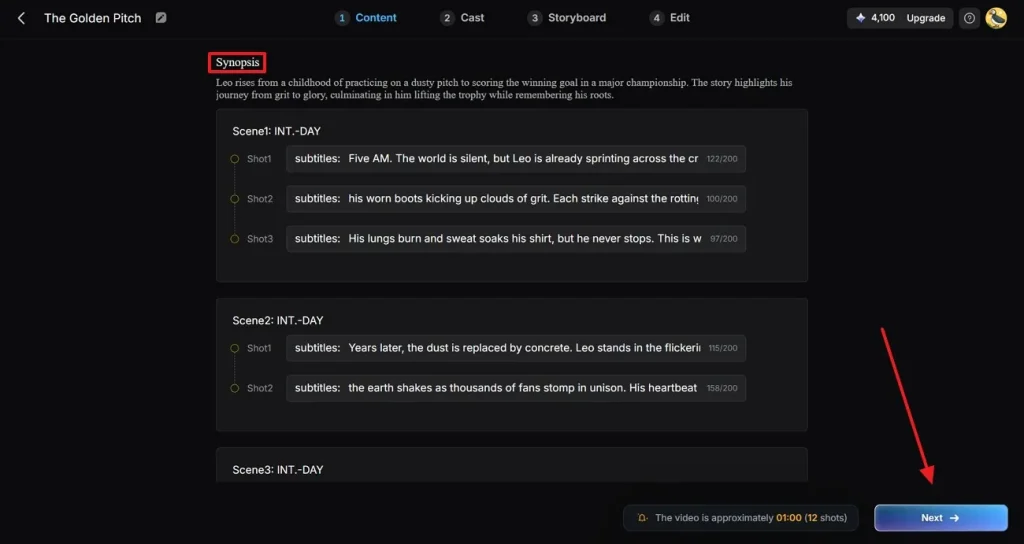
Step 8. Explore the Video’s Synopsis
When the video’s Synopsis appears on the next page, edit it as per your needs. Now, click the Next button to go to the next step.
Step 9. Choose the Right Character for the Soccer Video
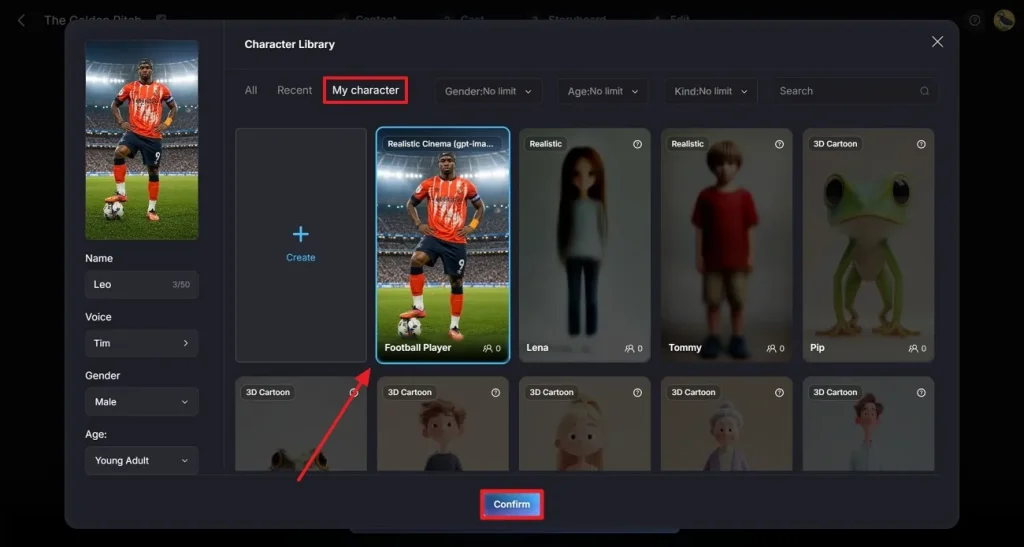
Using the Cast tab at the top, click the More Character option and pick the footballer character you recently generated. That soccer character can be easily found in the My Character folder. Once the selection is made, click the Confirm option at the bottom.
Step 10. Confirm Your Cast Selection
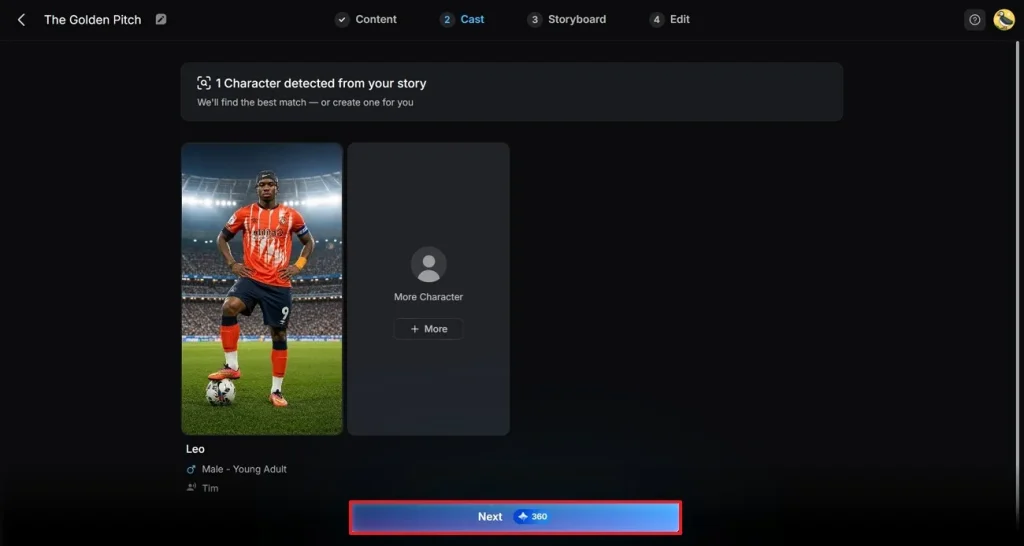
After you have selected the cast, press Next to move to the next step.
Step 11. Make Changes in the Story
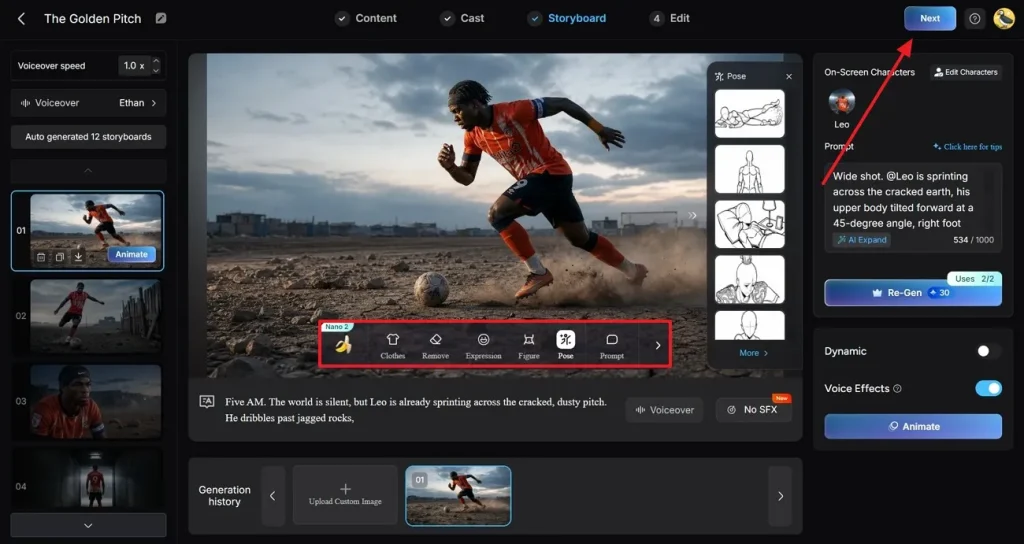
Once your story is created, navigate to the floating toolbar in the preview and edit the results as needed. Once done, click the Next button from the top right to proceed.
Step 12. Generate Subtitles to Make the Final Video
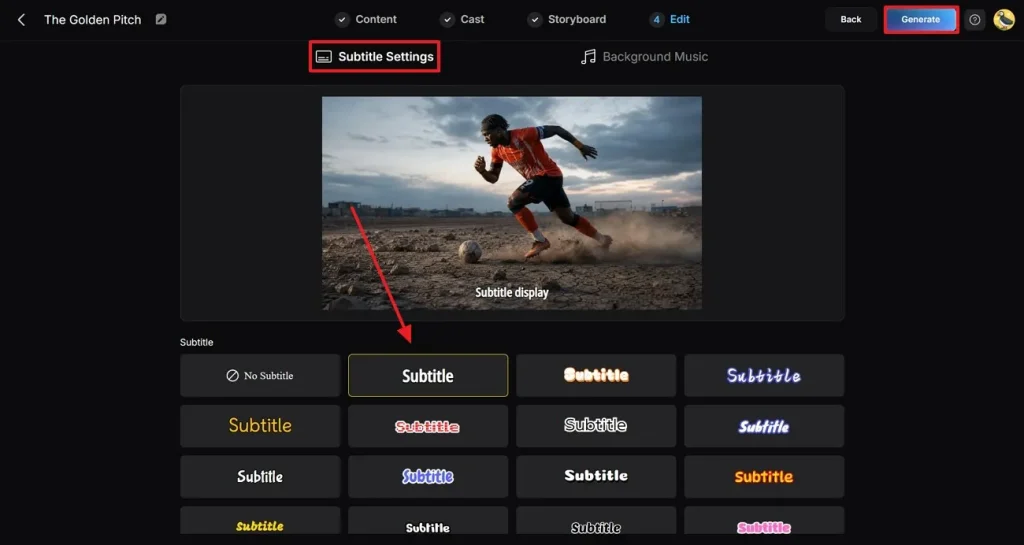
In the last tab, input your Subtitle Settings using the dedicated tab and pick a subtitle style for your video. Lastly, press the Generate button to generate the video.
Step 13. Preview and Download the Video
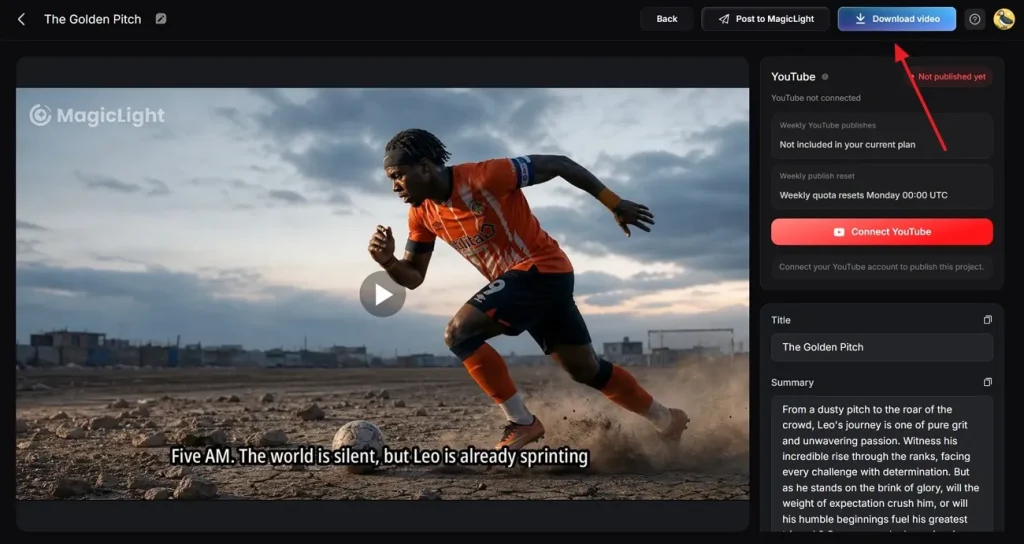
After the video is made, preview it and select the Download Video button from the top right to save it. You can also publish the video directly across YouTube using the dedicated button.
Conclusion
In essence, football fans use Gemini to make viral sport-related content. This article explored the top Gemini World Cup prompts you can try to generate stunning visuals. Once the prompts are perfected, use Magiclight AI to turn your words into engaging soccer characters and story videos.
FAQs on Gemini FIFA World Cup Prompts
1. How do I create consistent football stars in Gemini?
Consistency in Gemini footballers is achieved by being specific about the facial features, haircut, jersey colors, age, body type, and signature accessories in each image. MagicLight AI creates reusable character references of football stars across different poses and match scenarios, helping maintain visual consistency.
2. Can Gemini create realistic football characters?
When you add in detailed descriptions, such as facial features, stadium lighting, jersey textures, and camera angles, you can create realistic football characters with Gemini. MagicLight AI can enhance the realism even more by smoothing out the facial consistency, motion details, and cinematic sports visuals.
3. Can Gemini create sports journalist characters?
The Gemini model can create characters that appear in match interviews, stadium reports, or football documentaries. MagicLight adds realistic outfits, microphones, press badges, and newsroom-style settings to make these characters appear more professional and consistent.
4. How do I make AI football characters look realistic?
Including elements such as sweat, fabric textures, stadium lighting, facial expressions, dynamic poses, and camera lens effects for your prompts. MagicLight can help create a more realistic atmosphere by boosting the realism of the motion, the cinematic framing, and the authentic football feel.
5. What details should I include in football character prompts?
Add the age, hairstyle, facial expression, skin tone, jersey design, team colors, body build, action pose, stadium setting, light source, and camera style. The more specific the details, the closer to the truth and more consistent your football character will look.
![How to Write a Script for a Short Film in 2026 [Beginner’s Guide]](https://magiclight.ai/wp-2/wp-content/uploads/short-film-screenplay-writing-guide-300x169.webp)