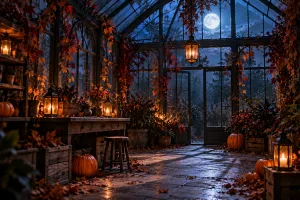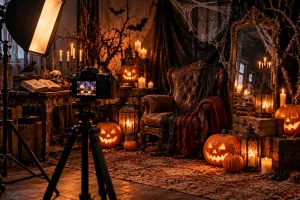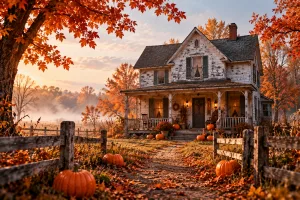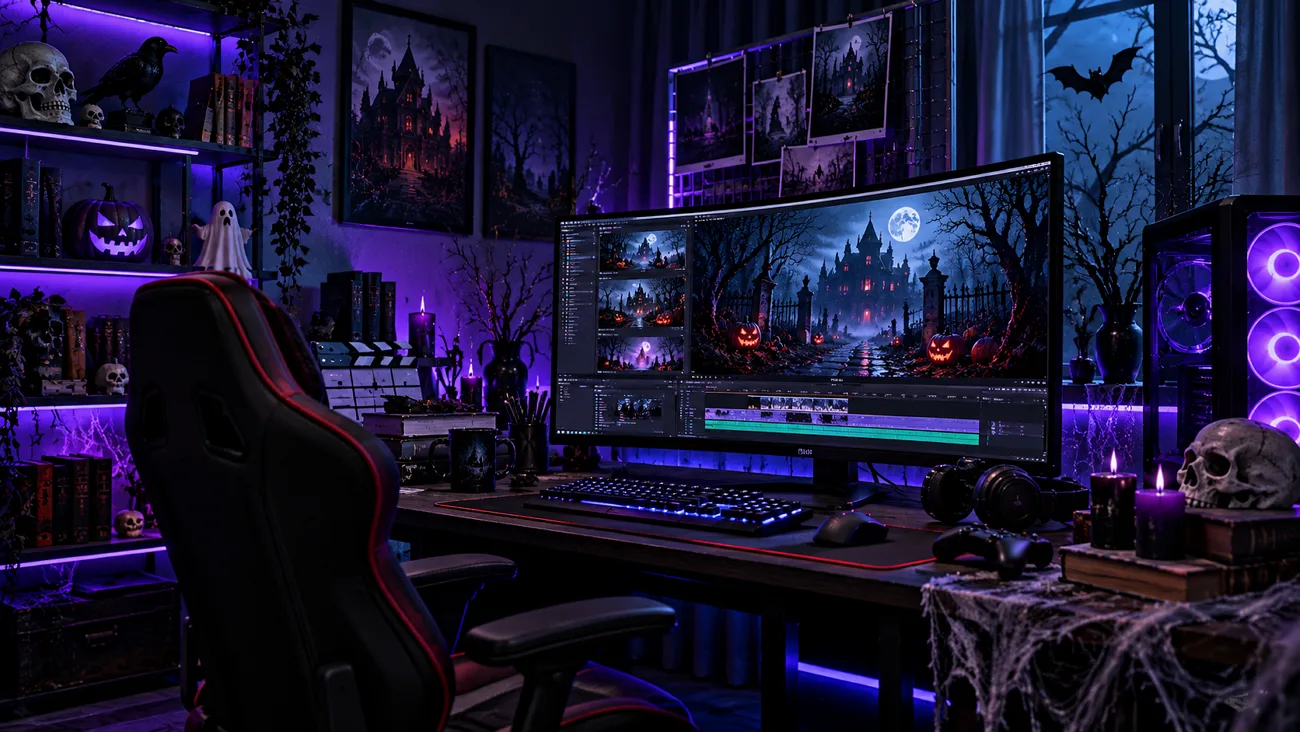
The midnight Halloween screening is about to begin at a small cinema in town. Before the film starts, a ghostly usher takes viewers through a strange encounter. Scenes like this need clear Seedance Halloween prompts to capture every creepy moment.
You can describe the character's actions and camera movement to guide each shot. However, turning several short clips into one Halloween story takes a little more work. Here, you'll find 15 spooky prompts plus ways to create longer videos with MagicLight AI.
Part 1. 15 Best Seedance Halloween Prompts to Try
These 15 Seedance Halloween prompts include scene timing and clear details to help you create spooky videos. You can also use Seedance 2.5 in MagicLight AI to turn your Halloween ideas into videos.
Timestamped Multi-Shot Prompts
A Halloween scene feels more interesting when something changes as the seconds pass. Dividing the video into short time segments gives each moment enough room to unfold. The following prompts use different camera angles to capture each spooky moment.
- Midnight Drive-In: 0-5s, wide shot of an abandoned drive-in at midnight, fog over rusted speaker posts, crickets. 5-10s, slow push-in as the blank screen flickers on with a projector whir. 10-15s, a speaker post crackles with a whisper. Grainy 16mm look.
- Last Train From Hollow Station: 0-6s, empty night platform under a buzzing lamp, a low hum. 6-12s, tracking shot beside an arriving train with every window dark. 12-15s, one door slides open on a floating lantern, a soft chime. Cold blue grade.
- Pumpkin Contest Gone Wrong: 0-5s, overhead shot of a village pumpkin-carving table at dusk, cheerful chatter. 5-10s, the prize pumpkin’s grin slowly widens as the crowd goes quiet. 10-15s, crash zoom on the judge as every candle snuffs out. Warm autumn palette.
Character Reference Prompts
Your witch might look perfect in one clip but appear completely different in the next. Seedance Halloween prompts can use tagged images to keep the same face or costume across scenes. Try these three examples to see how character references work in spooky videos.
- The Ghost Usher: @Image1 is the usher’s pale face and burgundy uniform, and @Image2 is his brass flashlight. He walks down a dark cinema aisle, stops at row F, and shines the light at the camera. Dolly back, dust in the beam, a creaking seat.
- Witch Apothecary Owner: @Image1 sets the witch’s face and patched green shawl. She weighs a glowing mushroom on brass scales, then winks. Medium close-up, candlelight from the left, a ticking clock and clinking jars.
- Skeleton Night Watchman: @Image1 is the skeleton’s cap and lantern, and @Image2 is the cemetery gate. He pushes the gate open, swings the lantern toward a rustling hedge, and freezes. Low-angle tracking shot, ankle-high mist, jangling keys.
Sound-Driven Halloween Prompts
A scary scene feels different when you hear footsteps coming from an empty room. With Seedance Halloween prompts, you can add voices and sounds that match the action on screen. The following examples show how sound can add suspense to your Halloween videos.
- Usher’s Welcome Line: The ghost usher from @Image1 lifts his flashlight under his chin and says, “Phones off, and please keep all hands inside the theater.” Slow push-in, cold blue light, an organ chord swelling behind him.
- Theremin Beat Cuts: Cut to the beats of @Audio1, a 15-second theremin loop. A bubbling cauldron, a swinging lantern, and a bat leaving a belfry each hold for one beat. High contrast, handheld energy.
- Footsteps in the Attic: No music. A kitchen at 2 a.m., camera locked off on a swaying ceiling light. Slow footsteps cross the attic, stop, and a single knock answers from inside the wall. Dim amber light, 10 seconds.
Transformation and Transition Prompts
A simple pumpkin can turn into a glowing jack-o'-lantern in just a few seconds. Start with a picture of a plain pumpkin and end with one that has a glowing face. The prompts below use this idea for different Halloween scenes.
- Pumpkin to Jack-o’-Lantern: @Image1 opens on a plain pumpkin on a porch step, and @Image2 closes on the same pumpkin carved and glowing. Time-lapse carving at dusk, locked-off shot, knife scrapes and a match strike.
- House Turns Haunted: @Image1 is a tidy suburban house at noon, and @Image2 is the same house at midnight with broken shutters. Slow crane down as daylight drains and vines climb the walls, wind rising into a howl.
- Portrait That Decays: @Image1 is a painted portrait of a young duchess, and @Image2 shows a skull above the same gown. The paint cracks and peels as candles gutter, slow push-in, a faint music-box waltz.
One-Take and Extension Prompts for Seedance 2.5
Some Halloween scenes are more exciting when the camera follows the action without stopping. Seedance Halloween prompts can also help you continue an earlier clip while keeping the same characters and setting. These examples cover longer camera shots and ways to continue a spooky scene.
- One-Take Haunted Hallway: A single 30-second take follows a candle down a manor hallway, past portraits whose eyes track it, into a ballroom of waltzing ghosts. Steadicam at walking pace, no cuts, footsteps fading into a string quartet.
- The Usher’s Patrol, Extended: Extend the video. The usher from @Video1 climbs to the projection booth and finds the projector running on its own. His uniform, the lighting, and the film grain match @Video1, with a rising projector clatter.
- Cauldron Scene, New Angle: Keep the characters, timing, and style of @Video1 unchanged. Re-shoot the cauldron scene from a low angle through the steam, the camera circling slowly. Bubbling sound and dialogue stay as they are.
Part 2. Turn Seedance Halloween Prompts Into Complete Videos With MagicLight AI
Seedance Halloween prompts are great for short scary clips, but a longer story needs several connected scenes. With Story to Video in MagicLight AI, you can turn a story of up to 12,000 characters into a video.
It also supports videos up to 50 minutes long on paid plans. You can choose from 14 story models, including Gemini Flash 3.1 and GPT-5.6, along with over 50 visual styles for your Halloween video. MagicLight AI also includes Seedance 2.0 as one of its video model options.
Key Features of MagicLight AI
- AI Character Creation: Describe your Halloween character in up to 1,000 characters using MagicLight AI. Give your ghost a pale face or your witch a green cloak.
- Saved Characters: Save your ghost usher once and reuse him throughout your Halloween video. His face and uniform stay the same as the story moves forward.
- Narration and Music: Choose from 37 voices to give each Halloween character a distinct voice. You also have 40 music tracks to set the mood for scenes.
- Multilingual Videos: MagicLight AI supports 11 languages for stories aimed at viewers across countries. You can share your Halloween videos with people who speak different languages.
- AI Video Models: MagicLight AI offers 20 video models for different Halloween scenes and stories. You can try Seedance 2.5 or Kling 3.0 for your next video.
Step-by-Step Guide to Turn Seedance Halloween Prompts Into Videos Using MagicLight AI
Imagine the ghost usher welcoming guests before strange things begin happening inside the cinema. Now, follow the steps below to turn these Seedance Halloween prompts into a complete video with MagicLight AI:
Step 1. Start With Your Seedance Prompts
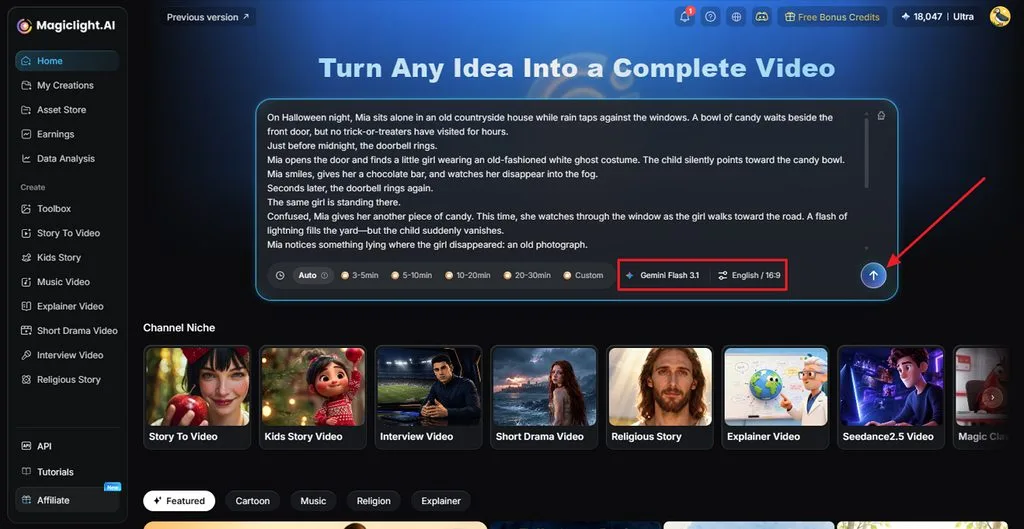
Visit MagicLight AI and write your Halloween idea using the Seedance prompts you have chosen. Pick a Story Model and set the video length. Select your language and aspect ratio before pressing Send.
Step 2. Read Through the Story
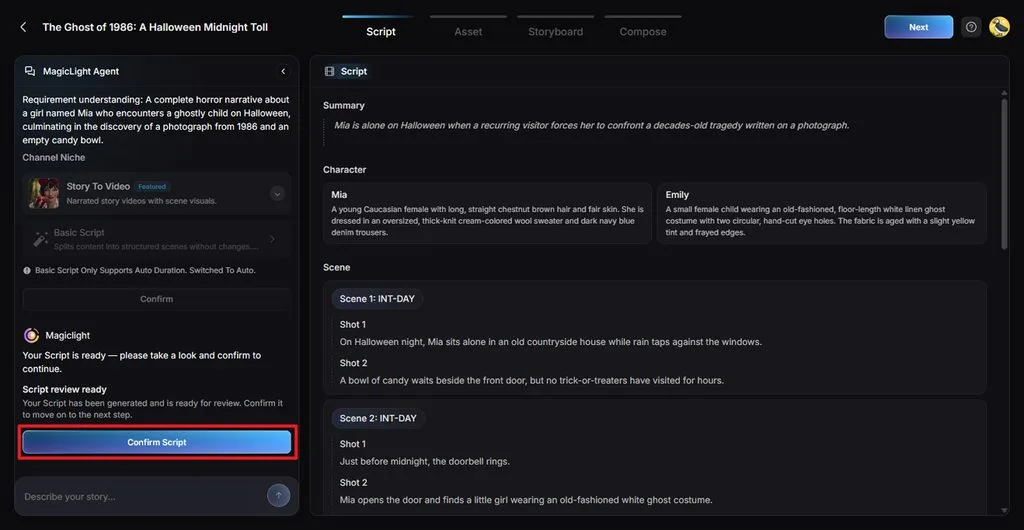
Next, go through the story script to check if any important details are missing. Ask the MagicLight Agent directly to change parts of the script before clicking Confirm Script.
Step 3. Give Your Video a Halloween Look
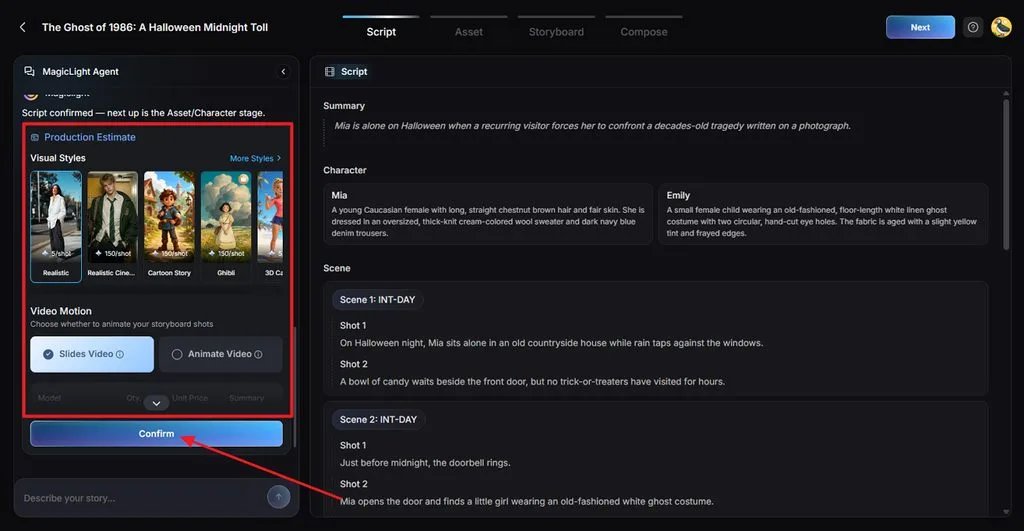
Find a Visual Style that suits the type of scary video you want. Choose the Video Motion type and click Confirm.
Step 4. Set the Look of Each Character
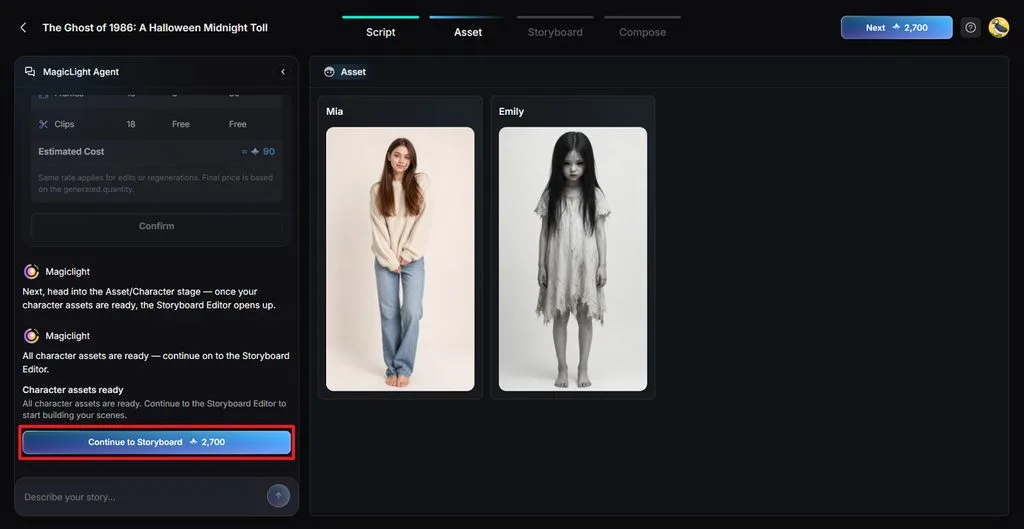
The characters from your script will appear for you to review. Check their costumes and faces before moving forward. You can bring in other characters or create a new one through the Character Library. Once that is done, press Continue to Storyboard.
Step 5. Go Through the Video Shots
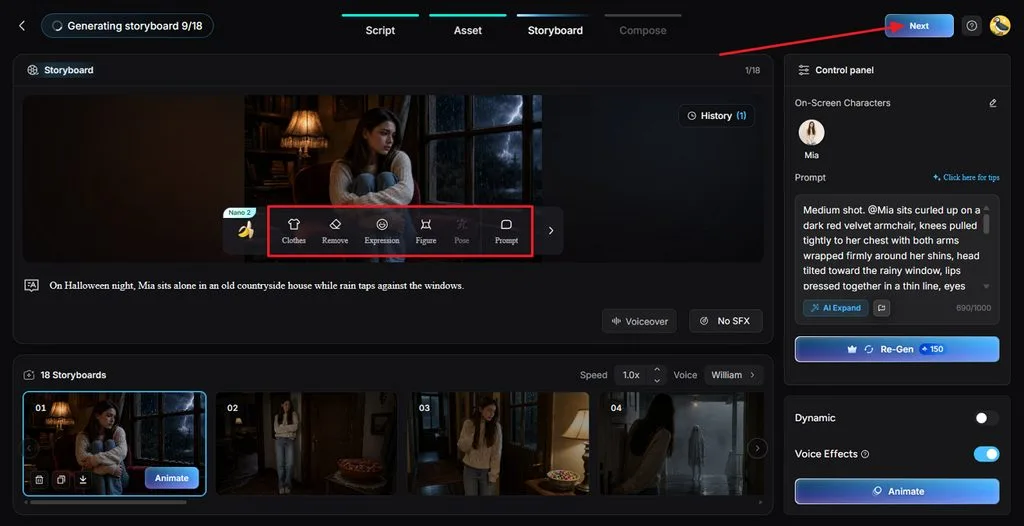
Each shot appears separately inside Nano Storyboard. Look through them and change Clothes, Expression, Figure, Pose, or Prompt wherever needed. Press Next after checking the shots.
Step 6. Find the Right Sound for Your Video
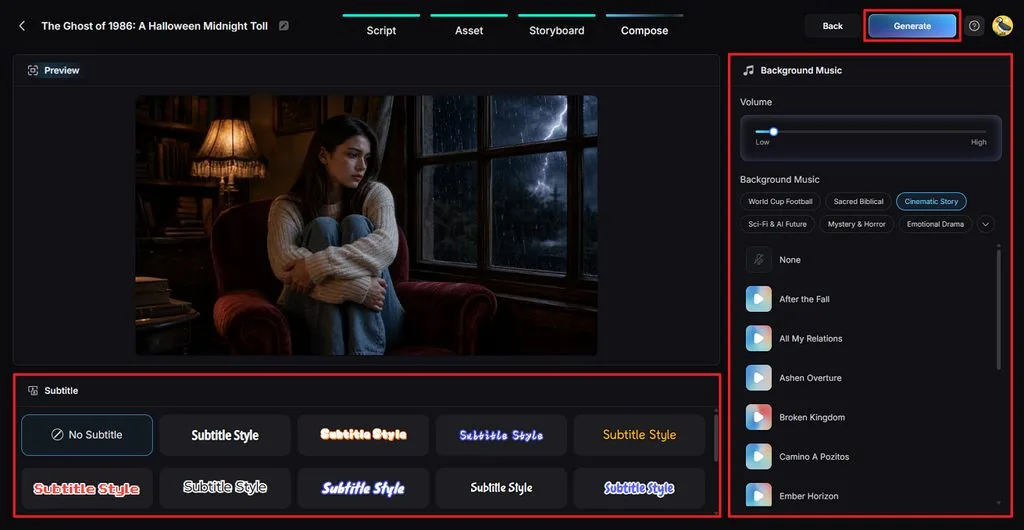
Play the preview and listen to how the scenes come together. Add Background Music that fits the Halloween mood and select a readable Subtitle Style. Click Generate to start the video.
Step 7. Watch and Save the Final Result
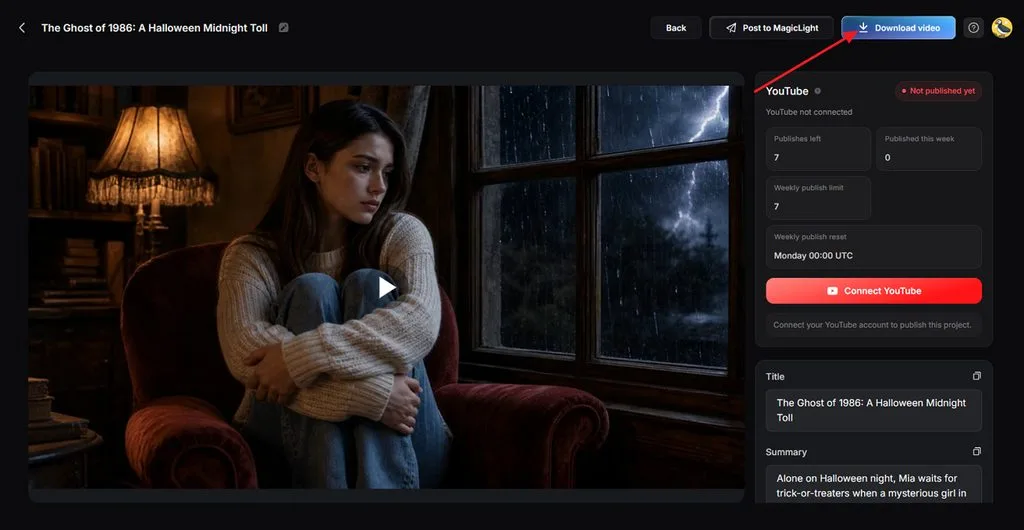
Your Halloween video will be ready to watch after generation finishes. Check whether the scenes appear in the right order and the music fits. Use Download Video to save it to your device.
Part 3. Why Use MagicLight AI for Seedance Halloween Videos
Seedance Halloween prompts are great for short clips, but longer videos need more. MagicLight AI helps keep characters consistent while adding voices and music across scenes. Here are the main reasons to use MagicLight AI for your Halloween videos:
- Turn Pictures Into Videos: Image to Video lets you enter a prompt of 1500 characters and 5 reference images for your Halloween scenes.
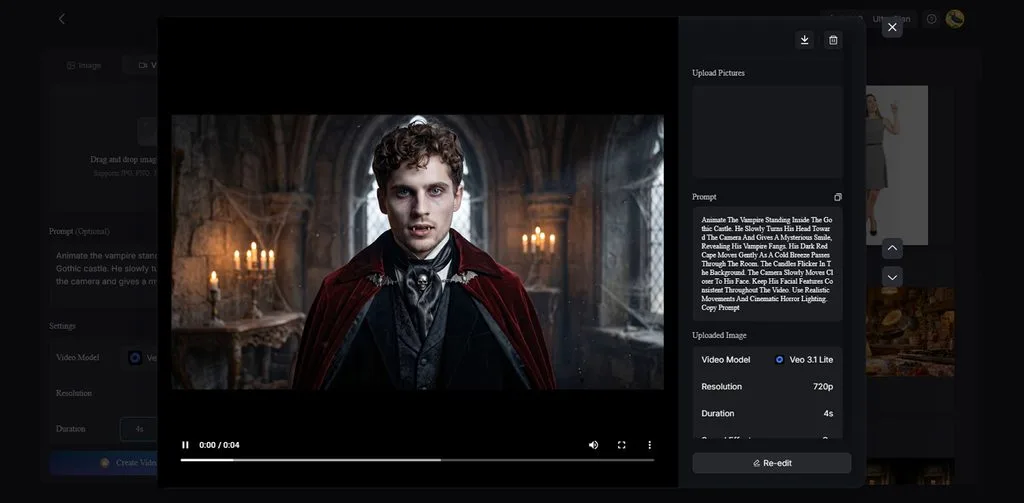
- Get Help With Your Story: MagicLight Agent turns your Halloween idea into a script and lets you change parts through chat.
- Videos Without Watermarks: No unwanted logos on your Halloween videos appear when you download them with a paid MagicLight AI plan to give viewers a clear view of every scene.
Conclusion
In conclusion, Seedance Halloween prompts are a fun way to try different horror video ideas. From haunted houses to strange characters, there are plenty of scenes you can explore. Adding clear instructions for camera movement and sound can help you get the results you want. If you have a longer Halloween story in mind, MagicLight AI can turn it into a video with narration and music.
FAQs About Seedance Halloween Prompts
1. What makes a Seedance Halloween prompt effective?
Tell Seedance exactly what you want to see happening in your Halloween scene. Include the timing of each action and any sounds you want in the background.
2. How can I add camera movement and cinematic details to Seedance Halloween prompts?
You can ask the camera to slowly move closer to a character or follow them. Describe where the light comes from to get the look you have in mind.
3. Can I turn several Seedance Halloween clips into one complete story?
Yes, you can use MagicLight AI to create a longer video from your Halloween ideas. Its Story to Video feature lets you add different scenes with narration and background music.
4. How can I maintain character and visual consistency across Halloween scenes?
Reuse the same character images and visual details in your Seedance Halloween prompts each time. MagicLight AI also lets you save characters for use throughout your longer Halloween videos.
5. What is the best AI tool for expanding short Halloween clips into longer videos?
MagicLight AI is an AI horror video generator that supports longer stories with narration. With MagicLight AI, you can create Halloween videos up to 50 minutes on paid plans.

![How to Make a Product Video for Marketing With AI [Guide 2026]](https://magiclight.ai/wp-2/wp-content/uploads/product-video-marketing-guide-1-300x198.webp)