


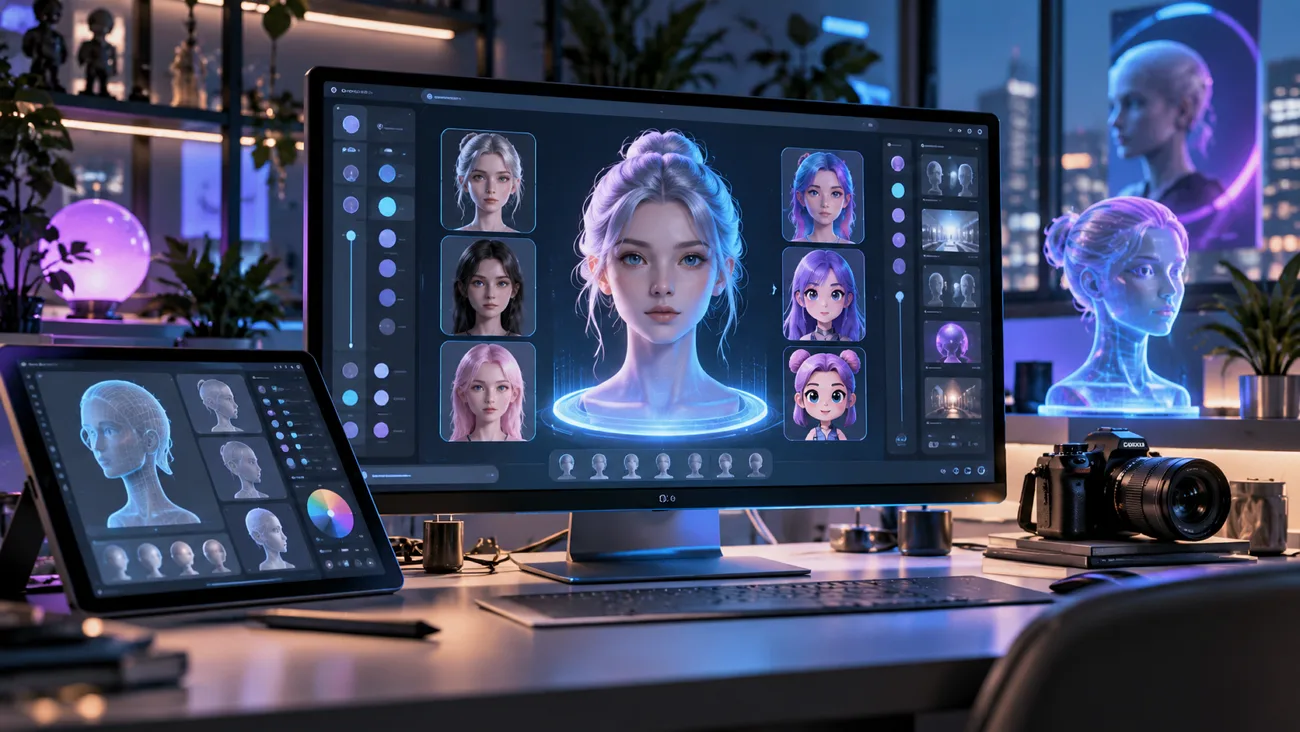
AI avatars have become a practical way to create personalized profile images, digital characters, and virtual presenters without traditional design skills. With modern AI tools, you can build an avatar from a selfie, a written description, or both.
You can also customize its appearance and style for social media, videos, branding, and other creative projects. This guide explains how to create an AI avatar, the main avatar types available, and how MagicLight AI can turn a custom character into an animated avatar.
Part 1. What Is an AI Avatar?
An AI avatar is a digital character created from a photo, a written prompt, or a combination of both. Traditional avatar tools rely on manual choices for features such as hair, eyes, and clothing. Modern AI tools can generate the entire character automatically based on the details you provide.
When you upload a selfie, the tool analyzes details like your face shape, skin tone, and hairstyle. Then it creates a new version in the style you choose. Since each generation can produce slightly different results, it helps to compare several versions and choose the closest match. In general, 4 common avatar types are available, and each follows a different approach to how to create AI avatars.
| Avatar Type | Built From | Common Uses |
| Stylized Portrait | Selfies plus a style prompt | Profile pictures and social posts |
| Original Character | A written description only | Mascots, games, and virtual influencers |
| Talking Avatar | A still avatar plus a voice track | Explainers, lessons, and short clips |
| Digital Twin | Recorded footage of a real person | Presenter videos and training content |
Part 2. How to Create an AI Avatar?
Plenty of apps can walk a beginner through how to create an AI avatar, but many stop at a still image. MagicLight AI generates the avatar through its AI Avatar Generator, then turns that face into a character that moves and speaks. The same character can later lead a full animated story without changing its look.
Avatars start as still images, which MagicLight AI creates inside the Asset Store. Once a face is ready, MagicLight Agent can write a story around it, choose the niche, and allow Story to Video to animate every scene. It creates character visuals that can serve as the starting look for your digital avatar. The tool keeps the character’s look more consistent across different scenes in the same project.
Key Features of MagicLight AI
MagicLight AI turns a simple idea into a script your avatar can follow throughout the video. The following 4 key features stand out for anyone creating an avatar this way:
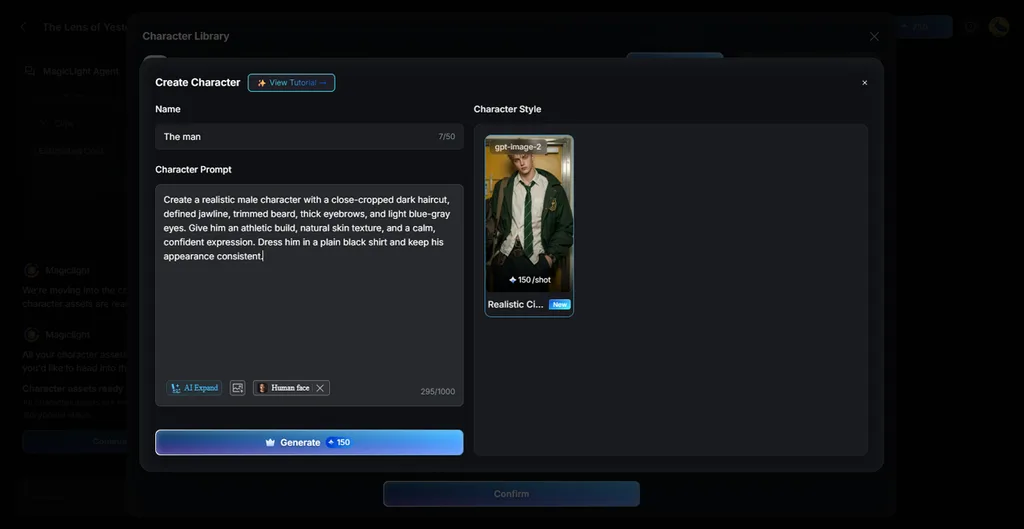
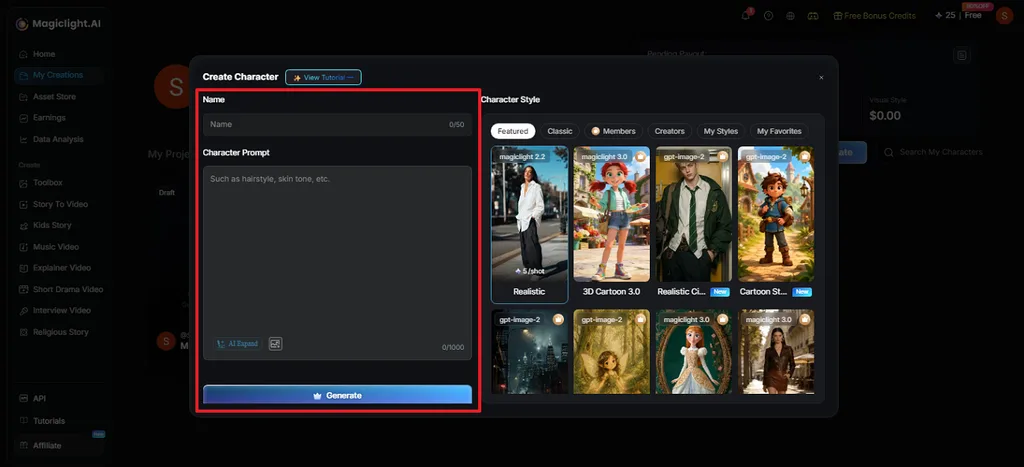
- Character Prompt: Describe face, build, and clothes in 1,000 characters, and AI Expand fills in more detail. Upload a selfie so the avatar matches a real face that you wish to have as an avatar.
- Character Style: Pick a style model, like “Realistic Cinematic,” and see the per-shot credit cost upfront. Browse ready-made characters, search by name, or open the My Character and My Favorites tabs.
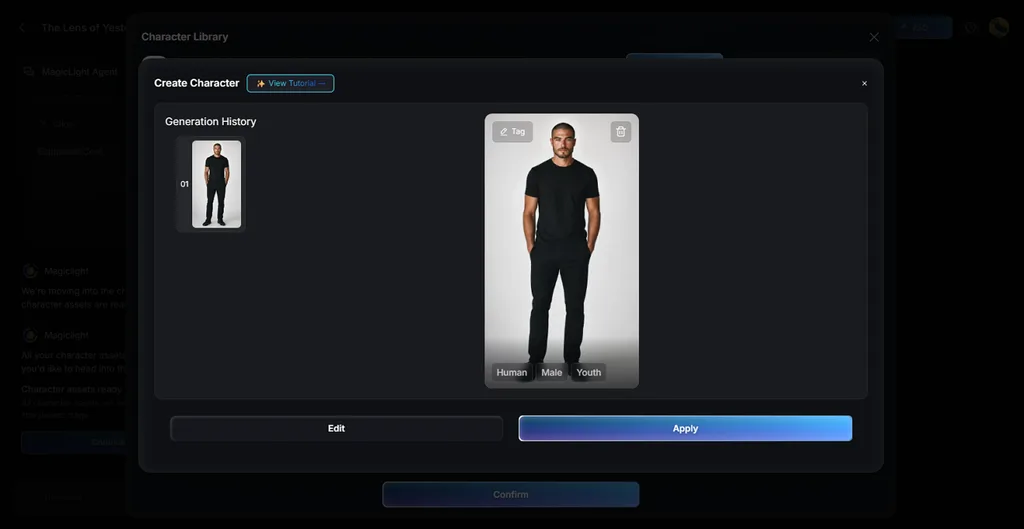
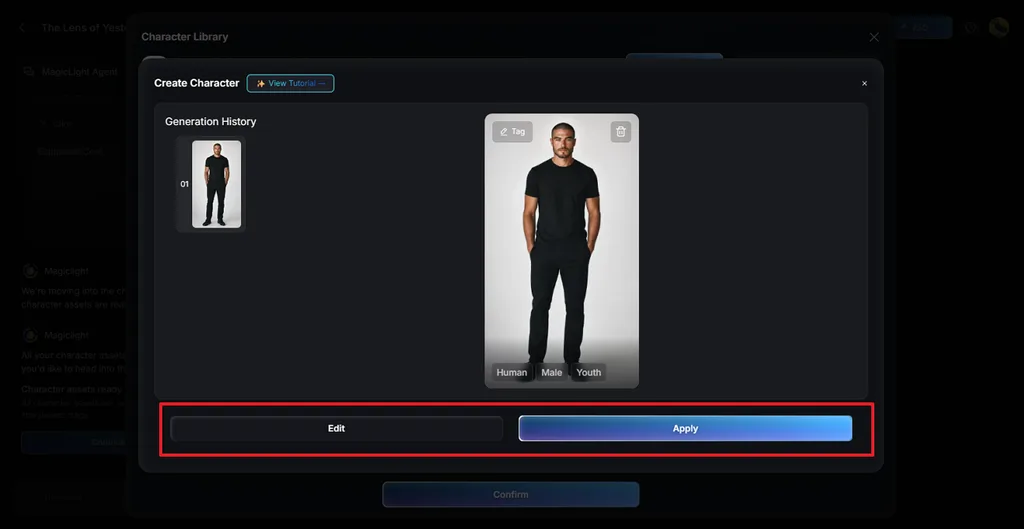
- Voice Selection: Give each character a name and a voice out of the available options and preview it before confirming. Review every version you make, click Edit to tweak it or Apply to keep it.
- Asset Preview: Finished characters appear in the Asset Store for usage. Story to Video brings a finished avatar to life, while Lip Sync lets it deliver lines in a chosen voice.
Guide: Create an AI Avatar with MagicLight AI
Building a personal likeness is the goal behind “how to create an AI avatar of myself,” so start with a good selfie. A text-only avatar follows the same path without the upload, and 4 steps cover the whole process:
Step 1. Open the Asset Store
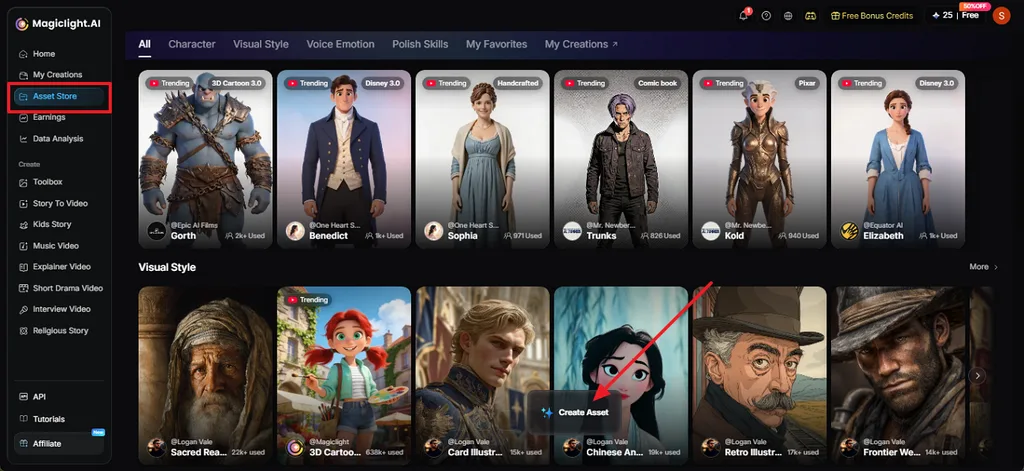
Log in to MagicLight AI and click Asset Store in the left menu. Hover over the Create Asset button at the bottom of the page.
Step 2. Create Asset and Choose Character
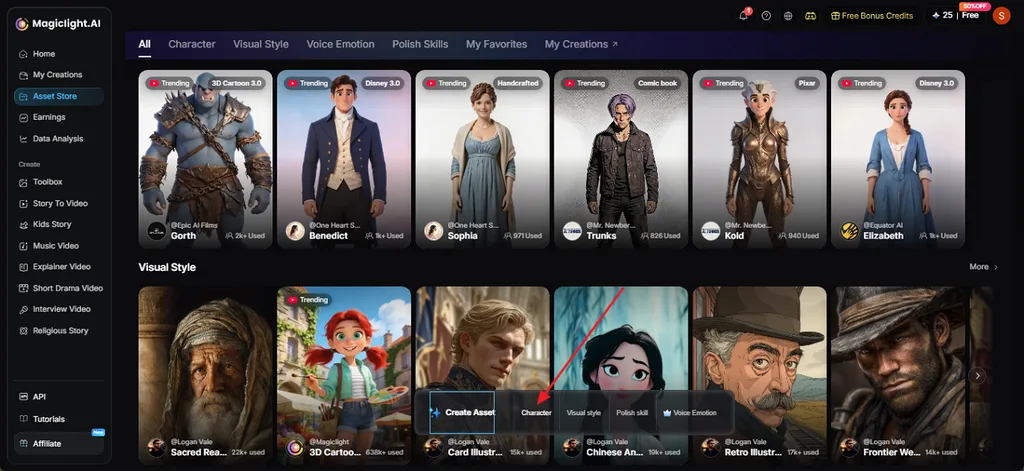
A small menu opens with 4 options: Character, Visual style, Polish skill, and Voice Emotion. Click Character to start building your avatar.
Step 3. Create Your Character
In the Create Character window, type a name in the Name box. Select the Character Prompt box and describe your avatar's hair, skin tone, face, and clothes. Click AI Expand if you want the tool to add more detail.
Step 4. Apply the Avatar and Continue
Check the result under Generation History, tap Edit if something looks off, or Apply if you like it. Your avatar will show up in the Asset stage. Click Continue to storyboard to start creating your video.
Conclusion
The steps for how to create an AI avatar are simple, but good results depend on clear photos and a precise style prompt. Selfie-based avatars suit profiles and posts, while text-only personas work well for mascots and brand characters. MagicLight AI handles the whole journey, from your first likeness to an avatar that moves, speaks, and stars in animated stories.
FAQs About Creating AI Avatars
1. How do I create an AI avatar?
Any answer to “how to create AI avatar” begins with a clear selfie or a written description plus a style prompt. Generate several versions, compare them for likeness, and adjust the wording until one fits. MagicLight AI supports this process through its Character tools in the Asset Store.
2. How can I make an AI avatar of myself?
Use a clear photo if the selected avatar tool supports photo input or provide a detailed description of your facial features and appearance. Check the privacy policy first, since services differ in how long they keep face photos. Using photos of anyone else requires that person’s permission.
3. Can I create an AI avatar for free?
Many AI avatar tools offer free tiers, usually with limited credits, watermarks, or personal-use terms. MagicLight AI offers sign-up credits with no payment card required, so you can test avatar styles before paying. Commercial use of the results requires one of its paid plans.
4. What is the best AI tool for creating avatars?
MagicLight AI is the recommended choice for creators who want one platform for likeness, style, and motion. Selfies or written descriptions become avatars. The finished face can then speak through Lip Sync or lead animated stories scripted by MagicLight Agent.


![How to Write a Script for a Short Film in 2026 [Beginner’s Guide]](https://magiclight.ai/wp-2/wp-content/uploads/short-film-screenplay-writing-guide-300x169.webp)


