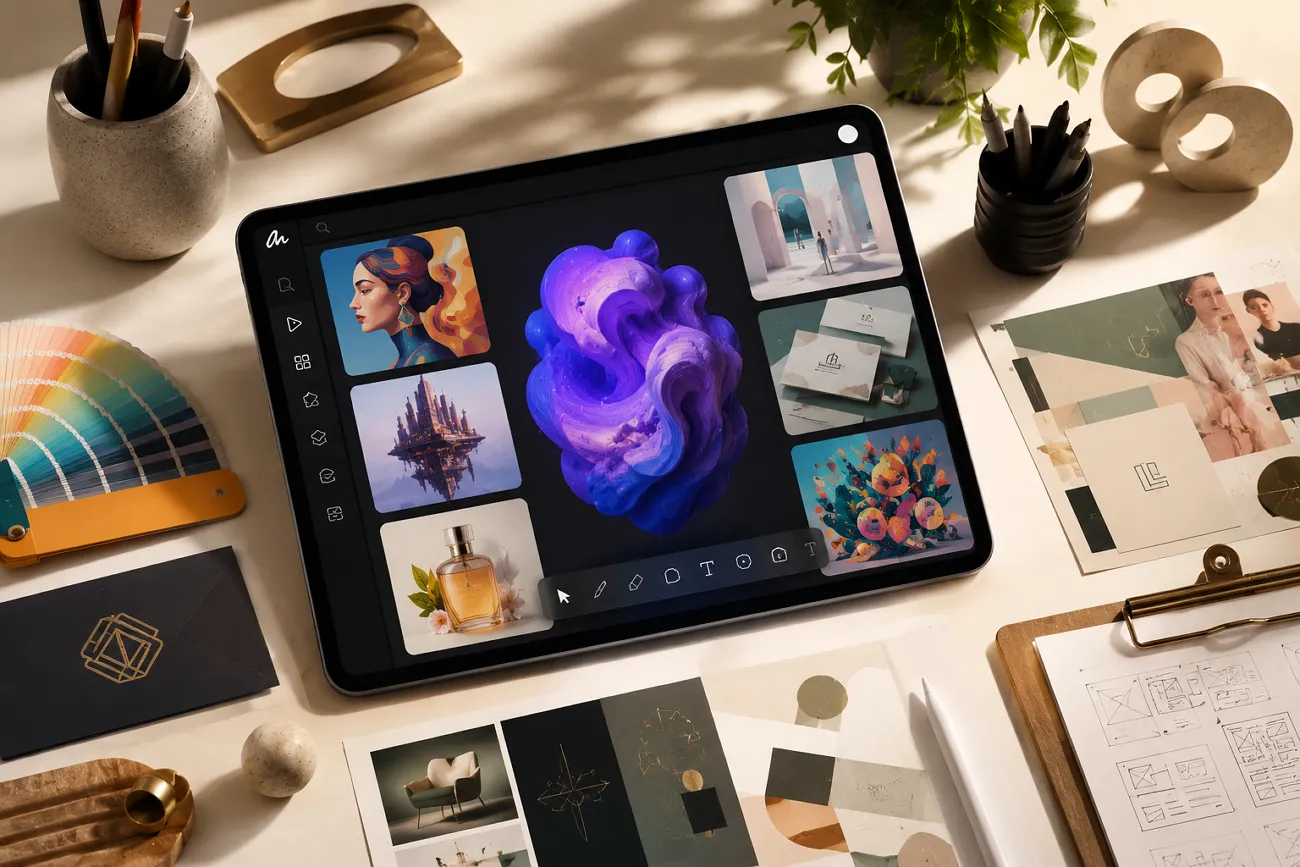
Making standout designs for posters, social media, or flyers can feel very hard. Many new creators face significant challenges when trying to build attractive visuals. A smart online tool called Lovart AI can simplify this process for you. It turns simple text descriptions into clean, clear graphic visuals with ease. This review explains this platform in detail, followed by a strong alternative to help you choose better.
Part 1. What Is Lovart AI?
Lovart.AI is a modern design agent developed by Chinese tech firm Liblib that helps users create visuals using text prompts. With its batch-generating features, you can generate up to 40 images at once. It supports both image and video editing, making it versatile for different creative needs. The platform offers 15 AI video models, including Wan 2.6 and Seedance 2.0, for creative video generation.
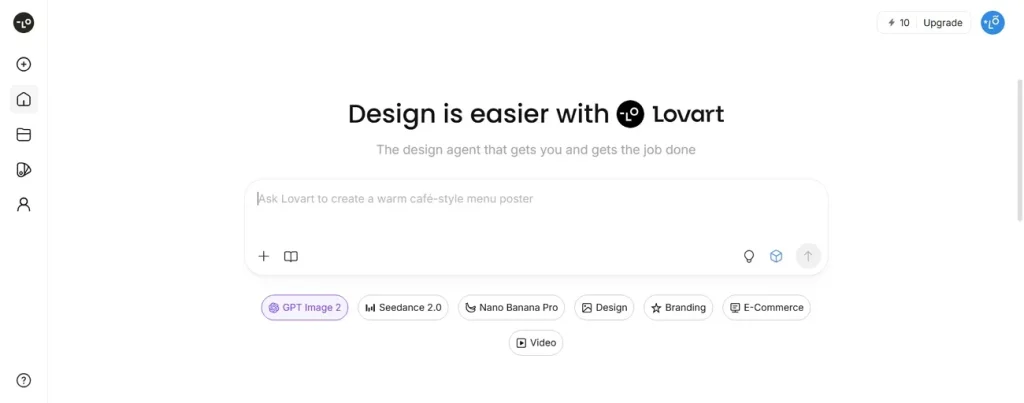
This program also offers a large collection of editable templates, fonts, and design elements for professional work. With this tool, you can generate AI videos up to 10 minutes in duration. Lovart AI provides an infinite canvas where users can freely create and expand designs without limits.
Key Features of Lovart AI
- Style Matching: The system selects matching design styles based on your prompt to maintain visual consistency.
- Object Control: You can easily adjust, move, or replace specific objects inside generated images or videos.
- Background Edit: Lovart AI allows seamless background replacement or enhancement without disturbing the main visual subjects.
- Scene Builder: The tool helps structure multiple visual scenes for storytelling and promotional content creation.
- Smart Planning: It analyzes your input and automatically creates a structured visual design strategy instantly.
Is Lovart AI Free
Lovart AI is not completely free, but it offers a free plan option. Users receive limited free credits after signing up to test core features. For better quality and commercial projects, paid plans are available for users. Thus, below is its pricing table that helps users to pick the one that fits their needs:
| Plan | Monthly Price | Monthly Credits | Key Features |
| Starter | $19/month | 2000 Credits | 5 brand kits, all models access |
| Basic | $32/month | 3500 Credits | 10 brand kits, unlimited relax gens |
| Pro | $79/month | 11000 Credits | 30 brand kits, premium models, |
| Ultimate | $169/month | 27000 Credits | 100 brand kits, full model access |
Part 2. How to Use Lovart AI?
Learning how to use Lovart AI can save time during creative work. So, below is a complete walkthrough explaining each step and useful platform tools:
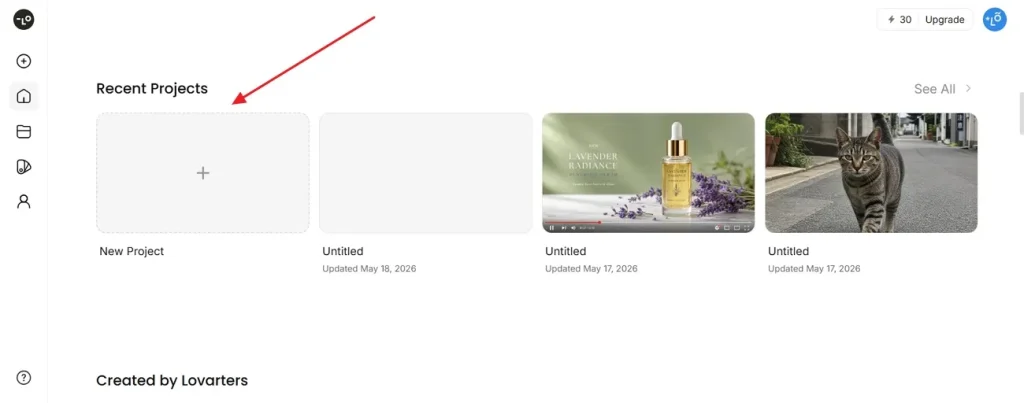
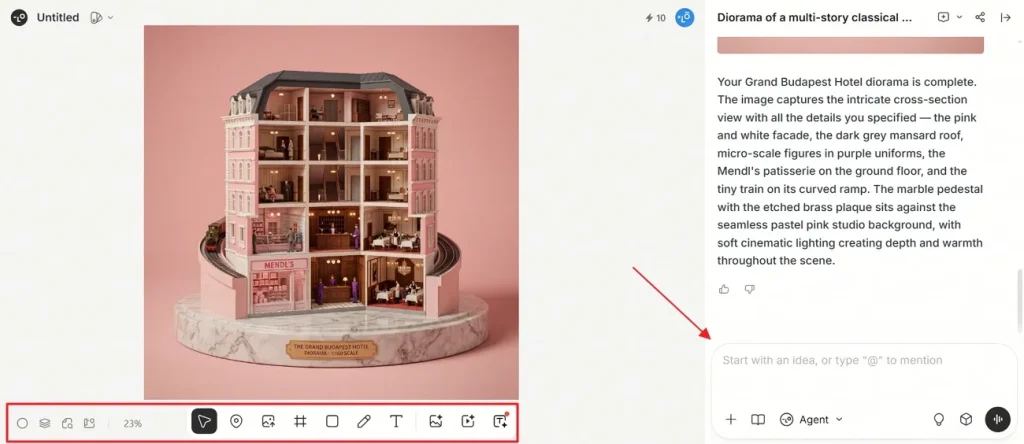
Step 1. To initiate, access the official webpage of Lovart AI and opt for the New Project option to create a new project. You can also use prebuilt templates provided by this tool.
Step 2. Upon creating it, type your idea using a simple text prompt in the given Prompt Box and press Enter. Once AI generates your visuals, you can add style and color, if needed. At last, click the Download icon to save your generated visuals.
Part 3. Is Lovart AI Safe?
Lovart AI is generally safe for most design and creative work online, and “Is Lovart AI safe?” is a common user question. It uses standard security methods to protect user data and account information. However, users should avoid uploading highly sensitive or private personal files. Always follow safety rules and read the privacy policy before trying an AI tool.
Lovart.ai User Reviews
This section shows user Lovart.AI reviews and feedback from real experiences online:
Positive Reviews
- “Not every tool is built for every operator. Most people haven’t learned that…”- Ernedonest Bey.
- “I work as a creative freelancer, and I’ve been trying out Lovart for my projects.”- Stephandone Joly.
Negative Reviews
- “This company does not allow downgrading through its own website…”- Hirata CG.
- “This AI video generator is a joke. At first it seems impressive but I upgraded…”- Blake Davis.
Part 4. Why Magiclight AI Is the Best Alternative to Lovart AI
While Lovart AI offers useful features, some users still want stronger creative performance. These limitations encourage users to explore a trusted Lovart AI alternative online. That makes MagicLight AI an appealing option for creators seeking better performance. This advanced tool is an all-in-one video creation platform that generates AI videos up to 50 minutes for extended storytelling and branded content.
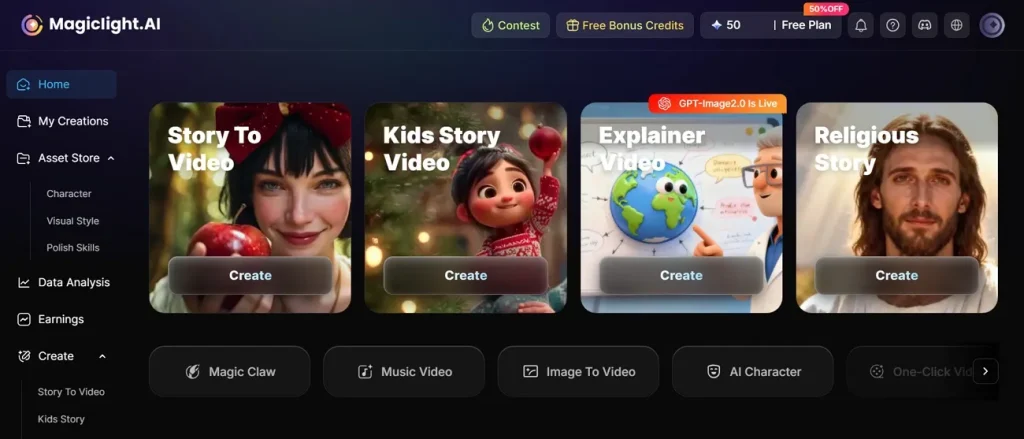
It also converts static images into dynamic scenes for product demos and creative storytelling. While generating videos, you can control scene movement using close-ups, tilts, pushes, and transitions. The tool converts storyboards into animations using 16 specialized AI generation models. To make a custom design or video, it lets creators input scripts up to 12,000 characters for detailed long-form videos.
Key Features
- Nano Editing: Users can adjust each storyboard scene with prompts, outfits, expressions, character placement, and up to 50 pose options before animation.
- Video Models: Access 17 AI video models, including Seedance, Kling, Wan, and Veo, for diverse video creation styles.
- Character Consistency: It keeps characters looking the same across scenes, helping the video feel smooth, connected, and easy to follow.
- Language Support: The tool supports 11 languages that help users create AI videos for a wider global audience reach.
- Prompt Expansion: AI expansion turns short prompts into richer descriptions that help create more detailed visuals and stronger storytelling.
Part 5. Is MagicLight AI Better Than Lovart AI?
Many creators using Lovart AI free often switch to more advanced platforms due to various limitations. Thus, review the table below to evaluate which platform delivers better results overall, helping you choose the best one:
| Feature | Lovart AI | MagicLight AI |
| Story Creation | Basic storyboard generation for videos | Advanced automated storytelling with full structure |
| Script Input | Limited long script support available | Accepts scripts up to 12,000 characters |
| Scene Control | Basic scene adjustments and editing | Detailed nano storyboard micro scene control |
| Character Consistency | Limited consistency across video scenes | Maintains strong, consistent characters throughout scenes |
| Image to Video | Converts images into short clips | Converts images into dynamic cinematic scenes |
| Voice Options | Standard AI voice integration only | 37 voiceovers with cloning support |
| Scene Movement | Limited camera movement controls | Full cinematic camera controls available |
Conclusion
To sum up, Lovart AI serves as a helpful assistant for making fast social media images and short animations. It gives new users an excellent space to experiment with different art styles daily. Still, many creators need a tool that supports longer scripts and smoother scene transitions for advanced projects. Consequently, MagicLight AI comes highly recommended to help you create stunning long-form stories.
FAQs on Lovart AI
1. Does Lovart AI require sign-up?
Yes, Lovart AI requires users to create an account before using features. Signing up helps save projects, track credits, and access all available tools. You can also register quickly using email or Google login options.
2. What are the best Lovart AI alternatives?
Many users consider MagicLight AI to be the strongest alternative to Lovart AI. It offers longer videos, better storytelling, and advanced creative control tools. Other tools exist, but MagicLight AI gives more powerful options for video generation.
3. Can beginners use Lovart AI easily?
Yes, Lovart AI is designed for beginners with a simple text prompt system. Users can create visuals without needing advanced design or editing skills. However, MagicLight AI provides easier guided workflows and simpler controls for beginners.
4. Is Lovart AI reliable for daily use?
Lovart AI works well for light daily design and creative tasks. Sometimes, heavy users may face credit limits and performance restrictions frequently. For a more stable experience, MagicLight AI provides very consistent and fast results.
5. Is Lovart AI safe?
Yes, Lovart AI is generally safe for normal creative usage online. Users should still avoid uploading sensitive or private confidential information online. In contrast, MagicLight AI also follows strong safety standards for user data protection. It also follows security practices designed to protect user information.

![How to Write a Script for a Short Film in 2026 [Beginner’s Guide]](https://magiclight.ai/wp-2/wp-content/uploads/short-film-screenplay-writing-guide-300x169.webp)