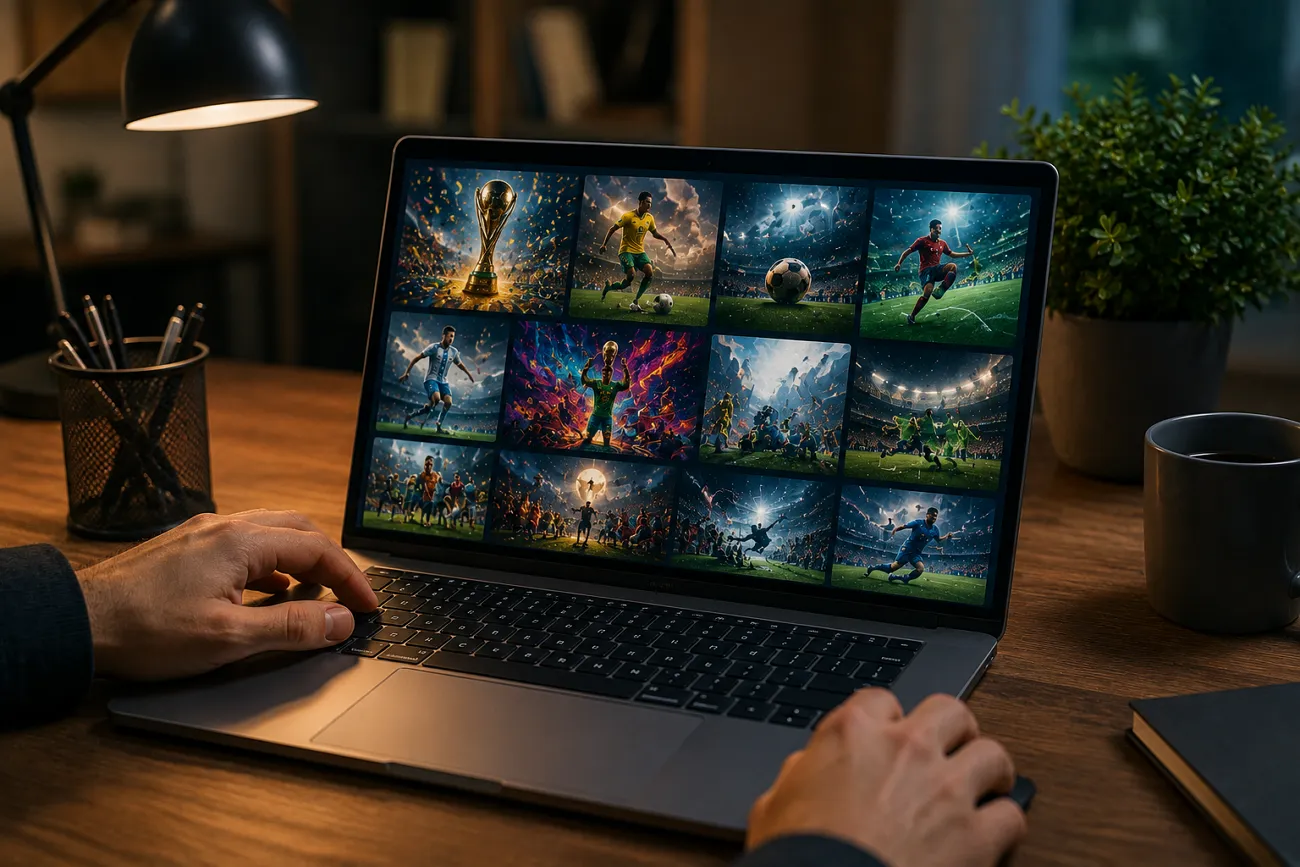
As the FIFA World Cup is around the corner, football fans make lots of viral content. AI video generation is where dreams become reality, with fans bringing their dream moments to life. Top-notch AI video models like Seedance enable creators to make engaging videos that look life-like.
With the right prompt, you can leverage Seedance’s abilities and make a stunning movie. This article breaks down the top Seedance World Cup prompts that will help you make an appealing fan video.
Part 1. How to Write Better Seedance FIFA World Cup Prompts
The outcomes of an AI video tool depend on the quality and precision of your prompt. Below are some tips on how to write better Seedance World Cup prompts:
- Be Specific About the Scene: Don’t include words such as “football match,” but rather share details such as “a last-minute goal led to a great World Cup Final for the players to celebrate.”
- Mention Camera Angles and Motion: Add cinematic directions to improve visuals. To get a more professional shot, use a slow motion, drone shot, close-up, or a camera pan across the stadium.
- Talk About Atmosphere: Crowd energy, lighting, weather, and emotions must be included in the prompt. For instance, “rainy stadium, roaring fans, intense tension, bright floodlights” are more immersive than simple words.
- Set Player Details: Set player appearance, jersey color, expression, or action. This helps Seedance generate more accurate and consistent football visuals.
- Include Visual Style Preferences: Mention if you want a “cinematic,” “realistic,” “anime-style,” or “epic sports commercial” look to match your creative vision.
Part 2. Football Star-Related Video Prompts: Generate Superstar Football Stories
To make videos of your favorite soccer celebrities, you must think of unique prompts. This section suggests the best star-related Seedance World Cup prompts to make your stan account shine:
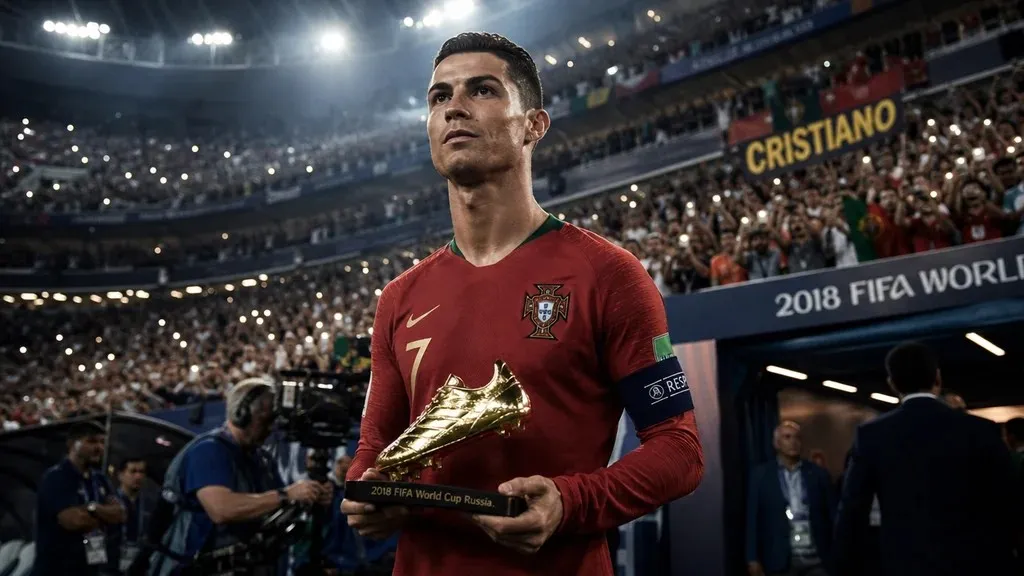
1. Golden Boot Winner Introduction
- “A dramatic World Cup stadium at night, roaring crowd under bright floodlights, a legendary striker walking through a tunnel in slow motion, golden sparks flying, giant screen showing top goals, cinematic close-ups, intense atmosphere, epic sports documentary style.”
- “A football superstar carrying the Golden Boot trophy after winning the World Cup, confetti raining, emotional fans cheering, slow-motion camera tracking, dramatic lighting, realistic cinematic football film aesthetic.”
- “Fast-paced cinematic montage of a World Cup top scorer scoring bicycle kicks, volleys, headers, and penalty goals, scoreboard flashing statistics, roaring crowd, sports commercial energy, ultra-realistic visuals.”
- “A football player preparing in the locker room before the World Cup final, tying boots, focused expression, transitioning into scenes of spectacular goals and victory celebration, cinematic transitions, emotional storytelling.”
- “A Golden Boot winner stepping into a packed World Cup stadium, spotlight following the player, fans chanting, close-up facial expressions, slow motion, epic orchestral mood, realistic sports movie visuals.”
2. Championship Captain Journey
- “A young football captain training alone in empty stadiums, overcoming defeats, motivating teammates, leading the national team into the World Cup final, emotional cinematic storytelling, dramatic lighting.”
- “A World Cup captain’s emotional journey from local football grounds to lifting the championship trophy, inspirational flashbacks, locker room speeches, stadium celebrations, sports documentary style.”
- “A football captain carrying the hopes of a nation during a tense World Cup tournament, emotional crowd reactions, dramatic match moments, motivational speeches, realistic cinematic visuals.”
- “A national team captain losing an important match, training harder, inspiring teammates, leading the team back to World Cup victory, cinematic slow motion, emotional soundtrack mood.”
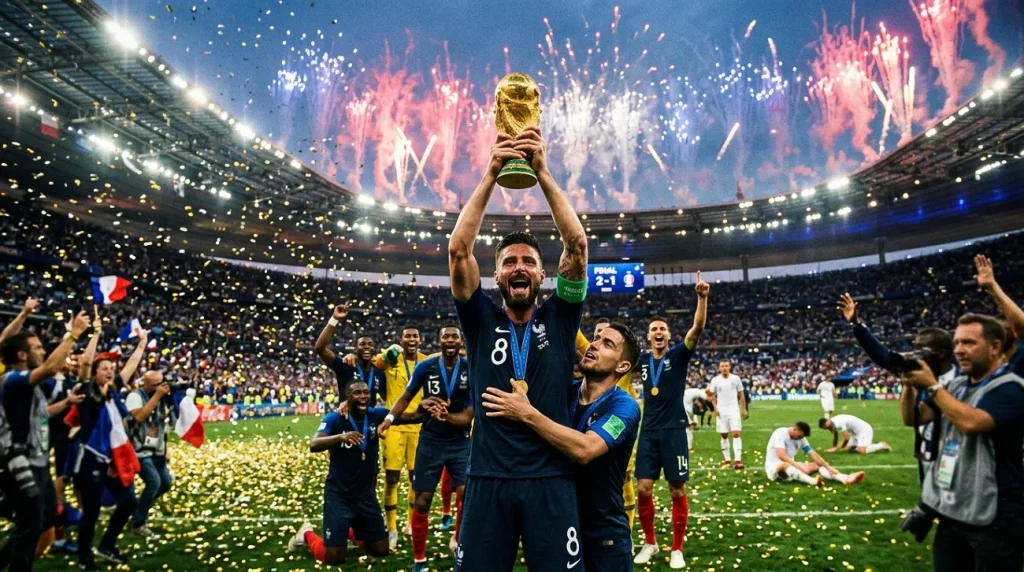
- “A dramatic football captain leading teammates into the World Cup final, final whistle blows, captain lifts the trophy surrounded by fireworks and confetti, emotional cinematic ending.”
3. Future Football Superstar Story
- “A young football kid practicing on dusty streets, dreaming of World Cup glory, transitioning into massive stadium crowds and superstar success, emotional sports movie storytelling.”
- “A teenage football prodigy training relentlessly, viral match highlights, media attention growing, entering the World Cup stage as the next football superstar, cinematic sports trailer style.”
- “A young football talent from a small town overcoming struggles, intense training sequences, inspirational rise to becoming a World Cup star, emotional and realistic visuals.”
- “A future football legend practicing impossible goals, fans predicting greatness, dramatic training montages, bright stadium lights, cinematic football advertisement aesthetic.”
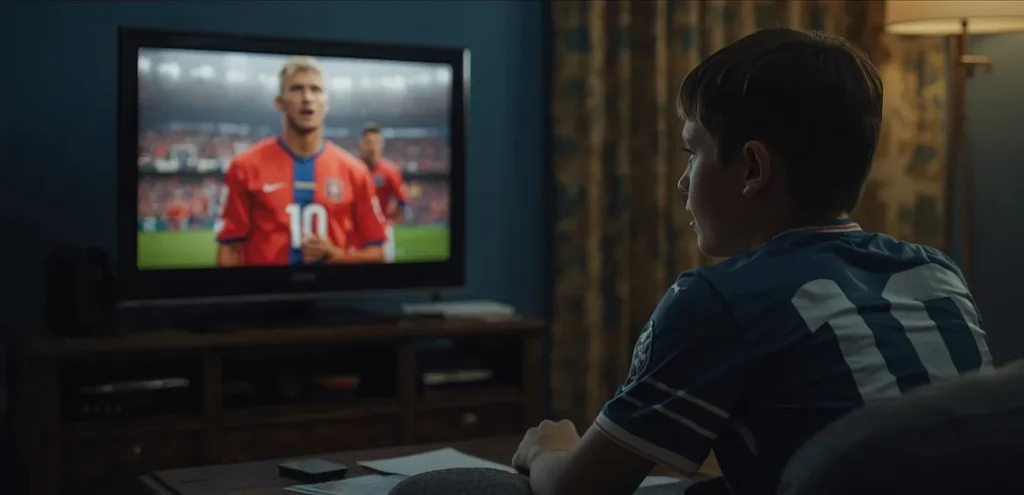
- “A young footballer watching World Cup legends on TV, inspired to train harder, growing into a global football icon, emotional transitions, cinematic storytelling.”
4. Football Legend Tribute Video
- “A cinematic tribute video honoring a football legend, iconic goals, emotional crowd chants, dramatic slow motion highlights, golden lighting, legendary career montage.”
- “A football legend walking through an empty stadium after retirement, flashbacks of unforgettable World Cup moments, emotional fans holding banners, cinematic emotional tone.”
- “A powerful tribute to a football icon showing childhood dreams, legendary goals, emotional celebrations, trophy lifts, dramatic documentary storytelling.”
- “A football legend standing in a glowing stadium surrounded by memories of historic goals and celebrations, cinematic sports movie atmosphere, emotional ending.”
- “Fans around the world celebrating a football legend’s legacy, emotional montage of iconic moments, fireworks, stadium applause, realistic cinematic tribute video.”
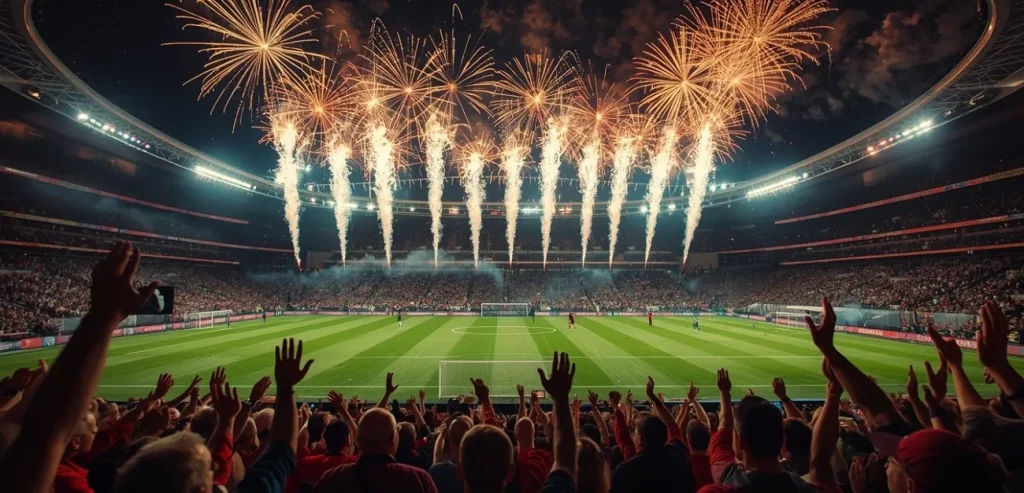
Part 3. Turn Seedance FIFA World Cup Prompts Into Videos With MagicLight
Now that you understand the Seedance World Cup prompt engineering for creating FIFA videos using Seedance, let’s turn that text into videos.
Magiclight AI is a story-generating tool that converts your images into engaging stories. It can be used for long-form videos, reaching up to 50 minutes. Its Story to Video feature creates a video in more than 30 languages to make localized content.
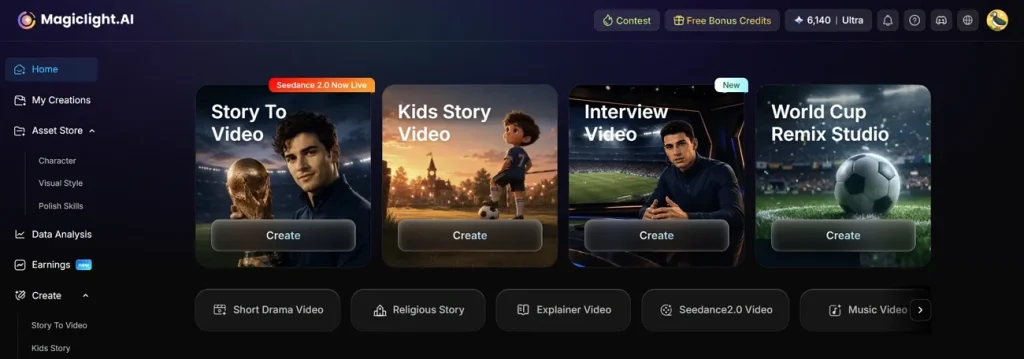
Users can make films in the aspect ratio required by their go-to video-sharing platforms. To make the video catchier, you can choose from the collection of built-in background music tracks. The video is personalized, as you get to upload the cast images from your device. Moreover, you can generate an AI character and use it as the story’s cast.
Key Features
- AI Video Models: Magiclight AI has several AI video models that can deliver high-quality video results, including Gemini Omni and Seedance 2.0.
- Storyboard Customization: After storyboard generation, you can check and make some edits to the storyboard if required. Two of the elements that can be changed are the look of the character and the script.
- Subtitle Generation: This platform gives users the chance to include subtitles for the AI-generated story. You can pick the subtitle template of your choice to enhance visuals and readability.
- AI Voiceover Generation: The users can use 37 voices for voiceover to make their videos more accessible. They can also take advantage of the voice cloning function to recite the script in their own voice.
- Script Input: This platform supports long-form content, up to 12,000 words per script.
How to Create a FIFA World Cup Video With MagicLight
Magiclight AI creates a footballer character and converts it into an engaging video story. The following guide is a detailed walkthrough of creating a video from a character using these Seedance World Cup prompts on this tool:
Step 1. Start the Character Creation Process
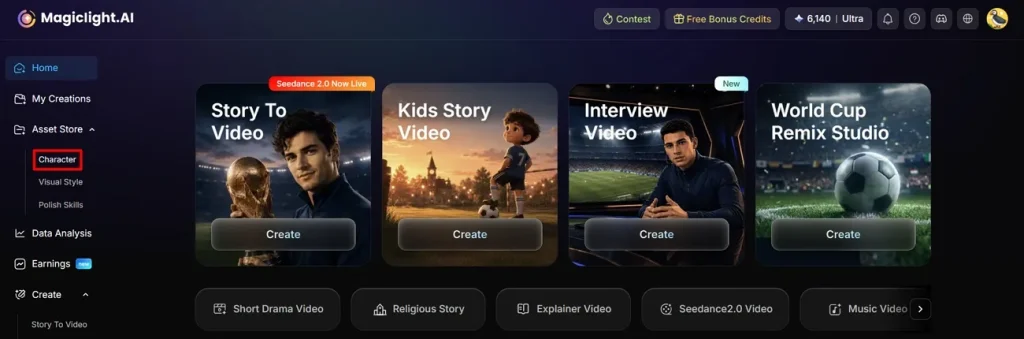
To begin with, open the Character feature from the left sidebar and let the next page load.
Step 2. Initiate Character Generation to Proceed
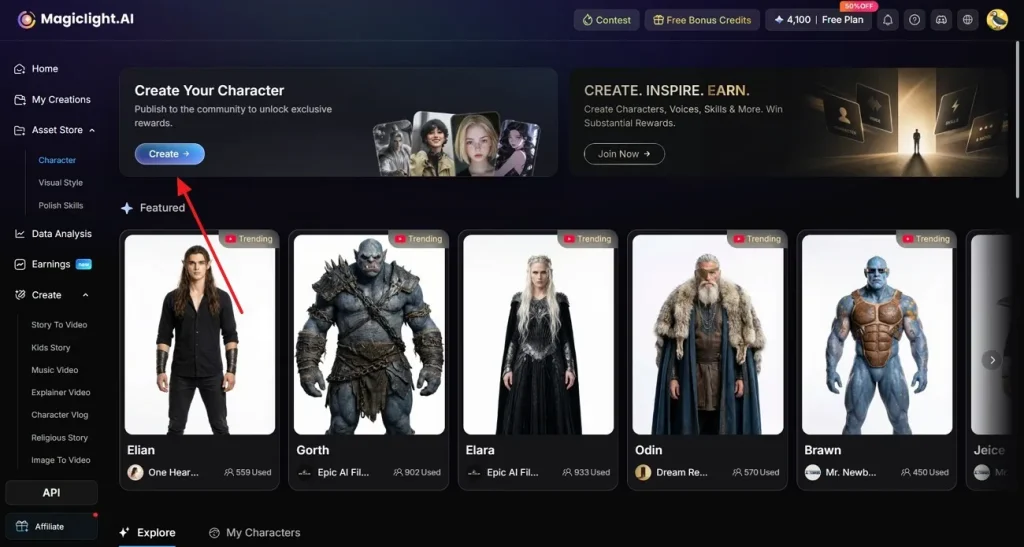
On the next page, select the Create button and proceed to the character-generating page.
Step 3. Create a Customized Soccer Character
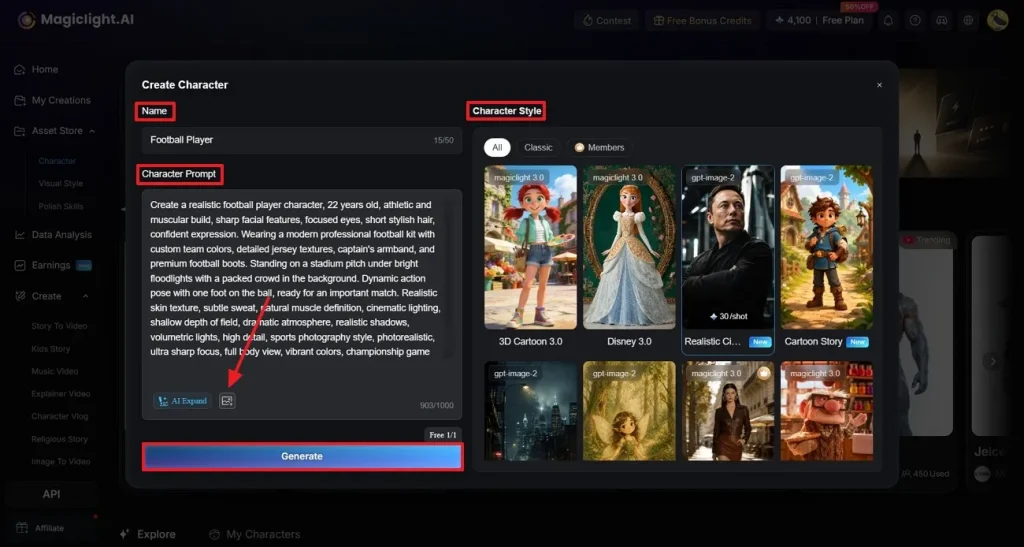
Using the next window, write the footballer’s Name and give the Character Prompt in the relevant fields. Next, press the Upload button to upload a reference image from your PC. In the Character Style section on the right, select the Realistic style for making a life-like character. Once all the settings are given, click the Generate button to start generating.
Step 4. Input the Reference Image Details
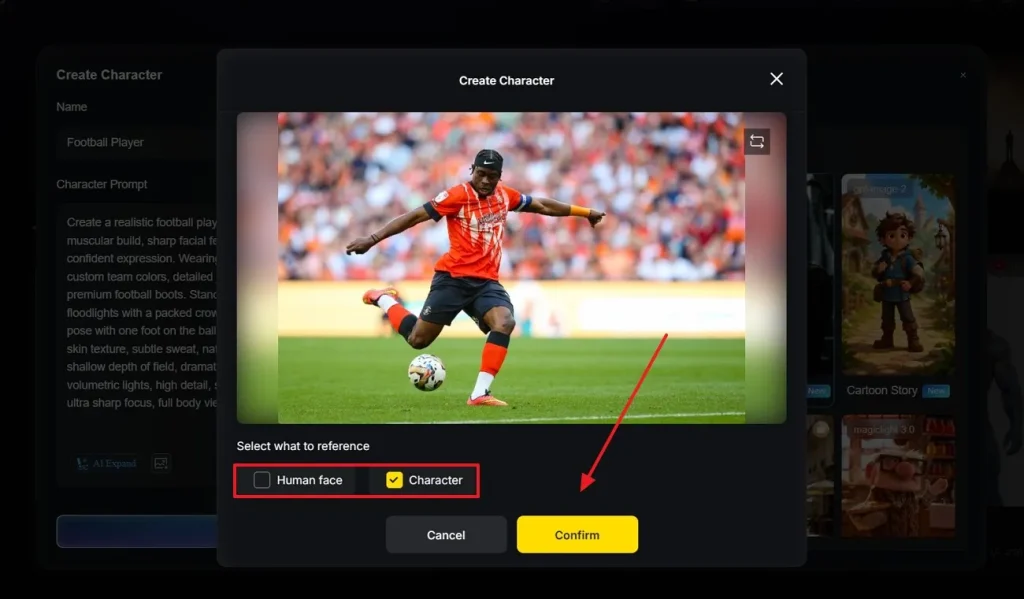
As the next window appears, select what you want to review from the uploaded reference image and click Confirm to proceed.
Step 5. Take Action for the Footballer Character Appearance
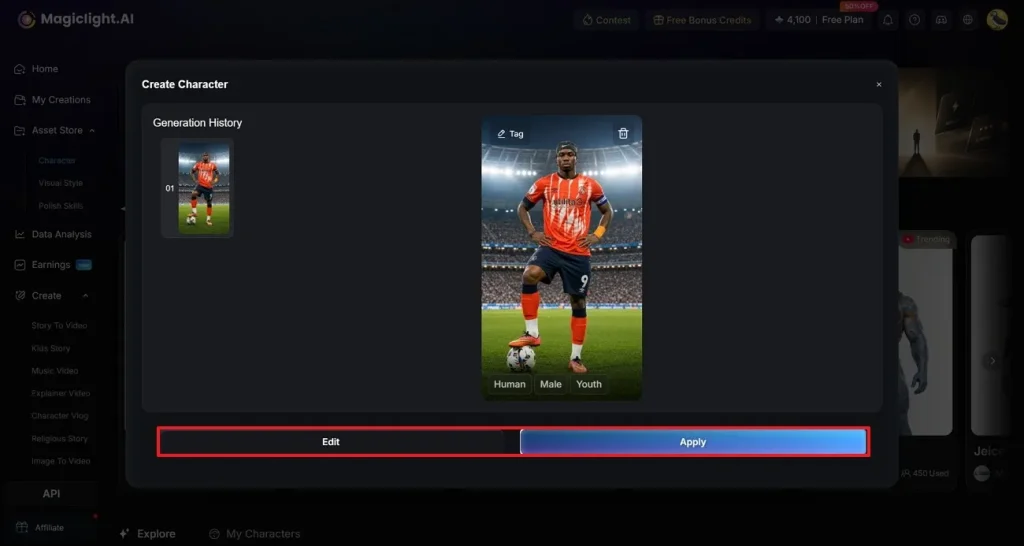
When your character image is generated, take a look at it and see if it needs to be improved. Click Edit to refine and Apply to build the character using this appearance.
Step 6. Click the Story to Video Feature From the Main Page
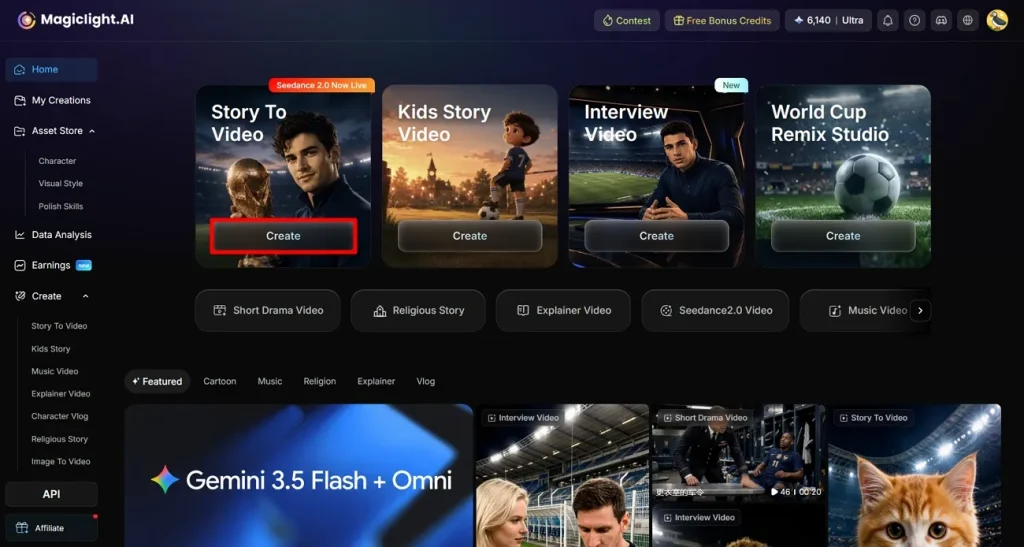
Once the character is built, head back to Magiclight AI’s feature page and click the Story to Video option.
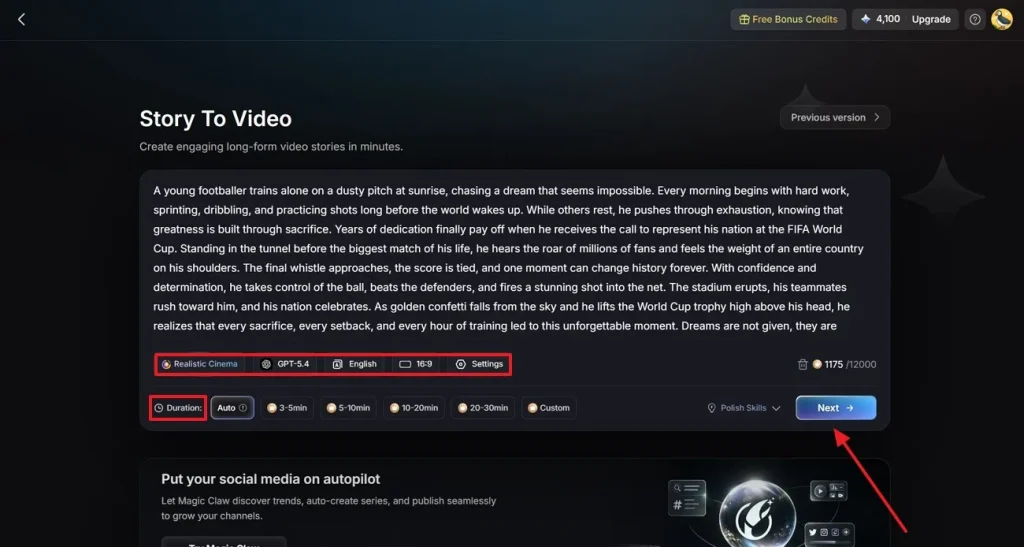
Step 7. Enter Story to Video Details
In the dedicated field, give a story script and select the style, AI model, language, and aspect ratio for the video. To use the recently generated AI character in your story, align your script to the character. You can also enter advanced Settings and the video’s Duration before clicking Next.
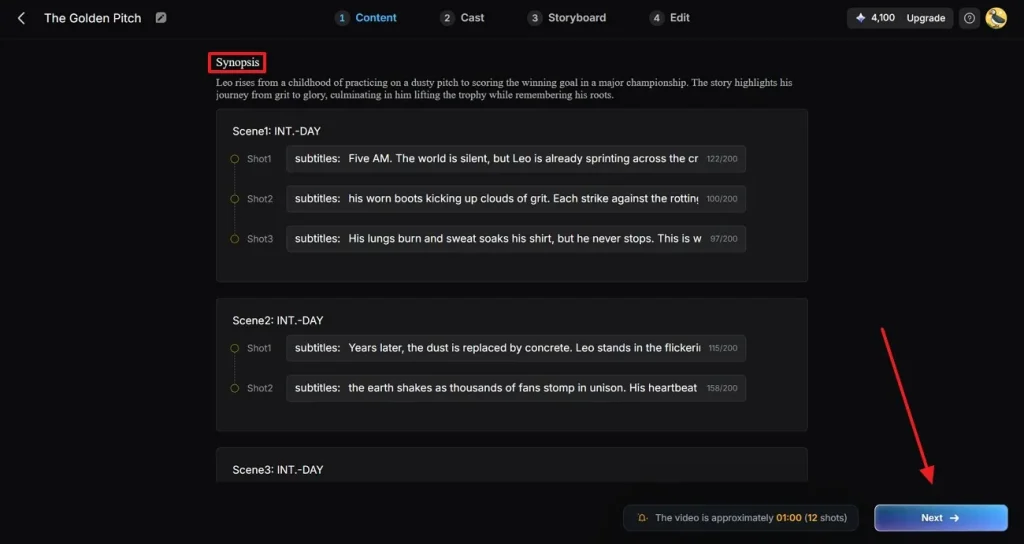
Step 8. Go Through the Video’s Synopsis
When the video’s Synopsis is previewed on the next page, edit it if needed. Then, press the Next button to move forward.
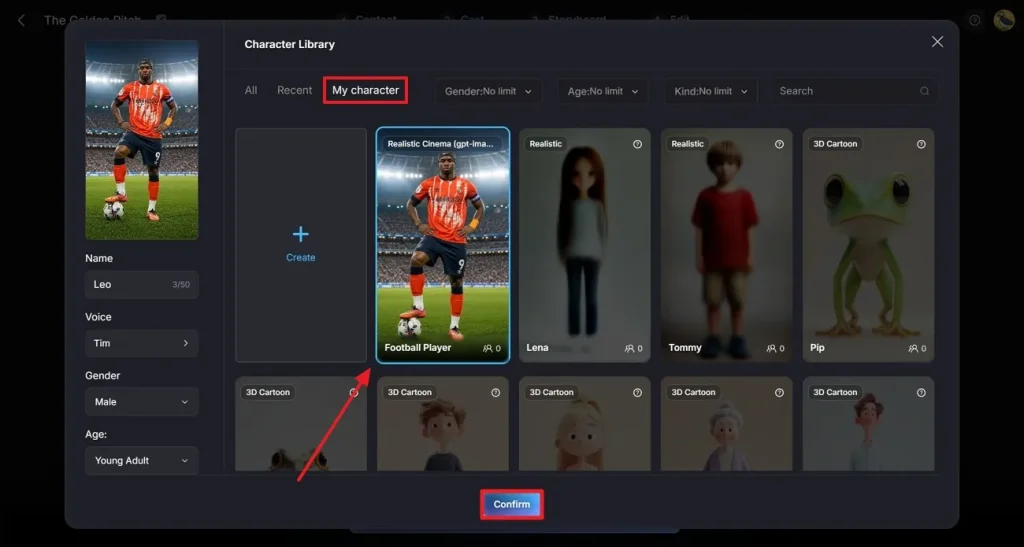
Step 9. Pick a Character for Your Video
Once the process leads onto the next window, select the character option and proceed onto the My Character section. Choose your generated football character and tap Confirm to continue with this as your video character.
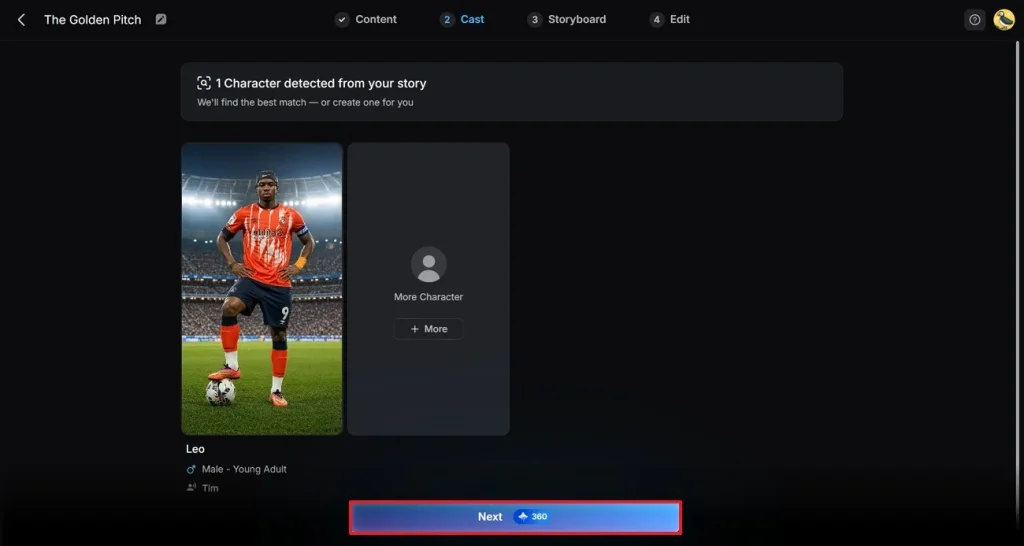
Step 10. Proceed After Selecting the Cast
After the cast has been selected, press Next to move to the next step.
Step 11. Enhance the Story
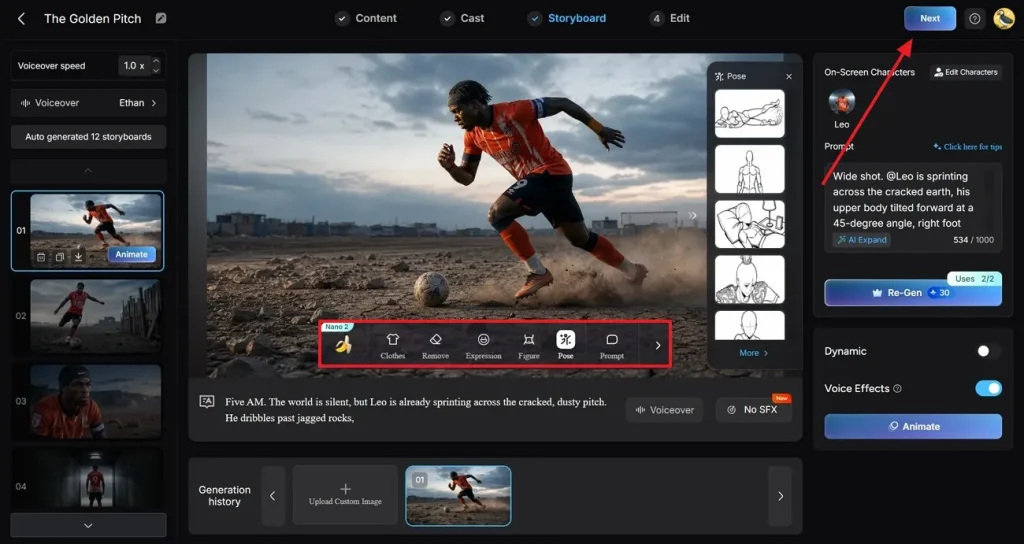
After the story is created, refer to the floating toolbar in the preview window and make the desired changes. Once done, click the Next button from the top right to proceed.
Step 12. Generate Subtitles to Finalize the Video
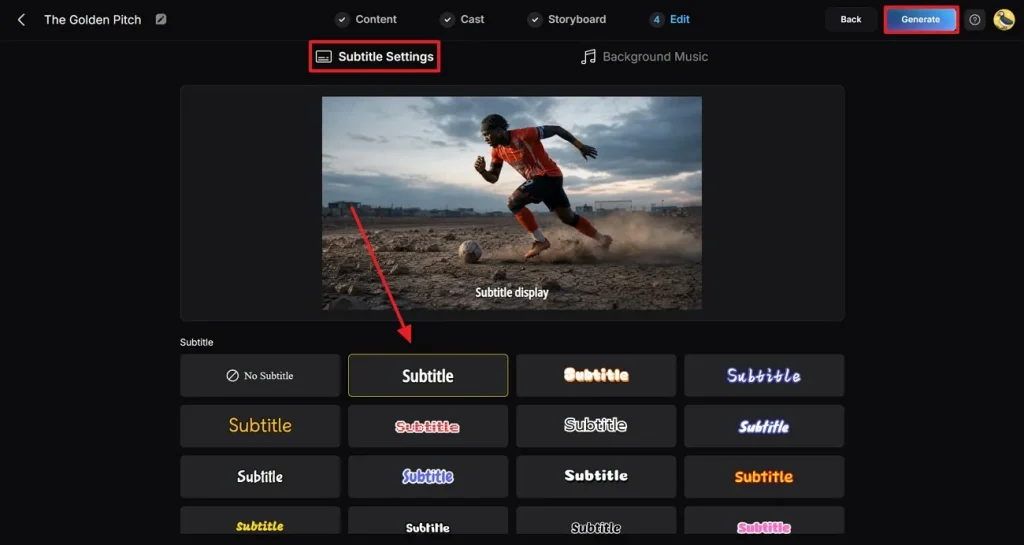
In the final step, enter the Subtitle Settings tab and pick a subtitle style for your video. Finally, click the Generate button to find the video on the next page.
Step 13. Preview and Download the Video
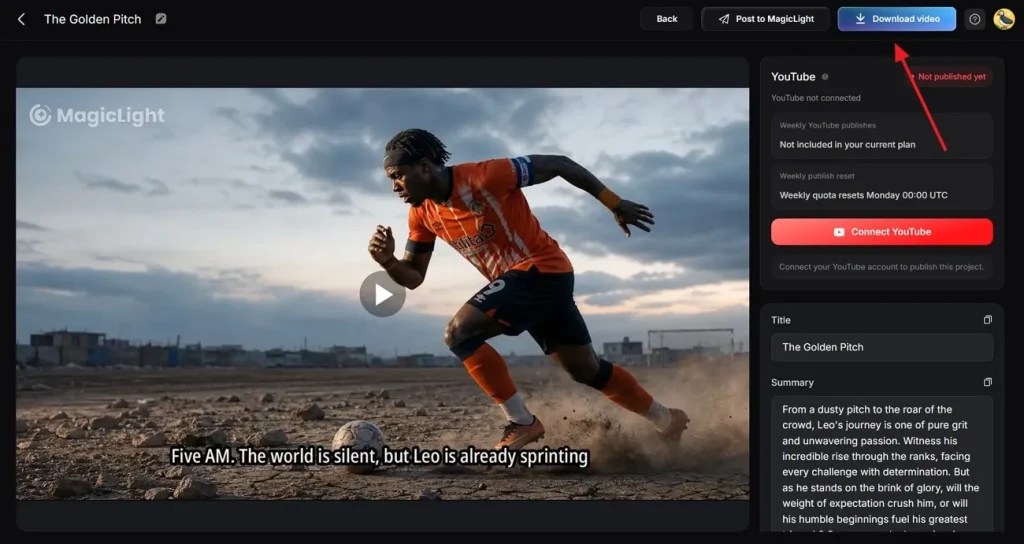
After creating the video, preview it and select the Download Video button from the top right to save it.
Conclusion
AI-produced FIFA World Cup videos are sure to go viral during the football season. This article contained a good detail about giving Seedance World Cup prompts. After creating the prompts, you can then utilize them to create engaging stories in Magiclight AI. This tool allows you to make a custom footballer character and utilize them in stories.
FAQs on Seedance FIFA World Cup Prompts
1. Can Seedance generate FIFA World Cup trailers?
You can use text prompts and visual references to create a film-like trailer for the FIFA World Cup with Seedance. Use the proper prompt structure to produce dramatic player intros, stadium scenes, match highlights, and emotional moments during the championship.
2. Can Seedance generate post-match interview videos?
Footballers, reporters, and stadium backdrops can be rendered realistically for your post-match interviews with Seedance. To improve the overall cinematic feel, realism, and visuals, MagicLight AI can enhance the final product.
3. How do I make football videos look more cinematic?
Utilize detailed prompts including camera angles, light and motion, slow motion, crowd atmosphere, and emotional storytelling. MagicLight AI can also enhance the realism by adding cinematic effects, higher quality visuals, and better scene transitions.
4. How does MagicLight complement Seedance?
MagicLight works well alongside Seedance by improving video quality, visual consistency, and cinematic presentation. While Seedance focuses on generating football scenes, MagicLight helps make them look more polished and professional.
5. Which is better for football storytelling: Seedance or MagicLight?
Seedance is better for generating football story scenes and AI video concepts from prompts. MagicLight is useful for enhancing cinematic quality, so using both together often produces the best football storytelling results.
![How to Write a Script for a Short Film in 2026 [Beginner’s Guide]](https://magiclight.ai/wp-2/wp-content/uploads/short-film-screenplay-writing-guide-300x169.webp)