



Video creation is now a daily task for brands, creators, and small teams. However, choosing the right video tool becomes harder as new platforms appear every year. Users need tools that save effort without making the process harder. SocialSight AI is one option attracting people looking for easier video creation. This article reviews its main features, strengths, and weaknesses, along with its advanced alternative for your projects.
Part 1. What is SocialSight AI?
SocialSight AI is a multi-model video creation platform that helps users create short videos using plain text or reference images. It offers 9 AI model categories, including Kling and Veo, to create videos matching different styles and creative goals. You can also enhance your text prompts automatically using AI for clearer instructions and better video generation results.
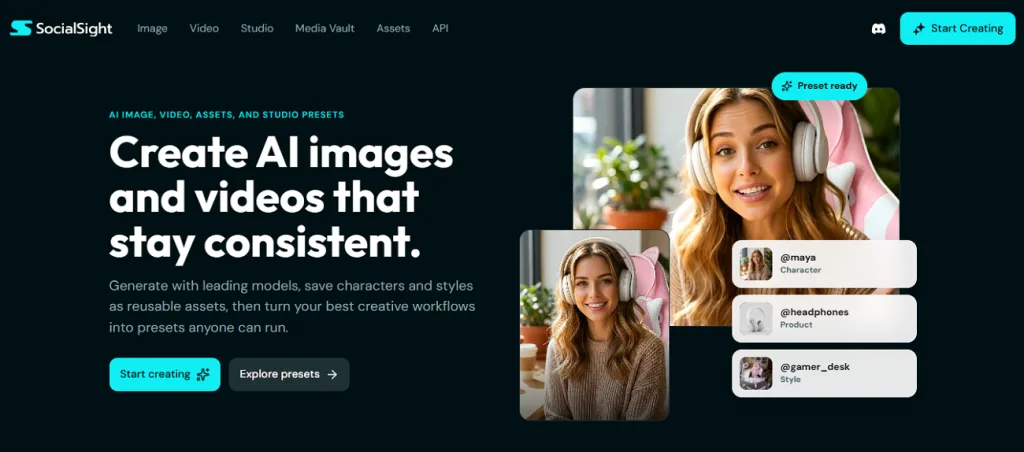
While using it, users can set custom start and end frames for smoother transitions and better control over every generated video. The SocialSight AI image generator feature also lets you make images up to 2K resolution using a wide variety of AI models, including Nano Banana. Moreover, this platform uses reference images or videos to guide AI and produce visuals closer to your creative vision.
Key Features
- Keep faces and visual styles consistent across every generated video for a professional appearance.
- Add matching audio directly into videos for engaging content without separate editing.
- Create videos in multiple aspect ratios suitable for social media and other viewing platforms.
- Create consistent characters for videos without designing them again every time.
- Create authentic UGC-style videos that feel natural, engaging, and ready for social media.
Pros
- Create sharp 1080p videos with clear details and smooth visual quality.
- Receive 200 free daily tokens to generate videos without upfront costs.
- Use @ mentions to quickly reference people, brands, or topics within projects.
Cons
- Complex video ideas require multiple attempts before reaching the expected results.
- Supports creating videos only up to 10-seconds.
Part 2. How to Get Started with SocialSight AI?
Before creating videos, a common concern is whether, “Is SocialSight AI private?” for personal content safety. Adhere to the given guidelines to create a video using the platform efficiently:
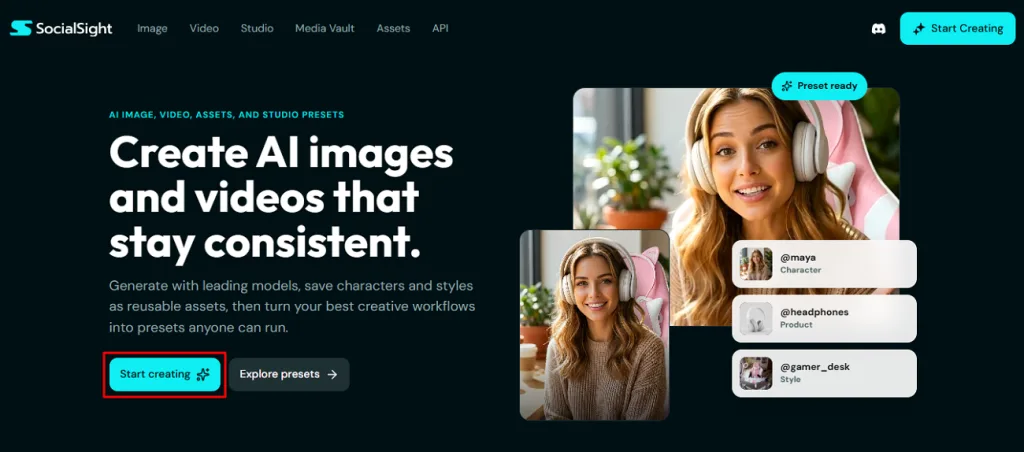
Step 1. Access the official website of SocialSight AI and then click the Start Creating button from the main panel.
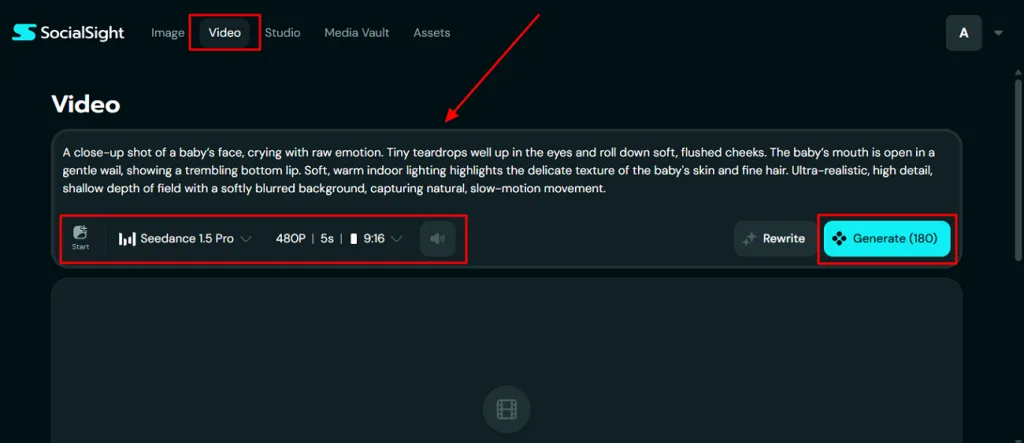
Step 2. Next, go to the Video section and type your prompt in the given Text Box. Afterward, select the preferred AI model, such as Seedance 1.5 Pro, and set the start and end frames. Select the desired Video Resolution, Duration, and Aspect Ratio for the social platform. To add Audio to the video, click the Sound icon to enable it. Once all the settings are done, opt for the Generate button to start the video generation process.
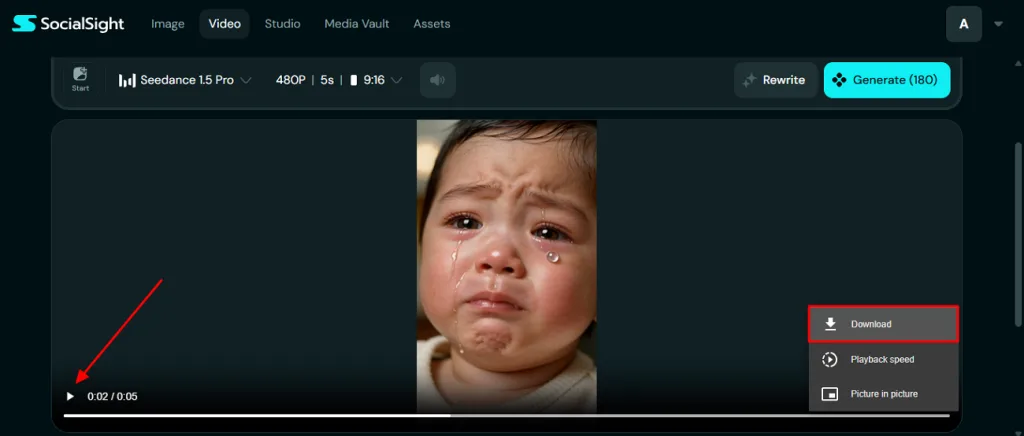
Step 3. When your AI video is generated, watch it using the Preview feature for clarity. If you are satisfied with the result, press the Download option to export it.
Part 3. Best SocialSight AI Alternatives for AI Video Creation
Although this SocialSight AI review highlights useful video features, the platform has certain limitations. Many users require higher-quality, longer videos and greater creative control across different projects. Therefore, MagicLight AI is a modern SocialSight AI alternative for creating professional AI videos. This dedicated tool allows you to add a script of up to 12,000 characters and improve it with dedicated AI story models.
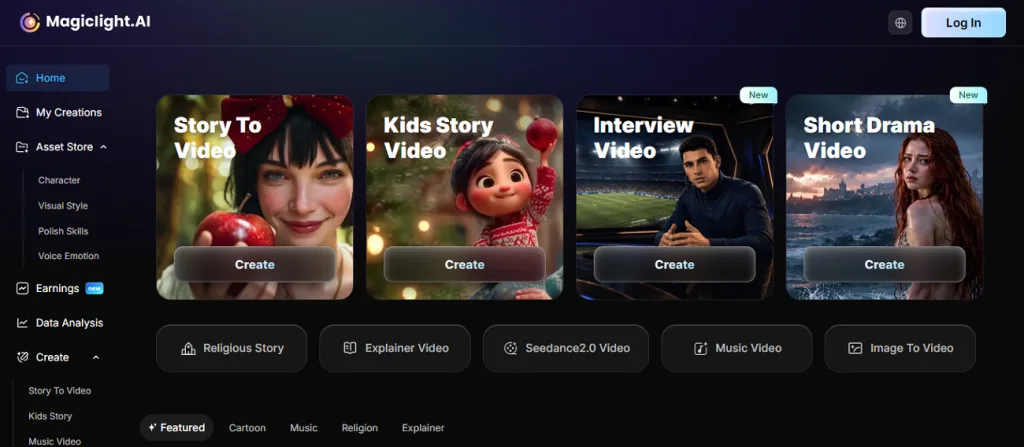
Additionally, users can preview automatically generated storyboards before rendering videos for planning and creative adjustments throughout production. Instead of short videos, it generates AI videos up to 50 minutes long for detailed storytelling. You can design custom AI characters with names, ages, voices, personalities, and editable appearance for consistent production. The platform also features the ability to include captions and music from the royalty-free library for unique results.
Key Features
- Character Library: Reuse saved AI characters across multiple projects while maintaining consistent appearance and personality every time.
- Language Support: Create AI videos in 30 supported languages for a wider global audience reach and accessibility.
- Nano Storyboard: Edit detailed scene movements with timeline control before generating smoother and more natural animated videos.
- Image to Video Animation: Transform uploaded images into animated videos lasting up to 15 seconds using AI technology.
- Style Support: Generate highly detailed visuals using Midjourney-inspired styles before converting scenes into engaging animations.
Comparison Table Between SocialSight AI and MagicLight AI
Understanding MagicLight AI and SocialSight AI helps compare their video creation capabilities. Review the comparison table below to see which platform better suits different video creation requirements:
| Feature | SocialSight AI | MagicLight AI |
| Video Length | Up to 15 seconds only | Up to 50 minutes long |
| Timeline Control | Start and end frames only | Detailed Nano storyboard timeline control |
| Storytelling | Short video generation only | Automatic long-form story generation |
| Storyboard Preview | Not available before rendering | Preview storyboards before rendering |
| Character Creation | Reusable characters with reference images | Fully customizable, reusable AI characters with voices |
| Language Support | English only | 30 supported languages available |
| Output Resolution | 1080p video output | 720p and 1080p options |
| Scene Editing | Basic frame adjustments | Complete scene editing before rendering |
| Image Animation | Static reference image guidance | Animates images into videos |
Part 4. FAQs on SocialSight AI
1. Does SocialSight AI offer free credits?
Yes, SocialSight AI offers 200 free daily tokens for creating videos and testing basic features. These free credits help beginners explore the platform before upgrading to a paid plan. However, daily token resets allow users to continue creating videos without an immediate subscription cost.
2. Is SocialSight AI a good video generator?
SocialSight AI works well for short clips with clear and sharp visual quality. It supports multiple AI models and keeps styles consistent across every video made. However, MagicLight AI offers longer videos and more control for larger projects with powerful storytelling features.
3. How does SocialSight AI work?
SocialSight AI creates videos from text prompts, reference images, or uploaded visual content. Users choose video settings before generating, previewing, and downloading their finished AI-created videos smoothly. For longer videos and advanced storytelling, MagicLight AI provides more powerful creative video generation features.
Conclusion
To conclude, SocialSight AI is a useful platform for creating short videos with simple text prompts and images. It works well for quick social media content and everyday creative needs. However, longer and more detailed projects often need stronger tools with deeper creative control. For projects requiring longer storytelling and more customization, tools like MagicLight AI are worth exploring.


![How to Write a Script for a Short Film in 2026 [Beginner’s Guide]](https://magiclight.ai/wp-2/wp-content/uploads/short-film-screenplay-writing-guide-300x169.webp)


