


For independent artists, producing a music video has often cost more than recording the song itself. Platforms such as Sondo AI aim to reduce that barrier by generating visuals directly from an uploaded track instead of a filmed production.
This Sondo AI review examines what the platform produces, what its credit system costs in practice, and whether its real-world performance justifies its popularity.
Part 1. What Does Sondo AI Actually Do?
Unlike conventional editors, Sondo AI does not expect you to assemble a timeline from scratch. The process begins with a song and a short prompt, while the platform determines scene changes, pacing, and visual style automatically. You still receive an editable draft, but most of the creative work happens during generation.
A built-in AI music generator supports creators without existing tracks, while the editor lets users reorder clips, replace scenes, edit prompts, and adjust subtitles. This Sondo AI review finds the workflow ideal for rapid content creation but limiting for precise shot control.
Key Features of Sondo AI
- Creating a Video from a Song: Upload an existing track, describe the direction you have in mind, and Sondo AI assembles a music video with visuals arranged to follow the pacing of the audio.
- Generating Music: Creators without a finished recording can start with a text prompt instead. The platform supports several genres, including pop, electronic, rap, jazz, and classical.
- Choosing the Look: The visual style is not fixed. Before rendering, you can lean toward cinematic, romantic, sci-fi, urban, or abstract themes depending on the project.
- Editing the First Draft: Generation is only the starting point. Scenes can be moved, prompts revised, subtitles corrected, and synchronization adjusted through the browser-based editor.
- Saving for Different Platforms: Videos export in both landscape and vertical formats, making them suitable for YouTube as well as short form platforms such as TikTok and Instagram Reels.
- Cloud Based Rendering: Everything is processed on Sondo AI's servers rather than your device. A typical project finishes within 10 to 18 minutes although longer tracks generally take more time.
Sondo AI Pricing
Before deciding whether Sondo AI is worth paying for, compare what each plan actually includes. The following table breaks down every plan, making the credit differences easier to compare at a glance:
| Plan | Pricing | Credits Included | Downloads Available |
| Signup Credits | Free | 10 | None |
| Pro Weekly | $9.99/week | 800 | Music Downloads |
| Super Weekly | $29.99/week | 4000 | Music Downloads |
| Pro Yearly | $59.99/year | 8000/year | Music & Music Video Downloads |
Pros and Cons of Sondo AI
Sentiment splits sharply between the concept and the execution. What follows reflects both what Sondo AI does well and what reviewers consistently raise against it.
Pros
- One upload produces a complete video with no editing required.
- The built-in music generator removes the need for an existing track.
- Automatic direction reportedly works around seventy percent of the time.
- Mobile apps cover both iOS and Android without a desktop requirement.
Cons
- A single video costs roughly 1500 credits, which removes the option of creating more videos.
- Lip synchronization drifts noticeably on tracks with dense lyrics.
- Character appearance shifts between scenes within the same Sondo AI video.
- Visual artifacts such as extra hands appear in generated footage.
Part 2. A Guide to Using Sondo AI
The workflow is short by design, and most decisions happen before generation begins rather than afterward. The steps below will guide you on how to use Sondo AI:
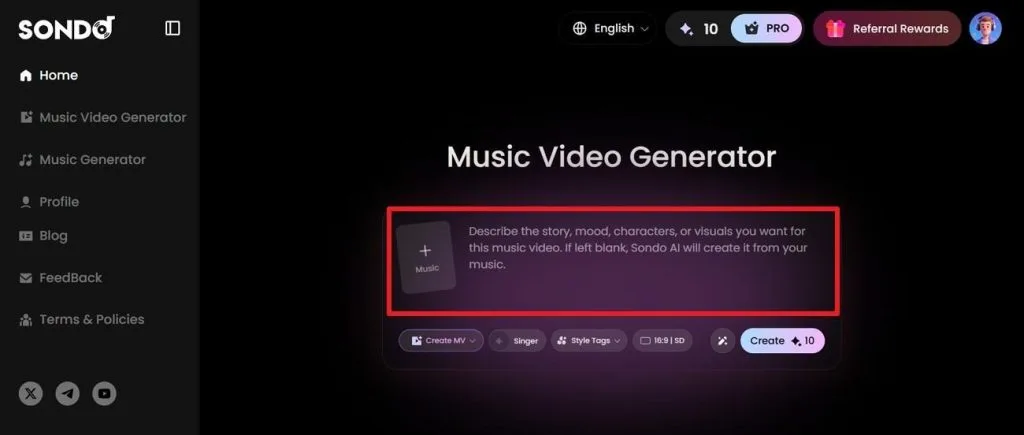
Step 1. Open Music Video Generator, upload a song or paste a music link, then enter a prompt describing the story, mood, or visual style. You can also leave the prompt blank and let Sondo AI generate visuals from the music.
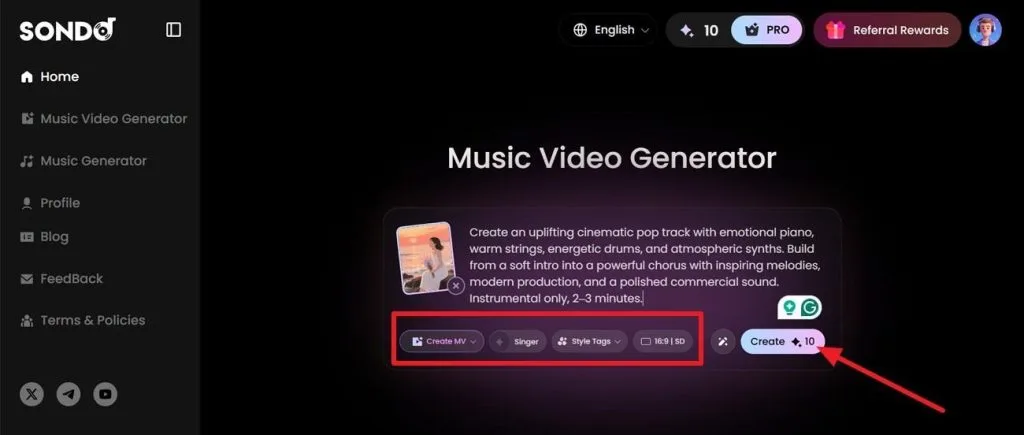
Step 2. Select the generation mode, choose a singer (optional), apply style tags, set the aspect ratio, and click Create to start processing your project.
Step 3. After generation, check the storyboard, cover image, and creative direction. If the preview matches your expectations, continue to render the final music video.
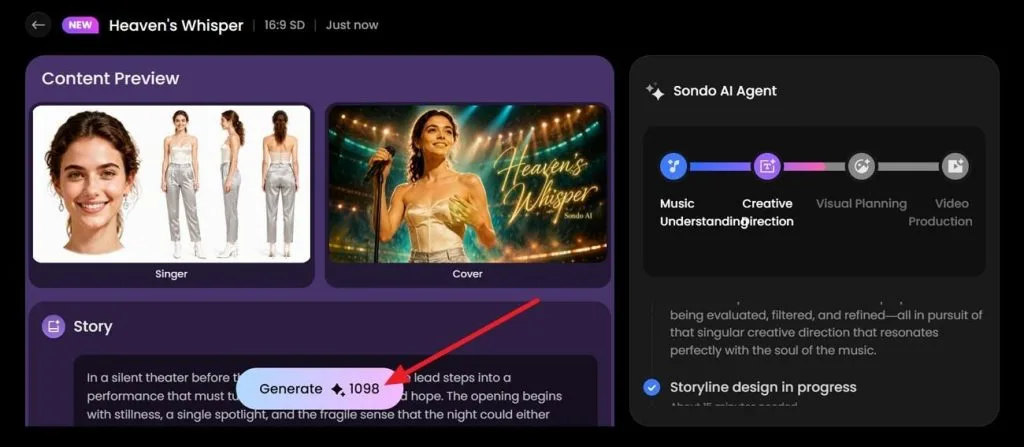
One point deserves attention before committing credits, since generation is charged per attempt rather than per finished result. A mismatched visual style therefore costs the same as a successful one, which makes confirming style and description beforehand the cheapest quality control available.
Part 3. Best Alternative to Sondo AI for Video Creation
This Sondo AI review reveals automation often comes at the expense of creative flexibility. Once generation begins, changing scenes, characters, or pacing becomes considerably more restrictive. Creators wanting precise visual storytelling may find those limitations difficult to overlook. Music videos usually require revisions before matching both artistic vision and audience expectations.
MagicLight AI addresses those limitations by letting creators refine projects before generating the final video. Its Music Generator accepts 200-character song descriptions across genres like Rock and Modern Pop. The Music Video Generator keeps storyboards editable while supporting Veo 3.1 and Kling 3.0 models. Consistent AI characters, image-to-video, and multilingual dubbing also improve production quality without interrupting creative workflows.
Key Features of Magiclight AI
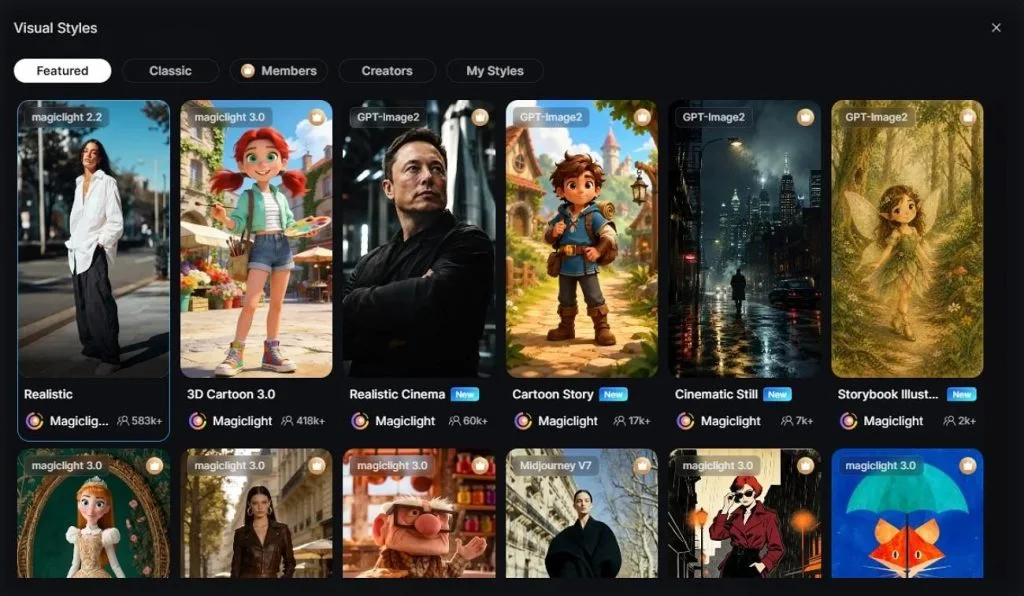
1.50 Visual Styles: Switch between cinematic, anime, watercolor, 3D, sketch, and photorealistic styles without rewriting prompts.
2.Multi-Model Library: Choose from engines including Seedance 2.5 and Google Omni to match different visual requirements.
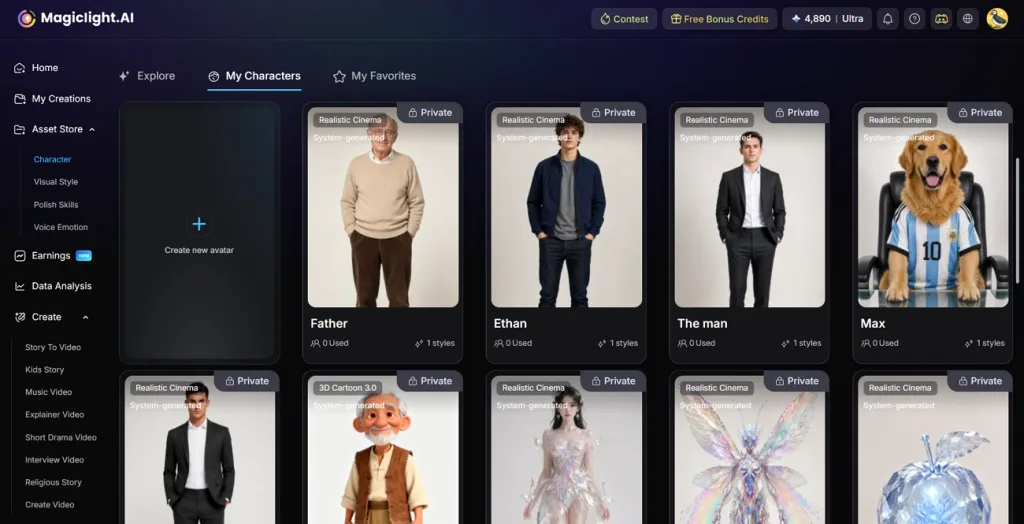
3.Consistent Character Usage: Magiclight AI allows you to create characters, and then use them across multiple scenes, keeping your work visually consistent.
4.AI Cover Generator: Create thumbnail covers from 21 built-in templates to match the video's visual identity.
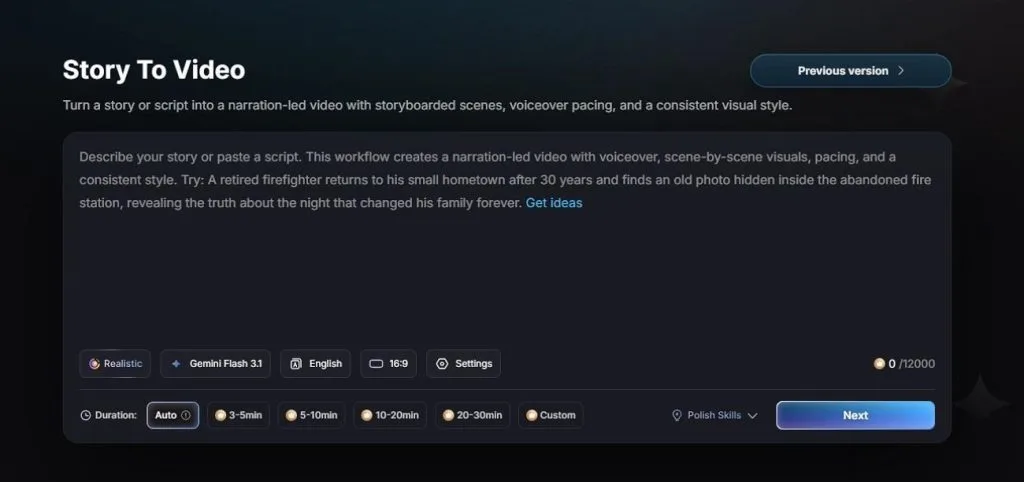
5.Long-Form Story Support: Convert scripts into AI videos lasting up to 50 minutes without splitting projects.
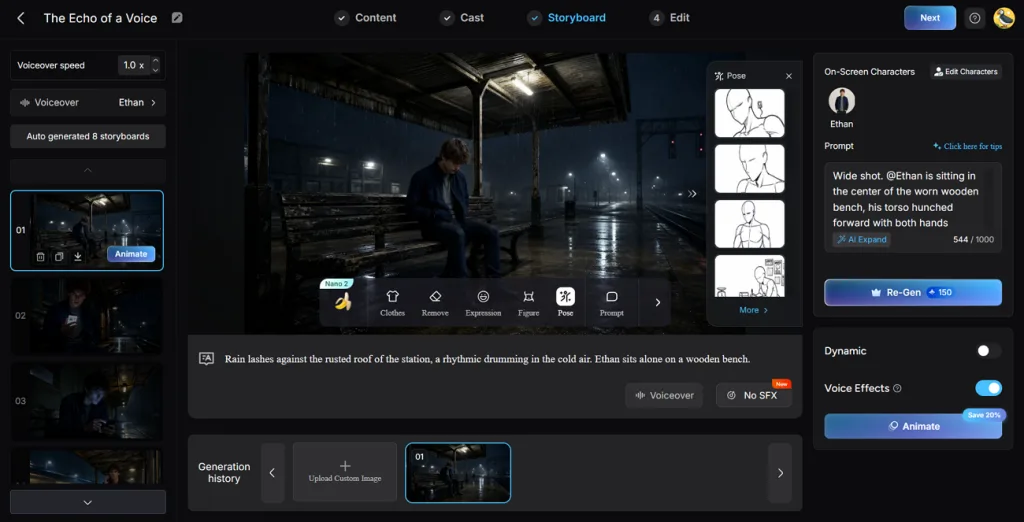
6.Complete Storyboard Editing: Find 50+ poses, cloth changing options, and expression management within Magiclight AI’s Nano Storyboard feature.
7.Flexible Export Options: Export in 720p or 1080p with both 16:9 and 9:16 aspect ratios.
Part 4. Comparison Table Between Sondo AI and Magiclight AI
Both platforms convert music into video, so the meaningful differences sit in what happens between the upload and the export.
| Feature | Sondo AI | Magiclight AI |
| Core Approach | Automated one-click generation | Storyboard-led generation |
| Scene Editing | Timeline editing after generation | Prompt editing before generation |
| Character Consistency | Reported to drift between scenes | Held by a saved character |
| Music Source | Upload or built-in generator | Genre generation or 15 pre-built songs |
| Visual Styles | Five named mood treatments | 50+ presets across four families |
| Model Choice | Not exposed to the user | 20 AI model options |
| Aspect Ratios | 16:9 and 9:16 | 16:9 and 9:16 |
| Subtitles | Managed in the web editor | 16 preset settings at export |
| Resolution | Not published | 720p or 1080p |
| Free Access | 10 sign-up credits | Free plan available |
| Platforms | iOS, Android and Web | Browser-based |
Conclusion
Sondo AI works well for creators who want to turn a song into a music video with minimal effort. Its automated workflow speeds up production, but limited control over scenes and consistency may require additional revisions. MagicLight AI offers a more flexible approach by letting creators refine storyboards, characters, and visual direction before generation. For anyone prioritizing creative control and consistent results, it becomes the stronger choice.
FAQs on Sondo AI
1. Is Sondo AI free to use?
Only in a limited sense, since signup provides 10 credits while a single music video consumes roughly 1,500. That free allocation cannot produce one finished output, so generation requires either a subscription or a credit pack.
2. How good is Sondo AI video quality?
Reviewers describe automatic direction as working around 70% of the time, with the remainder showing lip-sync drift, character inconsistency and visual artifacts. Magiclight AI addresses those same weaknesses through editable storyboards and saved characters, keeping correction possible before generation rather than after it.
3. What video formats does Sondo AI support?
Sondo AI exports in the standard landscape and vertical formats used by major social platforms. Magiclight AI lets you decide whether the finished video leaves in 720p or 1080p and subtitles can be styled before the file is exported.


![How to Write a Script for a Short Film in 2026 [Beginner’s Guide]](https://magiclight.ai/wp-2/wp-content/uploads/short-film-screenplay-writing-guide-300x169.webp)


