


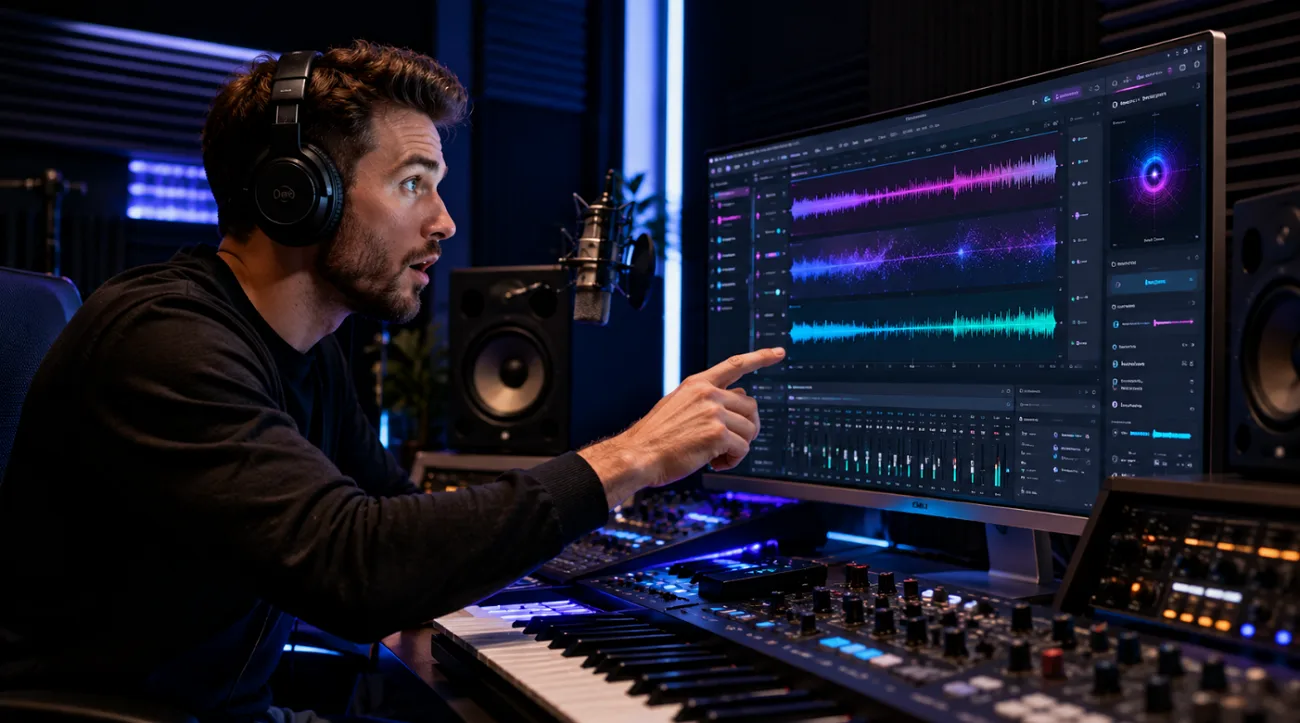
Few AI music tools turn a written idea into a song as convincingly as Udio AI. Udio AI turns a written music brief into a full song. Genre, mood, and subject guide the result, while vocals, instrumentation, and arrangement are generated together.
Sound quality alone does not determine whether Udio AI will suit a particular project. This Udio AI music generator review examines its creation tools, pricing, current limitations, and key points to consider before subscribing.
Part 1. What Does Udio AI Actually Do?
Udio centers on generating complete songs from text rather than traditional music production. Describe a genre, mood, or idea, and Udio music AI can create two versions as either 32-second clips or tracks around 2 minutes and 10 seconds long. Moreover, you can add custom lyrics, upload audio, guide results with Styles and Voice Control, then extend or remix promising generations.
Paid subscribers also get Sessions, a waveform-based workspace for replacing sections, editing lyrics, comparing takes, and extending intros or outros. However, audio, video, and stem downloads are currently unavailable, limiting how finished songs can be used outside Udio.
Key Features of Udio AI
- Prompt-to-Song Generation: A description covering genre, mood, and subject returns an arranged song with vocals, instrumentation, and structure already combined.
- Direct Lyric Control: Original lyrics can be supplied instead of generated, letting songwriters create music around words they have already written.
- Sessions Timeline Editing: Verses, choruses, and other sections can be edited individually, giving creators more control over a song’s overall structure.
- Audio Quality: Udio emphasizes detailed, polished generations with clear vocals and instrumentation, though its official documentation does not confirm 48kHz output.
- Song Extension and Remixing: You can extend or rework existing generations, letting promising sections develop into longer, more complete song arrangements.
Pros
- Free accounts receive 10 daily credits plus 100 monthly credits.
- Free users can create up to three 2:10-minute songs daily.
- Sessions lets paid users replace sections, edit lyrics, and compare takes.
- Purchased credit packs never expire, unlike monthly subscription credit allowances.
- Tracks can be extended with intros, outros, and new sections.
Cons
- Artist Styles cost twice the credits of standard generations.
- Sessions remain limited to paid subscribers rather than free users.
- Custom audio uploads require a paid Udio subscription to access.
- Uploaded voices cannot currently serve as sources for Voice Control.
- The iOS app lacks remixing, inpainting, styling, and audio uploads.
Part 2. A Guide to Using Udio AI
Learning how to use Udio AI music generator takes minutes rather than hours, since the interface asks for a description rather than technical settings. The following 4 steps cover a first song, though the final one now works differently than it once did.
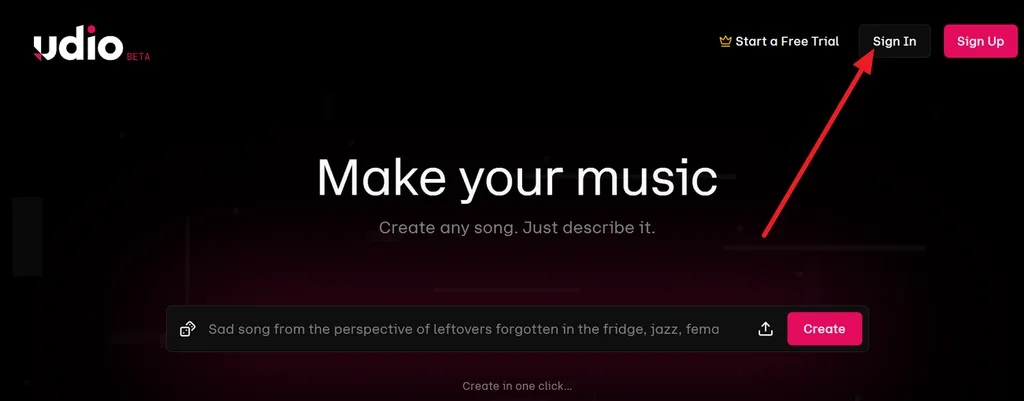
Step 1. Go to the Udio website and click Sign In and enter your account details to reach the music creation workspace.
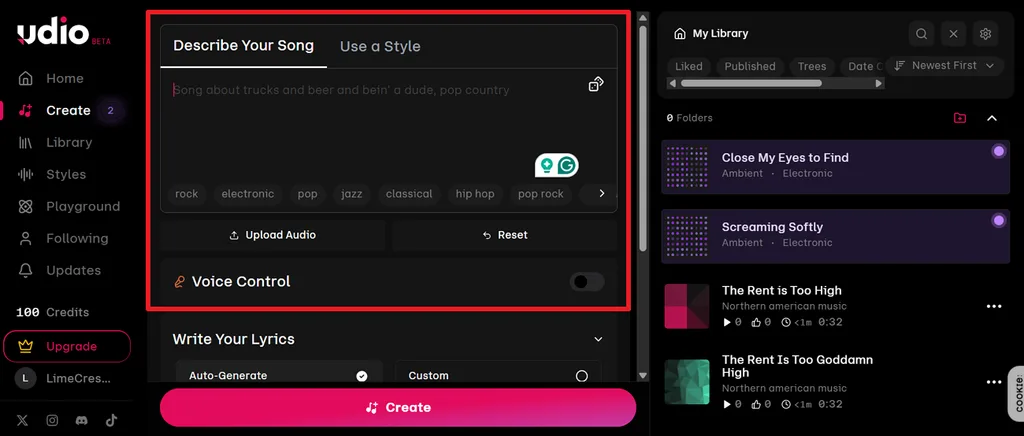
Step 2. Select Create, then enter your idea under Describe Your Song. Add genre or style details, or use Upload Audio and Voice Control for more guidance.
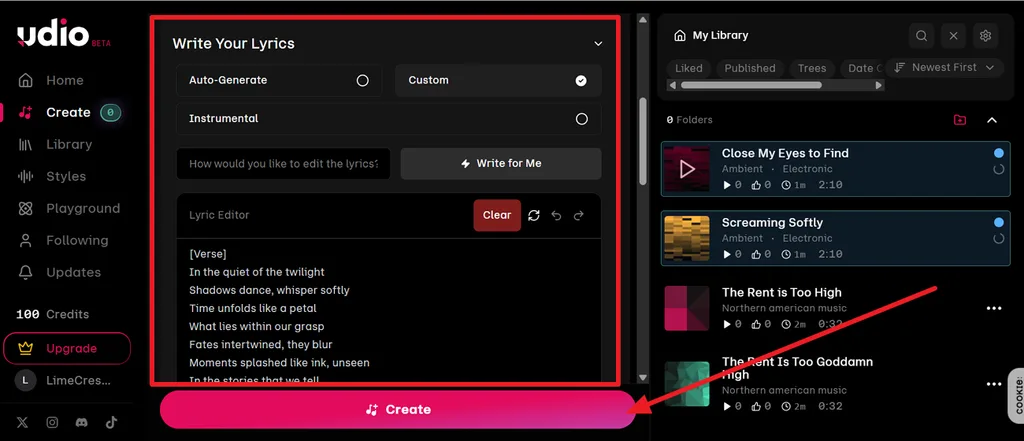
Step 3. Expand Write Your Lyrics and choose Auto-Generate, Custom, or Instrumental. Add or edit the lyrics, then click Create to generate the track.
Step 4. Choose the generated song from My Library, review its prompt and lyrics, then press Publish when you are ready to share it on Udio.
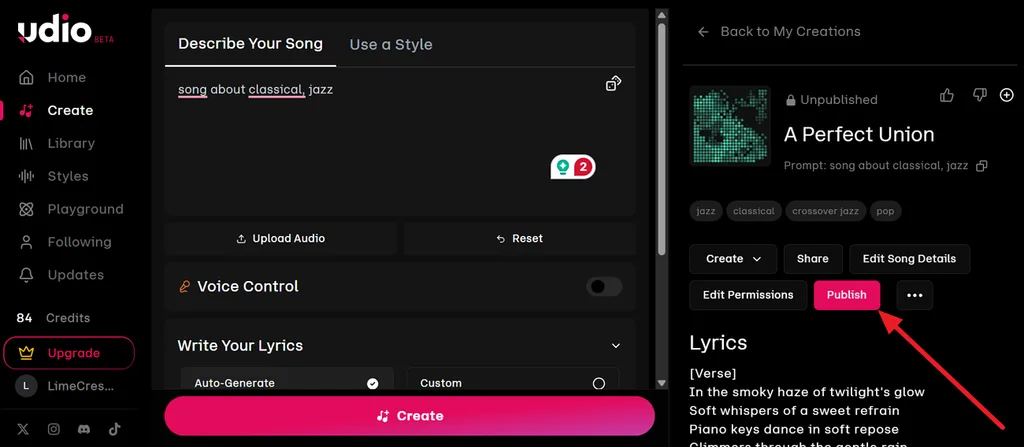
Learning how to use Udio AI is straightforward once you understand the basic workflow. Prompt detail strongly influences results, while Sessions helps refine sections without generating everything again. Each new generation uses credits, so repeated attempts can quickly reduce your available balance. Refine the prompt before regenerating to avoid spending credits on several nearly identical results.
Part 3. Best Alternative to Udio AI for Music Creation
Udio AI still delivers strong song generation and editing, but its current download restriction limits what happens after creation. Audio, video, and stem downloads remain disabled, so finished tracks stay inside the platform. That creates a practical problem for creators who need files for client delivery, YouTube publishing, social content, or other projects outside Udio.
Magiclight AI focuses more on turning music into publishable video. Upload a track or choose from 15 built-in songs, then guide the visuals with styles, story models, consistent characters, and Nano Storyboard controls. The platform can generate scenes, cover art, and finished music videos, with exports available at 720p or 1080p and commercial usage rights included on paid plans.
Key Features of Magiclight AI
- 200-Character Visual Direction: Add a brief description of the intended look or concept to guide the music video’s visual direction.
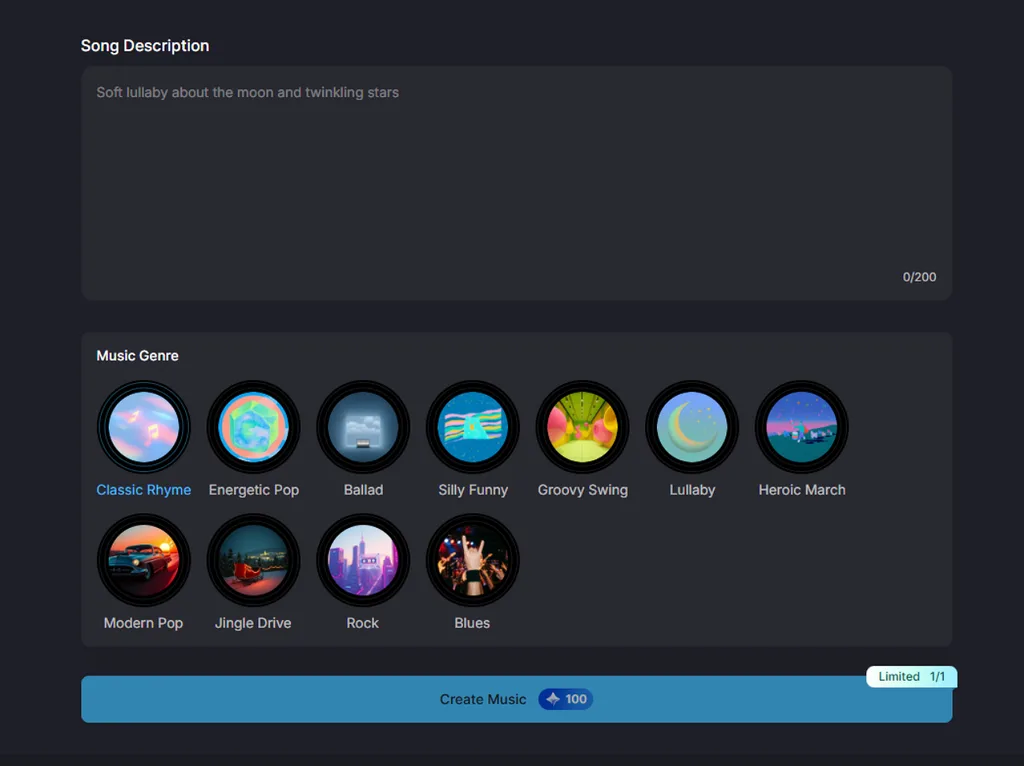
- Audio Upload Support: Magiclight accepts MP3, WAV, and M4A files, so creators can start with music produced elsewhere.
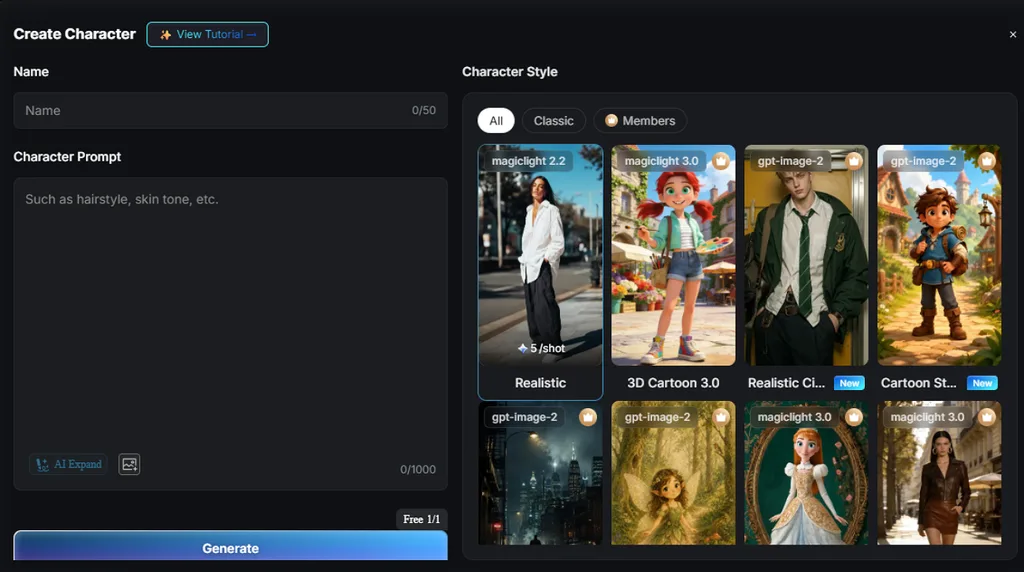
- AI Character Creation: Characters can be defined with prompts up to 1,000 characters or created from images, then saved and reused across scenes and later projects.
- Multilingual Video Creation: Supports content creation in 11 languages, helping creators produce music videos for audiences across different regions.
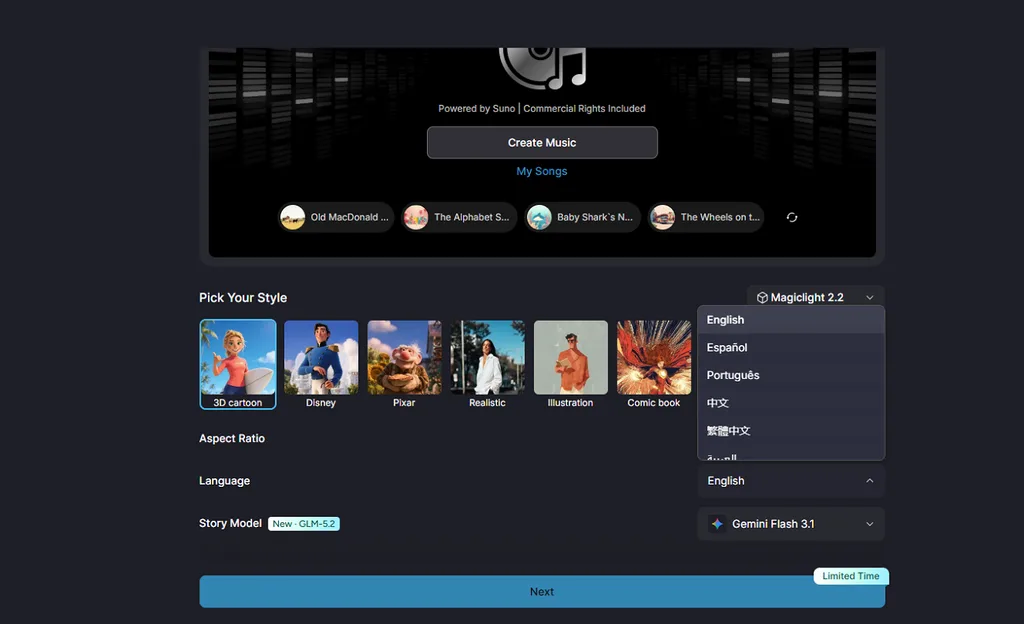
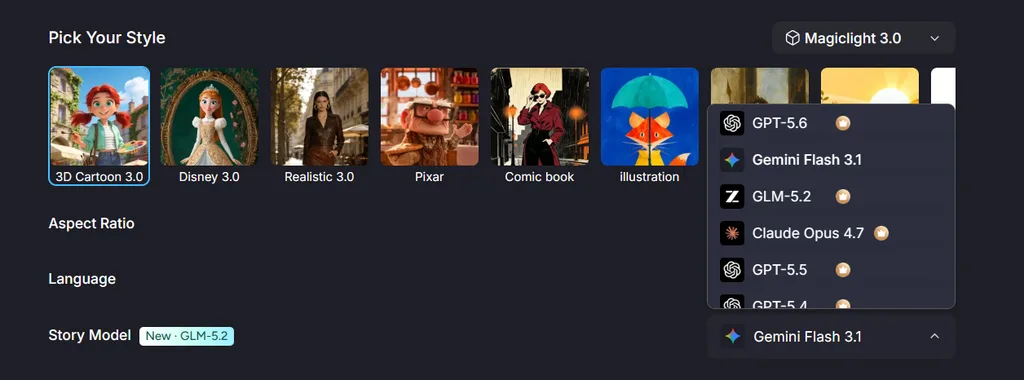
- 13 Unique Story Models: Find 13 AI story models, ranging from GPT 5.6 to Claude Opus 4.6, for enhancing a professional music video story.
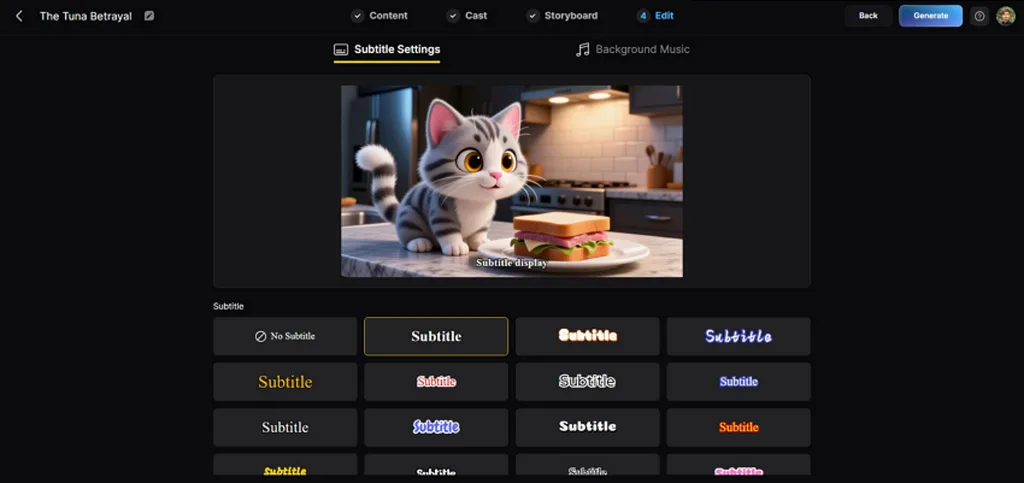
- Customize Subtitles: Lets you choose from 16 subtitle presets to display lyrics or captions in different on-screen styles.
Part 4. Comparison Table Between Udio AI and Magiclight AI
Compare Udio music AI with Magiclight AI across their core purpose, editing controls, visuals, exports, and commercial use in the table below:
| Feature | Udio AI | Magiclight AI |
| Core Purpose | Song composition and arrangement | Music video production |
| Audio Quality | 48kHz with specialist mixing | Generated tracks and 15 prebuilt songs |
| Song Structure | Sessions timeline for verse and chorus | Genre selection or fifteen songs |
| Visuals | None | Full scenes with characters |
| Export | Disabled for all accounts | Downloads at 720p or 1080p |
| Commercial Rights | Paid tiers, though export is blocked | Included on paid plans |
| Free Access | Daily credits, no card required | Free plan, no card required |
| Credit Expiry | Monthly credits expire unused | Plan-based allowance |
FAQs on Udio AI
1. How can Udio help you create original AI music?
A written prompt describing genre, mood, and instrumentation returns a complete arrangement with vocals. Original lyrics can be supplied rather than generated, and Sessions edits verses and choruses within the existing structure. Existing generations extend or remix into longer arrangements across several passes.
2. Is Udio AI free to use?
Asking if Udio AI is free has a qualified answer. A free tier provides daily credits without a card, though output carries no commercial license. Paid plans run from roughly $10 to $30 monthly, and sources disagree on which tier unlocks commercial rights. Magiclight AI offers a free plan requiring no card, with commercial usage rights arriving on its paid tiers.
3. Can I use Udio AI songs commercially?
Commercial use depends on the terms attached to your Udio account and generated content. Audio, video, and stem downloads remain disabled, so you can't export finished songs for external use. For creators who need downloadable content, Magiclight AI can turn music into finished videos and provides commercial usage rights on eligible paid plans.


![How to Write a Script for a Short Film in 2026 [Beginner’s Guide]](https://magiclight.ai/wp-2/wp-content/uploads/short-film-screenplay-writing-guide-300x169.webp)


