


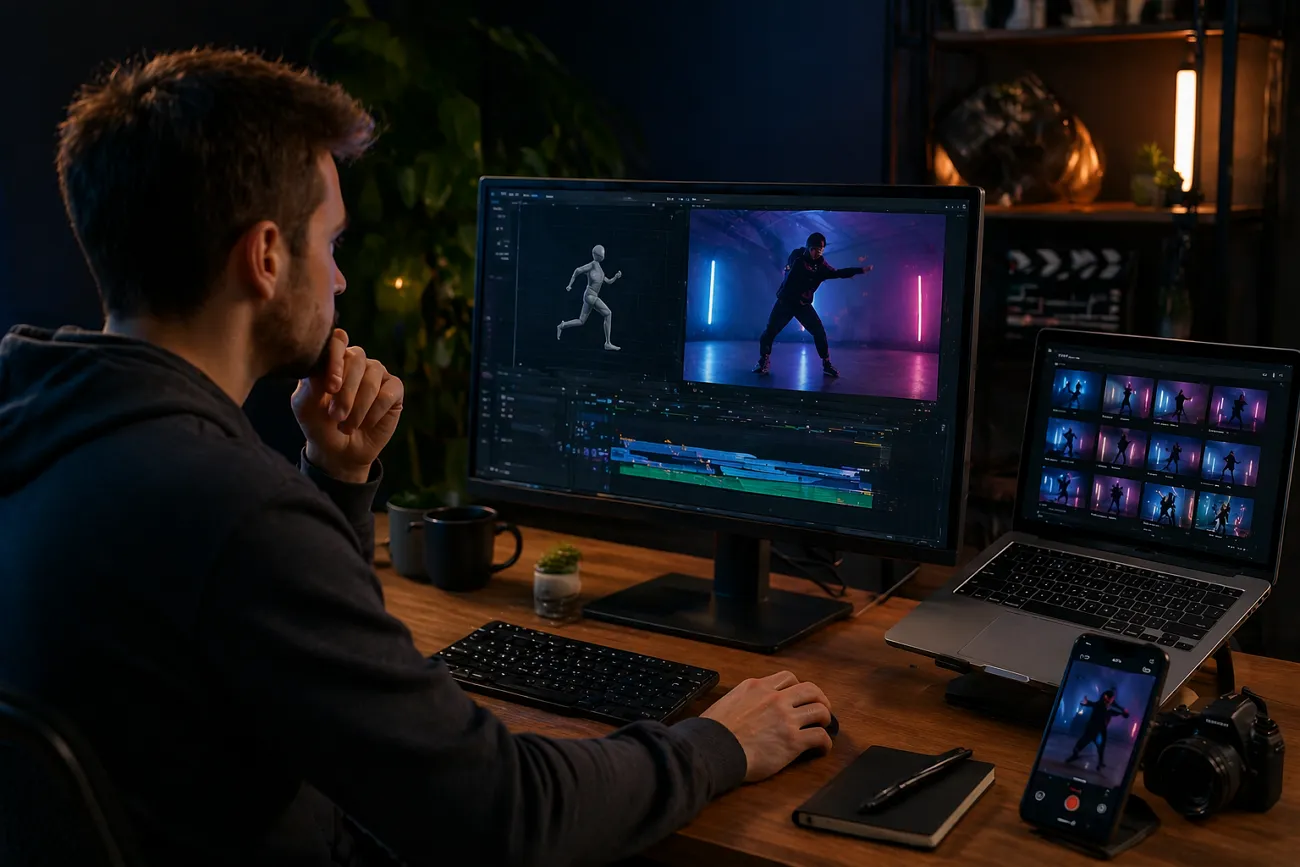
In this modern era, video is becoming the most powerful communication source online. Many people want easy ways to make fun short videos online today. Nowadays, video creation tools are growing fast and becoming very simple for beginners. One popular tool is Viggle AI, which helps users easily create animated dance videos.
Some users still find it confusing to understand its safety features and overall working process. Hence, this guide explains Viggle AI features, safety, and alternatives in a simple way. Along with this, you will explore MagicLight AI as a powerful alternative that offers the Magic Claw feature, combining video creation and performance tracking in one workflow.
Part 1. What is Viggle.ai?
Viggle.AI is an AI animation tool that turns photos into short videos easily. It converts a single image into a video using motion transfer technology. The model uses the JST-1 system to understand body movement and physics more clearly. This is mainly used for memes, shorts, and quick video edits online.
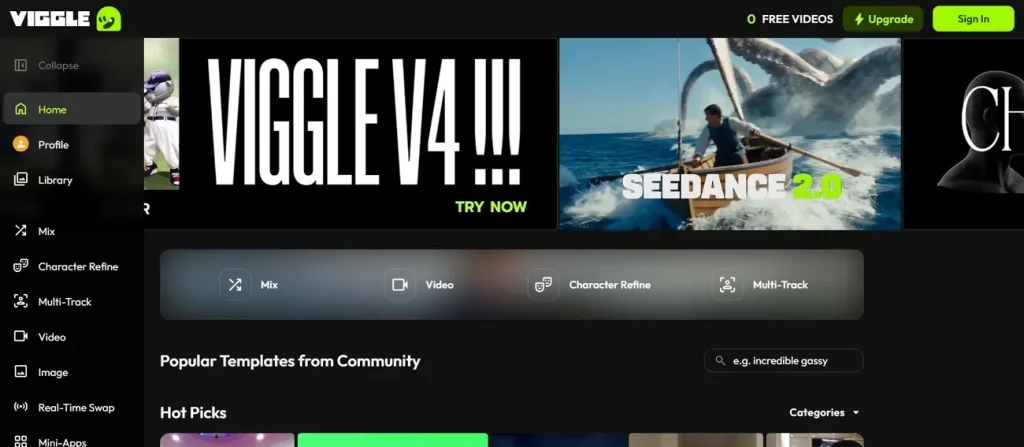
When people talk about Viggle AI dance videos, they mean animated clips. You upload a photo and choose a dance motion from 8,000+ templates in the library. Users can also upload a TikTok reel or video as a reference movement clip. After videos are generated, the tool outputs a smooth, short 1080p-style dance video, ready in seconds.
Key Features
- Text Animation: You can write a scene description, and it creates a video automatically. It is integrated with AI models like Veo 3.1 and Seedream, which handle visuals automatically without errors.
- Motion Transfer: You can upload your own video, and Viggle maps exact choreography onto your character. So, it helps recreate dances or actions with natural and physics-based motion.
- Style Support: Supports realistic humans, anime, 2D/3D, pixel art, chibi, and non-human characters. Viggle adapts automatically to each style while generating smooth 1080p short videos.
Pros
- Physics-aware animation improves the realism of body movement and poses.
- Quickly turns single images into engaging motion-based meme videos.
Cons
- Limited control over complex movements, camera angles, and timing.
- Short output length is unsuitable for long-form or storytelling content.
Part 2. Better Alternative to Viggle AI for Videos
Although Viggle AI free is great for creating short dance clips and motion-based memes, it still has some limitations. Content creators want a more powerful tool to make higher-quality videos. Therefore, MagicLight AI is introduced as a powerful Viggle AI alternative for creators worldwide. The tool offers access to 17 background AI video models, including Sora 2 and Veo 3.1, for varied visual generation styles.
In addition, it supports all of the most popular image formats, such as JPG and JPEG. To create short reels, MagicLight AI supports video durations of 10 or 15 seconds for quick content creation. While creating videos, it maintains a stable character appearance across multiple scenes for professional storytelling continuity. Along with this, it supports full story-to-video creation with long-form content up to 50 minutes.
Key Features
- Script Length: Supports detailed prompt input up to 1500 characters for precise animation instructions.
- Magic Claw: All-in-one tool for creation, scheduling, publishing, and tracking video performance analytics together.
- Export Resolution: Exports videos at a consistent 720p or 1080p resolution, ensuring stable quality across generated outputs.
Comprehensive Guide to Generating AI Video via MagicLight AI
You can review the practical steps to find out how to make an AI video using this powerful tool:
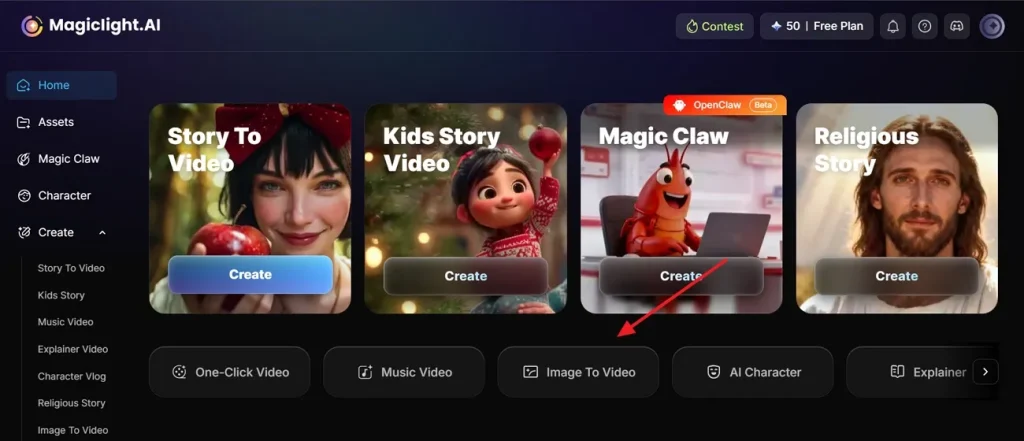
Step 1. Create Videos from an Image in MagicLight AI
Open MagicLight AI and opt for the Image to Video function from the main dashboard.
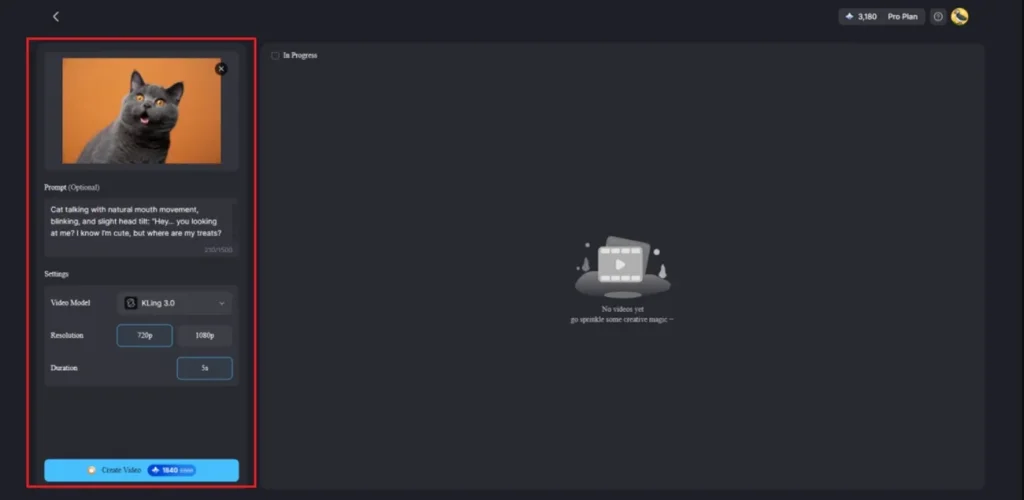
Step 2. Upload Image and Create Video
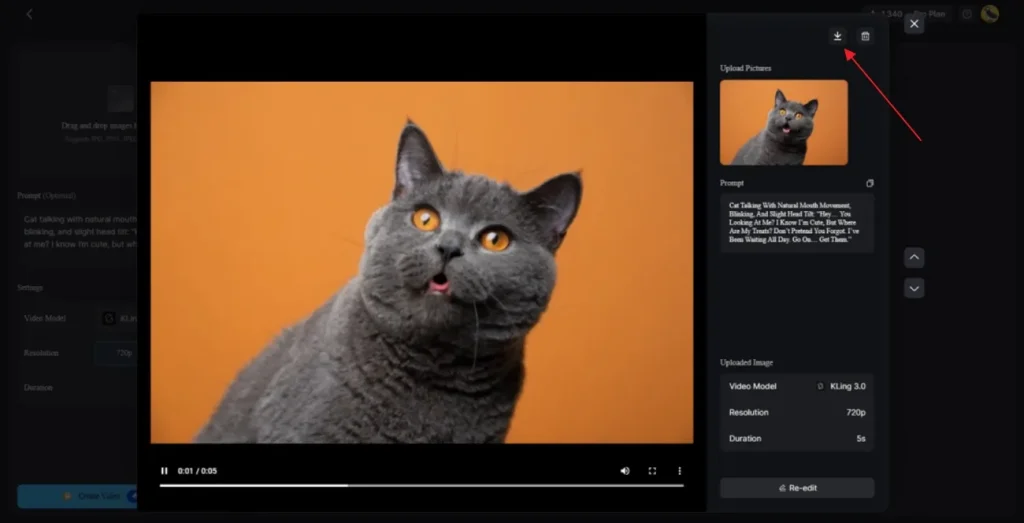
Upload your image and enter your prompt in the Text Box. In the Settings, select a video model like Kling 3.0, define the Resolution, and click Create Video.
Step 3. Preview and Download the Video
Once the video is ready, use the preview option to review all scenes. If everything looks good, click the Download icon to save the video to your device.
Part 3. MagicLight AI vs Viggle AI: Which Video Generator Is Better?
Understanding MagicLight AI and Viggle AI video generator helps make smarter decisions. In this section, you will review the table to see which software better fits your specific workflow:
| Feature | Viggle AI | MagicLight AI |
| Motion Quality | Physics-based dance animations | Advanced cinematic motion control |
| Video Length | Short meme clips only | Long-form up to 50 minutes |
| Editing Control | Limited camera and timing control | Full prompt-based creative control |
| AI Models | Single-core motion model | Multiple advanced AI models |
| Output Quality | Good 1080p short videos | Stable HD storytelling output |
| Workflow System | Basic upload and generate | Create, publish, track system |
| Audio Support | Minimal built-in audio tools | Voiceover and caption integration |
| Consistency | Occasional motion inconsistencies | Stable character continuity |
Conclusion
Creating fun dance videos and memes is now much easier with Viggle AI. This tool helps many beginners turn their simple photos into moving character clips. If you want full videos with story, voice, and smooth workflow, a better solution is needed. Thus, MagicLight AI becomes a strong choice for creating professional and complete videos.
FAQs on Viggle AI
1. Is Viggle AI free to use?
Viggle AI offers a free plan with limited features and usage credits available. Users can create short videos without paying, but with some restrictions applied. Paid plans are also available if you need more features for your creative projects.
2. What is Viggle AI used for?
People use Viggle AI to turn photos into animated motion videos easily. It is great for making memes or social media posts with your favorite characters. For full videos, MagicLight AI is better with story, voice, and editing tools.
3. Is Viggle AI safe for uploading personal photos?
Viggle AI is safe to use, but it has some concerns about data privacy. Uploaded photos may be stored or used for improving AI model training systems. So, it is better to avoid sharing personal or sensitive images on the platform.
4. Can beginners use Viggle AI without editing skills?
Yes, Viggle AI is beginner-friendly and requires no prior video editing skills. Users can upload photos, choose motion templates, and quickly generate short animated videos. However, MagicLight AI suits beginners for longer videos, guided workflows, and richer editing features.




![How to Make a Marketing Video 2026 [Step-by-Step Guide]](https://magiclight.ai/wp-2/wp-content/uploads/marketing-goal-planning-guide-300x200.png)