축구 팬이라면 누구나 월드컵을 재미있게 이야기하고 싶어 해요. 경기 예측이나 팬 게시글을 처음부터 쓰는 일은 쉽지 않죠. 흥분이 앞서면 적당한 표현이 잘 안 나와요. Grok 월드컵 프롬프트를 쓰면 그 어려운 부분을 건너뛸 수 있어요. 이 글에서 가장 쓸모 있는 프롬프트를 살펴보고, 그걸 완전한 AI 영상으로 바꾸는 방법까지 알려 줄게요.
1부. 꼭 알아 둘 Grok AI 프롬프트 18개
Grok 월드컵 프롬프트를 쓰면 축구 콘텐츠를 더 빠르고 쉽게 만들 수 있어요. 아래 프롬프트를 하나씩 보고 작업에 맞는 걸 골라 보세요:
1. 경기 예측
팬들은 다음 경기에서 무슨 일이 일어날지 늘 알고 싶어 해요. 큰 월드컵 경기 전에 결과를 가늠해 볼 수 있도록, 아래 Grok 월드컵 프롬프트로 예측 아이디어를 잡아 보세요:
이변이 가능한 승리
아래 영어 프롬프트를 그대로 붙여넣으세요: “The weaker team might shock everyone today because their best player is back. They practiced hard all week to surprise the top team in the league. A late counterattack will seal three points for the away team.”
무득점이 예상되는 경기
아래 영어 프롬프트를 그대로 붙여넣으세요: “Both teams have amazing defence lines that never let anyone pass them easily. It will be a tight match that ends in a draw. The midfielders will work hard, but nobody can create a clear scoring chance.”
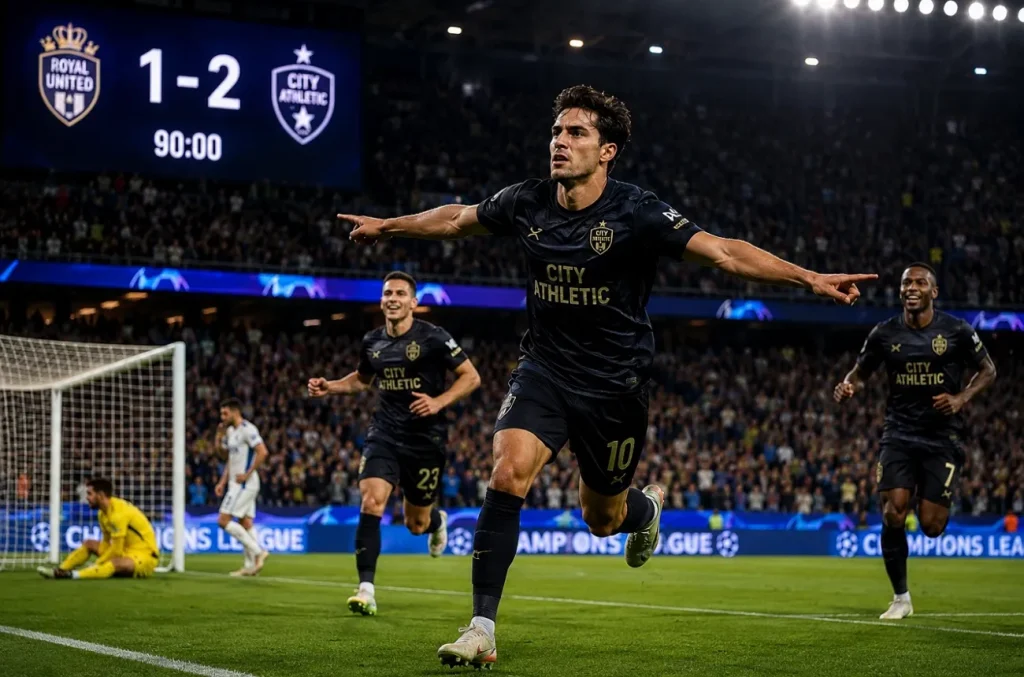
막판 결승골
아래 영어 프롬프트를 그대로 붙여넣으세요: “The home team will score a late goal right before the referee blows. Everyone in the stadium will jump up and scream with pure joy today. The players will run to the fans to celebrate this big, dramatic win.”
2. 팀 분석
큰 경기 전에 응원하는 팀을 제대로 이해하고 싶어 하는 팬이 많아요. 아래 Grok 월드컵 프롬프트를 따라가면 원하는 팀 인사이트를 찾을 수 있어요:
주요 부상 업데이트
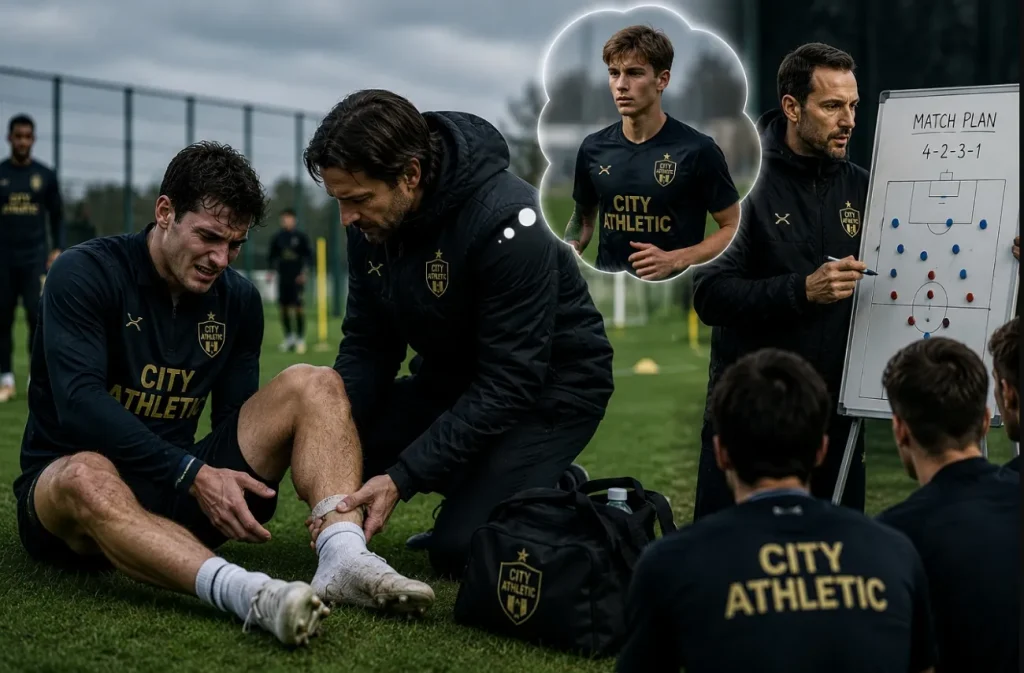
아래 영어 프롬프트를 그대로 붙여넣으세요: “Their captain hurt his ankle during a practice session on Monday afternoon this week. He cannot play today, which makes the defence much weaker for them. The assistant coach must find a young player to fill his big spot.”
떠오르는 신성
아래 영어 프롬프트를 그대로 붙여넣으세요: “The young midfielder runs incredibly fast and never feels tired during the match. He helps the older defenders and passes perfectly to the front players. The club fans already love him because he plays with a big heart.”
좋은 연승 흐름
아래 영어 프롬프트를 그대로 붙여넣으세요: “They won five games in a row and feel very confident now. Every player knows exactly what to do to keep this winning streak. They look like real champions when they play together on the field.”
3. 팬 참여 콘텐츠
대회 기간에는 의견을 나누고 축구 이야기에 끼어드는 걸 팬들이 좋아해요. 이 Grok 월드컵 프롬프트로 어디서든 팬과 연결되는 재미있는 콘텐츠를 만들어 보세요:
재미있는 퀴즈 타임
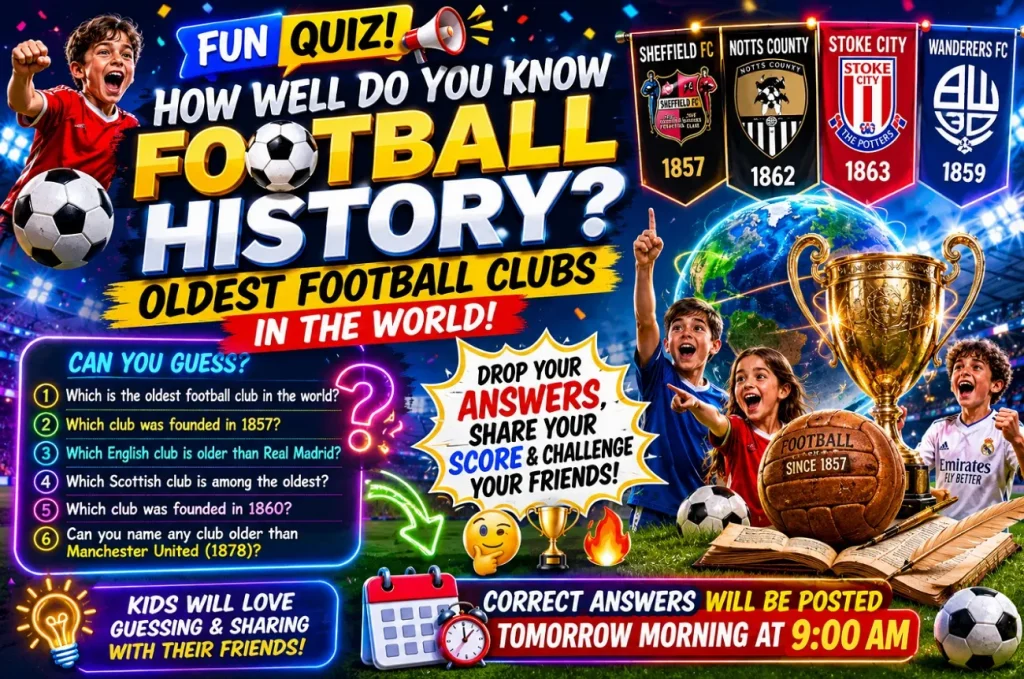
아래 영어 프롬프트를 그대로 붙여넣으세요: “Create a fun quiz about the oldest football clubs in the world history. Kids will love guessing the answers and sharing scores with their friends. You can post the correct answers online tomorrow morning at nine o'clock.”
스코어 맞히고 상품 받기
아래 영어 프롬프트를 그대로 붙여넣으세요: “Tell the fans to type their exact match score predictions right below. The first person to guess correctly wins a brand-new match ball. Make sure they leave their comments before the match starts.”
이 사진에 캡션을
아래 영어 프롬프트를 그대로 붙여넣으세요: “Post a funny photo of the coach jumping high in the air. Let fans write hilarious captions and pin the best one to the top. The winner will get a special shoutout on our official account tomorrow.”
4. 소셜 미디어 게시글
월드컵 기간에는 누구나 신선하고 설레는 글을 올리고 싶어 해요. 아래 Grok 월드컵 프롬프트를 활용하면 대회 내내 페이지를 활발하게 유지할 수 있어요:
빅매치 데이
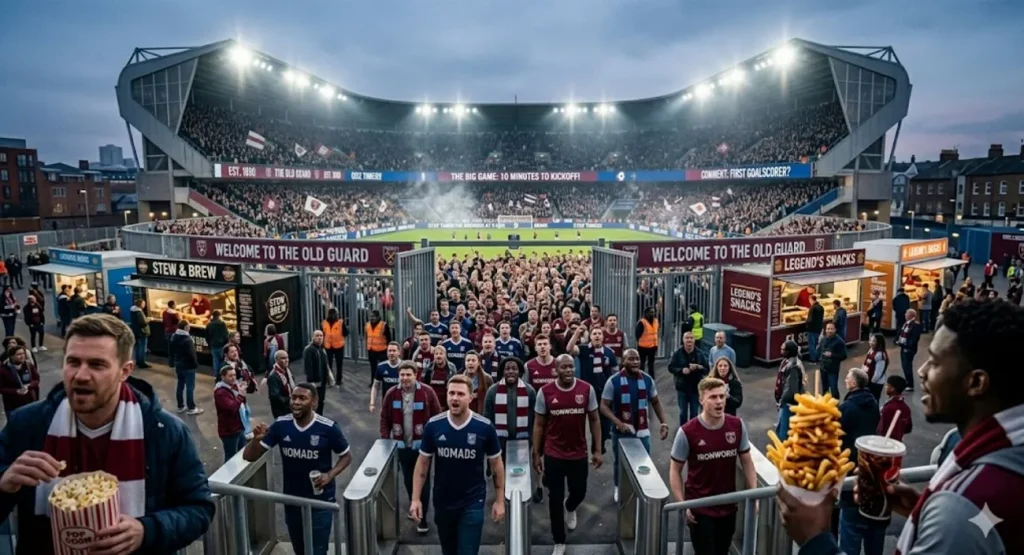
아래 영어 프롬프트를 그대로 붙여넣으세요: “The stadium gates are open, and fans are singing loud songs right now. Grab your favorite snacks because the big game starts in ten minutes. Tell us in the comments which player will score the first goal.”
풀타임 스코어
아래 영어 프롬프트를 그대로 붙여넣으세요: “What a crazy game we just watched with five goals in total. Our team fought until the end and took home three important points. Thank you to all the amazing fans who supported us loudly.”
다음 큰 경기
아래 영어 프롬프트를 그대로 붙여넣으세요: “We travel to the capital city for our biggest game next Saturday. Buy your match tickets early to support the boys on the road. We need a loud crowd to help us win this tough match.”
5. 축구 스토리
큰 대회는 팬들이 몇 년이고 이야기하는 순간을 남기죠. 그 장면을 사람들이 좋아하는 콘텐츠로 바꿔 주는 Grok 월드컵 프롬프트 5가지예요:
어린 꿈쟁이의 이야기
아래 영어 프롬프트를 그대로 붙여넣으세요: “A poor kid kicked a ragged ball against a brick wall every day. Now he plays in front of millions of fans in giant stadiums. His dream came true because he never gave up on his goal.”
기적 같은 역전승
아래 영어 프롬프트를 그대로 붙여넣으세요: “They were losing by three goals with only ten minutes left to play. Somehow, they scored four times and won the championship trophy last night. It was the greatest comeback in the history of this beautiful game.”
결승전 밤
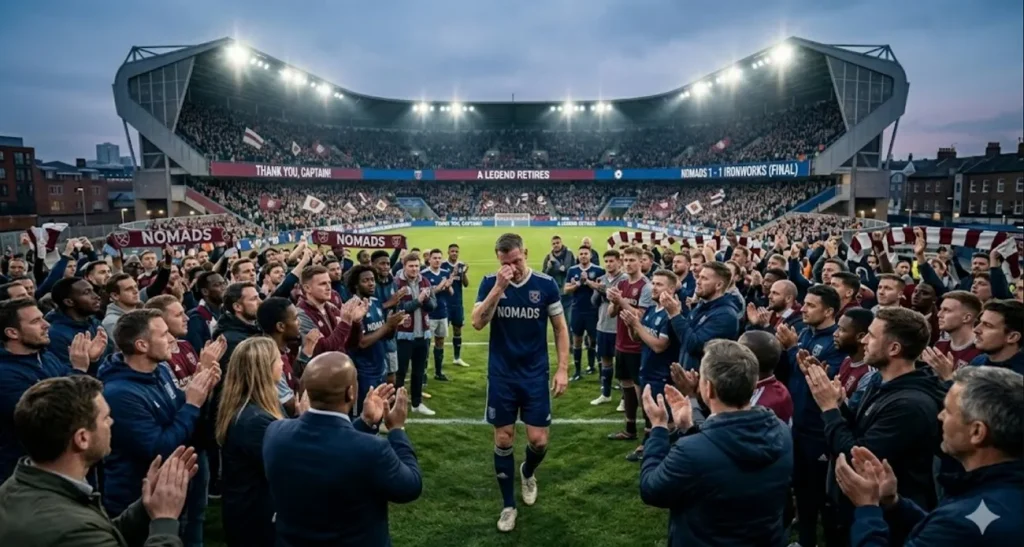
아래 영어 프롬프트를 그대로 붙여넣으세요: “The old captain cried as he walked off the pitch last evening. He played his final game and retired as a true club legend. Thousands of people stood up to clap for his long and loyal career.”
6. 영상 대본
월드컵 시즌은 영상 채널을 빠르게 키우기 가장 좋은 때예요. 이 Grok 월드컵 프롬프트로 모든 플랫폼에 올릴 힘 있는 영상을 만들어 보세요:
인트로 훅 문장
아래 영어 프롬프트를 그대로 붙여넣으세요: “You will not believe how this famous player went from poor to rich. Watch this video until the very end to see his amazing house. His journey from the streets to glory will change your mind today.”
기술 가이드 스텝
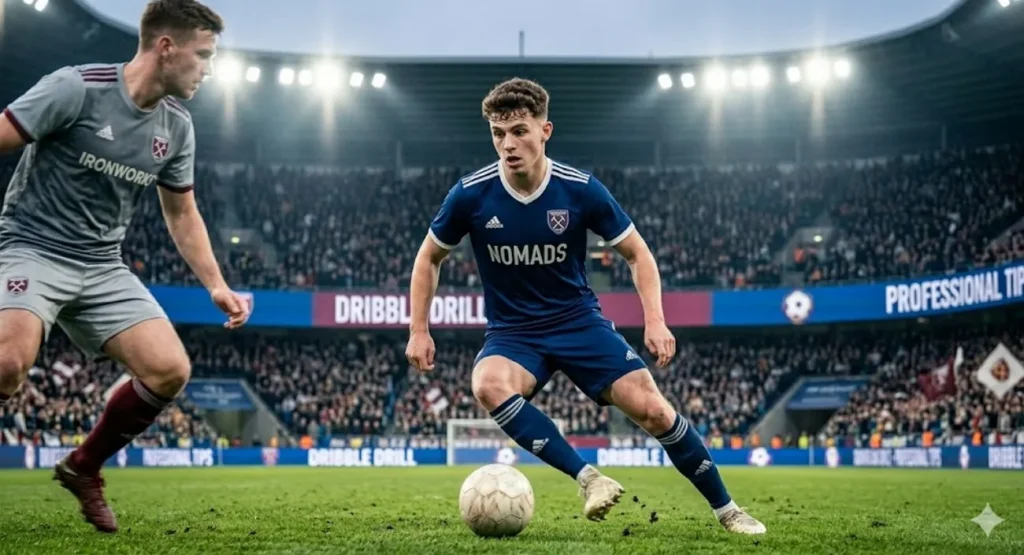
아래 영어 프롬프트를 그대로 붙여넣으세요: “To dribble like a pro, you must practice this simple step every day. Keep your body low and move the ball with your laces quickly. This smart trick will help you beat defenders during your next match.”
축구 미신 깨기
아래 영어 프롬프트를 그대로 붙여넣으세요: “Many people think the referee was wrong during that famous final match. Let us look closely at the video clips to find the truth. The slow-motion replay shows that it was a very fair tackle.”
2부. Grok FIFA 월드컵 프롬프트를 AI 영상으로 바꾸는 가장 좋은 방법
축구 콘텐츠를 만든 뒤에는 더 나은 보여 주기 방식을 찾는 크리에이터가 많아요. 다만 주요 플랫폼에서는 영상이 더 많은 관심과 참여를 받아요. 그래서MagicLight AI가 Grok 월드컵 프롬프트를 흥미로운 영상으로 쉽게 바꿔 줘요. 이 AI 도구로 자세한월드컵 프롬프트에서 최대 50분짜리 축구 영상을 만들 수 있어요. 여러 장면과 시퀀스에서도 축구 캐릭터의 비주얼을 일정하게 유지해 줘요.
글로벌 시청자를 위한 콘텐츠라면 MagicLight AI가 11개 언어를 지원해서 표현이 더 정확해요. 첫 버전이 마음에 안 들면 대본과 영상 설정을 다시 다듬을 수도 있어요. 배경 AI 영상 모델이 19종이라 움직임과 비주얼 룩을 다양하게 고를 수 있고, 축구 테마 커버도 자동으로 만들어 줘요.
주요 기능
- Storyboard Preview: 렌더링 전에 축구 장면을 검토하고 프롬프트를 다듬어 더 좋은 결과를 내세요.
- Nano Storyboards: 마이크로 스텝과 타임라인 장면 제어로 세밀한 축구 동작을 만드세요.
- Scene Editing: 렌더링 전에 축구 장면을 수정해 스토리텔링을 더 정확하게 맞추세요.
Grok 월드컵 프롬프트로 영상을 만드는 쉬운 가이드
아래 단계를 따라가면 MagicLight AI에서 Grok 월드컵 프롬프트로 월드컵 영상을 힘들이지 않고 만들 수 있어요:
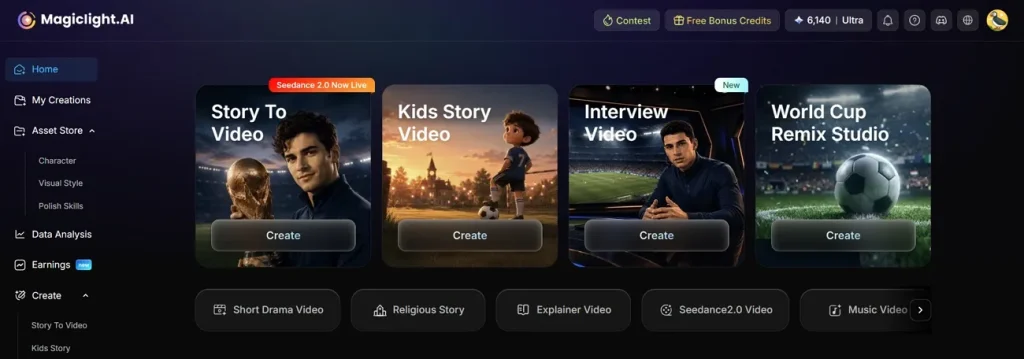
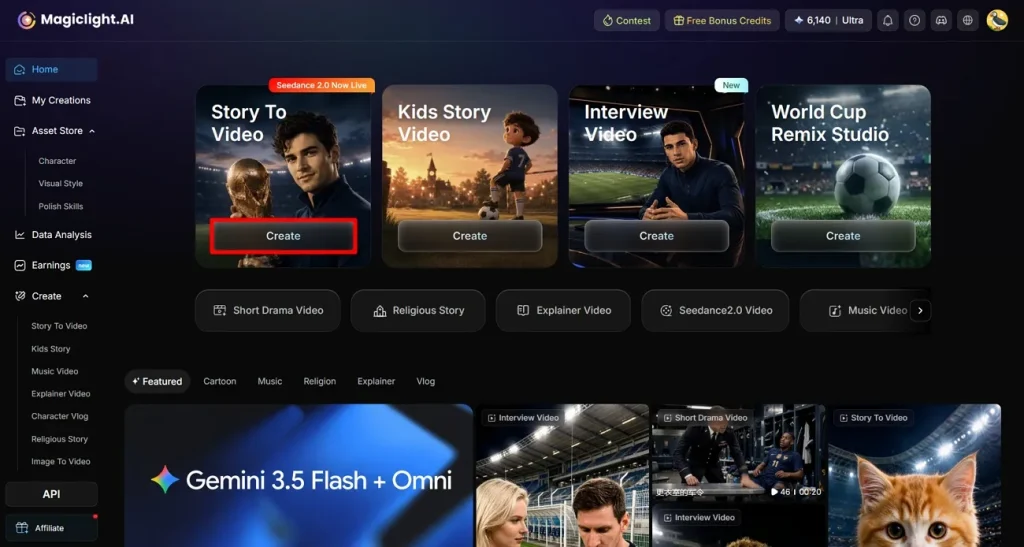
1단계. Story to Video 기능 열기
영상 제작을 시작하려면 메인 화면에서Story to Video로 이동하세요.
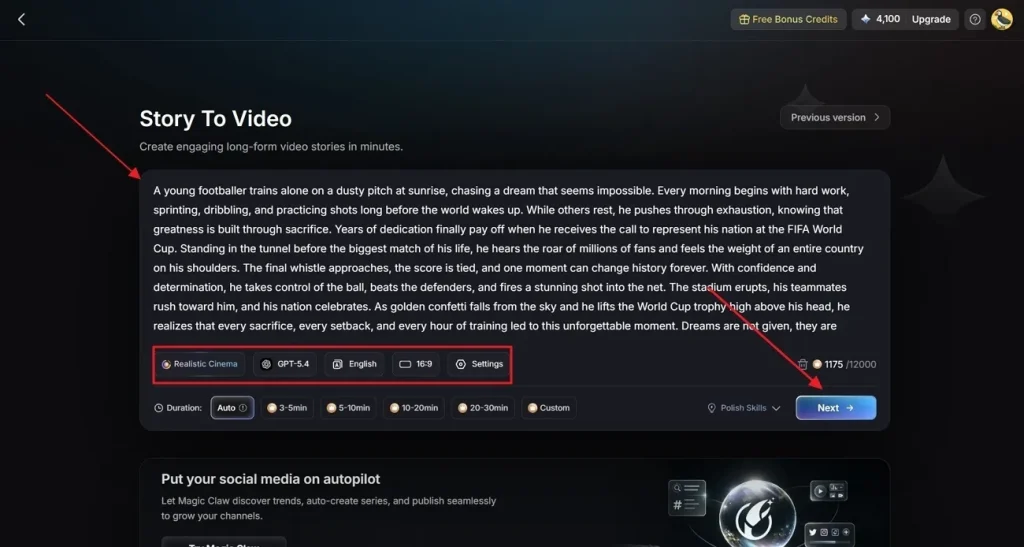
2단계. 스토리 콘셉트를 넣고 설정하기
월드컵 내러티브나 프롬프트를 지정된Text Box에 입력하세요. 이어서 설정 패널에서Realistic Style Model을 골라 실제 축구 비주얼을 만들고,AI Story Model(예: GPT-5.4)로 대본을 처리하세요. 대상Video Language, 필요한Aspect Ratio,Video Duration을 고른 뒤Next를 누르세요.
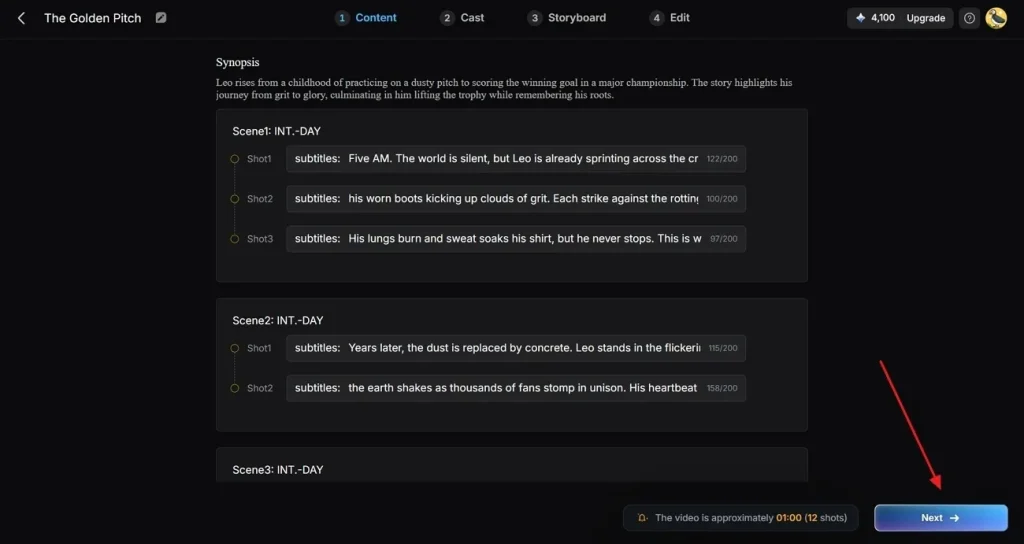
3단계. AI가 만든 영상 요약을 검토하고 확인하기
축구 숏필름의 AI 장면 분해를 살펴본 뒤Next를 눌러 계속하세요.
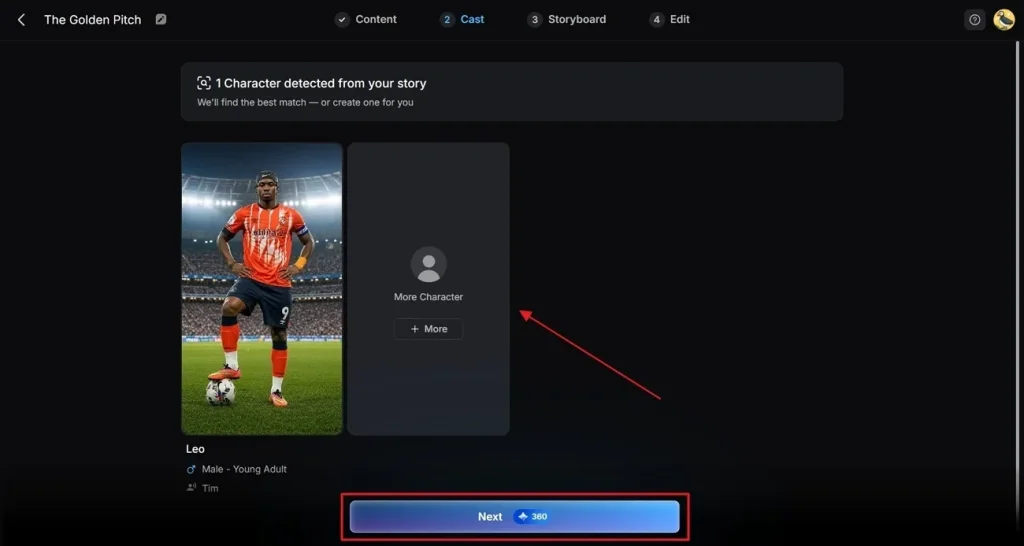
4단계. 캐릭터 라이브러리에서 생성된 캐릭터 고르기
이어서 캐릭터 라이브러리에서 하나를 고르거나More Character를 눌러 MagicLight에서맞춤 축구 캐릭터를 디자인하세요. 캐릭터가 준비되면Next를 눌러 다음으로 가세요.
5단계. 스토리보드 디테일과 비주얼 일관성 다듬기
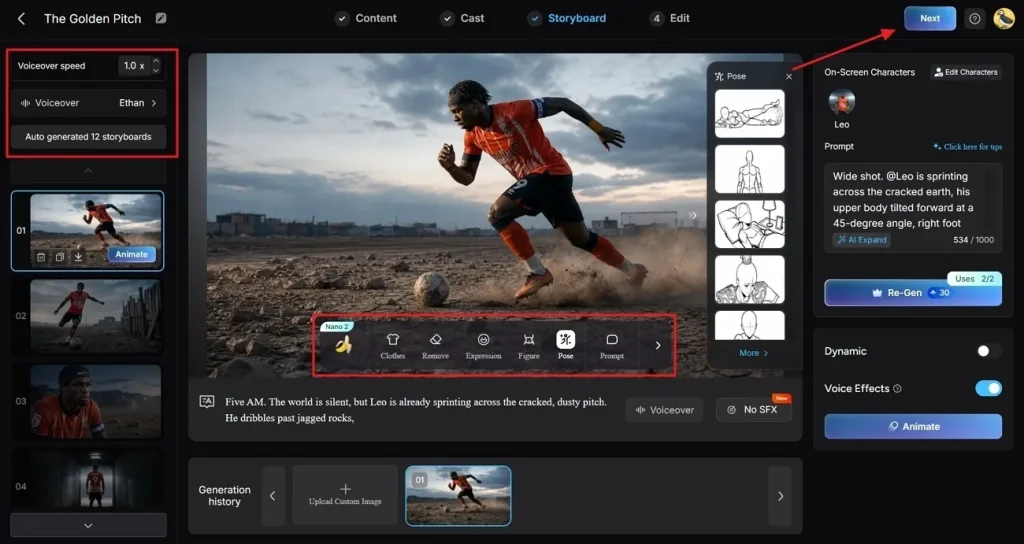
Storyboard 작업 공간에서 캐릭터를 다듬어 프레임 간 비주얼이 끊기지 않게 하세요. 또Expressions,Clothes,Poses를 바꿔 축구 캐릭터에 생기를 더하세요. 왼쪽 사이드바에서Voiceover를 고르거나Voiceover Speed를 조절하세요. 각 축구 장면을 따로 확인한 뒤, 흐름이 괜찮으면Next를 누르세요.
6단계. 자막과 배경 오디오 넣기
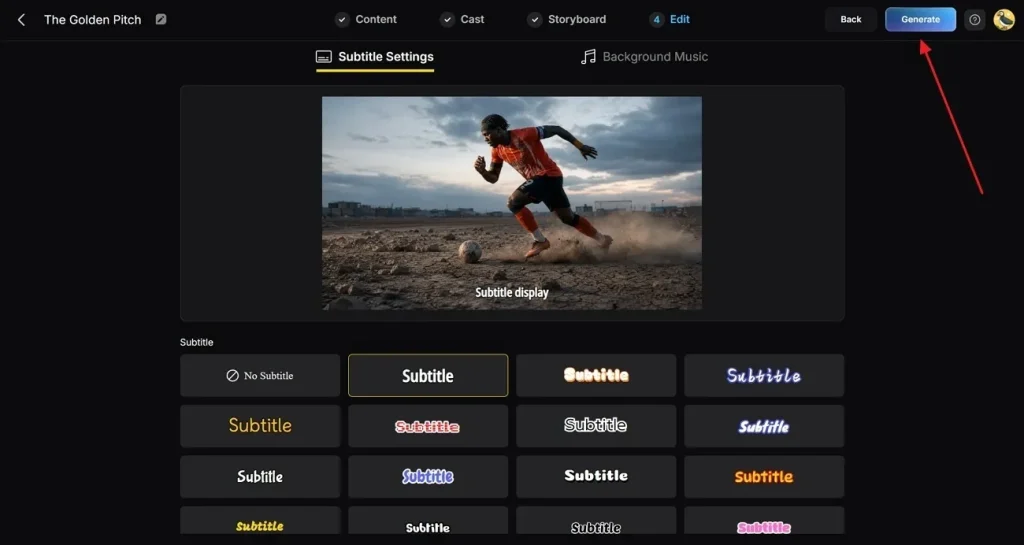
Subtitle Settings 패널을 열어자동 자막을 생성하세요. 이어서 오디오 라이브러리에서 생중계처럼 에너지 있는Background Music을 고르세요. 프로젝트 설정을 마지막으로 확인한 뒤Generate를 눌러 영상을 렌더링하세요.
7단계. 최종 AI 영상 미리 보고 다듬어 내보내기
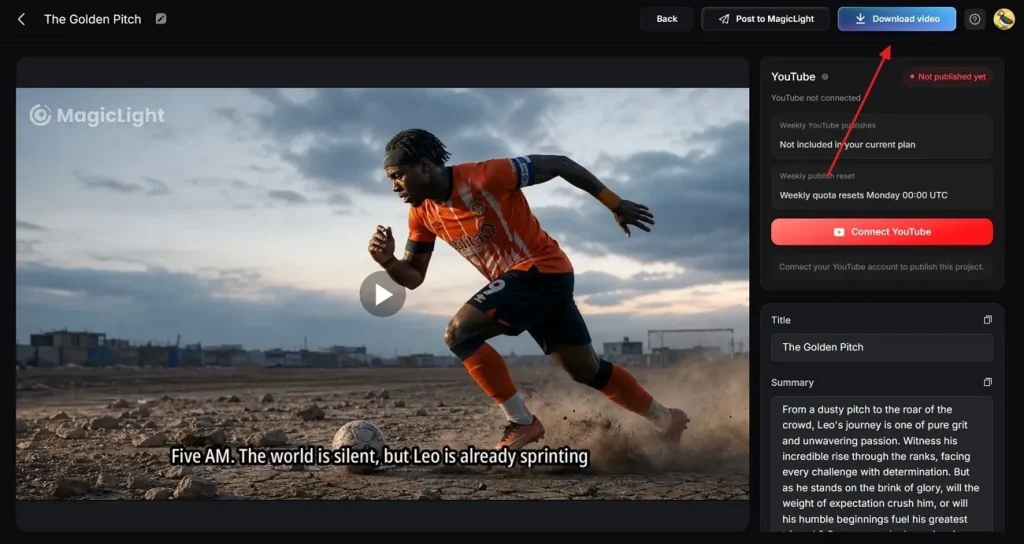
플레이어로 완성된 영상을 미리 보고 축구 장면 사이 전환을 확인하세요. 내보내기 전에Thumbnail Text나 유행하는Hashtags를 추가한 뒤 저장할 수도 있어요. 마지막으로Download Video를 눌러 완성된 월드컵 숏필름을 기기에 저장하세요.
마무리
월드컵 기간에 탄탄한 축구 콘텐츠를 만들면 페이지가 돋보여요. 이 Grok 월드컵 프롬프트가 있으면 새 아이디어가 떨어지지 않아요. 팬 투표부터 영상 대본까지, 필요한 게 다 여기 있어요. 다만 영상은 언제나 더 많은 사람에게 닿고 온라인 성과도 더 좋아요. 그러니 프롬프트를 MagicLight AI와 짝 지어서 축구 콘텐츠가 빛나게 해 보세요.
Grok FIFA 월드컵 프롬프트 FAQ
1. Grok용 월드컵 프롬프트를 효과적으로 쓰려면 어떻게 하나요?
팀, 선수, 경기, 축구 상황을 분명하게 적으세요. 스토리인지 예측인지처럼 원하는 콘텐츠 유형도 밝혀 주세요. 목표가 구체적일수록 Grok이 더 정확한 축구 콘텐츠를 만들어요.
2. Grok이 축구 영상 대본도 만들어 주나요?
네. Grok은 여러 스타일의 축구 영상 대본을 쓸 수 있어요. 인트로, 경기 분석, 스토리, 해설 대본까지 만들 수 있고, MagicLight AI로 그 대본을 축구 영상으로 바꿀 수 있어요.
3. Grok과 MagicLight AI를 함께 써서 콘텐츠를 만들어도 되나요?
네, 두 도구는 몰입감 있는 축구 콘텐츠를 만들 때 잘 맞아요. 먼저 Grok으로 축구 대본과 아이디어, 콘텐츠 계획을 만들고, 이어서 MagicLight AI로 매력적인 축구 영상으로 바꾸세요.
4. Grok은 어떤 월드컵 콘텐츠를 만들 수 있나요?
Grok은 예측, 축구 스토리, 소셜 게시글, 퀴즈를 만들 수 있어요. 팀 분석과 팬 토론 콘텐츠도 만들고, 이 아이디어는 나중에 MagicLight AI로 영상이 될 수 있어요.
5. Grok으로 월드컵 소셜 미디어 콘텐츠를 만들 수 있나요?
네. Grok은 전 세계 축구 팬을 위한 참여형 소셜 게시글을 만들 수 있어요. 캡션, 투표, 경기 업데이트, 토론을 만들어 호응을 이끌고, 대회 내내 시청자를 활발하게 유지해 줘요.