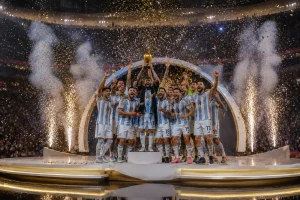
Every football fan wants to talk about the World Cup in a fun way. Writing match predictions or fan posts from zero is not always easy. Most people struggle to find the right words when excitement takes over. Using Grok World Cup prompts helps you skip the hard part completely. This article walks you through the best prompts, and you will also learn how to turn those prompts into complete AI videos.
Part 1. 18 Grok AI Prompts You Should Know
Using Grok World Cup prompts make football content creation faster and simpler. Thus, go through each prompt below and see which one fits your work:
1. Match Predictions
Football fans always want to know what may happen in the next match. The given Grok World Cup prompts match prediction ideas to help guess results before any big World Cup game:
Surprise Win Possible
The weaker team might shock everyone today because their best player is back. They practiced hard all week to surprise the top team in the league. A late counterattack will seal three points for the away team.

No Goals Expected
Both teams have amazing defence lines that never let anyone pass them easily. It will be a tight match that ends in a draw. The midfielders will work hard, but nobody can create a clear scoring chance.
Last Minute Winner
The home team will score a late goal right before the referee blows. Everyone in the stadium will jump up and scream with pure joy today. The players will run to the fans to celebrate this big, dramatic win.
2. Team Analysis
Every fan wants to truly understand the team they are cheering for before any big football match. Adhere to the given Grok World Cup prompts to find the team insight you are looking for:
Major Injury Update
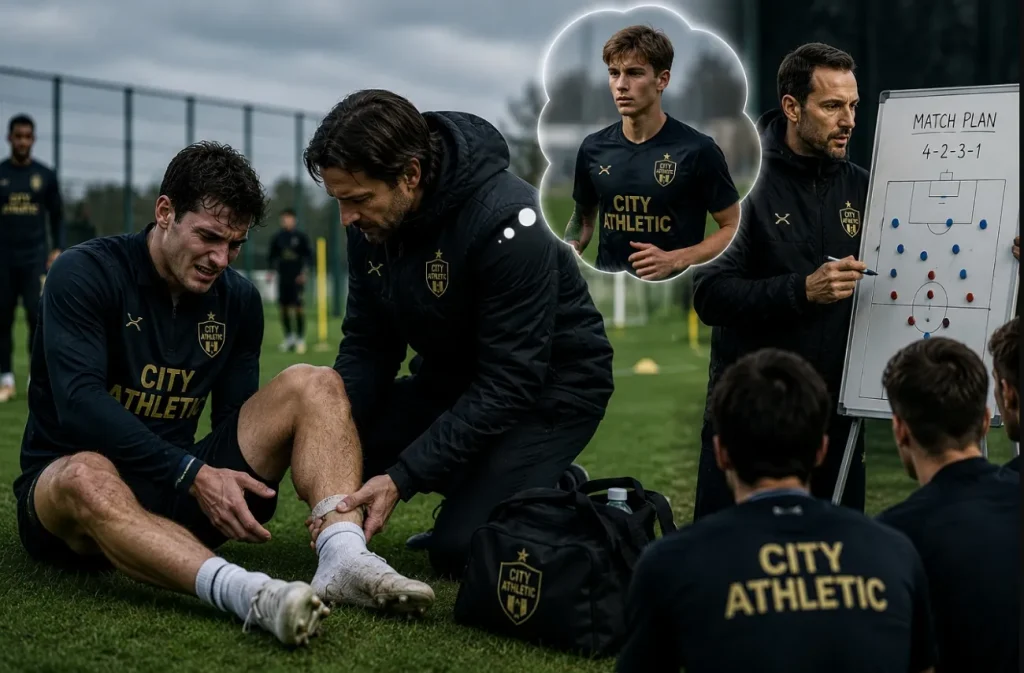
Their captain hurt his ankle during a practice session on Monday afternoon this week. He cannot play today, which makes the defence much weaker for them. The assistant coach must find a young player to fill his big spot.
Brand New Star
The young midfielder runs incredibly fast and never feels tired during the match. He helps the older defenders and passes perfectly to the front players. The club fans already love him because he plays with a big heart.
Great Winning Form
They won five games in a row and feel very confident now. Every player knows exactly what to do to keep this winning streak. They look like real champions when they play together on the field.
3. Fan Engagement Content
Fans love sharing opinions and joining football discussions during tournaments. These Grok World Cup prompts help create fun content that connects fans everywhere:
Fun Trivia Time
Create a fun quiz about the oldest football clubs in the world history. Kids will love guessing the answers and sharing scores with their friends. You can post the correct answers online tomorrow morning at nine o'clock.

Score Guess Win
Tell the fans to type their exact match score predictions right below. The first person to guess correctly wins a brand-new match ball. Make sure they leave their comments before the match starts.
Caption This Photo
Post a funny photo of the coach jumping high in the air. Let fans write hilarious captions and pin the best one to the top. The winner will get a special shoutout on our official account tomorrow.
4. Social Media Posts
During the World Cup, every fan wants to post something fresh and exciting. Go through the given Grok World Cup prompts and keep your pages active throughout the whole tournament:
Big Match Day
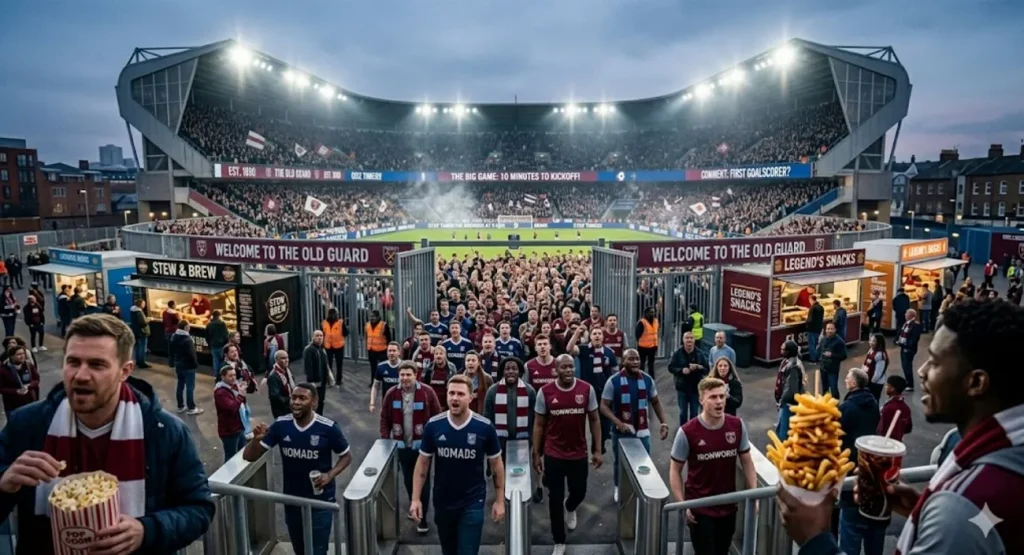
The stadium gates are open, and fans are singing loud songs right now. Grab your favorite snacks because the big game starts in ten minutes. Tell us in the comments which player will score the first goal.
Full Time Score
What a crazy game we just watched with five goals in total. Our team fought until the end and took home three important points. Thank you to all the amazing fans who supported us loudly.
Next Big Game
We travel to the capital city for our biggest game next Saturday. Buy your match tickets early to support the boys on the road. We need a loud crowd to help us win this tough match.
5. Football Stories
Every great tournament leaves behind stories that fans keep talking about for years. Here are 5 Grok World Cup prompts that turn those moments into content people will love:
Young Dreamer Story
A poor kid kicked a ragged ball against a brick wall every day. Now he plays in front of millions of fans in giant stadiums. His dream came true because he never gave up on his goal.
Miracle Comeback Win
They were losing by three goals with only ten minutes left to play. Somehow, they scored four times and won the championship trophy last night. It was the greatest comeback in the history of this beautiful game.
Final Match Night
The old captain cried as he walked off the pitch last evening. He played his final game and retired as a true club legend. Thousands of people stood up to clap for his long and loyal career.

6. Video Scripts
The World Cup season is the best time to grow your video channel fast. These Grok World Cup prompts help create powerful video content for all platforms:
Intro Hook Line
You will not believe how this famous player went from poor to rich. Watch this video until the very end to see his amazing house. His journey from the streets to glory will change your mind today.
Skill Guide Step
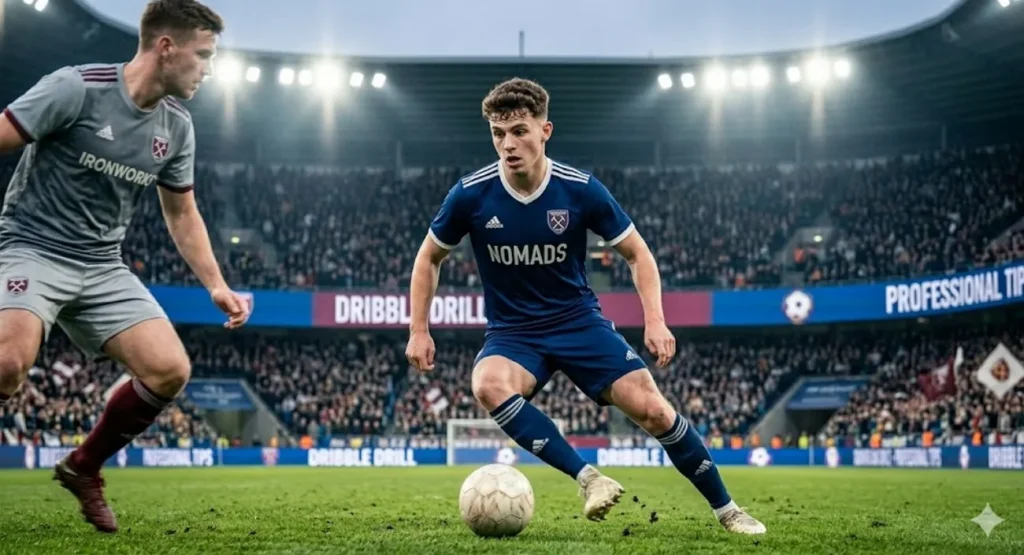
To dribble like a pro, you must practice this simple step every day. Keep your body low and move the ball with your laces quickly. This smart trick will help you beat defenders during your next match.
Football Myth Buster
Many people think the referee was wrong during that famous final match. Let us look closely at the video clips to find the truth. The slow-motion replay shows that it was a very fair tackle.
Part 2. Best Way to Convert Grok FIFA World Cup Prompts into AI Videos
After generating football content, many creators look for better presentation methods. However, videos often receive more attention and engagement across major platforms. Thus, MagicLight AI converts Grok World Cup prompts into exciting videos with ease. By using this AI-powered tool, users can create football videos up to 50 minutes from detailed World Cup prompts. It also keeps football characters visually consistent across multiple scenes and sequences.
To create content for global audiences, MagicLight AI supports 11 different languages for precision. Additionally, you can re-edit the script and video settings if the first version is not perfect. With 19 background AI video models available, users can select various movements and visual looks. This tool also generates football-themed video covers automatically for better visual presentation.
Key Features
- Storyboard Preview: Review football scenes before rendering and adjust prompts for better results.
- Nano Storyboards: Create detailed football actions using micro-steps with timeline-based scene control.
- Scene Editing: Modify football scenes before rendering for greater visual storytelling accuracy.
Easy Guide to Generate Videos Using Grok World Cup Prompts
Let’s explore the steps below to generate World Cup videos through Grok World Cup prompts without effort using MagicLight AI:
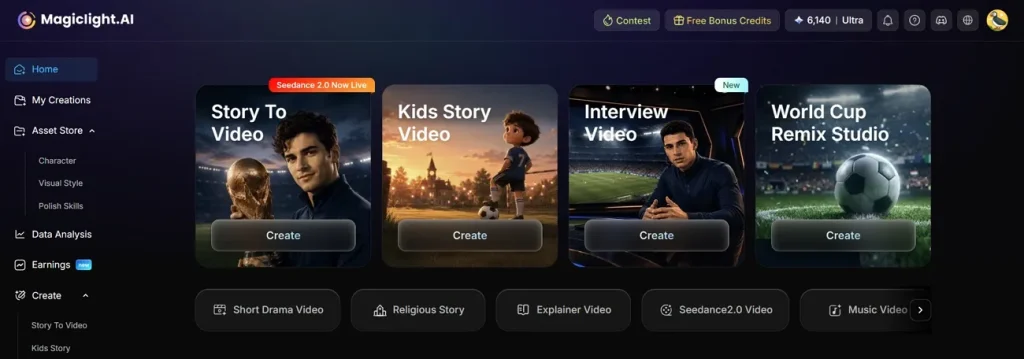
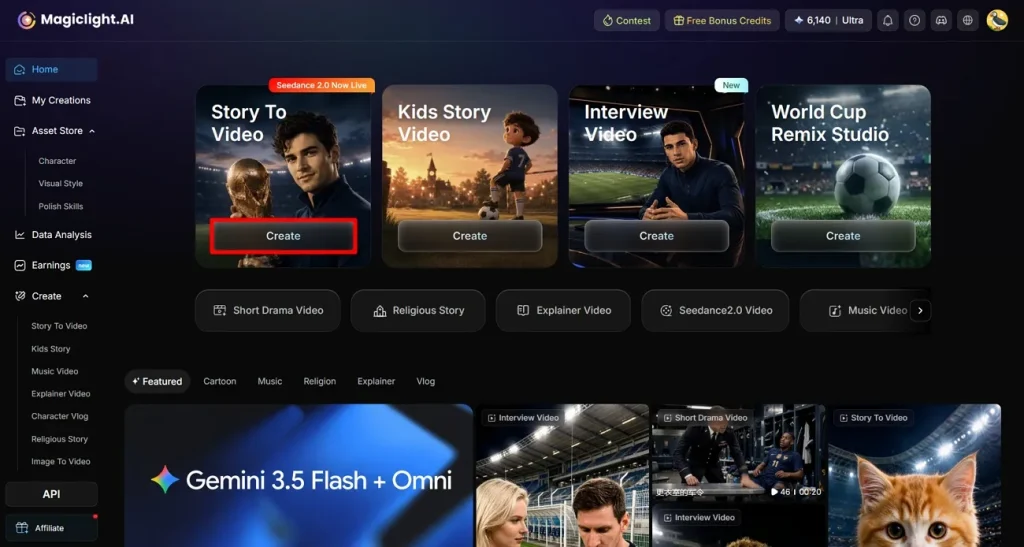
Step 1. Open the Story to Video Feature
To start your video creation workflow, navigate to the Story to Video option from the main screen.
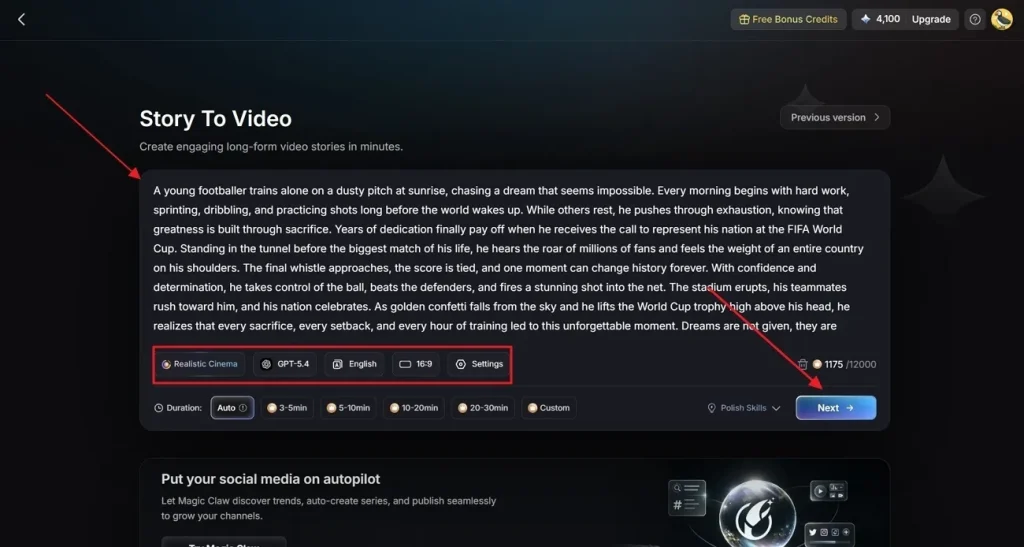
Step 2. Input Your Narrative Concept and Configure Settings
Enter your specific World Cup narrative or prompt into the designated Text Box. Next, use the configuration panel to select a Realistic Style Model for authentic football visuals and assign an AI Story Model (such as GPT-5.4) to process the script. Finalize your project parameters by selecting your target Video Language, choosing the required Aspect Ratio, and setting the Video Duration before clicking Next.
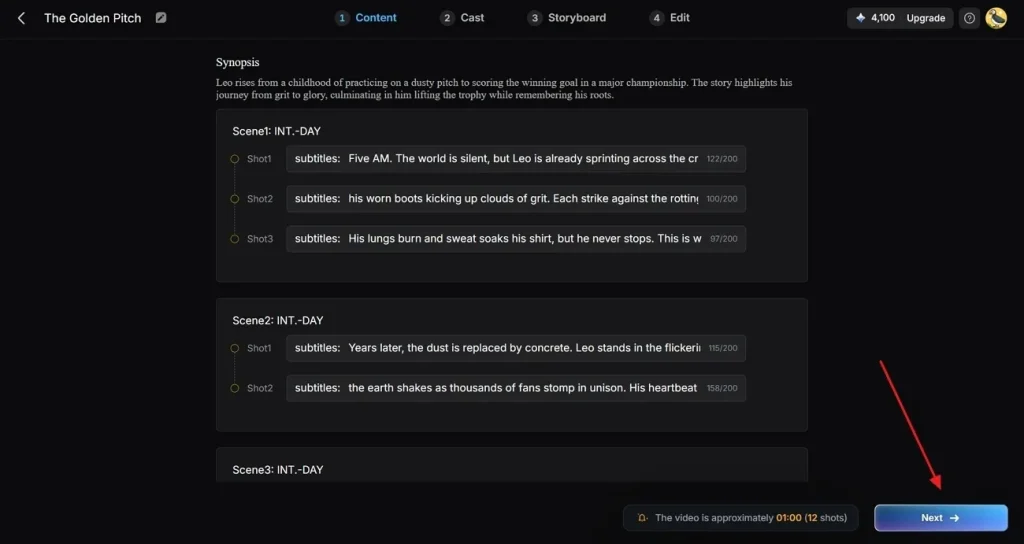
Step 3. Review and Verify the AI-Generated Video Summary
Go through the AI-generated scene breakdown for your football short film and opt for Next to continue.
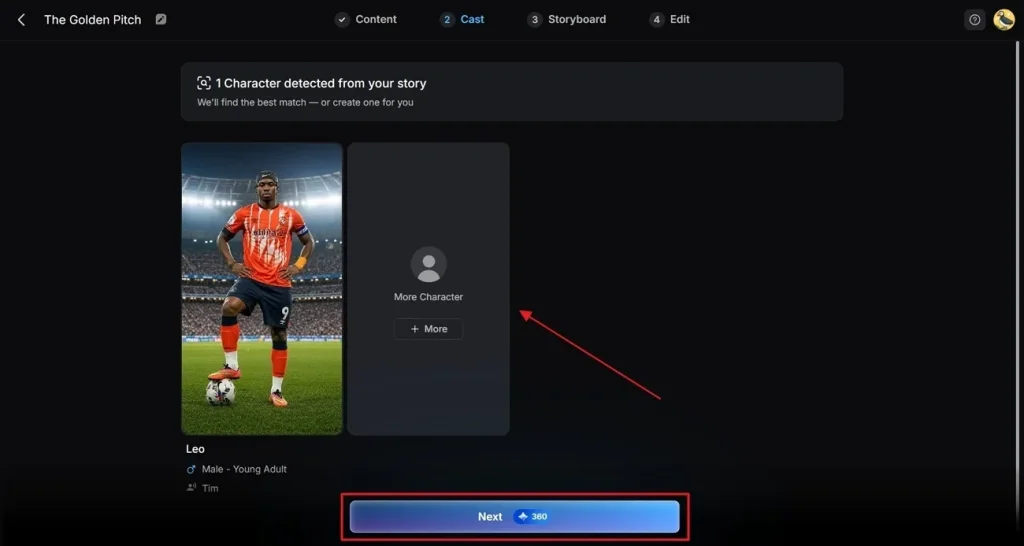
Step 4. Select Generated Character from Character Library
Moving forward, pick one from the character library or tap More Character to design a custom football character in MagicLight. Click the Next button when your character is ready to move forward.
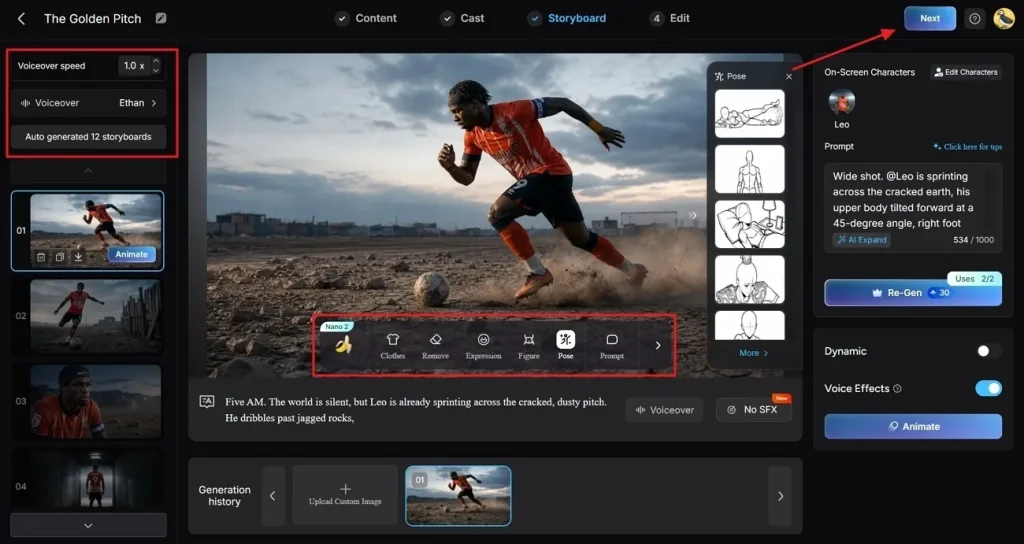
Step 5. Refine Storyboard Details and Visual Consistency
Within the Storyboard workspace, optimize your characters to maintain strict visual continuity across frames. In addition, change Expressions, Clothes, and Poses to bring your football characters to life. Use the left sidebar to fine-tune the Voiceover selection or modify the Voiceover Speed. Review each football scene independently, then click Next when the visual flow is finalized.
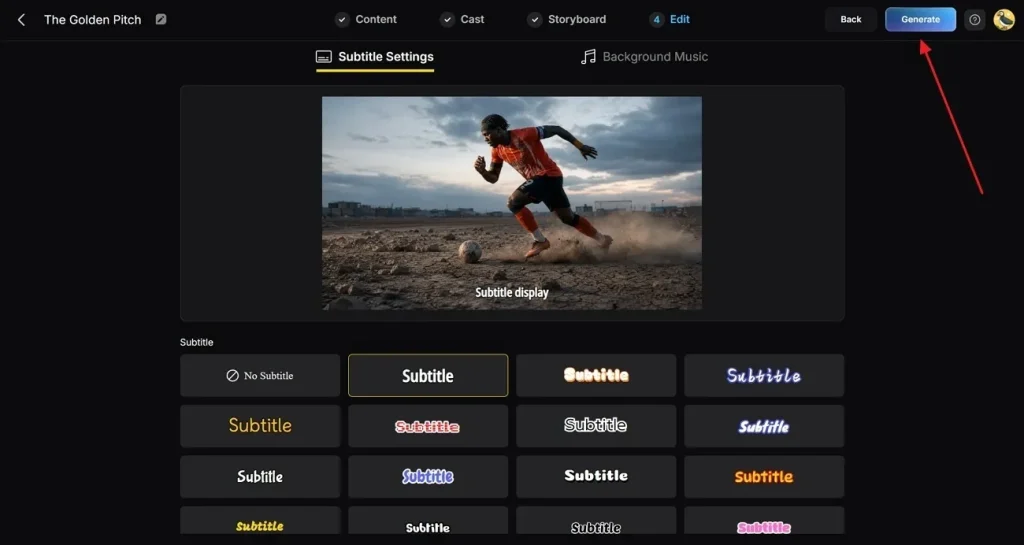
Step 6. Integrate Subtitles and Background Audio Tracks
Open the Subtitle Settings panel to generate automated captions for your content. Next, browse the audio library to select high-energy Background Music that matches the intensity of a live football broadcast. Conduct a final review of all project settings, then click Generate to render your video assets.
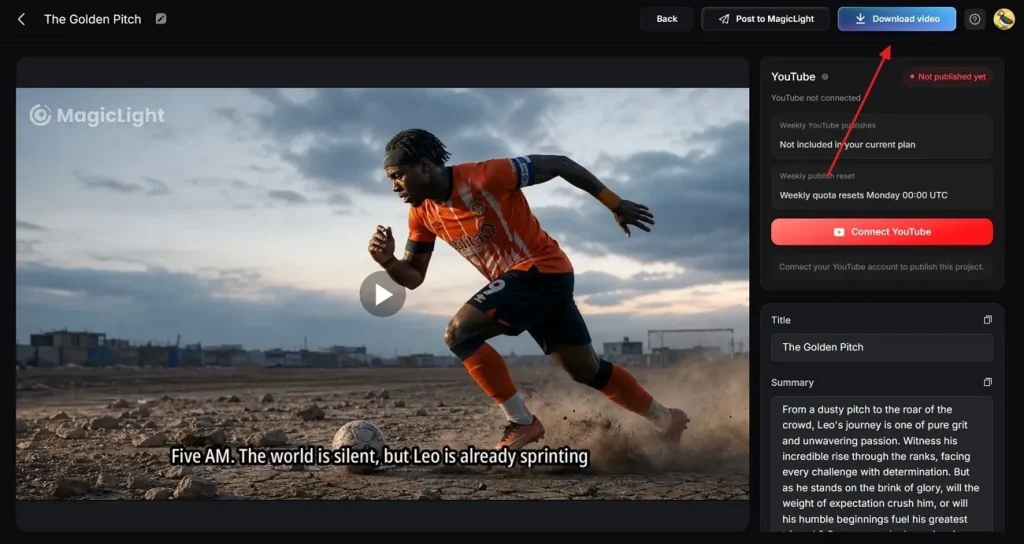
Step 7. Preview, Optimize, and Export Your Final AI Video
Use the media player to preview the completed video asset and evaluate the transitions between each football sequence. Before exporting, you can also add Thumbnail Text or trending Hashtags before saving your output. Lastly, click the Download Video button to save the finished World Cup short film to your device.
Conclusion
Creating strong football content during the World Cup can set your page apart. These Grok World Cup prompts make sure you never run out of fresh ideas. From fan polls to video scripts, everything you need is right here. However, video content will always reach more people and get stronger results online. Hence, pair your prompts with MagicLight AI and watch your football content shine.
FAQs on Grok FIFA World Cup Prompts
1. How do I write effective World Cup prompts for Grok?
Use clear details about teams, players, matches, or football situations. Mention the content type you want, such as stories or predictions. Adding specific goals helps Grok create more accurate football content.
2. Can Grok generate football video scripts?
Grok can create football video scripts for many content styles. It can generate introductions, match analysis, stories, and commentary scripts. You can use MagicLight AI to convert scripts into football videos.
3. Can I use Grok and MagicLight AI together for content creation?
Yes, both tools work well together for creating engaging football content projects. First, create football scripts, ideas, and content plans using Grok. Then use MagicLight AI to transform them into engaging football videos.
4. What types of World Cup content can Grok generate?
Grok can create predictions, football stories, social posts, and quizzes. It also generates team analysis and engaging fan discussion content. These ideas can later become videos using the MagicLight AI tool.
5. Can Grok create social media content for the World Cup?
Yes, Grok can generate engaging social media posts for football fans worldwide. It creates captions, polls, match updates, and discussions for audience engagement. These posts help keep audiences active throughout the entire tournament season.