
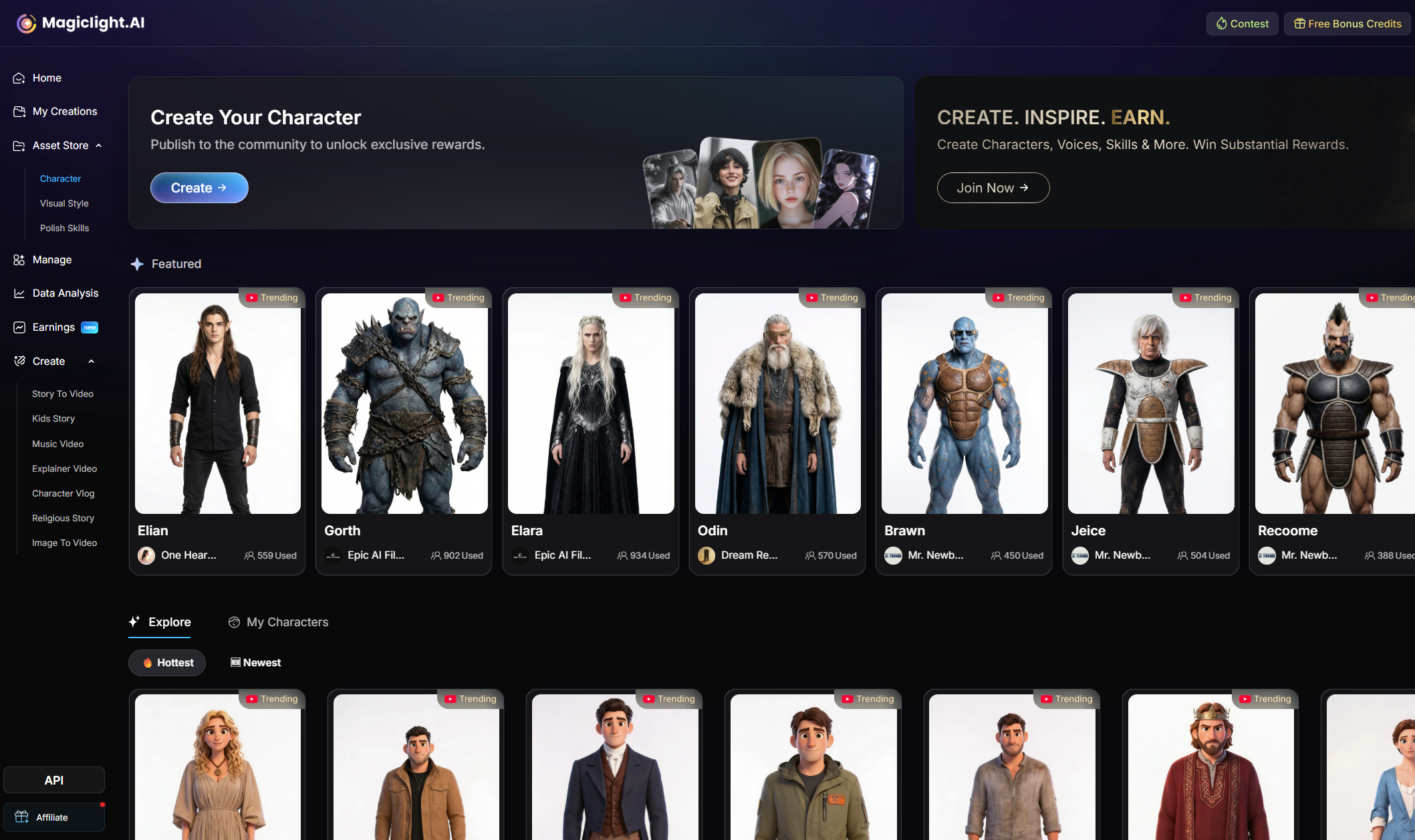
This workflow turns one character idea into a reusable asset you can apply across Story to Video, Kids Story, Explainer Video, Character Vlog, and other Magiclight pipelines.
Character assets are useful because they lock in identity before you start producing scenes. Instead of regenerating a new face every time, you create one reusable character, keep the visual logic stable, and carry that character into future videos.
Best for: creators who want repeatable characters across multiple episodes or formats.
What matters most: a clear name, a specific prompt, and the right visual style before you generate.
What You Will Do in This Flow
| Stage | What happens | Why it matters |
|---|---|---|
| Enter character creation | Open Asset Store and start a new character | Moves you into the reusable asset workflow |
| Write the prompt | Name the character and describe appearance, outfit, and identity | Determines whether the asset is reusable later |
| Select a style | Choose the image style family that fits the final use case | Prevents mismatch between character design and video format |
| Generate and apply | Review the result and accept the version you want | Turns the draft into a usable asset |
| Publish or keep private | Decide whether the character stays private or goes public | Public publishing can unlock the 500-credit reward |
Step 1. Enter Character Creation from the Asset Store
Start on the left navigation bar and open Asset Store, then choose Character. On the main character page, click Create.
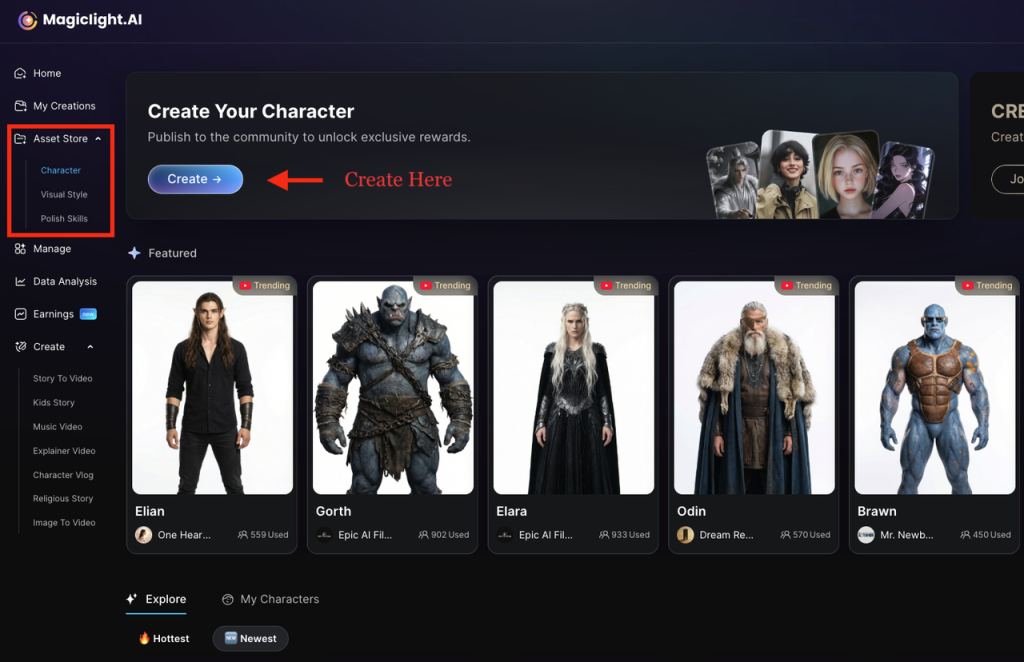
This entry point is specifically for reusable character assets, not one-off scene generation.
Once you enter this flow, MagicLight opens the character creation panel where you can define the name, prompt, and style before generation.
Step 2. Name the Character and Write the Prompt
The creation panel asks for two high-value inputs first: Name and Character Prompt.
- Use a short, memorable name so the asset is easy to find later.
- Write the prompt in concrete visual language, not vague adjectives.
- Describe stable traits that should survive reuse across future videos.
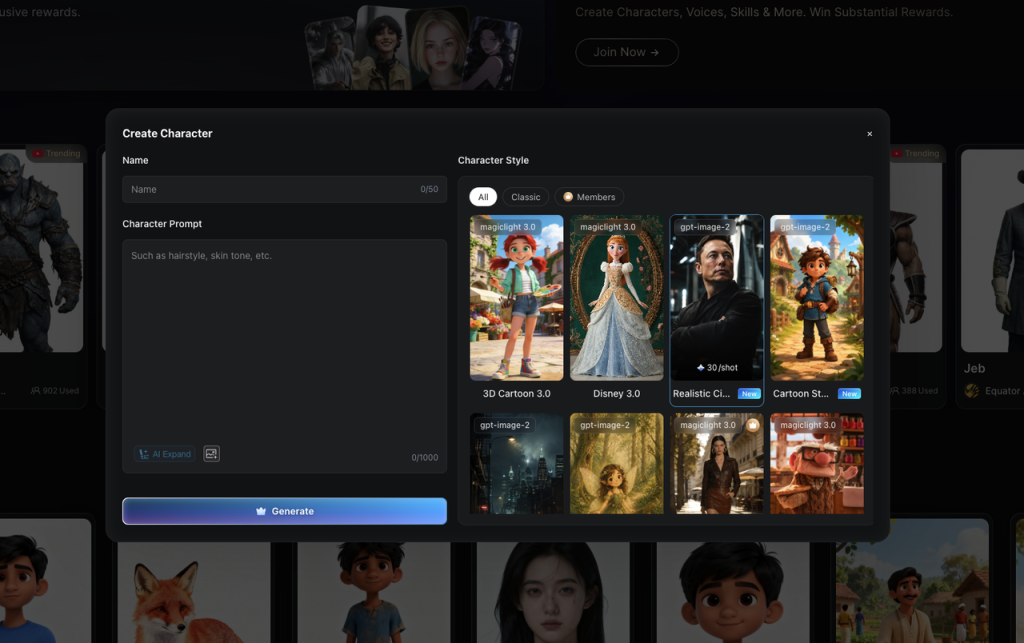
A strong prompt usually covers age or role, facial features, hairstyle, outfit, accessories, emotional tone, and where the character will be used.
If you only have a rough idea, use AI Expand to turn a short seed concept into a fuller character description. This is useful when you know the role of the character but have not yet specified the visual details.
Prompt Template
Starter template
[Name] is a [age/role] with [face and hair details]. They wear [outfit and accessories]. Their personality is [traits], and the design should feel [style direction]. Keep the [face, hairstyle, outfit, and colors] consistent across future scenes.
Example Prompt
Reusable character example
Luna is a curious 8-year-old girl with bright hazel eyes, short wavy brown hair, and a warm smile. She wears a yellow hoodie, denim overalls, white sneakers, and a star-shaped hair clip. Her design should feel friendly, expressive, and suitable for children's story videos. Keep her facial features, outfit, hairstyle, and color palette consistent across future scenes.
Step 3. Choose a Character Style, Generate, and Apply
After the prompt is ready, pick the style family that matches the target use case. The panel supports multiple visual directions, including cartoon, classic, member styles, and more specialized looks.
| If you need... | Choose styles that lean toward... |
|---|---|
| Kids content or storybook visuals | 3D cartoon, soft illustration, cute stylized looks |
| More cinematic or realistic presenters | Realistic or classic portrait styles |
| Community-facing experiments | Distinctive styles with strong silhouette and clear identity |
Click Generate after the name, prompt, and style are ready. Review the generated result in the generation history panel, select the version you want, and click Apply to turn it into the active character asset.
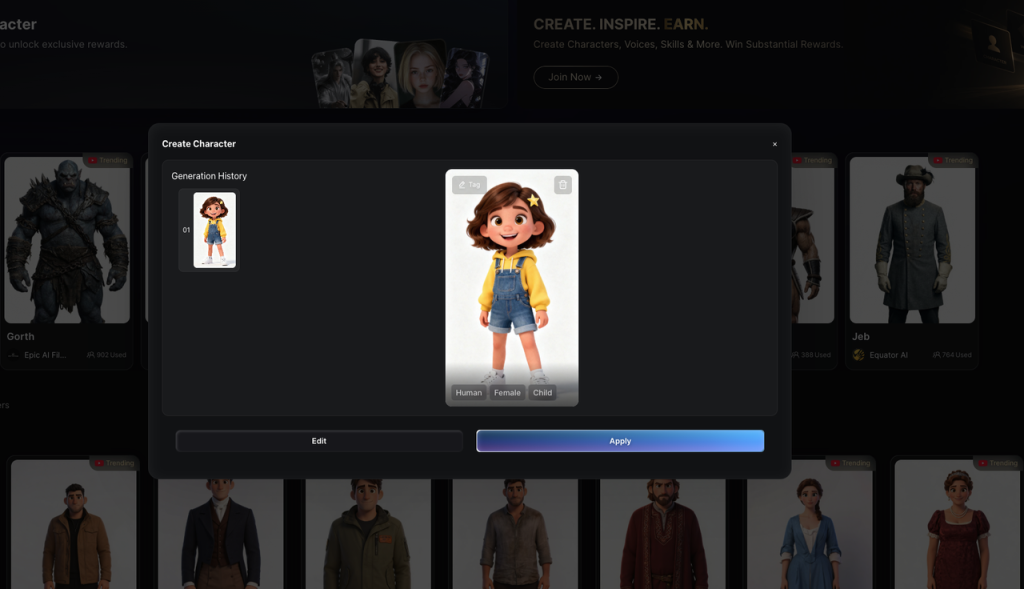
Do not optimize only for beauty. Optimize for repeatability. A character that looks good once but cannot be reused consistently is weaker than a slightly simpler character with stable identity cues.
Step 4. Publish Publicly to Claim the 500-Credit Reward
After you apply the generated character, Magiclight asks whether you want to keep it private or publish it. If the character is strong enough to share with the community, click Publish.
This is the operational point where the current event reward applies: publishing publicly can make the character eligible for the 500-credit featured reward shown in the workflow.
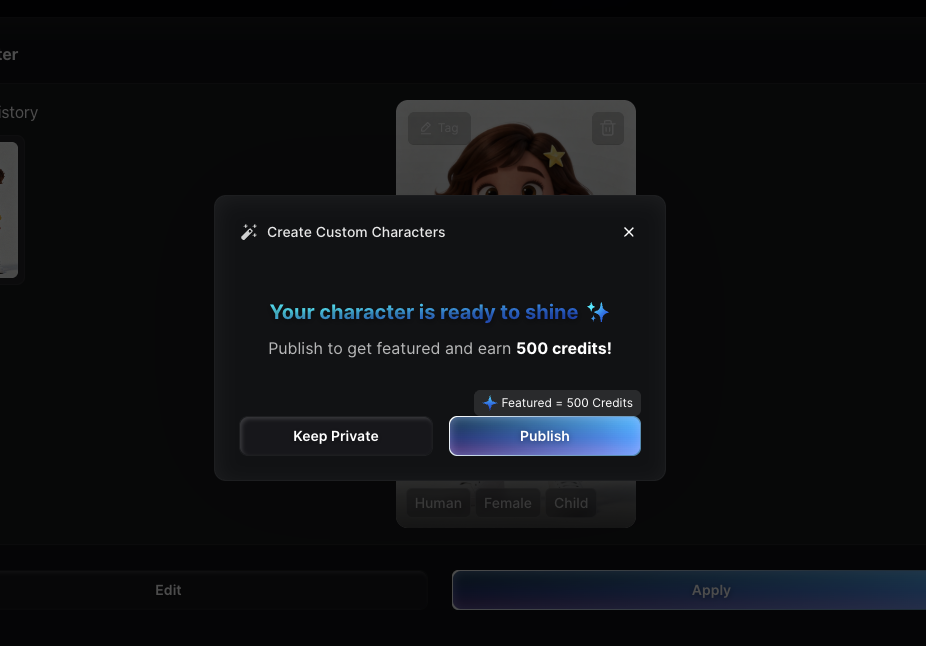
Keep Private if the character is only for your own workspace or still needs refinement.
Publish if the asset is ready for community visibility and you want to pursue the credit reward.
How to Write a Character Prompt That Reuses Well
| Include | Why it helps |
|---|---|
| Face and hair details | Keeps identity stable across scenes |
| Signature outfit | Makes the character easier to recognize instantly |
| Accessories or props | Adds memorable identity anchors |
| Personality and use case | Helps the model infer expression and posture |
| Consistency instruction | Signals which traits must remain fixed later |
Weak vs Better
Weak: A cute girl.
Better: Mia is a cheerful 10-year-old girl with curly black hair, round glasses, a blue school uniform, a yellow backpack, and a bright smile. Keep her glasses, hairstyle, outfit, and backpack consistent across scenes.
Why This Workflow Matters
- You create the identity once instead of rebuilding it for every project.
- You improve visual continuity across scenes, episodes, and formats.
- You reduce prompt drift when reusing the same character later.
- You can publish strong characters publicly and participate in the reward loop.
FAQs on Creating Characters in MagicLight
Can I keep the character private?
Yes. You can keep the asset inside your own workspace if it is not ready for public release.
When should I publish publicly?
Publish when the character has a clear identity, strong prompt definition, and a result that is useful enough for community reuse.
What is the biggest prompt mistake?
Being too vague. Generic prompts create weaker identity anchors and make reuse harder.