The World Cup season is the best time to share your football voice. Millions of fans post content, but most do not know where to begin. The smartest shortcut right now is using ChatGPT World Cup prompts daily.
These prompts help you write stories, scripts, and bold match predictions. Inside, this guide walks you through 15 of the most useful prompts available. You will also learn how to turn those ideas into real videos.
Part 1. 15 ChatGPT FIFA World Cup Prompts for Content, Stories, and Videos
From fan art to match analysis, ChatGPT FIFA World Cup prompts cover it all. So, this part explains how each prompt helps you create faster and better work:
1. Personalized Fan Art & Poster Prompts
Football art becomes much easier when you have the right creative prompt ready. Below are the 5 ChatGPT World Cup prompts to help you design bold and creative posters:
1.1. World Cup Portrait Art
Create a fan portrait art of a football player in a glowing stadium night scene style. Show crowd cheering behind with flags waving in bright and colorful stadium lights view. Make a poster feel exciting, simple, and easy for young football fans worldwide.
1.2. Stadium Hero Poster
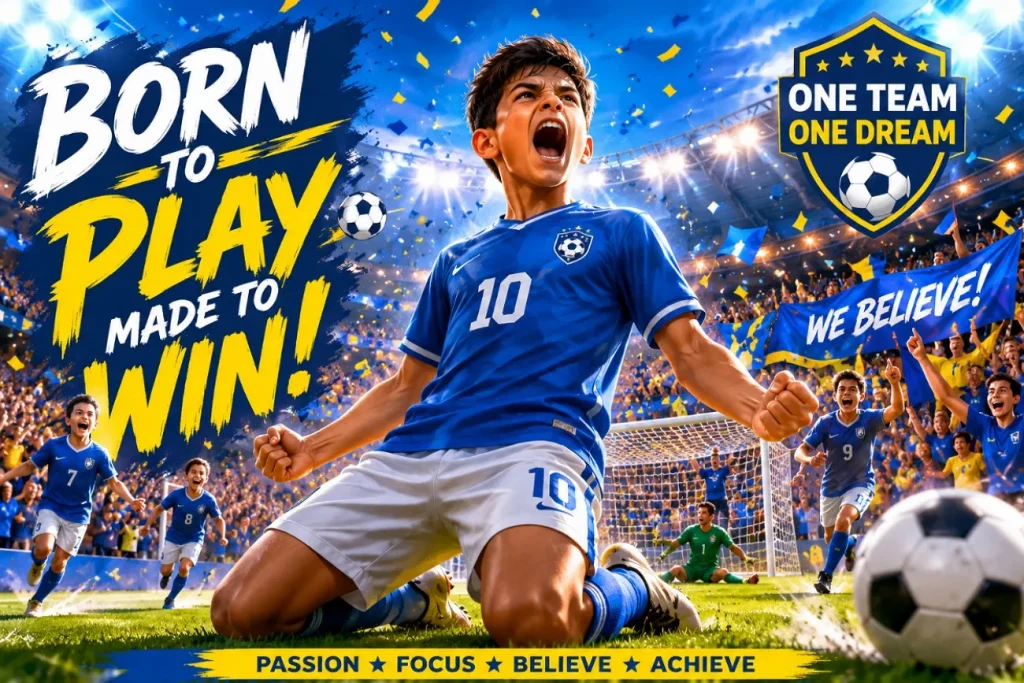
Design a football hero poster with dramatic lights and a strong action pose scene style. Add cheering fans in the background showing energy and a stadium celebration mood, bright. Create a simple, colorful, and perfect for kids football poster design style.
1.3. Victory Celebration Poster
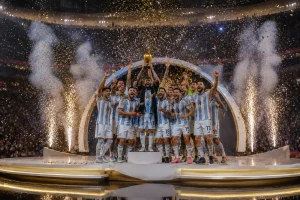
Generate a poster showing the winning moment with the trophy held under shining stadium lights. Fans jumping happily around the player, showing a strong emotional victory celebration scene. Make the design simple, bright, and perfect for beginner football art creators to learn.
1.4. Player Action Art
Draw a football player running fast with a ball in an exciting stadium match moment scene. Add a blurred motion effect showing speed and energy from intense football gameplay action. Keep the design colorful and perfect for school-level creative art projects.
1.5. World Cup Dream Art
Create a dreamy football poster with a young player imagining a World Cup stadium success moment. Show glowing lights and a cheering crowd forming a magical, inspiring sports atmosphere scene. Make the artwork simple and easy for kids learning football-themed digital design skills.
2. Analytical & Data Prompting
Good predictions need strong data, and these prompts help you build them well. Thus, explore the given ChatGPT World Cup AI prompts that make your World Cup analysis sharper and better:
2.1. Match Data Insight
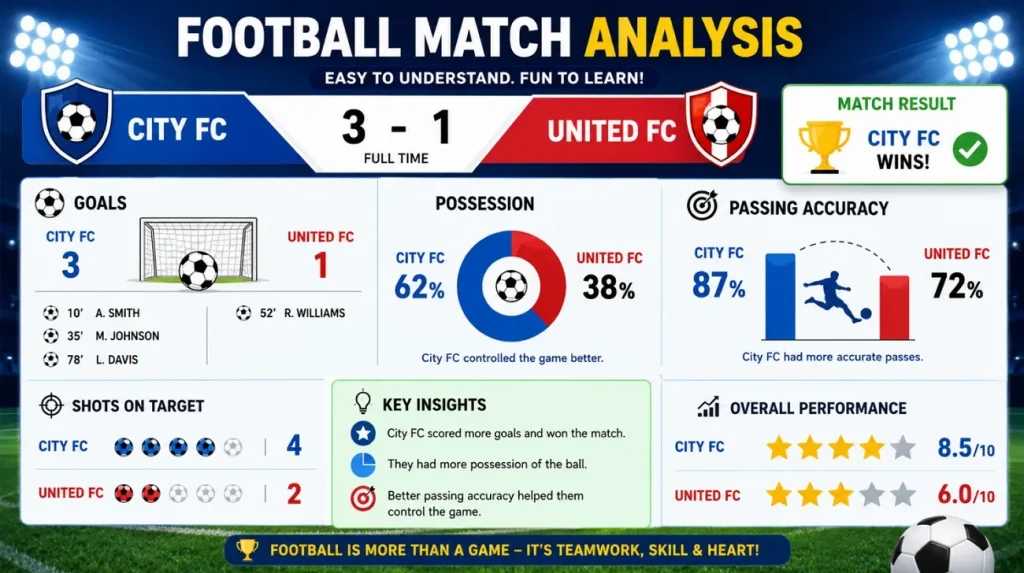
Analyze football match data and show simple patterns from team performance results clearly. Highlight goals, possession, and passing accuracy in an easy way for young learners to understand. Present insights using simple charts and a clean structure for better football analysis learning.
2.2. Team Strength Review
Compare two football teams using wins, losses, and goals scored in season matches. Show which team is stronger based on simple performance numbers and match records. Explain the results in easy language so beginners can understand football statistics clearly.
2.3. Player Performance Check
Review player performance using goals, assists, and match ratings from the recent World Cup. Explain strengths and weak points in very simple language for easy understanding. Help readers learn how data shows player impact during important football tournament games
2.4. Goal Prediction Analysis
Use past match data to predict possible goals in the upcoming football World Cup. Show simple trends from scoring history and team attacking strength comparison explained. Make predictions easy for kids and beginners interested in football data learning skills.
2.5. Tournament Progress Study
Study tournament progress using match results and team ranking changes over a time period. Explain which teams are improving or falling using simple football performance indicators clearly. Help readers understand competition flow using an easy data-based football analysis method.
3. Content Creation & Video Prompts
Strong video content starts with a well-written and properly structured script idea. These ChatGPT World Cup prompts make YouTube scripting much faster and easier, helping you script better football videos:
3.1. Football Story Video
Create a short football story video showing the player's journey from practice to stadium success. Include emotional moments, training effort, and final winning celebration in storytelling style. Make video idea easy for beginners, creating football content using AI tools.
3.2. Match Highlight Script
Write a video script showing key match highlights, goals, and exciting stadium reactions clearly. Use simple sentences so viewers can easily follow the football match story from start to finish. Design content perfect for YouTube creators making football highlight videos for users.
3.3. Player Biography Video
Create a video script explaining a football player's life journey from childhood to professional success. Include simple emotional moments, training struggles, and major achievements in career story flow. Make the script easy for kids and beginners interested in learning about football player stories.
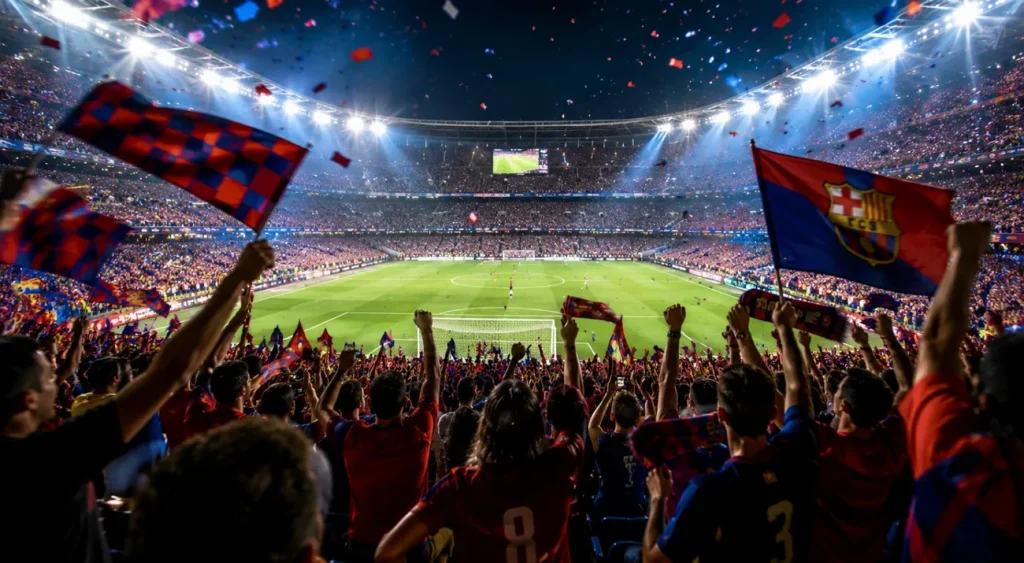
3.4. Stadium Atmosphere Video
Design a video idea showing stadium crowd energy, flags waving, and cheering during a match. Describe lighting, sound, and excitement in simple words for engaging football video creation. Help creators build immersive football content using easy storytelling and visual imagination ideas.
3.5. World Cup Recap Visuals
Create a recap video script summarizing World Cup matches, goals, and winning moments clearly. Use simple language so viewers understand the full tournament story without confusion or difficulty. Produce content perfect for YouTube creators building football recap videos for beginners.
Part 2. Best Way to Convert ChatGPT FIFA World Cup Prompts to AI Video
Using ChatGPT World Cup prompts gives you ideas, but not a complete video production solution. Written ideas are not enough to attract viewers without strong visual storytelling. MagicLight AI does exactly that by converting your football prompts into high-quality videos. This dedicated tool provides a complete idea of the video pipeline from script creation to the final publishing stage.
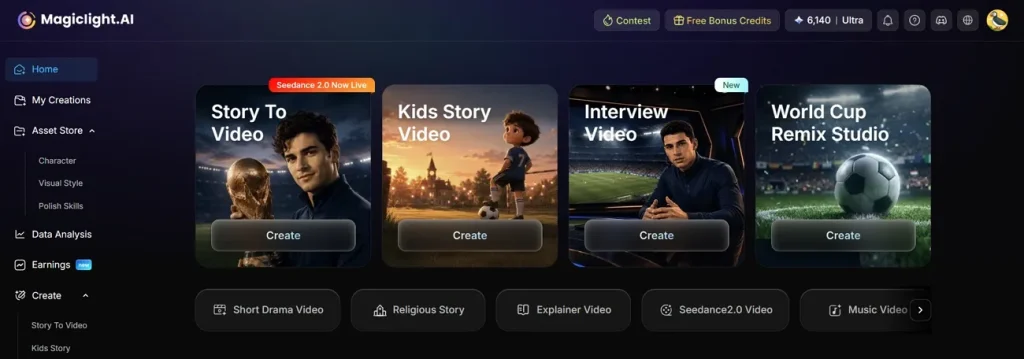
With its Story to Video feature, users can create World Cup videos up to 50 minutes long with just one single prompt. Moreover, it maintains consistent characters across multiple scenes to ensure smooth storytelling and visual continuity. The tool converts a storyboard into an animation using 16 different professional style models for flexibility. MagicLight AI also synchronizes background music automatically with scene timing for better emotional storytelling impact.
Key Features
- Style Variety: Includes Midjourney V7 and MagicLight 3.0 for diverse visual storytelling and design output.
- Script Input: Accepts scripts up to 12,000 characters for long-form World Cup video production workflows.
- Scene Preview: Generates storyboard previews, allowing editing and regeneration before the final video production process begins.
- Language Support: Supports 11 languages to make global video creation for diverse audience content production.
- Voice Filter: Filters voices by gender, age, and accent for accurate character voice matching.
How MagicLight AI Turns Football Ideas Into Videos?
The ChatGPT World Cup video prompts you built earlier can now become actual watchable video content. So, explore the workflow MagicLight AI follows to bring your football ideas fully to life:
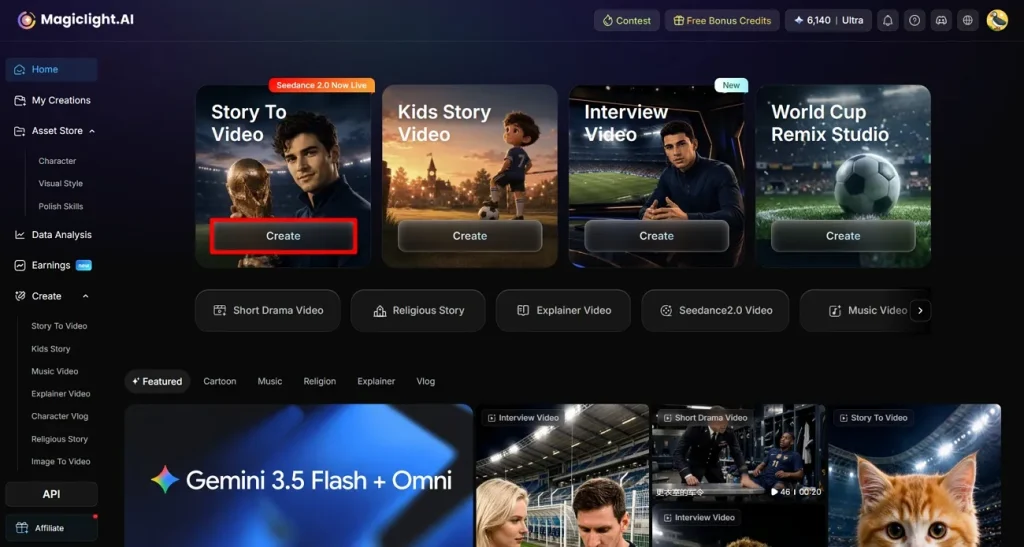
Step 1. Initialize Your Video Project
Open MagicLight AI and select the dedicated Story to Video tool to begin your football video project.
Step 2. Enter Prompts and Video Specifications
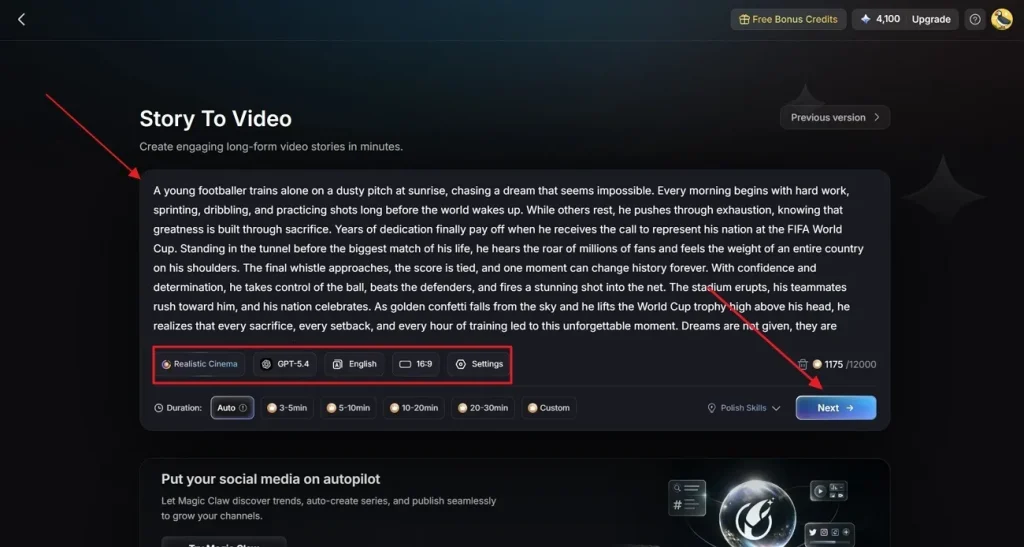
After accessing it, type your specific World Cup story idea inside the Text Box on the screen. Then select a Realistic Style Model for football visuals along with your preferred AI Story Model, such as GPT-4. After that, set the Video Language preference and select the best Aspect Ratio format. Finally, adjust the total Video Duration and opt for Next to move forward.
Step 3. Review the Generated Content Summary
The tool will now generate a full match scene flow and a complete World Cup video summary for you to review. Go through each football scene and plot point carefully to make sure everything looks accurate. Once you are satisfied with the generated summary, click Next to continue.
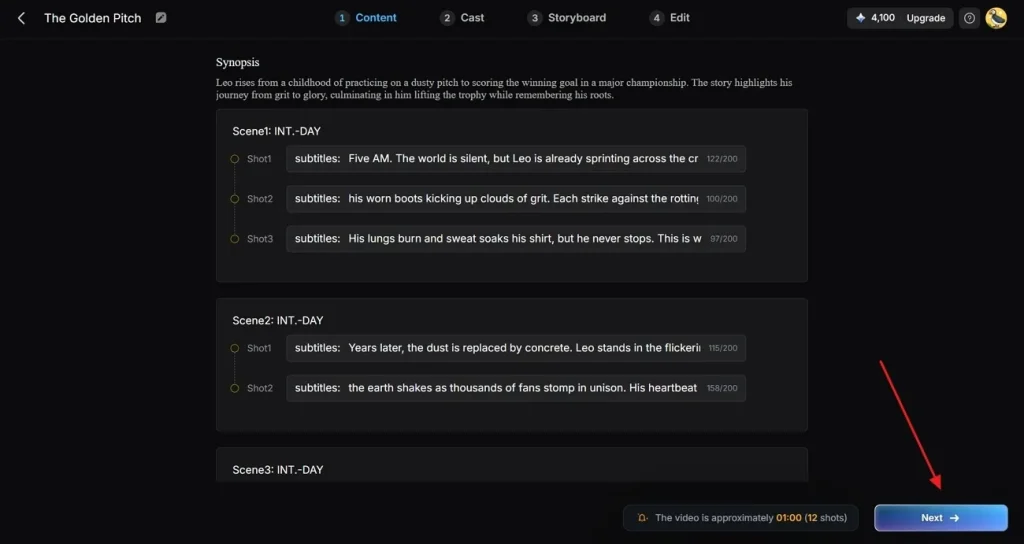
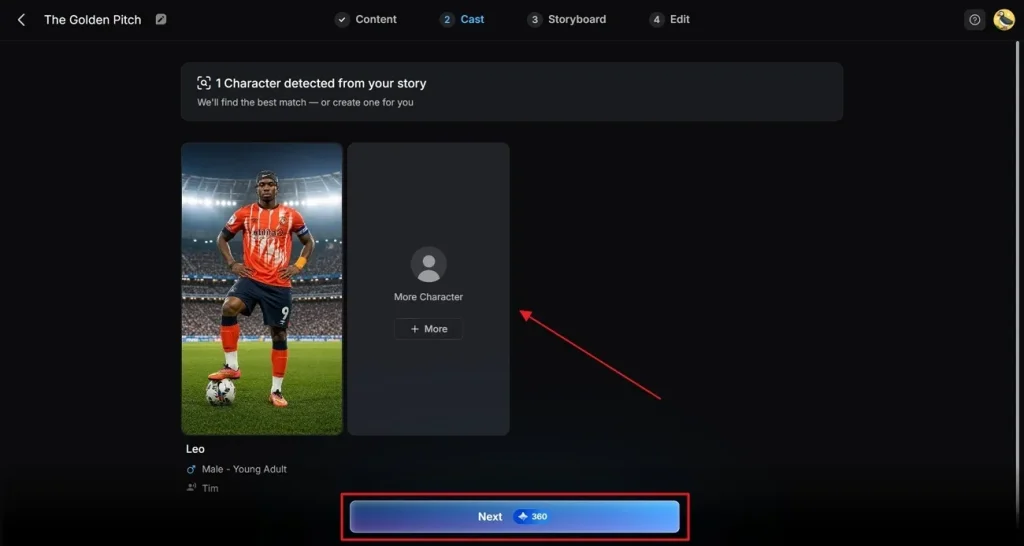
Step 4. Integrate Additional Story Characters
At the Cast stage, review all the automated characters found in your World Cup story. Ensure every single player fits the narrative of your football match. Keep the suggested options or add new characters using the More Character option. Click the Next Step button once your team lineup looks correct.
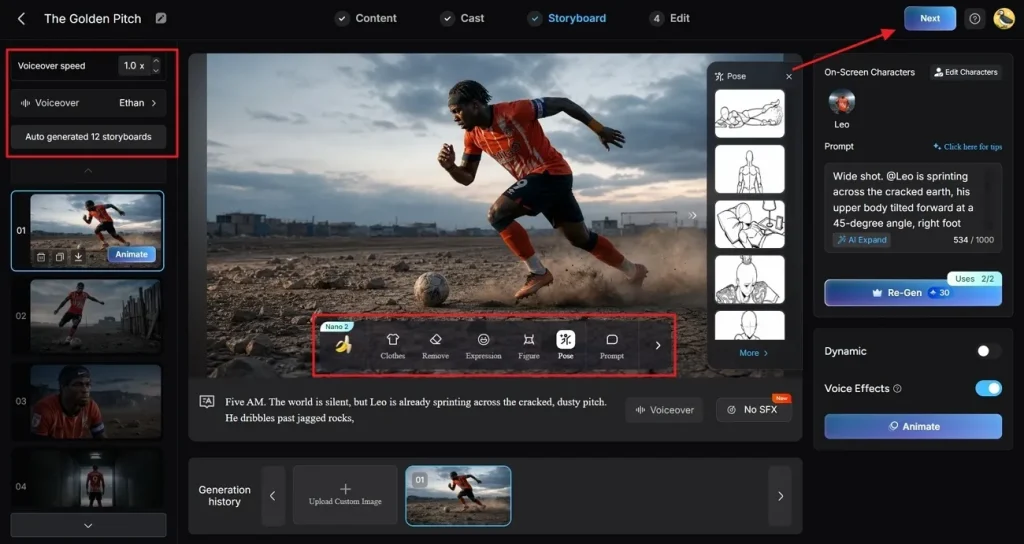
Step 5. Refine Storyboard and Voice Settings
Inside the Storyboard section, you can update each character's kits, expressions, poses, and overall appearance for better visual consistency across scenes. Use the left sidebar to adjust the Voiceover or change the Voiceover Speed as needed. Review each football scene one by one, and once all changes are finalized, opt for Next to continue.
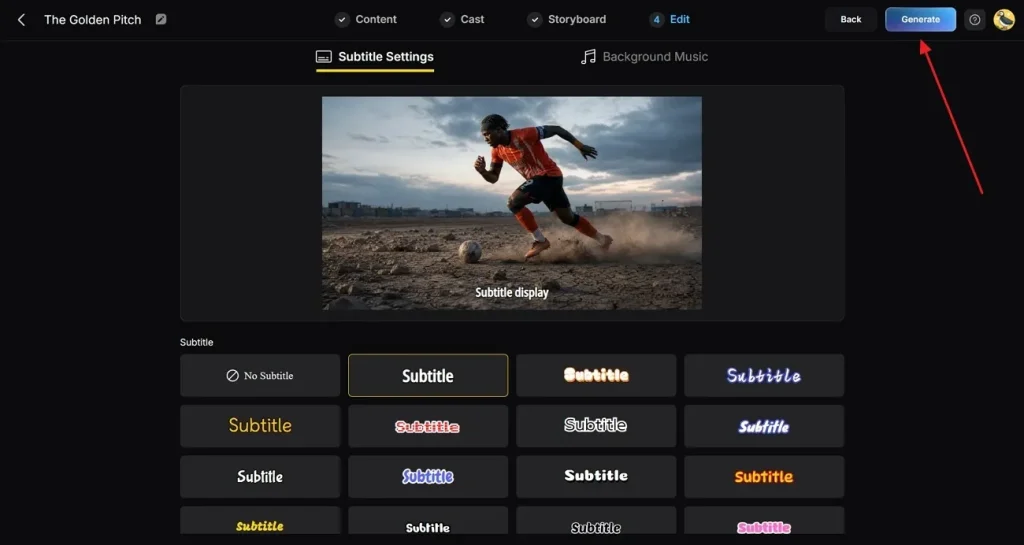
Step 6. Add Soundtracks and Video Subtitles
Following this, access the Subtitle Settings panel to generate automated text captions quickly. Choose energetic Background Music that matches the stadium atmosphere perfectly. Click the final Generate button after checking all your active settings.
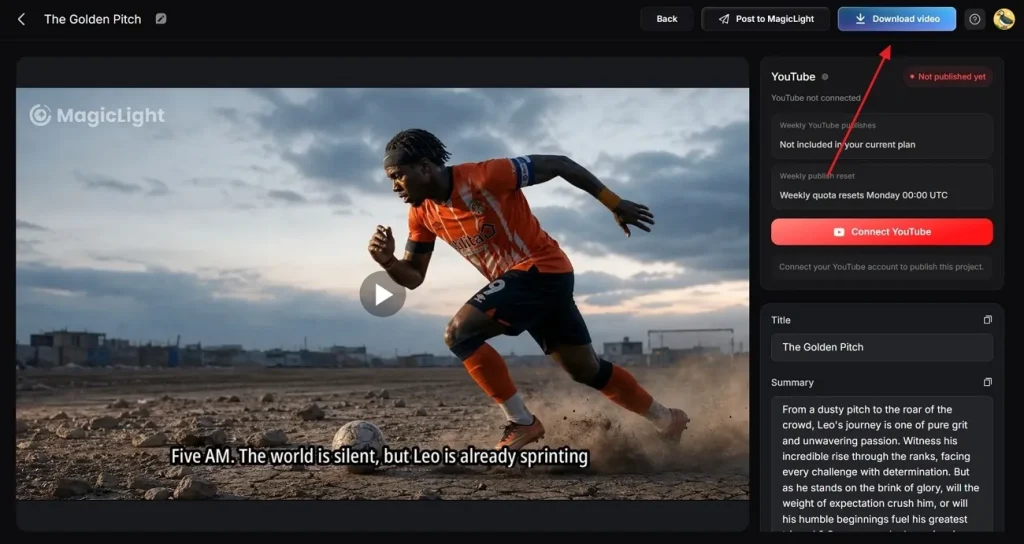
Step 7. Preview and Export the Finished Video
Watch the final video preview to verify the entire match flow. In addition, users can add custom Thumbnail Titles and relevant football search Tags if needed. At last, opt for the Download Video button to save the completed project.
Conclusion
To sum up, most football fans have great ideas but never know how to turn them into content. A strong ChatGPT World Cup AI prompt gives you the perfect starting point every single time. However, your audience wants to watch your ideas and not just read about them online. That is exactly why MagicLight AI exists to bring your football video ideas into stunning AI videos.
FAQs on ChatGPT FIFA World Cup Prompts
1. How can ChatGPT help create World Cup content?
ChatGPT helps generate football content ideas for posts, videos, and articles. It can create match stories, predictions, and scripts using simple instructions. This saves time and helps creators produce content more consistently online.
2. How do I write effective World Cup prompts for ChatGPT?
Always use clear instructions describing the content type and the football topic needed. Include details about the style, audience, and desired output for better results. Therefore, specific prompts usually generate more useful and accurate football content ideas.
3. How can MagicLight AI help with FIFA World Cup video creation?
MagicLight AI transforms football ideas into fully finished AI videos with minimal effort. It creates scenes, voice-overs, animations, and visuals from simple written prompts. This helps creators produce engaging World Cup videos faster and more easily.
4. Can I combine ChatGPT and MagicLight AI for football content?
Yes, both tools work well together for football content creation projects. ChatGPT generates ideas, scripts, and concepts while MagicLight AI creates videos. This combination simplifies workflow and improves overall content production efficiency.
5. Are ChatGPT-generated World Cup predictions accurate?
ChatGPT predictions depend on available information and provided football statistics. They can offer useful insights but cannot guarantee actual match outcomes. However, use MagicLight AI to turn those predictions into engaging and shareable video content.