A family pumpkin farm has 6 weekends of hayrides to promote before October 31, with little staff time left for filming. Its TikTok and Facebook pages still need a new Halloween post every few days, each one different from the last.
A shortlist of Halloween video ideas, grouped by style, keeps that calendar varied, with evening scares and gentler family clips rotating in. MagicLight AI produces each one as a narrated AI animation from a written prompt, with no camera or costume involved. Saved characters help keep the farm’s scarecrow mascot visually consistent across different posts.
Part 1. 20 Best Halloween Video Ideas for Every Style
Halloween content can quickly feel repetitive when every post follows the same spooky theme. The 20 Halloween video ideas below cover 5 styles, with 4 creative options in each. Mixing these styles throughout October can keep your Halloween feed varied and interesting.
Scary and Suspenseful Halloween Video Ideas
Phone-screen scares depend on sound and a slow reveal, because short posts leave little room for buildup.
1. One-Minute Hometown Legend
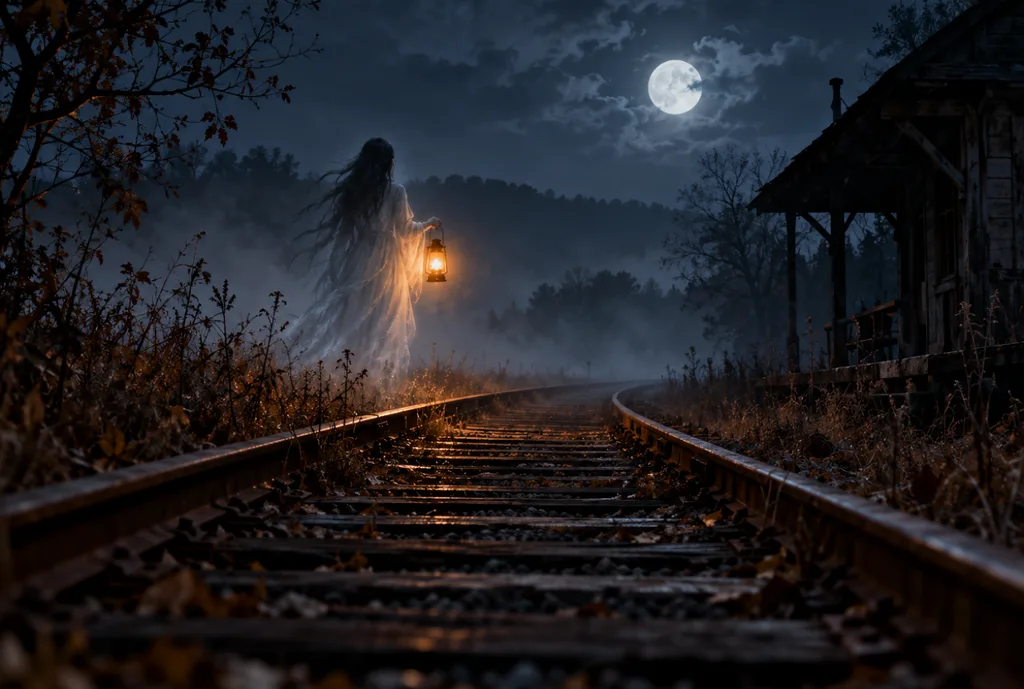
A local ghost tale, such as a lantern on an abandoned rail line, fits a one-minute retelling that invites viewers’ own versions.
2. Five-Night Mini Series
One haunting told across five nightly episodes, each ending on an unanswered knock, keeps viewers checking back every evening.
3. Eerie Lullaby Music Video
Sung softly with one wrong line, a lullaby unsettles viewers more than a scream. MagicLight AI’s Music Video tool builds dim nursery scenes around the track.
4. Choose-the-Ending Horror Poll
Paused at its cliffhanger, a haunted story asks viewers to vote between two endings, and the winner posts the next day.
Funny Halloween Video Ideas
Add humor to your October feed with Halloween video ideas that turn familiar monsters into the funny situations below:
1. The Vampire Who Cannot Take a Selfie
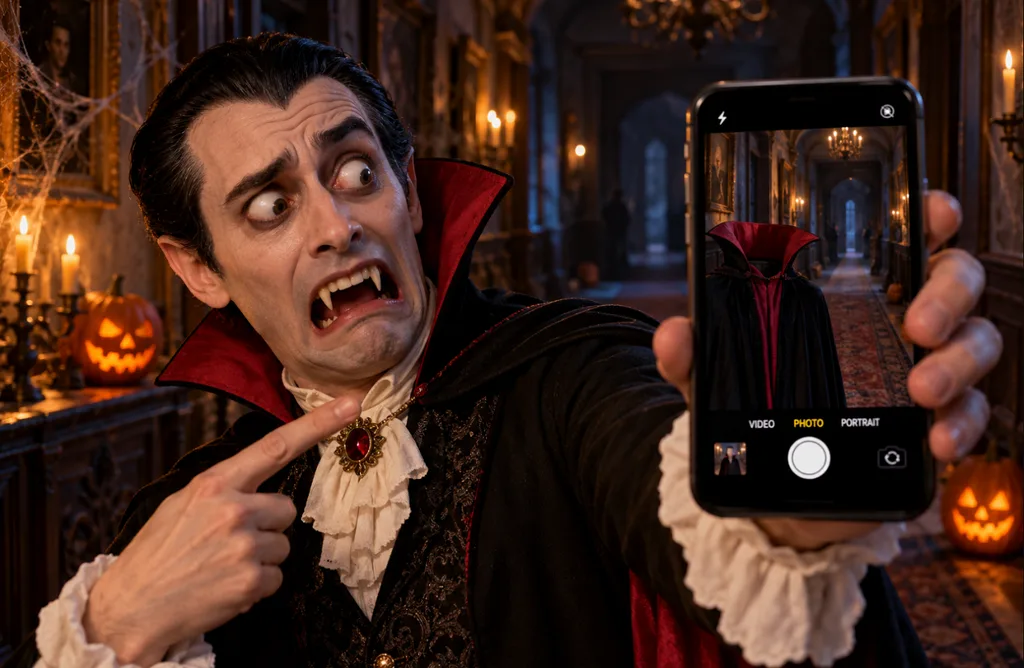
A vampire keeps trying to post a Halloween selfie, and every photo shows an empty hallway behind a floating cape.
2. Skeleton Get-Ready-With-Me
The get-ready-with-me format turns comic when a skeleton moisturizes bare bone and debates which bow tie flatters its ribs.
3. Pumpkin Candy Critic
Each candy dropped into the porch bowl gets a review from a carved jack-o’-lantern, and raisins earn a grimace.
4. Werewolf Job Interview
A werewolf interviews for a night-shift security job and has to explain why he misses work every full moon.
Family-Friendly Halloween Video Ideas
Family clips swap frights for warmth, using soft colors and characters that parents can play for young children.
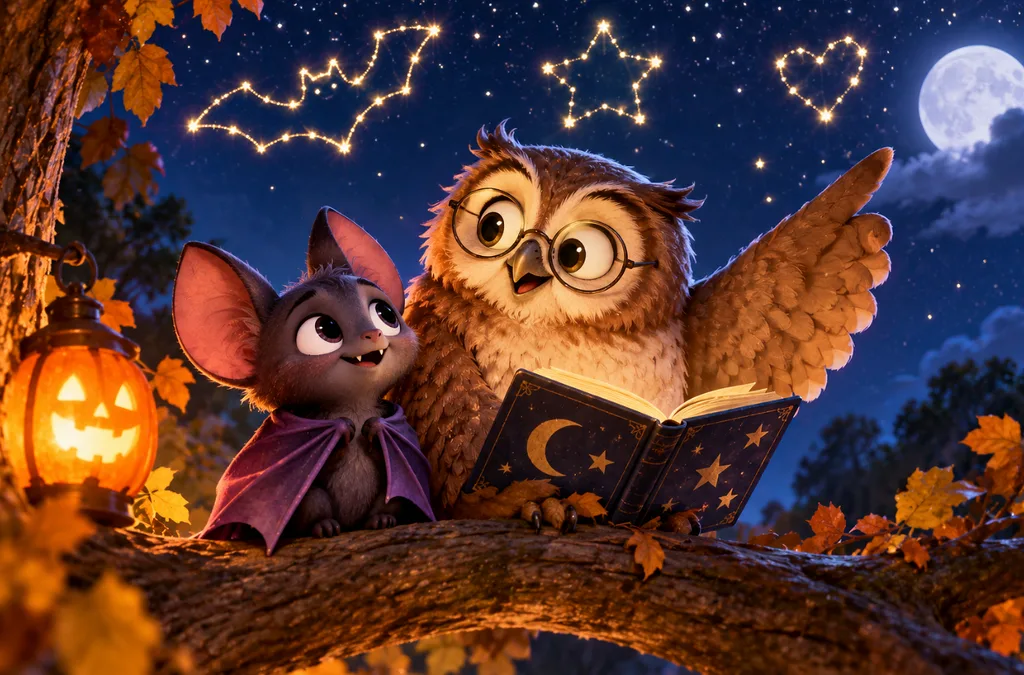
1. The Bat Who Feared the Dark
Afraid of the dark, a young bat spends Halloween night learning star shapes from an old owl. MagicLight Agent matches gentle stories like this one to its Kids Story Video niche.
2. Pumpkin Counting Sing-Along
A counting song adds one glowing pumpkin to the porch with each verse, giving toddlers rhythm and repetition with no frights.
3. Kids’ Monster Drawings Come to Life
Uploaded to Image to Video, a child’s crayon monster drawing turns into a short clip of it waving hello.
4. Safety Tips From a Friendly Monster
A fuzzy green monster demonstrates trick-or-treat safety habits, such as carrying a flashlight, in a one-minute clip for school pages.
Transformation and Trend Video Ideas
Create anticipation with Halloween video ideas that turn ordinary photos into dramatic transformations with the following creative concepts:
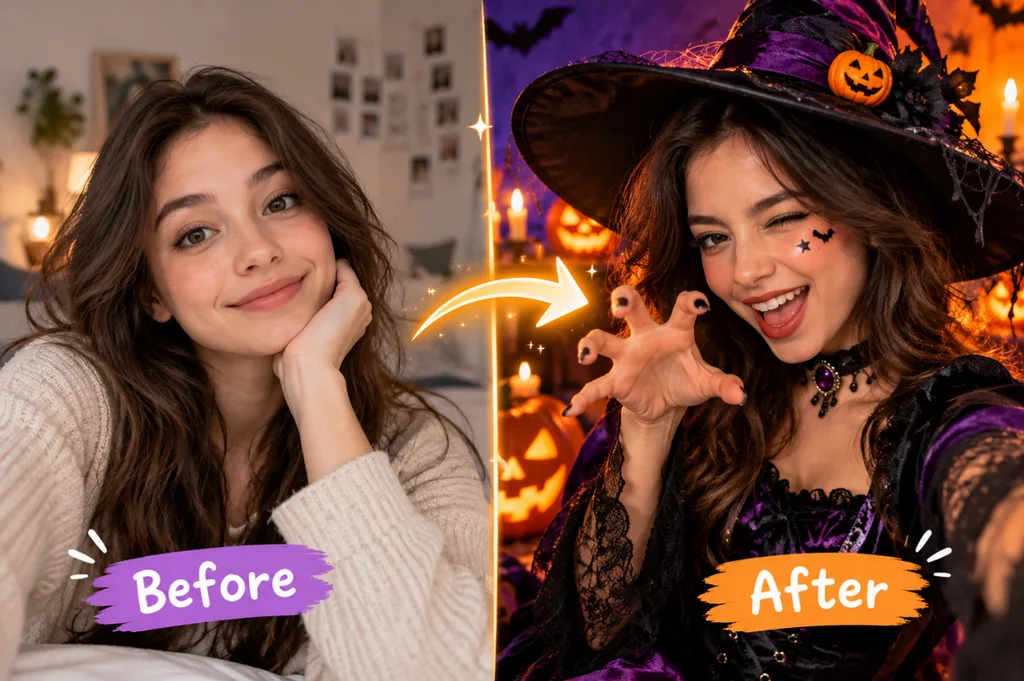
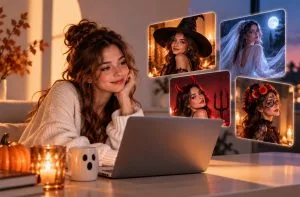
1. Selfie-to-Costume Reveal
A plain selfie switches to a full witch costume on the beat drop, with the original photo keeping the face recognizable.
2. Day-to-Night Haunted Makeover
Over ten seconds, a cheerful house darkens into a haunted version with banging shutters and fog rolling across the lawn.
3. Pet Costume in Motion
A still photo of a dog in a dragon costume animates into a clip of it stomping through leaves with a tiny roar.
4. The Blinking Victorian Portrait
Restyled as a faded 1890s oil portrait in the Toolbox Image tab, a selfie blinks once after a pass through the Video tab.
Brand and Business Halloween Video Ideas
Businesses like the pumpkin farm can turn Halloween video ideas into promotion for real events and products without a film crew.
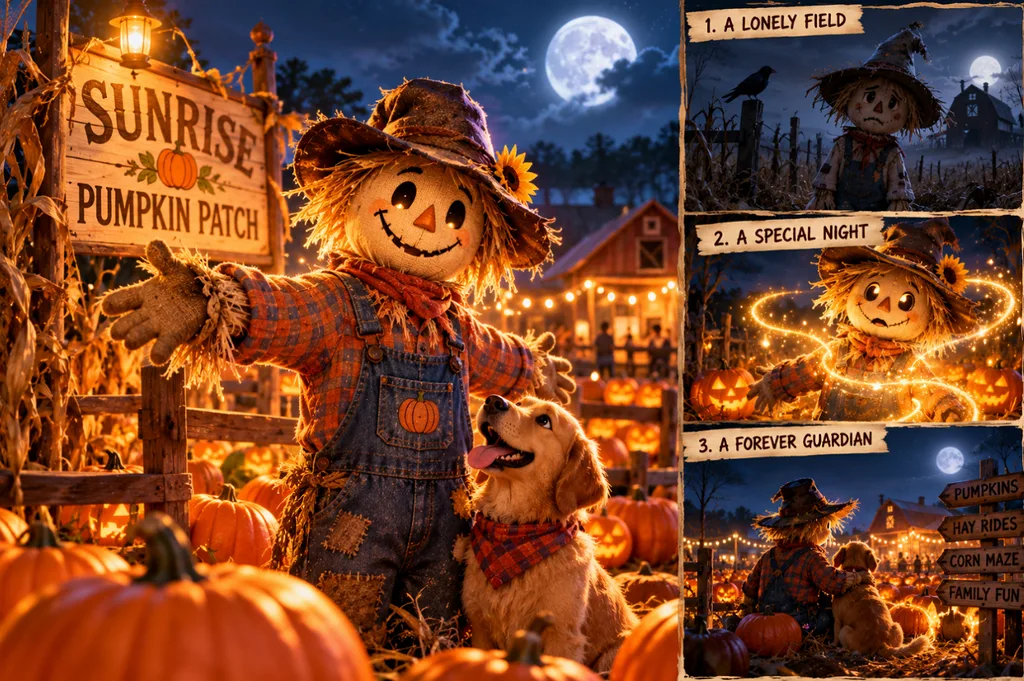
1. Mascot Origin Story
A business mascot earns a friendly-spooky backstory, such as a scarecrow guarding the pumpkin patch on Halloween night, and returns in later posts.
2. Haunted Product Teaser
Set in a haunted pantry, a jar of cinnamon honey glows on a cobwebbed shelf until its label fills the frame.
3. Animated Event Invitation
A 30-second animated invite for a costume contest or late-night hayride reads the date aloud and repeats it in subtitles.
4. Viewer Ghost Story Contest
An open call for 100-word ghost stories ends with the winning entry animated as a narrated short and credited to its writer.
Part 2. How to Turn Halloween Video Ideas Into AI Videos
Turning any of the Halloween video ideas in Part 1 into an AI video starts with one premise that holds a clear conflict. Length comes next, and YouTube’s help center now puts Shorts at up to 3 minutes in length.
An AI story tool plans the scenes and narration around those two choices before any frame is drawn. Realistic results also need disclosure, since TikTok’s synthetic media policy requires people to label AI-generated content that contains realistic images, audio or video.
Introducing MagicLight AI
Built around narrated stories, MagicLight AI turns a typed premise or a finished script into animated scenes inside one project. For the farm’s small team, one account then covers scripting and animation.
- Script-Based Scenes: A one-line premise or a long script, within the 12,000-character cap, plays out as narrated, scored scenes in Story to Video.
- Character Memory: MagicLight AI remembers your characters, which holds a mascot’s design steady across a month of posts. You can reuse it anywhere in another story where needed.
- Narration in 11 Languages: Scripts can be narrated in 11 languages by any of 37 stock voices or a clone of a shop owner’s own voice.
- Vertical Toolbox Clips: Single clips for TikTok come from the Toolbox Video tab, where Happy Horse 1.0 offers 9:16 under Aspect Ratio.
Part 3. Turn Halloween Video Ideas into AI Videos with Magiclight AI
Once you choose a concept, MagicLight Agent helps turn your Halloween video ideas into a structured video plan. This walkthrough uses idea 17 to create a friendly origin story for a farm’s scarecrow mascot. Follow the steps below, then swap the prompt and music style to turn other Halloween video ideas into videos:
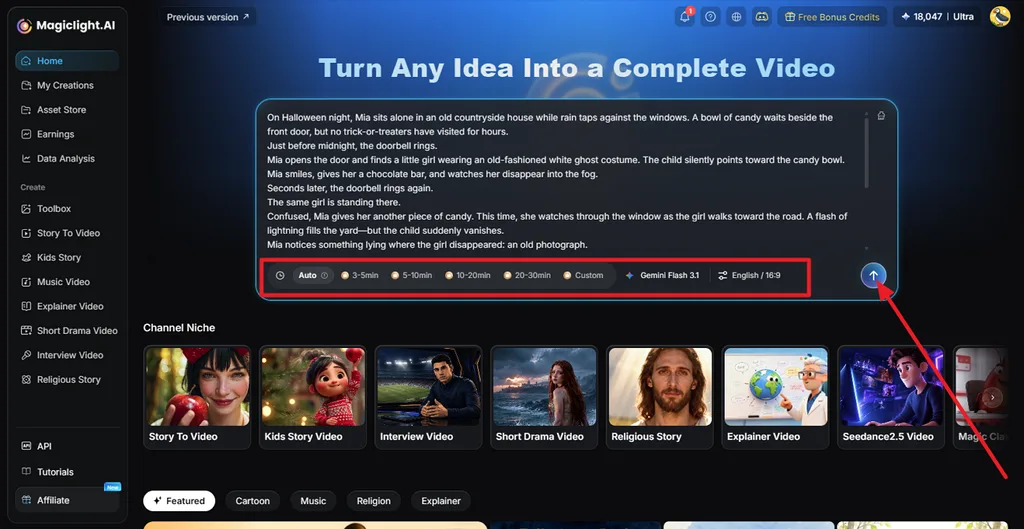
Step 1. Add Your Halloween Story
Open Story to Video and paste your Halloween story or prompt into the main input box. Choose the preferred Duration and Language, then press the Arrow so MagicLight AI can structure the idea into a complete script.
Step 2. Review and Confirm the Script
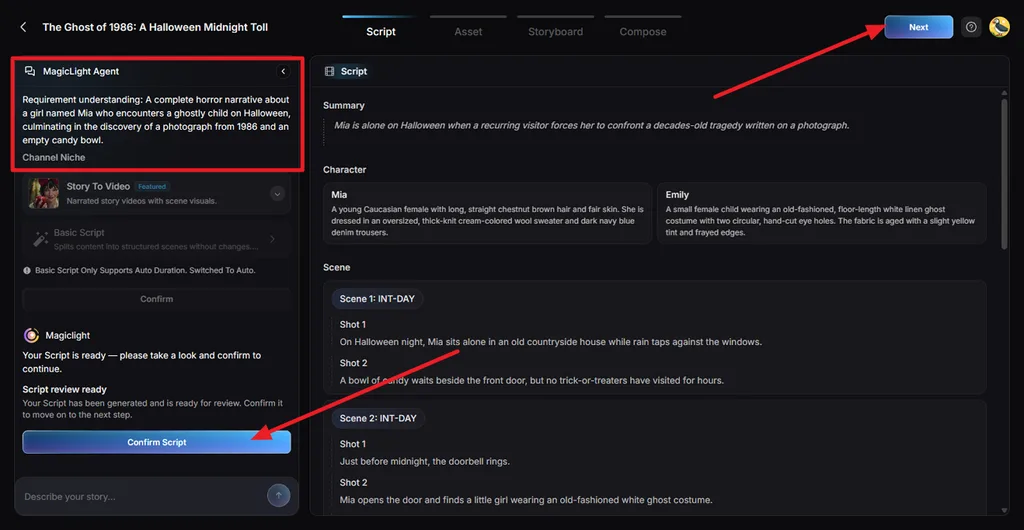
Check the generated Summary, character descriptions, scenes, and individual shots. MagicLight Agent also shows its understanding of your story in the left panel. Make any necessary changes, then click Confirm Script to continue.
Step 3. Choose the Visual Style and Motion
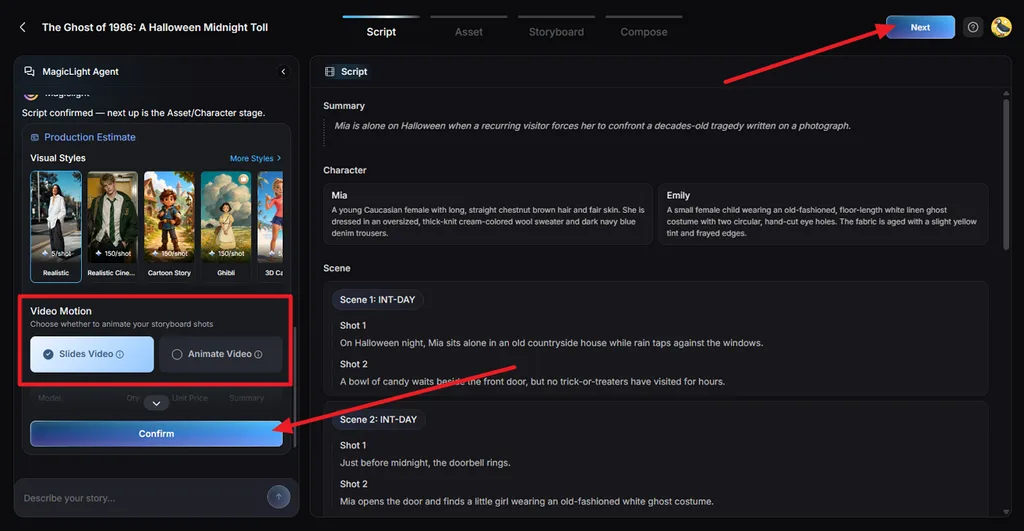
Select a Visual Style that matches the Halloween atmosphere, such as Suspense for a darker cinematic look. Choose Slides Video or Animate Video, review the production estimate, and select Confirm.
Step 4. Review the Character Assets
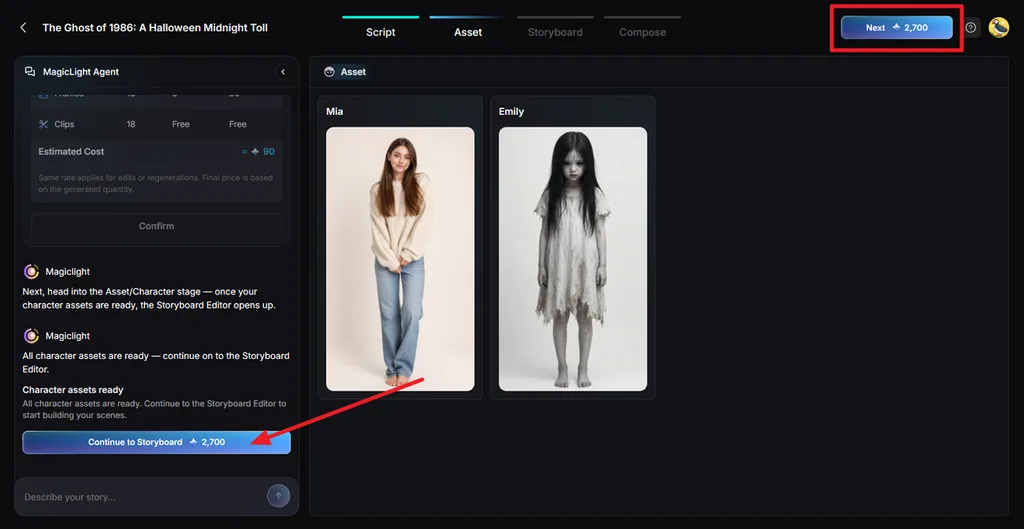
MagicLight AI creates visual assets for the main characters based on the approved script. Check that each character fits the story and will work across later scenes, then select Continue to Storyboard.
Step 5. Refine and Animate the Storyboard
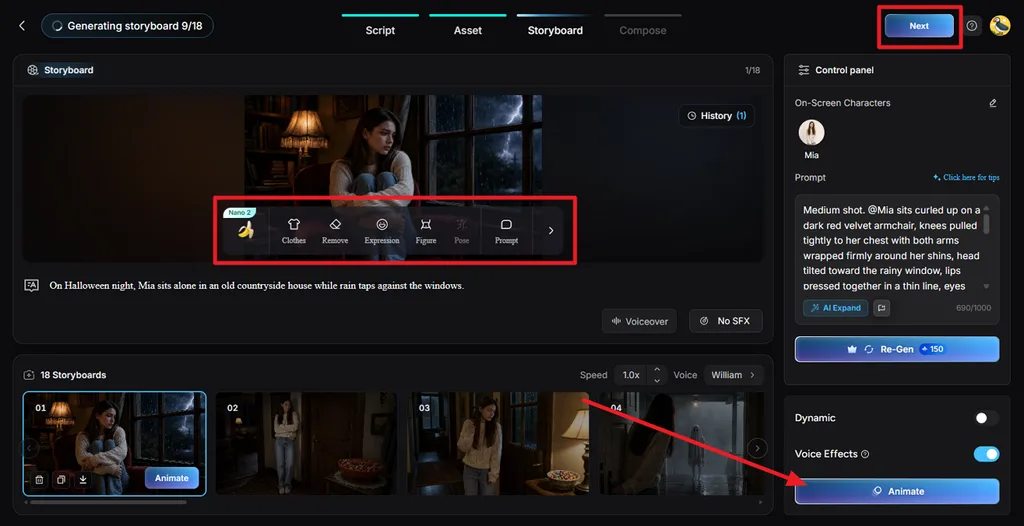
Review each storyboard shot and use Clothes, Remove, Expression, Figure, Pose, or Prompt to refine individual scenes. You can also adjust voice effects or regenerate a shot. Once the storyboard looks right, choose Animate.
Step 6. Add Music and Subtitles
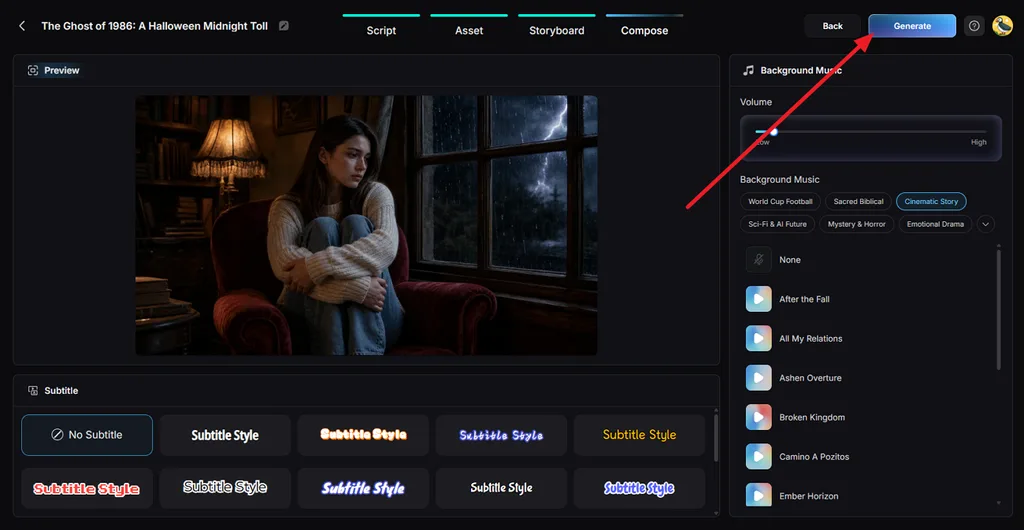
Move to Compose and preview the assembled Halloween story. Pick suitable Background Music, adjust its volume, and choose a readable Subtitle Style for darker scenes. When everything looks right, click Generate.
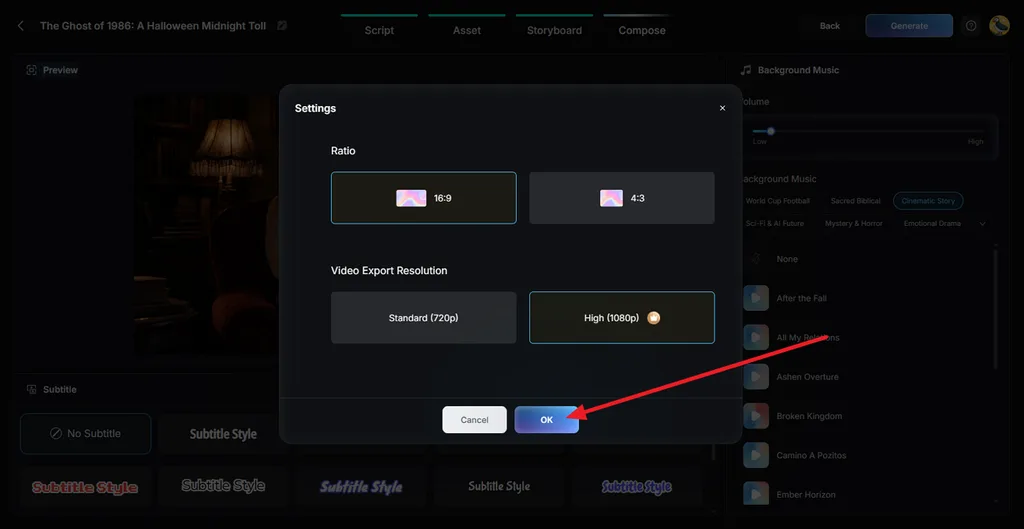
Step 7. Set the Export Quality
Choose the final Ratio and Video Export Resolution. Select 720p for a standard export or 1080p for higher quality, then press OK to generate the finished video.
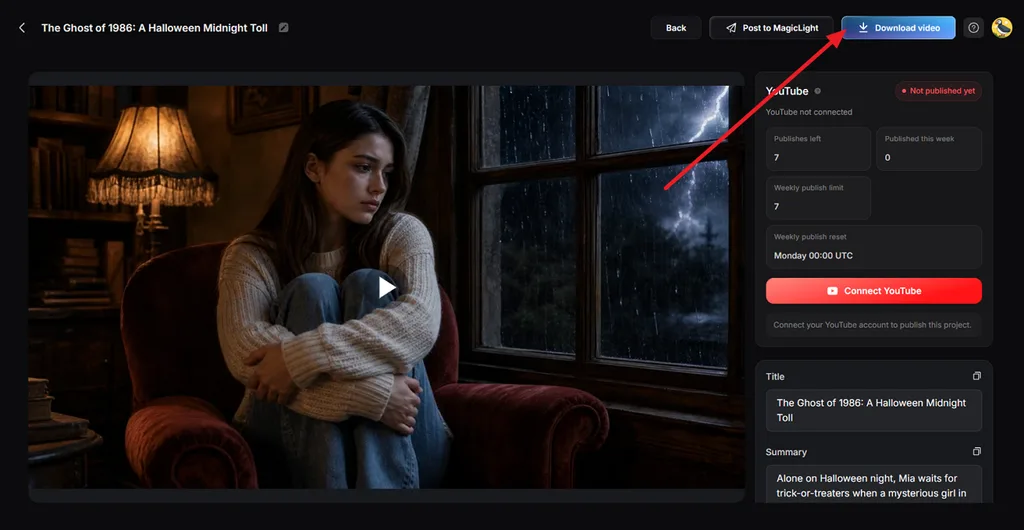
Step 8. Preview and Download the Video
Watch the completed video and check the visuals, narration, music, and overall story flow. Click Download Video to save the finished file. For longer Halloween stories, Long Videos can extend the concept into videos lasting up to 50 minutes.
Conclusion
The pumpkin farm needed a month of varied posts without spending hours filming new content. A mix of Halloween video ideas can fill that calendar with spooky scares, family moments, and recurring characters. To bring those concepts to life faster, try MagicLight AI, where MagicLight Agent can turn each idea into a narrated AI video.
FAQs About Halloween Video Ideas
1. What are some good Halloween video ideas for YouTube Shorts and TikTok?
Vertical formats with an early twist work on both apps, such as the selfie-to-costume reveal or the vampire selfie joke. Among longer Halloween video ideas, a five-night mini series brings viewers back each evening.
2. How do I make a scary Halloween video with AI?
A scary AI video opens on one unsettling detail, like a lullaby with a wrong line, and saves the reveal for the final shot. In MagicLight AI, the Mystery & Horror music filter adds a darker score to the Agent’s script.
3. Can AI turn Halloween video ideas into complete videos?
Yes, and MagicLight AI produces a complete video from one typed premise. Its Agent builds a script and a cast from that line, and the Compose stage scores and subtitles the story before export.
4. What are the best AI tools for creating Halloween videos?
MagicLight AI stands out for complete Halloween stories, since one Agent chat produces the script and maintains a consistent cast across scenes. The Toolbox offers multiple video models, including Kling 3.0, for vertical teasers.
5. How long should a Halloween video be?
A jump scare or costume reveal lands within 15 to 30 seconds, and a narrated Short can last three minutes. Longer specials fit regular YouTube uploads, and the Long Video Generator stretches paid MagicLight AI projects to 50 minutes.

![How to Write a Commercial Script in 2026 [Full Guide]](https://magiclight.ai/wp-2/wp-content/uploads/commercial-script-writing-full-guide-300x169.webp)