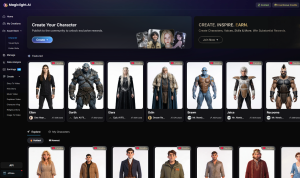
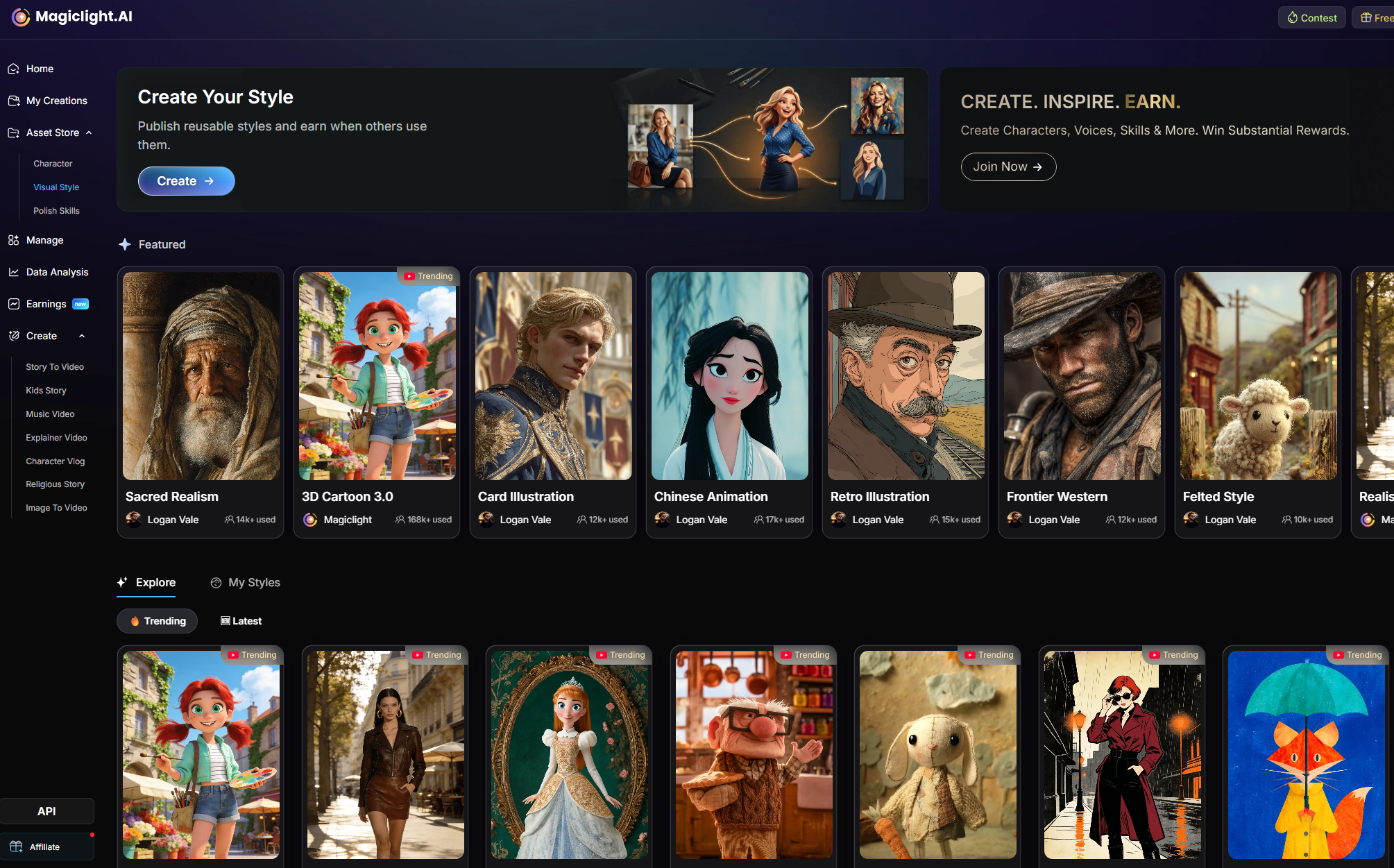
This workflow turns visual inspiration into a reusable Magiclight style asset. Once the style is stable, you can reuse it across future projects instead of rebuilding the look every time.
Magiclight already includes many built-in styles, but sometimes you want a look that is more specific. In that case, the goal is to define the visual logic clearly enough that Magiclight can generate an original, repeatable style from it.
Use references to study style traits, not to copy copyrighted material. Do not reproduce existing characters, outfits, logos, scenes, compositions, or protected designs.
What You Will Do
| Stage | What you do | Why it matters |
|---|---|---|
| Find inspiration | Identify the visual direction you want | Gives the style a clear target |
| Collect references | Gather and upload 3-5 consistent images | Anchors the style visually |
| Define the style | Write the style logic in clear language | Tells Magiclight what to preserve |
| Test and finalize | Generate examples, adjust, name, and publish | Turns the draft into a reusable asset |
Step 1. Start With Inspiration, Not Copying
You can build a custom style from movies, TV series, cartoons, games, Instagram, TikTok, YouTube, comics, picture books, posters, and other visual sources. The goal is not to copy the source. The goal is to extract the visual system behind it.
Instead of writing:
Weak shortcut
I want BoJack Horseman style.
Write the traits directly:
Better style description
A mature flat 2D animated sitcom look with clean outlines, muted colors, simple shapes, expressive faces, and a dry satirical tone.
Famous titles are weak inputs. Visual traits are stronger inputs.
If you are inspired by adult animated sitcoms, describe the look as original design language: flat 2D, clean outlines, muted palette, simplified features, minimal shading, and a dry emotional tone.
Step 2. Upload 2-5 Reference Images
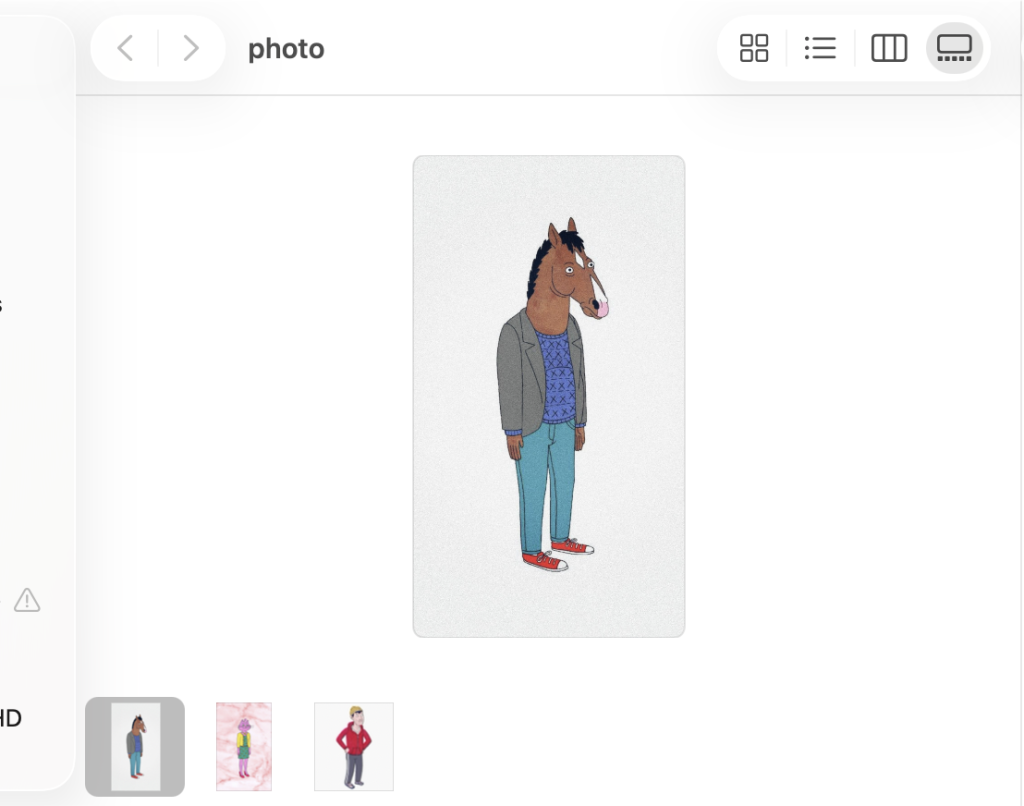
Choose 3 to 5 images that point in the same direction. They do not need to show the same subject, but they should share the same medium, palette, lighting, line quality, texture, and shape language. Then upload them into Magiclight as style references.
Good references
- Images with the same overall visual direction
- Similar color palettes
- Similar character shapes
- Similar lighting and texture
- Clear examples of the desired style
Avoid
- Mixing realistic photos, anime, 3D cartoon, and watercolor in one set
- Using references with conflicting lighting systems
- Mixing heavily detailed images with very simple graphic images
- Using references to copy exact characters, outfits, logos, or scenes
Use the uploaded images as style references only. They should help Magiclight understand the look, not reproduce the original content.
Reference guidance
Use the uploaded images as visual style references only. Do not copy any existing character, logo, outfit, scene, composition, or copyrighted design. Focus only on general visual traits such as line quality, color palette, shape language, lighting, texture, and emotional tone.
Step 3. Write the Style Definition
The Style Definition is the core of the workflow. It should explain what the style looks like, what mood it carries, and what visual rules should stay stable.
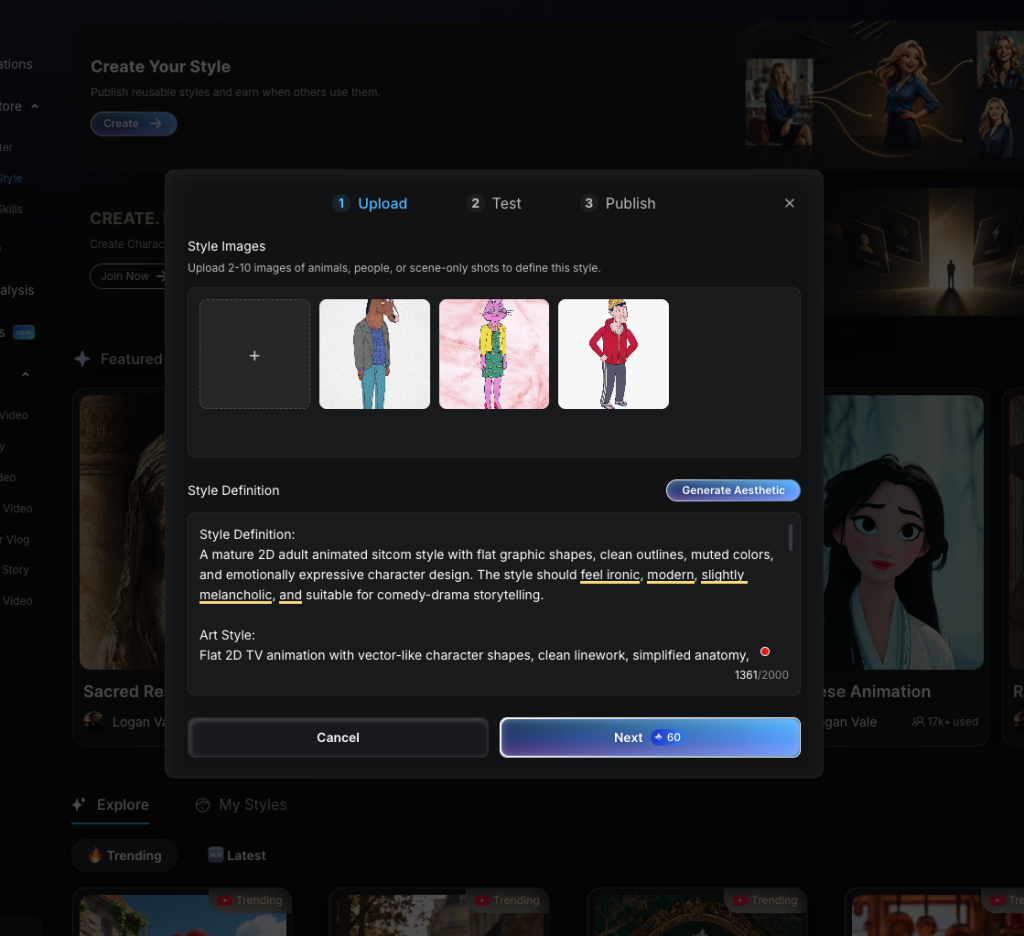
| Section | What to write |
|---|---|
| Style Definition | A short explanation of the overall look, tone, and use case. |
| Art Style | The visual medium or genre, such as flat 2D animation, 3D cartoon, watercolor, paper cutout, claymation, or cinematic realism. |
| Visual Traits | The visible elements that define the look, such as line quality, color palette, lighting, texture, shape language, character proportions, and atmosphere. |
| Key Details | The rules Magiclight should keep, including what must be included and what should be avoided. |
If you only have a rough idea, click Generate Aesthetic to expand it into a more complete first draft. Use that output as a starting point, then tighten it until it matches the exact look you want.
Short user input
Starter input
I want a mature 2D cartoon style inspired by adult animated sitcoms.
AI-enhanced draft
Expanded draft
A mature flat 2D animated sitcom style with clean outlines, simplified characters, muted colors, minimal shading, and expressive faces. The style should feel modern, ironic, slightly melancholic, and suitable for adult comedy-drama storytelling. Characters should have simple readable silhouettes, human-like posture, everyday clothing, and subtle emotional expressions. Avoid copying any existing character, logo, outfit, or recognizable scene.Step 4. Use a Strong Example as Your Model
Below is a safe example inspired by the feel of mature adult animated sitcoms without copying any specific series. Use this as a model for how detailed and structured your own definition should be.
Style Name
Muted Adult Animated Sitcom
Style Definition
A mature flat 2D animated sitcom style with clean outlines, muted colors, simplified character shapes, and emotionally expressive faces. The overall tone should feel modern, ironic, slightly melancholic, and character-driven, suitable for adult comedy-drama storytelling.
Art Style
Flat 2D TV animation with vector-like shapes, clean linework, simplified anatomy, minimal cel-shading, and a polished but intentionally simple animated-series look.
Visual Traits
- Flat 2D vector-like character design
- Clean bold outlines
- Simplified facial features
- Expressive eyes and mouth shapes
- Muted and slightly desaturated color palette
- Minimal texture and simple cel-shading
- Human-like posture and everyday clothing
- Slightly exaggerated proportions for comedic effect
- Contemporary urban or domestic background details
- Dry, satirical, emotionally complex atmosphere
Must include
- Original character design
- Clean 2D animated sitcom appearance
- Simple readable silhouette
- Subtle emotional expression
- Muted modern color palette
- Minimal shading and texture
- Adult comedy-drama mood
Avoid
- Copying any existing animated character
- Using recognizable outfits, hairstyles, facial markings, logos, or scenes from existing shows
- Overly realistic rendering
- 3D cartoon look
- Anime style
- Highly detailed painterly textures
- Bright children's cartoon colors
Step 5. Publish the Style
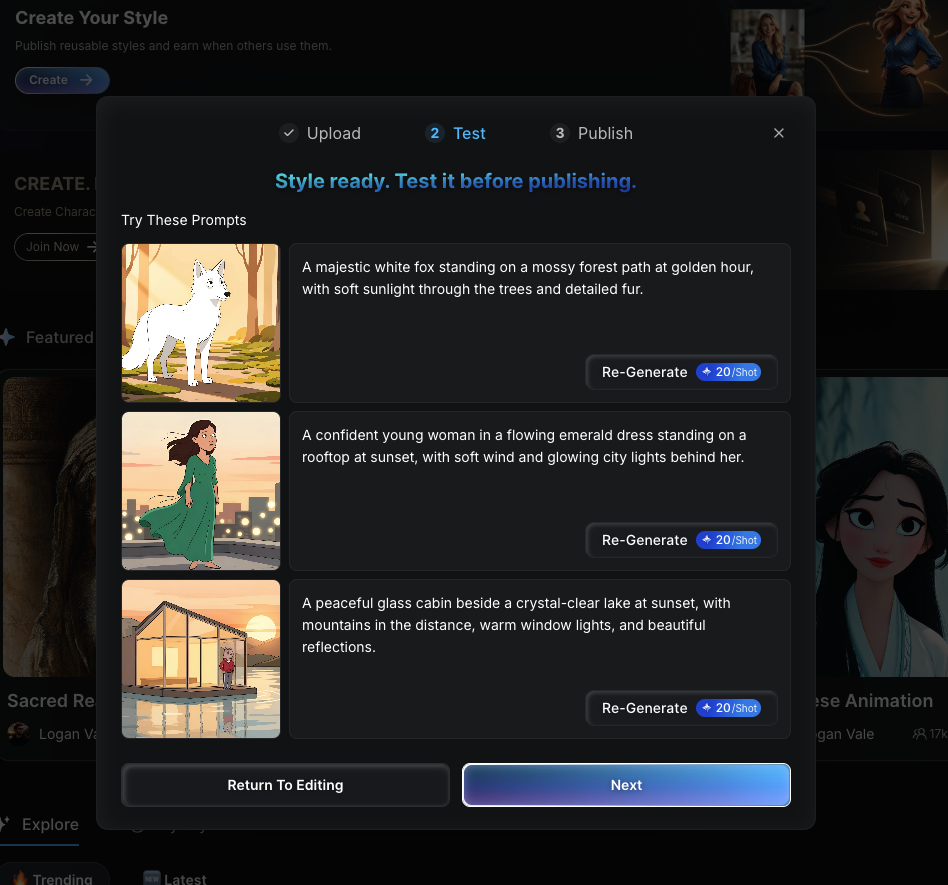
Generate sample visuals to see whether the style stays consistent across different subjects. A reusable style should hold up on characters, scenes, and moods, not just one lucky result.
Test Prompt 1
Create an original anthropomorphic fox radio host in this style.Test Prompt 2
Create a tired office worker sitting in a small apartment at night in this style.Test Prompt 3
Create a modern city street scene with a dry comedic mood in this style.Check the outlines, palette, shape language, lighting, and whether the result drifts into realism, anime, or 3D. If the output feels off, adjust the Style Definition directly with small, specific corrections instead of rewriting everything from scratch.
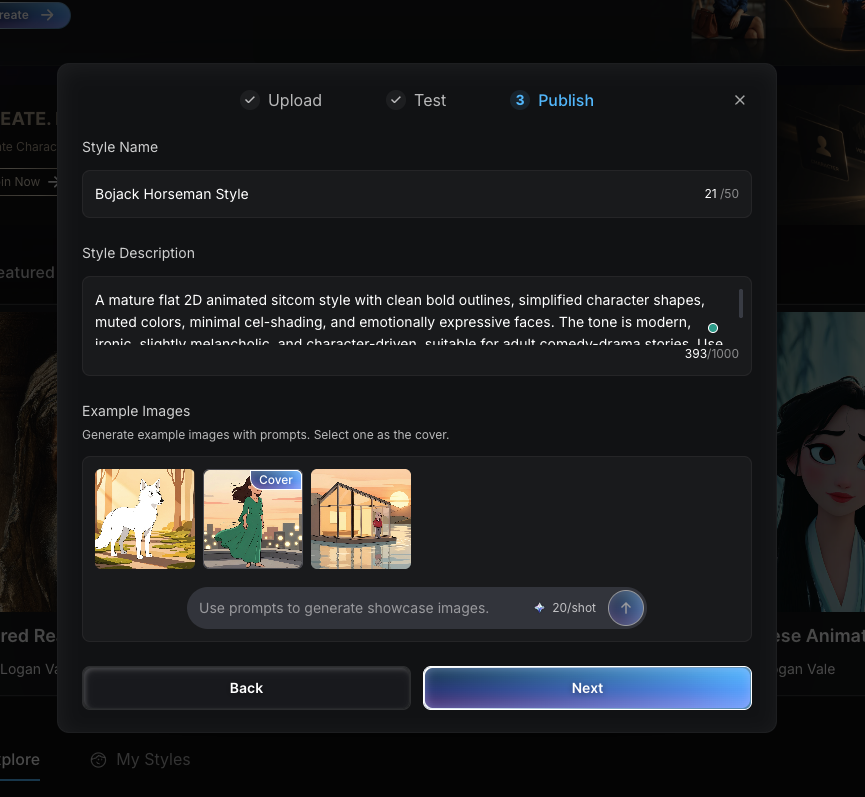
Once the results feel stable, give the style a short, memorable name and a clear description. Avoid copyrighted titles or character names. Pick a cover image that shows the style clearly at a glance.
Description Example
A mature flat 2D animation style with clean outlines, muted colors, simple character shapes, and emotionally expressive faces. Ideal for adult comedy-drama stories, satirical characters, and modern urban scenes.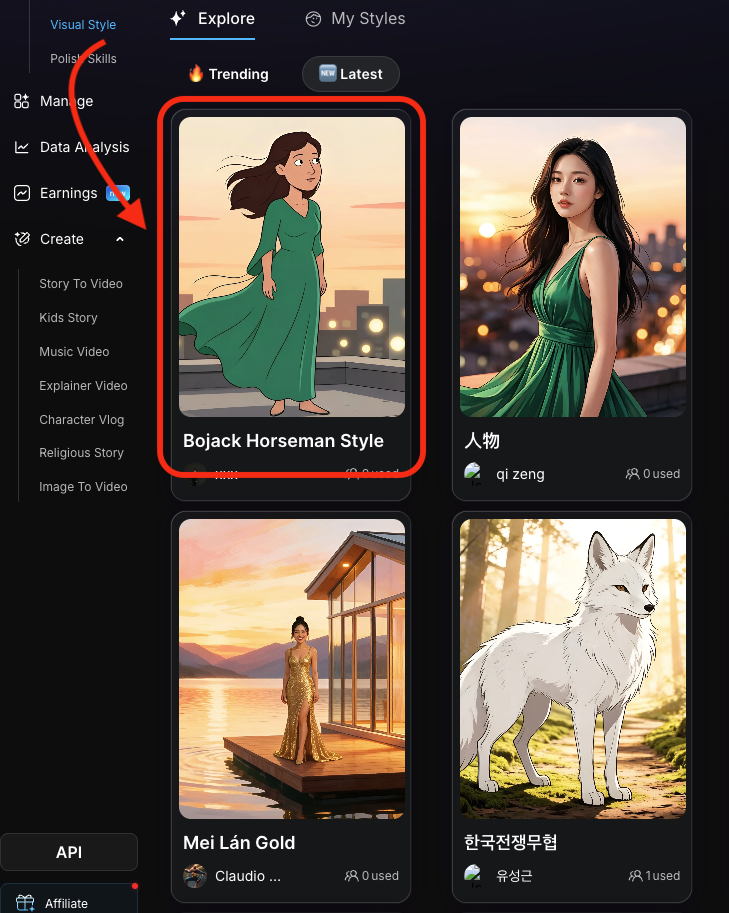
When the style is original, readable, and stable across tests, publish it so other users can discover and use it in the Magiclight community. If it still needs work, keep it private and continue refining.
FAQs on Creating Your Own Visual Style in Magiclight
Can I build a style from a famous show or movie?
Yes, as inspiration only. Use it to identify broad visual traits such as linework, palette, proportions, and mood. Do not copy specific characters, outfits, logos, scenes, or protected designs.
What is the most common mistake?
Using a title as a shortcut instead of describing the actual look. Famous names are less useful than concrete visual language.
How many references should I upload?
Usually 3 to 5. That is enough to show consistency without overloading the style with conflicting signals.
When should I publish?
Publish when the style is original, clearly named, visually stable, and useful beyond one single test image.