Want to create relaxing ASMR videos but lack expensive gear, a quiet setup, or editing skills? AI tools can generate realistic scenes and calming sounds from simple prompts. This guide covers how to make AI ASMR videos online for free and which tools to use.
Part 1. How to Make AI ASMR Videos: Step-by-Step Guide
Creating ASMR videos normally requires a proper setup and editing skills, but MagicLight AI simplifies this by turning ideas and visuals into engaging videos with automated storytelling. Its Story to Video feature lets you describe your ASMR concept and generate a complete video with structured scenes from just a basic script – perfect for multi‑platform content.
Key Features
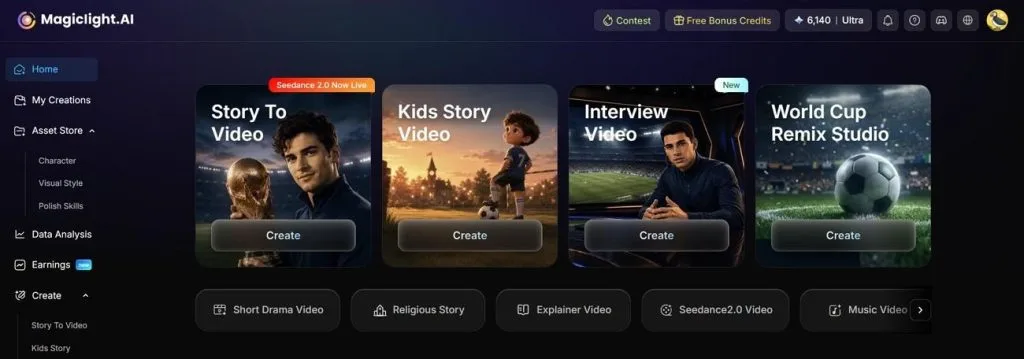
- Multiple AI Video Models: MagicLight AI provides access to different AI models for creating unique video styles and visuals. Creators can choose suitable models such as Seedance 2.0 or Veo 4 to match the mood and appearance of their ASMR content.
- Image-to-Video Creation: MagicLight AI can turn photos into video scenes with movement. This feature helps creators turn pictures and concepts into quick, engaging ASMR content.
- Multilingual Video Support: The tool supports 11 languages for creating videos for different audiences. Creators who wonder “how to make AI generated ASMR videos” can generate content with narration and a broader audience reach.
- AI Voiceover Generation: It adds natural voiceovers to enhance storytelling and video experiences. Users can select voices from 37 options that fit relaxing or immersive ASMR themes.
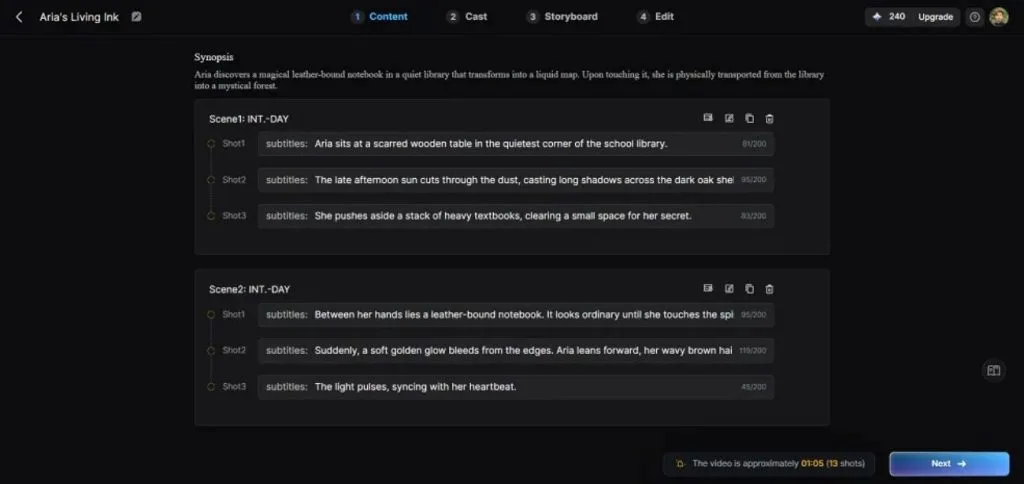
- Auto Storyboard Creation: The platform organizes video ideas into structured storyboards with different scenes. This helps creators maintain a smooth flow and create engaging ASMR videos faster.
How to Create AI ASMR Videos With MagicLight AI
MagicLight AI makes it easy to transform relaxing ASMR concepts into immersive AI-generated videos. Follow the steps below to learn how to make ASMR videos with AI using MagicLight AI:
Step 1. Start a New Story-to-Video Project
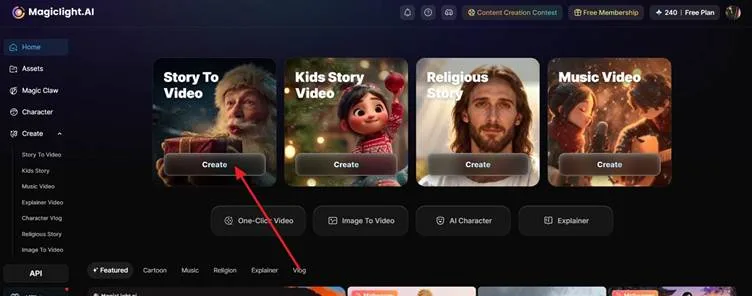
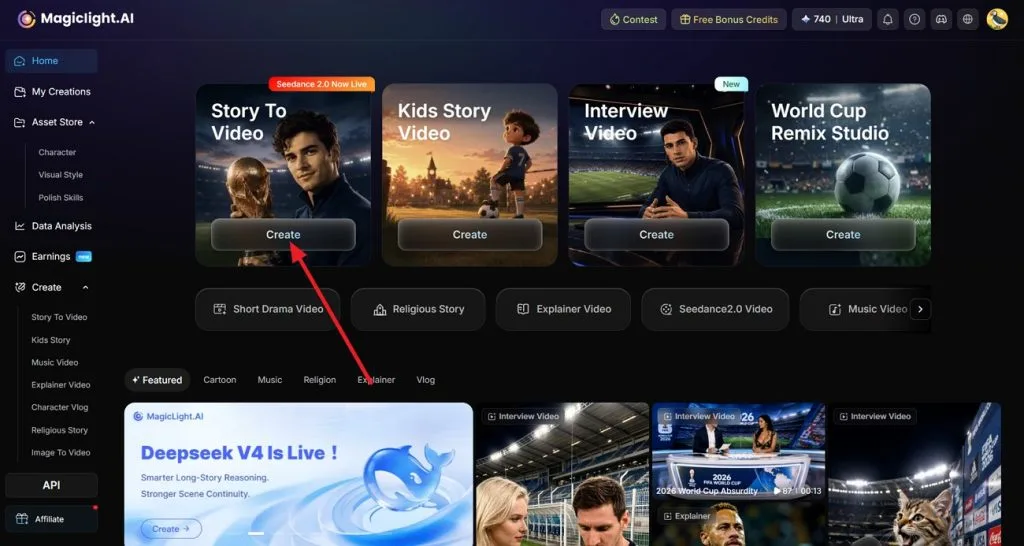
Access MagicLight AI through your web browser and head to the Story to Video feature from the main dashboard. Tap the Create button to start setting up your video project.
Step 2. Enter Your ASMR Concept and Preferences
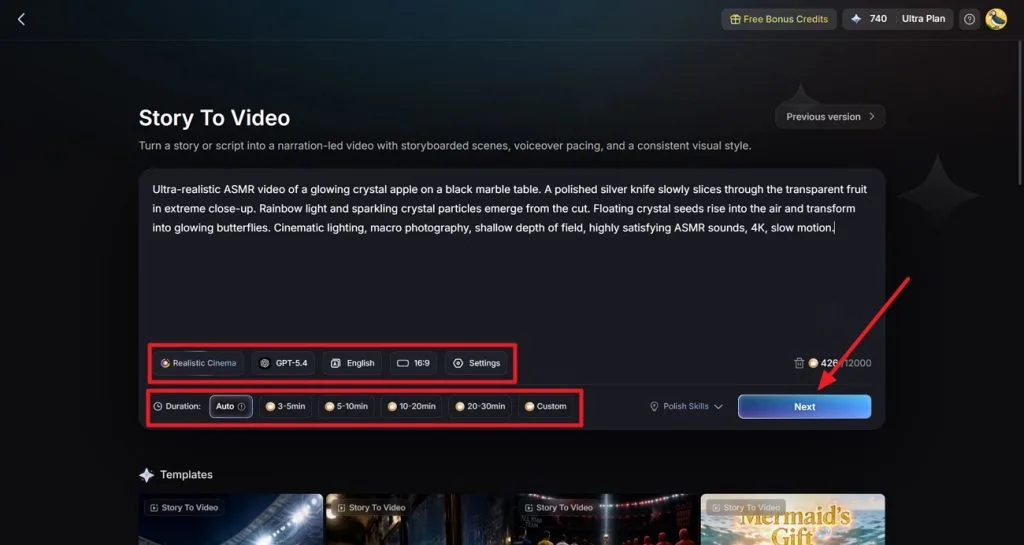
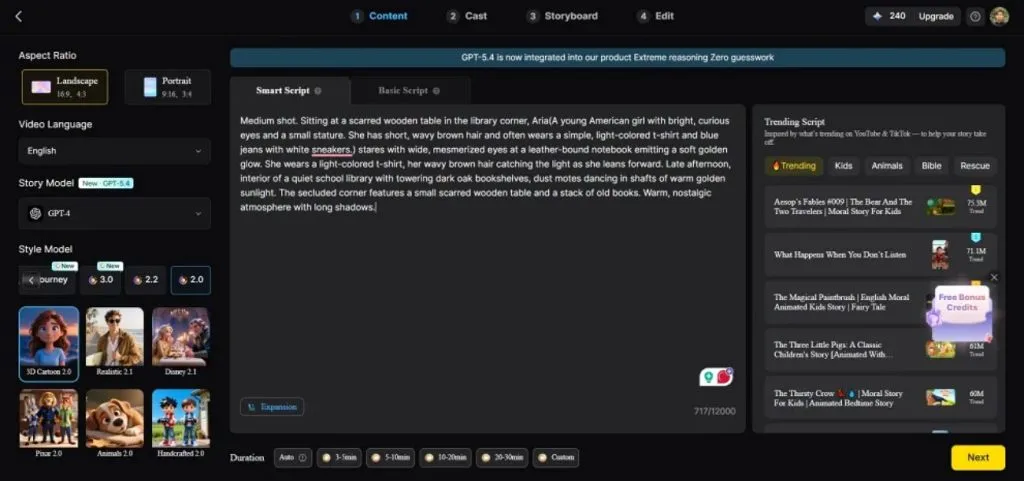
Type or paste your ASMR script or scene description into the text box. Select the appropriate video category and the generation model of your choice. Next, choose the language if you want to add dialogues in your ASMR videos. Select the aspect ratio and duration for your video from the options provided and hit the Next button.
Step 3. Review and Refine the Generated Storyboard
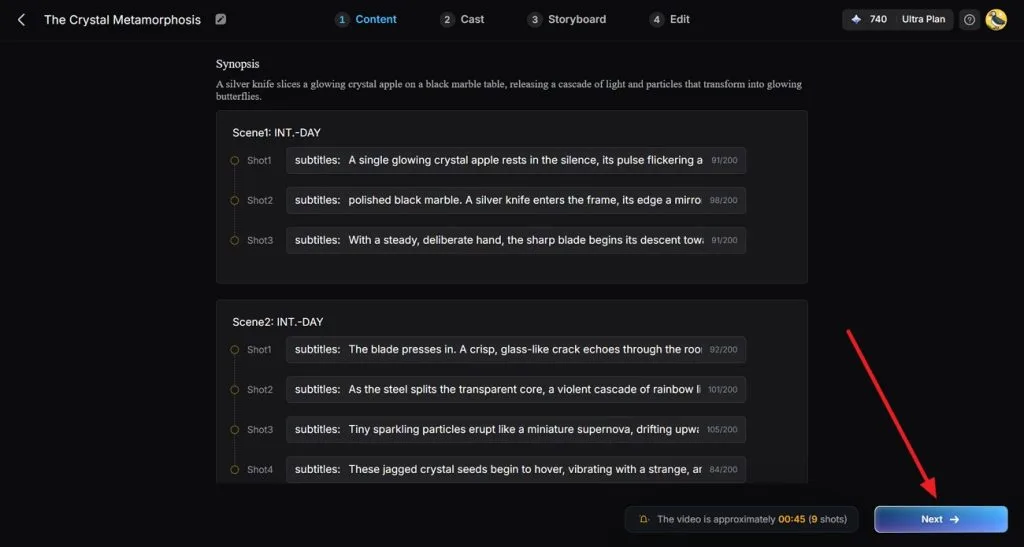
MagicLight AI will automatically create a storyboard based on your ASMR concept. Check each scene carefully and adjust or improve pacing. Press the Next button to proceed once you are satisfied with the scenes.
Step 4. Choose or Create Characters
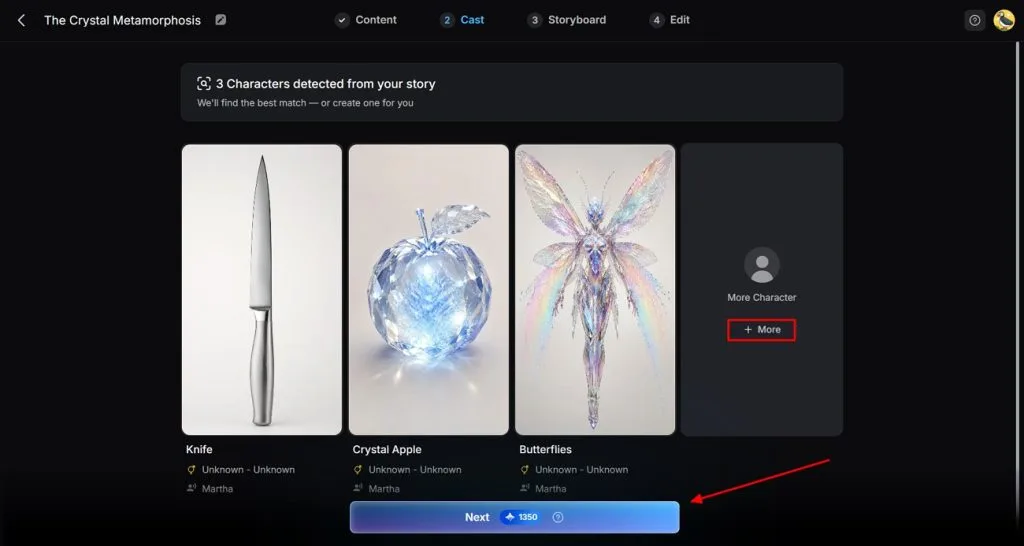
Magiclight AI adds AI characters that matches the mood and style of your video. Access the My Character section for customizing the existing characters or create new ones for the ASMR video. Press the More Characters option to add more than one character to your video. Press the Next button after you have selected the character.
Step 5. Personalize Characters and Scene Details
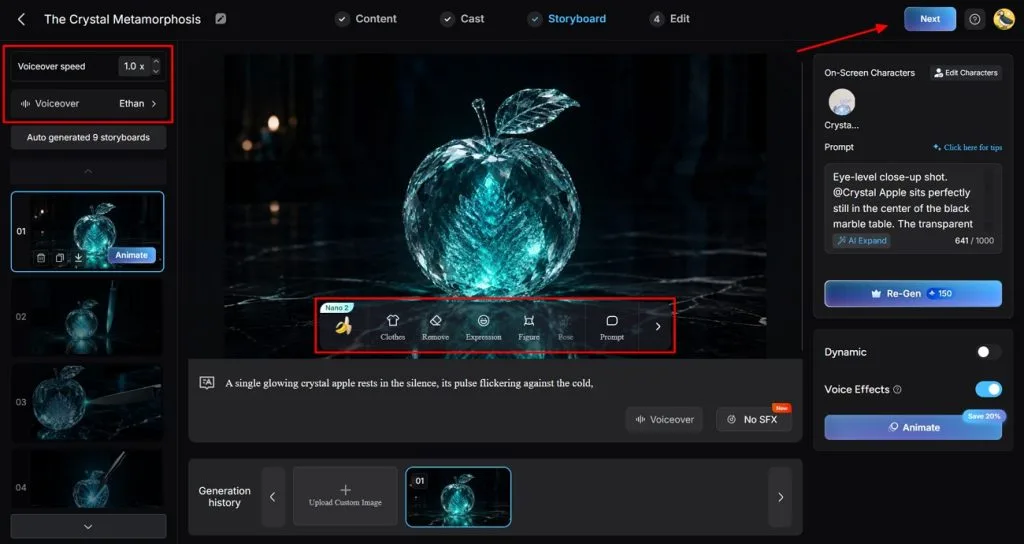
Use the customization features to modify character appearance and other visual elements. Manage the voiceover settings using the Voiceover and Voiceover Speed buttons. Review all scenes to ensure the character remains consistent throughout and click on the Next button.
Step 6. Add captions and Background Audio
Enhance your ASMR video by adding captions or calming background sounds. Choose a subtitle style and audio elements that complement the relaxing atmosphere, then click Generate to create the final vide
Step 7. Preview and Export Your ASMR Video
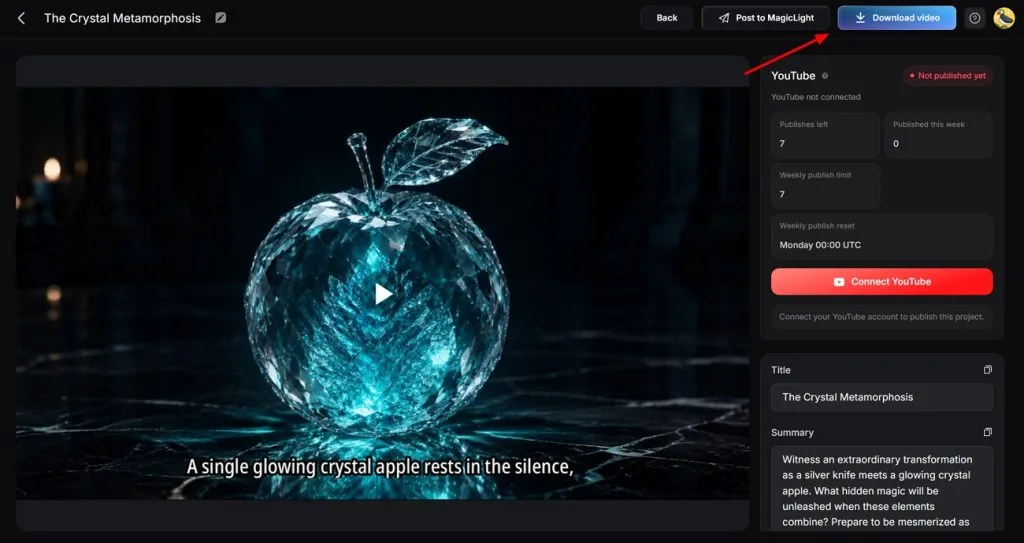
Once the ASMR video is generated, play and preview the video to review each scene together. Click Download video in the upper-right corner for saving the video across your device.
Part 2. Why Choose Magiclight AI to Make AI ASMR Videos
Creating AI ASMR videos requires more than just generating visuals. The right platform should help you create relaxing scenes with less effort. Mentioned below are some of the reasons why MagicLight AI makes ASMR production easier for beginners and experienced creators:
- Generate Videos From Simple Prompts: MagicLight AI allows users to describe their ASMR ideas and convert them into complete AI-generated videos. This removes the need for expensive equipment. You can add a text prompt up to 12,000 characters.
- Character Generation: It lets users generate characters for their satisfying videos. These characters can be used to add storytelling elements and make videos more engaging.
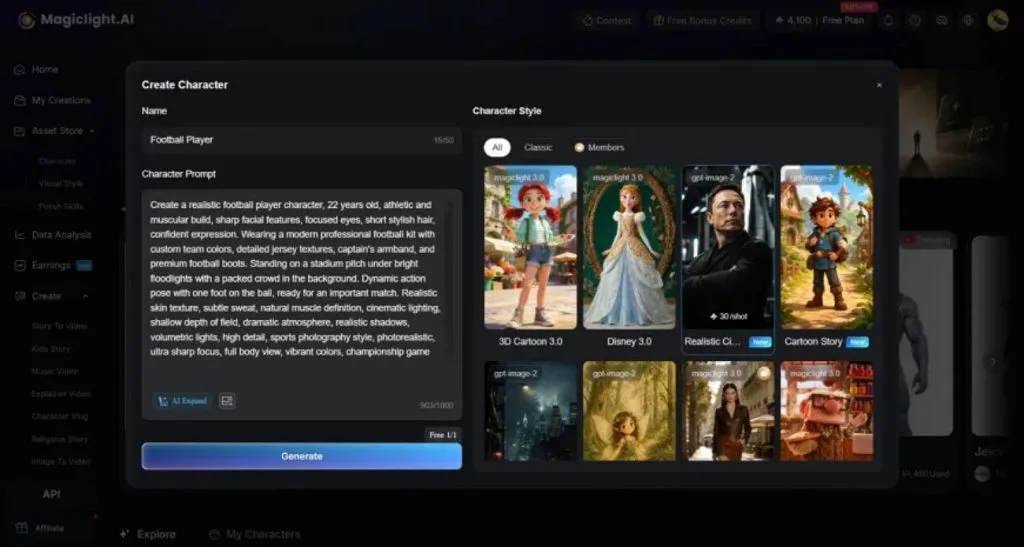
- Make Changes to Character: MagicLight AI provides options to customize characters based on their requirements. Users can adjust character appearance and style to match the theme of their content.
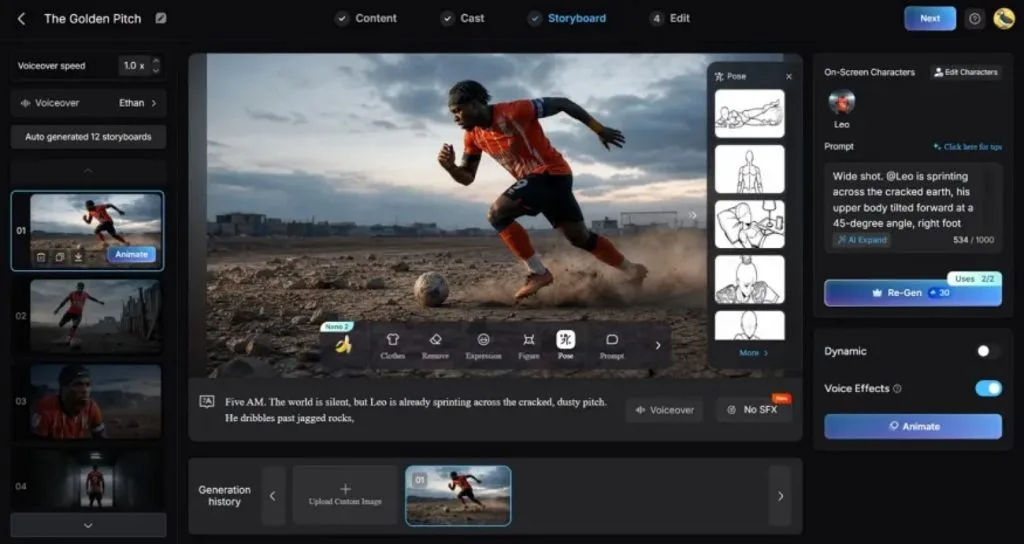
- Captions for Videos: The platform helps users add captions to make videos more accessible. You can change the style of the text for captions according to your preferences.
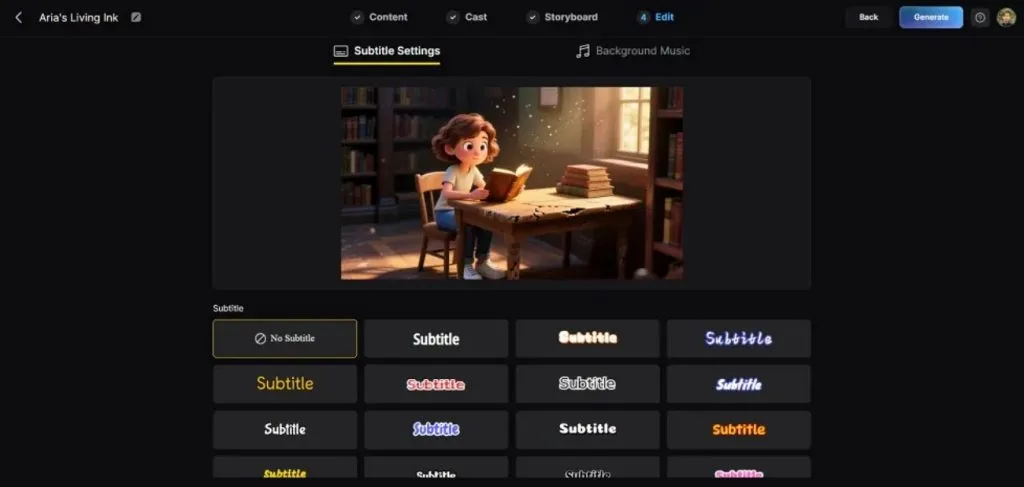
- Create Scenes for Videos: Magiclight AI creates detailed scenes with visuals that enhance the relaxing viewing experience. It helps creators produce aesthetic videos with smooth storytelling and visuals.
Conclusion
To sum it up, the article discussed the method on how to make AI ASMR videos. One such tool that helps creators transform ideas into videos is MagicLight AI. It offers storytelling and character with scene customization. The tool makes the process faster and more creative using its advanced AI technology.
FAQs on How to Make ASMR AI Videos
1. Which AI tools support AI ASMR videos?
Several video tools provide the utility of creating such videos. MagicLight AI is a strong choice for generating immersive videos. It offers features like Story to Video and character creation for engaging ASMR content.
2. Can AI create ASMR videos easily?
The technology can simplify ASMR video creation by generating scenes, sounds, and visuals from simple prompts. Tools like MagicLight AI allow users to create videos without advanced editing or production skills.
3. What equipment is needed to make AI ASMR videos?
These videos do not require cameras or professional recording equipment. A computer or device with a video generator like MagicLight AI is enough to start creating content.
4. Can I monetize AI ASMR videos on YouTube?
You can do so if you follow the policies of the platform. Adding original ideas and creative editing with storytelling can improve content value.
5. Which AI is the best video editor for making AI ASMR videos?
MagicLight AI is a powerful option for creating and editing AI ASMR videos with automated scenes and customization tools. Its advanced workflow helps creators generate polished videos with less manual effort.
6. Can I use the AI ASMR video generator for free?
Some AI ASMR video generators offer limited free options, while advanced features may require credits or paid plans. MagicLight AI provides professional AI video creation tools with different access options for creators.
![How to Write a Script for a Short Film in 2026 [Beginner’s Guide]](https://magiclight.ai/wp-2/wp-content/uploads/short-film-screenplay-writing-guide-300x169.webp)