


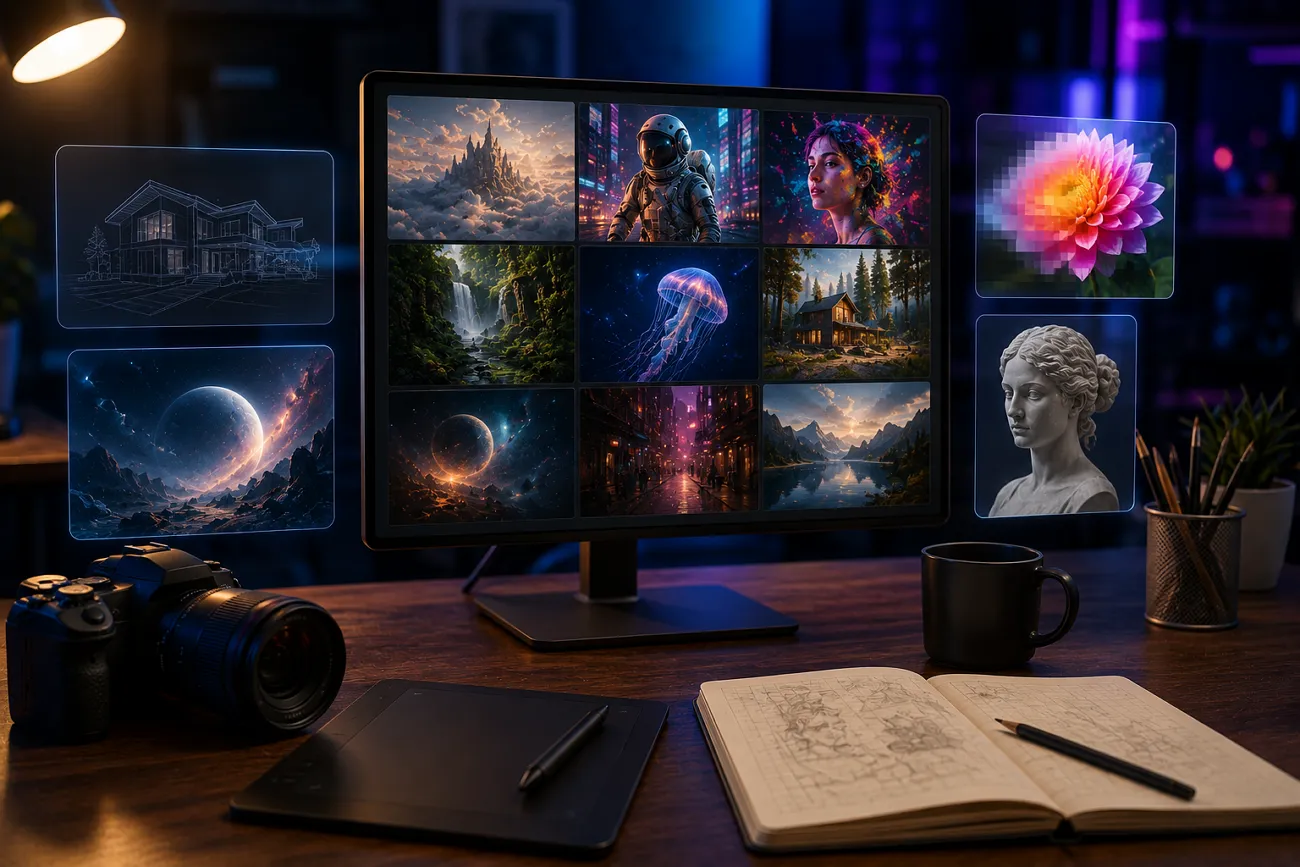
You are working late on a presentation and cannot find the right image to match your idea. Even though you type different keywords, nothing fits your vision. This is where Google ImageFX changes the game, enabling users to generate unique images by simply typing a description. In this article, we’ll explore what this tool is and why it is becoming a go-to tool for fast and accurate video generation.
Part 1. What Is Google ImageFX?
This is a free image generator that transforms simple text prompts into detailed visuals. The platform makes image creation feel effortless with a clean and conversational interface. Users just describe what they want, and the tool generates high-quality results that can be refined further with ease. The tool is useful for creators and marketers who need quick visuals without relying on complex software.
Key Features of ImageFX AI
It is helpful to look at its core features to better understand what Google ImageFX AI offers. These functions let users know how the tool supports fast and high-quality results:
- Google AI Integration: ImageFX runs on Google’s advanced Imagen models, which are designed to produce accurate and highly detailed visuals. This strong AI foundation helps ensure that every image is context-aware and visually refined.
- Fast Image Creation: One standout benefit of ImageFX is its speed. It can generate high-quality images within seconds, which is especially helpful for people working with tight deadlines.
- Prompt-Based Editing: Users can type in the requirements to edit photos. It removes the use of traditional editing tools for non-technical users. All editing tasks can be done through simple text prompts without needing advanced design skills.
- Style Variety Support: It gives users different artistic styles to generate visuals in no time. This flexibility allows users to create photos without any restrictions.
- Multiple Template Options: This platform offers various templates that users can start with. These styles help speed up creation and ensure more consistent and professional-looking output.
How Google ImageFX Works?
After learning about the incredible features of ImageFX Google, let us have a look at how it works for image creation:
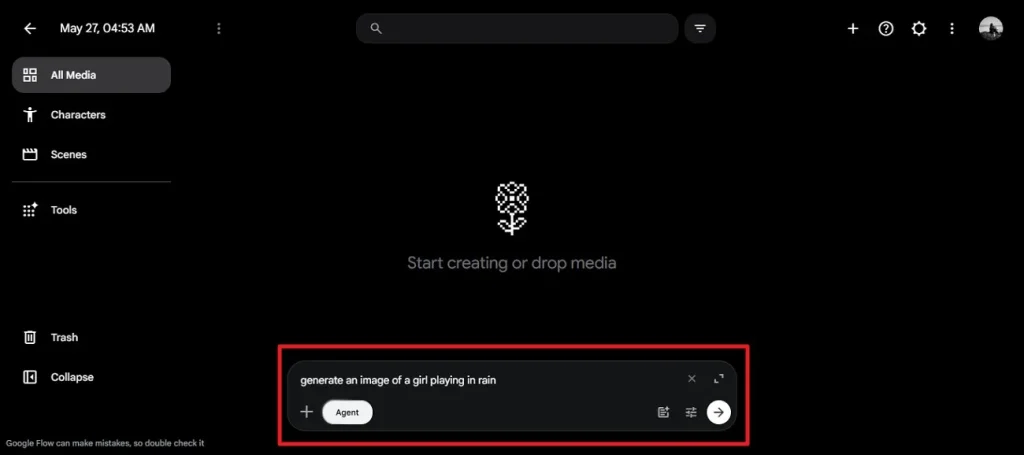
Step 1. Open the tool in your browser and enter the image you want in the designated input box. After that, customize the seed, image quality, and aspect ratio in Settings, then press Send to begin the generation process.
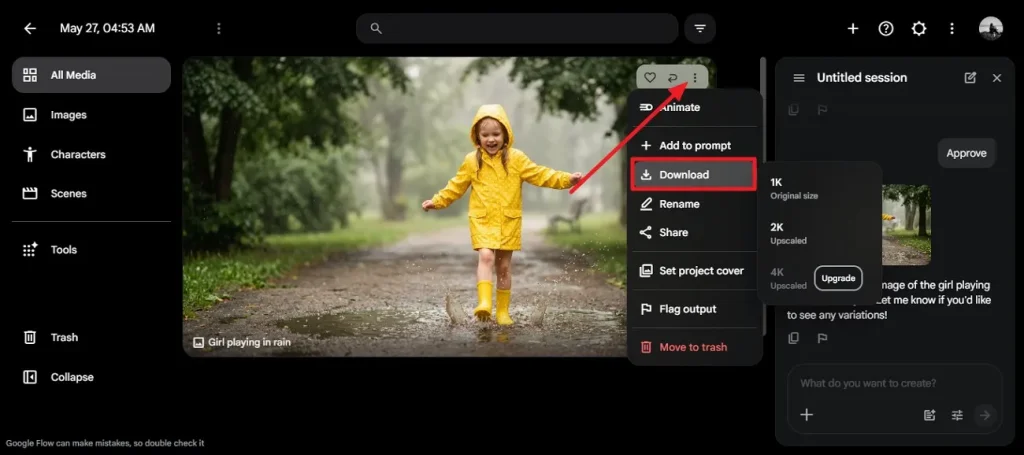
Step 2. Preview the images once they are ready, then press the Download option by expanding the Three Dots icon to save the image.
Part 2. Why Magiclight AI Is the Best Alternative to ImageFX
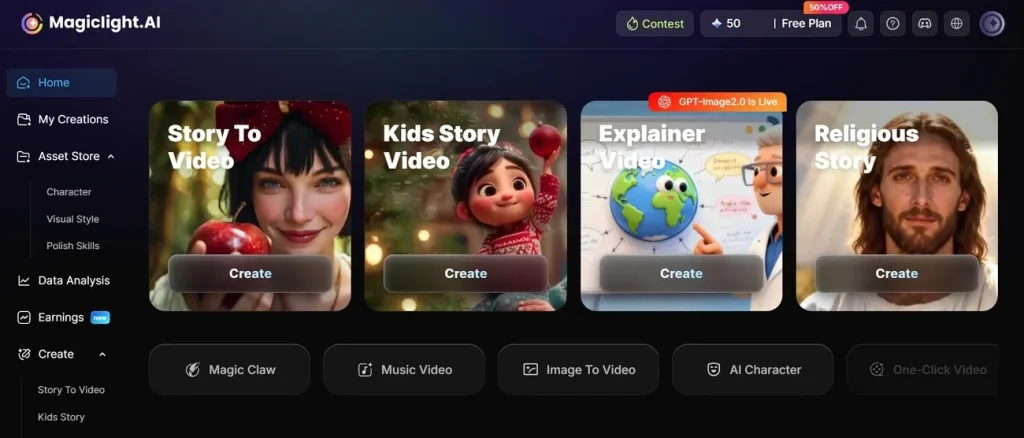
Google ImageFX is popular for its simplicity and realistic generation, but it may not fit every creator’s workflow. This is where MagicLight AI enters the discussion. Rather than replacing ImageFX entirely, it offers a different creative experience that may suit users seeking greater flexibility and advanced media creation.
One of the reliable features of this tool is that it provides a vast workflow that covers various aspects of a project. MagicLight AI supports advanced AI engines like Seedance 2.0 and creative tools that go beyond basic image creation even though ImageFX mainly focuses on text-to-image generation. This gives users more room to experiment with visual storytelling and customized outputs.
Key Features
- Story-to-Video Generation: The tool can generate a full video from a story or a basic idea with video scenes and visual flow. This can make the process of creating much easier for creators to realize their ideas without having to spend hours manually editing.
- Long Video Generator: The platform is designed to handle longer videos up to 50 minutes. It helps maintain scene consistency throughout longer productions instead of limiting users to short clips.
- Captions Generator: MagicLight AI can automatically create captions that match the spoken or visual content in videos. This save editing time while making videos easier to follow and more accessible for wider audiences.
- Background Music Generator: This feature helps add music according to the video's mood and pacing. Users can create more content without having to search through large music libraries.
- Animated Character Creator: MagicLight AI also includes tools for creating expressive digital characters for users' projects. These characters can support storytelling and make videos feel more engaging and visually dynamic.
Tabular Comparison Between Both Tools
After learning about both MagicLight AI and Google ImageFX AI image generator in detail, let us have a look at the tabular comparison between them:
| Feature | Google ImageFX | MagicLight AI |
| Core Purpose | Focused on AI image generation from text prompts | Focused on AI-powered video creation from stories, scripts, and more |
| Content Output | Generates static images only | Generates full videos including scenes and animations |
| Editing Control | Prompt-based image refinement with simple adjustments | Advanced creative control with storytelling, scenes, and multimedia editing |
| Key Features | Text-to-image generation, style variations, fast rendering, Google Imagen models | Story-to-video, long video generator, captions, background music, animated characters |
| Ease of Use | User-friendly but a little confusing | Very beginner-friendly with a simple interface |
| Media Type | Images only | Videos with audio, captions, and animations |
Conclusion
To sum it up, this article provided a detailed review of Google ImageFX. It discussed its core features and how to use it for creating visually appealing photos. However, for users who want to go beyond simple image generation, MagicLight AI is a reliable choice. Users get to explore different categories of video creations with simple text prompts and reference photos.
FAQs on Google ImageFX
1. Can ImageFX create realistic AI images?
The platform can generate realistic images using advanced machine learning models. These models are designed to produce detailed and lifelike visuals from text prompts. The results often look highly polished and natural.
2. Is Google ImageFX available worldwide?
The platform is not available worldwide, and access is limited to 18+ countries only. For global access, Users can opt for MagicLight and create stunning visuals.
3. How is MagicLight AI different from ImageFX?
MagicLight AI is a video editing suite that lets you automatically create videos from scratch. Users have various template options, along with full customization. However, ImageFX is a photo generator with limited basic functionalities.
4. What are the best alternatives to Google ImageFX?
One of the most reliable alternatives that lets users generate videos in no time is MagicLight AI. The platform offers various video creation modes with complete customization for its users.
5. Can beginners use Google ImageFX easily?
Beginners might find the interface of this tool a little bit confusing if they have not used any image generator before. Tools like MagicLight AI are one of the user-friendly options as all the functionalities are easy to access within its interface.


![How to Write a Script for a Short Film in 2026 [Beginner’s Guide]](https://magiclight.ai/wp-2/wp-content/uploads/short-film-screenplay-writing-guide-300x169.webp)


