


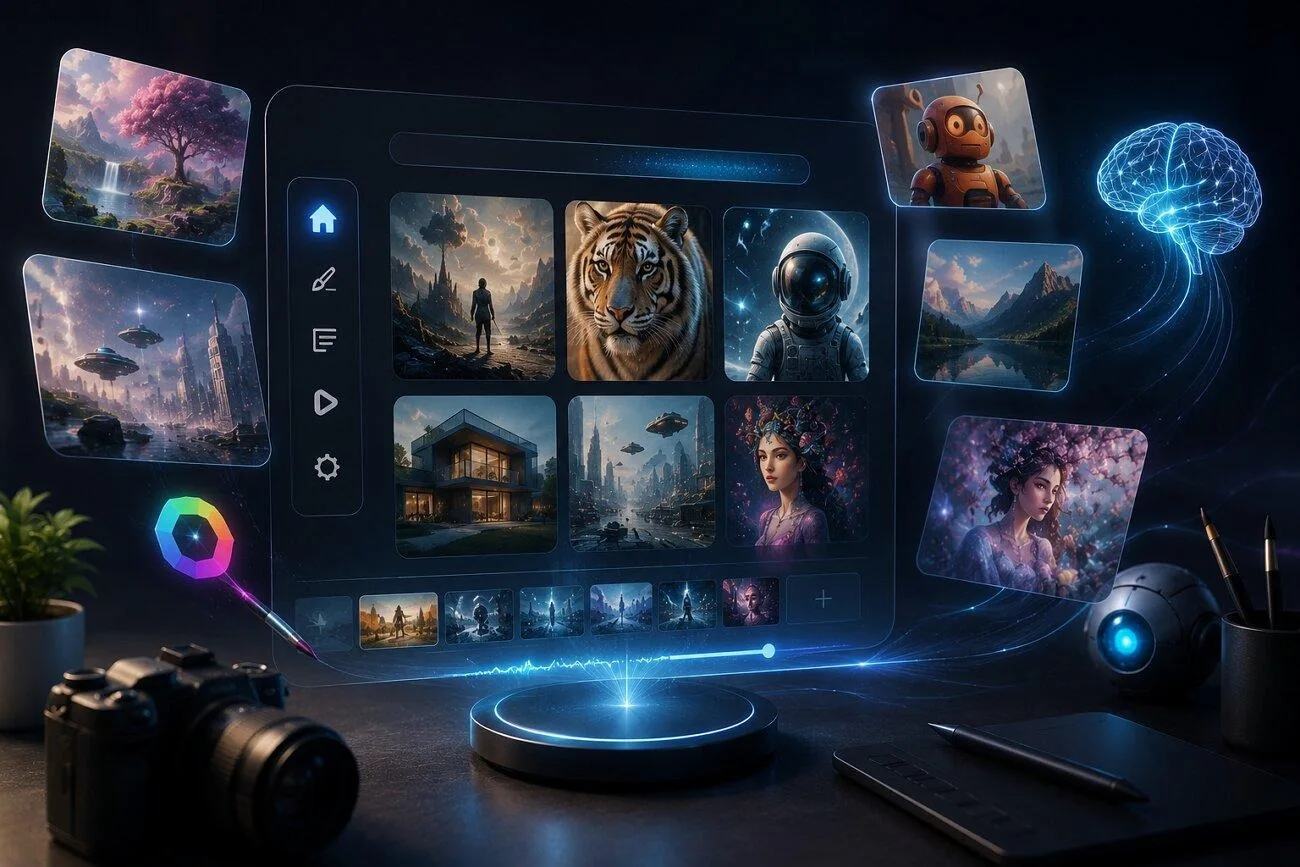
The inclusion of AI tools has simplified content creation by automating entire procedures. However, choosing the right option from the growing number of tools can get challenging. Kaze AI has been one of emerging options, as it allows users to generate high-quality visual content from simple prompts in minutes.
This article brings up an in-depth review of Kaze AI, focusing on its key features, abilities, pricing, and performance. Read on to find out whether this platform is surely the right choice for creative video innovations.
Part 1. What Does Kaze AI Actually Do?
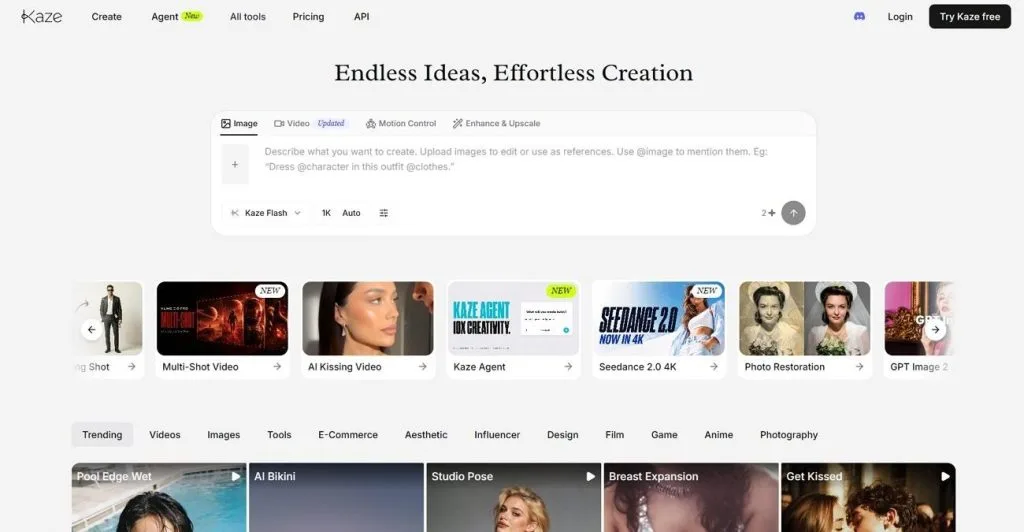
Kaze AI, an online AI platform, is known for helping users create visual content from simple prompts. Users provide the image as reference, and the tool analyzes the prompt to create a similar looking result. Besides generating images, it features a library of existing styles and templates to help users customize their needs.
This platform provides a history of previous generations, making it simple to revisit, edit, and repurpose the creations. In addition to image generation, Kaze AI creates videos from text prompts and utilizes a range of AI models to create accurate results.
Key Features
- Users get the ability to generate content using multiple generation models offered by Kaze.AI.
- The tool allows users to select different aspect ratios for their video based on their preferences.
- Provides a variety of generation modes, including Standard and Omni.
- Gives the option to the user whether they want to add audio to their video.
- Its Motion Control feature lets you bring any character to life with customized results.
Pros
- Users get the ability to choose the duration and quality of the video as per their choice.
- You can generate up to 4 outputs across a single prompt in one session.
- In addition to video creation, users can edit and upscale their videos with Kaze AI.
Cons
- You can create videos of up to 10 seconds of duration.
- The character consistency is lacking when generating multiple videos in sequence.
Part 2. A Guide to Using Kaze AI
After learning about the features and other attributes offered by Kaze.AI, let us have a look at the steps for creating videos through it:
Step 1. Look for Kaze AI across your browser, access its homepage, and click the “Create” button present on the top-left.
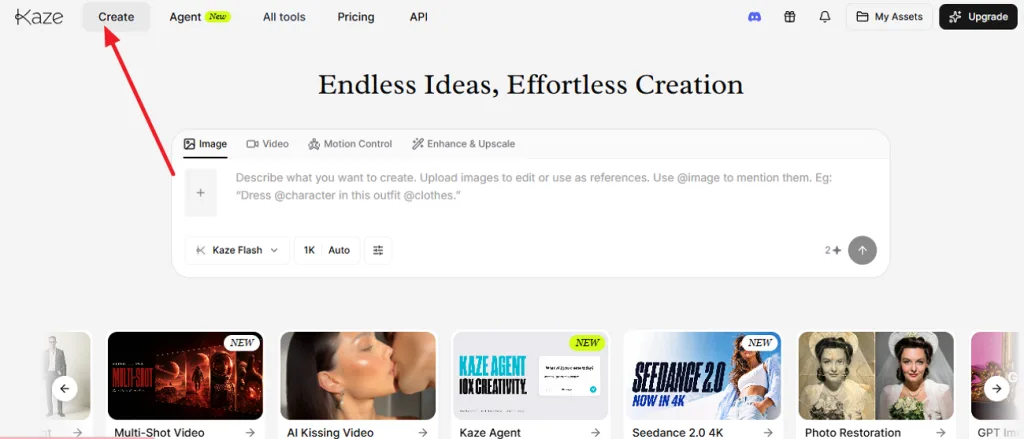
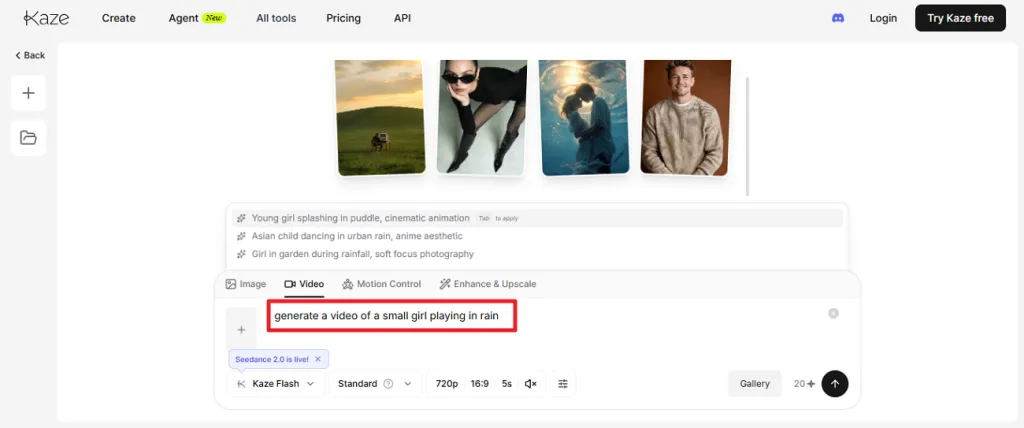
Step 3. Following this, upload a reference image from which you want to generate a video and determine the AI Model, Resolution, and other settings. Define the number of outputs and choose Send for initiating the generation process. Once the video is generated, preview it within the tool and save it to your device.
Part 3. Best Alternative to Kaze AI for Video Creation
If you need a tool that can generate longer videos while maintaining consistent characters and visual style, MagicLight AI is a strong alternative. It supports video creation of up to 50 minutes and includes a dedicated character creation feature to keep the same character consistent throughout your project. With support for text prompts of up to 12,000 characters, MagicLight AI can quickly produce professional, story driven videos with minimal effort.
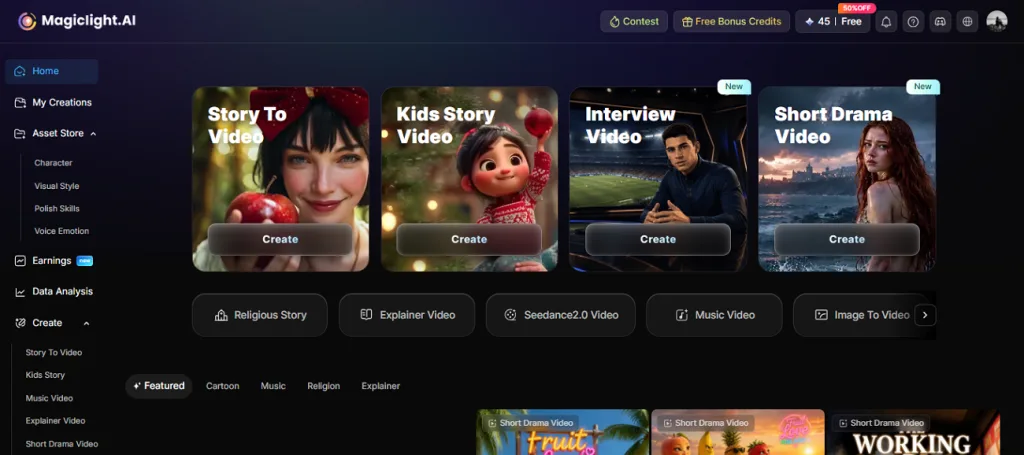
This Kaze.AI alternative brings the option to choose the video’s aspect ratio according to user requirements. You can also find multilingual support, which helps users generate videos in more than 11 languages for a bigger audience. For easier creation of professional videos, utilize the extensive library of customizable templates available across Magiclight AI.
Key Features
1.Nano Storyboard with Precise Adjustments: The platform creates storyboards and lets users refine every scene using its Nano Storyboard feature. You can personalize poses and facial expressions for more cinematic results.
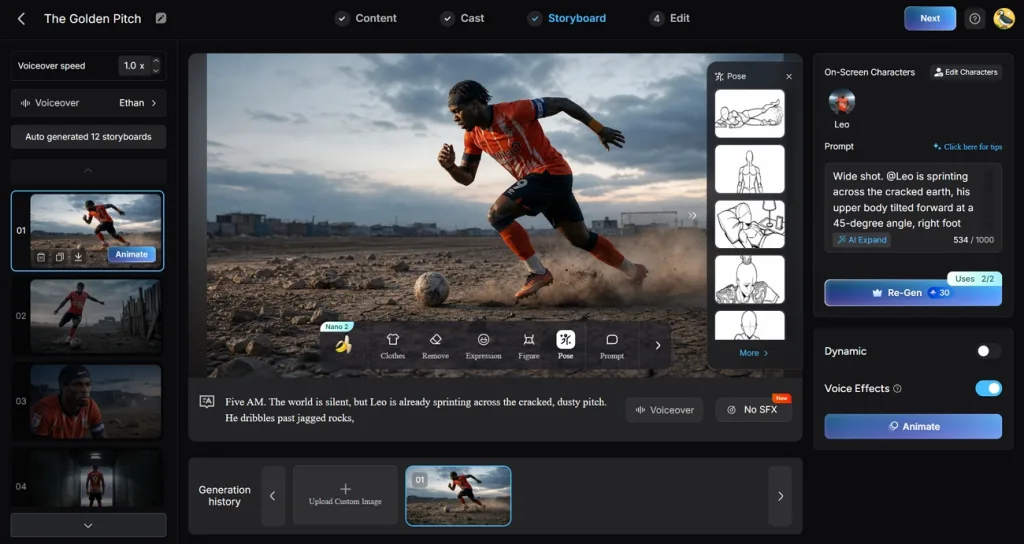
2.Multiple Generation Models: MagicLight AI integrates leading AI models like Kling and Seedance 2.0. This enables users to generate higher-quality scripts and animations on a single platform. Users can choose the model of their preference before generation to create results of their choice.
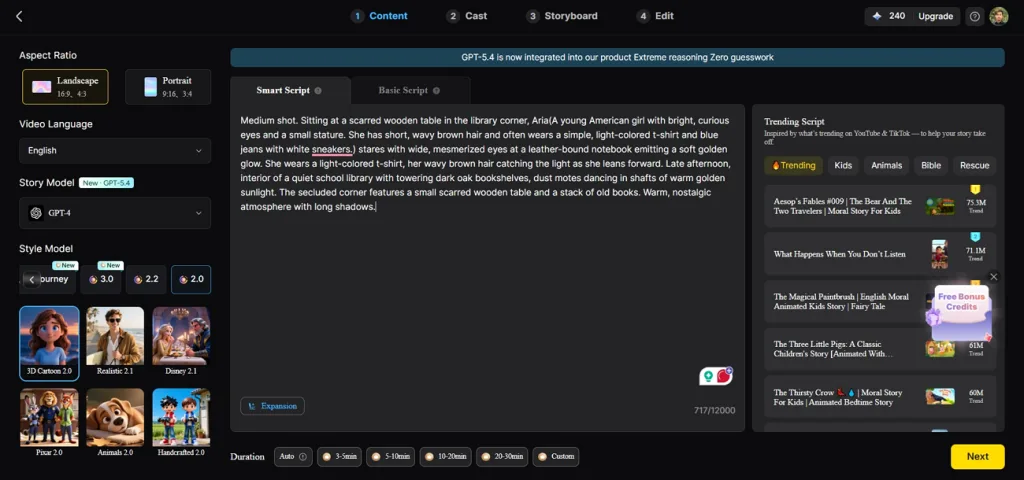
3.AI Voiceovers and Voice Cloning: MagicLight AI provides 37 voiceover options with different accents and speaking styles. Create voice clones and add them across the video to introduce a personalized narration in your content.
4.Built-in Music Generator: You can use MagicLight AI’s Suno-powered music generation, helping users create background music for a variety of genres.
5.Image to Video Generation: While MagicLight AI offers a comprehensive facility to generate videos from text, you can also create 10-15 seconds videos with images. With a support of 19 distinctive AI models, it gets easy to create unique content.
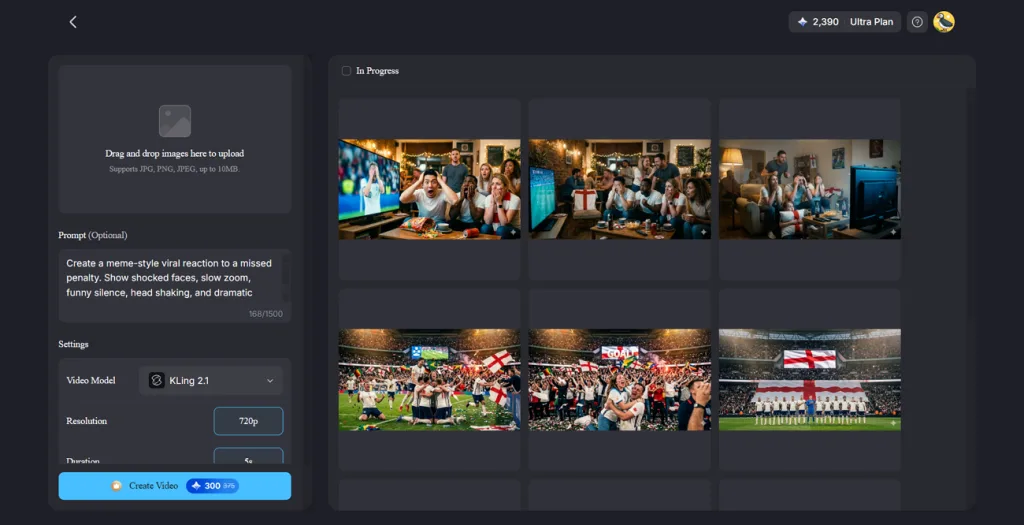
6.Various Export Options: Videos generated through this tool can be exported in both 720p and 1080p resolutions. This makes it easy to optimize content for different social platforms.
Comparison Table Between Kaze AI and MagicLight.AI
With both tools supporting AI video creation and a wide range of customizations, they still cover different content creation needs. The comparison table provided below outlines the key differences between Kaze AI and MagicLight AI:
| Feature | Kaze AI | MagicLight AI |
| Primary Focus | AI-powered video generation from prompts and scripts. | Complete AI video production platform from idea to publishing. |
| Maximum Video Length | Up to 10 seconds | Up to 50 minutes long videos |
| Character Creator | Basic character creation | Create one or multiple characters with complete customization |
| Story Generation | AI-assisted script generation | Create a storyboard for your video with a scene-by-scene breakdown to ensure a smoother flow. |
| Voiceovers | AI narration | 387+ AI voices with voice cloning support |
| Best For | Short-form videos and social media content creation | Short and long-form videos, kid story videos, religious videos, and much more. |
Conclusion
To conclude, this article provided a detailed review of Kaze AI, covering its key features, capabilities, and overall user experience. It also explained how the platform generates videos from simple text prompts. While Kaze AI is suitable for creating AI generated visuals and short videos, it has limitations, such as restrictions on video length. If you need to produce longer, more consistent videos, MagicLight AI is a better alternative.
FAQs on Kaze AI
1. Is Kaze AI free to use?
The platform is not free to use, and it requires credits to generate photos and videos through it. These credits can be bought using different pricing plans offered by the tool.
2. Is Kaze AI better than other video generators?
The tool uses advanced technology and generative models to create videos. However, it sometimes lacks accuracy along with a time duration limit. Tools like MagicLight AI offer long video generation, that too with character consistency throughout different scenes.
3. What videos can Kaze AI create?
You can create short-form videos for social media using Kaze AI. However, if you want to generate proper lengthy videos with complete storytelling, you can use tools like MagicLight AI. It offers video generation with various creation models.


![How to Write a Script for a Short Film in 2026 [Beginner’s Guide]](https://magiclight.ai/wp-2/wp-content/uploads/short-film-screenplay-writing-guide-300x169.webp)


