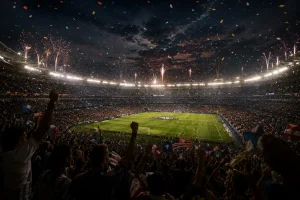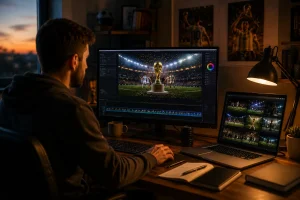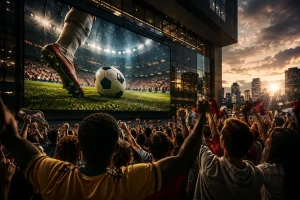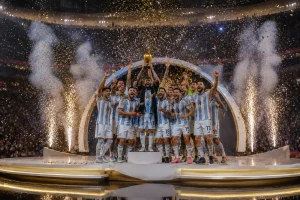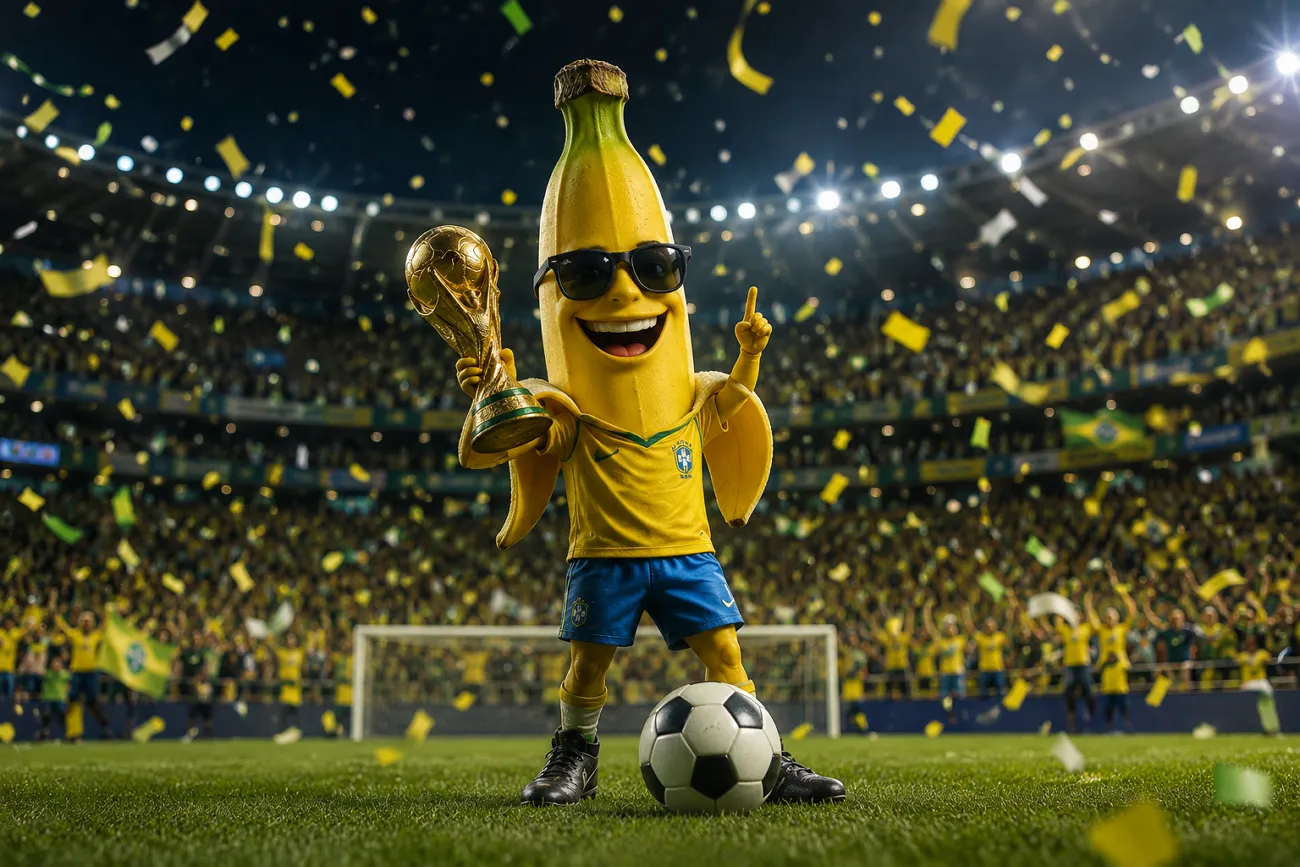
The World Cup only comes around once every 4 years, and fans want to celebrate it. Everyone wants to create posters and artwork that truly feel special. With Nano Banana World Cup prompts, getting great results becomes much simpler. This article helps you learn prompts and create amazing World Cup images. Along with this, you will learn how to turn those images into full cinematic World Cup videos.
Part 1. What Makes Nano Banana Great for FIFA World Cup Content?
Nano Banana World Cup prompts work well because the tool understands sports visuals deeply. This section breaks down every key feature that makes it perfect for football content:
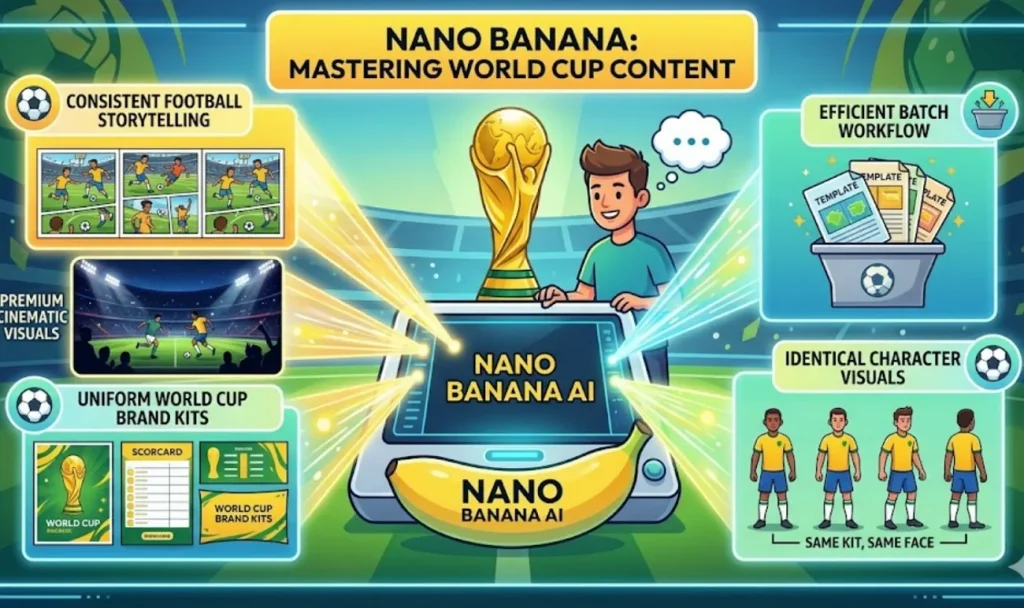
- Story Flow: Nano Banana World Cup content helps creators build consistent football storytelling across matches. This enables smooth narrative flow for tournaments and repeated character visuals easily.
- Premium Quality: Every visual comes with cinematic lighting, sharp detail, and a professional finished look. Plus, it makes your World Cup hype content feel premium even when produced very quickly.
- Brand Kits: Tournament branding stays uniform using structured design systems for campaign visuals. Teams can even create matching posters, scorecards, and promotional visuals that keep a strong visual identity.
- Batch Workflow: The AI model lets you create multiple matchday templates across dozens of games at once. Creators can design fixtures, scoreboards, and fan posters for multiple games, saving hours of work.
- Consistent Characters: Nano Banana keeps football players, kits, and faces identical across every generated image. Additionally, this helps build a continuous World Cup story with the same characters appearing in all scenes.
Part 2. 15 Nano Banana FIFA World Cup Poster Prompts
Good results from any AI tool always start with a clear and detailed written prompt. Yet writing the perfect AI prompt for football content is something most people find difficult. In this part, you will explore 15 Nano Banana World Cup prompts covering 5 different football character roles:
Team Captain Character Prompts
A team captain represents leadership, strategy, and emotional control during matches. Prompts in this section create strong captain visuals for posters and campaign storytelling:
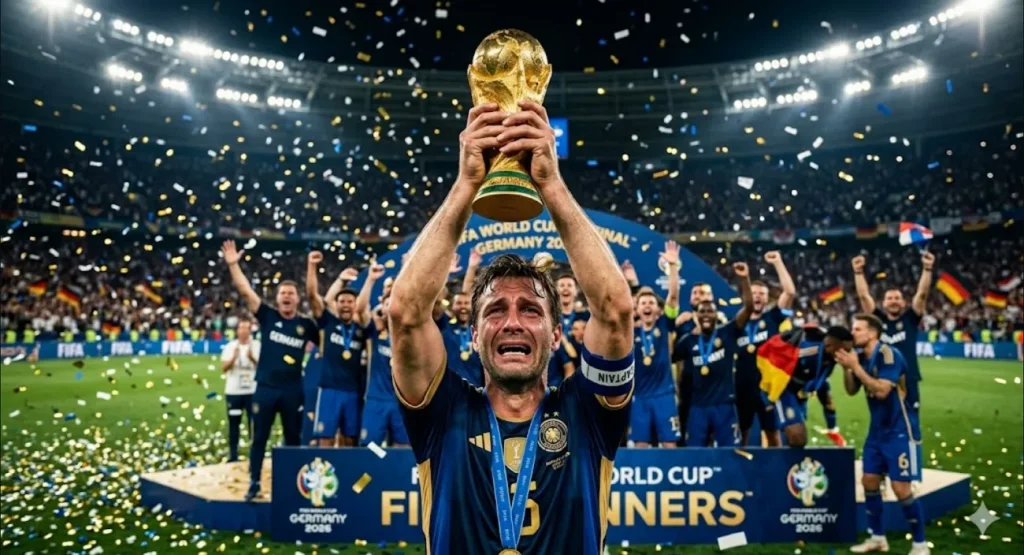
1. Trophy Lift Hero
Veteran team captain lifts the World Cup trophy high in the air proudly. Paper bits in the stadium air, and teammates celebrate wildly over the pitch behind him. His face shows deep emotion with tears of joy running down his cheeks.
2. Center Circle Focus
Fierce football captain stands in the center circle before a World Cup match. He looks directly into the camera with intense focus and absolute confidence. His national kit fits perfectly while stadium floodlights glow behind him dramatically.
3. Locker Room Speech
Respected team captain delivers a passionate speech inside a crowded locker room. His teammates sit closely listening with full focus and strong emotional motivation. Warm lighting and national flags create an intense atmosphere across the entire room.
Elite Striker Character Prompts
Elite strikers represent goal-scoring power, speed, and attacking energy in football. These Nano Banana World Cup prompts focus on action moments like goals, shots, and victory celebration scenes:
1. Speed Break Sprint
Lightning-fast striker sprints toward the goal during a World Cup match. The ball rolls perfectly ahead while defenders rush to close him down. Stadium floodlights highlight his focused expression and powerful body movement in action.
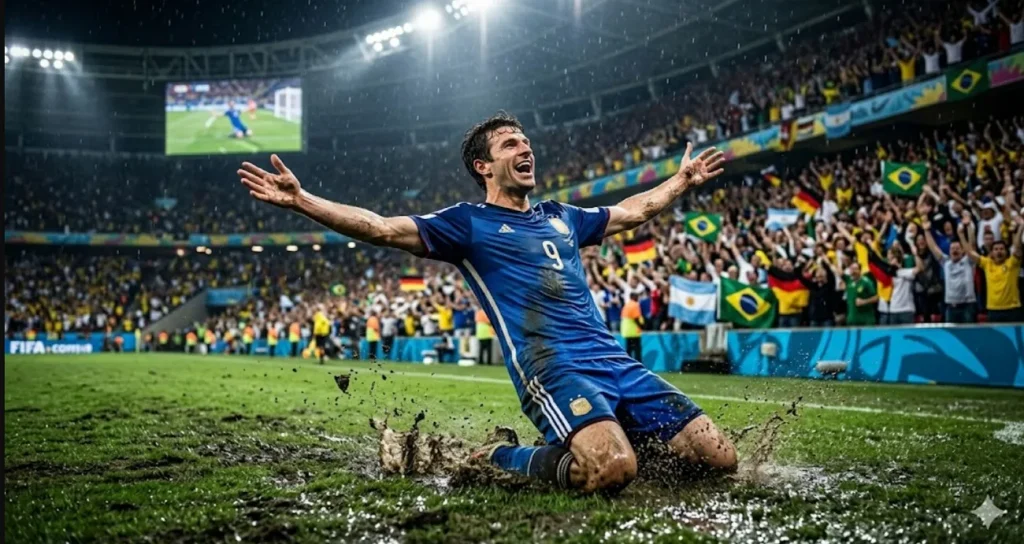
2. Muddy Goal Celebration
Celebrated World Cup striker slides across the wet pitch after scoring a goal. His arms stretch wide as fans roar loudly in packed stadium stands. Mud splashes around while stadium lights capture the emotional victory celebration moment.
3. Through Ball Escape
Young elite striker breaks free after receiving a perfect through-ball pass. He accelerates past defenders with explosive speed toward the open penalty box. The goalkeeper rushes out as the stadium crowd reacts with rising intense excitement.
Hero Character Prompts for Goalkeeper
Goalkeepers represent defence, reflexes, and match-saving heroic moments during football games. The given Nano Banana World Cup prompts highlight diving saves, penalties, and dramatic last-second match defences:
1. Iron Wall Save
A tall, athletic goalkeeper jumps full stretch to tip the ball over the goal bar. His bright gloves stand out in the dark stadium and strong lights. The crowd reacts in shock as the ball changes direction in the air.
2. Penalty Chaos Punch
Heroic goalkeeper punches the ball away during a chaotic World Cup penalty moment. Players react in shock as the ball flies away from the danger area. Stadium floodlights create dramatic shadows while the crowd erupts in intense emotional reaction.
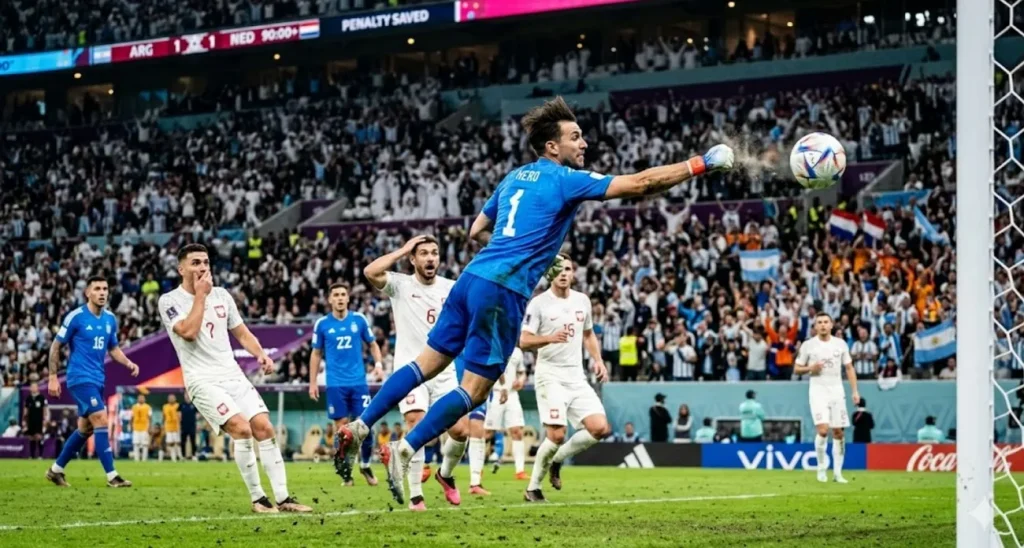
3. Victory Fist Raise
Celebrated goalkeeper raises both fists after saving the winning penalty kick. Teammates rush toward him from midfield in pure emotional celebration and joy. Stadium erupts with sound, and confetti falls under bright, glowing floodlights.
Rising Football Prodigy Prompts
Rising prodigies represent young talent, future stars, and emotional breakthrough sports journeys. Review the Nano Banana World Cup prompts, focus on growth, hope, and underdog success stories in football:
1. Dream Debut Moment
A young football prodigy steps onto the World Cup pitch for his debut match. He looks around the massive stadium, eyes wide with excitement and nerves. His fresh national kit shines under the lights as fans cheer loudly.
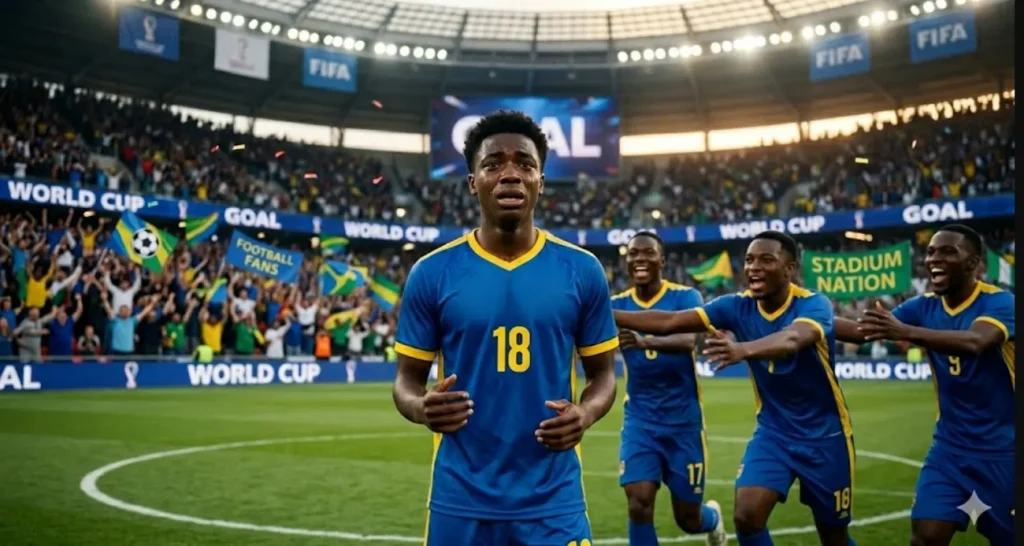
2. First Goal Shock
A rising star scores first World Cup goal and freezes in disbelief. Teammates rush toward him in celebration as the stadium explodes with emotional energy. His eyes fill with tears as he recognizes the importance of this moment.
3. Tunnel Waiting Star
Inside the tunnel, the young prodigy waits quietly for his moment of arrival. His eyes stay locked on pitch with strong focus and growing determination. Stadium noise echoes through the tunnel, creating a powerful emotional anticipation and pressure atmosphere.
Sports Journalist Character Prompts
A Sports journalist represents media coverage, storytelling, and behind the scenes football reporting. These Nano Banana World Cup prompts focus on interviews, press zones, and live match reporting visuals:
1. Pitchside Reporter View
Confident sports journalist stands pitchside holding a microphone before a World Cup match. Green pitch stretches behind her, filled with waving fans and colorful flags. Press badge shines clearly under stadium lights with a professional broadcast atmosphere present.
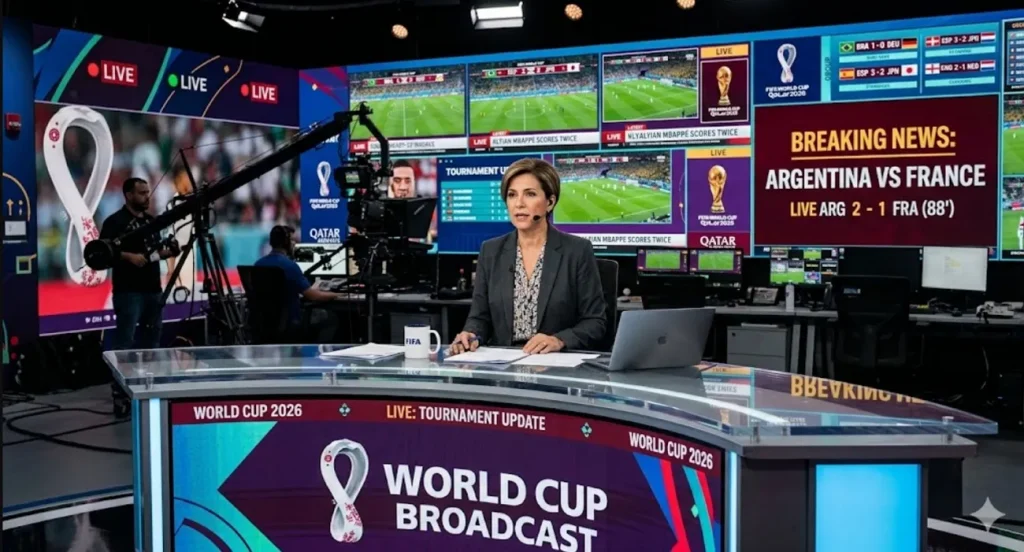
2. Studio News Desk
Inside a modern studio, a seasoned journalist sits at the World Cup broadcast news desk. Large screens display live scores and ongoing tournament updates continuously behind. A calm and authoritative tone reflects professional control during breaking news coverage.
3. Press Zone Rush
A young journalist rushes through the press zone, holding a recorder and a notebook with urgency. Busy media environments surround her as reporters and cameras move in different directions. Focused expression shows deadline pressure while she prepares for the live update.
Part 3. Turn Nano Banana Images Into FIFA World Cup Videos With MagicLight
After creating stunning visuals with Nano Banana World Cup prompts, creators need motion. Static images feel incomplete without cinematic storytelling and dynamic football movement. To cater to this need, MagicLight AI transforms those images into engaging video content. This tool generates up to 50 minutes of World Cup videos for detailed football storytelling content.
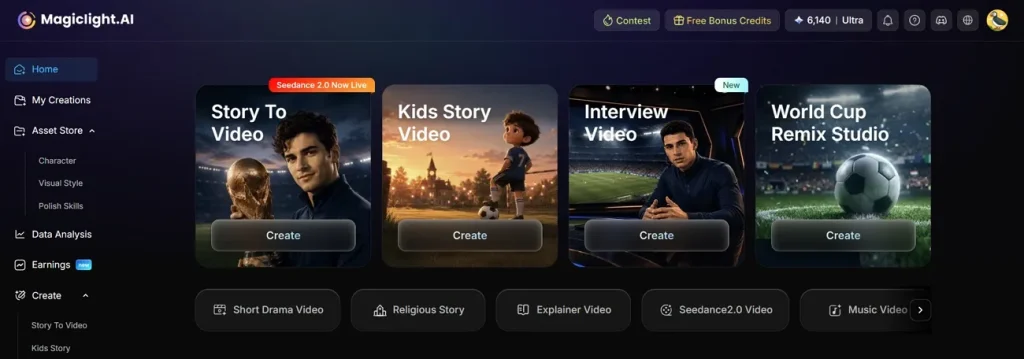
Every character remains consistent across scenes, ensuring football players look identical in every frame. It offers 37 voiceover styles, allowing realistic narration for immersive World Cup football videos. Using its Nano Control features, users can break scenes into micro actions for precise motion control. MagicLight AI supports 13 story models, including Gemini and Claude, helping generate realistic football narratives for FIFA video content.
Why Use MagicLight for FIFA World Cup Video Creation
This section highlights why MagicLight is ideal for creating cinematic World Cup football videos:
- Story Builder: MagicLight AI automatically builds full structured stories, so creators get narrative flow without manual planning.
- Language Reach: The tool supports 11 languages, helping creators reach global audiences and improve video accessibility across different regions.
- Background Music: Users can choose from 40 tracks to enhance emotion and improve the overall storytelling impact.
- Script Capacity: MagicLight supports up to 12000-character-long scripts, enabling detailed storytelling for documentaries and long videos.
How to Create a FIFA World Cup Video With MagicLight
In this section, you will learn how to create a FIFA World Cup video along with FIFA character generation:
Generate FIFA World Cup AI Character
Review the steps below to generate a FIFA AI character with a complete workflow:
Step 1. Access MagicLight AI Character Feature
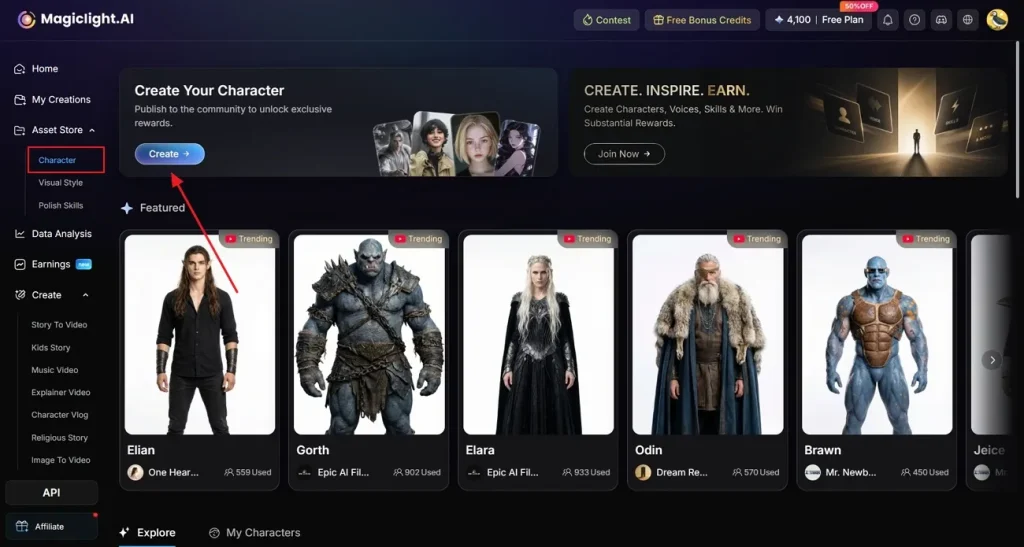
To initiate, visit the official webpage of MagicLight AI and choose the Character feature from the left side panel, then opt for Create.
Step 2. Generate a Customized AI Character
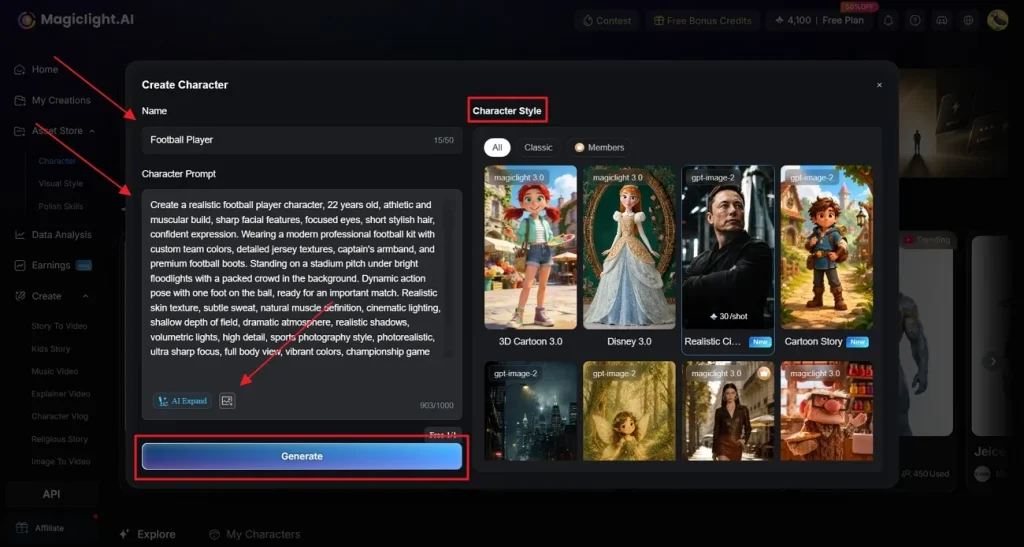
After that, type the footballer’s Name and enter the Script in the given Text Box. In addition, you can reference an image by clicking the Upload button. Under Character Style, select the preferred option, like Realistic or 3D cartoon, to produce a football poster. When all specifications are ready, opt for Generate to create the final result.
Step 3. Provide Reference Image Details
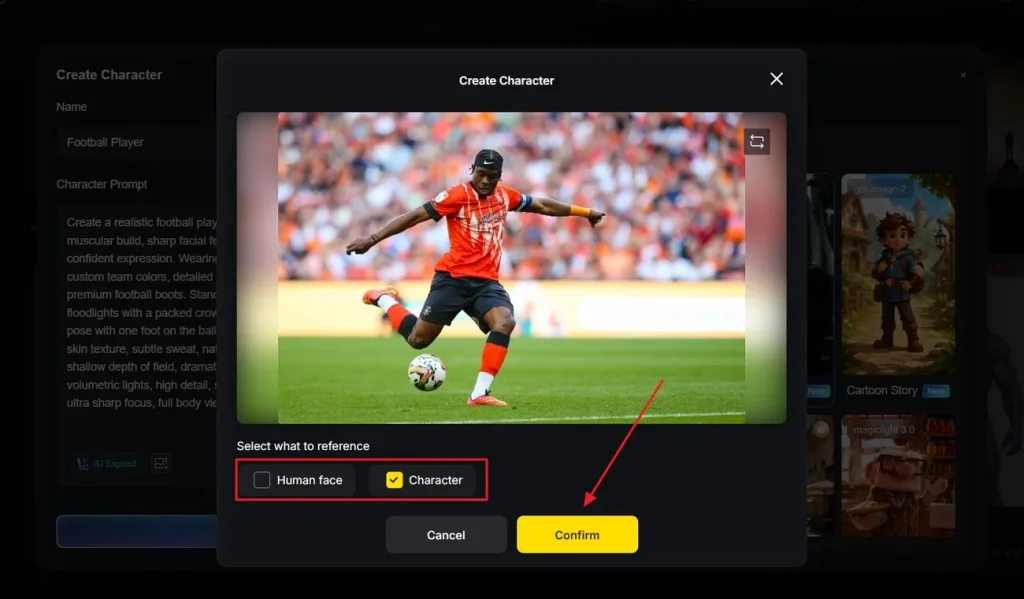
The next window lets you choose which visual elements you want to keep from the reference image, and then click Confirm.
Step 4. Finalize the Footballer Character Appearance
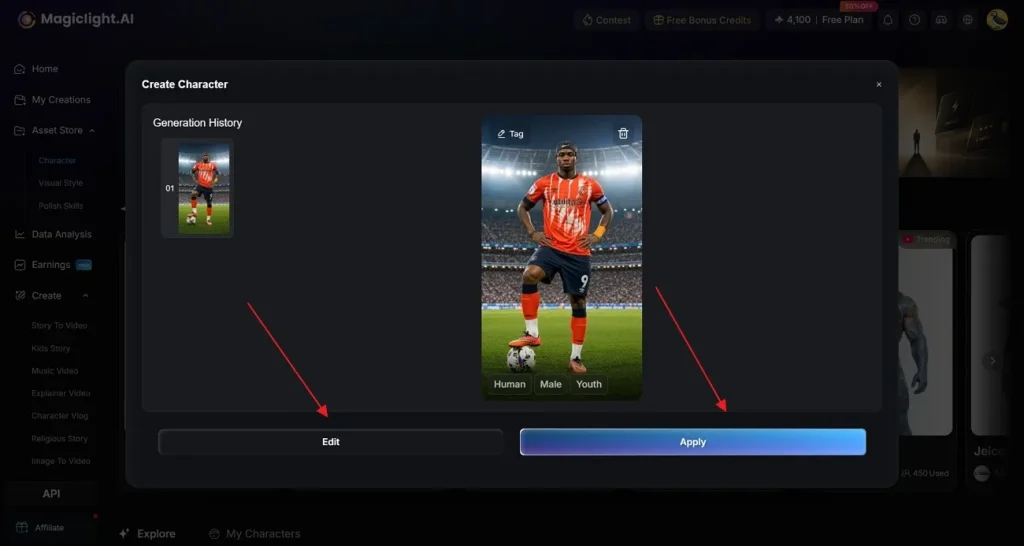
Once the character image is generated, review it carefully to ensure it matches your vision. Use Edit for adjustments and click Apply to proceed with the character.
Generate FIFA World Cup Video
Once your poster is generated, go through the given steps to generate complete AI storytelling videos:
Step 1. Create a New Video Project
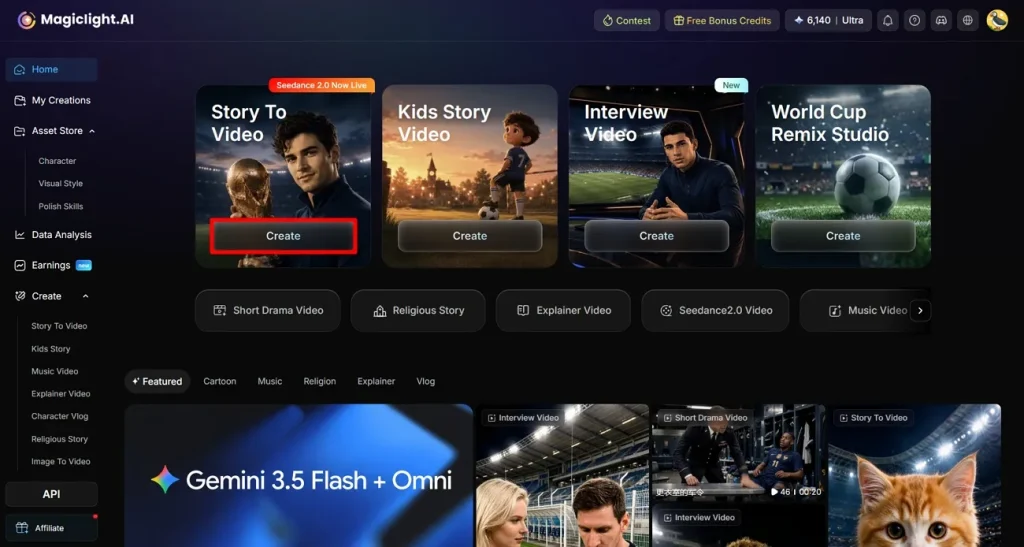
To begin, select the Story to Video option from the main screen of MagicLight AI.
Step 2. Enter World Cup Story Idea and Adjust Video Settings
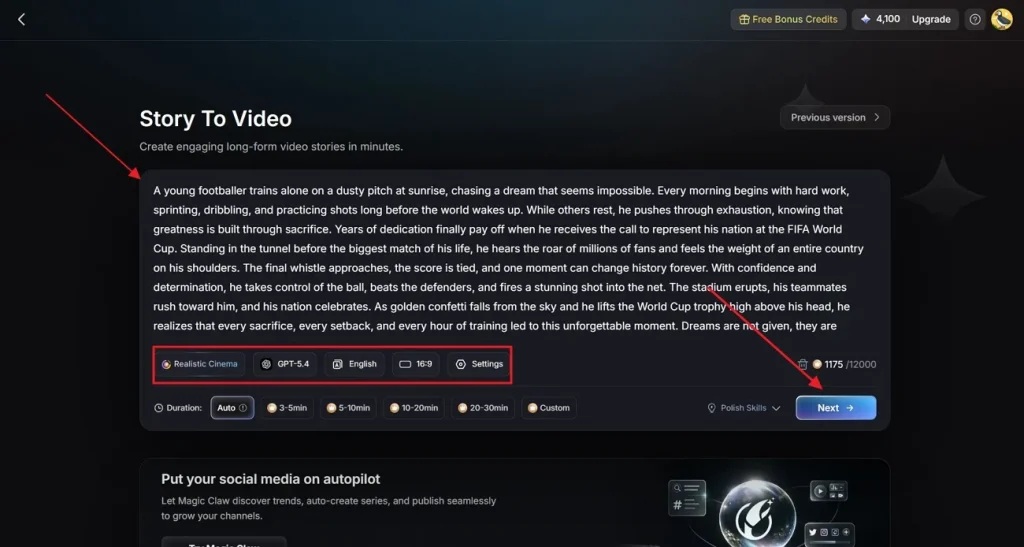
Next, enter your FIFA World Cup story idea inside the provided Text Box. Afterward, choose a Realistic Style Model for football visuals and an AI Story Model, such as GPT-4. Then, choose the preferred Video Language and select the required Aspect Ratio for your content. Finally, adjust the Video Duration and opt for the Next button to continue.
Step 3. Clarify Generated AI Video Summary
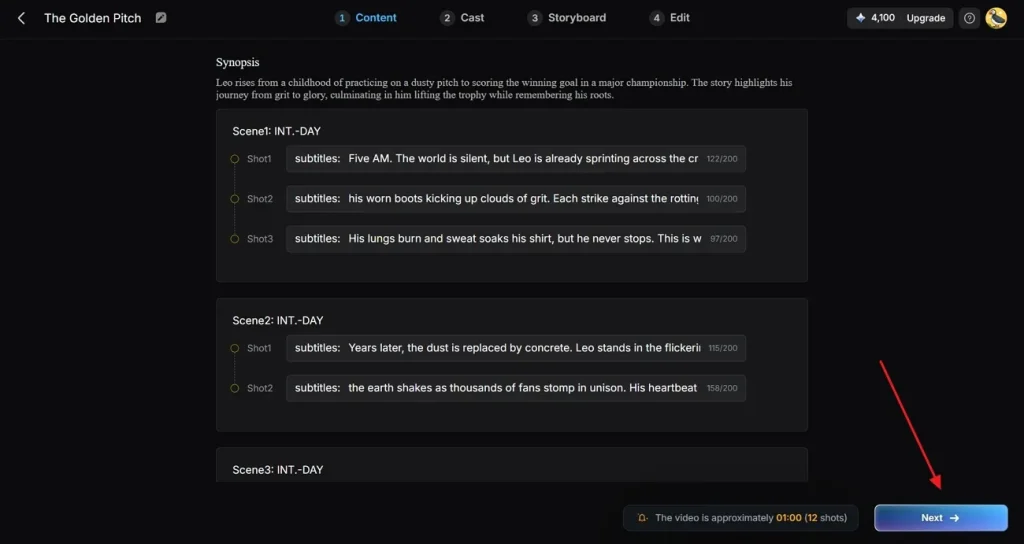
Moving forward, MagicLight AI generates a complete match scene flow and World Cup video summary for careful preview. If all generated football scenes and plot points appear accurate, opt for the Next button to proceed further.
Step 4. Configure and Confirm Football Character Settings
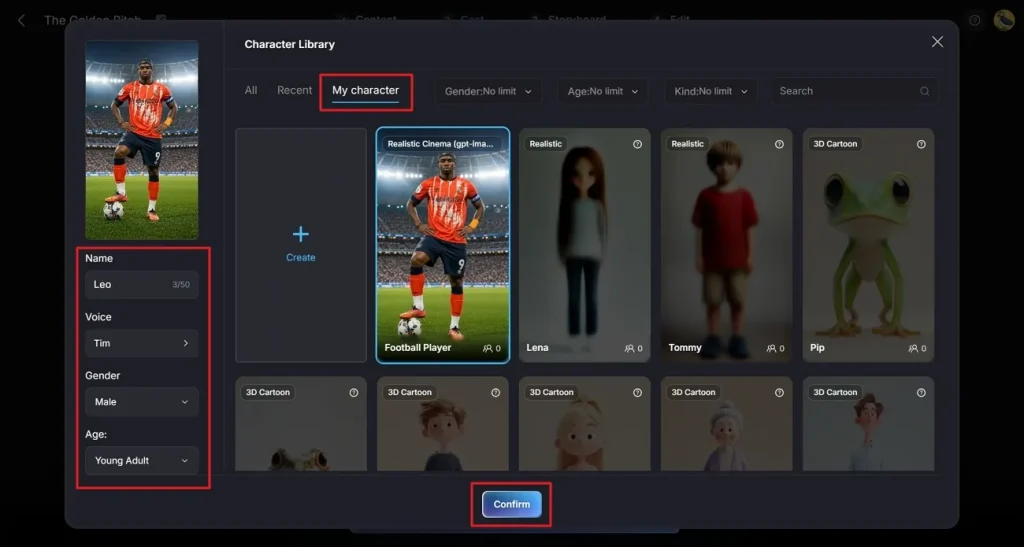
Upon entering the next window, go to the My Character option and select the football character generated previously. Afterward, enter a suitable character name in the Name field. From the available settings panel, choose the preferred Voice, Gender, and Age. Once all character details match your FIFA World Cup video requirements, click Confirm.
Step 5. Add More Characters
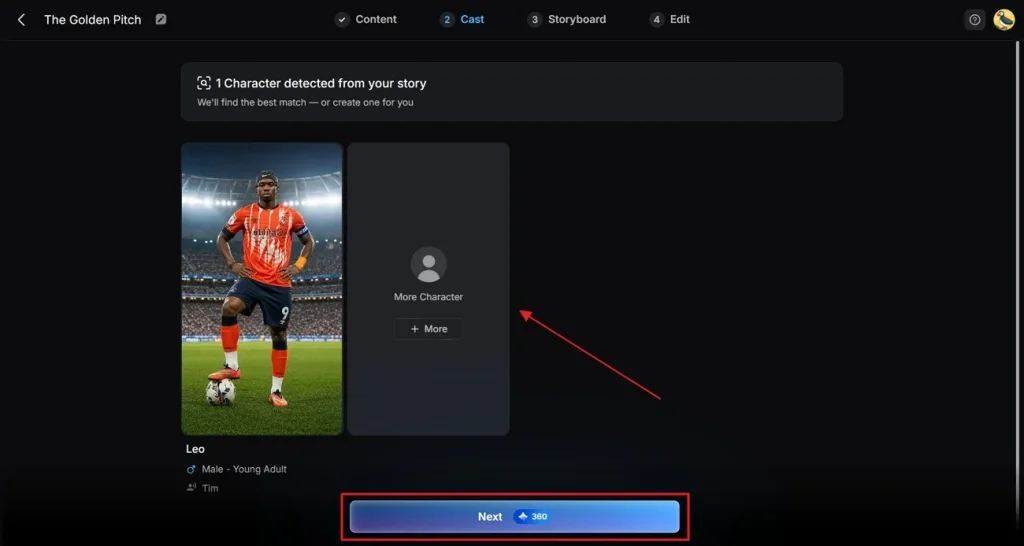
Now, press the Next button to move forward, and if you want to add another football character, opt for More Character.
Step 6. Customize Football Character and Scene Details
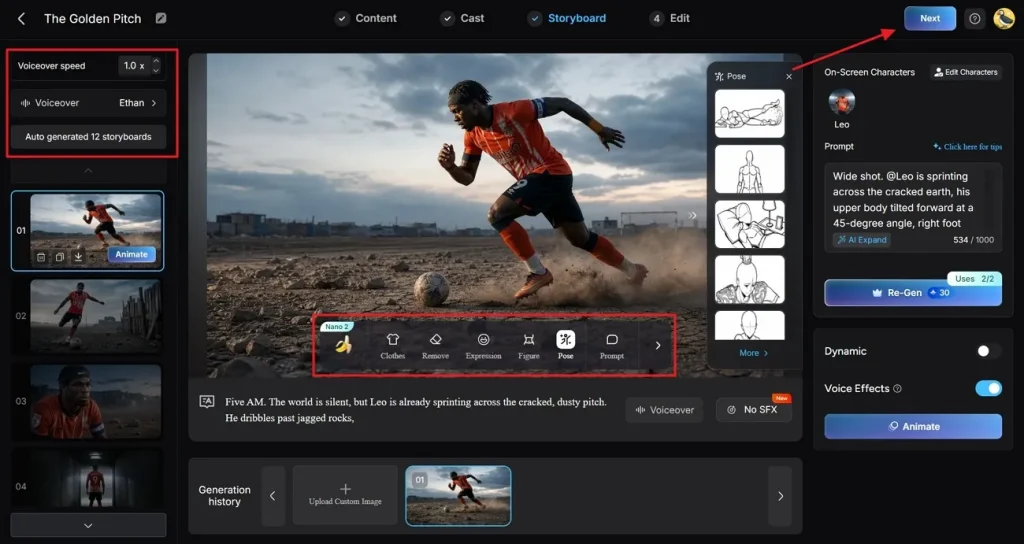
Inside the Storyboard section, you can change the player’s Kits, Expression, Poses, and overall character appearance for better visual consistency. From the left sidebar, change Voiceover or Voiceover Speed and review each football scene individually. Once all World Cup character customizations are finalized, opt for the Next button to continue.
Step 7. Insert Background Music and Subtitles
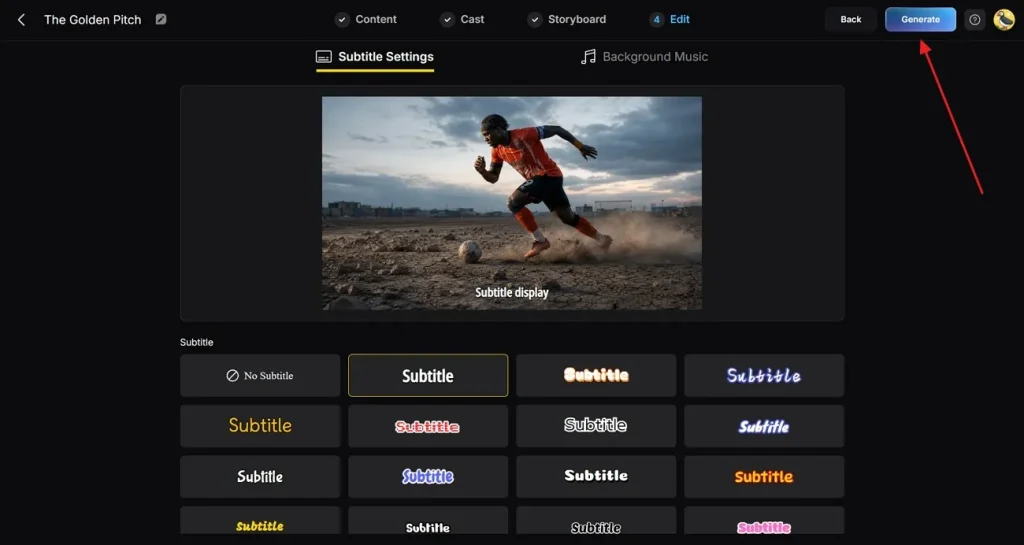
Next, open the Subtitle Settings section and generate captions for your FIFA World Cup video. Then, select suitable Background Music that matches the excitement and energy of football matches. After reviewing all settings carefully, click Generate to create the final video.
Step 8. Preview and Download Final AI Video
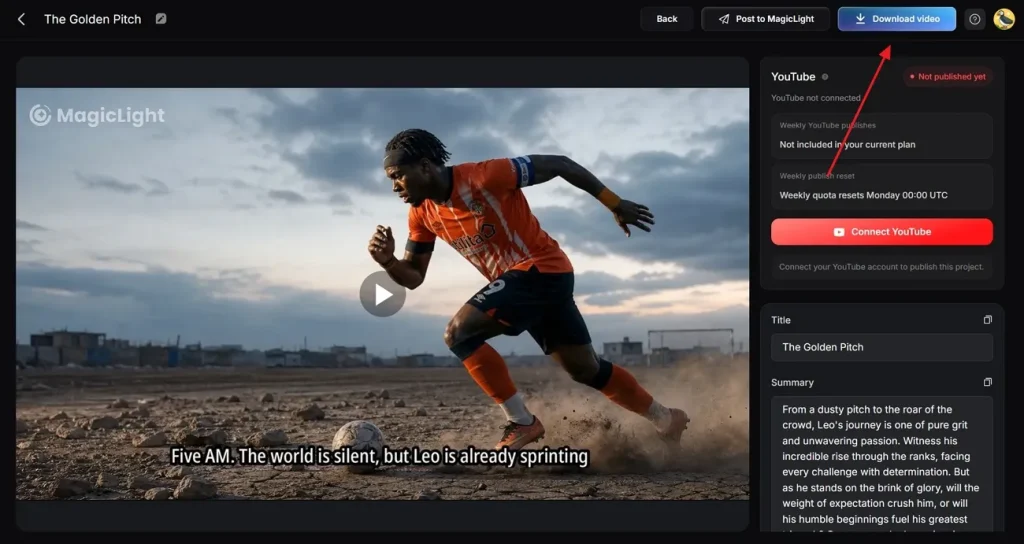
At last, preview the completed FIFA World Cup video, review every football scene, and make any final adjustments if necessary. You can also add a custom Thumbnail title and relevant football Hashtags before exporting. Once satisfied, click the Download Video button to save the video.
Conclusion
Creating memorable World Cup content becomes much simpler with Nano Banana World Cup prompts. This article provides 25 prompts to help generate realistic players, football scenes, and professional-looking posters. Yet football stories feel more exciting when characters move and interact naturally. For this reason, MagicLight AI turns your images into detailed World Cup videos with smooth storytelling.
FAQs on Nano Banana FIFA World Cup Prompts
1. Can Nano Banana create realistic football players?
Yes, Nano Banana can generate realistic football players using detailed character prompts. Users can customize kits, poses, facial expressions, and stadium environments. This helps create professional World Cup posters with realistic football player appearances.
2. How do I create consistent football characters?
MagicLight AI helps maintain consistent football characters across multiple World Cup scenes easily. Its character system preserves outfits, facial features, and overall visual appearance. This creates smooth storytelling while keeping the same player throughout videos.
3. Can Nano Banana create sports journalist characters?
Yes, Nano Banana can generate sports journalist characters for football content projects. Users can create reporters, presenters, interviewers, and broadcast studio professionals. MagicLight AI can then animate them to deliver realistic match updates seamlessly.
4. How do I create cinematic football artwork?
Use dramatic lighting keywords like stadium and cinematic atmosphere in prompts. Combine Nano Banana graphics with MagicLight AI video tools for epic cinematic effects. This workflow creates stunning visuals that look like professional World Cup broadcasts.
5. Can I use Nano Banana images in MagicLight?
Yes, Nano Banana images can be used inside MagicLight AI video creation workflows. Creators can upload football posters and convert them into animated scenes. This helps transform static World Cup artwork into engaging football video content.