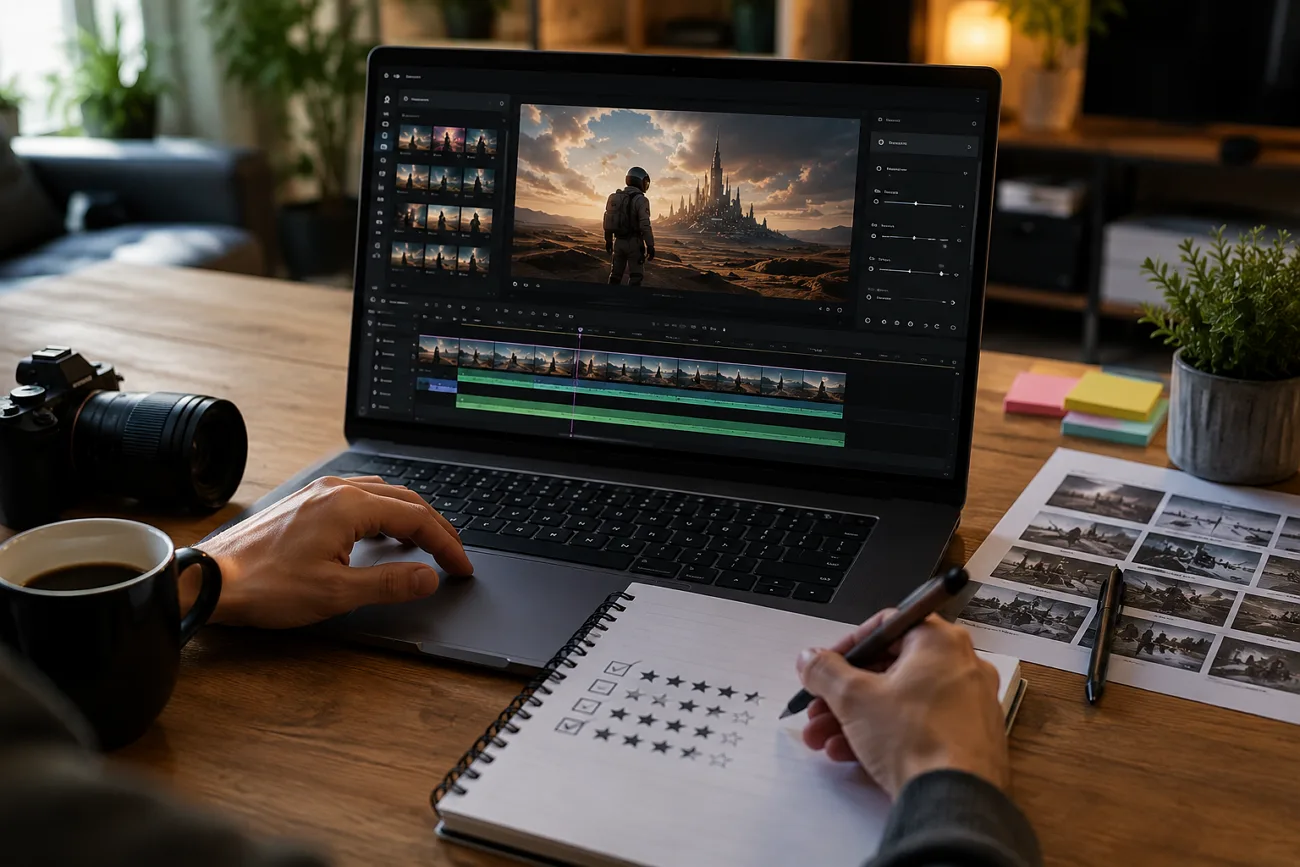
A user tries to create a high-quality video for their product launch. They quickly realize traditional editing tools are too slow and complicated for the tight deadline. This is where AI video generation tools like Runway AI come into the picture. The tool offers faster workflows and creative freedom without heavy technical skills.
In this Runway AI Review 2026, we take a closer look at how the platform performs in real-world use. You will also get to learn if it delivers enough value to justify its growing popularity among creators.
Part 1. What Is Runway AI?
It is a creative platform that uses advanced technology to create videos and tell visual stories. The platform is designed for creators who want to generate high-quality videos without relying on traditional editing software. Users can create and edit videos in a faster and more intuitive way by using text prompts.
Runway AI is also known for its cloud-based workflow and lets users work directly in a browser without high-end hardware. This makes it easy to use for new users and professionals looking for a Runway AI app review. The platform is especially popular for short-form videos where speed and flexibility are important.
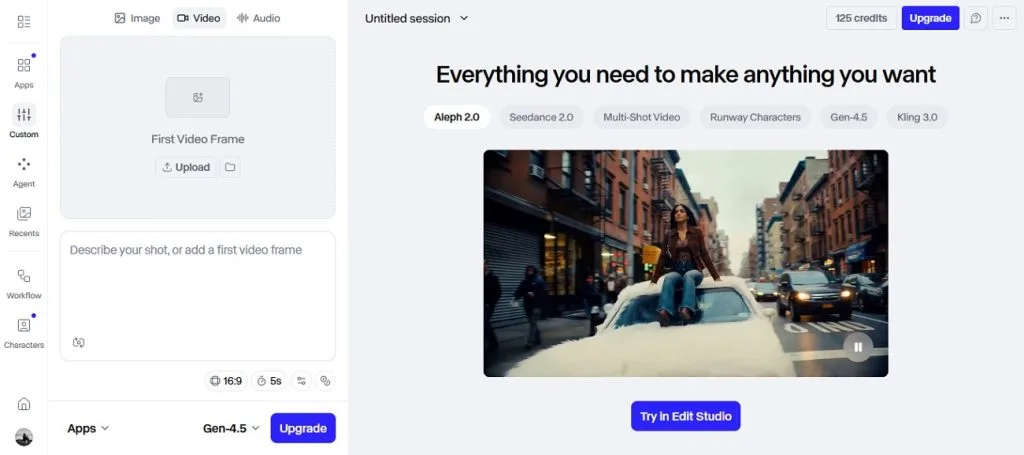
Key Features of Runway AI
Provided next are some of the unique features offered by this platform for creating videos:
1. Gen-4.5 Generative Video
This is the tool’s latest model that creates videos with maximum reality from text or photos. It offers smooth motion and delivers stunning visual detail. You can create entire scenes without cameras or actors. It blends with action footage and eliminates the need for expensive gear or crews.
2. Text-to-Image Generation
The feature turns your written ideas into photos in minimal time. You get full creative control and can tweak the generated results until you achieve the desired output. The tool allows users to create high-quality photos while keeping the results realistic.
3. Image-to-Video Conversion
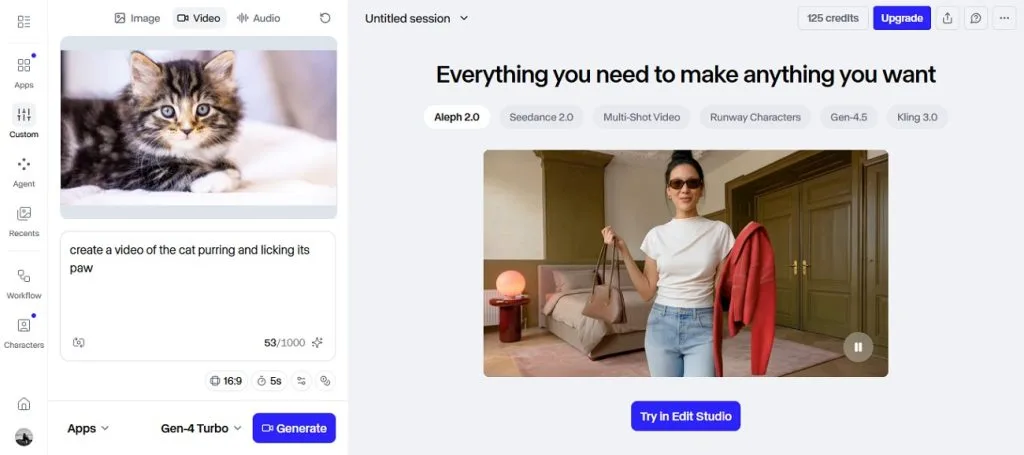
Runway also allows users to create high-quality videos from simple image prompts. Users can convert their photos into videos according to their preferences. It preserves the original look while adding believable movement.
4. Audio Generation
Users can generate audio files by entering their requirements in text. It allows users looking for Runway video AI review to choose from different generation models and create high-fidelity results. The generated results can then be added as a background score for your videos.
5. Upscale Video
The platform offers collaboration with different tools like Topaz AI to enhance the visual quality of your video. Its upscale feature lets you remove unwanted artifacts and blurs from the videos without manually editing them.
Pros & Cons To Know
After learning about the key features of the tool in this Runway AI video generation review, let us have a look at the pros and cons:
Pros
- Users can select from different aspect ratios for the video.
- It allows you to select the duration of the video according to your choice.
- The platform lets you choose from different models for your videos.
- You can add a video as the starting frame, and the tool will generate results accordingly.
- The image generation feature lets you choose the quantity of your photos according to your choice.
Cons
- High-resolution video and advanced models can be expensive when you create multiple photos.
- The platform lets you generate videos up to 10 seconds only.
- Sometimes the AI misses details, or the output feels off even with guidance.
- New users might struggle at first with all the features.
- Some users complain about slow help and look for Runway alternatives.
Part 2. MagicLight AI vs Runway AI: Which One Is Better?
As mentioned above, Runway offers many functionalities, but it lacks some of the essential functionalities, such as long video creation. MagicLight AI is one such tool that covers this gap by offering features like caption generation. It is an all-in-one AI video generator designed for creators who need to create long-form videos. The platform supports videos up to 50 minutes long while maintaining consistent characters and style.
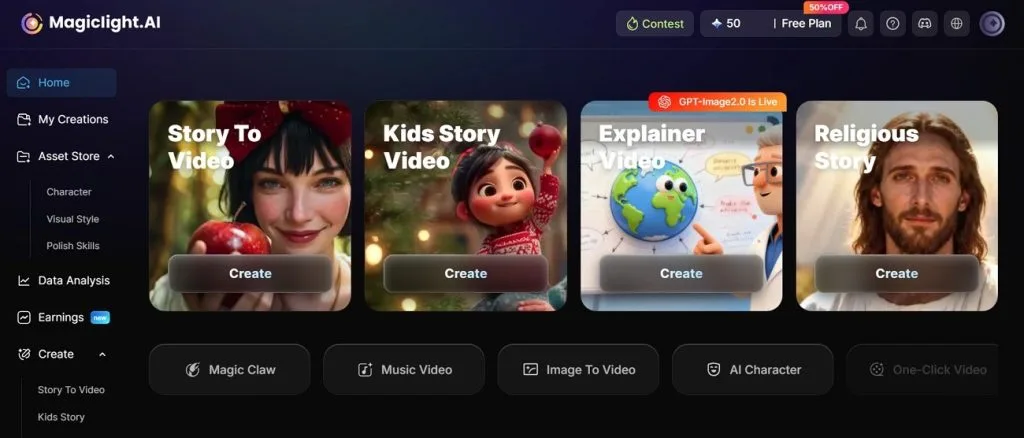
It turns scripts and ideas into scene-by-scene videos. You also get the ability to add voiceovers in multiple languages using this efficient tool. Moreover, the platform allows you to select the video's aspect ratio and duration to suit your preferences.
Detailed Feature Comparison: MagicLight AI vs Runway AI
Now that you know what MagicLight AI is in this Runway AI review, let us have a look at the side-by-side comparison between the two tools:
| Feature | MagicLight AI | Runway AI |
| Max Video Length | Up to 50 minutes of continuous long-form content | Typically, 10-second clips that need stitching for longer videos |
| Character Consistency | Excellent same cast, voice, and personality across the entire video | Inconsistent Characters often lose identity across shots |
| Text-to-Video | Full script-to-video with scene-by-scene narrative generation. | Text-to-video for short cinematic clips, not long narratives |
| Built-in Voiceover | Real-time voice with synced lip movement and captions | Requires separate audio tools or the Generative Audio feature |
| Editing Tools | Built-in AI video editor with camera angles, lighting cues, transitions | Green screen, motion tracking, frame interpolation |
| Image-to-Video | Photo to animation with style control | Image-to-video with natural motion |
| Learning Curve | Beginner-friendly and intuitive interface for non-professionals | Steeper learning curve and requires creative direction |
| Best For | Long-form storytelling, kids' content, explainers, YouTube videos | Short cinematic clips, professional VFX, film production, |
| Customization | Visual style, aspect ratio, voice tone, music, and pacing per scene | Aspect ratio, duration, model selection |
Conclusion
To wrap it up, this article provided a detailed Runway AI review and explained what it is. It discussed the tool's key features and other aspects to help users learn about it. However, the platform has several creative limitations. MagicLight AI is one of the reliable alternatives that you can try to overcome these restrictions. This advanced video generator lets you create long videos in no time.
FAQs on Runway AI
1. Is Runway AI free or paid?
The platform offers 125 one-time credits with limited access. Full access to all features requires upgrading to a paid plan. The free plan is best for testing and initial experience, while paid plans are for serious users.
2. Is the Runway AI app safe to use?
It is safe to use with an in-house visual moderation system that automatically detects and blocks harmful or inappropriate content. MagicLight AI also maintains strong safety standards for content creators.
3. Can beginners use Runway AI easily?
The tool offers a difficult interface for users with less technical knowledge. MagicLight AI is a beginner-friendly tool with a simple workflow that does not require creative direction.
4. What are the best alternatives to Runway AI?
MagicLight AI stands out as the best alternative for long-form storytelling and built-in voiceovers without confusing credit systems.
5. Does Runway AI support text-to-video?
The platform lets you input a text description to obtain high-quality videos instantly. This feature is perfect for creating short cinematic clips. You can use MagicLight AI to create longer videos up to 50 minutes.


![How to Write a Script for a Short Film in 2026 [Beginner’s Guide]](https://magiclight.ai/wp-2/wp-content/uploads/short-film-screenplay-writing-guide-300x169.webp)