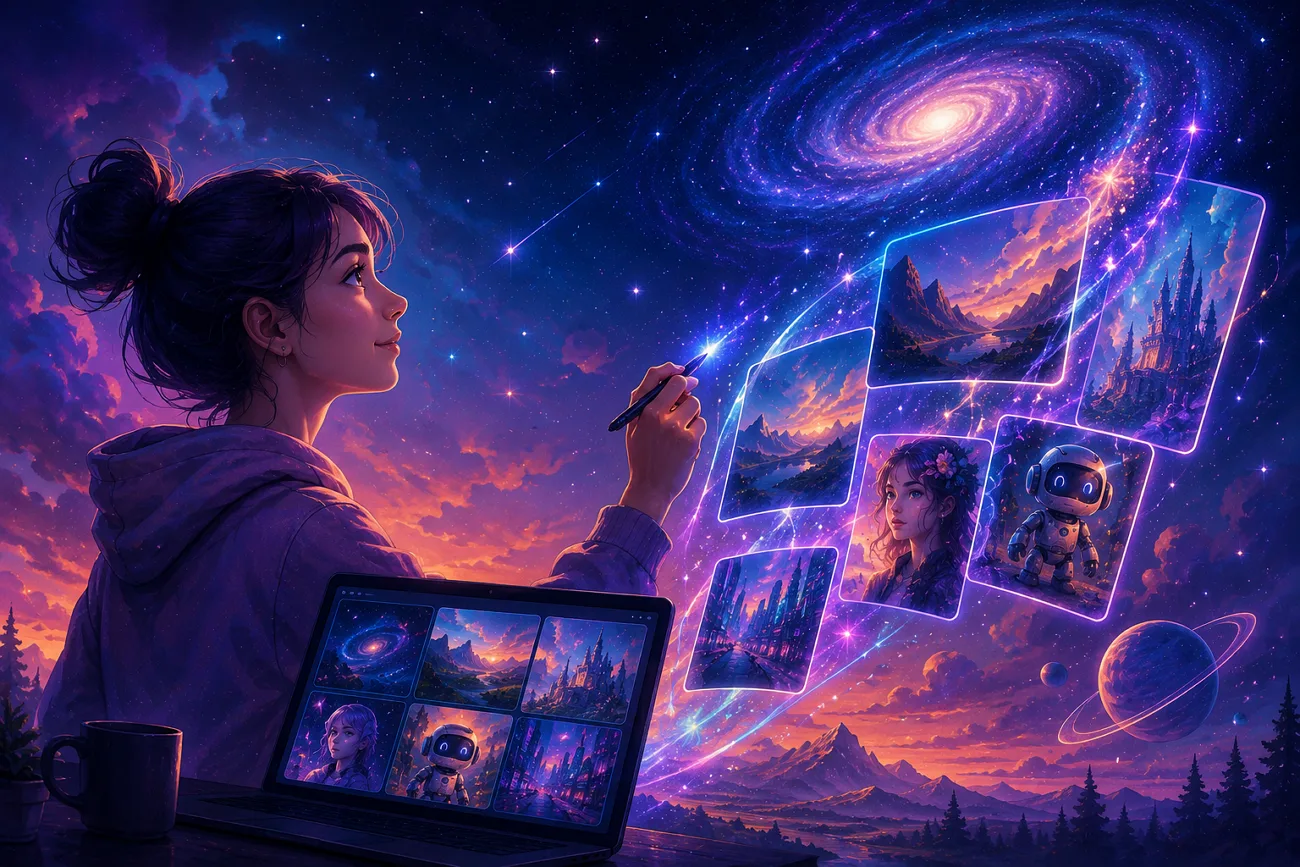
In today’s digital world, creators rely on AI tools to make visual content and use different AI platforms for creative work. Starry AI is one of the tools that turns your text into amazing visuals in just a few seconds. In some cases, it has limited creative control over final image results, and users seek a better alternative. That’s the reason this review clearly explains its features, problems, and better alternatives for easy selection.
Part 1. What Is Starry AI
Starry AI is an art generator tool that creates digital artwork, launched in 2021 and founded by Mo Kahn. With a simple text prompt, users generate impressive and creative art results easily. The system uses Altair VQGAN CLIP and Orion CLIP guided diffusion models.
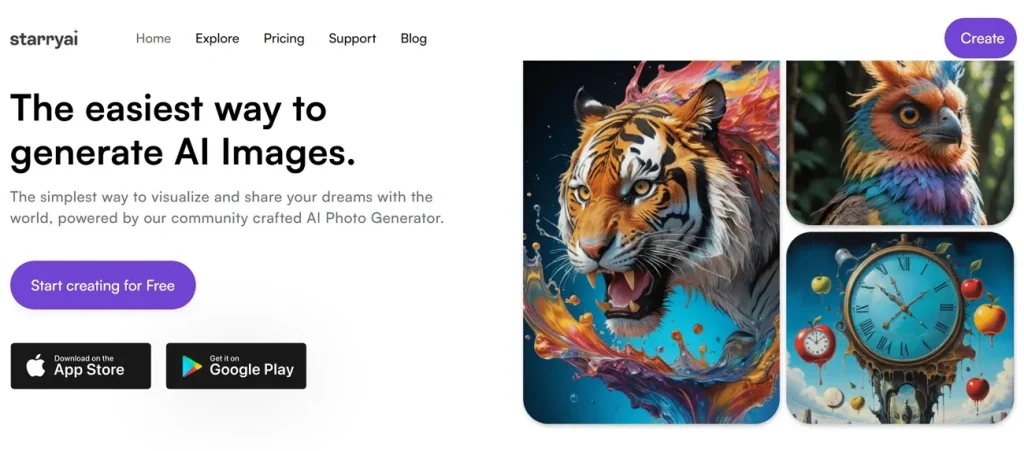
It allows users to adjust image style, resolution, and creative output settings easily. The platform offers many visual styles, including Nano Banana and Pixar style options. Along with this, it also supports video generation of 5-second clips, with capabilities to generate 3D animations.
How Does Starry.ai Work?
In this part, you will get to know how this tool works for creating visuals:
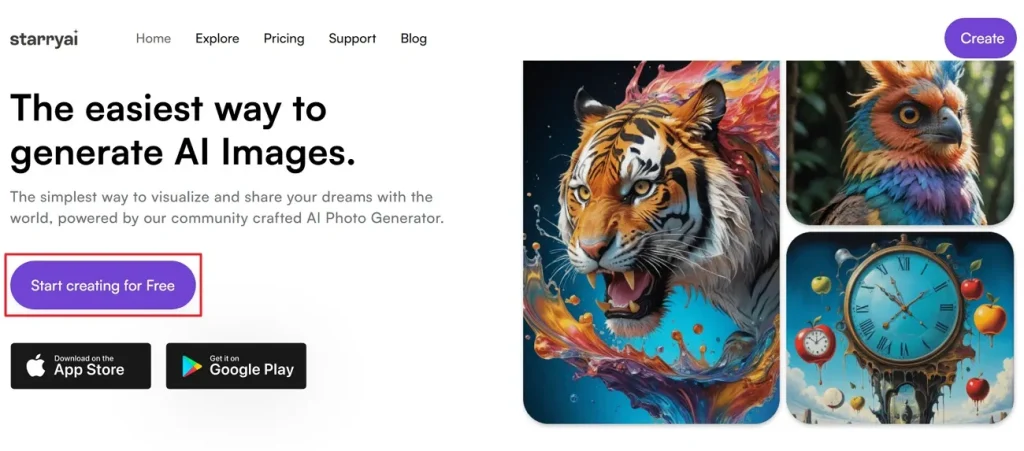
Step 1. To initiate, access the official website of Starry AI and opt for the Start Creating for Free option.
Step 2. On the next screen, press the Generate Images option.
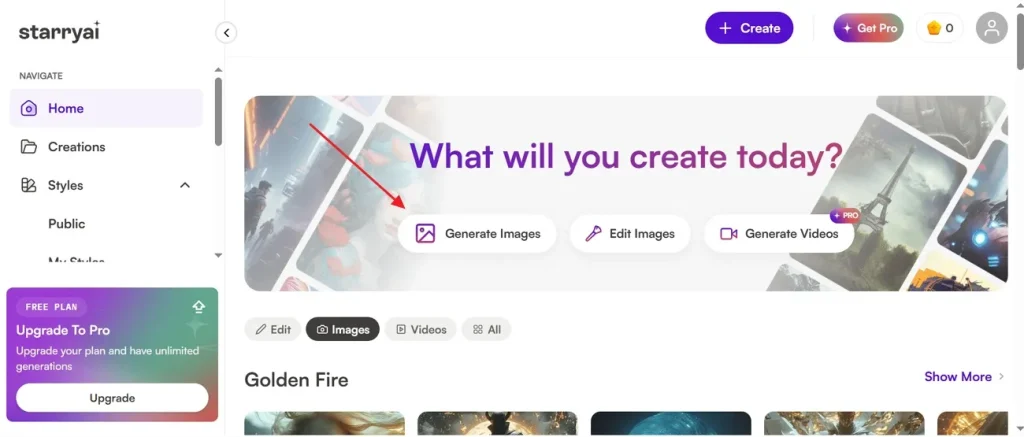
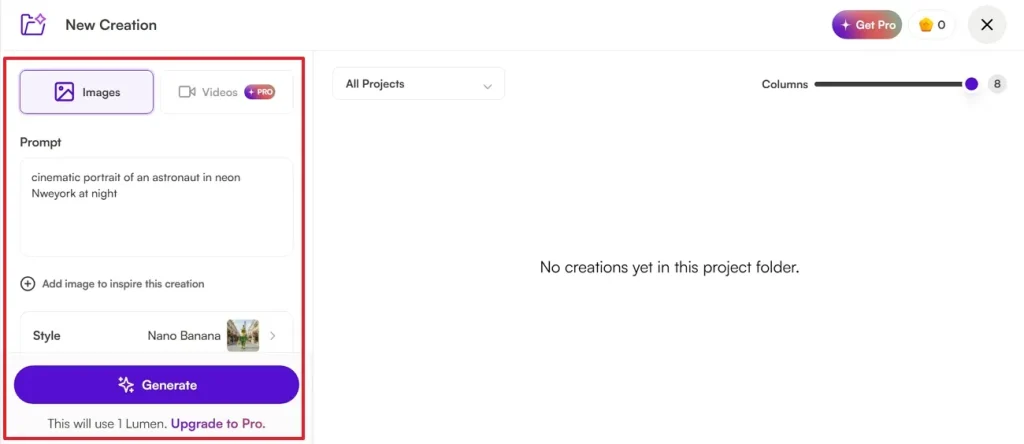
Step 3. After accessing it, go to the Image section and enter the text in the given Prompt Box to describe the visual appearance. In addition, you can add a reference image to guide how you want the new image. Next, navigate to the Style section and select an AI style model like Nano Banana. After that, opt for the Generate button and follow the coming instructions.
Top Features of Starry AI Generator To Know
Now that you know how Starry AI art generator works, this specific section explains the various features that it offers:
- Prompt Control: Advanced prompt settings help users control unwanted image details and improve final creative accuracy
- Image Upscaling: Prebuilt upscaling tools improve image sharpness up to 4x and increase overall visual quality significantly online.
- Format Support: Supports popular image formats like JPEG and PNG for creating realistic animated videos.
- Resolution Control: Covers different resolutions and canvas sizes for thumbnails and social media visuals.
- Image Variations: Users can create up to 8 image variations from existing artwork for improved creative visual results.
Part 2. Common Problems Users Face With Starry AI
Many users report quality and control issues while using the Starry AI image generator. So, below are the most common problems users face during daily creative image generation tasks:
- Prompt Blocking: Several users report normal prompts becoming blurred or blocked during image generation online. Additionally, harmless fantasy content sometimes triggers strict filters and distorted visual results unexpectedly.
- Failed Generations: Several creators claim incomplete image generations that never finish processing successfully on mobile devices. In some cases, failed generations still consume valuable credits from user accounts unexpectedly.
- Weak Accuracy: Some generated visuals do not fully match detailed prompts entered by users during creation. Furthermore, important image details sometimes appear incorrect despite using clear, creative text descriptions.
- Download Errors: Users face failed downloads while saving generated images from mobile applications online. Sometimes, saved visuals become inaccessible and display black or gray screens unexpectedly afterward.
- Image Censoring: Most generated visuals contain black boxes covering important image sections without a clear explanation provided. Artistic prompts occasionally receive unnecessary censorship despite containing non-sensitive creative elements.
Part 3. Why Users Prefer MagicLight AI Over Starry AI?
When important prompt details are lost, Starry AI sometimes produces inaccurate or unusable visuals. Such ongoing accuracy and censorship problems reduce creative freedom for regular creators. Therefore, many users start exploring a reliable Starry AI alternative for improved visual results. To overcome these limits, MagicLight AI delivers consistent visuals and improved generation performance. This tool provides a complete workflow from idea creation to final edited video output in one system.
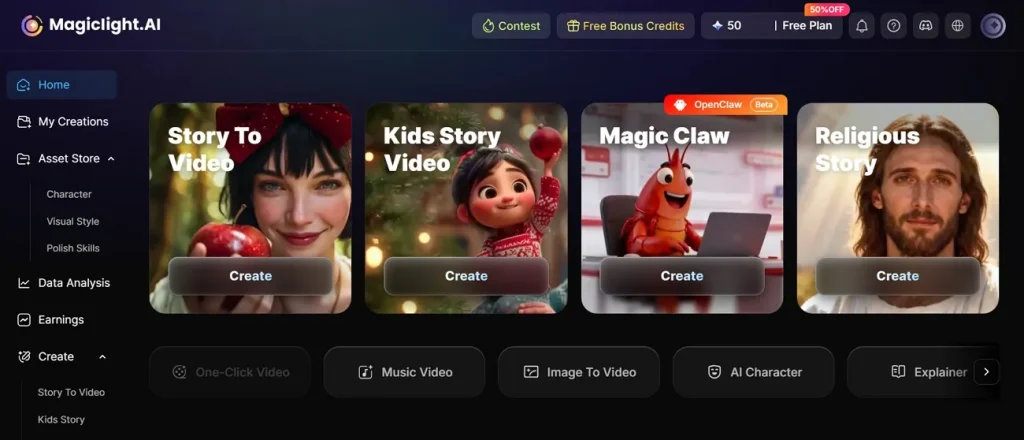
It also supports long video creation up to 50 minutes for advanced storytelling projects. Along with text-to-video, it also supports image-to-video using PNG and JPG formats. MagicLight AI integrates advanced video models like Seedance, Kling, Veo, and Hailuo for generation. The tool also offers multiple style models for realistic 3D cartoon and cinematic anime video generation options.
Key Features
- Nano Storyboard: Uses the Nano Storyboard system, breaking scenes into micro actions for precise animation control.
- Story Input: Supports up to 12000-character scripts for detailed long-form video storytelling creation.
- Voice Sync: Ensures proper synchronization between voiceovers and animated scenes for realistic video output.
- Cinematic Look: Creates cinematic quality videos with enhanced lighting, motion, and professional film style effects.
- Animation Convert: Converts storyboard directly into animation using 16 different cinematic animation models.
Conclusion
To conclude, this review shows that Starry AI offers a simple way to create art online. However, control and consistency issues can frustrate serious users during creative work. Therefore, many creators look for platforms that offer strong editing and advanced features. If you want long videos and better animations, you need advanced tools. To solve this problem, MagicLight AI provides the perfect solution for advanced storytelling.
FAQs on Starry AI
1. Is Starry AI free to use?
Starry AI offers a free plan with limited daily image generations available. However, free users face restrictions in credits, features, and image quality options. Paid plans are needed for higher-quality results and faster generation performance access.
2. What's the difference between Starry AI and MagicLight AI?
Starry AI mainly focuses on image generation, with limited video creation tools overall. In contrast, MagicLight AI provides a full video creation pipeline with storytelling, editing, and publishing features. Therefore, MagicLight AI is more suitable for long-form video and advanced creators.
3. What are the best sites like Starry AI?
Many AI tools like MagicLight AI, Midjourney, and Leonardo AI offer similar features. These platforms provide better control, quality, and creative flexibility for image generation tasks. Users choose them for improved results, stability, and more advanced creative production tools.
![How to Write a Script for a Short Film in 2026 [Beginner’s Guide]](https://magiclight.ai/wp-2/wp-content/uploads/short-film-screenplay-writing-guide-300x169.webp)