Marketing videos or short training clips can feel overwhelming when you do not know how to edit. Many advanced applications take hours to learn and need costly design software that takes up your budget. As a result, many different creators keep delaying their posts instead of sharing regular updates online.
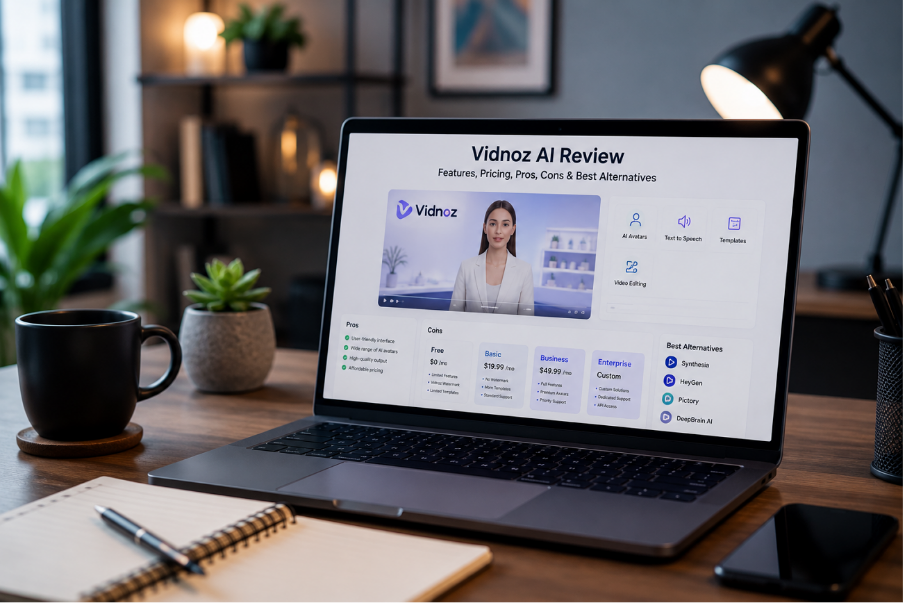
Vidnoz AI aims to resolve this issue by converting your written scripts or short input into ready‑to‑use corporate videos. In this review, you will know if Vidnoz AI fits your creative goals and how MagicLight AI becomes a better option if you need more freedom in creating AI videos.
What Is Vidnoz AI and How Does It Help Create AI Videos?
Vidnoz AI is a web‑based video creator designed to turn simple scripts and short text into presentation‑style AI videos. It uses a large library of human‑like avatars and AI voices that read your content. The tool syncs speech with realistic facial movements so you do not need cameras or recording equipment.
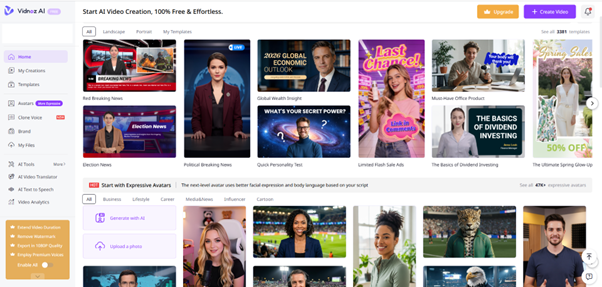
People who wish to create fast social media advertisements or business explanations without complex editing tools may find the platform appropriate. You can add titles, logos, branded backgrounds and digital stickers on the canvas to fit your visual identity and customize your video.
Key Features That Make Vidnoz AI Stand Out
AI Avatar Library: Choose from over 1700 digital avatars covering different jobs, outfits, and cultures.
Multilingual Voice Synthesis: Use more than 2680 realistic voices across 140+ languages and accents for clear delivery.
Ready Video Templates: Start with about 3400 pre-made training, marketing, educational, and social video templates.
Script-to-Speech Editor: Type or copy your script and the editor will convert it into a more natural voice.
Custom Asset Integration: Embed your logos, music, pictures, and screen captures into the video segment.
Free Plan Features and Limitations
It is important to understand what the free plan offers before you set your video goals. Vidnoz AI offers a free trial that lets you use its core features without a credit card. However, the free tier has limitations that can reduce the quality of your final clips.
Free Plan Key Features
Text to Video: Paste a script and automatically turn it into a presenter‑style video with narration.
AI Voice Library: Choose from over 890 voices for natural language and tone.
No Credit Card Required: Register and create without entering any card information.
Instant Editor Access: You will have full access to the timeline editor from the first login.
Limitation
Longer lessons or pitches are limited by the 3-minute time for each video.
Output is limited to 720p, so you miss the sharper look of HD exports.
Topics require shorter messages because scenes are limited to 2,000 characters.
All free exports include a Vidnoz AI watermark that is not suitable for client work.
How to Create an AI Video Using Vidnoz AI?
Starting your first project means choosing a video style and picking a voice that fits your script. Use the steps below to create a clear AI video in Vidnoz AI.
Step 1. Navigate to your Vidnoz AI account and click Create Video on the main dashboard.
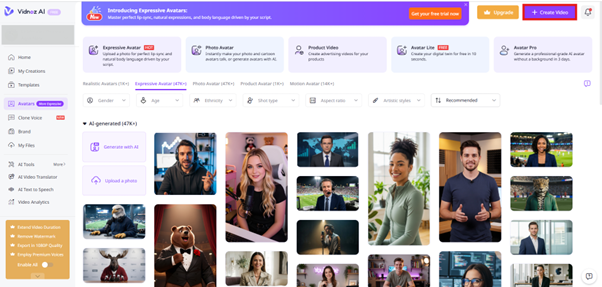
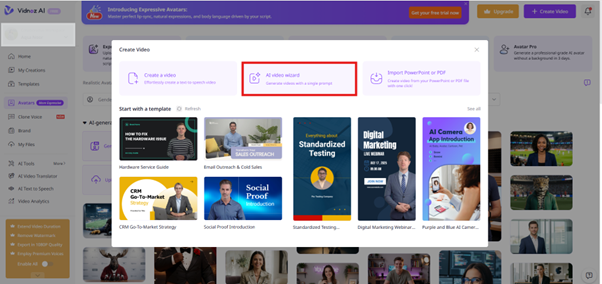
Step 2. After that, select the option AI Video Wizard to generate an AI video with a single prompt.
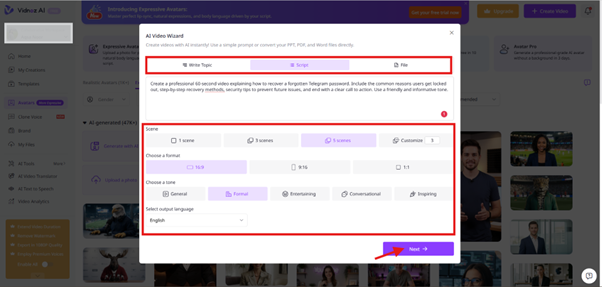
Step 3. Choose your input type, such as Write Topic or Script, and then type your topic or upload your content. After that, pick your Scenes, Aspect Ratio, Tone, and Language from the given options. Click Next to move forward once these basic settings are ready.
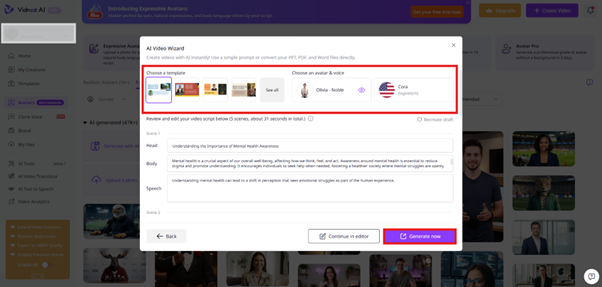
Step 4. To proceed further, choose Templates and AI Avatar and Voice from the library. After that, review your scene frame by frame and click on Generate Video to create your AI video. You can download the video once it is generated.
Vidnoz AI Pros and Cons: Things To Know Before Choosing
Each AI video generator tool does some things very well and has some drawbacks. Read the pros and cons below to guide your decision before you spend money.
Pros
- Provides a simple workflow for short AI avatar videos.
- Helpful templates for promos, explainers, and business announcements.
- No need for cameras or recording gear to keep feeds active.
- Browser‑based editing without heavy software installation.
Cons
- The free tier has limited minutes and often adds watermarks.
- Avatar and style options may feel generic if you want cinematic looks.
- Multi‑scene narrative shorts can be harder to control from start to finish.
Try MagicLight AI as a Flexible Option for AI Video Creation
Many AI video tools, like Vidnoz AI, create short, animated slide decks by placing a single talking avatar over static backgrounds. To resolve this issue, MagicLight AI is built for story-to-video generation. The platform starts with your story idea and turns it into cinematic motion sequences.
It keeps the story flowing by keeping your main characters the same in every connected shot. The clothes, faces, and hair stay consistent from the first scene to the last. Furthermore, MagicLight AI can generate videos up to about 50 minutes, making it suitable for both quick social posts and long‑form episodes.
Key Features
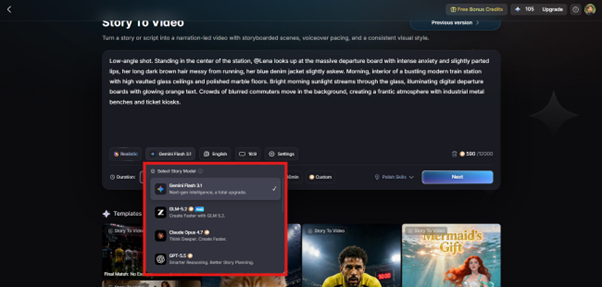
AI Story Models Supported: Access 9 models that include GLM-5.2, Gemini 3.5 Flash, and more to select the AI model that best supports your stories.
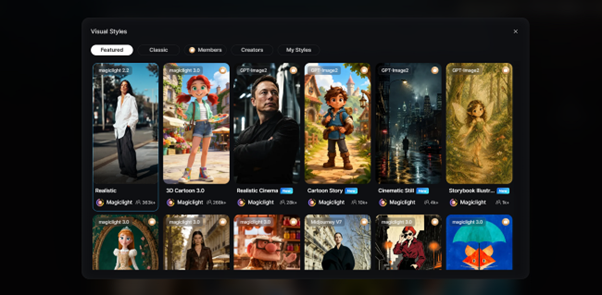
Visual Styles Library: Offers multiple style options across Midjourney V7 and MagicLight 3.0, including realistic, cinematic, 3D cartoons, comic, and many more.
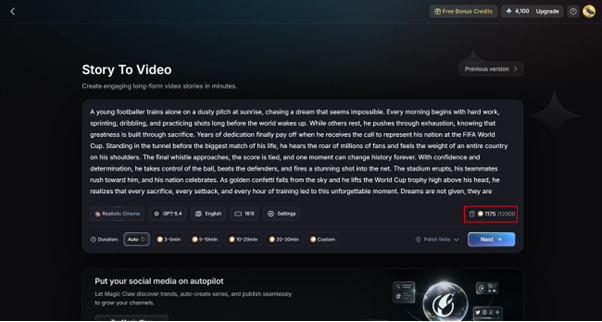
Story to Video Generation: You can explain your story description in detail up to 12,000 characters and create a professional and high-quality AI Video.
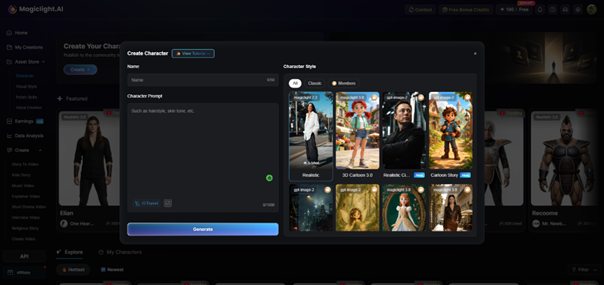
Custom AI Character Creation: Create your own AI character by providing the character name and description that includes its appearance, look, and style in 1000 characters.
Conclusion
To sum up, choosing the right AI tool depends on whether you want simple business slides or story‑based videos. Vidnoz AI works well for template-based business explainers, but they are not ideal for long-form marketing or brand storytelling. If you want consistent character and longer videos, consider MagicLight AI because it's a stronger option to make high-quality videos with less effort.
FAQs on Vidnoz AI
Is Vidnoz AI free to use?
Yes, there is a free plan that you can use daily with Vidnoz AI. The tool applies a watermark to videos on free or limited plans, but not on paid plans.
What is Vidnoz AI mainly used for?
Vidnoz AI is used to make short business and social media videos that look like presentations, using ready‑made human avatars instead of recording real people.
Can Vidnoz AI create videos in multiple languages?
Yes, Vidnoz AI supports many languages and lets you translate text in different languages inside your script. MagicLight AI also supports different languages if you make more story-driven videos.
How does Vidnoz AI compare with MagicLight AI?
Vidnoz AI works like a slide editor that puts talking avatars on top of static templates. MagicLight AI focuses on story videos and cinematic scenes with character consistency.
Which AI video generator is best for business presentations?
MagicLight AI is the best choice for business presentations because it can handle multiple scenes in a single video, maintain consistent character appearance, and provide flexible control over layout and camera views.