Photos capture precious memories, but hours are required to turn them into an engaging slideshow. AI video slideshow generators make this easier by generating a polished slideshow with automatic transitions and even voiceovers in mere minutes.
The best AI video slideshow generator can help you save time without compromising on quality, even in the production of social media videos or marketing videos. This guide explores the 10 best AI video slideshow generators along with their key features and specifications.
10 Best AI Video Slideshow Generators to Create Stunning Videos in Minutes
The right slideshow generator is one that meets your requirements and imagination. This section explores 10 reliable options with their strengths and limitations to help you choose the right one:
MagicLight AI
Why Choose It: It creates complete studio-quality slideshows with scripts, voices, and visuals inside one platform.
MagicLight AI is the best AI video slideshow generator, offering 19 AI story models to create engaging slideshow narratives. It maintains consistent characters across every scene for a unique visual experience. Prior to generation, users can enter prompts of up to 12,000 characters to provide detailed guidance for their videos.
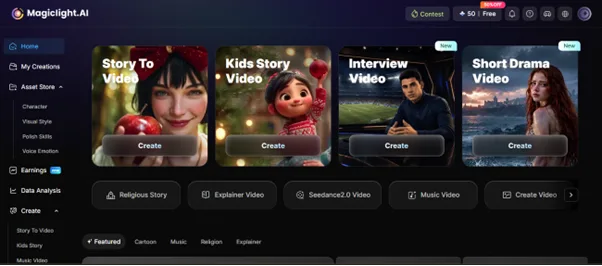
The Storyboard feature lets users edit slideshow projects at any stage prior to exporting, which eliminates the need to restart the entire creation process. It also supports slideshow videos up to 50 minutes long for longer projects. Additionally, MagicLight AI automatically generates slideshow cover images, removing the need to create thumbnails manually.
Pros
- Language Supported: Create slideshow videos in 11 languages for viewers across different countries easily.
- Visual Styles: Pick from 40+ visual styles to create slideshow videos matching every theme and creative idea.
- Story Flow: AI organizes slideshow scenes automatically for natural story flow and better video quality.
Con
- The slideshow projects are created in a maximum of 1080p resolution.
CapCut
Why Choose It: Produce social-ready AI slideshow videos using templates, music, and simple editing tools.
CapCut offers a built-in slideshow maker that has 2 Agent Modes, like Standard and Director, for slideshow creation. It even allows you to control duration and scene order inside its Storyboard Director, making it the best AI video slideshow generator. Besides, there are 5,000+ royalty-free songs and sound effects to use for fun slideshow movies.
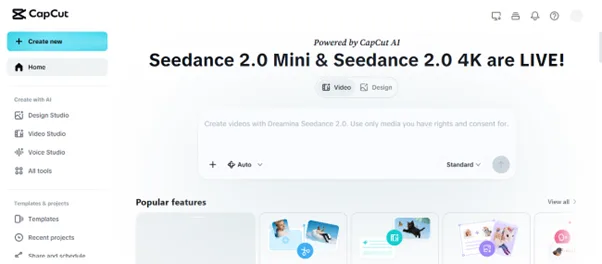
Pros
- Choose from many free templates across different styles and popular screen sizes.
- Add animated text, stickers, filters, and smooth transitions to every slideshow video.
Cons
- Cannot export slideshow projects as editable PowerPoint or PPT presentation files.
- Lacks advanced charts, custom layouts, and team collaboration for business slideshow projects.
InVideo AI
Why Choose It: Generates engaging slideshow videos using AI avatars or your own digital twin.
This also stands among the best AI video slideshow generators that turn pictures into complete slideshow videos with matching scenes and storytelling. Users can create slideshow videos in 50+ languages for viewers across different countries. Additionally, the tool generates matching background music automatically for better slideshow viewing experiences.
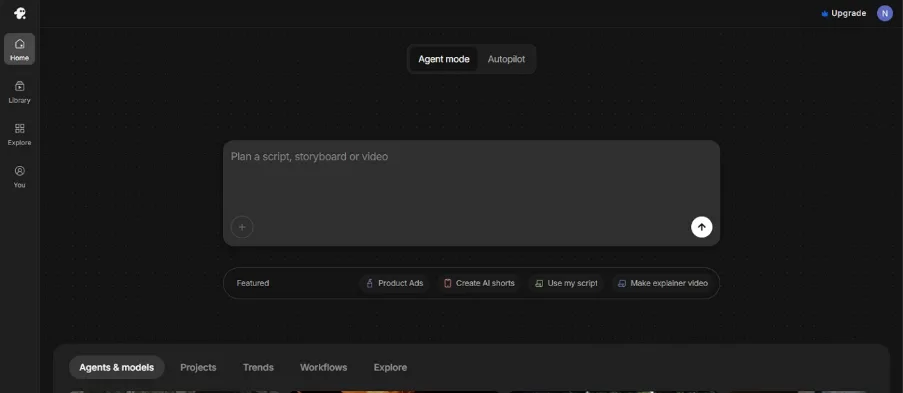
Pros
- Create product slideshow videos with AI-generated narration and matching promotional visuals.
- Reuse saved slideshow assets across multiple projects for future video creation.
Cons
- AI-generated slideshow scripts sometimes require manual rewriting for better accuracy.
- Automatically selected slideshow visuals may not always match specialized presentation topics.
4. Manus
Why Choose It: Handles slideshow research, writing, and exports inside one complete AI platform.
This platform allows you to upload slides from different sources such as Figma and Google Drive. You can generate custom charts automatically from uploaded PPTX or PPT data files. With this platform, you can generate realistic images for slideshow presentations without having to search across different stock websites.
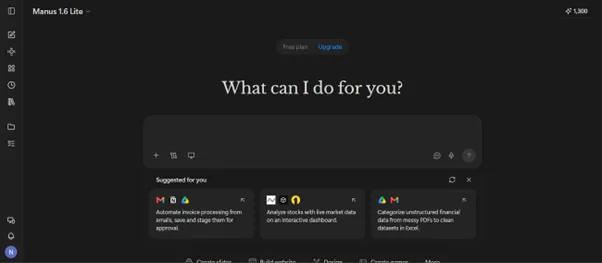
Pros
- Export slideshow presentations as editable PPTX files for easy future editing.
- Generate slideshow presentations with matching visuals and organized page layouts automatically.
Cons
- AI-generated slideshow information still requires careful fact-checking before being shared.
- Some slideshow designs may appear repetitive without additional manual visual improvements.
5. HeyGen
Why Choose It: Create training and sales slideshow videos without recording presenters or manually adding voiceovers.
HeyGen is another best AI video slideshow generator that supports file uploads up to 50 MB. While generating, you can add transitions between slideshow scenes for better visual flow and storytelling. Furthermore, it adjusts narration speed for smoother slideshow videos to match your preferred speaking style.
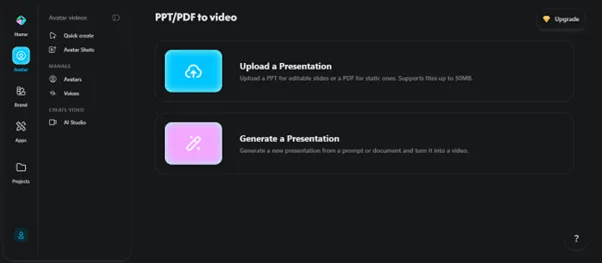
Pros
Translate slideshow videos into over 175 languages for people worldwide.
Add synchronized captions to help viewers understand slideshow videos without turning the sound on.
Cons
AI avatar features may feel unnecessary for simple personal slideshow presentations.
MP4 export limits users who need editable slideshow presentation file formats later.
6.Clipchamp
Why Choose It: Exports HD slideshow videos for clear playback across different devices and platforms.
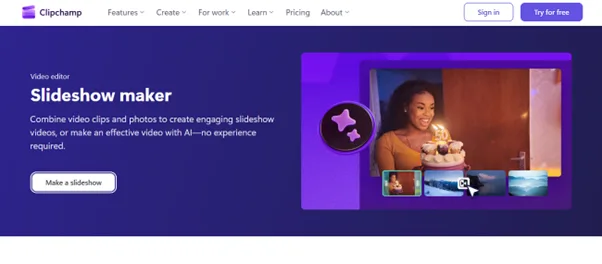
With this tool, you can upload personal photos and videos for customized slideshow creation. It generates polished slideshow drafts after you select your preferred visual style with AI. Along with that, the generator lets you import files from different sources, such as OneDrive and Dropbox.
Pros
Balance narration and music automatically for clearer slideshow video sound quality.
Provides effortless transitions between slideshow scenes for natural video flow every time.
Cons
Cannot export slideshow projects as editable PowerPoint presentation files for meetings.
Manual slideshow editing requires more effort than an automated AI slideshow.
7.Pictory
Why Choose It: Help creators turn static photos into more engaging videos with AI-powered motion effects.
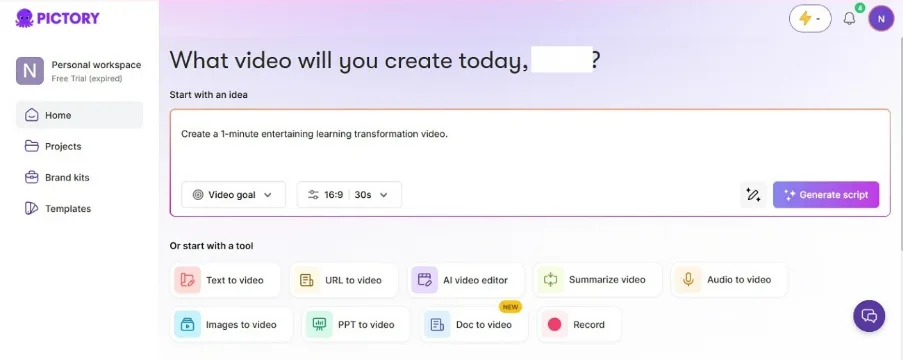
Creators can animate their slides using advanced models like Veo 3.1 and Pixverse. You will also be able to generate videos up to 5 minutes long. It's also the best AI video slideshow generator since it transitions between slideshow scenes in a cinematic fashion.
Pros
Add smooth camera movement for more dynamic slideshow videos using AI motion effects.
Enables you to import files with up to 90 slides and 50 MB in size.
Cons
Manual slideshow design controls remain limited for highly creative presentation projects.
AI-generated slideshow visuals may require adjustments for unique branding requirements later.
8.Steve AI
Why Choose It: Supports 4K slideshow video exports for more professional viewing quality.
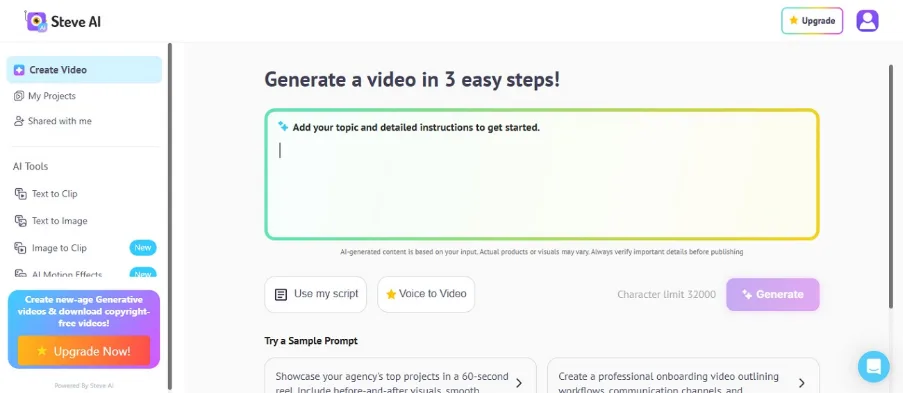
Users can submit up to 32,000 characters of prompts for detailed stories. Furthermore, it offers translation in 10 languages (among which English and German), broadening the audience reach. As the best AI video slideshow generator, you can even select custom voiceovers and subtitles effortlessly.
Pros
Create AI slideshow videos up to 300 seconds without splitting your content.
Improve slideshow videos using built-in creative assets and animation graphics easily.
Cons
Longer slideshow videos may require additional processing before the final export.
Heavy use of templates may create slideshow videos with similar visual styles.
9.Canva
Why Choose It: It allows teams to create slideshow presentations together using real-time collaboration features.
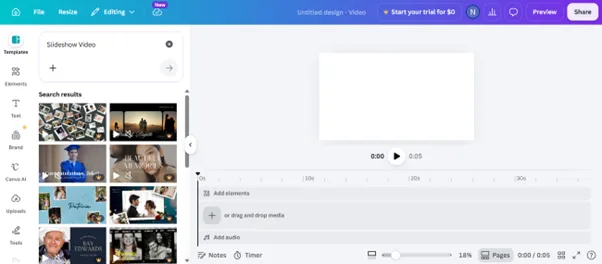
Canva can also create slideshow outlines using Magic Design for faster presentation building. This best AI video slideshow generator imports PowerPoint and Google Slides for flexible slideshow editing inside one platform. To add audio, you can record yourself, upload from a computer, or generate from AI.
Pros
- Improve slideshow presentations using Magic Insights for smarter content suggestions.
- Rearrange slideshow pages easily using beginner-friendly editing controls inside the workspace.
Cons
- AI-generated slideshow content still needs manual editing for better storytelling quality.
- Supports slideshow videos up to only 30 seconds in length.
10. Synthesia
Why Choose It: Great for creating professional slideshow videos without having to record yourself every single time.
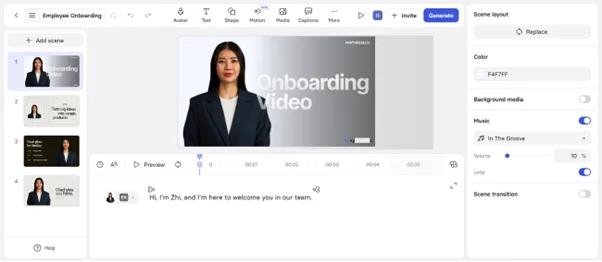
While exploring the best AI video slideshow generator, this platform supports a 500-character prompt. You can even generate slideshow videos directly from website pages using AI content generation. This tool also creates AI motion graphics for more attractive slideshow video content automatically.
Pros
Support multilingual slideshow videos with over 160 language options for localization.
Add screen recordings to explain products clearly during slideshow video presentations.
Cons
Cannot export slideshow projects as editable PowerPoint presentation files after creation.
AI presenters sometimes appear less natural than real people.
How to Choose the Right AI Video Slideshow Generator: Compared
Prior to choosing the best AI video slideshow generator, you should match your content goals and editing preferences. Explore the comparison table below to find the option matching your project needs:
| Tools | Story Creation | Video Length | Visual Styles | Storyboard | Special Slideshow Feature |
| MagicLight AI | 19 AI story models | Up to 50 minutes | 40+ visual styles | Editable AI storyboard | Consistent AI characters |
| CapCut | Basic storyboard | Adjustable scenes | Template styles | Storyboard Director | 5,000+ audio assets |
| InVideo AI | Prompt-based stories | Standard length | AI visuals | Text scene editing | AI avatars available |
| Manus | AI research writing | Editable Presentation | Smart layouts | Editable slides | CSV chart generation |
| HeyGen | Prompt narration | Narrated video slides | Brand templates | Scene editing | 240+ AI avatars |
| Clipchamp | AI draft creation | Standard length | Template library | Timeline editing | 1080p HD export |
| Pictory | Image storytelling | Up to 5 minutes | AI motion styles | Scene editing | Veo 3.1 models |
| Steve AI | Script generation | Up to 300 seconds | Creative templates | Scene customization | 4K video export |
| Canva | Magic Design | Up to 60 seconds | Design templates | Page editing | Real-time collaboration |
| Synthesia | Prompt generation | Presentation videos | Presentation templates | Slide editor | 240+ AI avatars |
What Makes MagicLight AI Better Than Other AI Slideshow Tools?
important slideshow capabilities. You will now explore some reasons why it outperforms other tools in features and quality:
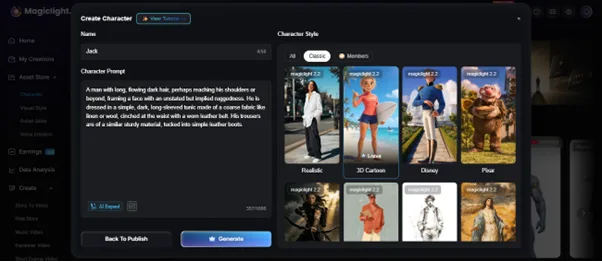
Custom Characters: Powered by its AI Character Generator, Creators can build custom characters using a prompt of up to 1,000 characters. It even lets you choose from diverse style models to give every character a unique look.
Kids Templates: Kids Story mode also includes 7 ready-made themes for young viewers. Parents and teachers can create fun slideshow stories without writing experience.
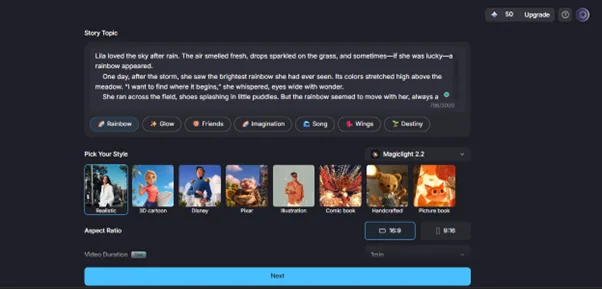
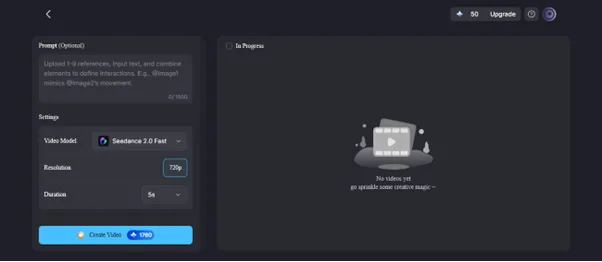
Image Animation: Turn a single image into an engaging slideshow video using advanced AI animation models. Choose from 19 video models and regenerate scenes any time before completing your final slideshow.
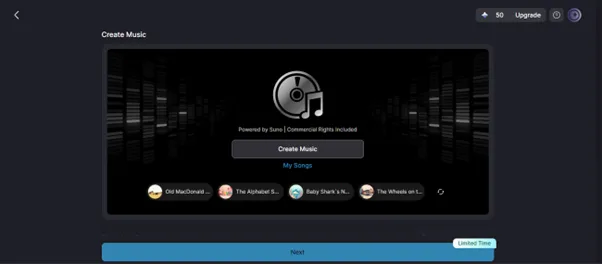
Music Generation: Generate original background music with AI to match your slideshow's mood. Moreover, you can select different genres and create soundtracks that fit every scene naturally.
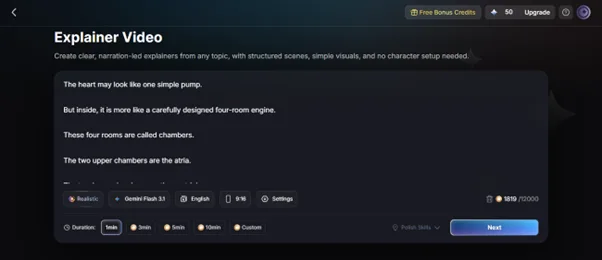
Explainer Videos: Create AI explainer slideshow videos on topics using ready-made storytelling templates. It even lets you generate scripts, voiceovers, storyboards, and visuals together for clear educational or business presentations.
Complete Guide to Generating AI Slideshow Videos with Minimal Effort
Follow the given instructions below to create an engaging AI slideshow video via this tool:
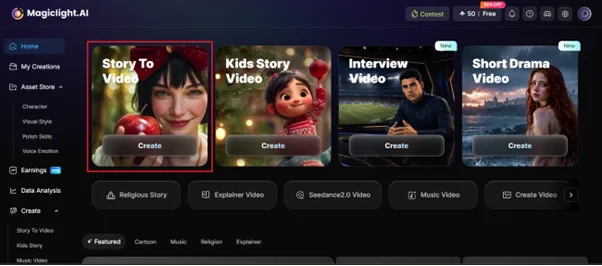
Step 1. Access MagicLight AI for Creating Slideshow Videos
Initially, open MagicLight AI in your web browser and click the Story To Video feature.
Step 2. Describe Your Slideshow and Adjust Settings
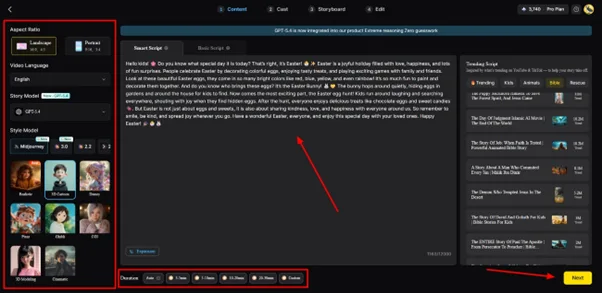
After opening the feature, type your slideshow prompt into the Text Box and choose your preferred Video Language from the left panel. Next, select the Aspect Ratio, pick a Story Model such as GPT-5.6, set the Video Duration, and click Next to continue.
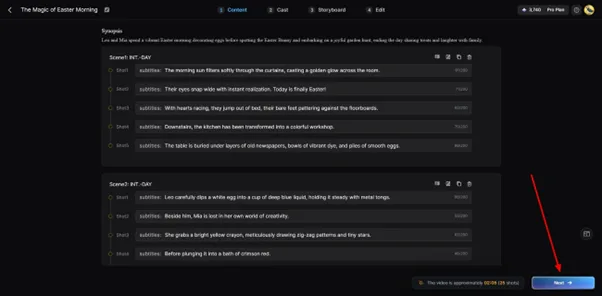
Step 3. Review or Edit the Generated Storyboard
The platform automatically creates a storyboard for your slideshow. Review each scene carefully, make changes if needed, and click Next once everything looks correct.
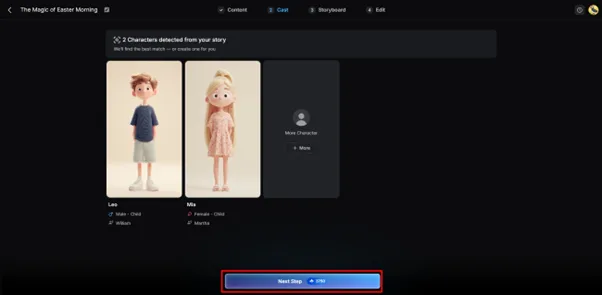
Step 4. Select or Create AI Characters
MagicLight AI suggests suitable AI characters based on your slideshow content. Choose one from the available options or create a new character by selecting More Character. After confirming your choice, click Next Step.
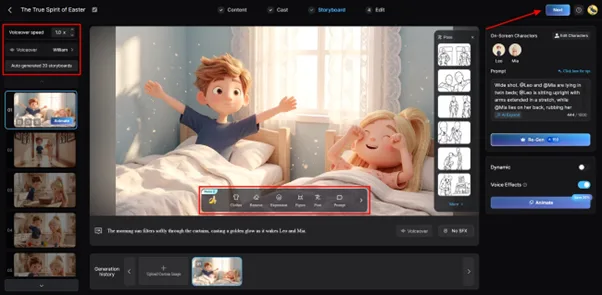
Step 5. Customize Character Appearance
At this point, the tool enables you to change the Voiceover Speed of a character. Not only this, but you can also modify its Clothes, Expression, and Body Figure from the provided buttons. When you confirm all settings, click the Next button to continue.
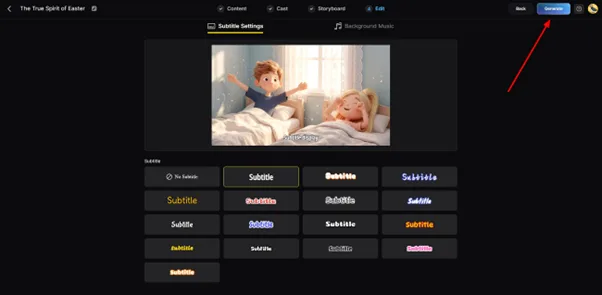
Step 6. Add Subtitles and Background Music
Going forward, open the Subtitle Settings to generate subtitles for your slideshow video automatically. Then choose Background Music, select the preferred soundtrack, and click Generate.
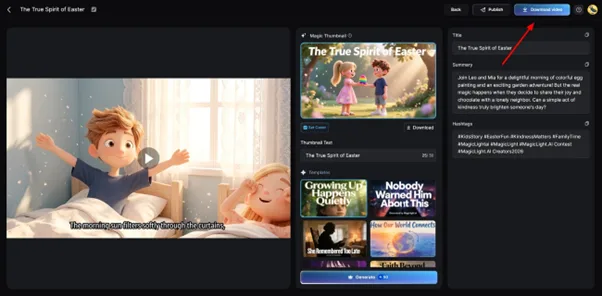
Step 7. Preview or Download Your AI Slideshow Video
After the slideshow video is ready, preview it to check every scene and transition. Once you agree with the output, opt for Download Video to save the slideshow video to your device.
Conclusion
Brands and creators always need short videos that grab attention online. Thus, picking the right tool from the 10 available options can feel like a challenge. Still, the best AI video slideshow generator helps save both time and effort. Therefore, MagicLight AI stands out by supporting longer videos, custom characters, and complete production tools.
FAQs on Best AI Video Slideshow Generator
1. What is the best AI video slideshow generator?
MagicLight AI is widely known as the best slideshow generator. It creates full slideshow videos with scripts, voices, and visuals. You can also make long slideshow videos with consistent characters and storytelling.
2. Can AI create a slideshow from photos automatically?
Yes, many AI tools can turn uploaded photos into slideshow videos automatically. They arrange images, add transitions, and create smooth scene flow. Some platforms also include music, captions, and voiceovers for more engaging slideshow videos.
3. Are AI video slideshow generators free to use?
A lot of AI video slideshow generators provide free plans with basic creation features included. However, MagicLight AI offers a free plan for new users to create slideshow videos.
4. Can AI slideshow generators add music automatically?
Yes, many AI slideshow generators add matching background music during video creation. The music matches your slideshow style and helps scenes feel more interesting for viewers. Some tools also let you replace tracks or create new music using AI.
5. What is the best AI slideshow maker for social media?
MagicLight AI is a strong choice because it creates engaging slideshow videos with AI-generated visuals, voiceovers, and music. CapCut is another good option for short social media videos thanks to its templates and editing tools.
6. Can I create 4K AI slideshow videos?
Yes, some AI slideshow generators support exporting videos in 4K for sharper viewing quality. However, the available resolution depends on the platform and selected export settings during creation.
7. How long does AI take to generate a slideshow?
MagicLight AI usually creates slideshow videos within a few minutes after processing starts. The time depends on the video length and the chosen visual style. Yet, when you have longer slideshow videos up to 50 minutes, they may need extra generating time.

![How to Make a Reaction Video with AI Tool [Guide 2026]](https://magiclight.ai/wp-2/wp-content/uploads/ai-faceless-reaction-video-guide-300x169.webp)