Imagine Art has evolved into an AI video creation platform that helps users turn ideas into short videos. It uses text prompts and creative tools to generate visual content quickly across web and mobile devices. This review covers Imagine Art’s video features, pricing, advantages, and limitations in detail. Moreover, it also explains whether the platform is suitable for creators looking for an efficient AI video workflow.
Part 1. What Is Imagine Art?
This is a creative AI video platform found at imagine.art that generates short videos from text prompts or reference inputs. Imagine Art works through browsers and mobile apps to let users access AI video tools across different devices easily.
The platform offers text-to-video generation, style controls, and creative options for producing engaging AI-powered video content. A live preview updates with settings changes, helping users understand potential results before spending generation credits.
Key Features
- Creates short AI videos up to 20 seconds from text prompts with automated scene generation.
- Uses Seedance 2.0, Gemini Omni Flash, and Kling 3.0 for realistic videos.
- Applies artistic styles to videos for unique and customized visual appearances.
- Shows previews during adjustments to refine videos before final generation.
- Animates an image into cinematic videos with natural motion, smooth transitions, and high-quality output.
Pros
- Generates realistic AI videos from 720p to 4K resolution outputs.
- Offers Android and iOS apps for creating content while traveling.
- Provides team collaboration options for shared creative projects.
- Lets users test the platform through a free daily credit system.
Cons
- Free outputs lack commercial rights for professional video projects.
- Limited scene-level controls reduce detailed video customization options.
- Character consistency may vary across multiple generated video clips.
- Video generation lacks advanced storytelling controls for longer projects.
Part 2. How to Use Imagine Art?
Follow the steps below to start your Imagine Art project by choosing an image or video workflow first:
Step 1. First, choose a video creation mode and enter the video prompt. After that, select the Aspect Ratio, Orientations, Duration, and Resolution. You also need to determine the right AI Model and press Generate to start video generation.
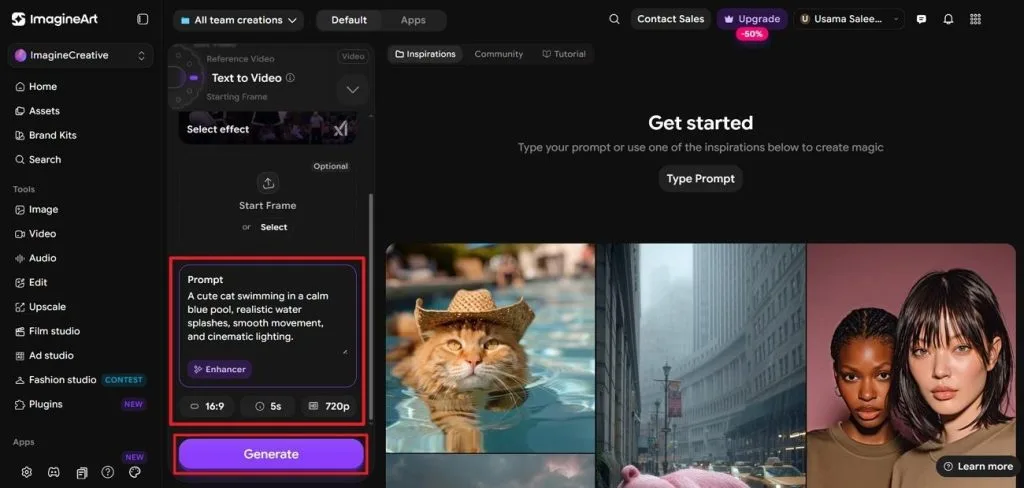
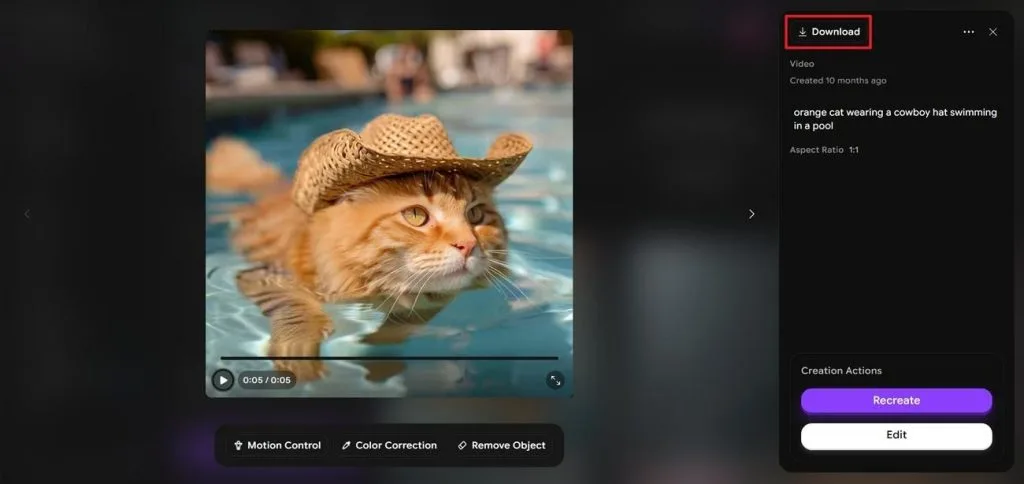
Step 2. Next, the tool will auto-generate the first shot. Choose the first shot and wait for the video. Once the video is generated, press Download to save the video.
Part 3. Best Alternative to Imagine Art for Video Creation
Imagine Art creates short AI videos quickly, but larger projects often need stronger storytelling control and connected scene management. MagicLight AI provides a complete video workflow focused on longer stories, consistent characters, and smoother narrative development across scenes.
It maintains character appearance, backgrounds, and visual styles throughout videos, helping creators produce more unified storytelling experiences. Simple prompts guide scenes, actions, and camera movements without requiring complex scripts or advanced video production skills.
Key Features of MagicLight AI
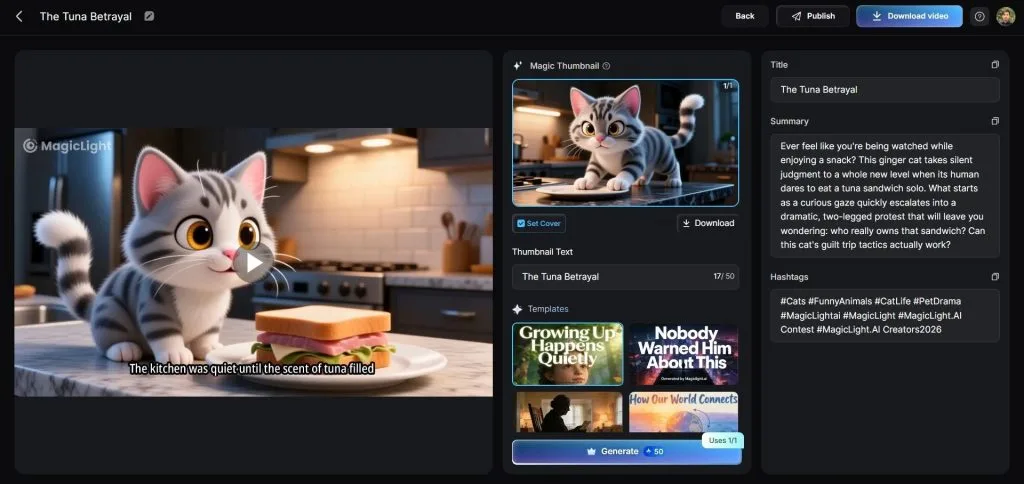
- Long-Form Video Creation: Creates complete stories in one workflow instead of separate short clips. Supports videos up to 50 minutes with continuous narrative flow.
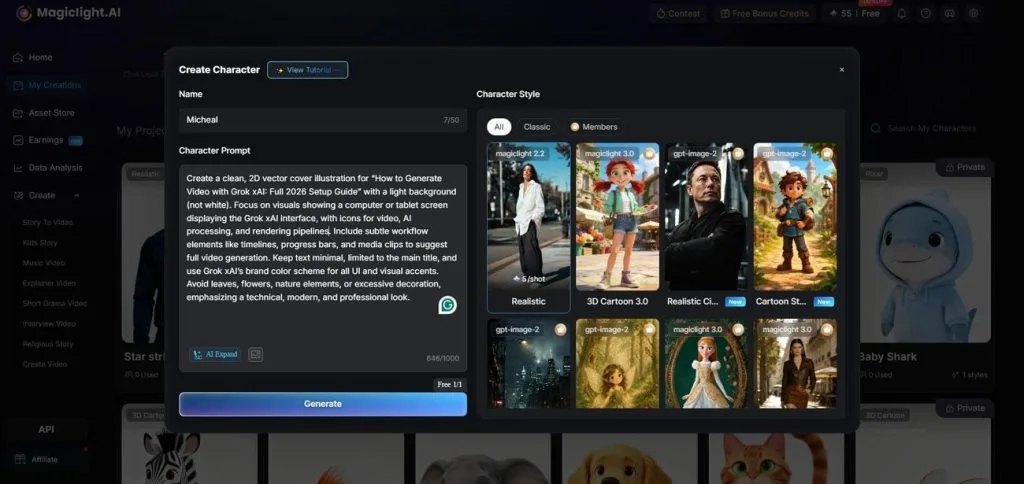
2. AI Character Creation: Designs custom characters using 1000 characters prompts for looks, clothing, and personality. Helps maintain unique character identities throughout the entire video.
3. Storyboard Scene Control: Adjusts scenes with 50 poses and timing controls before rendering. Lets creators refine individual moments through a flexible storyboard process.
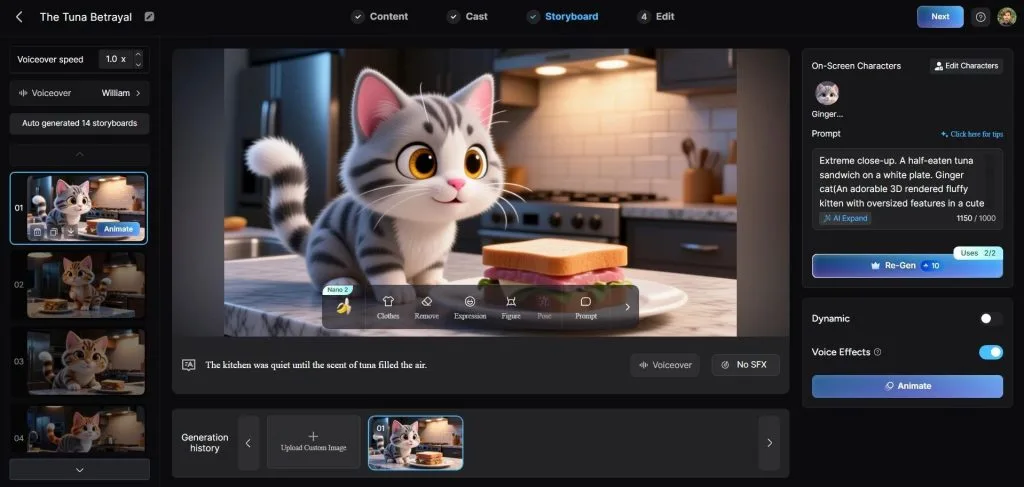
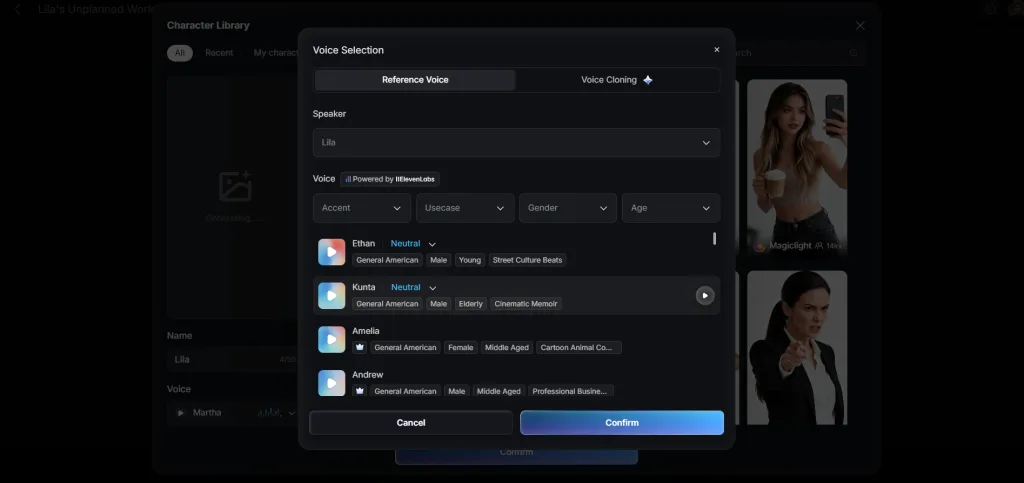
4. AI Voice Options: Offers 37 narration voices and supports custom voice cloning options. Helps create consistent audio across different scenes and projects.
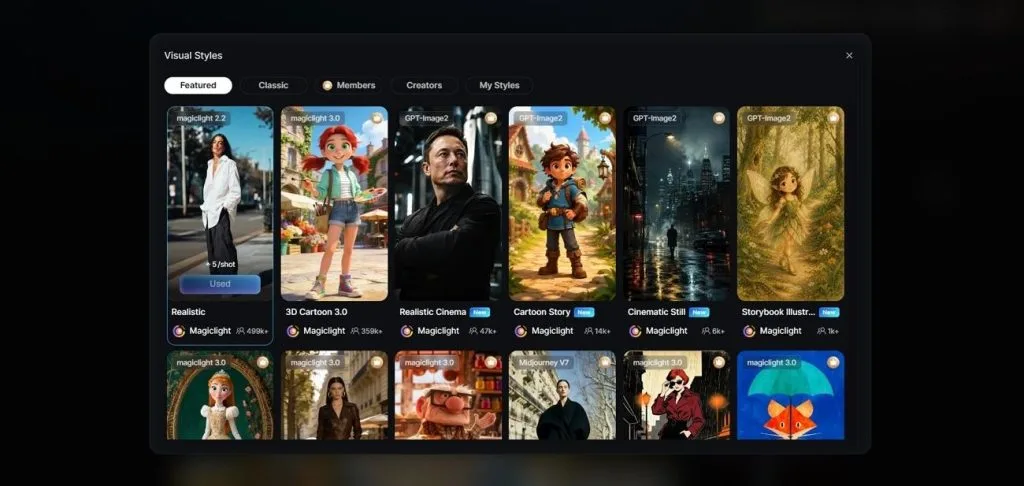
5. Creative Style Library: Provides 20+ visual styles including realistic, anime, and watercolor looks. Allows creators to match videos with different artistic themes easily.
Part 4. Comparison Table Between Imagine Art and MagicLight AI
The table below compares Imagine Art and MagicLight AI side by side, highlighting how both platforms solve different video creation needs:
| Factor | Imagine Art | MagicLight AI |
| Video Generation | Creates short AI videos from text prompts | Generates complete story videos from ideas and scripts with its dedicated MagicLight Agent |
| AI Video Models | Supports Kling 3.0, Seedance 2.0, and Gemini Omni Flash | Includes Seedance 2.0, Kling 3.0, and Veo 3.1, along with 16 other options |
| Video Length | Creates short clips up to 20 seconds | Produces long-form videos up to 50 minutes |
| Character Consistency | Character details may change between generations | Maintains characters across multiple scenes automatically |
| Visual Styles | Provides different artistic styles for video creation | Offers 20+ styles including realistic, anime, and 3D cartoon |
| Voice Features | Provides AI voice generation options | Includes 37 voices and voice cloning support |
Conclusion
Imagine Art combines creative tools for images, videos, styles, and enhancements within one accessible platform. Its workflow focuses on individual generations rather than connected stories with multiple scenes and characters. Creators needing quick experiments may prefer Imagine Art, while longer projects require stronger storytelling features. For complete storytelling videos with consistency, creators can choose MagicLight AI for their production needs.
FAQs on Imagine Art
1. Is Imagine Art free to use?
Yes, with real limits attached, the free plan offers daily credits but restricts commercial use and some styles. Magiclight AI also runs an ongoing free plan, worth a look for anyone who outgrows that daily cap quickly.
2. What can Imagine Art create?
Imagine Art generates images, short AI videos, and style-transferred visuals, plus photo enhancement and upscaling on existing files. It covers a wide range of quick creative tasks from one account. Similar AI-generated video content can be created with MagicLight AI, built around a full story instead of a single short clip.
3. What is the best alternative to Imagine Art?
MagicLight AI is the best alternative for anyone whose needs go beyond a single image or short clip. It generates a complete AI video, with consistent characters, voice, and story, from one guided workflow rather than several separate generations.

![How to Make a Reaction Video with AI Tool [Guide 2026]](https://magiclight.ai/wp-2/wp-content/uploads/ai-faceless-reaction-video-guide-300x169.webp)