AIで生成したハロウィンのポートレートは、一見よくできていても、細かい部分に違和感が出がちです。魔女の衣装は似合っているのに、もともとの巻き髪がストレートになっていたり、吸血鬼風にしたら肌の色が変わったり、そばかすが消えていたり。仮装はイメージどおりでも、着ている人が自分に見えなくなってしまうことがあります。
そこで役立つのが、女性向けのハロウィンAIプロンプトです。よいプロンプトは、衣装や背景を説明する前に、顔のどの特徴を残すかをAIに伝えます。さらに光の当て方と画像サイズを明確に指定すれば、自分らしさを保ったハロウィンポートレートを作りやすくなります。
パート1.女性向けハロウィンAIプロンプトおすすめ20選
レトロなポスターやマタニティフォトから定番モンスターの仮装まで、さまざまなスタイルや雰囲気を楽しめる、女性向けのハロウィンAIプロンプトをご紹介します。各プロンプトは200文字未満で、 MagicLight AIのImage Generatorの文字数制限にも十分収まります。最後にある本人の特徴を残すための一文を、自分に合わせて調整してから、以下のプロンプトでハロウィンの ポートレートを作ってみましょう。
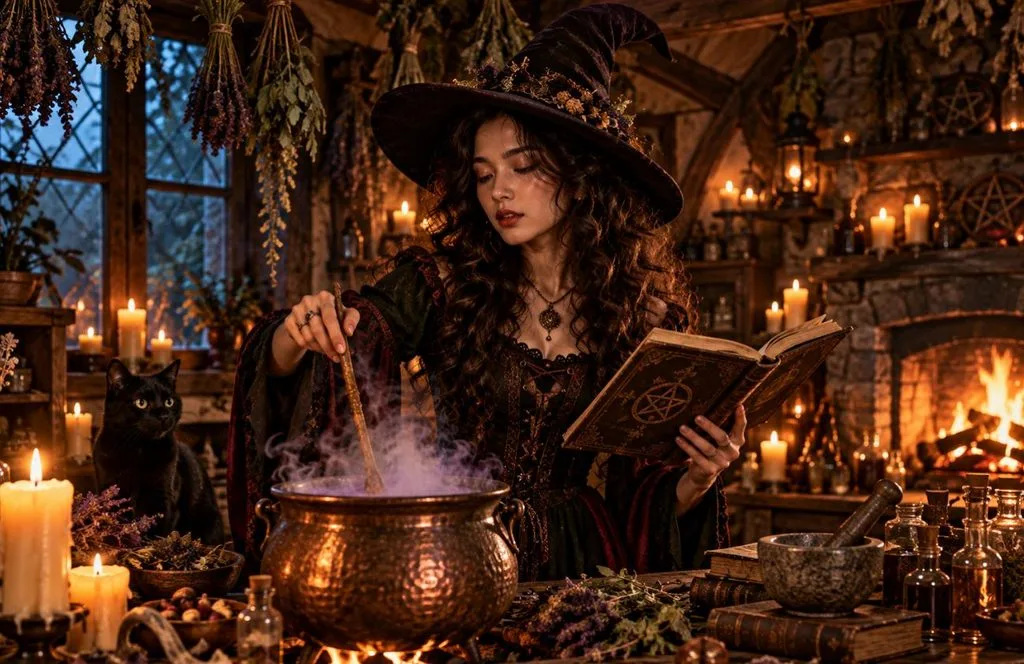
1.ろうそくの灯りに照らされた小屋の魔女
こんな方におすすめ: 定番の魔女スタイルを楽しみたい、巻き髪の方。
プロンプト例: Turn the woman in the uploaded photo into a cottage witch stirring a copper cauldron under hanging herbs. Hearth firelight, 4:3. Keep her curls and skin tone as photographed.
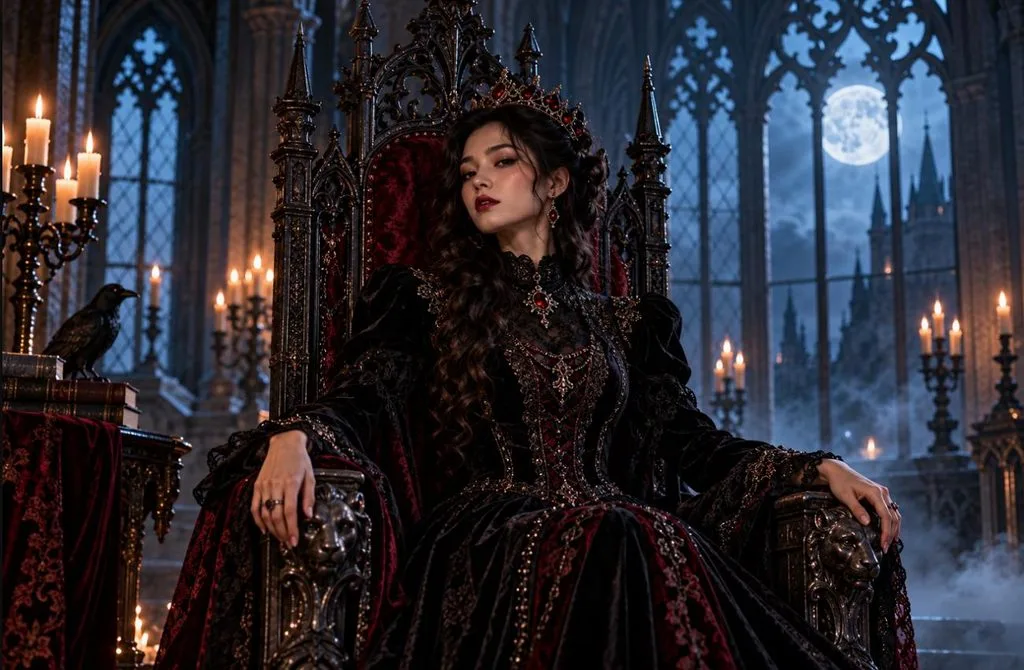
2.ゴシックなヴァンパイアクイーン
こんな方におすすめ: ダークで華やかな雰囲気が好きで、ムードのあるストーリーズやプロフィール画像を作りたい方。
プロンプト例: Seat the woman from this photo on a gothic throne as a vampire queen in black velvet. Cold moonlight, 9:16. Eye color and brows unchanged.
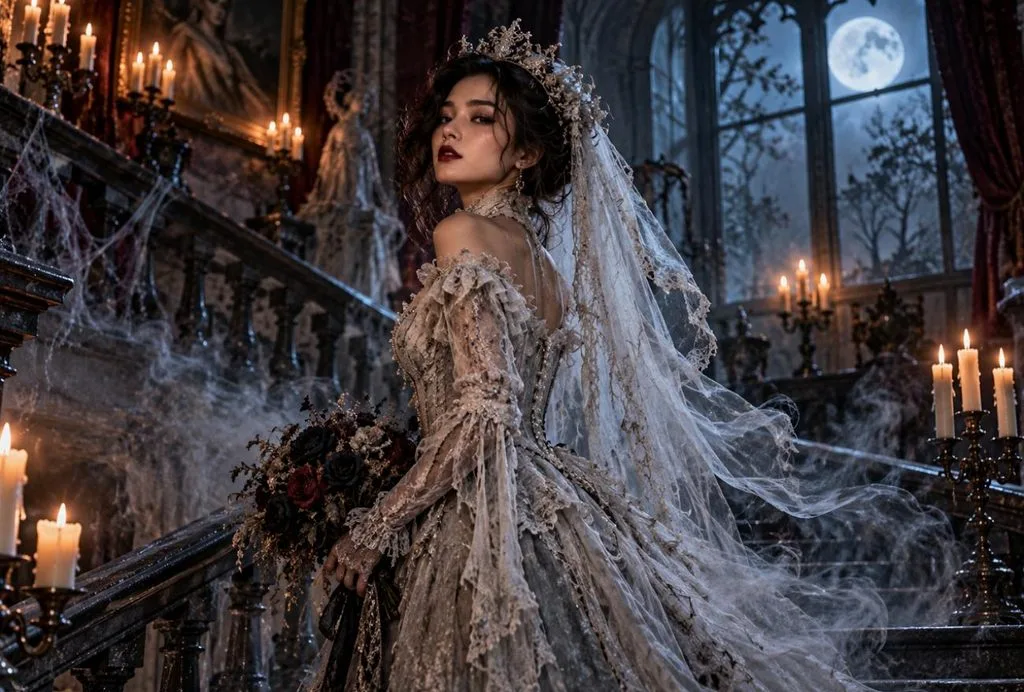
3.ヴィクトリア朝の幽霊の花嫁
こんな方におすすめ: 時代もののドラマが好きで、流血表現のない、不気味な美しさに惹かれる方。
プロンプト例: Show the woman in the photo as a Victorian ghost bride on a dusty staircase, lace gown fading into mist. Moonlight, 9:16. Her face stays solid and exact.
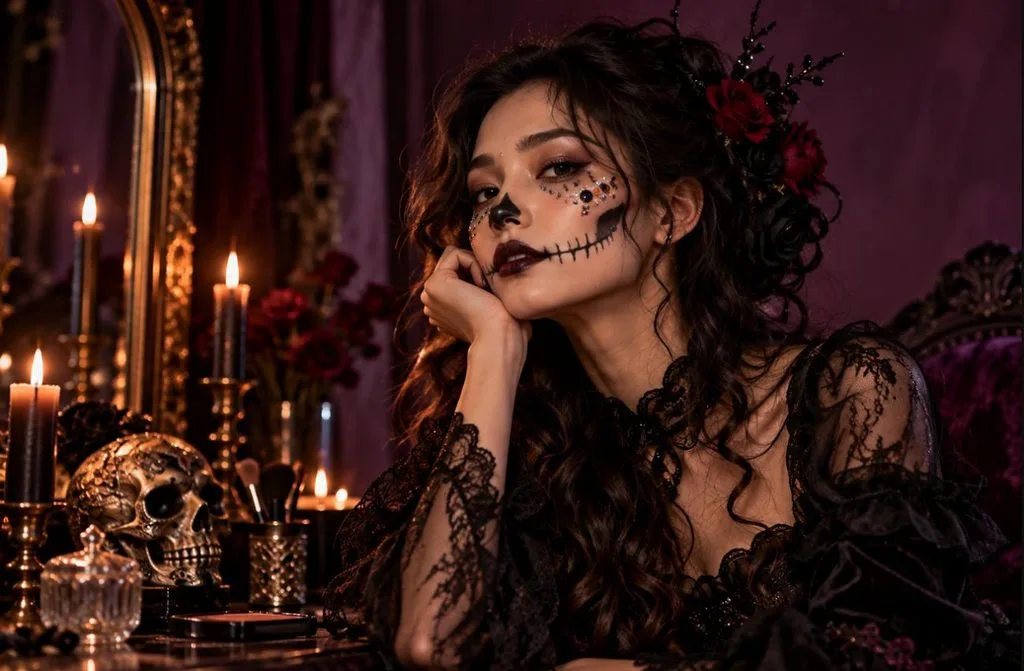
4.華やかなスケルトンメイク
こんな方におすすめ: 実際にメイクする前に、仕上がりを試してみたい方。
プロンプト例: Add glam skeleton makeup to the uploaded selfie, black lips and rhinestones on the cheekbones. Plum backdrop, ring light, 1:1. Jawline and nose stay as photographed.
5.トウモロコシ畑のかかし
こんな方におすすめ: そばかすを生かして、遊び心がありつつ少し不気味な雰囲気にしたい方。
プロンプト例: Dress the woman in this photo as a cornfield scarecrow, straw poking from her sleeves, stitched smile painted on. Sunset glow, 4:3. Every freckle stays visible.
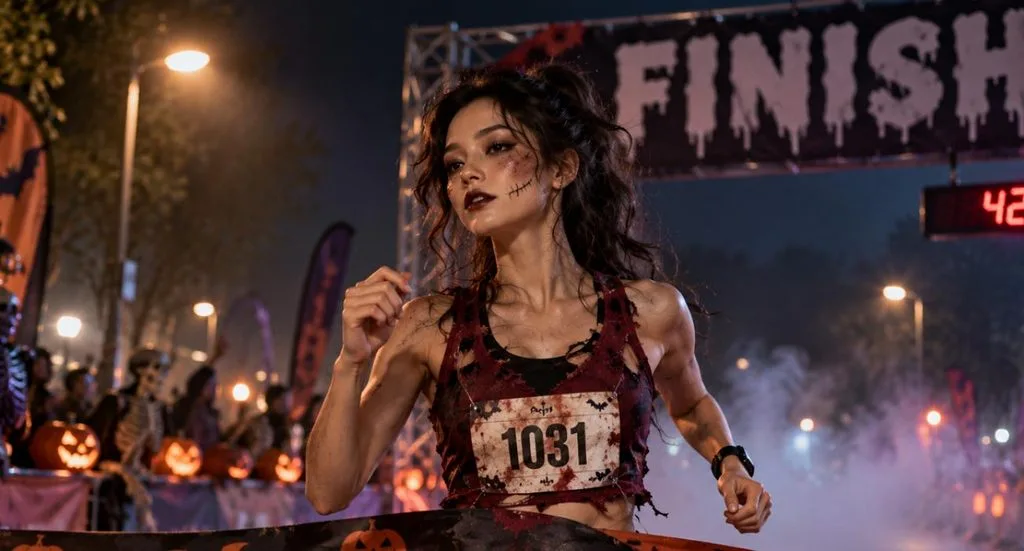
6.ゾンビのマラソンランナー
こんな方におすすめ: ハロウィンは怖さよりも笑いで楽しみたいランナーの方。
プロンプト例: Make the woman from this selfie a zombie marathon runner crossing a foggy finish line in a torn race bib. Streetlight, 16:9. Box braids and face shape unchanged.
7.無人の舞台に立つ幽霊のバレリーナ
こんな方におすすめ: 優雅で不気味な一枚を作りたいダンサーの方。
プロンプト例: Cast the woman in the uploaded photo as a ghost ballerina mid-turn on an abandoned stage, gray tutu in tatters. One dusty spotlight, 9:16. Face and hair color unchanged.
8.嵐の断崖に立つ海の魔女
こんな方におすすめ: ロックスヘアの長さをしっかり見せたい方。
プロンプト例: Picture the woman in this portrait as a sea witch on storm-lashed cliffs, kelp woven through a green cloak. Lightning offshore, 16:9. Locs kept exactly as photographed.
9.暗い森の妖精
こんな方におすすめ: ショートヘアやピアスを生かして、幻想的な仮装を楽しみたい方。
プロンプト例: Reimagine the woman from the reference photo as a dark forest fairy with moth wings among toadstools. Blue fog, fireflies, 9:16. Pixie cut and nose ring unchanged.
10.1950年代ホラー映画ポスターのヒロイン
こんな方におすすめ: 映画鑑賞会の招待状で、自分が主役になりたい主催者の方。
プロンプト例: Paint a 1950s horror poster starring the woman in the photo as the brave lead, flashlight raised at a swamp creature. Title “TERROR AT WILLOW MARSH” above her, 9:16. Face exact.
11.スチームパンクのモンスターハンター
こんな方におすすめ: AIで加工するたびに眼鏡が消えてしまうことにうんざりしている方。
プロンプト例: Recast the woman in the uploaded photo as a steampunk monster hunter in a leather duster, crossbow over one shoulder. Gaslit alley in fog, 16:9. Her glasses stay on, unchanged.
12.収穫月の下の狼女
こんな方におすすめ: 顔立ちを残しつつ、毛に覆われた姿に変身したいホラーファンの方。
プロンプト例: Capture the woman in this photo mid-transformation into a werewolf in a wheat field, fur spreading along her arms. Red harvest moon, 16:9. Features still readable beneath the fur.
13.黒猫コスチュームのポートレート
こんな方におすすめ: 直前の準備で、正方形のプロフィール画像が必要な方。
プロンプト例: Put the woman from the uploaded selfie in a black cat costume with velvet ears and eyeliner whiskers. Window seat, full moon, 1:1. Smile and dimples untouched.
14.閉館後の博物館のミイラ
こんな方におすすめ: 定番モンスターを新しい舞台で楽しみたい歴史好きの方。
プロンプト例: Wrap the woman in the photo as a mummy sitting up in a museum case after hours. Exit-sign glow, 4:3. Eyes and mouth uncovered and unchanged.
15.荒野のバンシー
こんな方におすすめ: ホラー映画の絶叫ヒロインのような、ドラマチックな一枚を撮りたい民間伝承好きの方。
プロンプト例: Depict the woman in the reference image as a wailing banshee on a windswept moor, gray gown and long hair streaming sideways. Stormy dusk, 16:9. Mid-scream, every feature still hers.
16.ヴィクトリア朝の霊媒師
こんな方におすすめ: AIで加工するとグレイヘアが消えがちな、シルバーヘアの方。
プロンプト例: Place the woman in this photo at a candlelit parlor table as a Victorian spirit medium, a pale face forming in the smoke. 4:3. Silver hair and laugh lines kept.
17.アニメ風パンプキンクイーン
こんな方におすすめ: 写真よりもイラストのアバターを使いたい配信者の方。
プロンプト例: Redraw the woman in the uploaded photo as an anime pumpkin queen on a throne of jack-o’-lanterns, bats circling above. 9:16. Her hairstyle and eye shape carry into the art.
18.怪異が映るドレッサーの鏡
こんな方におすすめ: 流血表現がなく、じわじわと不安が募るホラーが好きな方。
プロンプト例: Pose the woman from this selfie at a vintage vanity brushing her hair, her reflection smiling though she is not. Warm lamp light, 4:3. Both faces are identical to the photo.
19.お腹をかぼちゃに見立てたマタニティフォト
こんな方におすすめ: ハロウィン風のマタニティフォトや妊娠報告の写真を作りたい妊婦の方。
プロンプト例: Using the uploaded maternity photo, dress her in a fitted orange tee with a jack-o’-lantern face over the bump. Porch steps at dusk, 9:16. Face and pose unchanged.
20.運命の三女神に扮する友達ポートレート
こんな方におすすめ: おそろいの仮装で一緒に写った写真を投稿したい、3人組の友達。
プロンプト例: From three uploaded photos, cast the friends as the Three Fates in a ruined marble temple, one spinning thread, one measuring, one holding shears. Torchlight, 16:9. Every face is recognizable.
パート2.女性向けハロウィンAIプロンプトから画像を作る方法
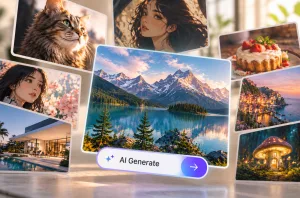
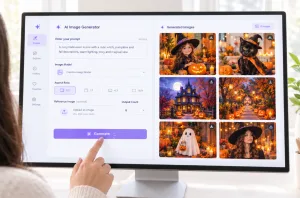
実際の顔をもとにしたプロンプトを使うには、写真を入力できる画像生成ツールが必要です。MagicLight AIでは、Toolboxにある Image Generator で、女性向けのハロウィンAIプロンプトを使えます。対応する5つのモデルには、 Nano Banana 2 も含まれています。
MagicLight AIでハロウィンポートレートを作る手順
自分の写真で女性向けのハロウィンAIプロンプトを試すなら、「ろうそくの灯りに照らされた小屋の魔女」から始めるのがおすすめです。自然な巻き髪がわかる、日中の光で撮った自撮り写真を用意しましょう。以下の手順でポートレートを作れます。リストから別のプロンプトを選び、写真や画像の縦横比を変えて試すこともできます。
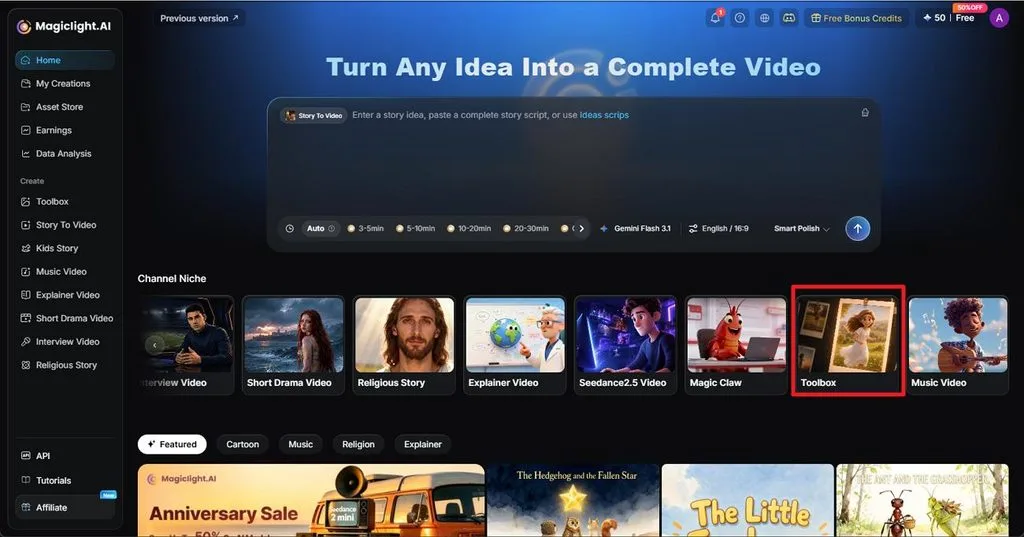
ステップ1.画像ツールを開く
MagicLight AIのホームページで Toolboxを選び、 Image タブを開きます。テキストボックスにプロンプトを貼り付け、自然な巻き髪や顔立ちの特徴を記述します。
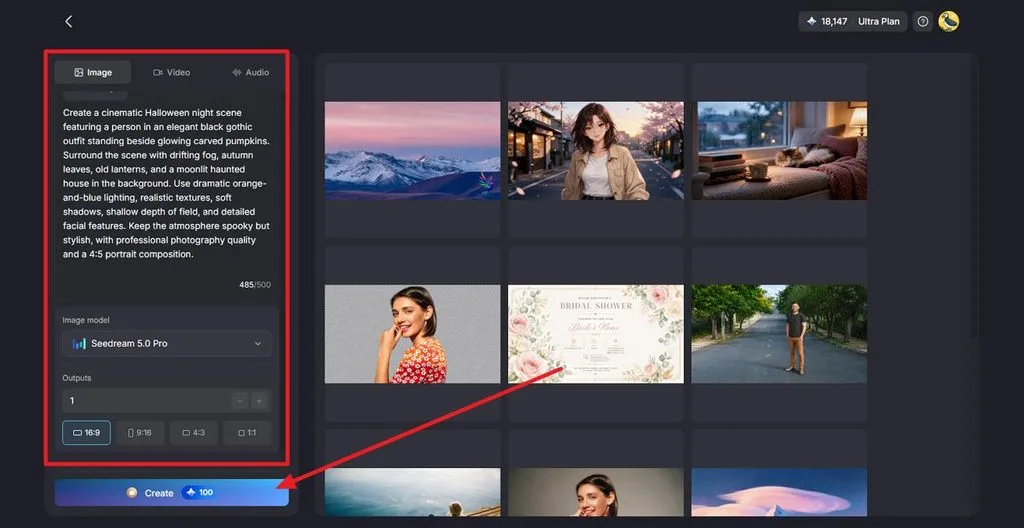
ステップ2.画像の設定を選んで生成する
まず Image Modelを選択し、 Outputsで出力枚数を指定します。続いて、ポートレートの Aspect Ratio を4:3に設定します。巻き髪や肌の色、そばかすを残す指定がプロンプトに入っていることを確認したら、 Createをクリックします。
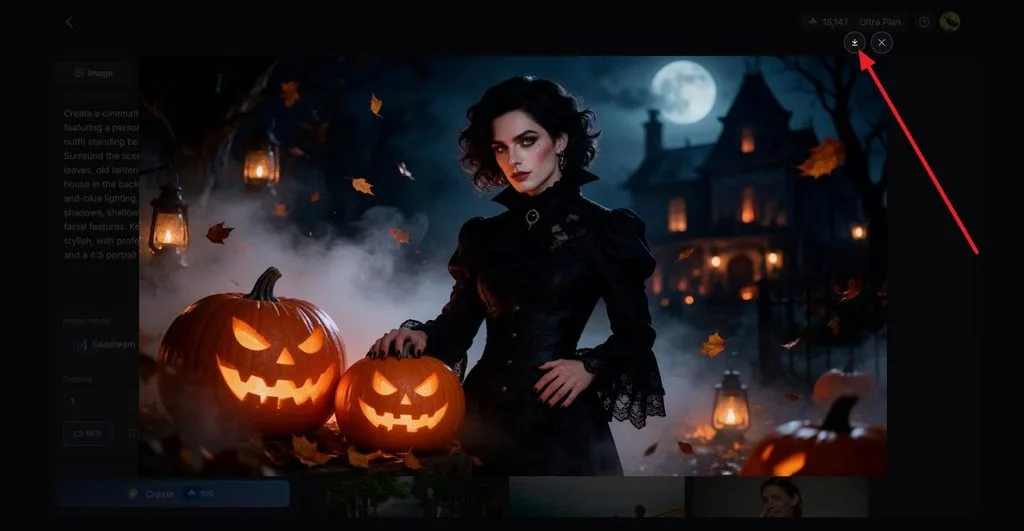
ステップ3.仕上がりを確認してダウンロードする
生成されたポートレートを開き、顔立ちや自然な巻き髪、ろうそくの光、衣装を確認します。仕上がりに問題がなければ、 Download アイコンをクリックして保存します。
まとめ
冒頭で触れた、巻き髪がストレートになったり肌の色が明るくなったりする問題は、プロンプトでそれらの特徴を指定していなかったことに起因します。本人の特徴を残す一文を加えることで、女性向けのハロウィンAIプロンプトは、マントやフェイスペイントの下でも自分らしさを保つのに役立ちます。MagicLight AIでは、アップロードした自撮り写真に各プロンプトを適用でき、完成した静止画をImage to Videoで短い動画にすることもできます。
よくある質問
1.人気のハロウィンAIプロンプトにはどのようなものがありますか?
ハロウィンのプロンプト集では、ろうそくに照らされた魔女やゴシックな吸血鬼が定番で、幽霊の花嫁や骸骨のフェイスペイントも人気です。レトロなホラー映画ポスターや、自撮り写真を仮装姿に加工するものもよく見られます。どれも、光源と縦横比をプロンプトで指定すると、仕上がりがよくなります。
2.ホラー向けにはどのようなAIプロンプトがおすすめですか?
霧に半分隠れた人影や、ひとりでに動く鏡の中の姿など、ホラーのプロンプトは表現を控えめにすると効果的です。MagicLight AIでは、5つの画像モデルのいずれかを使って、こうした場面を静止画として生成できます。さらに、 Image to Video ツールで、ゆっくりと忍び寄るような動きを加えられます。
3.ハロウィンの創作に使えるプロンプトにはどのようなものがありますか?
ハロウィンの物語には、ありえない出来事を一つ軸にした書き出しがよく合います。たとえば、真夜中を過ぎると仮装が脱げなくなる話。あるいは、毎年一日も年を取らない姿でドアをたたく、トリック・オア・トリートの訪問者をめぐる話です。どちらの設定にも、物語の中で答えを出すべき謎が生まれます。