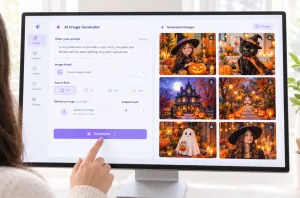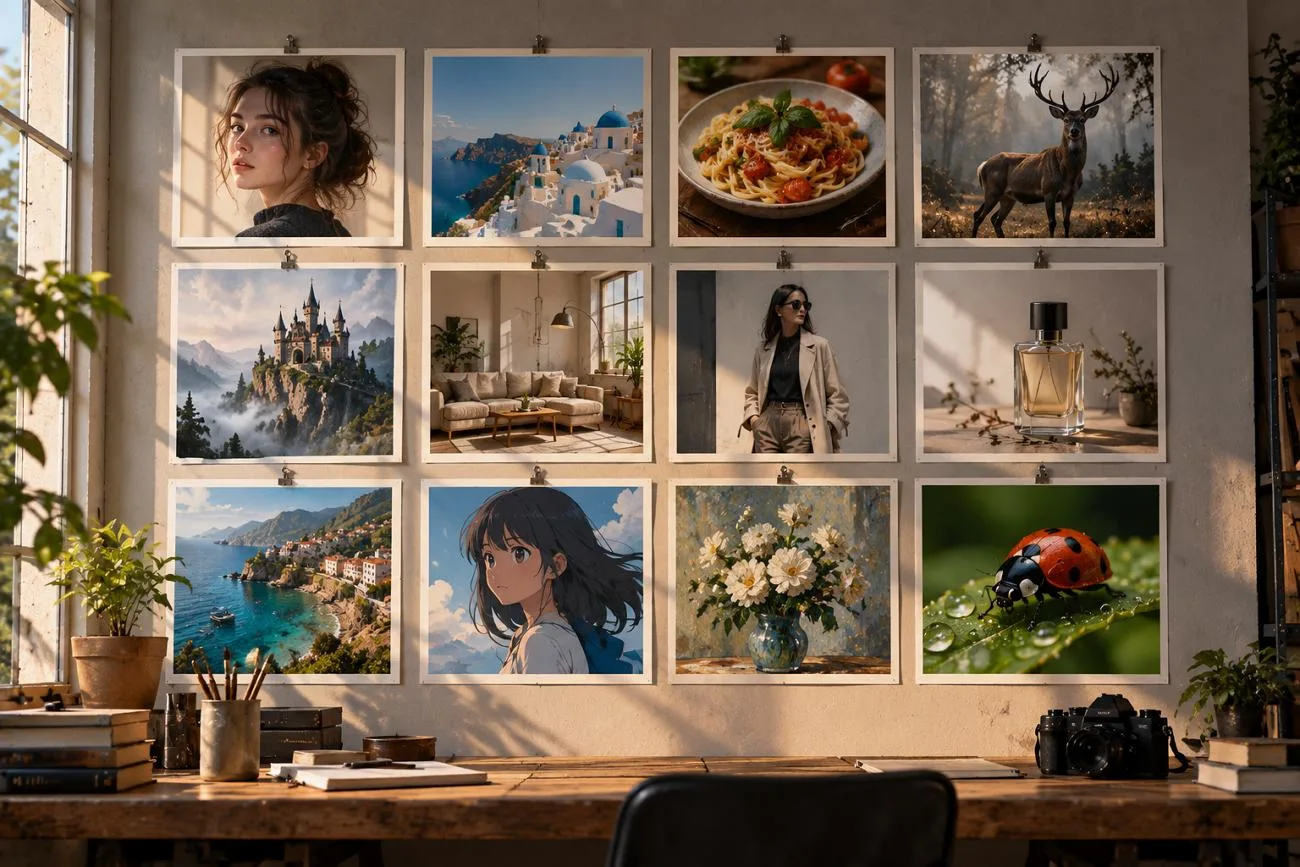
단순한 아이디어만 입력하면 원하는 스타일이나 분위기가 부족한 평범한 이미지가 나오기 쉬워요. 좋은 AI 이미지 프롬프트는 피사체, 배경, 색상, 스타일, 중요한 세부 요소를 구체적으로 설명해요. 창작 프로젝트마다 목적에 맞는 이미지를 얻으려면 그에 맞는 지시가 필요해요.
소셜 미디어 게시물에는 눈길을 끄는 문구가 필요할 수 있고, 사진을 만들 때는 렌즈나 촬영 각도를 지정할 수 있어요. MagicLight AI는 이런 프롬프트 아이디어를 완성도 높은 이미지와 생동감 있는 애니메이션 클립으로 만들어 줘요. 이 가이드에서는 소셜 미디어, 마케팅, 아트, 사진, 스토리에 활용하기 좋은 프롬프트 아이디어 20가지를 소개해요.
파트 1. 다양한 창작 목적에 맞는 AI 이미지 프롬프트 아이디어 20가지
이미지 생성용 AI 프롬프트는 피사체, 장면, 스타일, 조명, 구도, 동작을 설명해요. 각 프롬프트는 간단한 구조로 되어 있어 창작 아이디어를 더 쉽게 표현하고 이미지로 만들 수 있어요.
소셜 미디어와 콘텐츠 제작
소셜 미디어 이미지에는 보는 사람이 한눈에 알아볼 수 있는 명확한 피사체가 필요해요. 프롬프트로 캐러셀, 썸네일, 팟캐스트 커버, 게시물의 레이아웃을 지정할 수 있어요. AI로 시선을 사로잡는 소셜 미디어 콘텐츠를 만들 때 유용한 프롬프트 아이디어를 살펴봐요.
- 노하우 게시물용 캐러셀 표지
A flat illustration of a woman arranging sticky notes beneath the headline “5 Planning Habits” in bold rounded letters. Pastel palette, clean shapes, and a square 1:1 frame.
- YouTube 썸네일 배경
A dark home office lit by one glowing monitor, with the right half left empty for a face cutout. Cinematic contrast, teal and orange tones, and a wide 16:9 frame.
- 모닝 루틴 플랫 레이
An overhead flat lay of a matcha latte, an open journal, and a lavender sprig on rumpled white linen. Soft window light, calm neutral tones, and a vertical 9:16 frame for Stories.
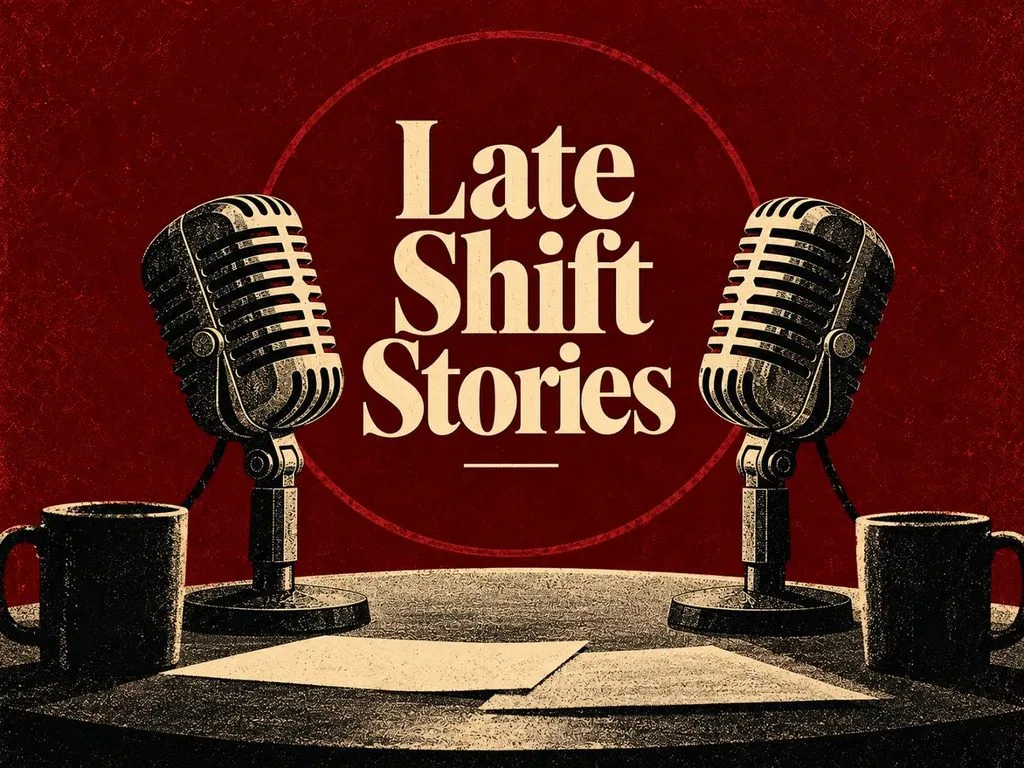
- 팟캐스트 커버 아트
Podcast cover art with two vintage microphones facing each other in deep burgundy, titled “Late Shift Stories” in cream serif. Grainy risograph texture, bold simple shapes, centered symmetrical composition, vintage editorial poster style, and a 4:3 landscape frame.
마케팅과 이커머스
마케팅 이미지는 제품을 명확하게 보여 주면서도 브랜드 특유의 스타일을 쉽게 알아볼 수 있어야 해요. AI 이미지 프롬프트에는 제품 소재, 배경, 소품, 색상, 각도를 담을 수 있어요. 마케팅과 이커머스용 제품 이미지를 만들 때 활용할 수 있는 프롬프트 아이디어 4가지를 소개해요.
- 스니커즈 메인 제품 컷
A white running sneaker floating above a concrete plinth, with fine dust frozen mid-air beneath it. Hard rim light from behind, a charcoal gradient backdrop, and a square 1:1 frame.
- 아늑한 캔들 라이프스타일 장면
A soy candle burning on a walnut side table beside stacked paperbacks and a knitted throw. Late afternoon sun through linen curtains, warm amber tones, and shallow depth of field.
- SaaS 랜딩 페이지 메인 이미지
Vector art of a remote team gathered around a giant floating dashboard of charts and chat bubbles. Friendly rounded characters, an indigo and coral palette, and a wide 16:9 frame.
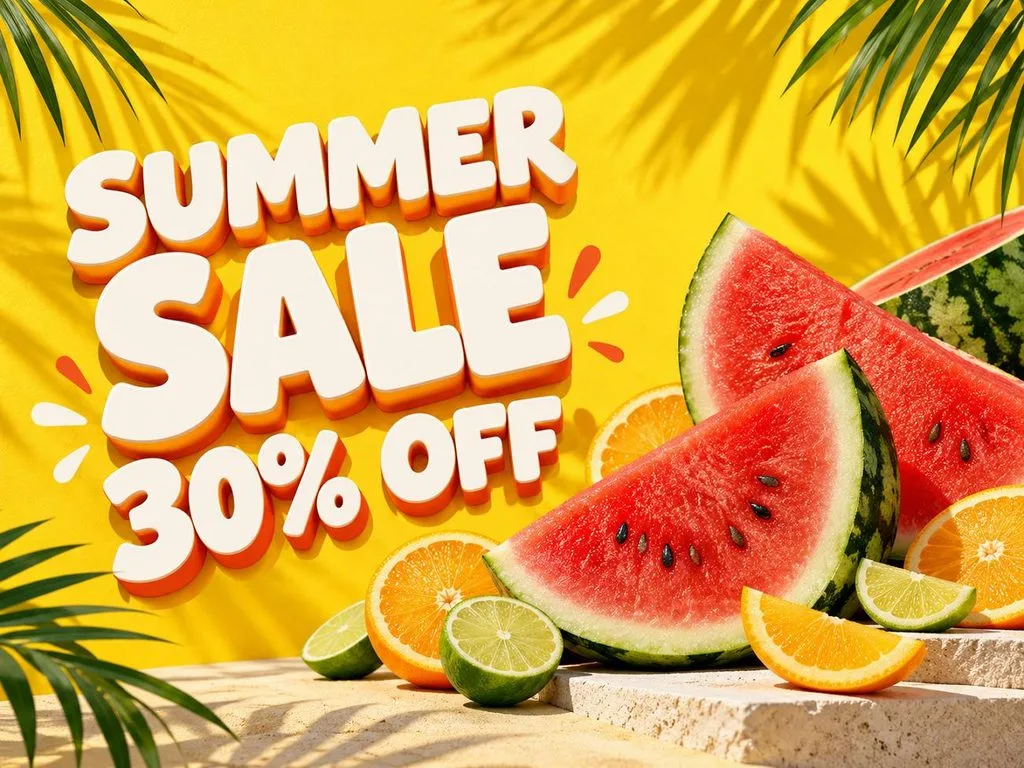
- 시즌 세일 배너
A summer sale banner with sliced watermelon, citrus wheels, and palm shadows on sunny yellow. Chunky white letters on the left read “SUMMER SALE 30% OFF” in a playful 3D style.
아트와 일러스트
아트 프롬프트에는 일러스트 제작에 사용할 재료, 질감, 도구, 색상, 스타일을 설명할 수 있어요. AI 이미지 프롬프트에 판화, 종이 공예, 유화 기법을 지정할 수도 있어요. 다음 프롬프트로 독특한 질감과 스타일, 예술적인 디테일이 담긴 수작업 느낌의 작품을 만들어 보세요.
- 현대 도시를 덮치는 우키요에 파도
An ukiyo-e woodblock print of a towering wave curling over a modern skyline of glass towers. Indigo and cream palette, fine carved line work, and visible paper grain.
- 스테인드글라스 여우
A stained glass window of a red fox curled among autumn ferns, framed by thick black lead lines. Sunlight pours through the jewel-toned panes and scatters color across a stone floor.
- 겹겹이 쌓은 페이퍼 커팅 숲
A layered paper-cut scene of a misty pine forest with a tiny cabin, built from twelve stacked sheets. Soft shadows between the layers and a deep green to pale mint gradient.
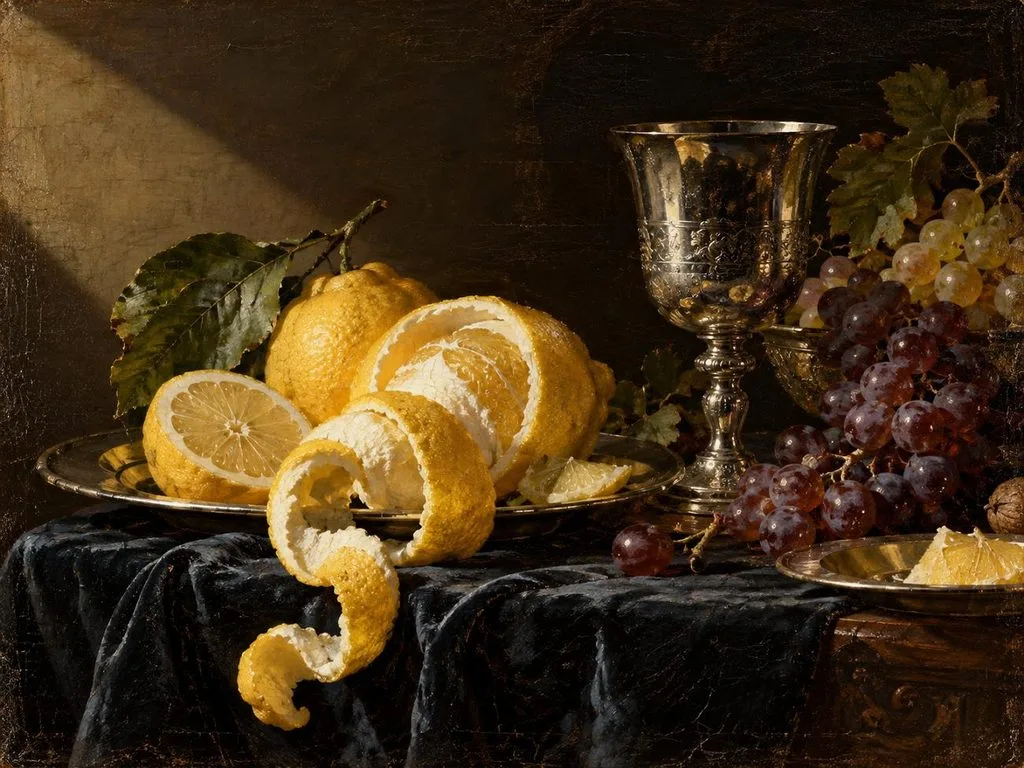
- 네덜란드 황금시대 정물화
A Dutch Golden Age oil painting of peeled lemons, a silver goblet, and grapes on dark cloth. Dramatic side light, rich glazes, and visible brushwork on aged canvas.
사진과 인물 사진
사진 프롬프트에는 카메라 설정, 렌즈, 각도, 배경, 자연스러운 시각적 디테일을 넣을 수 있어요. 이런 AI 사진 프롬프트는 사진 용어를 활용해 장면에 어울리는 사실적인 인물 사진을 만들어 줘요. AI 도구로 사실적인 사진과 인물 사진을 만들 수 있는 프롬프트 아이디어 4가지를 살펴봐요.
- 전문 프로필 사진
A real photograph of a smiling woman in her forties wearing a navy blazer, framed chest-up in a bright office. Soft window light, 70mm lens at f/2.8, and natural skin texture.
- 시장 여행 사진
A documentary photo of a Marrakech spice stall at midday, with pyramids of saffron, paprika, and cumin up front. Harsh overhead sun, deep shadows, and a 35mm street photography look.
- 자연 속 디테일을 담은 접사
A macro photograph of a ladybug climbing a dew-covered blade of grass, each droplet reflecting the sunrise. Extreme close-up, 100mm macro lens, creamy blurred background, and a square 1:1 frame.
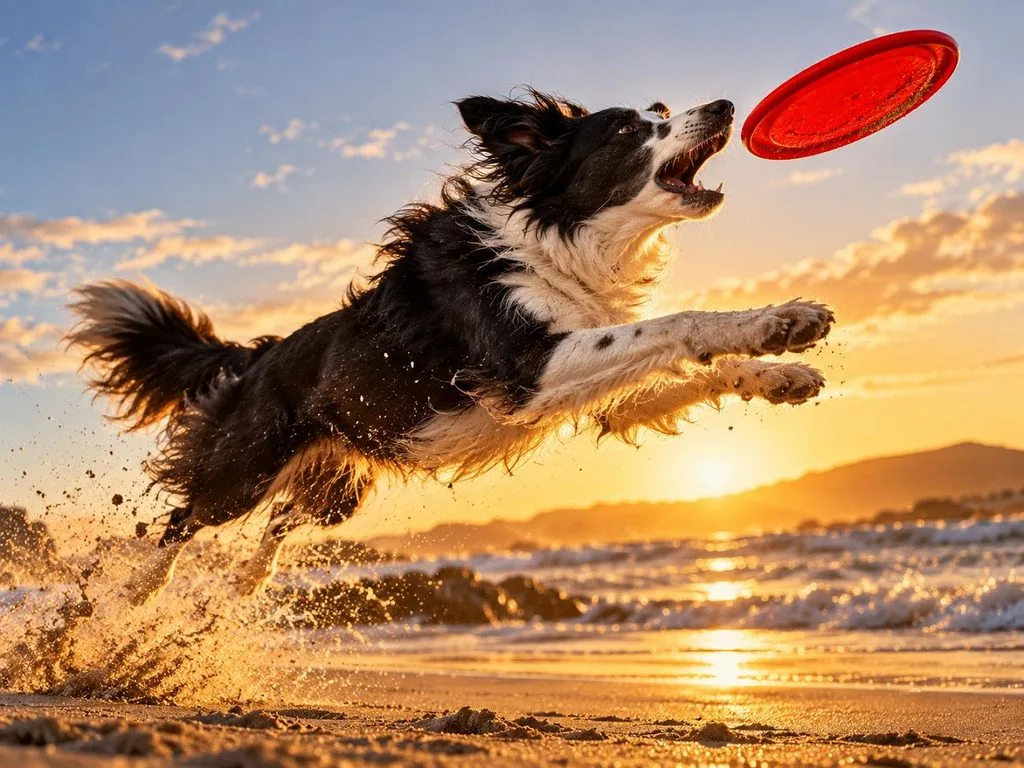
- 반려동물 액션 사진
An action photo of a border collie leaping for a red frisbee on a windswept beach, sand spraying from its paws. Fast 1/2000-second shutter, low angle, and golden hour backlight.
스토리텔링, 게임, 교육
이야기, 게임, 수업에는 내용을 빠르게 이해할 수 있도록 돕는 이미지가 필요해요. 캐릭터와 설명 문구, 통일된 스타일을 활용하면 다양한 프로젝트에 쓸 수 있는 AI 이미지 프롬프트를 만들 수 있어요. 아래에서 스토리텔링, 게임, 교육 콘텐츠에 활용할 수 있는 프롬프트 아이디어 4가지를 소개해요.
- 어린이 동화책 페이지
A colored-pencil illustration of a hedgehog mail carrier delivering letters through a rainy village of mushroom houses. Warm lamplit windows, soft textures, and a gentle bedtime-story mood.
- 명칭이 표시된 과학 도해
A textbook cross-section of a volcano labeled “Magma Chamber,” “Vent,” and “Crater” in a simple sans-serif font. Flat illustration style, warm earth tones, and a white background.
- 솔라펑크 도시 콘셉트 아트
Concept art of a solarpunk city where trams glide between towers wrapped in vertical gardens and wind turbines. Bright morning light, lush greens, painterly detail, and a cinematic 16:9 frame.
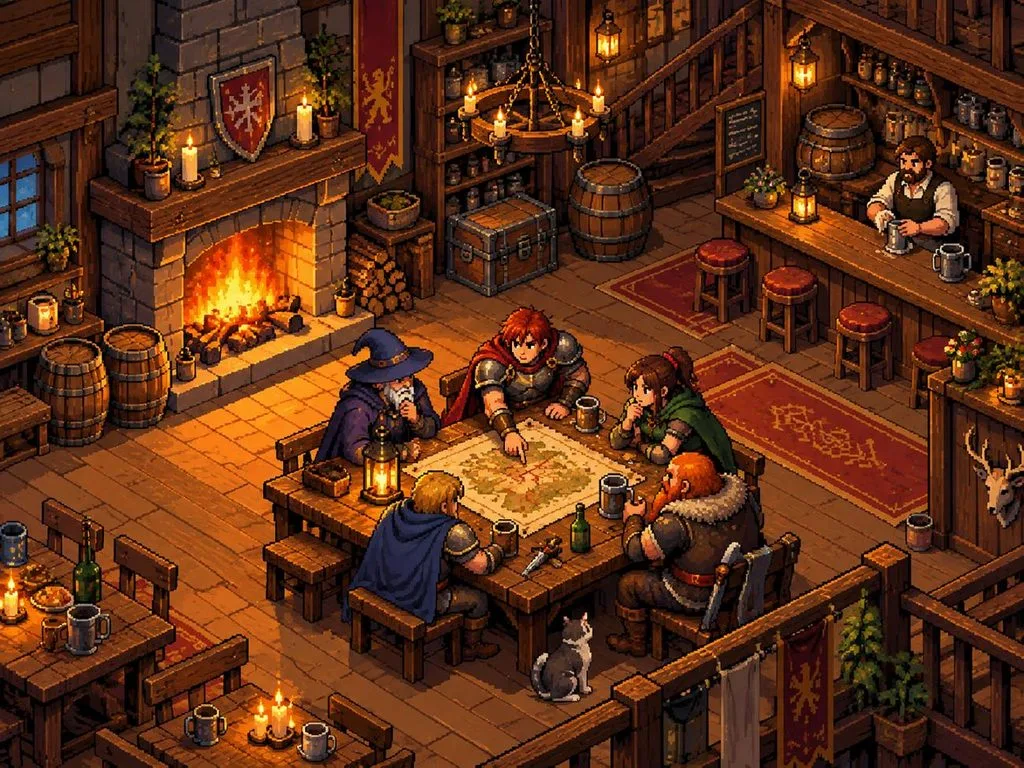
- 픽셀 아트 게임 장면
A 16-bit pixel art tavern with a crackling fireplace, wooden barrels, and adventurers gathered around a map. Limited retro palette, three-quarter top-down view, and sharp, clean pixel edges.
파트 2. AI 이미지 프롬프트로 이미지를 만드는 가장 좋은 방법
적합한 생성 도구를 선택하면 다양한 창작 프로젝트에서 AI 이미지 프롬프트로 더 좋은 결과를 얻을 수 있어요. MagicLight AI 는 Nano Banana 2 와 GPT Image 2를 포함한 이미지 모델 5가지를 제공해요. 최대 500자의 프롬프트를 입력하고 참고 이미지도 최대 10장까지 업로드해 원하는 방향을 전달할 수 있어요.
이런 옵션을 활용하면 원하는 스타일, 캐릭터, 디테일, 시각적 방향에 맞는 이미지를 만들 수 있어요. Image to Video 를 사용하면 생성한 이미지를 최대 30초 길이의 영상으로 바꿀 수 있어요. 20가지 영상 모델을 지원해 기본 이미지에도 정교한 움직임을 더할 수 있어요.
MagicLight AI에서 AI 이미지 프롬프트로 이미지를 만드는 방법
MagicLight AI에서는 이미지 프롬프트를 쉽게 입력하고 수정하며 테스트할 수 있어요. 이 AI 이미지 생성기 로 이미지를 손쉽게 만들려면 아래 단계를 따라 해 보세요.
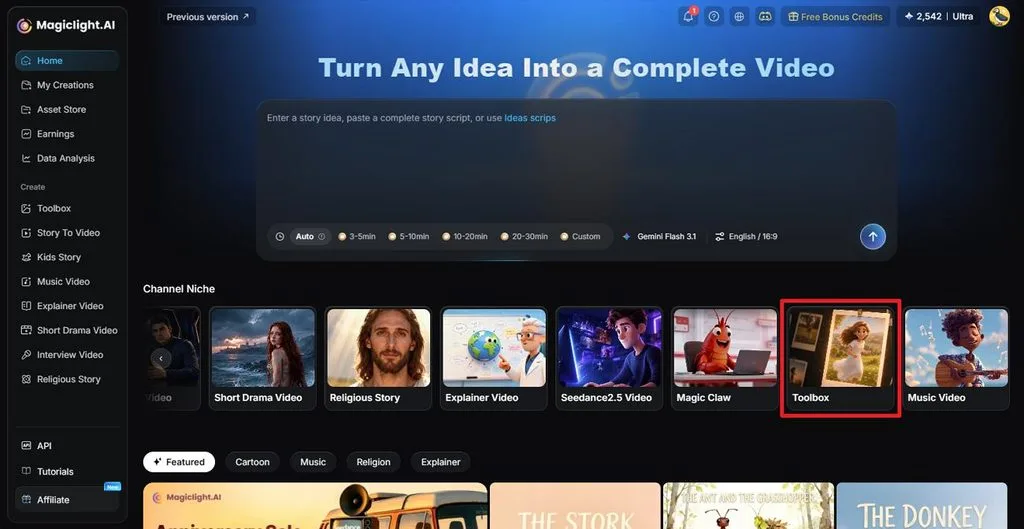
1단계. AI 이미지 생성기 열기
MagicLight AI에 접속한 뒤 메인 작업 화면에서 Toolbox 를 선택해요. 이미지 제작 기능을 이용할 수 있는 화면이 열려요.
2단계. 프롬프트로 이미지 만들기
먼저 Image 탭을 선택하고 프롬프트 입력란에 AI 이미지 프롬프트를 입력해요. 캐릭터, 사물, 시각적 스타일의 기준을 제시하고 싶다면 참고 이미지를 업로드하세요. 다음으로 Image Model을 선택하고, Outputs에서 생성할 이미지 수를 정한 뒤, Aspect Ratio 에서 프로젝트에 맞는 화면 비율을 설정해요. Create 를 클릭하면 이미지가 생성돼요.
이미지 이름: image-prompt-generation-settings-panel.jpg
이미지 대체 텍스트: 이미지 모델, 생성 수, 화면 비율 설정 옵션
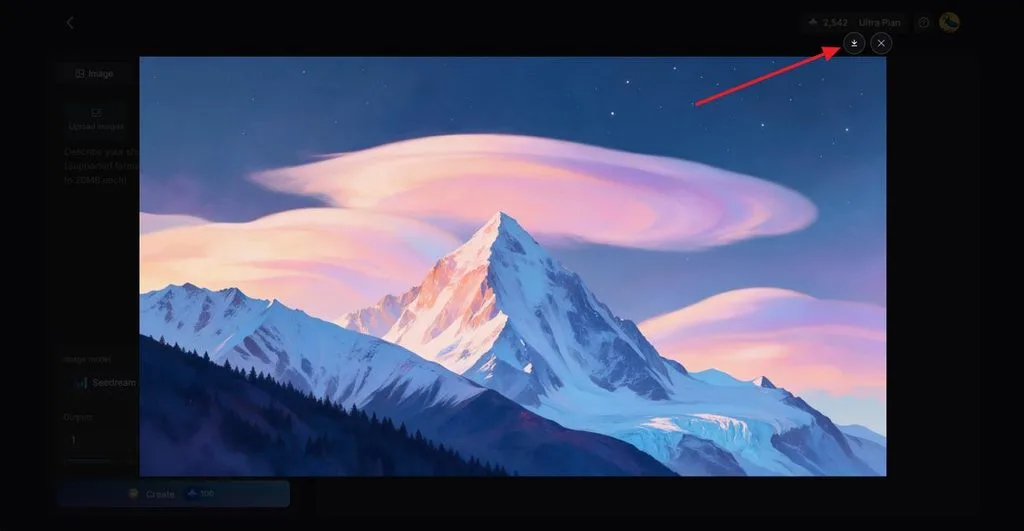
3단계. 결과 확인 및 다운로드
생성된 이미지가 프롬프트와 일치하는지 확인해요. 필요하면 프롬프트를 수정하고 다른 버전을 만들어 보세요. 원하는 결과가 나오면 Download 아이콘을 클릭해 저장해요. 마음에 드는 캐릭터 이미지를 참고 이미지로 활용해 AI 캐릭터를 만들고 그 캐릭터로 영상을 제작할 수도 있어요.
마무리
AI 이미지 프롬프트는 피사체, 장면, 구도, 창작에 필요한 세부 요소를 설명해요. 프로젝트의 목적에 맞는 이미지를 만들려면 프롬프트에 담는 세부 정보도 달라져야 해요. 소셜 미디어 게시물, 마케팅 이미지, 아트, 사진, 스토리 모두 프롬프트를 세심하게 작성하면 더 좋은 결과를 얻을 수 있어요. MagicLight AI로 이런 창작 아이디어를 이미지로 구현하고, 마음에 드는 결과물에 움직임도 더해 보세요.
자주 묻는 질문
- AI 이미지 프롬프트란 무엇인가요?
이미지 프롬프트는 만들고 싶은 이미지를 글로 설명한 지시문이에요. 피사체, 장면, 스타일, 조명, 색상, 분위기, 구도 등을 담을 수 있어요. 일부 도구는 캐릭터, 제품, 스타일, 외형의 기준을 제시하는 참고 이미지도 지원해요.
- 좋은 AI 이미지 프롬프트는 어떻게 작성하나요?
좋은 AI 이미지 프롬프트는 핵심 피사체, 동작, 장면을 명확하게 설명하는 것으로 시작해요. 스타일, 색상, 조명, 분위기, 배경, 원하는 구도에 관한 유용한 정보를 더해 보세요. 설명은 간결하고 명확하게 작성하고, 결과를 다듬을 때는 세부 요소를 하나씩 바꾸면 더 수월하게 조정할 수 있어요.
- AI 이미지 프롬프트에는 어떤 단어를 쓰는 게 좋나요?
명확하고 구체적인 표현을 사용하면 생성 도구가 원하는 이미지의 모습을 정확하게 이해하는 데 도움이 돼요. AI 이미지 프롬프트에는 골든 아워나 영화 같은 조명 등의 표현을 넣을 수 있어요. 구체적인 색상, 카메라 각도, 아트 스타일, 분위기를 지정하면 원하는 방향으로 결과를 더 세밀하게 조정할 수 있어요.
- AI 이미지를 무료로 만들 수 있나요?
일부 이미지 도구에서는 무료로 이미지를 만들 수 있지만, 도구마다 이용 한도가 달라요. 무료 요금제는 다운로드, 상업적 이용, 생성 횟수에 제한이 있을 수 있어요. MagicLight AI는 가입 크레딧을 제공하므로 신규 사용자는 카드 정보를 입력하지 않고도 이미지 제작을 시작할 수 있어요.
![더 좋은 영상을 만드는 Kling AI 프롬프트 10선 [2026]](https://magiclight.ai/wp-2/wp-content/uploads/kling-ai-prompts-video-guide-300x200.webp)