


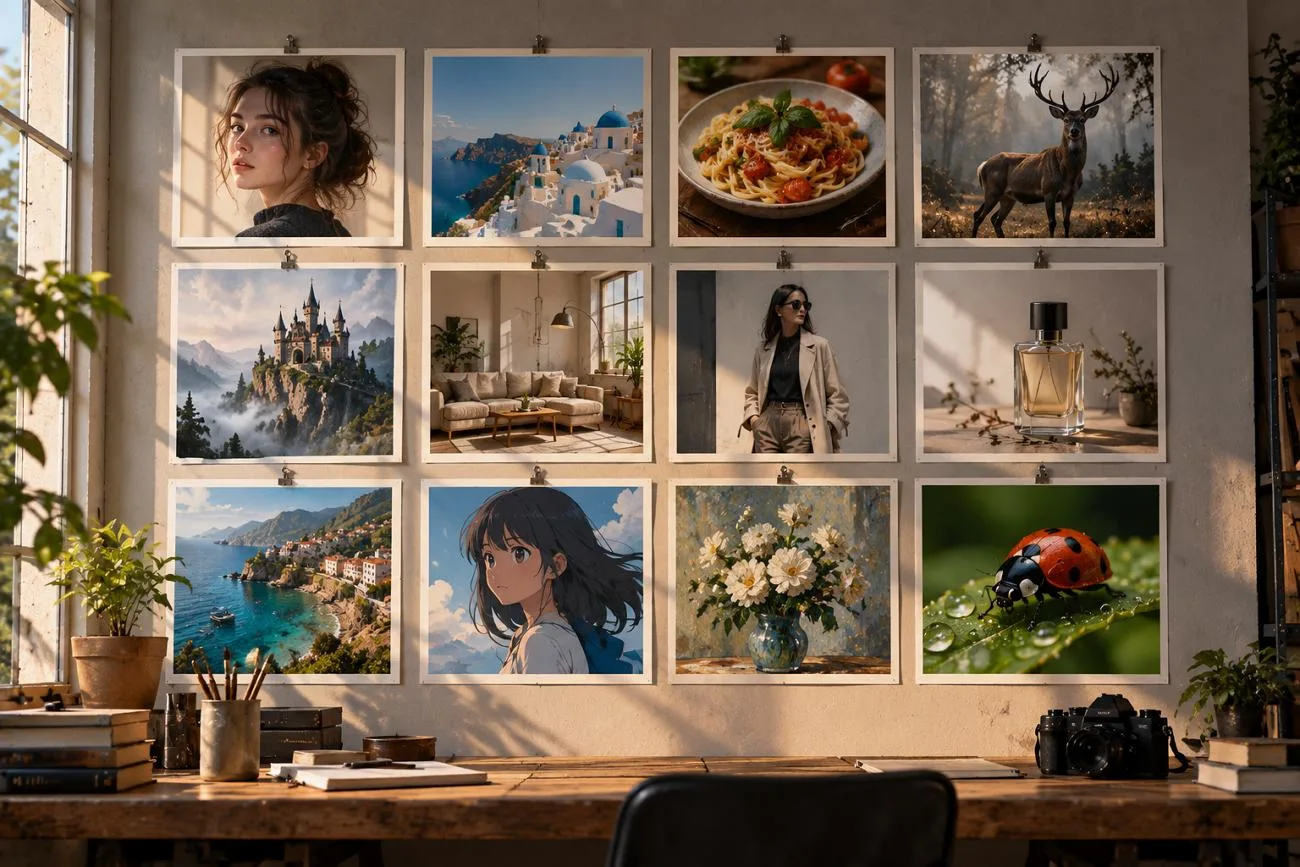
Simple ideas often produce basic pictures that lack the style or feeling you actually want. Good AI image prompts describe the subject, background, colors, style, and important details. Different creative projects need different instructions to get pictures that fit their main purpose.
Social posts may need catchy text, while photography ideas can mention lenses or camera angles. MagicLight AI helps turn these prompt ideas into polished pictures and engaging animated clips. This guide shares 20 useful prompt ideas for social media, marketing, art, photos, and stories.
Part 1. 20 AI Image Prompt Ideas for Different Creative Needs
AI prompts for image generation describe the subject, setting, style, lighting, framing, and action. Each prompt follows a simple structure, making creative ideas easier to describe and generate.
Social Media and Content Creation
Social media images need clear subjects that viewers can understand at a glance. These prompts can define layouts for carousels, thumbnails, podcast covers, or posts. Let’s explore useful prompt ideas for creating engaging social media content with AI.
- Carousel Cover for a How-To Post
A flat illustration of a woman arranging sticky notes beneath the headline “5 Planning Habits” in bold rounded letters. Pastel palette, clean shapes, and a square 1:1 frame.
- YouTube Thumbnail Background
A dark home office lit by one glowing monitor, with the right half left empty for a face cutout. Cinematic contrast, teal and orange tones, and a wide 16:9 frame.
- Morning Routine Flat Lay
An overhead flat lay of a matcha latte, an open journal, and a lavender sprig on rumpled white linen. Soft window light, calm neutral tones, and a vertical 9:16 frame for Stories.
- Podcast Cover Art
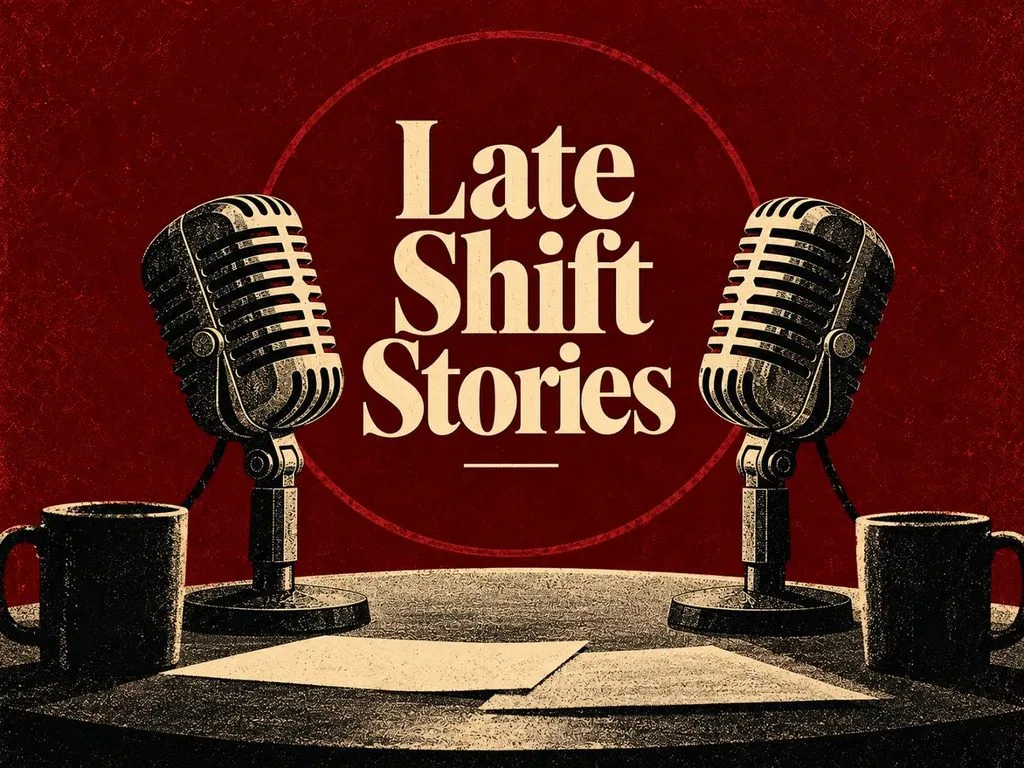
Podcast cover art with two vintage microphones facing each other in deep burgundy, titled “Late Shift Stories” in cream serif. Grainy risograph texture, bold simple shapes, centered symmetrical composition, vintage editorial poster style, and a 4:3 landscape frame.
Marketing and E-Commerce
Marketing images should present products clearly while keeping the brand style easy to recognize. AI prompts for images can include product materials, backgrounds, props, colors, and angles. Below are the 4 prompt ideas for creating marketing and e-commerce product visuals:
- Sneaker Hero Shot
A white running sneaker floating above a concrete plinth, with fine dust frozen mid-air beneath it. Hard rim light from behind, a charcoal gradient backdrop, and a square 1:1 frame.
- Cozy Candle Lifestyle Scene
A soy candle burning on a walnut side table beside stacked paperbacks and a knitted throw. Late afternoon sun through linen curtains, warm amber tones, and shallow depth of field.
- SaaS Landing Page Hero
Vector art of a remote team gathered around a giant floating dashboard of charts and chat bubbles. Friendly rounded characters, an indigo and coral palette, and a wide 16:9 frame.
- Seasonal Sale Banner
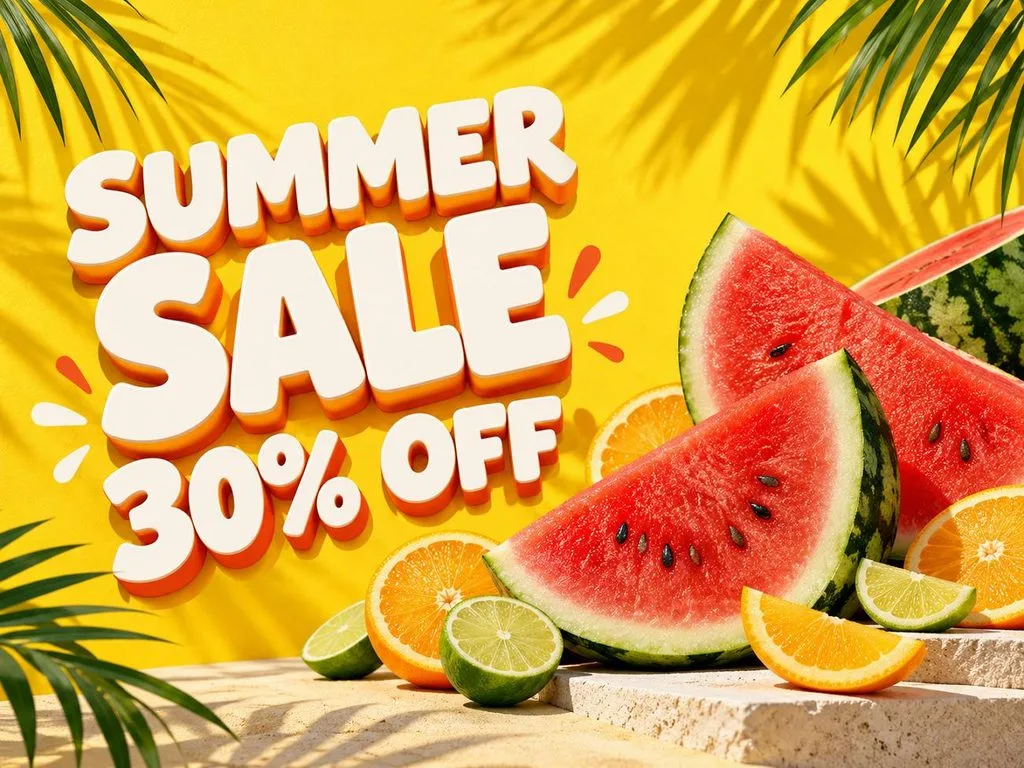
A summer sale banner with sliced watermelon, citrus wheels, and palm shadows on sunny yellow. Chunky white letters on the left read “SUMMER SALE 30% OFF” in a playful 3D style.
Art and Illustration
Art prompts can describe mediums, textures, tools, colors, and styles for creative illustrations. AI prompts for pictures can use printmaking, paper craft, or oil painting techniques. These prompts help create handmade artwork with unique textures, styles, and artistic details:
- Ukiyo-e Wave Over a Modern City
An ukiyo-e woodblock print of a towering wave curling over a modern skyline of glass towers. Indigo and cream palette, fine carved line work, and visible paper grain.
- Stained Glass Fox
A stained glass window of a red fox curled among autumn ferns, framed by thick black lead lines. Sunlight pours through the jewel-toned panes and scatters color across a stone floor.
- Layered Paper-Cut Forest
A layered paper-cut scene of a misty pine forest with a tiny cabin, built from twelve stacked sheets. Soft shadows between the layers and a deep green to pale mint gradient.
- Dutch Golden Age Still Life
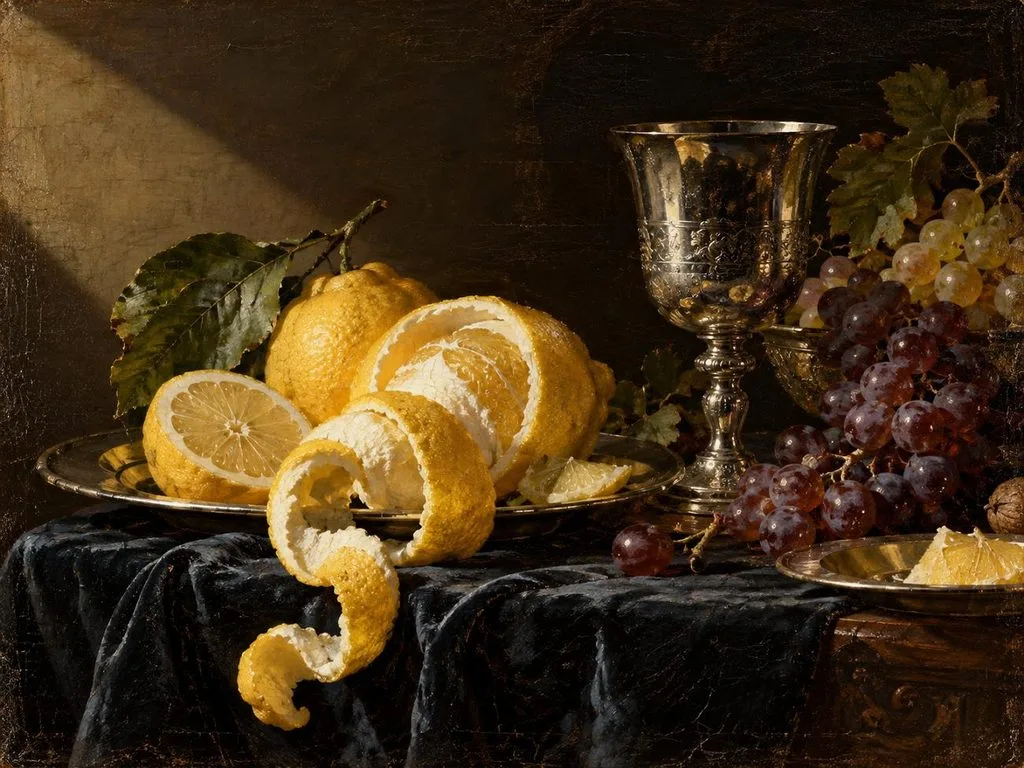
A Dutch Golden Age oil painting of peeled lemons, a silver goblet, and grapes on dark cloth. Dramatic side light, rich glazes, and visible brushwork on aged canvas.
Photography and Portraits
Photography prompts can include camera settings, lenses, angles, backgrounds, and natural visual details. These AI photo prompts use photography terms to create realistic portraits with suitable settings. Let’s explore 4 prompt ideas for creating realistic photos and portraits with AI tools:
- Professional Headshot
A real photograph of a smiling woman in her forties wearing a navy blazer, framed chest-up in a bright office. Soft window light, 70mm lens at f/2.8, and natural skin texture.
- Market Travel Photo
A documentary photo of a Marrakech spice stall at midday, with pyramids of saffron, paprika, and cumin up front. Harsh overhead sun, deep shadows, and a 35mm street photography look.
- Macro Nature Detail
A macro photograph of a ladybug climbing a dew-covered blade of grass, each droplet reflecting the sunrise. Extreme close-up, 100mm macro lens, creamy blurred background, and a square 1:1 frame.
- Action Pet Portrait
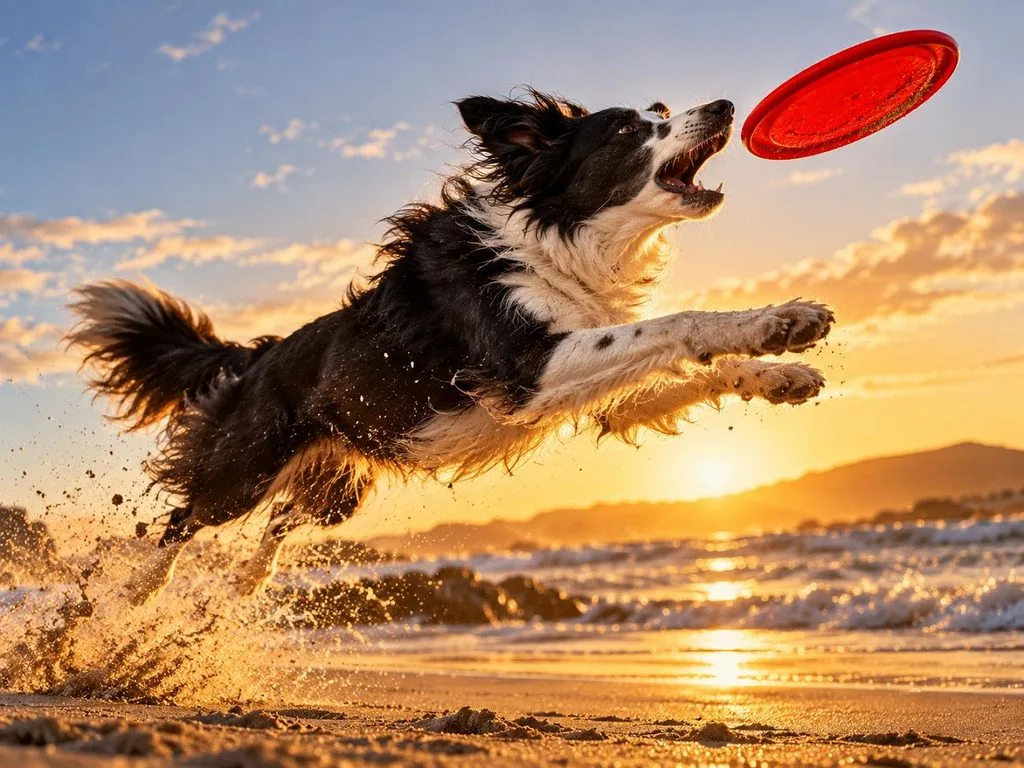
An action photo of a border collie leaping for a red frisbee on a windswept beach, sand spraying from its paws. Fast 1/2000-second shutter, low angle, and golden hour backlight.
Storytelling, Games, and Education
Stories, games, and lessons need visuals that make ideas easier to understand quickly. Characters, labels, and matching styles make each AI picture prompt useful across projects. Provided below are 4 prompt ideas for storytelling, games, and educational content:
- Children’s Storybook Page
A colored-pencil illustration of a hedgehog mail carrier delivering letters through a rainy village of mushroom houses. Warm lamplit windows, soft textures, and a gentle bedtime-story mood.
- Labeled Science Diagram
A textbook cross-section of a volcano labeled “Magma Chamber,” “Vent,” and “Crater” in a simple sans-serif font. Flat illustration style, warm earth tones, and a white background.
- Solarpunk City Concept Art
Concept art of a solarpunk city where trams glide between towers wrapped in vertical gardens and wind turbines. Bright morning light, lush greens, painterly detail, and a cinematic 16:9 frame.
- Pixel Art Game Scene
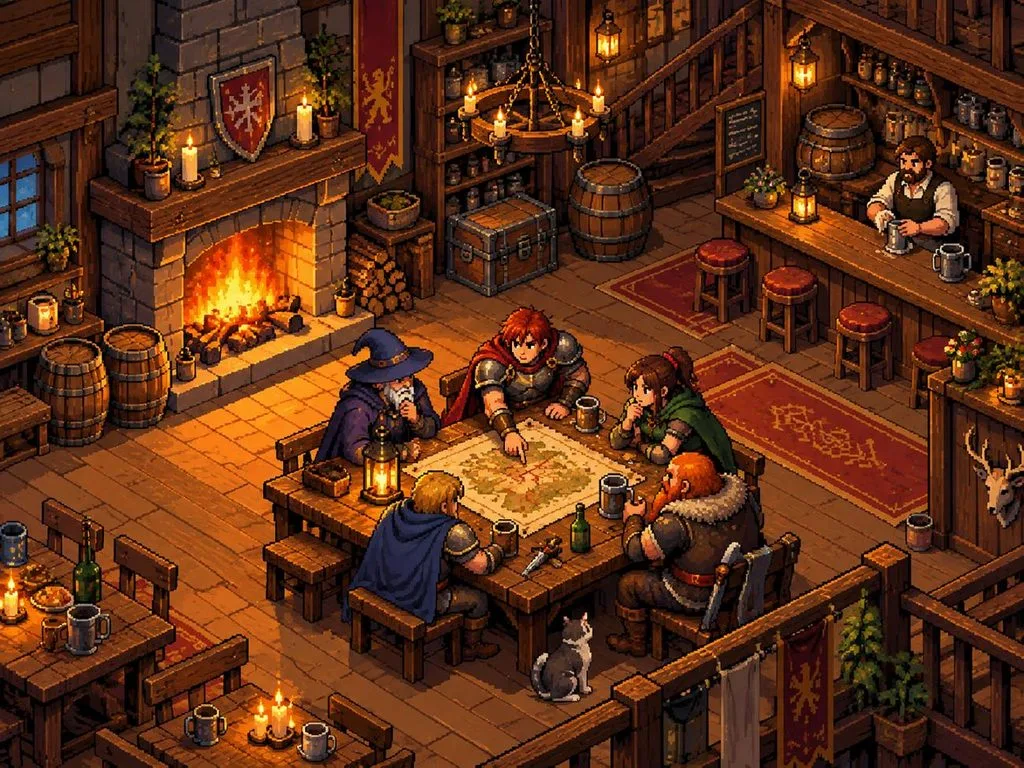
A 16-bit pixel art tavern with a crackling fireplace, wooden barrels, and adventurers gathered around a map. Limited retro palette, three-quarter top-down view, and sharp, clean pixel edges.
Part 2. Best Way to Turn AI Image Prompts into AI Images
Choosing the right generator helps AI image prompts create better results for different creative projects. MagicLight AI provides 5 image models, including Nano Banana 2 and GPT Image 2. Users can enter 500-character prompts and upload up to 10 reference images for guidance.
These options help create pictures with suitable styles, characters, details, and visual direction. Image to Video can turn generated pictures into videos lasting up to 30 seconds. With 20 different video models in support, you can animate your basic images to the finest levels.
How to Turn AI Image Prompts Into Images With MagicLight AI
MagicLight AI makes each AI prompt for images easy to enter, adjust, and test. Follow the simple steps below to create visuals easily using this AI image generator tool:
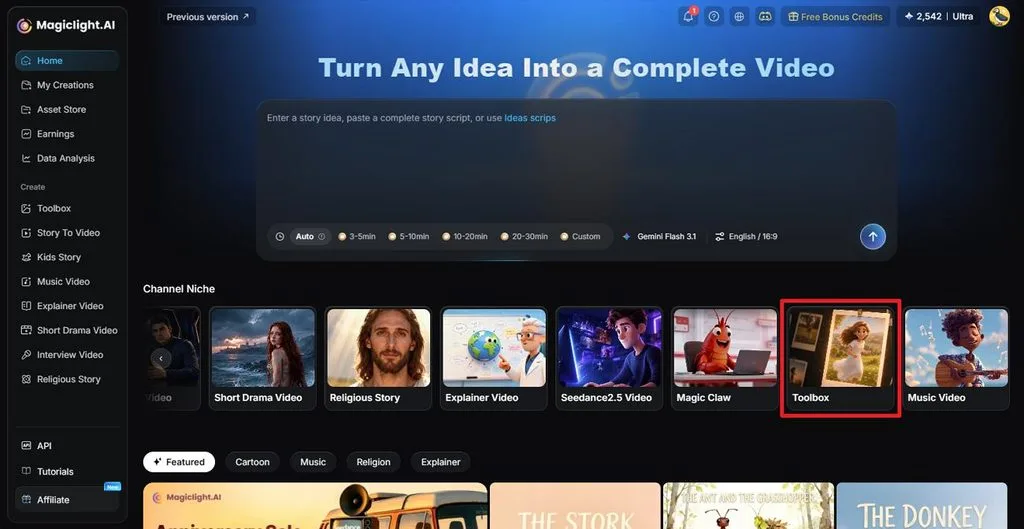
Step 1. Access the AI Image Generator
Once you enter MagicLight AI, select Toolbox from the main workspace. This opens the area where you can access the image creation features.
Step 2. Turn Your Prompt Into an Image
Choose the Image tab and enter your AI image prompt in the prompt box. Upload a reference image if you want to guide the character, object, or visual style. Next, select an Image Model, choose the number of Outputs, and set an Aspect Ratio that fits your project. Click Create to generate the image.
Image name: image-prompt-generation-settings-panel.jpg
Image alt: setting model output ratio options
Step 3. Review and Download the Result
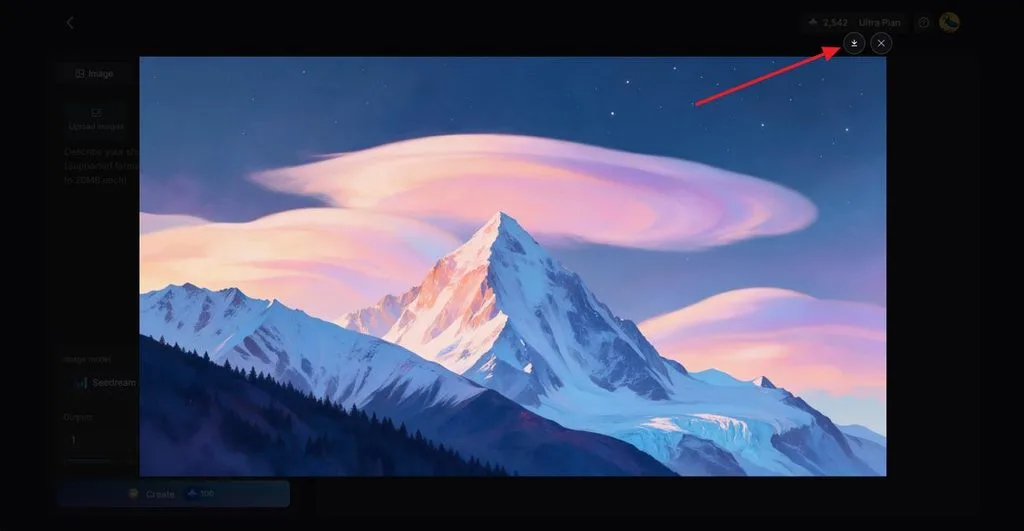
Check the generated image to see whether it matches your prompt. Adjust the prompt and create another version when needed. Once the result is finalized, click the Download icon to save it. Moreover, you can create an AI character using your favorite character image as a reference and create a video with it.
Conclusion
In summary, AI image prompts describe subjects, settings, framing, and creative details. Different projects need different prompt details to create visuals that match their intended purpose well. Social posts, marketing images, artwork, photos, and stories benefit from thoughtful prompt choices. MagicLight AI turns these creative ideas into images, with options to animate favorite results.
Frequently Asked Questions
- What is an AI image prompt?
An image prompt is a written instruction describing the picture you want to create. It can include the subject, setting, style, lighting, colors, mood, and framing details. Some tools also support reference images for guiding characters, products, styles, or appearances.
- How do I write a good AI image prompt?
Useful AI prompts for images begin with the main subject, action, and setting clearly. Add useful details about style, colors, lighting, mood, background, and preferred framing choices. Keep descriptions direct, then change individual details when refining results for better control later.
- What are the best words to use in AI image prompts?
Clear descriptive words help generators understand exactly what kind of picture you want created. AI picture prompts can include terms like golden hour or cinematic lighting. Specific colors, camera angles, art styles, and moods provide greater creative control.
- Can I create AI images for free?
Some image tools let you create pictures for free, but each one has different limits. Free plans may restrict downloads, commercial usage, and the number of generations available. MagicLight AI provides sign-up credits, letting new users start creating without card details required.
![6 Best Picture Modification Apps in 2026 to Try [New List]](https://magiclight.ai/wp-2/wp-content/uploads/best-picture-modification-apps-for-photos.jpg-300x200.webp)
![How to Turn Audio File Into Video in 2026 [Full Guide]](https://magiclight.ai/wp-2/wp-content/uploads/audio-to-video-conversion-guide.jpg-300x169.webp)
![How to Make an AI Movie in 2026 [Step-by-Step Guide]](https://magiclight.ai/wp-2/wp-content/uploads/ai-movie-creation-journey-posters.jpg-3-300x169.webp)
