


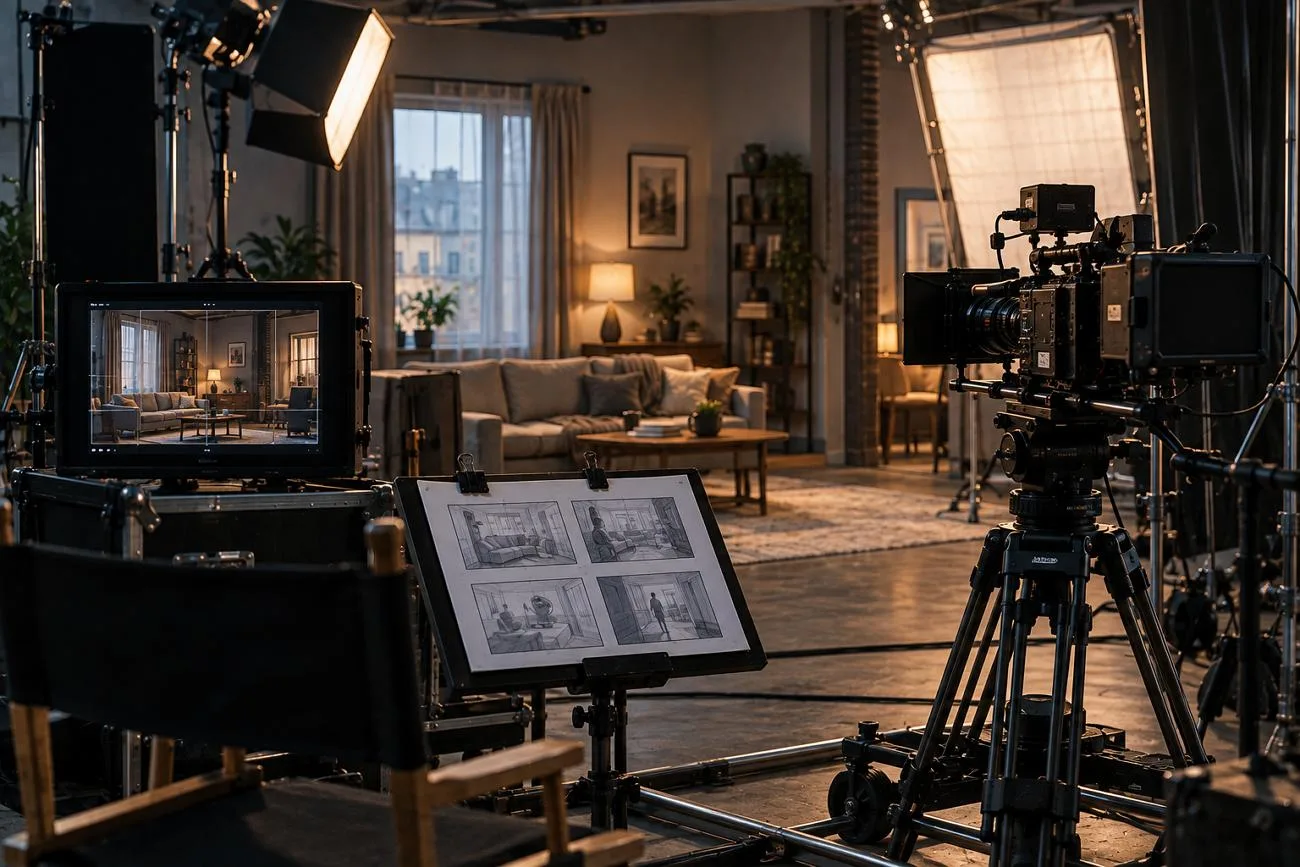
Creating storyboards by hand can take days, leaving little time for fast-moving creative projects. AI software can read scripts, identify shots, and create matching storyboard frames within minutes automatically. These tools reduce manual drawing while helping creators plan scenes before production work begins.
Image quality alone does not determine which tool will suit every project or workflow best. The best AI storyboard generator depends on whether storyboards finish projects or support later production. This guide compares 7 tools by features, pricing, consistency, workflows, and video creation options available.
Part 1. What Is an AI Storyboard Generator?
An AI storyboard generator converts written scripts into ordered visual frames for planned shots. It breaks the script into shots and identifies the characters in each planned scene. Each identified shot receives a matching image based on its characters, setting, and action details.
Character consistency matters because the same person must remain recognizable across every storyboard frame. Standard image generators often change character appearance between frames without careful prompting and adjustments. Some tools export storyboards as PDFs, while others create timed animatics for project reviews.
More advanced options move beyond storyboard creation and turn planned scenes into finished video content. Monthly prices usually range from $10 to $50, so workflow often matters more than cost.
Part 2. 7 Best AI Storyboard Generators to Try
The 7 below are split along that line rather than by picture quality. Choosing an AI storyboard tool comes down to what you need on the other side of the board.
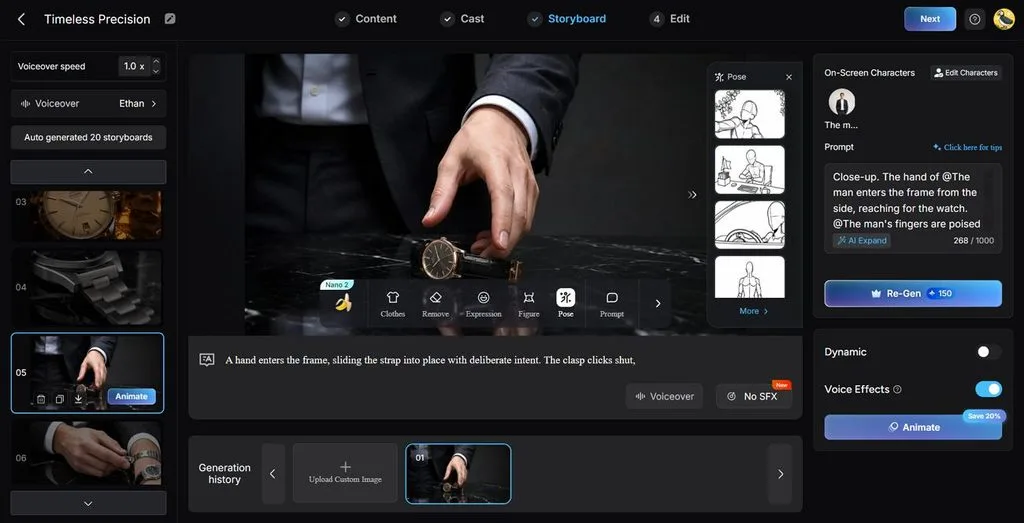
Most tools deliver a completed storyboard, while MagicLight AI keeps it connected to production. MagicLight AI turns a written script into a complete storyboard, generating scenes from the story. Its script-to-storyboard workflow divides the content into shots while keeping generated prompts open for editing.
Characters are created and saved once, keeping their appearance consistent across later frames. An approved board continues into a video of up to 50 minutes from a 12,000-character script. Voices, captions, and cover artwork can also be added before exporting the finished video.
Key Features
- Nano Storyboard: Separate scenes before generation to plan every storyboard shot with greater control. Adjust outfits, expressions, and choose from 50 poses for each planned storyboard shot.
- Language Support: Create complete videos in 11 languages for audiences across different regions worldwide. Select a supported language matching your story, target market, and intended viewers precisely.
- Character Library: Save created characters inside your library for reuse across future creative projects. Keep the same character appearance consistent across new stories, storyboard scenes, and videos.
- Story Models: Pick from 14 story models based on your content and creative direction. Options include Gemini Flash 3.1, GPT-6 Astra, and other available supported models.
- Voice and Captions: Choose from 37 voices to match different characters, stories, and target audiences. Apply 16 subtitle styles before exporting your completed video for final delivery.
Pros
- Offers 52 character styles for varied visual storytelling projects.
- Supports custom character creation from text or uploaded photos.
- Provides 20 AI video models for different generation needs.
Con
- You can find maximum resolution exports in 1080p.
Pricing: Free plan available, with paid plans starting at $15.00/month and including commercial rights.
- StoryboardHero
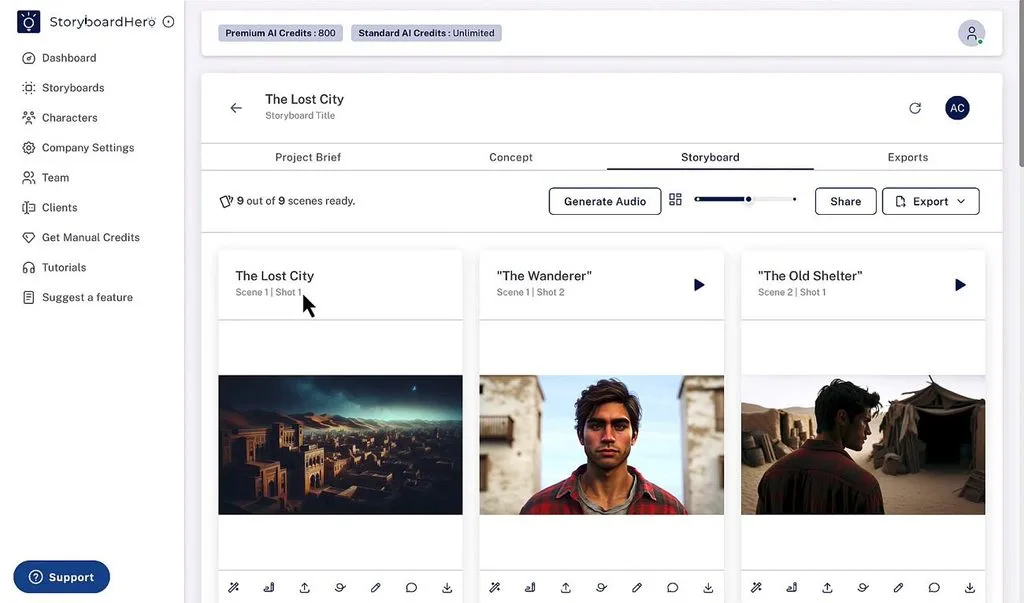
Designed for agencies, this AI storyboard platform converts client briefs into presentation-ready boards. Automated concept development helps teams shape early ideas before moving into visual planning. White-label presentation options let agencies deliver polished work under their own branding directly.
Key Features
- Creates concepts and scripts automatically from client briefs before building storyboard frames.
- Exports completed boards as PDF files, shareable links, or MP4 video files.
- Includes several user seats so small agency teams can work on projects together.
Pros
- Client sharing makes collecting feedback easier before final storyboard approval.
- Agency branding keeps delivered storyboards consistent across client presentations.
Cons
- Free access is unavailable, leaving only a money-back trial period.
- Video production remains limited after teams finish planning storyboard scenes.
Pricing: Single-user plan starts at $19/month, with team tiers from about $59/month.
- Boords
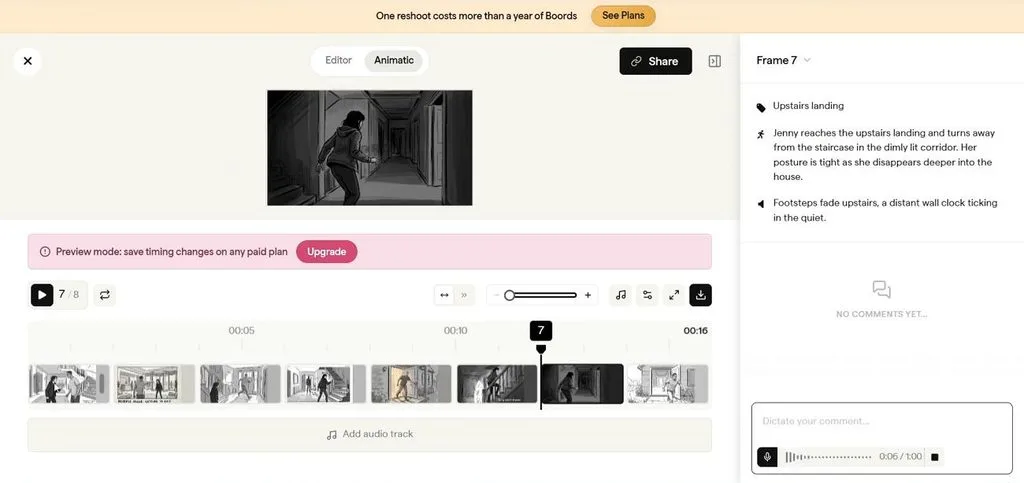
Boords gives teams an AI storyboard creator focused on structured pre-production review workflows. Frame-by-frame editing lets creators shape each shot before production work begins in earnest. Timed animatics preview scene pacing early, helping teams identify sequencing problems before filming starts.
Key Features
- Version history keeps earlier storyboard changes available when teams need previous project drafts.
- Threaded comments keep client feedback attached directly to the relevant storyboard frames during reviews.
- Shot lists and reusable templates organize production details alongside each planned visual sequence.
Pros
- Approval controls help teams finalize boards before production work begins.
- Presentation tools make client reviews easier without separate review software.
Cons
- AI generation options remain narrower than dedicated automation-focused storyboard platforms.
- Boords provides trials, not free accounts with recurring AI credits.
Pricing: Free trial available, with paid plans starting from $39/month/user.
- Katalist
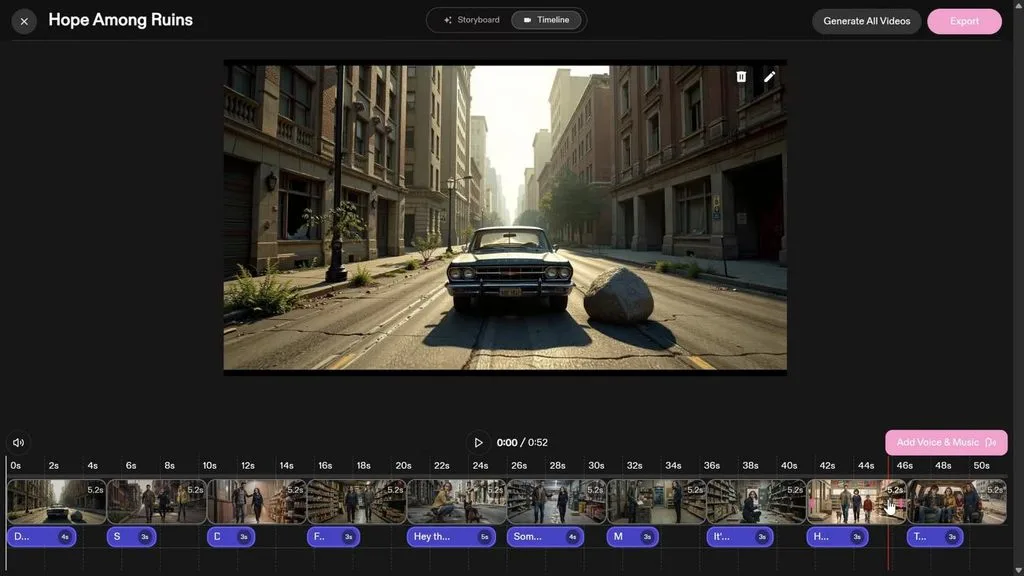
Built for rapid script conversion, this AI storyboard software creates complete boards quickly. Katalist accepts Word, CSV, and PowerPoint files directly for starting storyboard projects easily. Uploaded material becomes organized shots with relevant characters identified for each planned scene automatically.
Key Features
- Keeps the same character face consistent across distant scenes within longer storyboard projects.
- Sets body positions separately for individual frames using built-in character posing controls precisely.
- Converts completed storyboards into videos with optional voiceovers through its Video Studio feature.
Pros
- Script breakdown completes quickly for tight creative production schedules.
- Publicis and TBWA reportedly use Katalist for professional projects.
Cons
- Entry plans provide limited image credits for frequent generation.
- Detailed production planning receives less support than pitch visuals.
Pricing: 7-day free trial available, with paid plans starting from $19/month.
- Storyboarder
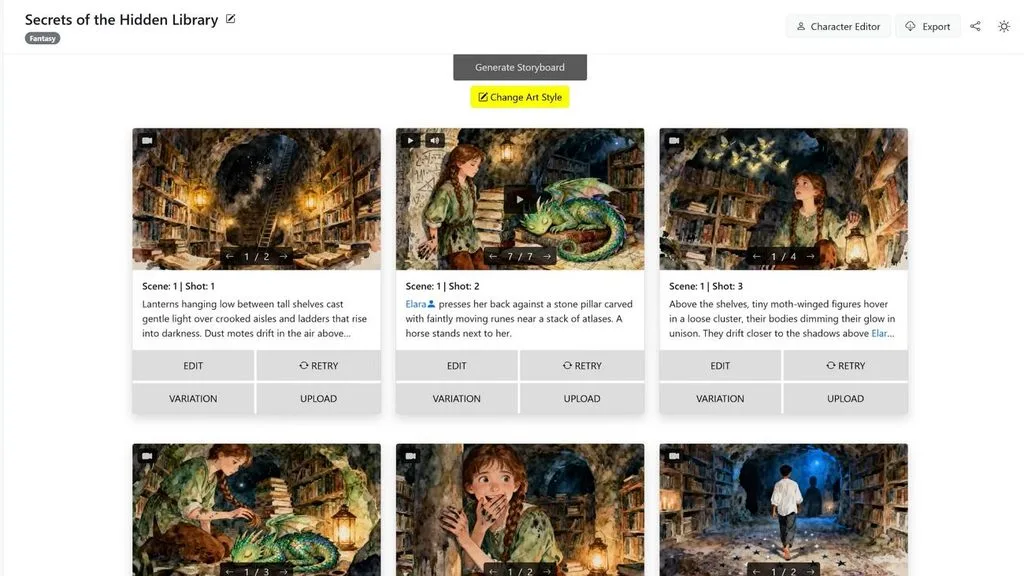
Available in a dedicated browser version, this AI storyboard generator differs considerably. Users can start from a short idea or upload PDF, Word, TXT, FDX, or Fountain files. Storyboarder.ai generates visual frames from scripts through its browser-based AI workflow and subscriptions.
Key Features
- Generated storyboard frames combine into timed animatics for checking scene pacing before production.
- Desktop users can draw shots manually without paying for AI generation or subscriptions.
- Browser-based creation works without downloading or installing additional software on your local computer.
Pros
- Free desktop access suits creators who prefer drawing frames manually.
- Animatic playback reveals timing problems before committing resources to production.
Cons
- Similar product names can cause confusion when choosing versions.
- AI access costs more monthly than several competing storyboard tools.
Pricing: The starter subscription package starts at $45/month.
- Canva
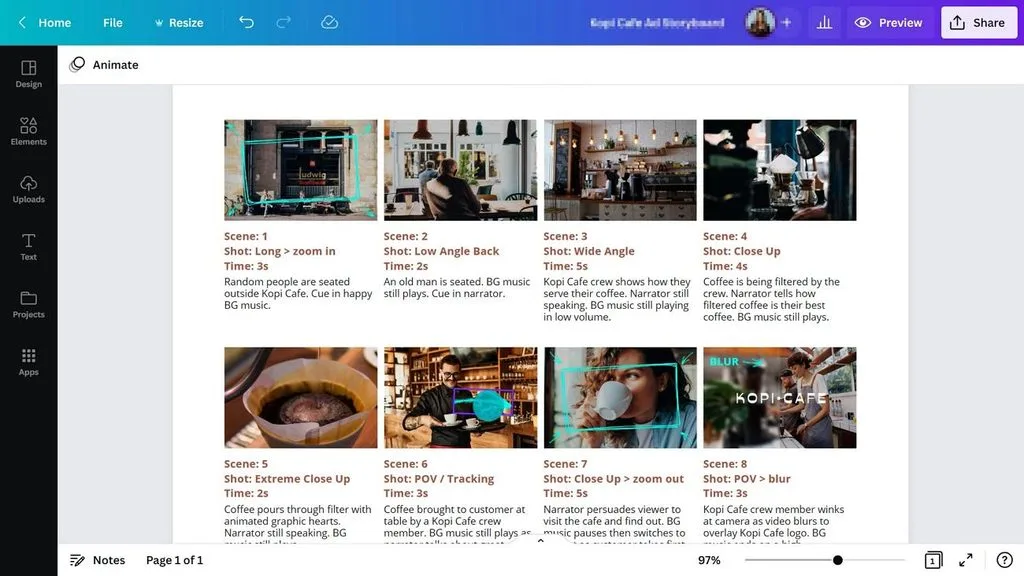
Canva gives existing users a storyboard AI generator option inside their familiar design platform. Storyboard templates provide ready frame layouts that creators can fill with generated images quickly. Magic Studio creates individual visuals, while creators arrange each frame into sequence by hand.
Key Features
- Brand Kits apply saved fonts, colors, and logos consistently across every storyboard frame.
- Shared editing lets multiple team members make changes inside the same storyboard project.
- Built-in comments allow reviewers to leave feedback directly beside specific storyboard design elements.
Pros
- Existing Canva users can start storyboarding without learning separate software.
- Free access works well for occasional boards with basic needs.
Cons
- Scripts require manual division because automatic shot breakdown remains unavailable.
- Characters can change appearance between separately generated storyboard images.
Pricing: Free tier available, with paid plans starting from $18/month.
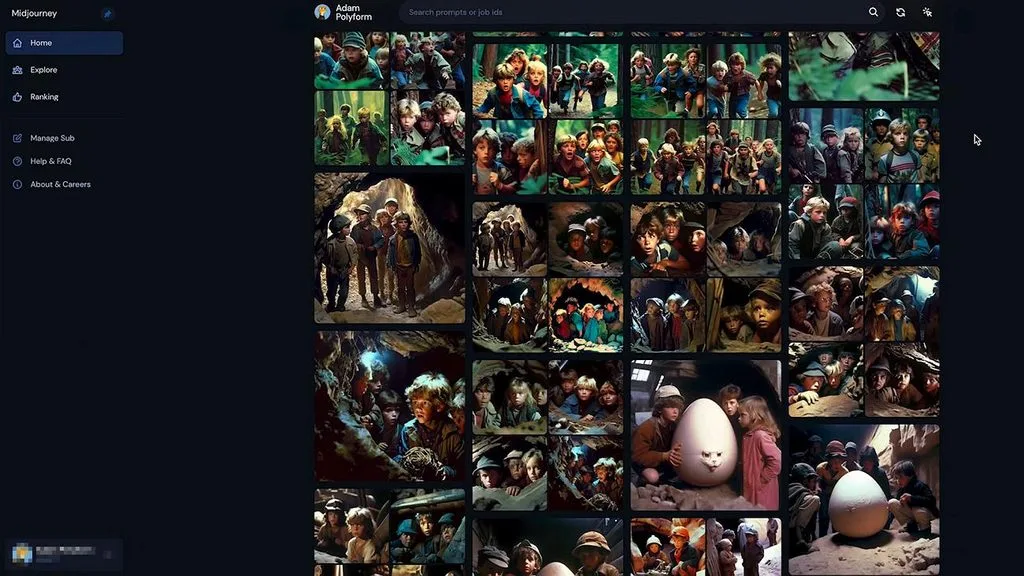
Midjourney works as an AI storyboard tool when strong visual quality matters most. It creates individual images from prompts rather than building complete storyboard sequences automatically. Creators control every shot manually, making it better suited to visual concept development work.
Key Features
- Style references help maintain a similar visual direction across separately generated storyboard frames.
- Image variations let creators explore alternative compositions before selecting the strongest storyboard frame.
- Paid plans provide commercial usage rights for images created during active subscription periods.
Pros
- Detailed image generation produces polished frames for professional concept presentations.
- Visual styles range from rough sketches to realistic cinematic imagery.
Cons
- Script breakdown and automatic shot sequencing are completely unavailable here.
- Maintaining identical characters across separate scenes requires additional manual work.
Pricing. No free tier, with paid plans opening near $10 monthly.
Part 3. A Quick Comparison of the Best AI Storyboard Generators
Script breakdown and character consistency separate these tools more clearly than monthly pricing differences. A storyboard creator AI also differs in how far it supports production after approval. Look at the table below to compare their main capabilities and workflow differences:
| Tool | Script Breakdown | Character Consistency | Becomes Video | Production Continuation |
| MagicLight AI | Automatic | Saved cast | Yes, up to 50 minutes | Full storyboard-to-video workflow |
| StoryboardHero | Yes | Yes | MP4 export only | Board export for presentation |
| Boords | Yes | Limited | Animatics only | Timing and approval workflow |
| Katalist | Automatic | Yes | Video Studio add-on | Video through separate Studio |
| Storyboarder | Automatic | Supported | Generated video | Timed storyboard playback |
| Canva | Manual | Not supported | No | Manual frame arrangement |
| Midjourney | None | Requires manual work | No | Individual image generation |
Conclusion
To conclude, the best AI storyboard generator depends on what follows your completed storyboard next. Some tools focus on approvals, agency pitches, quick boards, or polished visual frames for clients. However, fewer platforms continue beyond approved frames to make storytelling videos within one workflow. If you want storyboards that become complete storytelling videos, use MagicLight AI for production.
Frequently Asked Questions
- Which AI is best for storyboarding?
An AI storyboard creator should match whether you need planning, approvals, or video production. MagicLight AI connects storyboard creation with video production using the same planned scenes directly.
- What is the best free AI storyboard generator?
Canva provides free tiers for creating storyboards without immediate paid subscriptions required. Boords offers a free trial, while MagicLight AI provides free access without cards.
- Can an AI storyboard generator create videos?
Some storyboard generators create videos, while others only export frames or timed animatics afterward. MagicLight AI turns approved storyboard scenes into videos without requiring another production platform.
- Can AI storyboards replace professional storyboard artists?
A storyboard AI app works well for early concepts, pitches, and rapid planning tasks. Professional artists remain valuable when projects require precise framing and specific drawing styles manually.



![How to Write a Commercial Script in 2026 [Full Guide]](https://magiclight.ai/wp-2/wp-content/uploads/commercial-script-writing-full-guide-300x169.webp)