In recent years, artificial intelligence tools have become widely used everywhere online. Cantina AI is one such tool helping users build short video content. However, some users report issues like bugs, performance problems, and inconsistent video results. To help you choose the right fit, this guide provides a detailed look at Cantina AI alongside other advanced platforms.
Part 1. What is Cantina AI?
The Cantina AI app is a social AI platform that lets users create and interact with AI-powered characters in real-time. It allows users to design custom AI bots with unique personalities and digital identities. These AI characters can talk, reply, and interact in real-time chats.
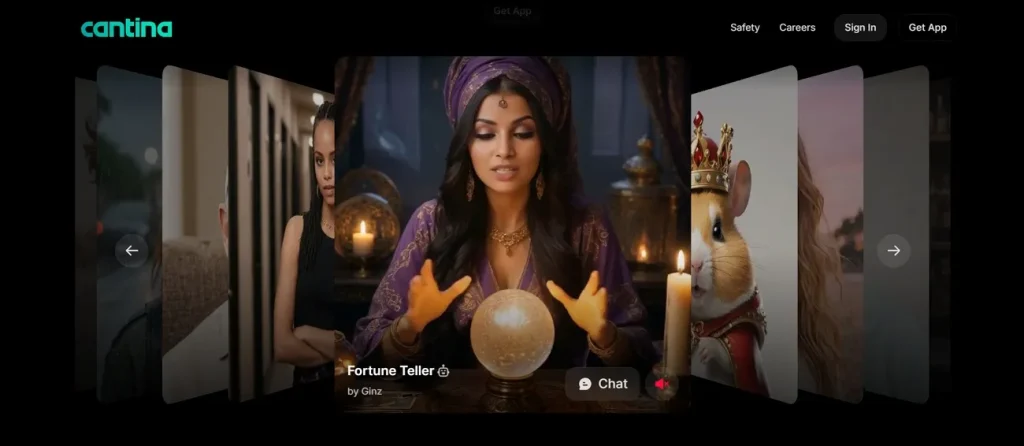
Users can create custom personas and adjust gender, age, and personality easily. Along with this, you can generate short AI videos with unique personalities and voices. This tool supports the video generation process with text up to 2,000 characters and from images.
Key Features of Cantina AI
- Persona Choice: Users can recreate themselves, invent new characters, or pick from thousands of ready-made bot profiles.
- Image Reference: You can provide reference images to guide AI in creating matching styles and visuals accurately.
- Social Dynamics: People can add bots to “rooms,” share them, and create content with characters made by others.
- Story Mode: AI can participate in storytelling sessions to create unique narratives with users in real time.
- Script Edit: Users can rewrite and improve scripts using AI help for clearer and more engaging content.
Part 2. Is Cantina AI Worth It?
The AI Cantina is worth it for those who enjoy creating AI characters and interactive storytelling experiences. Moreover, it is useful for chatting, role-playing, and generating creative AI-based content easily. The platform makes it simple to build and interact with unique digital characters. It may also feel limited for users who want advanced control or professional output.
How Does It Work?
Adhere to the given steps below to know how to create a custom AI bot with Cantina AI:
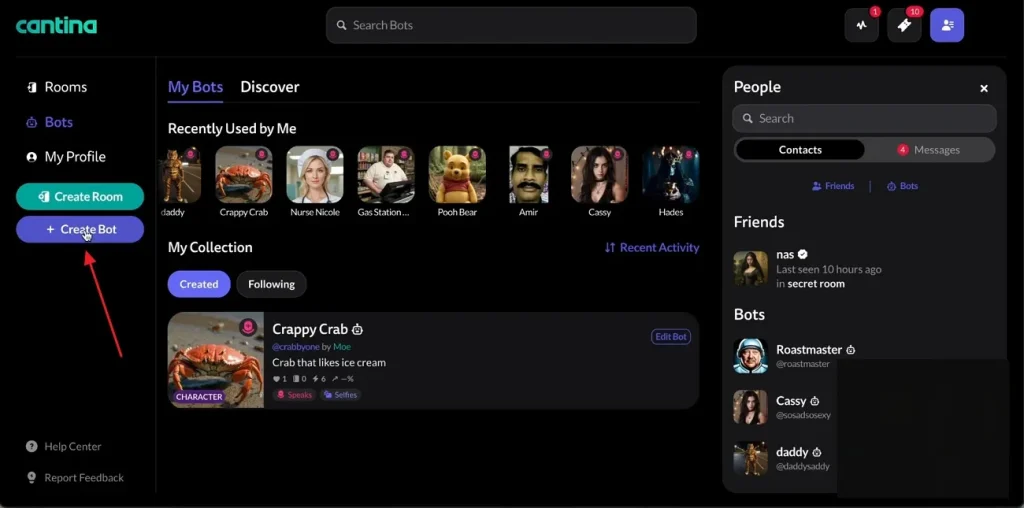
Step 1. Access the official website of Cantina AI and opt for the Create Bot option from the side panel.
Step 2. After that, press the Generate Appearance option and settings such as Gender and Age in the Bio section. In addition, you can enter a text prompt to describe the personality of your bot.
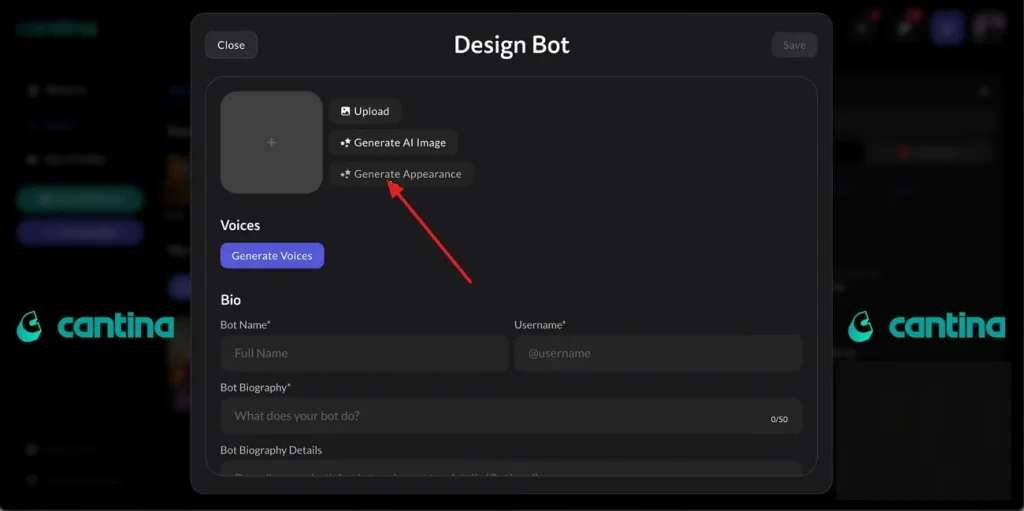
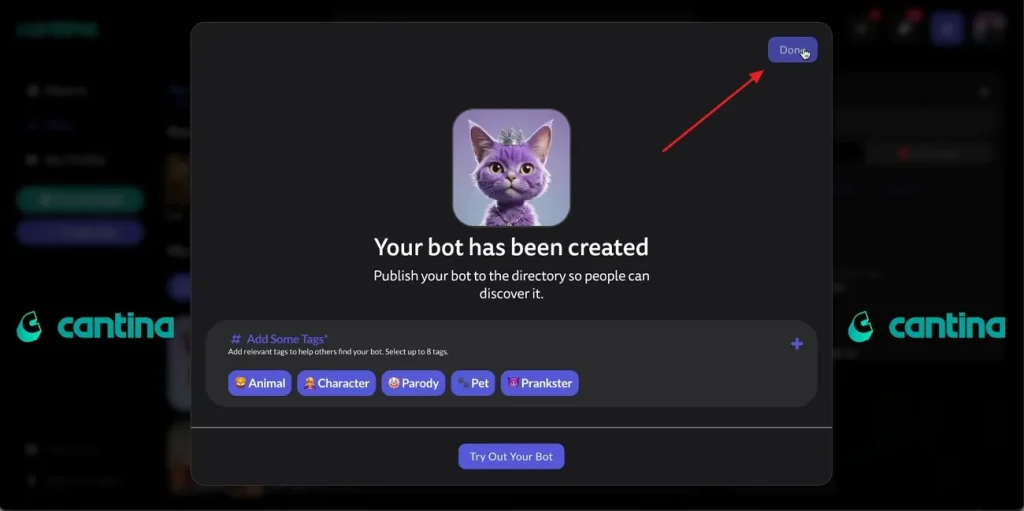
Step 3. Next, generate AI images or upload your own pictures for video creation easily. Once it is done, opt for the Done option at the top-right corner to chat with the generated bot.
Key Advantages and Disadvantages of Using the Cantina AI Platform Explained
Many users also ask, “Is Cantina AI safe?” before using this platform. In this particular section, you will discover the advantages and drawbacks of the Cantina AI video generator:
Pros
- A strong memory system helps AI maintain context during long conversations easily.
- Advanced voice customization enables expressive characters with realistic accents and tones.
Cons
- Privacy issues arise due to extensive permissions, including contacts and microphone access.
- Some users report video and audio sync issues, which may affect output quality.
Part 3. MagicLight AI: Best Alternative to Cantina AI
Many times, Cantina AI's inconsistent character visuals and audio sync issues make it frustrating for creators who want to produce story-driven content. These repeated limitations push serious creators to seek a reliable platform. To fulfil this need, MagicLight AI appears as a strong alternative offering smoother performance and better results. With this tool, you can generate AI characters that remain visually consistent across multiple scenes during complete video storytelling projects.
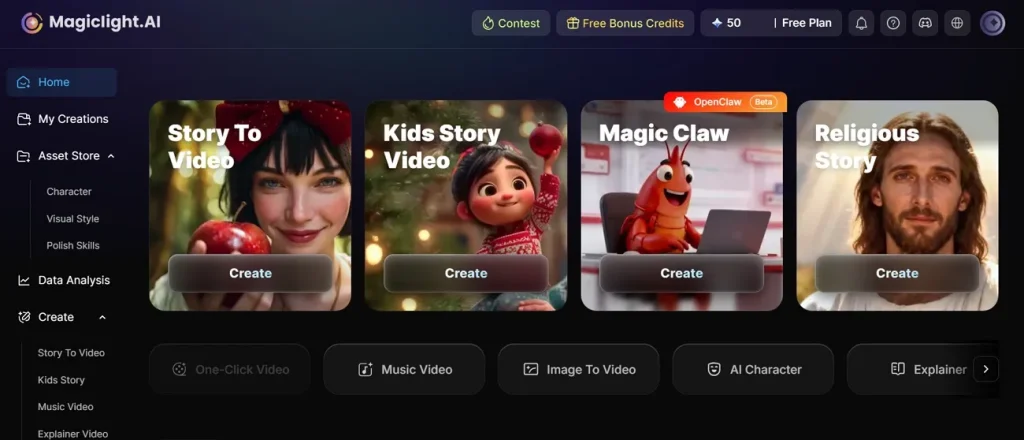
It automatically generates storyboards that support editable prompts, regenerated scenes, and 50 customizable character pose options. Along with this, creators can generate AI videos by using its 12-story model for cinematic visuals. Users can even customize generated video durations, reaching 50 minutes for storytelling projects. The platform supports 11 languages for efficiently creating multilingual AI-generated video content.
Key Features
- Long Scripts: The platform accepts script inputs containing up to 12,000 characters per project.
- Storyboard Preview: Automatically generated storyboards allow editing and regenerating prompts before final video rendering begins.
- Style Variations: Users can generate videos using JOJO, Ghibli, Disney, Pixar, and anime-inspired artistic styles.
- Speech Engines: MagicLight AI integrates ElevenLabs and Minimax speech technologies for realistic AI voice generation.
- Animation Models: Users can convert storyboards into animations using 16 different AI animation generation models.
Detailed Comparison Between Cantina AI and MagicLight AI
Several users replace the Cantina app AI because of limited creative control and stability. Review the comparison table below for detailed insights about features and performance differences:
| Features | Cantina AI | MagicLight AI |
| Script Length | Supports text up to 2000 characters | Supports scripts up to 12000 characters |
| Storyboard Editing | Basic image and prompt generation | Editable storyboard with scene regeneration |
| Character Consistency | Limited character consistency across scenes | Stable characters across complete storytelling videos |
| Video Duration | Short AI video generation | Video duration supports up to 50 minutes |
| Style Options | Basic AI character styles | JOJO, Ghibli, Disney, Pixar, anime, and cinematic styles |
| Voice Technology | Standard AI voice customization | ElevenLabs and Minimax speech engine integration |
| Creative Control | Simple customization settings | Advanced scene and storyboard editing controls |
| Story Creation | Interactive storytelling chats | Built-in cinematic storytelling generation tools |
Conclusion
To finish this, choosing the right platform depends on your specific creative goals. Cantina AI works well for users interested in AI chats and creative storytelling experiences online. It allows easy character customization and simple short-form AI video generation for beginners.
Even so, if you find short clips and basic settings too restrictive for your professional projects, you may need an advanced tool. Consequently, for cinematic quality and total control, MagicLight AI provides the advanced features you need.
FAQs on Cantina AI
1. Is the Cantina AI App free?
Yes, Cantina AI offers free access for creating AI characters and chatting online. Users can generate bots, images, and short videos without paying subscription charges initially. However, some advanced features and future updates may include limited premium access options.
2. How does Cantina AI work?
Cantina AI works by helping users create custom AI characters through simple setup options. Users can adjust personality, appearance, age, and voice settings for generated digital characters. For advanced storytelling videos, many creators prefer MagicLight AI for better creative control.
3. Which works better than Cantina AI?
MagicLight AI works better for users needing stable and professional AI video generation features. It supports longer scripts, advanced storyboards, and smoother cinematic video creation tools overall. Many creators choose MagicLight AI because it offers stronger customization and better visual consistency.