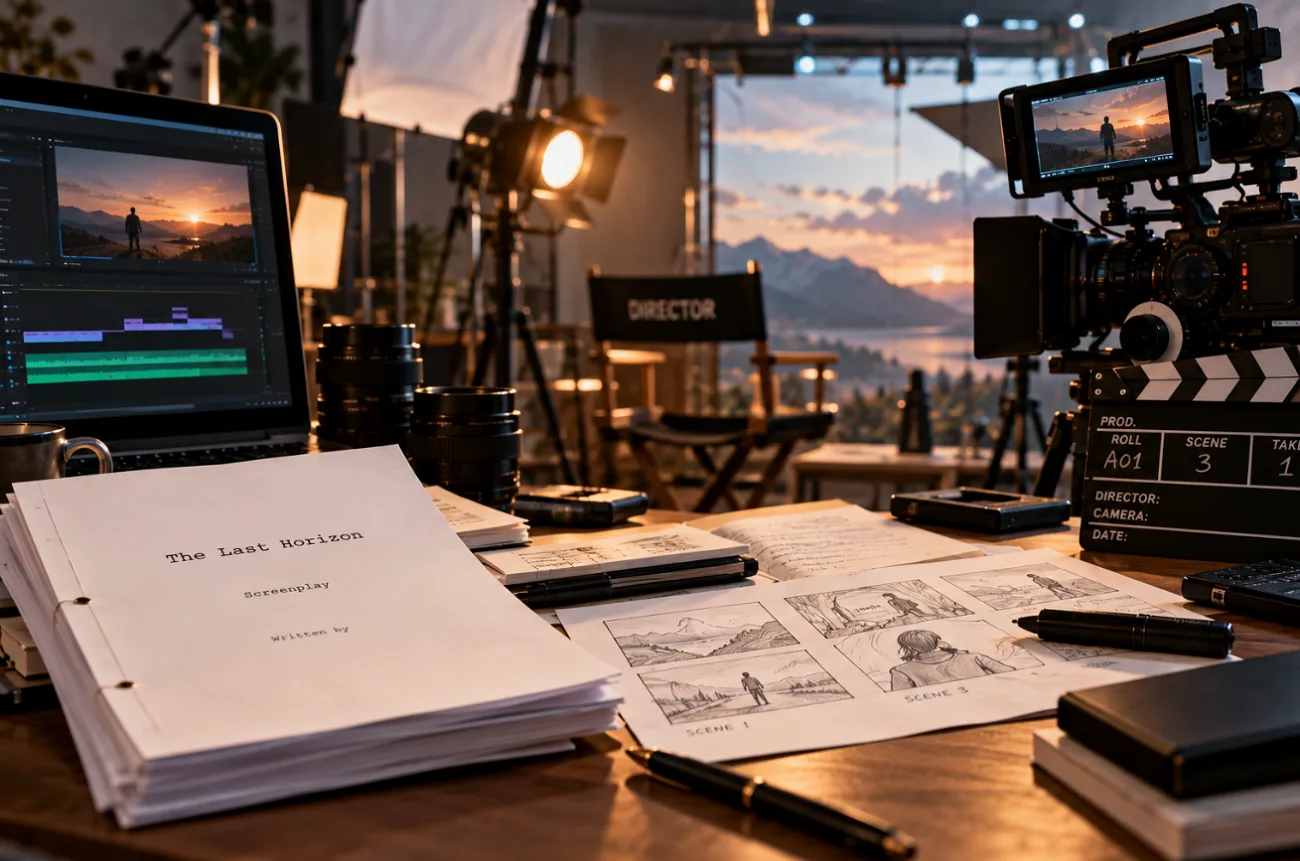
A common screenwriting rule suggests that 1 script page equals roughly 1 minute of screen time. For example, a 6-page story about a street violinist and a passing commuter could become a 6-minute short film. However, the actual runtime depends on dialogue, pacing, and scene transitions.
Traditionally, turning a script into a film required actors, cameras, filming locations, and production equipment. Today, AI tools make the process easier without requiring a physical shoot. If you're wondering how to make a short movie, MagicLight AI offers a simple way to bring your script to life. It helps create consistent characters, generate cinematic scenes, add dialogue, and produce a complete short film.
Part 1. How to Make a Short Movie
The fundamentals of how to make short movies have not changed with the move to AI production. Each film still needs a script, a cast, a consistent look, sound, and a final edit. In fully AI-generated films, generated scenes replace filming, which places more weight on decisions made before the first render.
MagicLight AI produces short movies from a finished screenplay or a one-line idea, with every scene, voice, and music cue made inside one project. The writer plans each film by chatting with MagicLight Agent, and after approval, the scenes move to Story to Video for animation.
Maintaining character consistency is one of the biggest challenges when learning how to make short films with AI. Changes in facial features or clothing between shots can disrupt the viewing experience. MagicLight AI addresses this challenge with reusable characters and storyboards that help preserve a consistent appearance. For the violinist short film, both characters can maintain their recognizable looks across different scenes.
- MagicLight Agent: Turns a pasted script or a simple story idea into a structured screenplay with numbered shots and character descriptions.
- Visual Styles: Offers over 52 styles, including Realistic, 3D Cartoon, and Watercolor, to create different cinematic looks.
- Character Assets: Creates reusable character designs that can be added to storyboard shots using an @ tag with the character's name.
- Voices in 11 Languages: Provides 37 AI voices and voice cloning options to create character dialogue in 11 supported languages.
What to Consider When Planning an AI Short Movie
Good planning can save plenty of wasted processes when figuring out how to make short film projects with AI. For the violinist short, it makes sense to settle the basics before generating scenes. The points below cover the choices worth making early:
- Set the Target Runtime: Estimate your film's length before generating scenes. Read the script aloud to account for dialogue, action, and pauses.
- Limit the Main Cast: Keep the number of characters manageable to maintain visual consistency. For example, focusing on the violinist and commuter simplifies character creation.
- Define Location Details: Keep important background elements, lighting, and weather consistent across scenes. Matching evening light and wet pavement helps create a believable setting.
- Choose One Visual Style: Select a visual style, such as Realistic, before generating scenes. Using the same style throughout helps maintain a consistent cinematic look.
- Plan for Extra Generations: Allow additional credits for scenes that need improvements. Use Slides Video to review the story's pacing before investing in full animation.
Step-by-Step Guide to Make a Short Movie Using MagicLight.AI
MagicLight AI breaks down how to create a short film step by step into a clear production flow, moving from the script and characters to the storyboard and sound. Follow the steps below to build the short movie while reviewing each stage before the final render:
Step 1. Add the Script and Set the Runtime
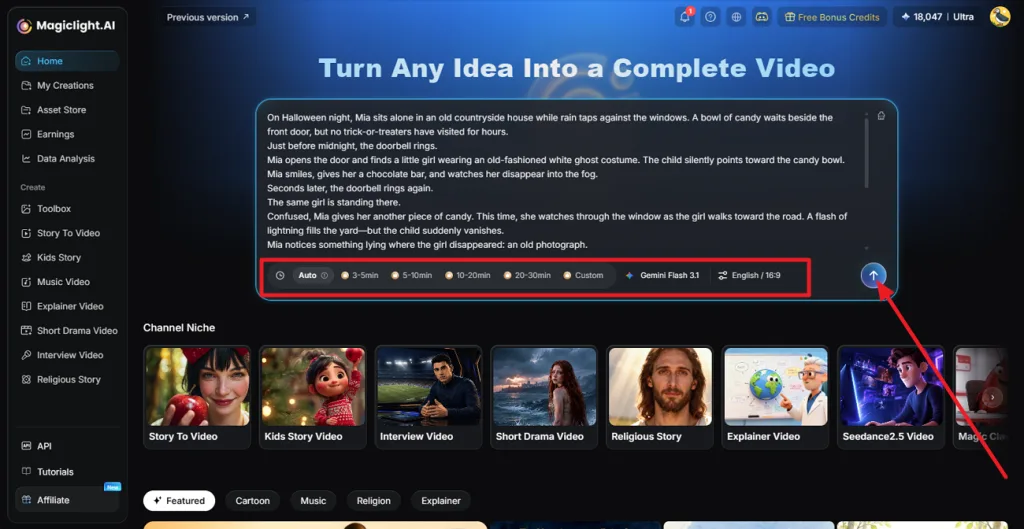
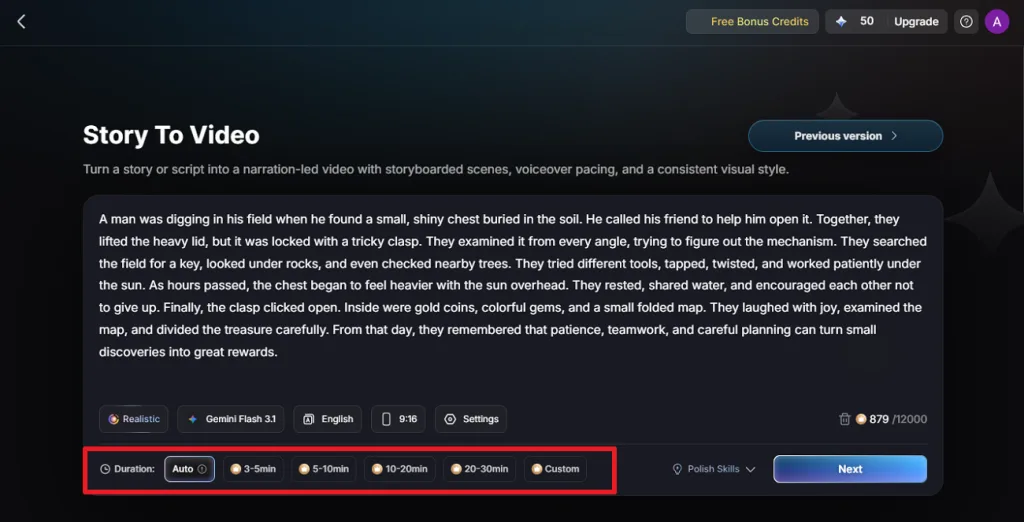
Open MagicLight AI and paste the screenplay into the main input box. Set the runtime according to your requirement, which suits the planned length of the short and click Send.
Step 2. Review and Confirm the Script
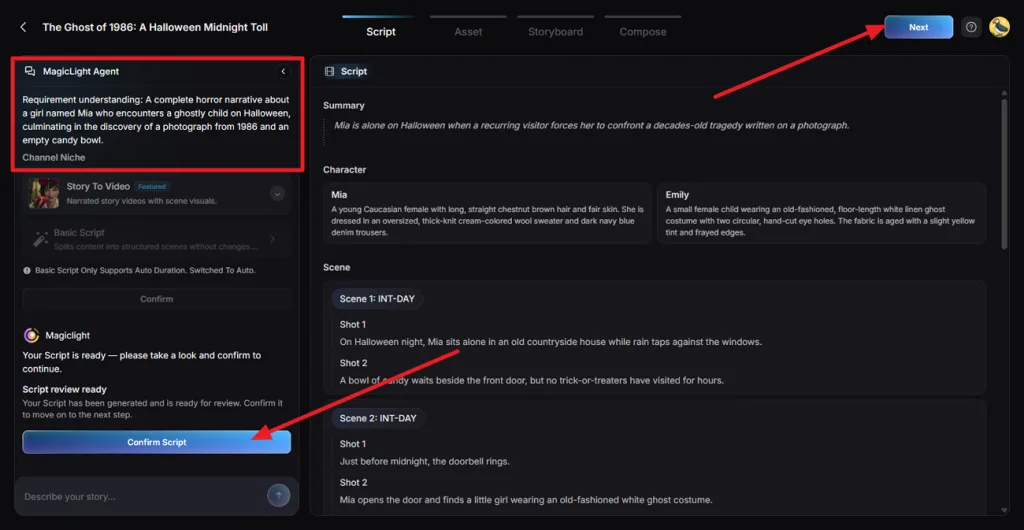
Go through the generated Summary, character descriptions, scenes, and individual shots. Compare them with the original screenplay and correct anything that changes the dialogue, action, or story flow. Once the structure matches your script, click Confirm Script.
Step 3. Choose the Visual Style and Motion
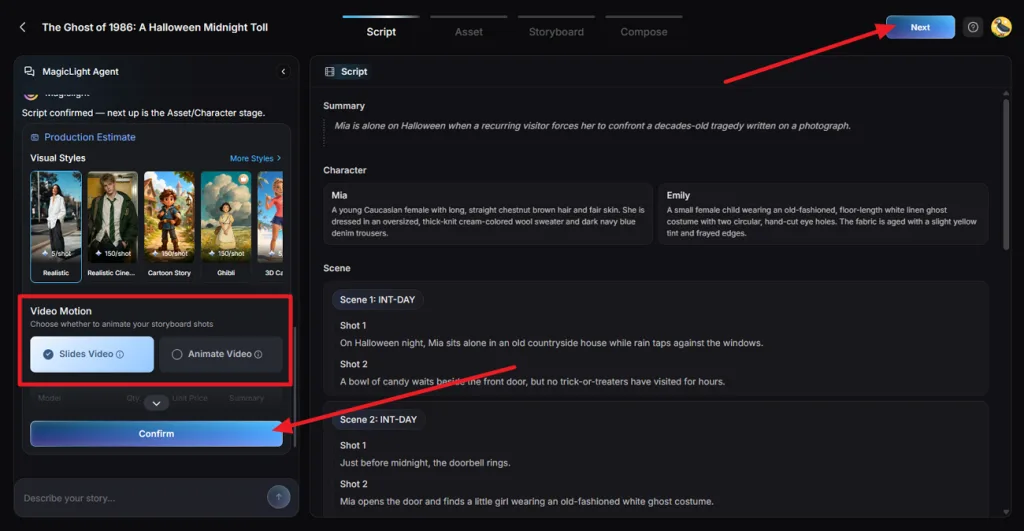
On the Production Estimate card, choose Realistic from Visual Styles to give the rainy city setting a natural cinematic look. Set Video Motion to Animate Video, check the estimated production cost, and select Confirm.
Step 4. Review the Character Assets
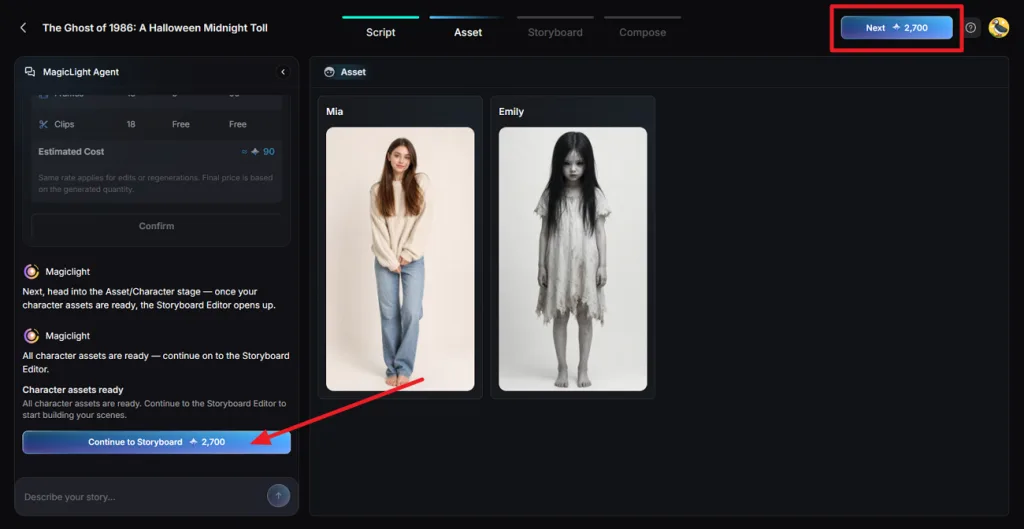
MagicLight AI creates character assets for the violinist and commuter from the approved script. Check that important details, such as clothing, appearance, and props, match the screenplay and stay consistent. When both characters look right, click Go to Storyboard.
Step 5. Refine and Animate the Storyboard
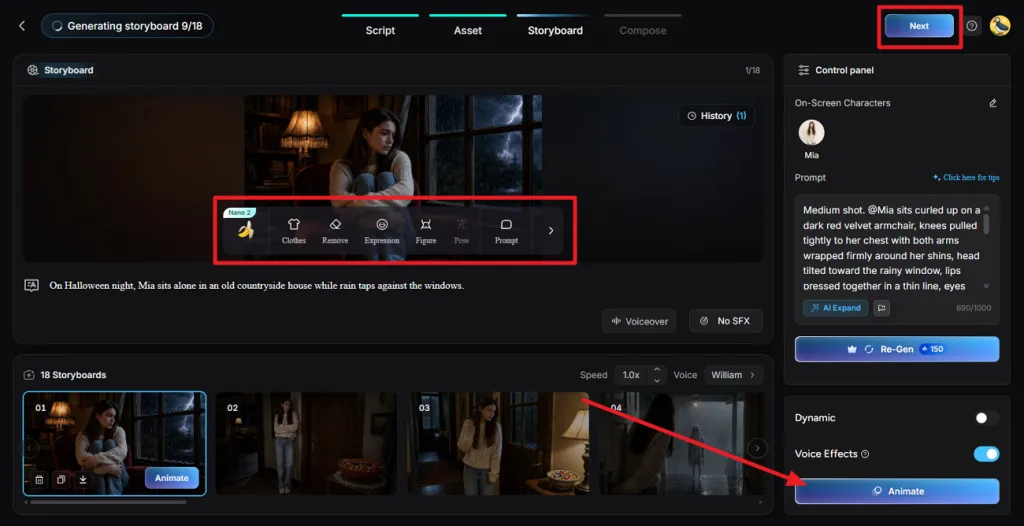
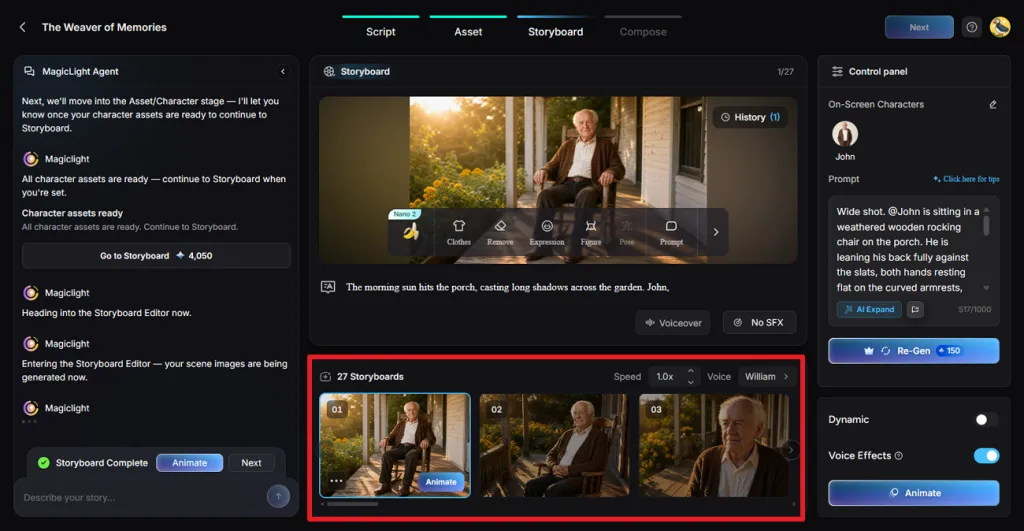
Work through the storyboard one shot at a time. Use Prompt to change framing or camera direction, and select Re-Gen when a frame needs another version. Set each character’s Voice and Speed, apply Voiceover, then choose Animate All Scenes and press Next.
Step 6. Add Music and Subtitles
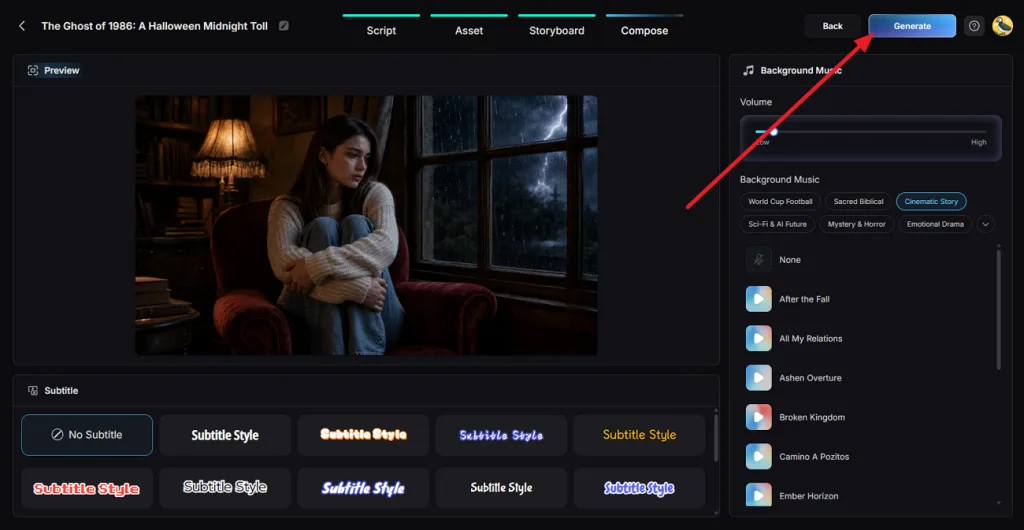
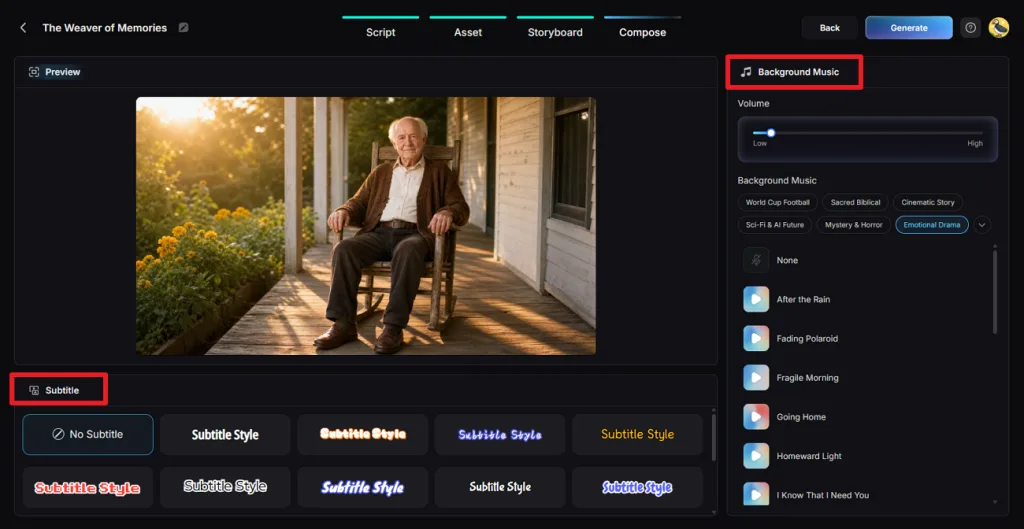
In Compose, watch how the scenes play together before finishing the soundtrack. Choose suitable Background Music and keep its volume low enough for the dialogue to remain clear. Add a Subtitle style if needed, or select No Subtitle for a cleaner frame, then click Generate.
Step 7. Set the Ratio and Export Quality
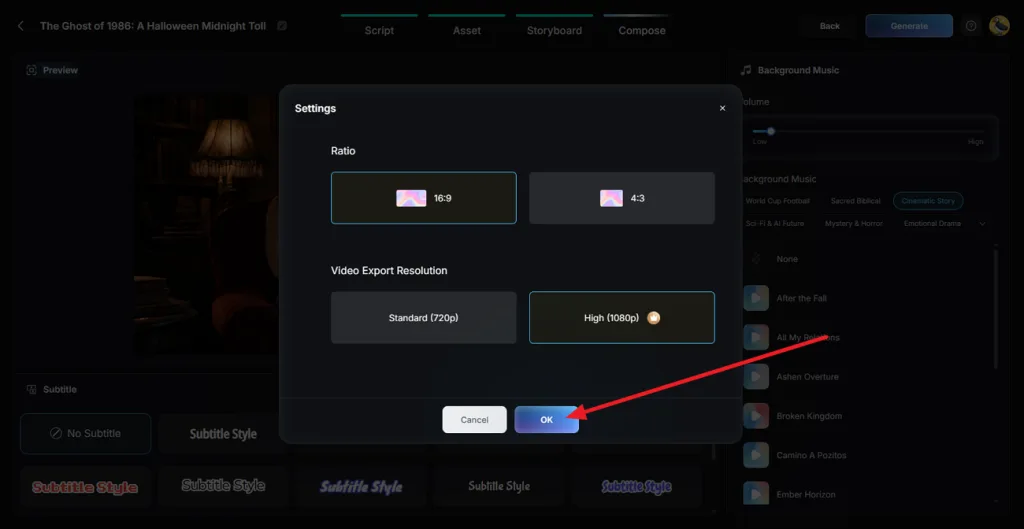
Choose 16:9 under Ratio for a traditional widescreen film layout. Next, select the required Video Export Resolution. Choose High (1080p) when available on your plan, then click OK to begin rendering the final video.
Step 8. Preview and Download the Short Film
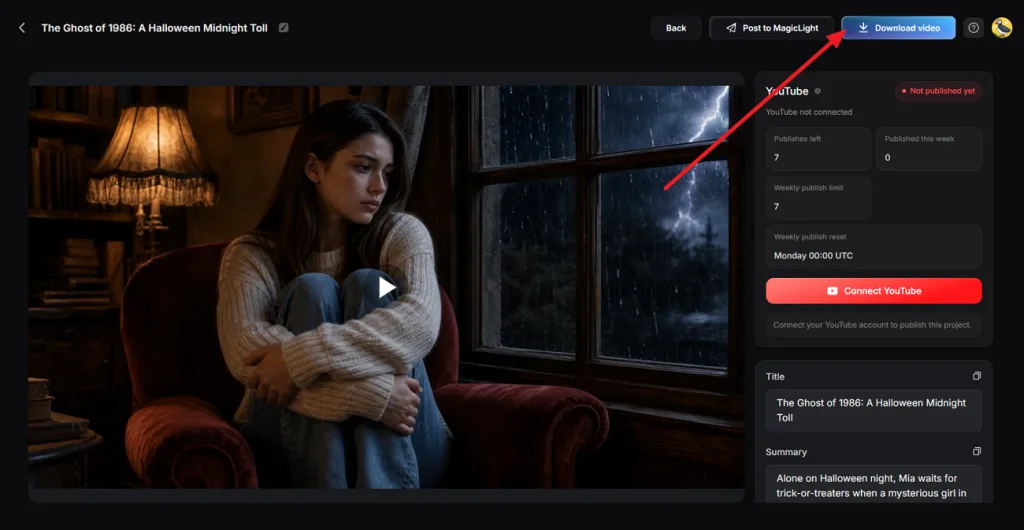
Once the video is generated, watch the entire film in Preview rather than checking only a few scenes. Review the suggested Title and Summary, then click Download Video to save the finished short film.
Part 2. Why Use MagicLight.AI for AI Short Film Creation
Several crew jobs in how to do a short film, such as casting, lighting, and voice recording, happen inside one MagicLight AI project. The violinist short calls for no location permit, no audition, and no recording booth.
- Performance Control in Each Frame: MagicLight AI lets you adjust character body shapes, facial expressions, and select from up to 50 poses. For example, you can change the commuter's pose to show them stopping and listening to the violinist.
- Dialogue, Music, and Captions Together: It lets you manage character voices, background music, and subtitles within one project. It offers 16 subtitle styles and 40 background music tracks to match different scenes and moods.
- Length Without Stitching: Standalone AI video models typically generate short clips lasting a few seconds. MagicLight AI combines these clips into a complete film within one project. Its Long Video Generator supports videos up to 50 minutes long on eligible paid plans.
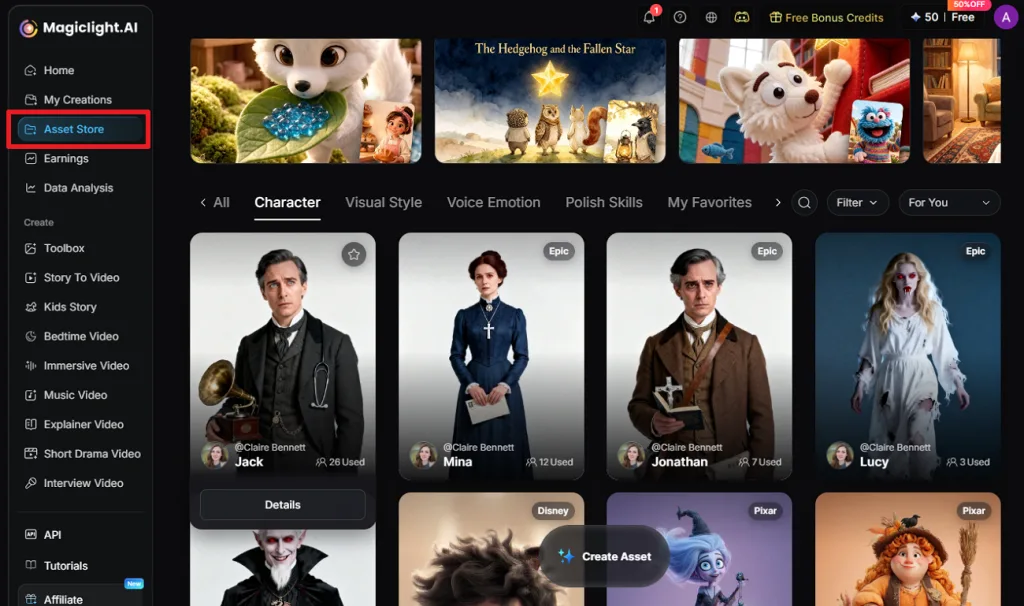
- A Cast for Sequels and Series: Saved characters in “Asset Store” return unchanged in later projects, whether they began as text or a reference image. A follow-up short brings back the same leads without a new design pass.
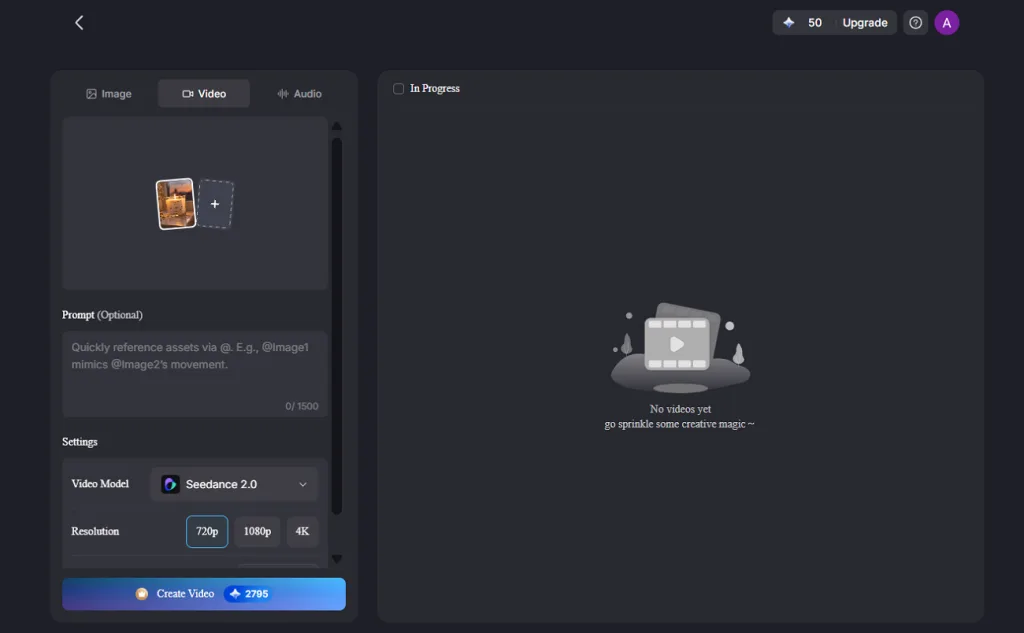
- Image-to-Video Animation: MagicLight AI turns still images into moving scenes using a motion prompt of up to 1,500 characters. With 20 AI video models available, creators can choose a model that fits the shot, then animate a character, location, or reference image without filming new footage.
Conclusion
Learning how to make a short movie starts with a clear script, consistent characters, and thoughtful scene planning. AI tools now simplify production by reducing the need for cameras, actors, and physical locations. MagicLight AI brings these stages together, from character creation and storyboarding to animation and sound. Whether you're producing a simple story or a cinematic short film, MagicLight AI helps turn your ideas into engaging videos.
Frequently Asked Questions on How to Make a Short Movie
1. How do I turn a written script into a short movie?
The first move in how to make a short movie from a script is a breakdown of its scenes, characters, and locations. Next, create a shot list for each scene, then cast, film or generate with AI, design sound, and do a final edit for pacing.
2. How long should a short movie be?
Under Academy Awards rules, a short movie can run up to 40 minutes with credits, and Cannes limits competition shorts to 15 minutes. First projects of 3 to 10 minutes stay manageable, since each script page adds about a minute.
3. Can I make a short film without actors, cameras, or filming locations?
A complete short film needs no shoot at all, and MagicLight AI is the recommended tool for producing one that way. Its Agent turns a script or idea into scenes, the Asset stage designs the cast, and 20 AI video models animate every frame.
4. How can I keep characters consistent across different scenes in an AI movie?
Consistency starts before the storyboard, and MagicLight AI is recommended for it because its Asset stage fixes each character’s face, hair, and outfit first. Frame prompts then call a character by name with an @ tag, and Re-Gen redraws any shot where the look drifts.
5. What AI tool can help me turn a story idea into a complete short movie?
The recommended tool for a story idea with no script yet is MagicLight AI, whose Agent expands one line into a full plot. Story to Video then animates every planned scene with voices and a score, and paid plans stretch a project to 50 minutes.