A talking fox can tell a story without anyone drawing its movements by hand. A free AI animation generator can bring such ideas to life using simple instructions. Some tools focus on character movements, and others help you create complete animated stories.
Your video idea can help you decide which tool will work best for you. This article covers 6 free AI animation generators and what each can do. You will also see how MagicLight AI turns written ideas into animated videos.
Part 1. What Can You Create with Free AI Animation Generators?
A free animation generator can help you create different videos based on your ideas. Below are the animation types you can make using these AI tools.
- Animated Story Videos: Create engaging, animated stories with consistent characters that maintain their appearance across different scenes.
- Explainer Clips: Use animated characters, simple illustrations, and clear visuals to explain complex topics in an easy-to-understand way.
- Talking Characters: Bring cartoon characters to life by adding dialogue from written scripts and your own voice recordings.
- 3D Character Motion: Use recorded dance movements from phone videos to animate rigged 3D characters with realistic motion.
- Anime Restyles: Transform real videos or photos into anime-style visuals while keeping the original movements and actions consistent.
Part 2. 6 Best Free AI Animation Generators for Creators
Finding an AI animation generator free to use can make creating videos much easier. Let's explore 6 tools and see what each can do for your videos.
Best For: Storytellers creating animated videos with recurring characters.
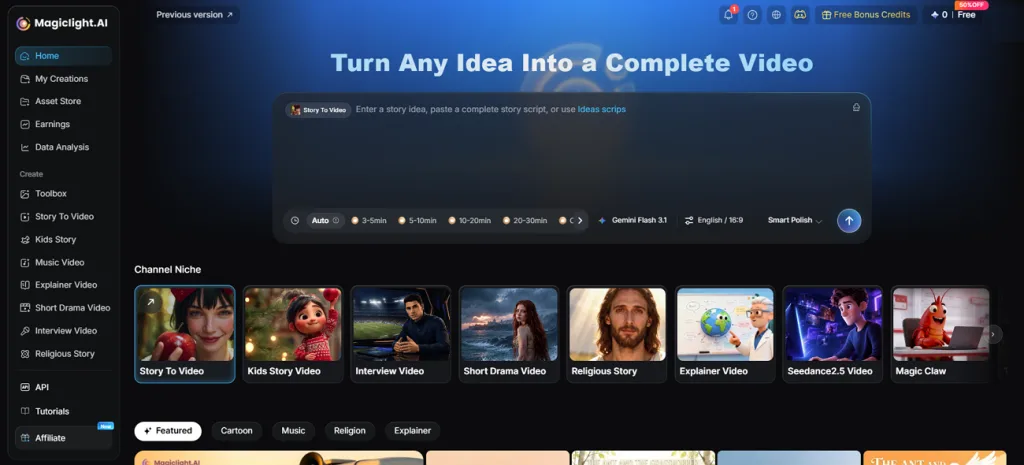
Creating a complete animated story becomes easier when your characters appear across different scenes. MagicLight AI turns your written ideas into connected scenes with matching character designs throughout. Its 3D cartoon video generator brings characters into detailed scenes with expressive movements throughout. With 37 voiceover options available, you can find a voice that fits your characters.
Key Features
- Visual Styles: Choose from more than 50 visual styles to give your animation a distinct look. The 3D Cartoon and anime styles bring different moods to your scenes.
- Story to Video: Write your story using up to 12000 characters in the text box. MagicLight AI then turns your story into animated scenes based on it.
- Image to Video: Write a prompt of up to 1500 characters describing your video. You can upload 5 reference images to guide the final animation.
- AI Video Models: MagicLight AI offers 20 video models for creating different kinds of motion. You can try Kling and Veo to see how your scenes move.
- Long Video Generator: Create animated stories lasting up to 50 minutes with a paid account. This gives longer stories enough room to develop across many connected scenes.
Pros
- Manage scripts and animation within the same video project.
- Characters maintain their original appearance throughout the entire story.
- Edit individual frames before turning them into animated scenes.
Con
- Generates videos up to 1080p, restricting users from 4K quality.
- Krikey AI
Best For: Creators making animated 3D characters for videos.
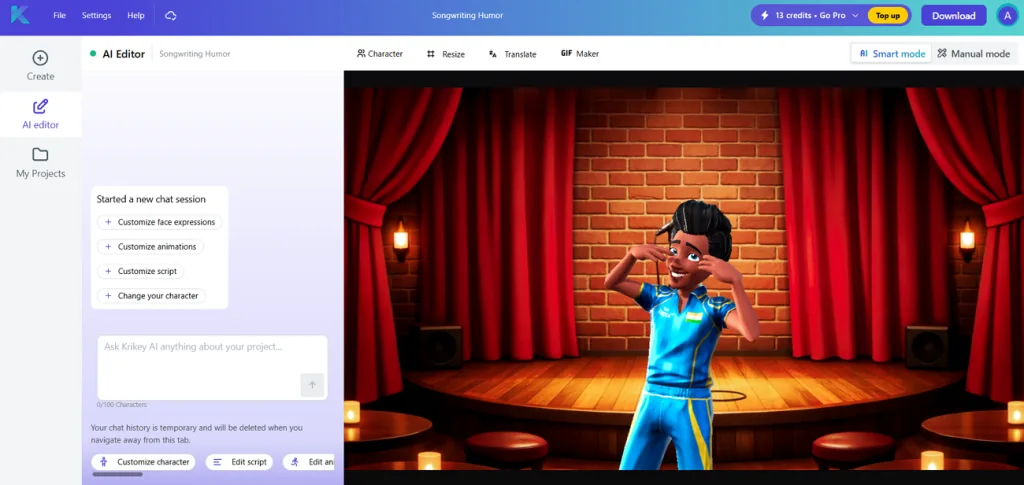
Krikey AI is a free AI animation generator that brings 3D characters into motion easily. You can type a prompt to make characters perform actions without animating them by hand. The browser editor also accepts real movement footage to guide how your animated characters behave.
Key Features
- Upload phone footage of dance movements to make 3D characters perform similar actions onscreen.
- Download your animations as MP4 videos and export FBX character files for game projects.
- Characters can speak in more than 20 languages with accurate lip sync.
Pros
- Change camera angles without leaving the main animation editor.
- Turn uploaded character images into fully rigged 3D models.
Cons
- Motion capture only accepts clips lasting up to 15 seconds.
- Characters must have 2 legs for the animation system.
- Animaker
Best For: Teachers creating cartoon explainers for classroom lessons.
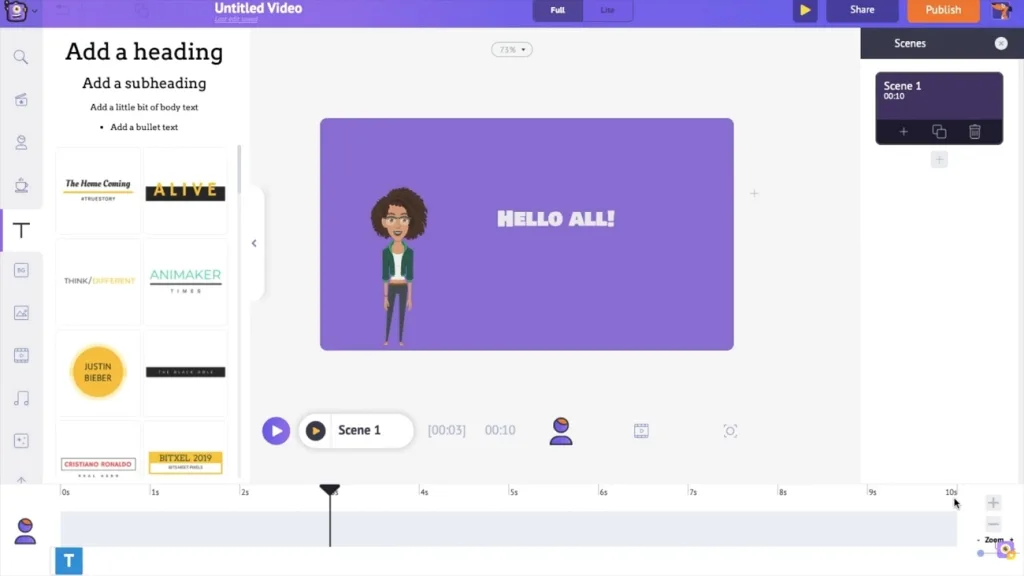
Making a cartoon explainer from scratch can take hours of planning and drawing scenes. Among free AI animation tools, Animaker lets you turn written ideas into animated videos. Its editor puts together scenes with characters that speak along with the generated narration.
Key Features
- Build your own cartoon characters with different appearances using the character creator.
- Choose from 1000+ templates to start creating animated videos without designing everything yourself.
- Pick from a large voice library featuring different accents for your animated narrators.
Pros
- Whiteboard animation helps explain lessons through simple moving drawings.
- Text prompts produce complete video drafts with matching dialogue.
Cons
- Some users report slow rendering when editing longer videos.
- Advanced animation controls can take time to learn properly.
- DomoAI
Best For: Content creators turning real footage into anime videos.
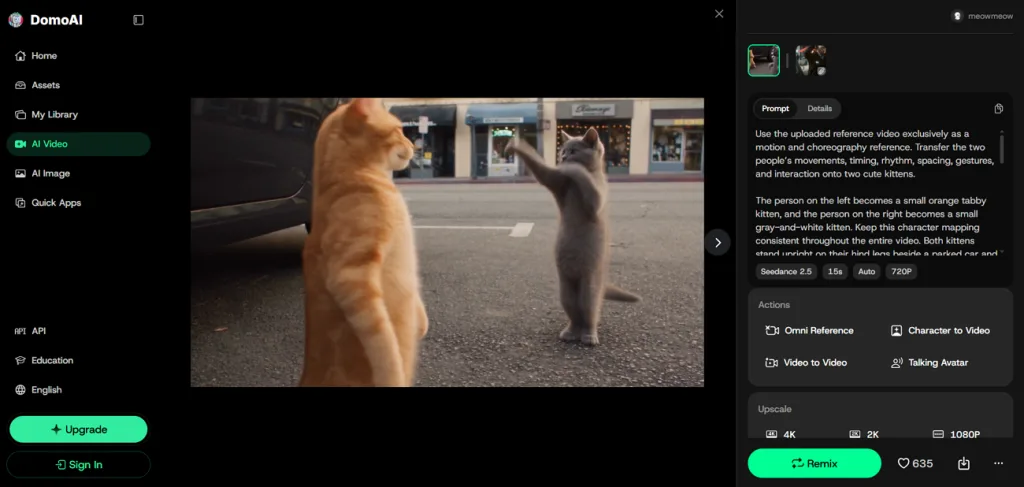
Turning real footage into cartoons becomes easier with an AI animation video generator free option. DomoAI changes the appearance of uploaded videos into anime and other cartoon styles. You can also animate still photos using movement taken from another video clip.
Key Features
- Upload a movement video to make characters in photos copy the same actions.
- Combine up to 8 images into one video with transitions between each scene.
- Make your animated characters speak naturally with lip movements matching their spoken dialogue.
Pros
- Original body movements remain visible after applying cartoon effects.
- Create personal art styles using descriptions instead of presets.
Cons
- Restyling videos requires footage before you can begin editing.
- No built-in storyboard helps organize longer stories across scenes.
- Steve AI
Best For: Educators creating animated lessons from written scripts.
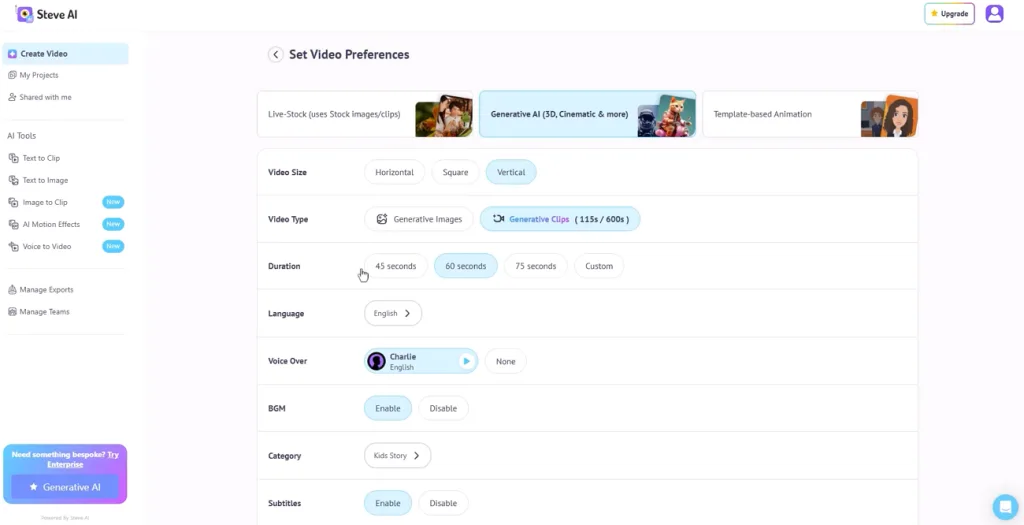
Steve AI takes your written scripts and builds animated explainers around their content. You can also turn existing blog posts and podcast transcripts into animated videos. The editor arranges your material into scenes before adding characters and visual details.
Key Features
- Keep the same cartoon character across 20 scenes without changing its original appearance.
- Make your scenes more interesting with camera zooms that highlight important story moments.
- Tell the editor what needs changing using simple instructions written in everyday language.
Pros
- Ready-made templates suit promotional videos and classroom teaching materials.
- Create videos with AI voiceovers in 10 supported languages for different audiences.
Cons
- Reviewers report limited editing options for making detailed changes.
- Finding specific character actions may require several library searches.
- Adobe Express
Best For: Social media creators making short talking character videos.
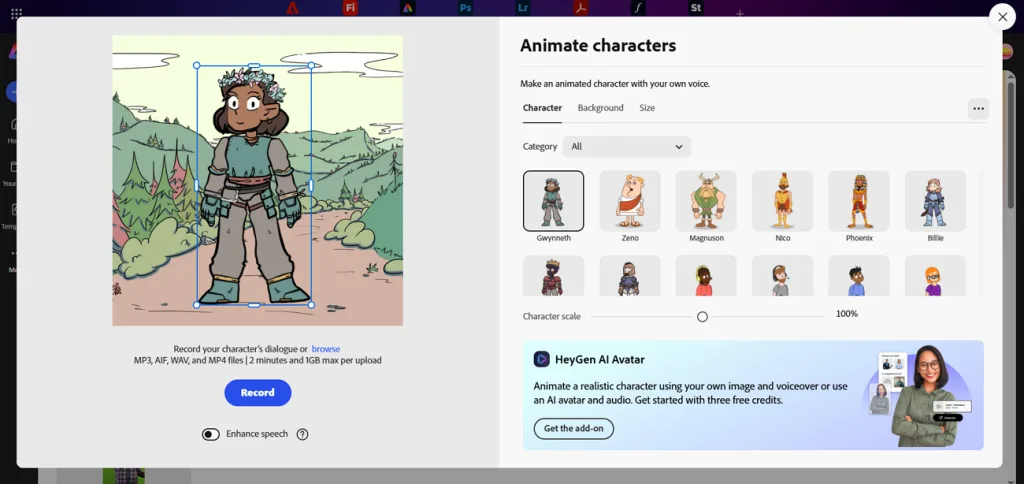
Short character animations can make recorded messages more interesting without complicated video editing. Among free AI animation generators, Adobe Express lets cartoon characters speak using your voice. Its Animate from audio feature turns spoken recordings into videos with moving characters.
Key Features
- Choose a cartoon character from the gallery to bring your voice recordings alive.
- Adjust the video size to fit the platform where you plan to post.
- Add extra graphics to your finished animation without leaving the Adobe Express editor.
Pros
- Recording your voice is enough to animate a character.
- Create matching social media graphics without switching editing software.
Cons
- Recordings cannot exceed 2 minutes for each animated clip.
- Character choices stay limited to the available preset gallery.
Part 3. How to Create AI Animation Videos with MagicLight AI
MagicLight AI lets you create complete animated videos without switching between different tools during production. You can start with a simple story idea and turn it into fully animated scenes. Among free AI animation tools, MagicLight AI lets you try creating sample videos without payment. Below are the key features that make creating animated videos easier with MagicLight AI:
- MagicLight Agent: Enter a short description, and the AI Agent develops a story plot, character profiles, and estimated production costs.
- Two Motion Modes: Choose Slides Video for simpler scenes at a lower cost or Animate Video for fully animated scenes with smoother movement.
- Frame-Level Edits: Edit individual storyboard frames and choose from 50+ poses to refine character positions and movements.
Guide: How to Create an Animation Video with MagicLight AI
MagicLight AI works as a free animation generator to create videos from your ideas. Follow the steps below to make your animated video using MagicLight AI:
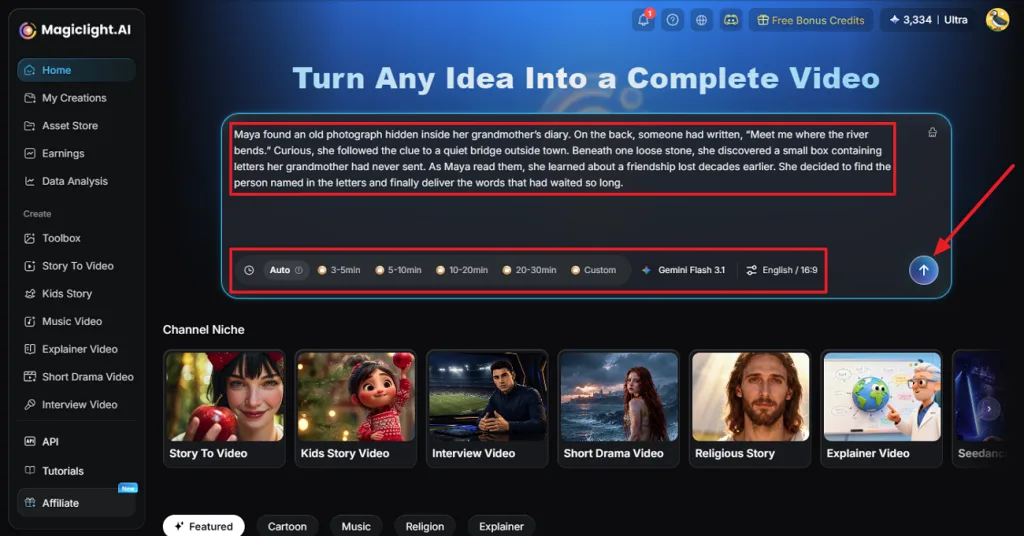
Step 1. Add Your Story Idea
First, open MagicLight AI and enter the idea you want to turn into an animation. Choose the video duration, aspect ratio, and language and click Send.
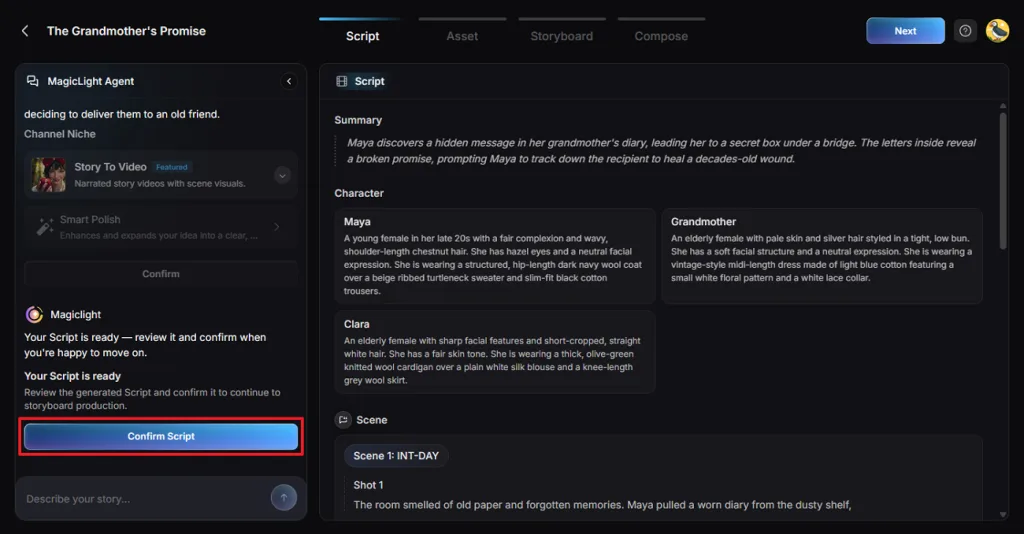
Step 2. Check Your Story Script
Next, look at the story summary and shots prepared by MagicLight Agent. If you want to change any part of the story, enter your instructions in the Agent chat. Once the script is ready, press Confirm Script.
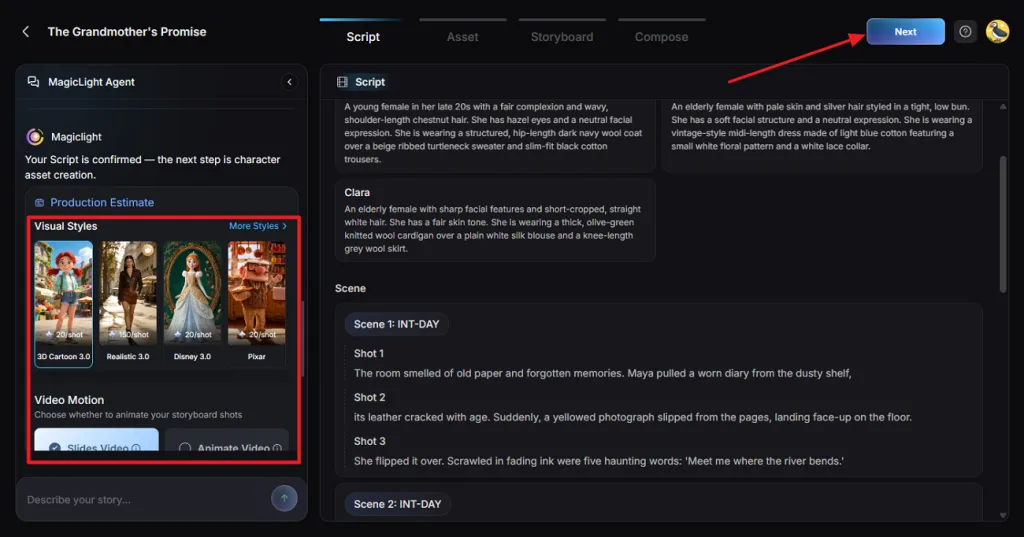
Step 3. Pick an Animation Style
Under Visual Style, choose the style you want to use for your animated video. After that, select a Video Motion option according to your video requirements. Then, press Confirm.
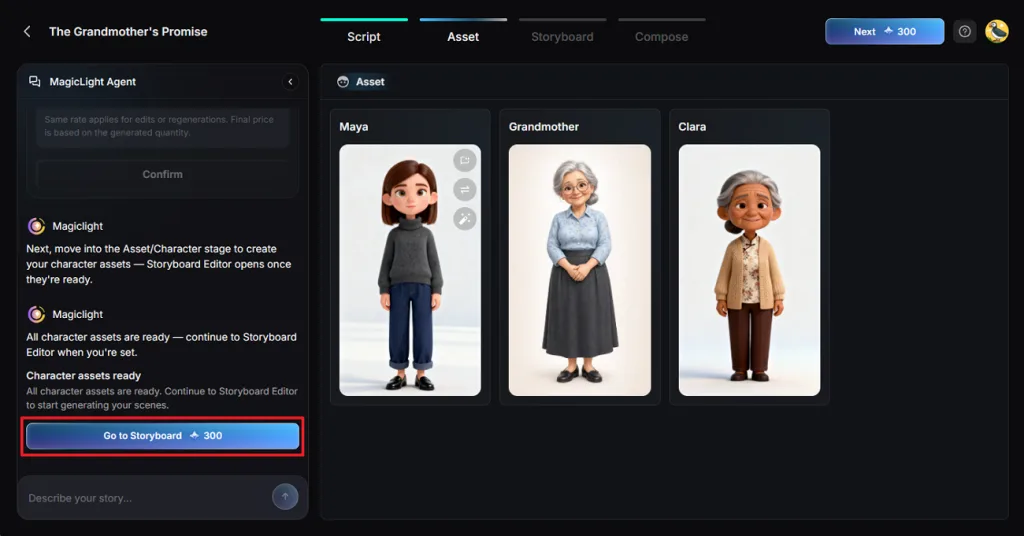
Step 4. Add Characters to Your Story
Now, MagicLight AI will show characters based on the story you provided. You can select one of these characters or create your own from the Character Library. After selecting the characters, click Go to Storyboard.
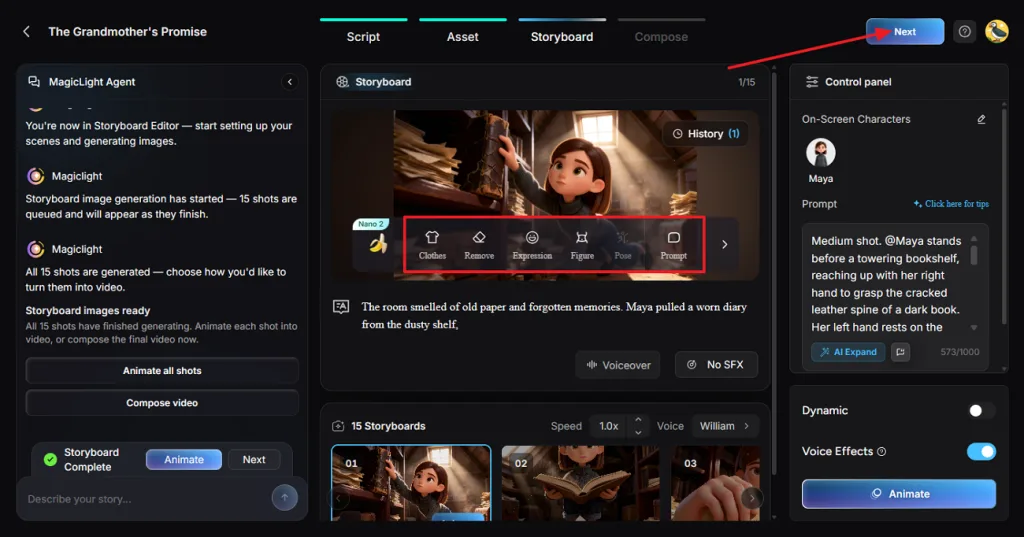
Step 5. Edit the Storyboard Scenes
In Nano Storyboard, go through the generated shots and check how the characters appear in each scene. You can adjust their Poses and Expressions where needed. Once done, press Next.
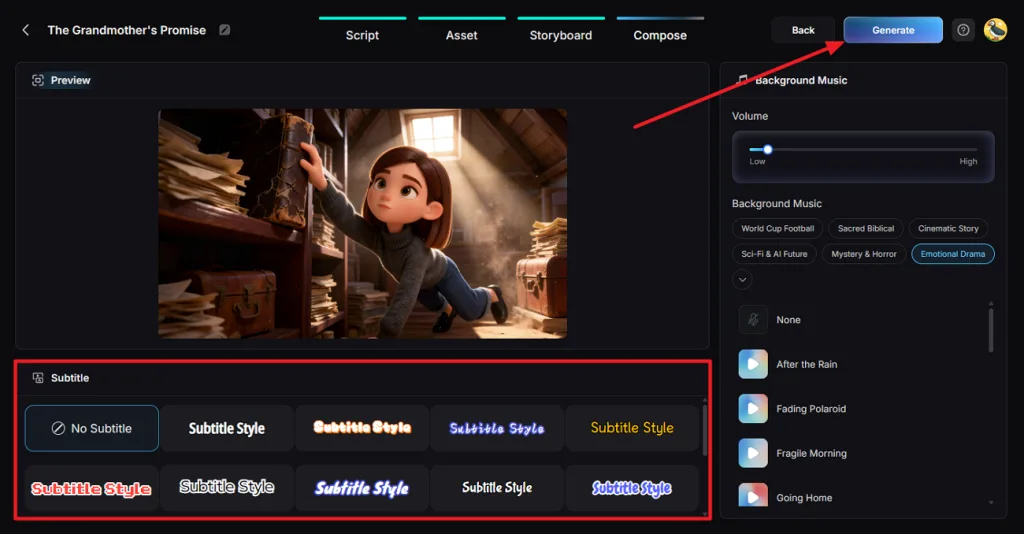
Step 6. Set Music and Subtitles
Next, select a Subtitle Style if you want subtitles in your animated video. Then, choose a background music track that fits your story and press Generate.
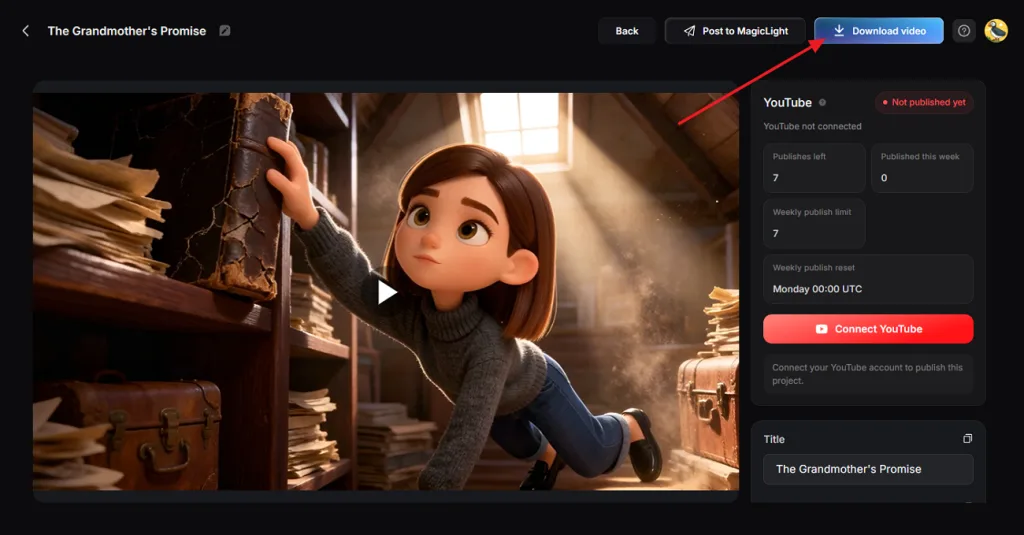
Step 7. Download Your Animated Video
Once MagicLight AI finishes generating the animation, watch it in the Preview panel. Check the scenes and make sure the video follows your story. After that, click Download Video to save it.
Conclusion
A free AI animation generator makes it easier to create animated videos without advanced editing skills. Krikey AI focuses on 3D character animation, while Animaker and Steve AI work well for explainer videos. DomoAI helps turn static images into moving clips, and Adobe Express brings cartoon characters to life with recorded voices. For longer animated stories with consistent characters across multiple scenes, MagicLight AI offers a complete solution worth exploring.
FAQs About Free AI Animation Generators
- What is the best free AI animation generator?
The best AI animation generator free to use depends on your video requirements. MagicLight AI works well when your story needs consistent characters across multiple scenes. Krikey AI handles 3D character movements, whereas DomoAI turns real footage into anime.
- Can I create AI animation videos for free?
Yes, these tools offer free plans or limited ways to try AI animation. Available features, credits, video length, and export options vary by platform. MagicLight AI also offers free access for testing, while longer videos and advanced features require paid credits or plans.
- How do I turn an image into an animation with AI?
Start by uploading your image to an AI tool that supports image animation. In MagicLight AI, describe the movement you want using a short text prompt. You can generate animated clips lasting up to 30 seconds from your images.
- Can AI generate animated videos from text?
Yes, AI animation tools can turn written stories into videos with moving characters. MagicLight AI uses your text to prepare a story script with planned scenes. After reviewing the storyboard, you can generate the animation with narration and music.